Inspiration
Have you ever written an email or a message and then spent ten minutes worrying if it sounded too harsh, too casual, or not confident enough? That feeling of uncertainty was the primary inspiration for Alchemy AI. I wanted to create a simple, powerful tool that removes the anxiety of communication by acting as a personal writing assistant. The goal was to build something that could instantly transform a user's raw thoughts into perfectly toned, context-aware text, directly within their browser.
What it does
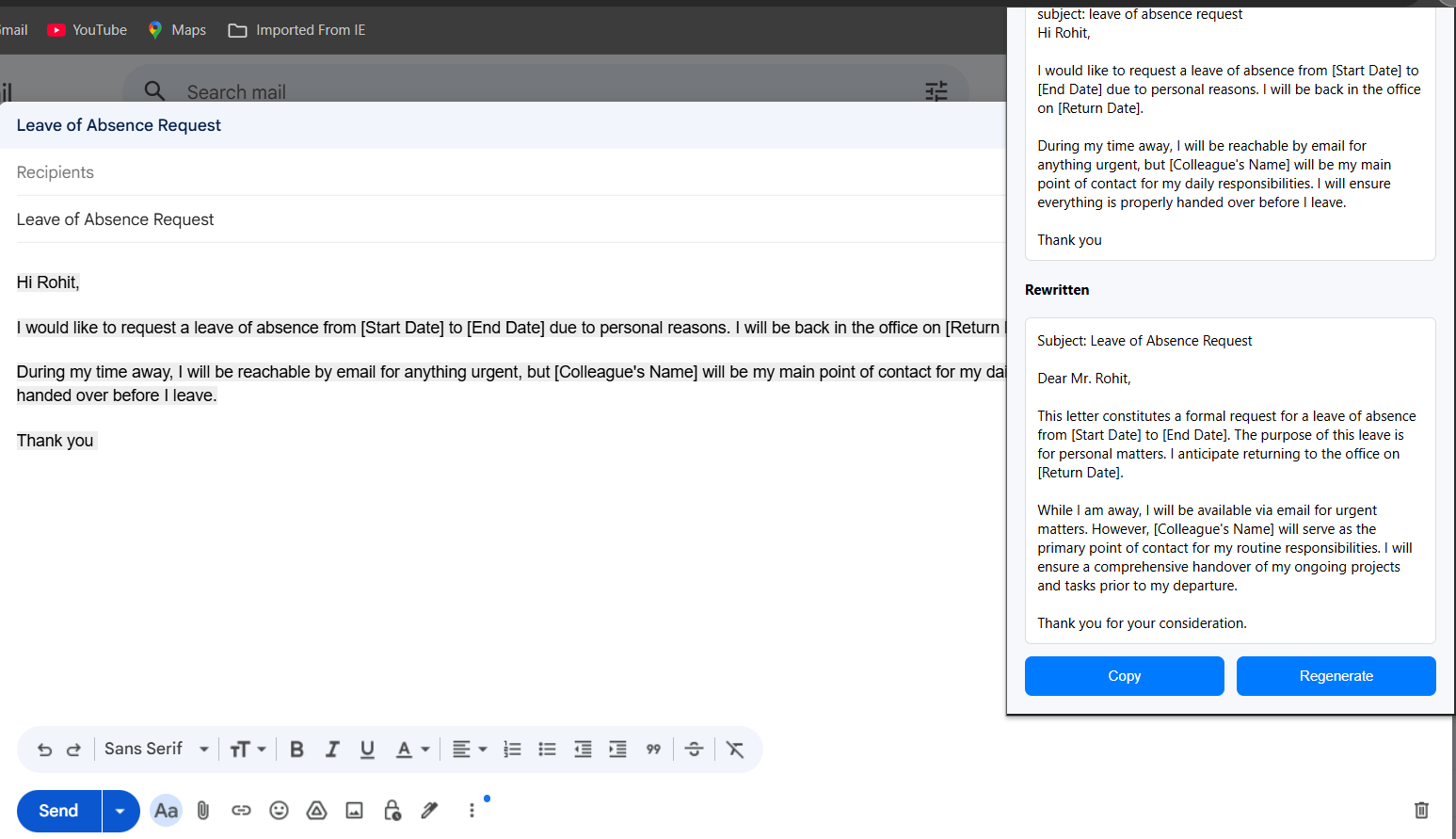
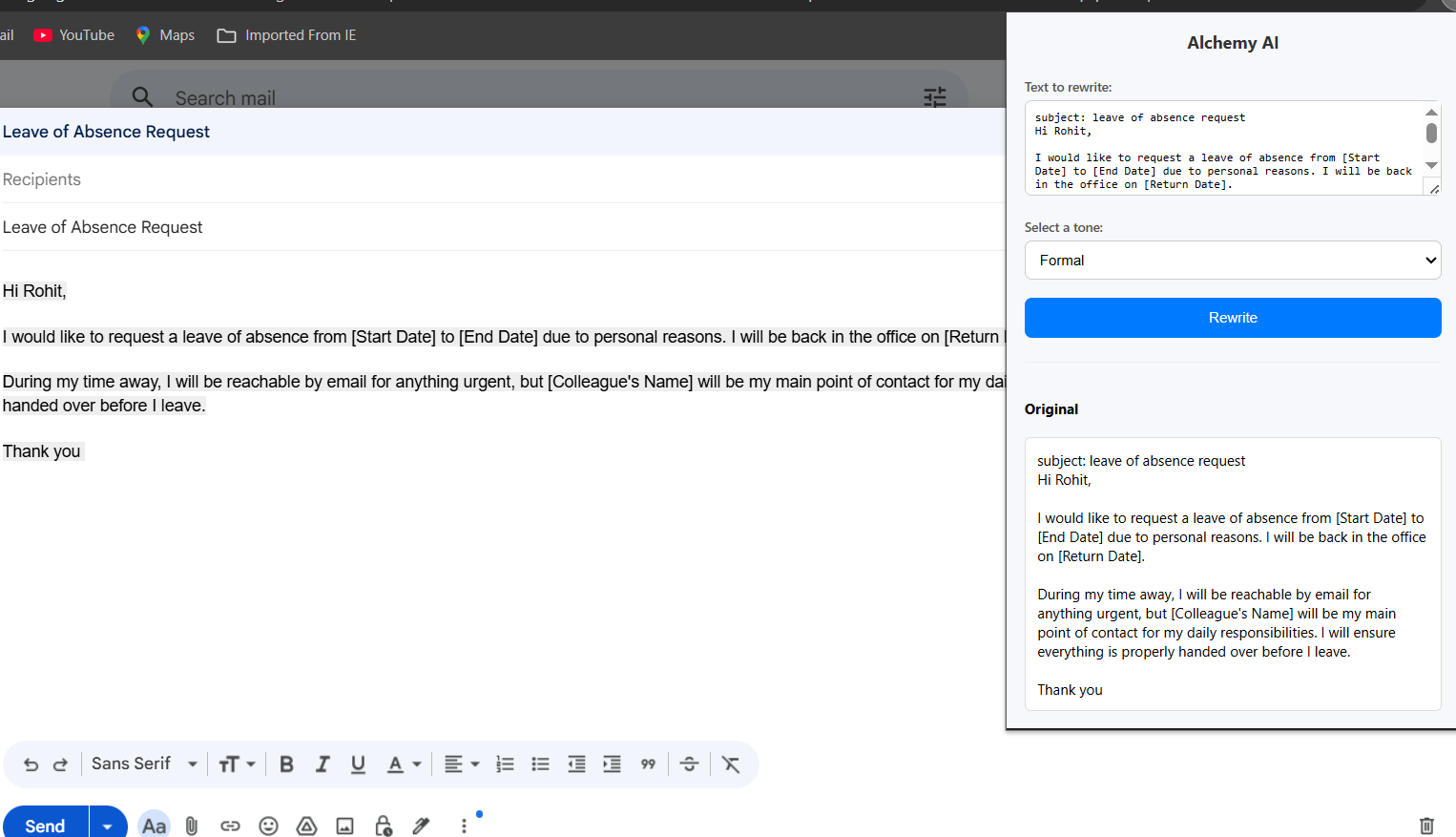
Alchemy AI is a lightweight Chrome Extension that functions as an intelligent, on-demand writing assistant. By simply highlighting any text on a webpage, a user can instantly rewrite it into a variety of tones—such as Formal, Casual, Confident, or Persuasive. It takes the guesswork out of communication, ensuring that your message is always perfectly tailored to your audience and context, whether you're drafting a critical business proposal or a friendly social media post.
How we built it
Alchemy AI was built using a lean and efficient tech stack, prioritizing speed and user experience. The front-end is crafted with standard HTML, CSS, and modern JavaScript (ES6+) to create a clean and intuitive user interface. The core functionality is powered by the Google Gemini API. When a user selects a tone, an async JavaScript function makes a fetch call to the generateContent endpoint. We engineered specific, context-rich prompts that guide the Gemini model to produce high-quality, nuanced rewrites. The entire extension is packaged according to the Chrome Extension Manifest V3 standards, ensuring it's secure and compliant with the latest browser requirements.
Challenges we ran into
The biggest challenge was ensuring both security and functionality. Early on, I inadvertently committed my secret API key to my Git history. Realizing the security risk, I had to retract the commit and learn the critical process of using a .gitignore file to properly manage secrets. This was a stressful but invaluable lesson. Additionally, I faced issues with API call reliability, which I resolved by refining my prompts and implementing more robust error handling in the JavaScript fetch call, providing clearer feedback to the user if an API request failed.
Accomplishments that we're proud of
I'm incredibly proud of creating a tool that feels seamless and almost magical to use. The process of highlighting text and receiving an instant, high-quality rewrite is incredibly satisfying. Furthermore, successfully navigating the complexities of secure API key management and building a project from the ground up—from concept to a functional, safe, and useful tool—is a major accomplishment. It proves that a simple idea, when executed well, can create a genuinely helpful product.
What we learned
This project was a deep dive into the full development lifecycle. The most critical lesson was in security best practices; I now have a non-negotiable understanding of how to protect sensitive credentials in a public repository. I also significantly sharpened my skills in asynchronous JavaScript and learned the art of prompt engineering—realizing that the quality of the AI's output is a direct reflection of the clarity and cleverness of the input you provide.
What's next for Alchemy AI
The future for Alchemy AI is exciting! The next steps are focused on expanding its intelligence and user customization. I plan to introduce a feature that allows users to define their own custom tones (e.g., "Enthusiastic," "Skeptical"). I'm also exploring the integration of the Summarizer API to add a "Summarize" function, making Alchemy AI an even more comprehensive tool for anyone who works with text on the web.
Built With
- chromeextension
- css3
- geminiapi
- git
- github
- googlechrome
- html5
- javascript


Log in or sign up for Devpost to join the conversation.