-
-
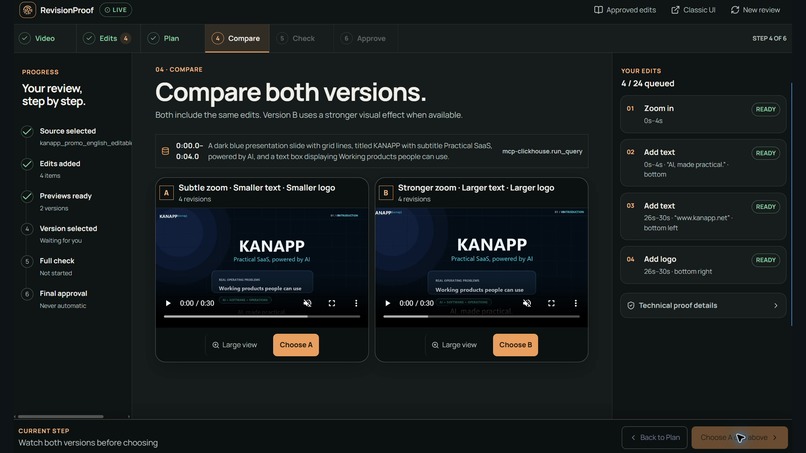
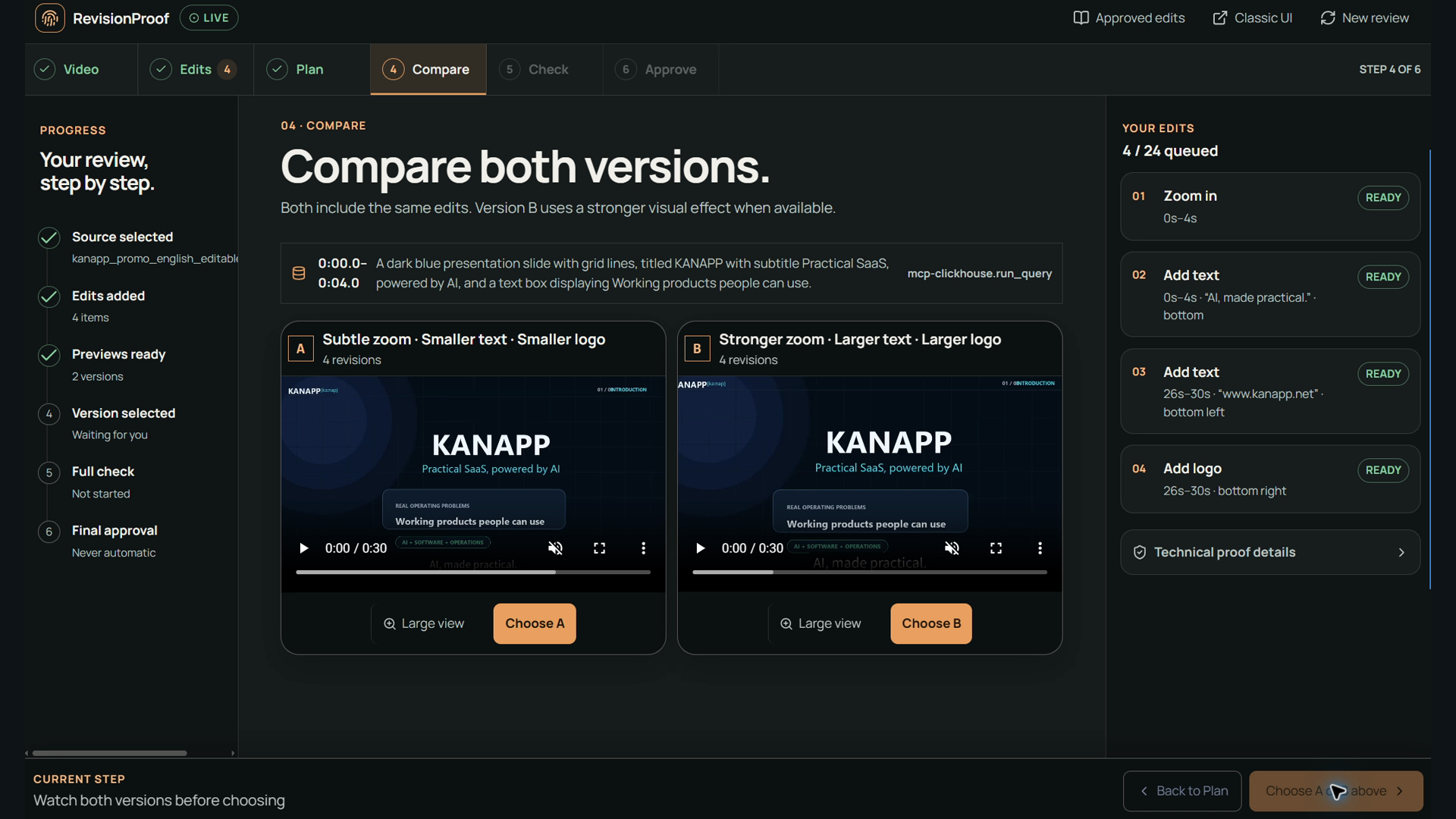
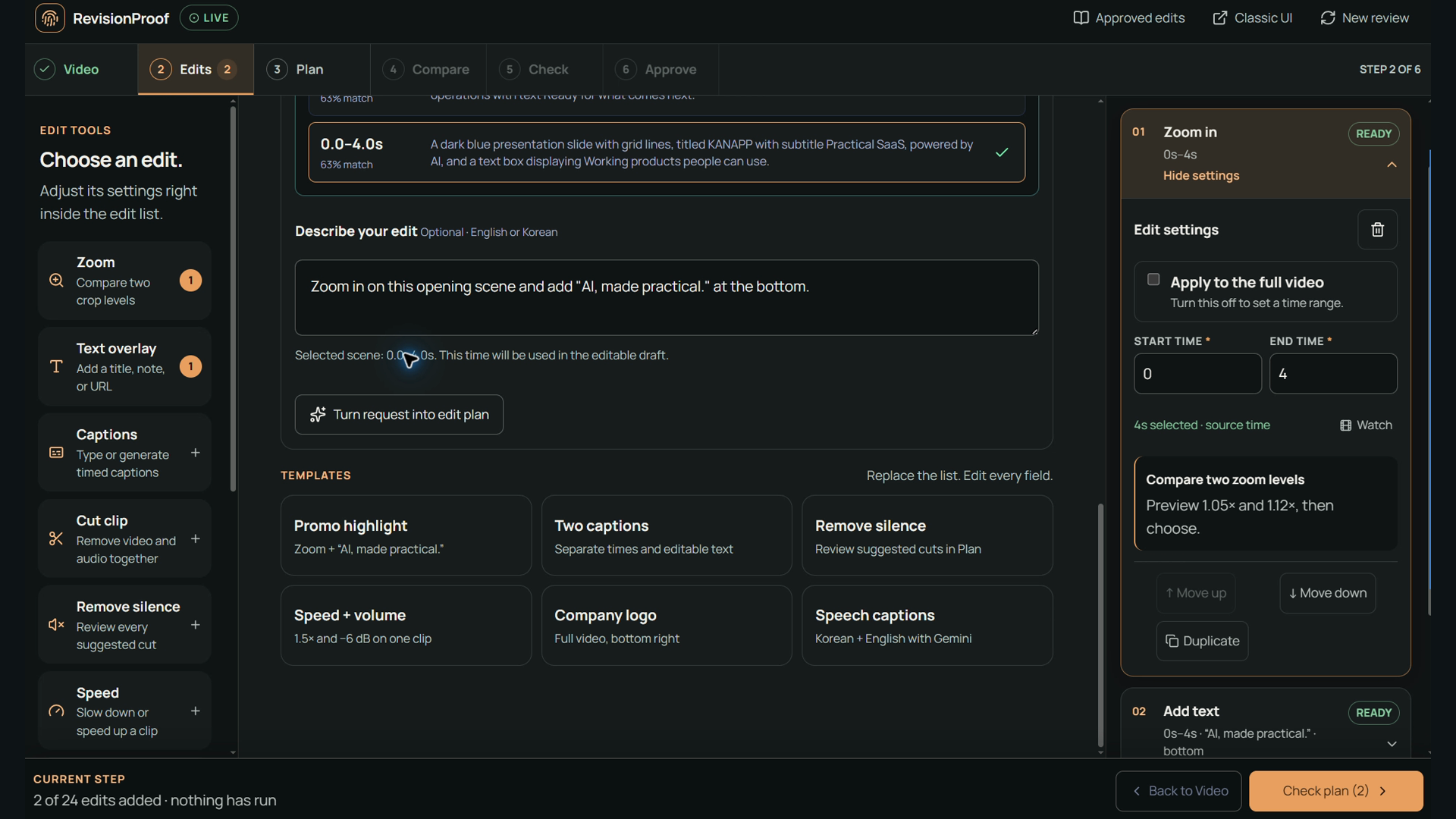
Compare A and B before you commit. Choose the preview that becomes the reference for export verification.
-
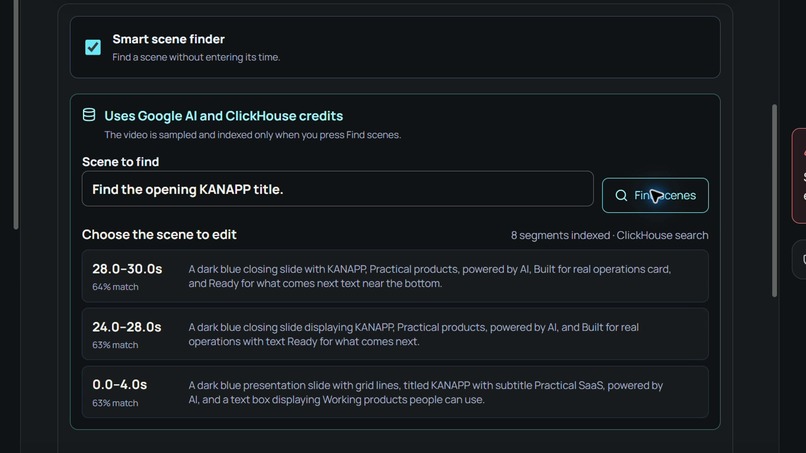
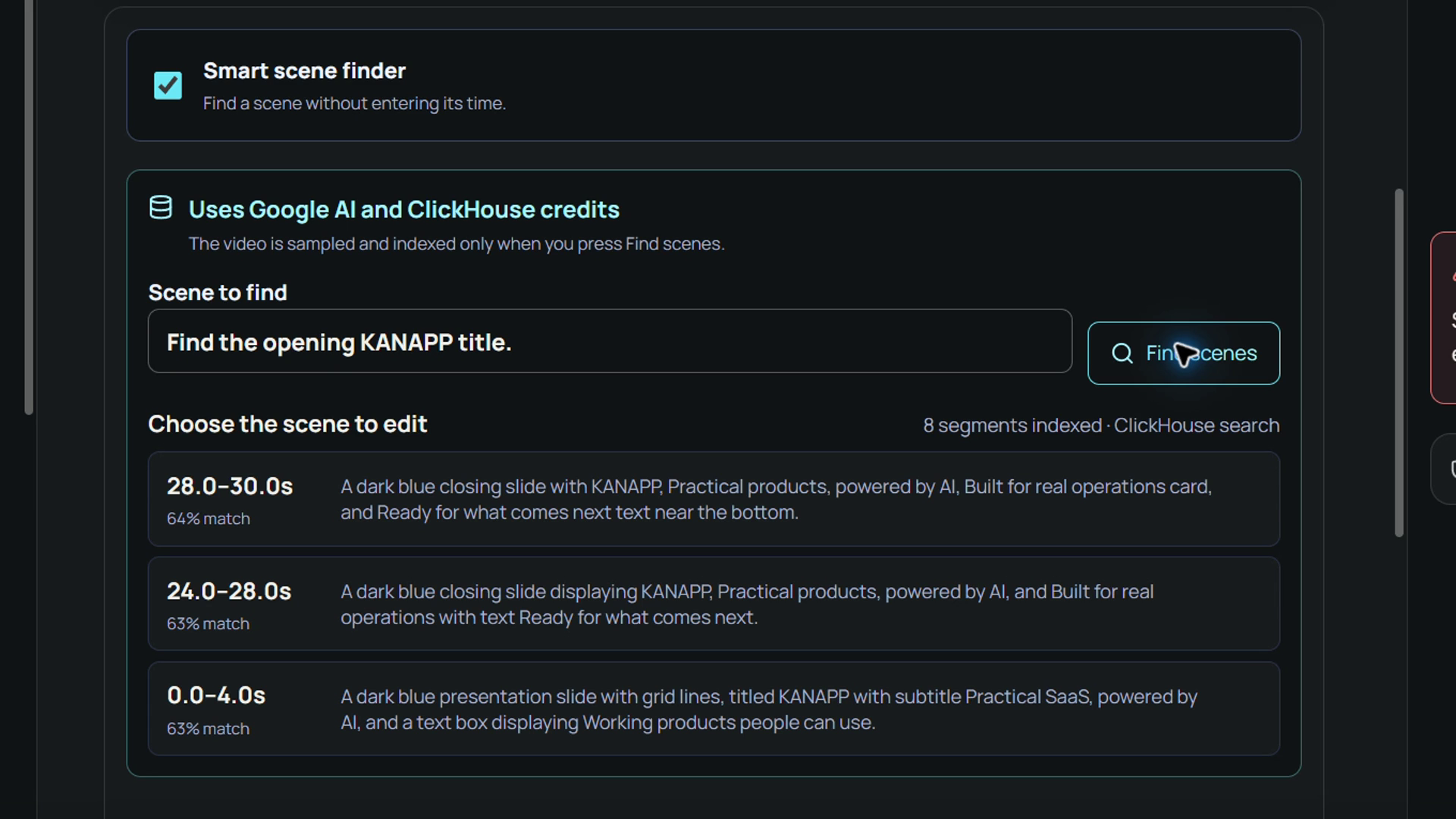
Find the scene, not the timecode. Google AI and ClickHouse return candidate moments for you to review.
-
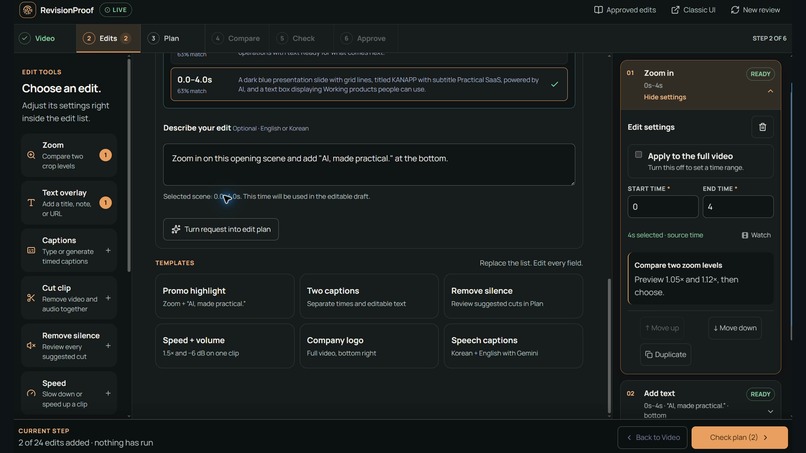
Describe the change. Gemini drafts timed edits that you can inspect and adjust before rendering.
-
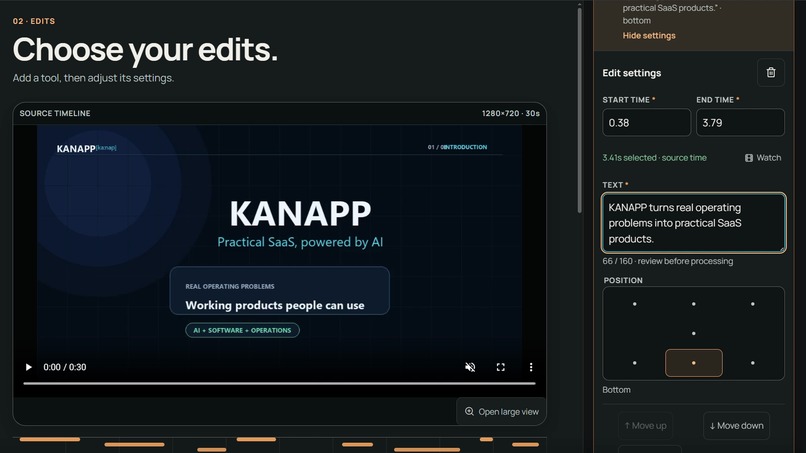
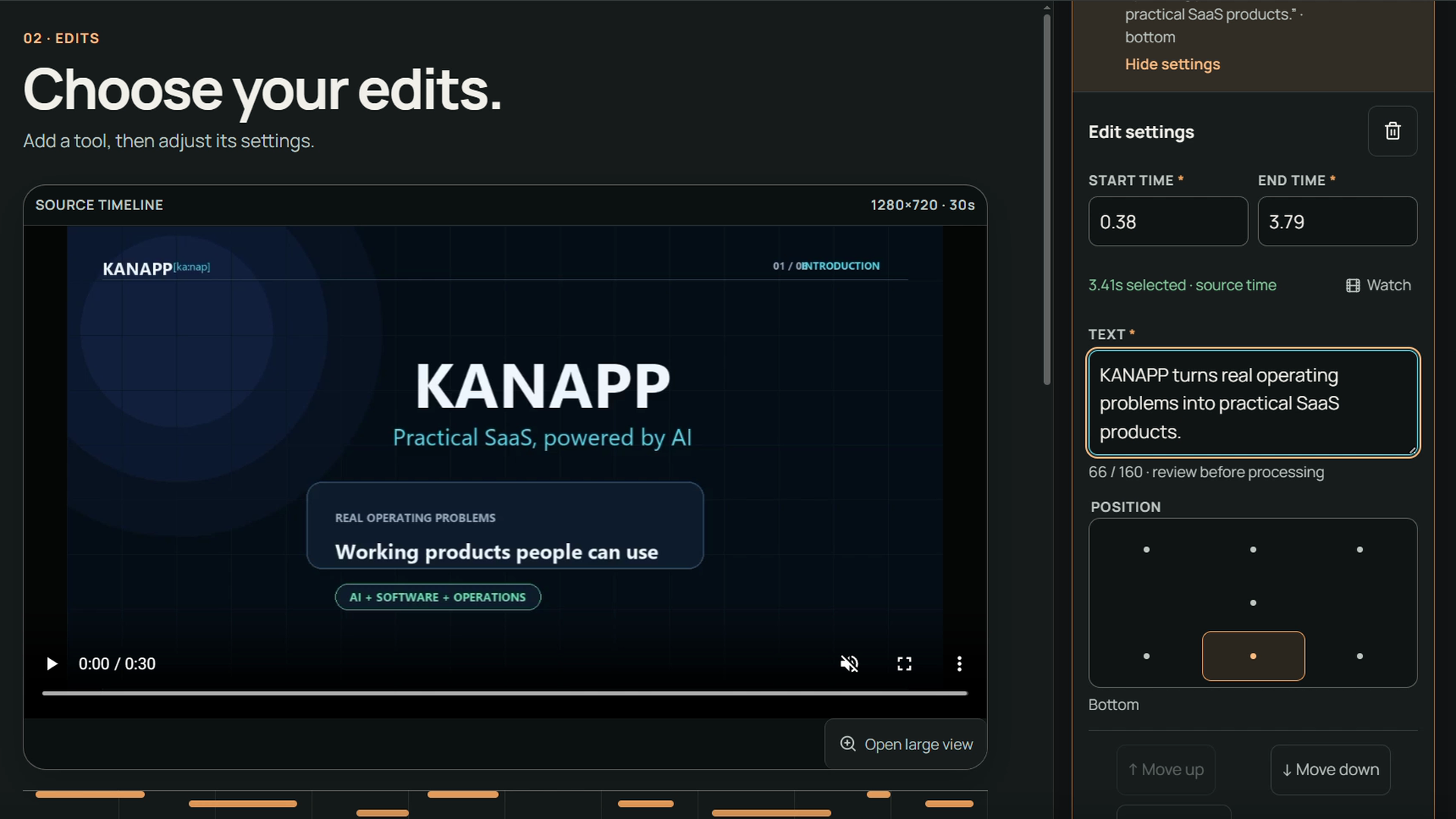
AI drafts the subtitles. You correct names, wording, and timing before they become part of the edit.
-
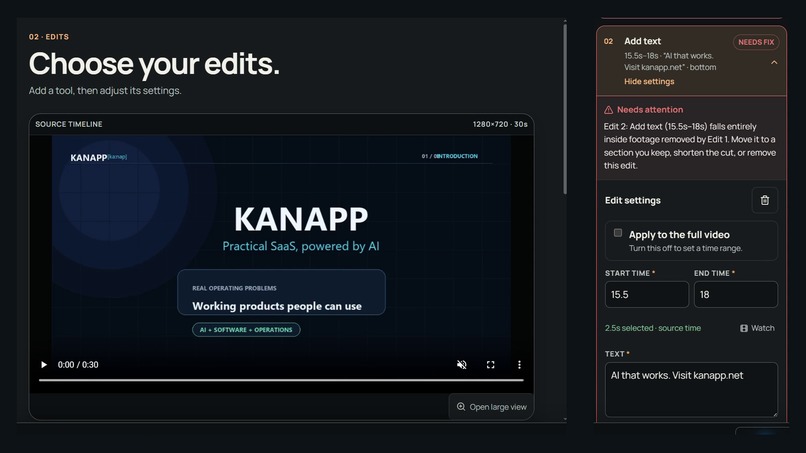
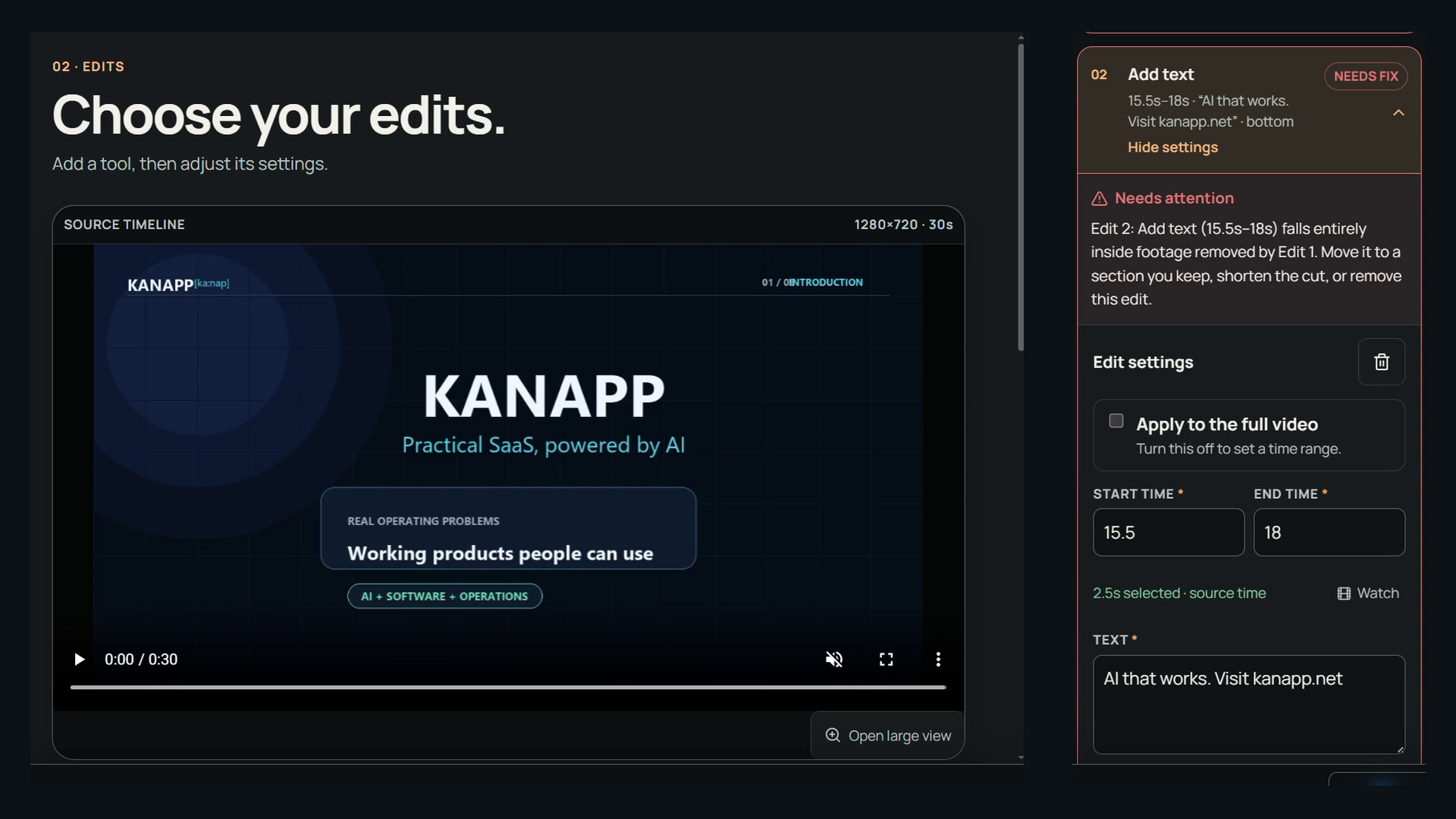
Catch conflicts before rendering. This text falls inside a removed section, so the plan needs attention.
-
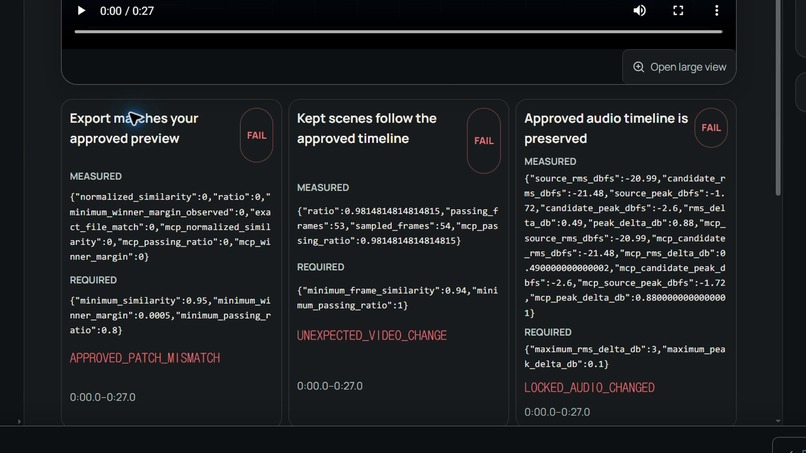
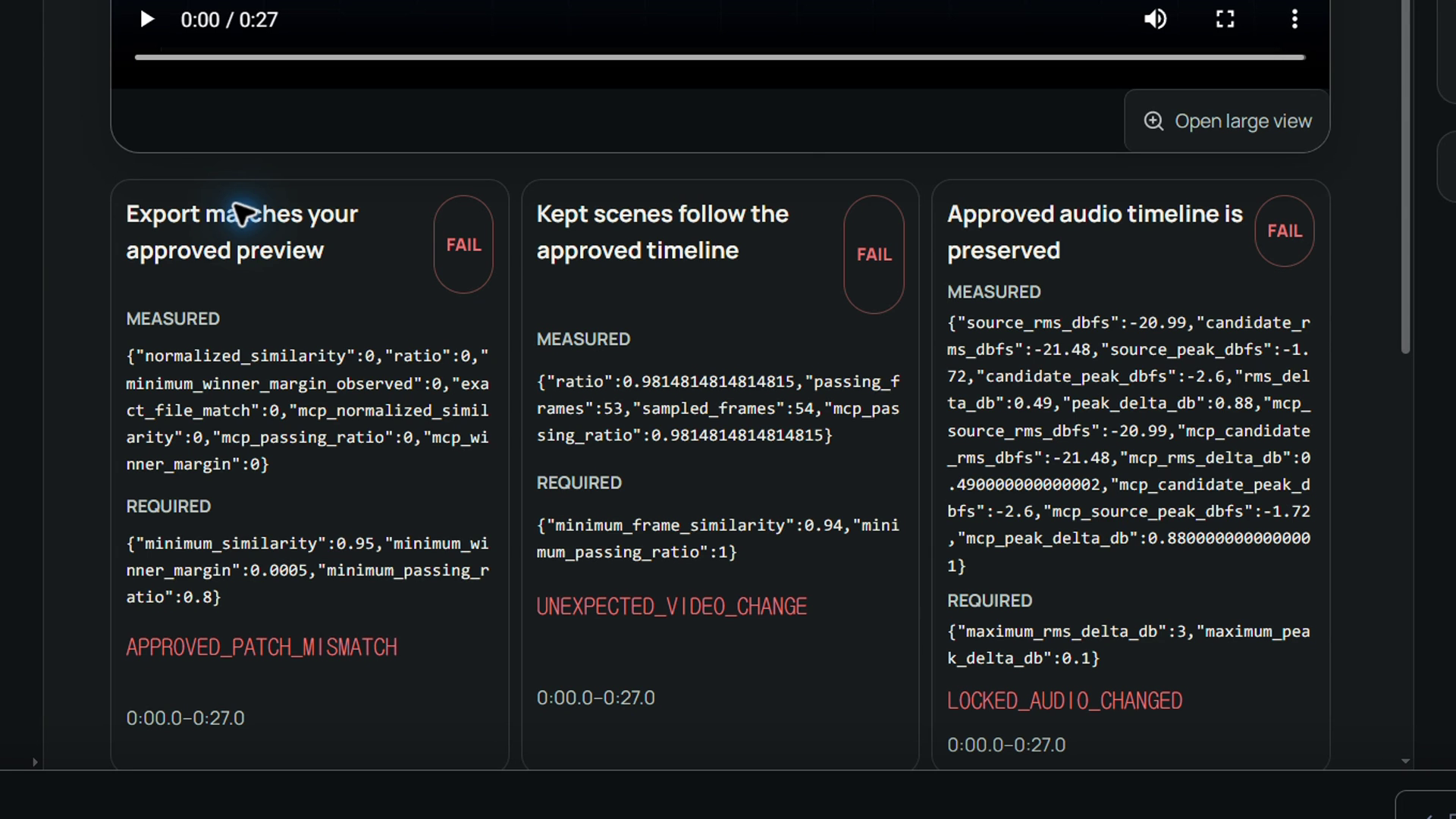
A mismatched external file fails all three required checks. Delivery stays blocked.
-
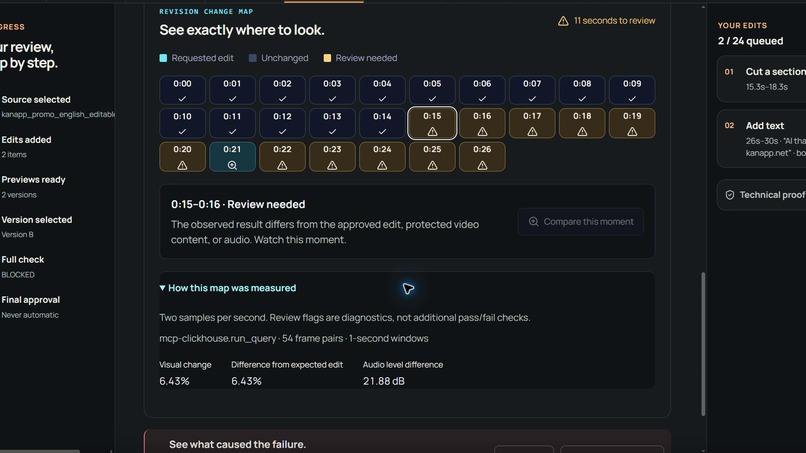
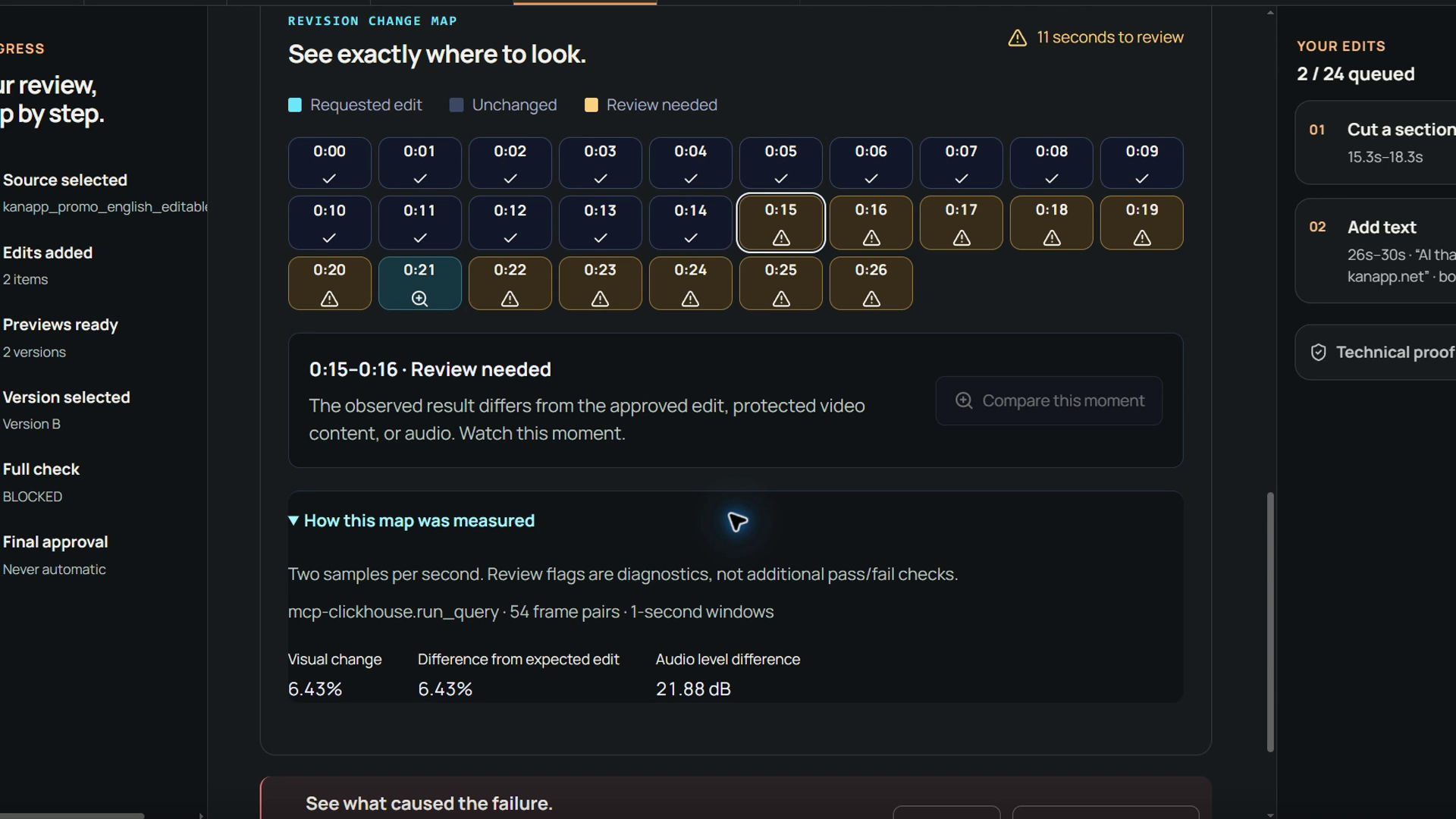
Know where to look. The Change Map highlights sampled differences and shows the measurements behind each review flag.
-
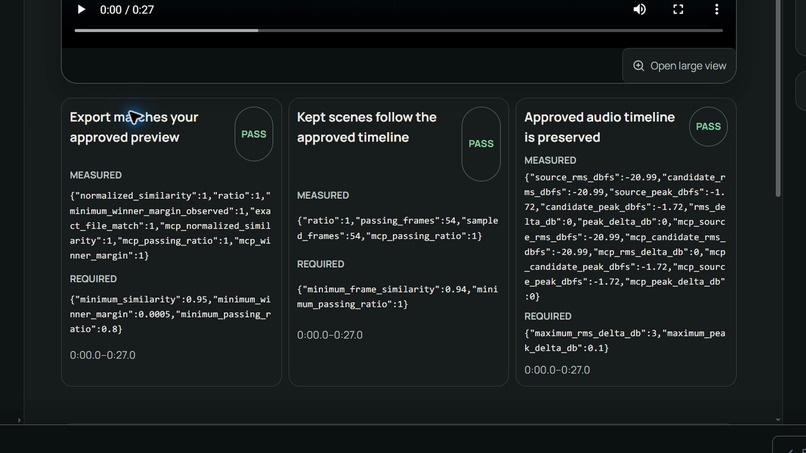
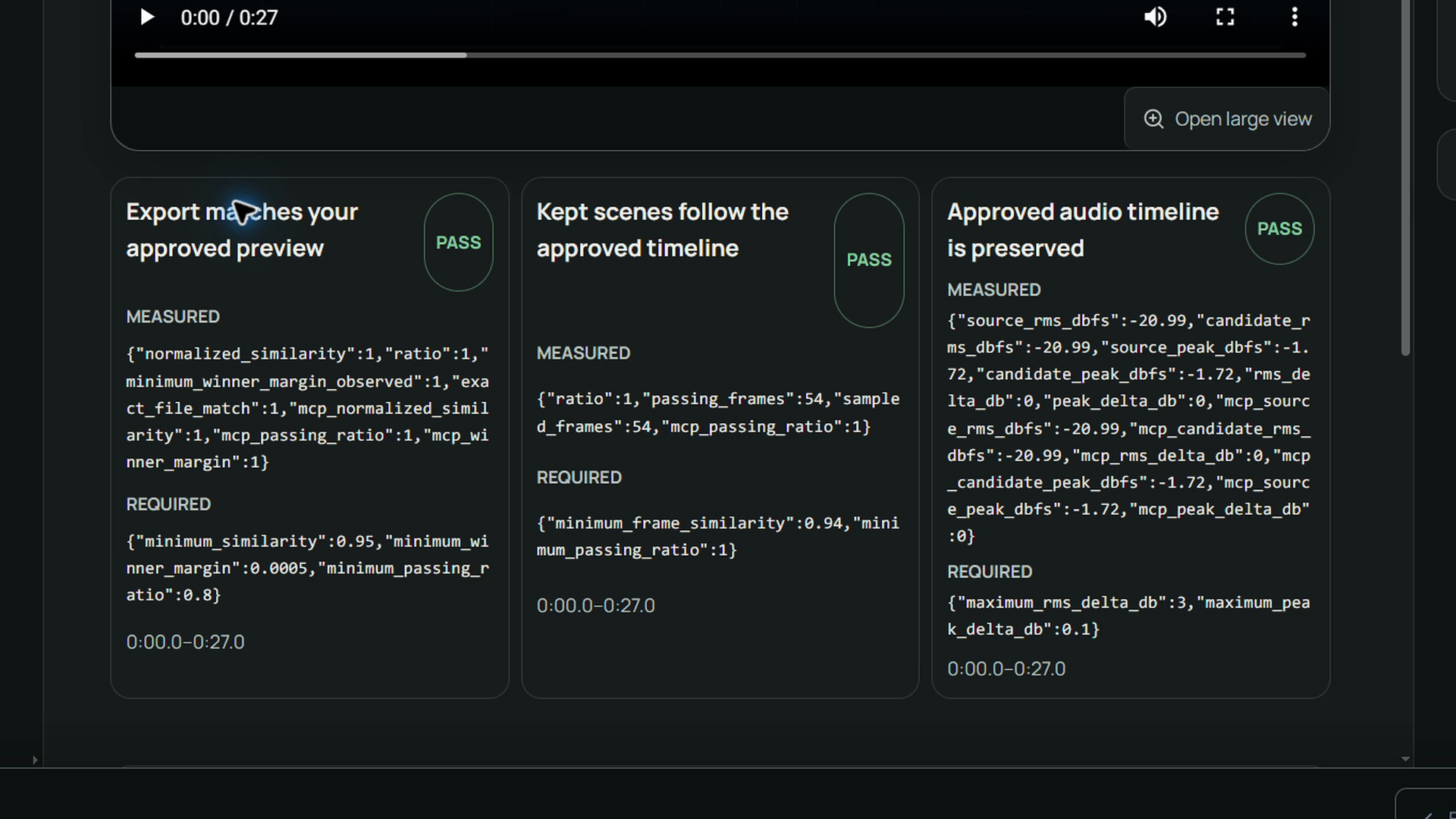
A new export from the selected B preview passes all three checks. The failed external file was not automatically repaired.
-
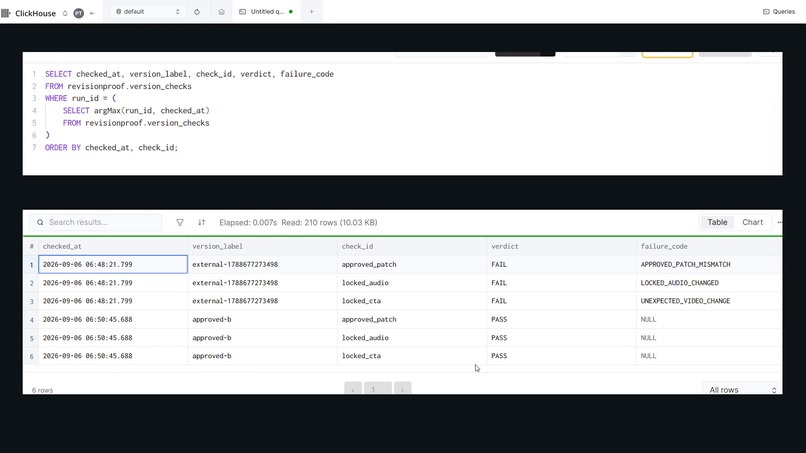
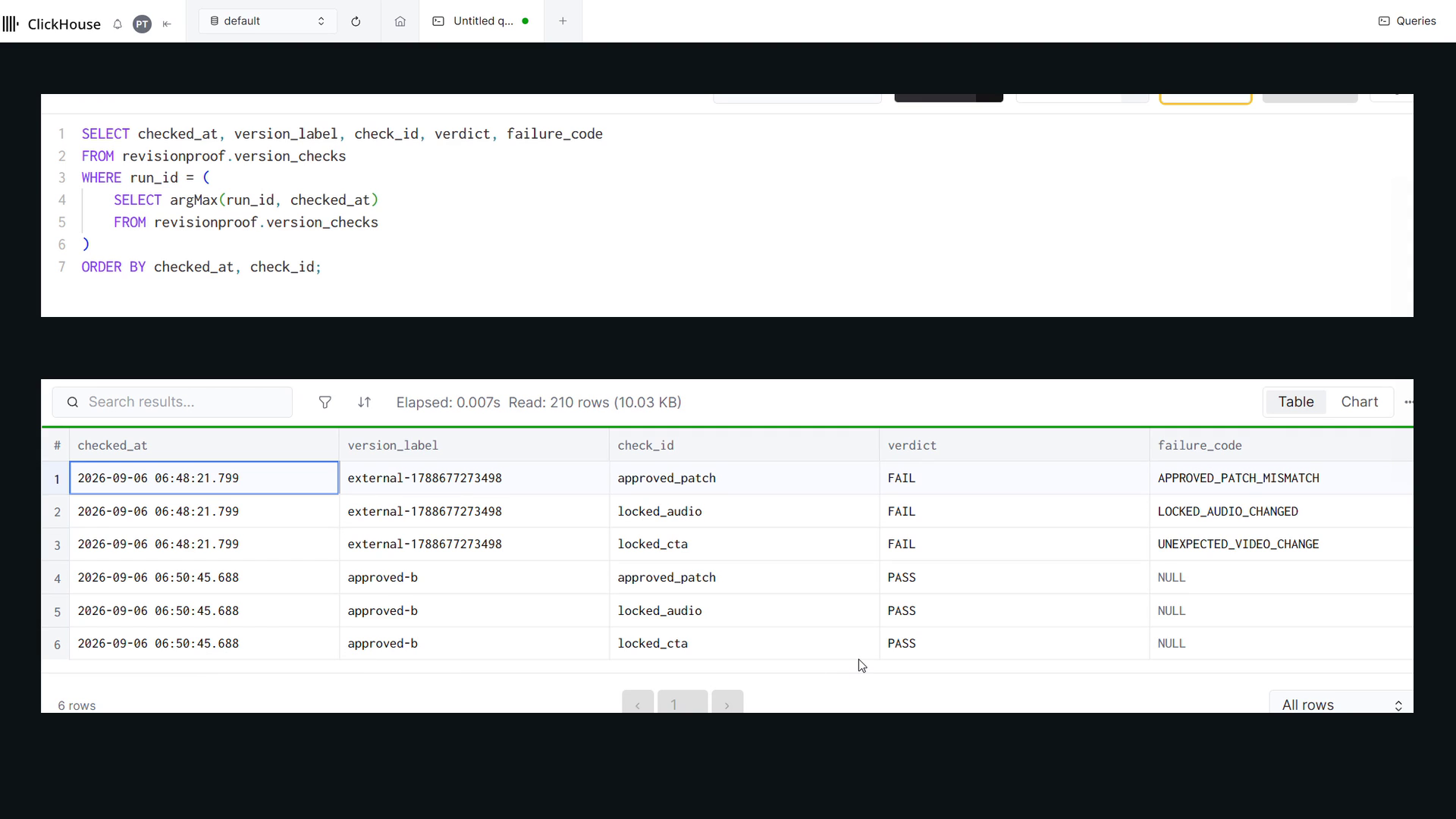
Evidence beyond the UI. ClickHouse records the external file's FAIL checks and the new approved-b export's PASS checks.
-
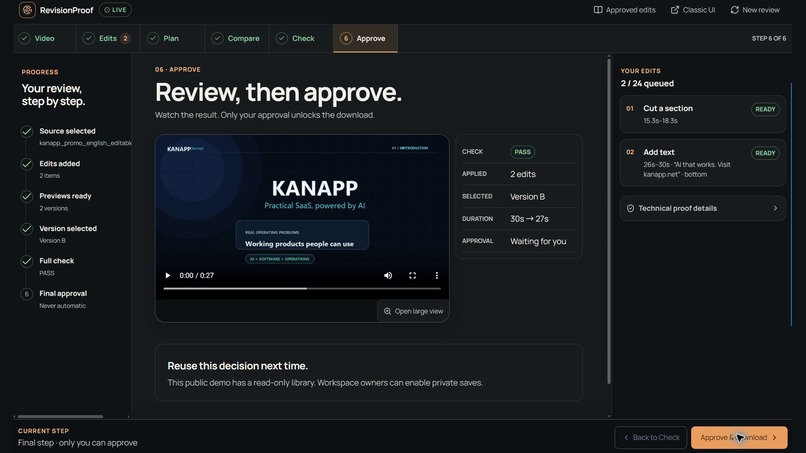
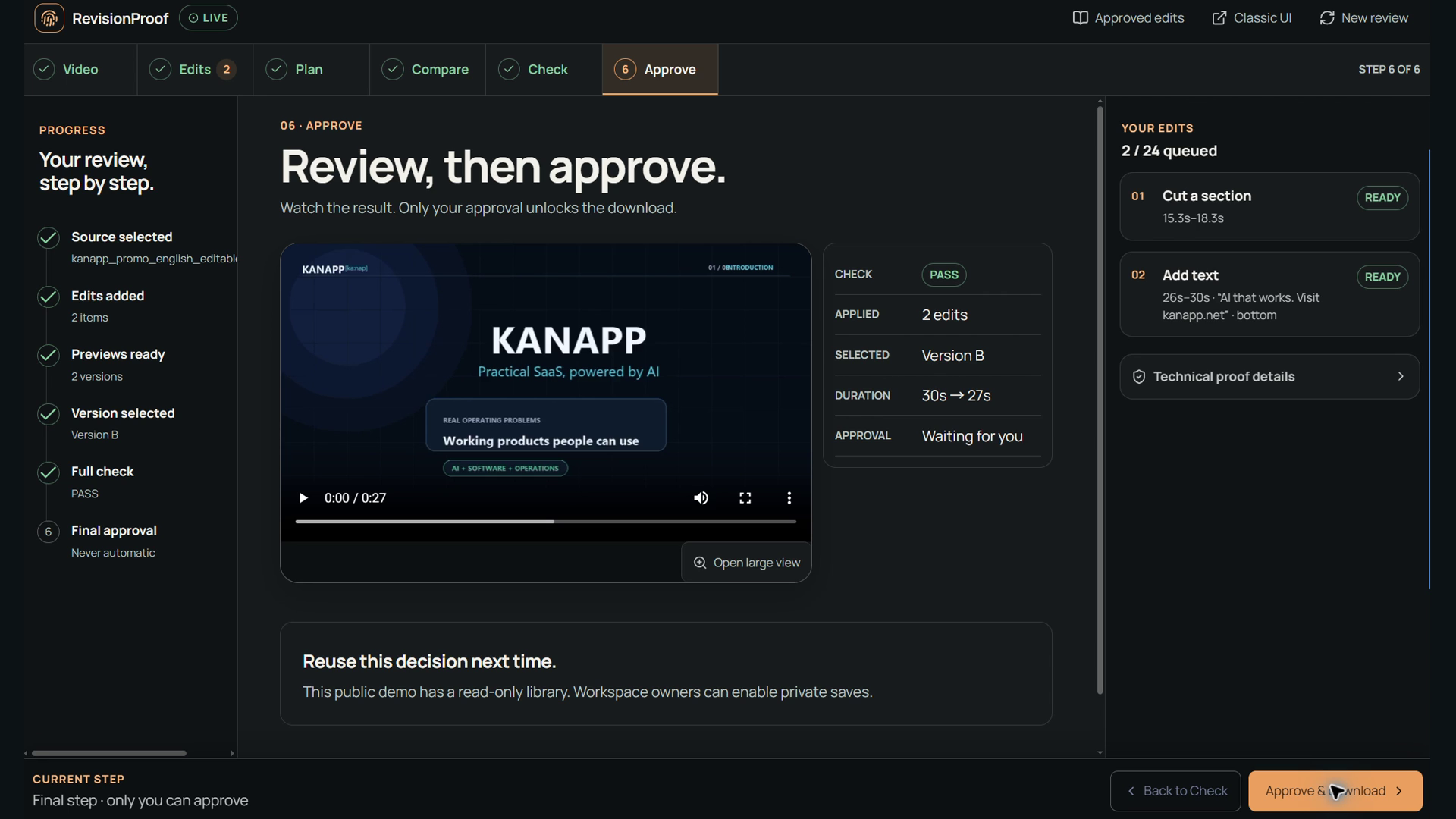
PASS is not permission to deliver. The checked result still waits for your explicit final approval.
Inspiration
AI can make the edit. But who checks the result?
A video is almost ready. Then comes one more request: “Zoom in here.” “Fix that subtitle.” “Add our logo at the end.”
Making those changes is only half the job. Someone still needs to check whether the result matches the request, whether important content was preserved, and whether the file being delivered is the version they actually approved.
We built RevisionProof to bring editing and verification into the same workspace. It is designed for editors, producers, and anyone who needs to approve a revised video—not just generate another version.
Our guiding principle is simple: AI helps prepare the edit. Code checks the result. A human makes the final decision.
What it does
RevisionProof turns video feedback into an editable plan, lets you compare previews, and checks the resulting export before delivery.
The Studio guides you through six steps:
- Choose a video. Upload a short clip or click Use sample video to load the same 30-second English KANAPP promo used in our walkthrough.
- Prepare the edits. Enter precise settings yourself or ask Gemini to draft a plan from natural-language feedback. Supported edits include zoom, text, subtitles, cuts, speed changes, volume adjustments, and logo overlays.
- Review the plan. Adjust the wording, timing, and parameters before rendering. The app flags conflicts, such as a caption placed entirely inside a section marked for removal.
- Compare previews. Watch the available versions and choose the one you want. RevisionProof freezes the edit plan and a SHA-256 fingerprint of the selected preview.
- Build and verify. Check the export against the approved preview, inspect sampled kept scenes along the edited timeline, and compare audio levels with the approved reference.
- Approve delivery. Review the video and the checks, then make the final call. Failed or unavailable required checks keep delivery blocked.
The Revision Change Map highlights time windows worth inspecting and opens synchronized original/result playback. An optional scene finder helps locate moments by description, while speech transcription produces subtitle drafts that remain fully editable.
For Studio plans, the export must match the approved preview byte for byte. A visually similar re-encode does not qualify. Sampled visual and audio diagnostics provide additional context; they are not a guarantee that every creative detail is correct.
How we built it
We separated AI assistance, verification, and approval instead of asking one model to handle all three.
- Google Gemini on Vertex AI, coordinated with Google ADK, translates feedback into structured edit drafts and generates subtitle drafts from speech.
- FFmpeg renders the edits. Python and OpenCV support media analysis, timeline-aware comparisons, and deterministic verification.
- ClickHouse Cloud stores revision evidence. The official mcp-clickhouse server queries scene matches, version comparisons, Change Map measurements, and approved-edit references.
- React, TypeScript, and Vite power the Studio interface, with FastAPI serving the backend.
- Google Cloud Run hosts the application, supported by Cloud Storage, Secret Manager, and Cloud Build.
Approved-edit references can help prepare future drafts, but they never approve a new result automatically. Saving them requires a private workspace key and successful verification and human approval; the public demo library is read-only.
Challenges we ran into
Defining exactly what “approved” means
A result can look almost right while still missing a brief caption or containing a different edit. We addressed this by freezing the selected preview’s fingerprint and exporting that exact file. This makes the approval reference concrete and testable.
Comparing videos after time changes
Cuts and speed changes mean that the same timestamp can show different moments in the source and result. We built a mapping back to the original timeline so verification and synchronized playback compare corresponding scenes.
Making failures understandable
A blocked result is only useful if the reviewer can investigate it. QA uncovered caption-wrapping issues, missing comparison playback for failed external files, and stale Change Map details after a new result was checked. We fixed these paths and added regression coverage.
Accomplishments we're proud of
We connected editing, preview selection, verification, and explicit delivery approval in a deployed workflow.
The sample release passed 357 backend tests and 82 frontend tests, alongside lint, build, and ClickHouse integration checks. We also connected the walkthrough’s exact input video to the live sample button, making it easier for judges to try the same starting point.
Our walkthrough deliberately includes a mismatched external file that fails verification. We then generate and check a new result from the selected preview. The failed file is not silently accepted or automatically repaired.
What we learned
The most important lesson was that trustworthy AI assistance needs clear boundaries.
An AI-generated plan is a suggestion, not approval. A passing check answers a defined question, not every question about a video. And a successful export is not the same as a human decision to deliver it.
We also learned that failure states deserve as much attention as successful ones. Clear evidence and a usable comparison view help reviewers understand what happened and decide what to do next.
What's next for RevisionProof
Our next priorities are durable sessions that survive service restarts, authenticated private workspaces, and broader support for longer videos and editing workflows.
We want to expand the creative possibilities while preserving the same principle:
RevisionProof checks the edit. You make the final call.
Try it
- Open the live Studio and click Use sample video.
- Watch the product walkthrough.
- Explore the source code and documentation.
The current demo supports 4–60-second source clips up to 32 MB. Please use the bundled sample or non-confidential footage.
Acknowledgments
Special thanks to the ClickHouse team for providing additional credits and extending our access. Your support gave us more time to build, test, and refine RevisionProof, and we truly appreciate it.
Built With
- clickhouse
- docker
- gemini
- google-adk
- google-cloud
- mcp
- python
- vertexai


Log in or sign up for Devpost to join the conversation.