-
-
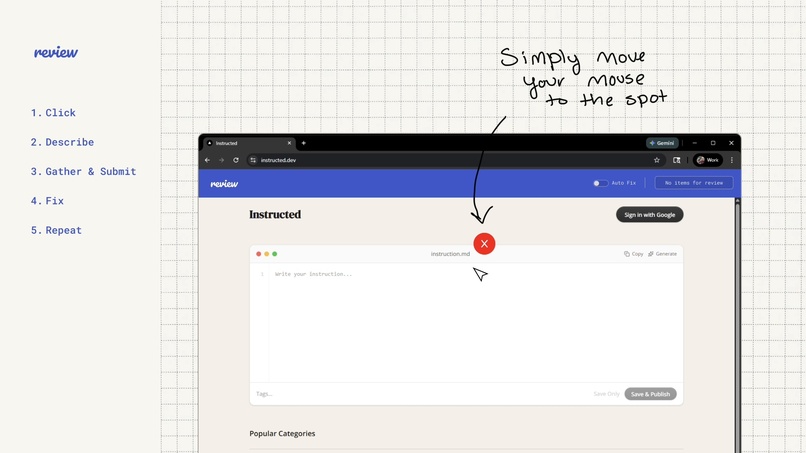
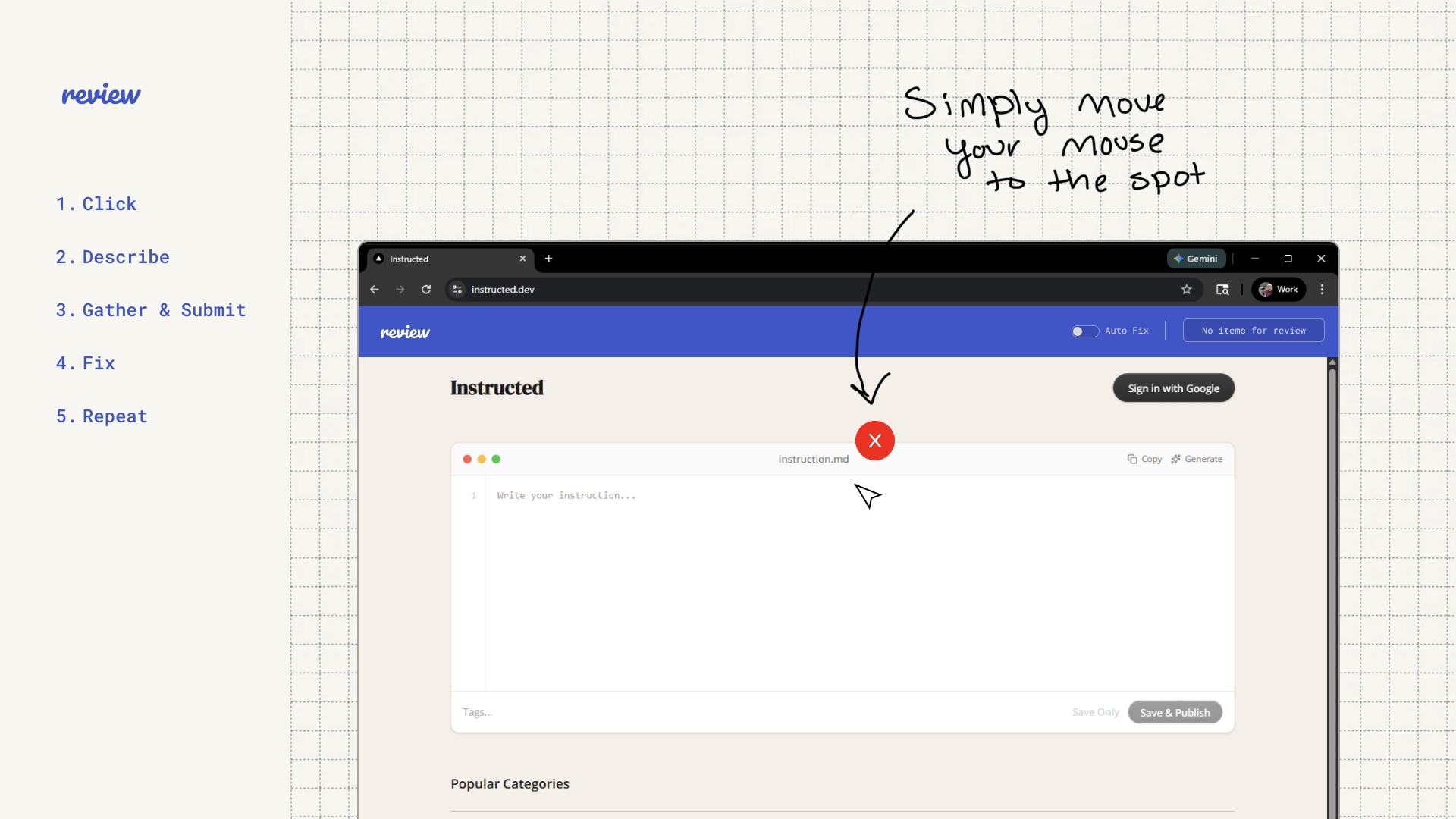
Hover your mouse over the issue.
-
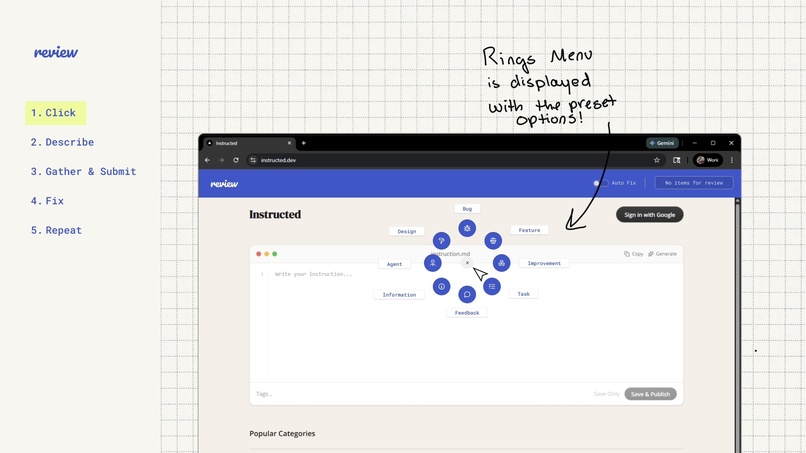
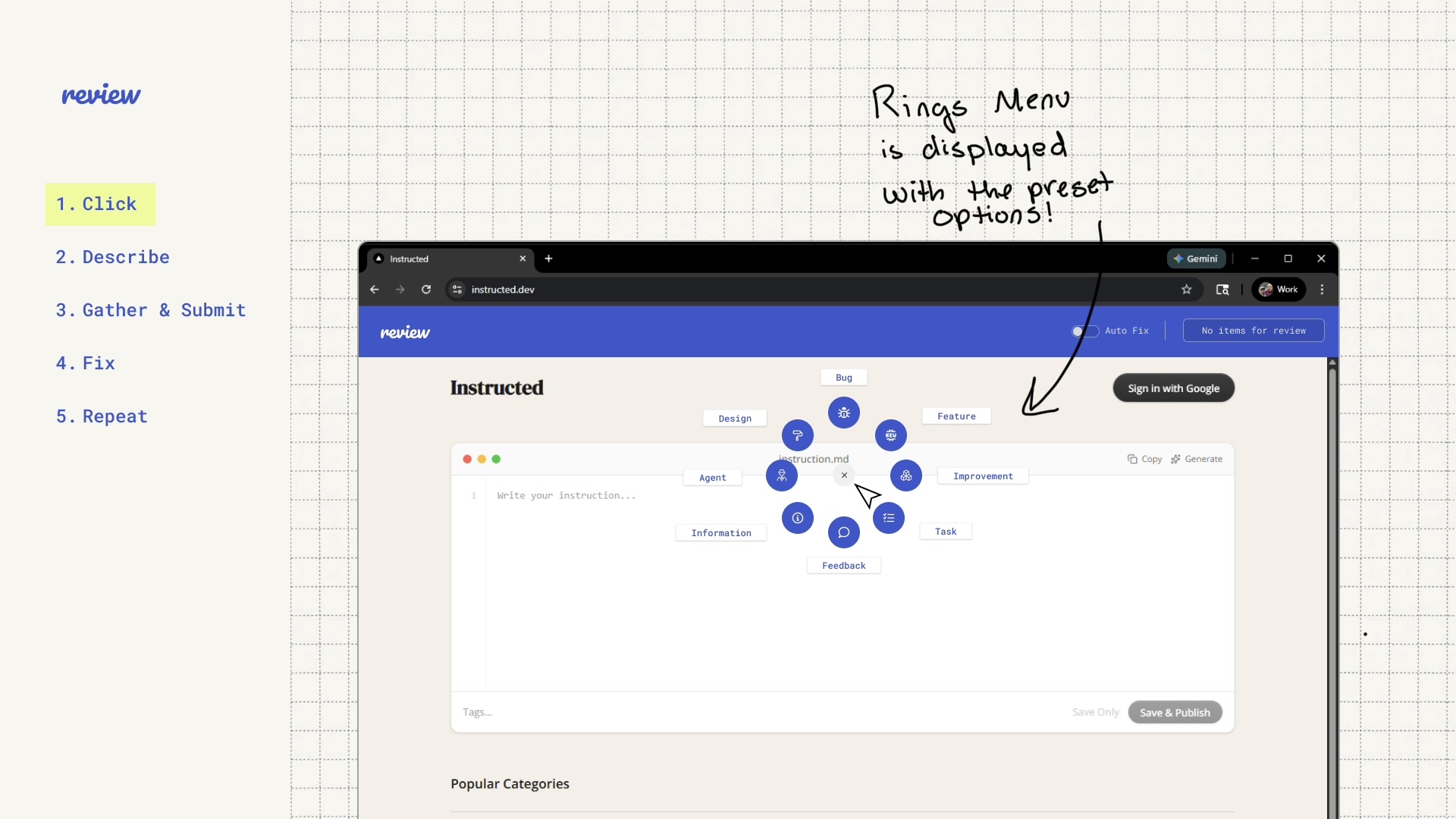
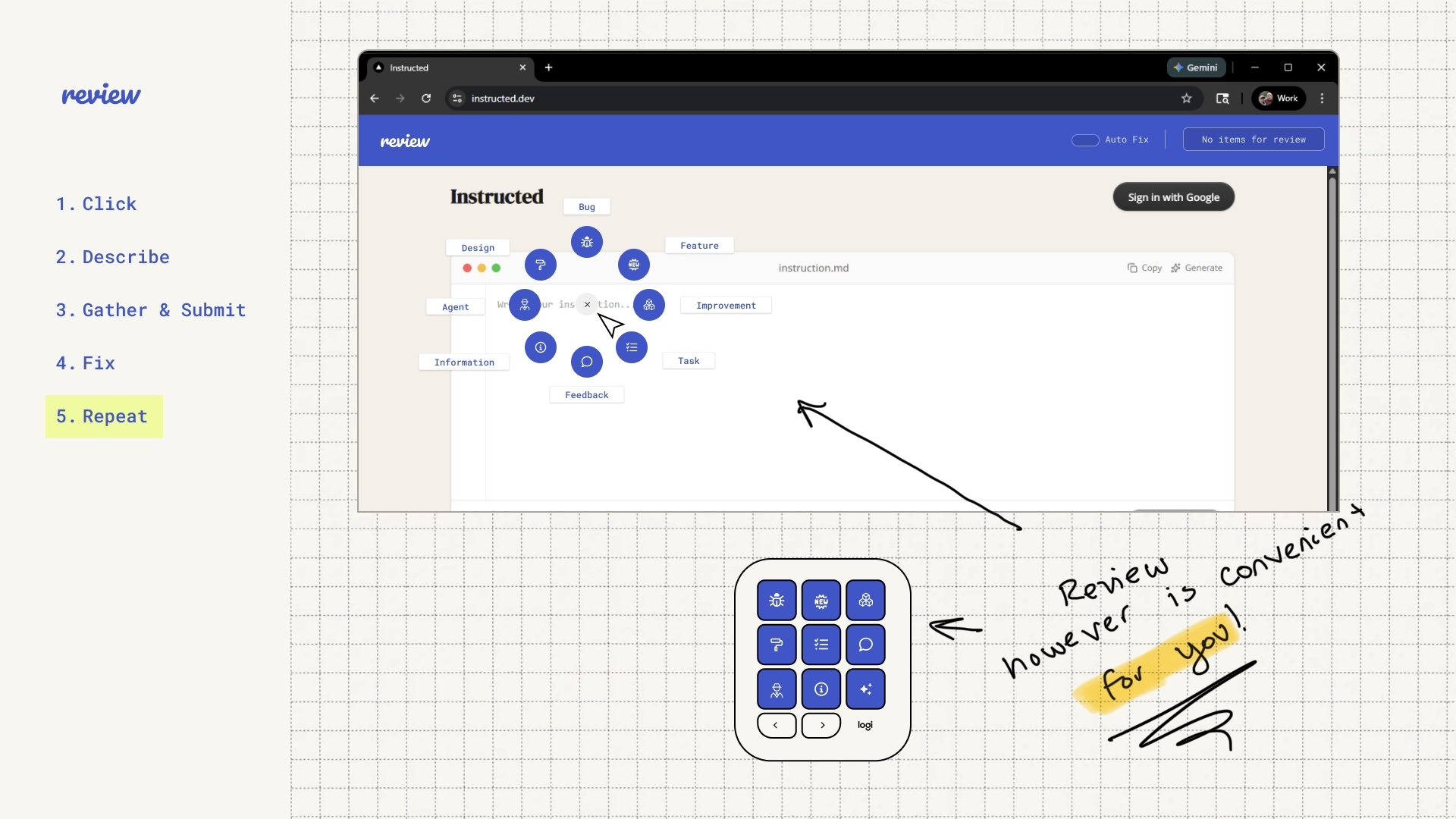
Open the Actions ring or select an option on the Creative Console.
-
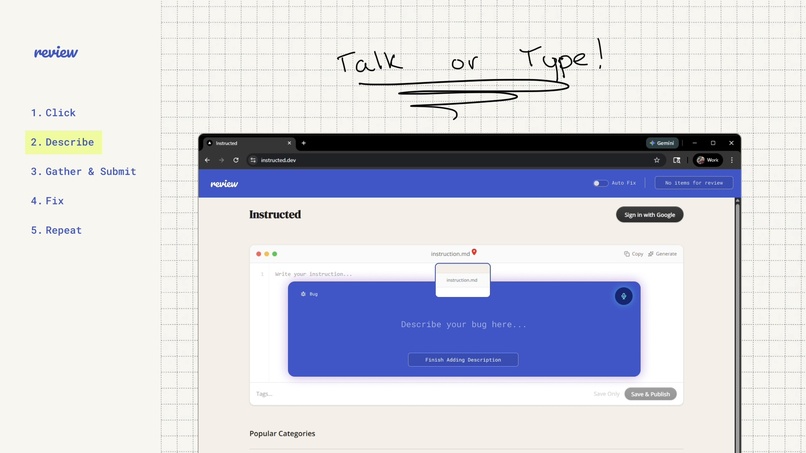
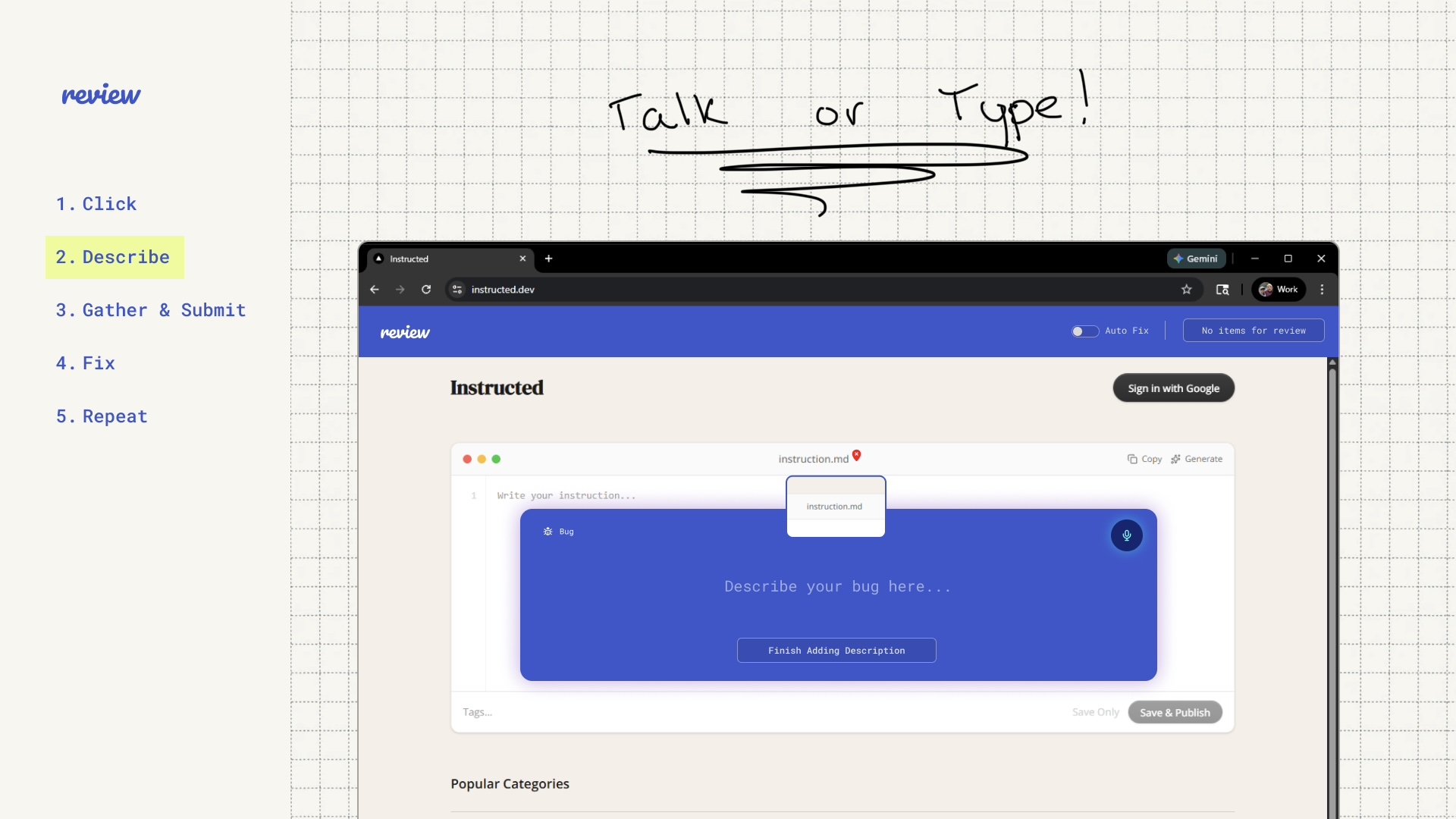
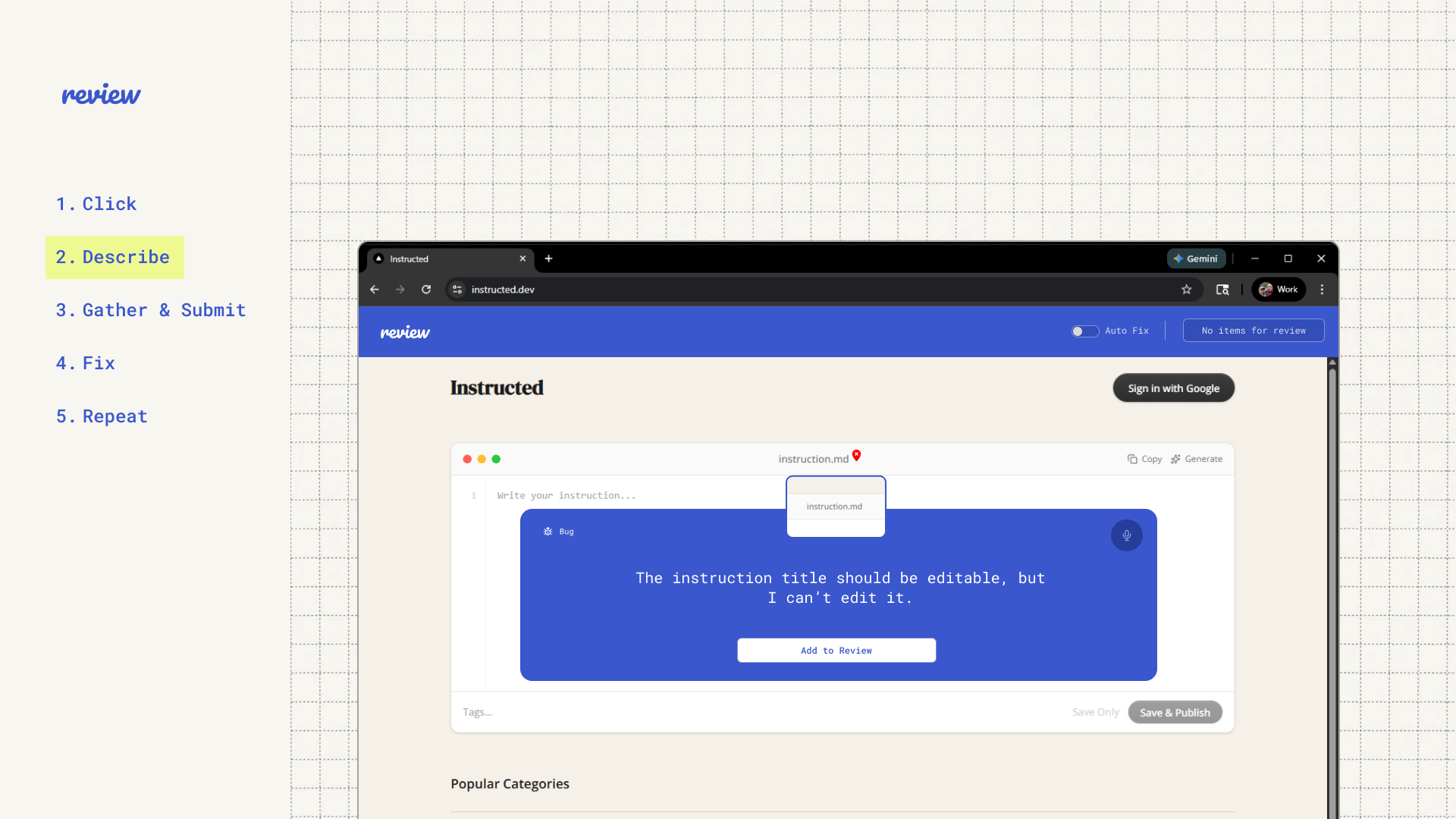
Talk or type your issue/idea. Screenshot and relevant context are added for you.
-
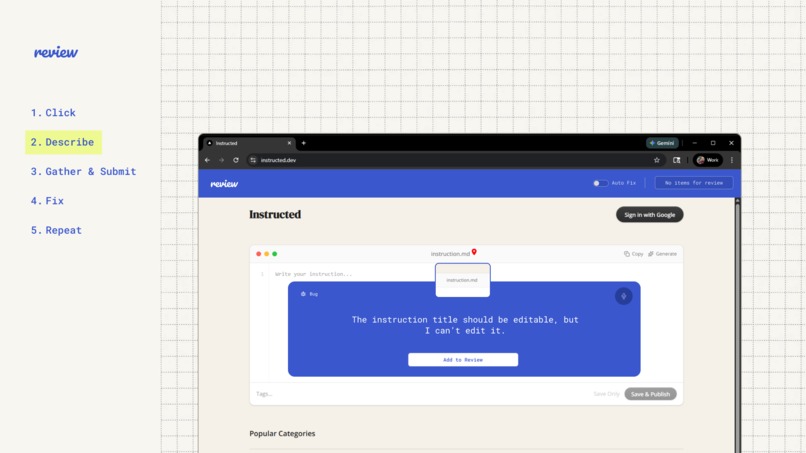
Submit it for review and keep going.
-
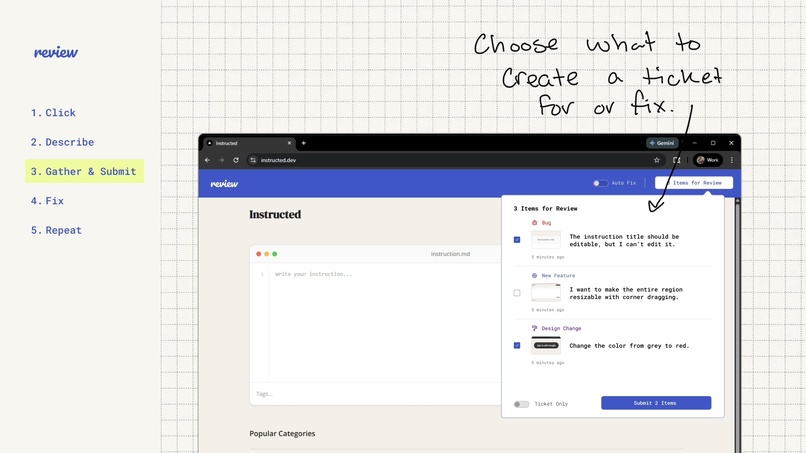
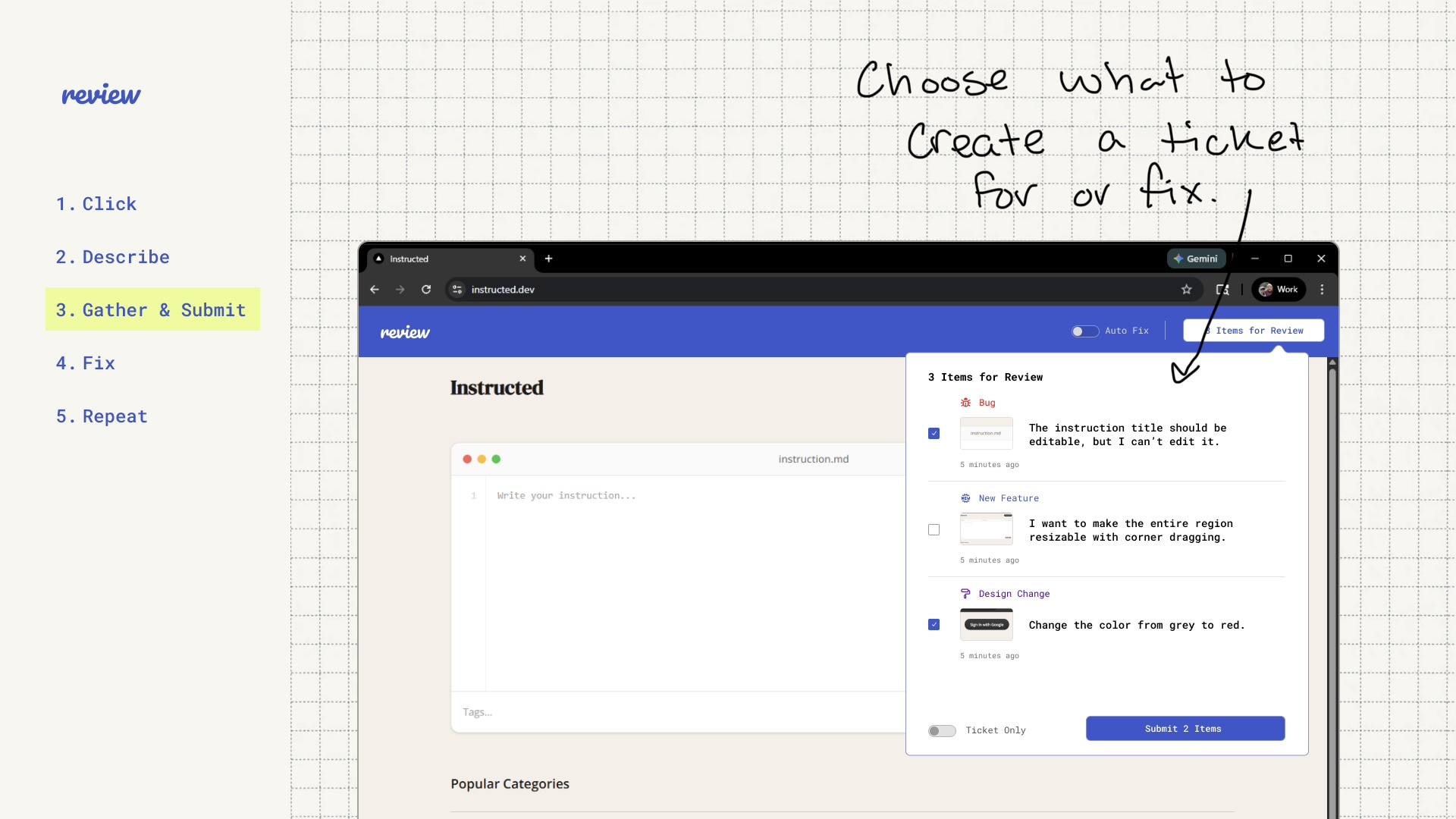
Select the issues or ideas you want to submit.
-
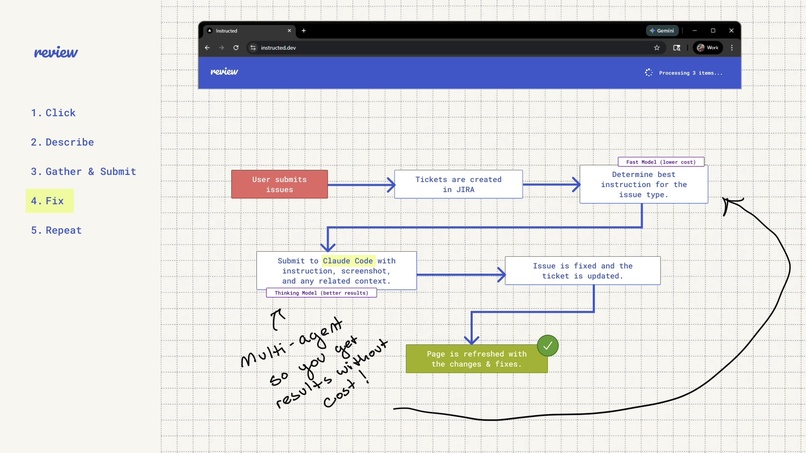
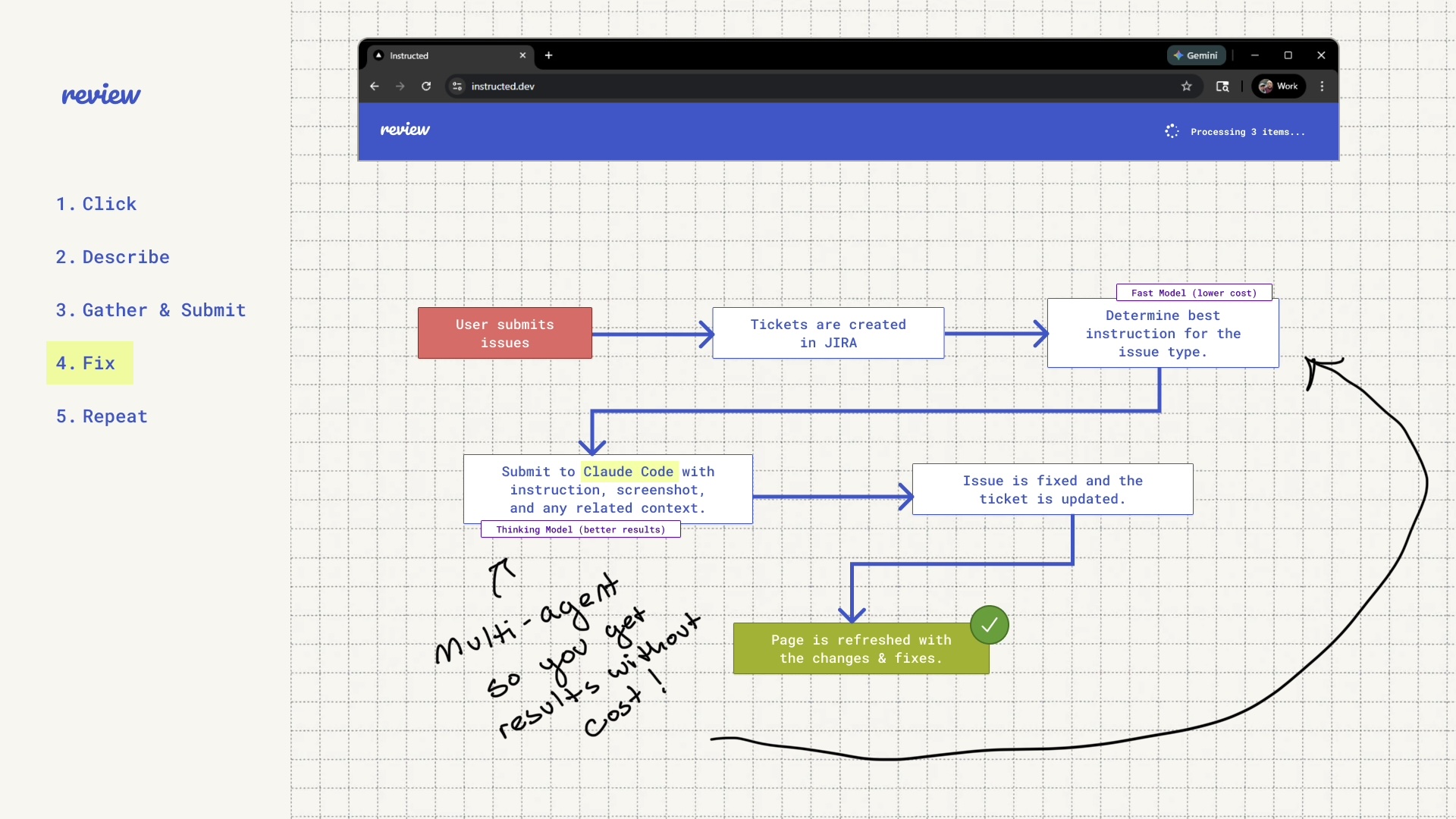
The agent works behind the scenes.
-
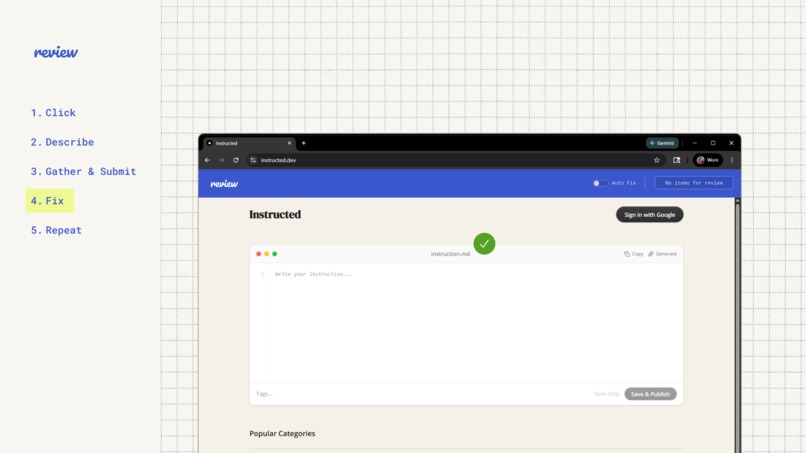
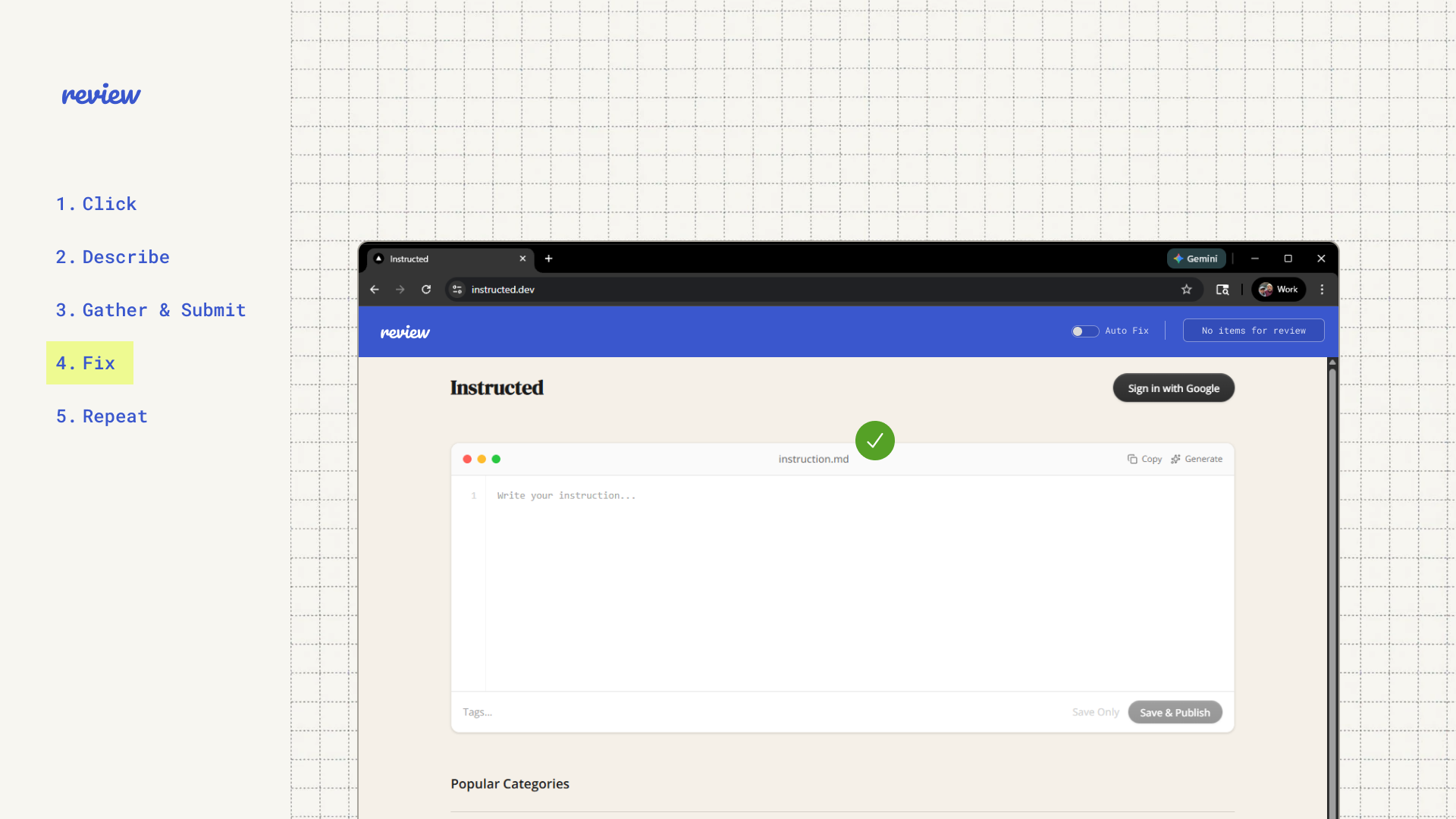
Issue fixed!
-
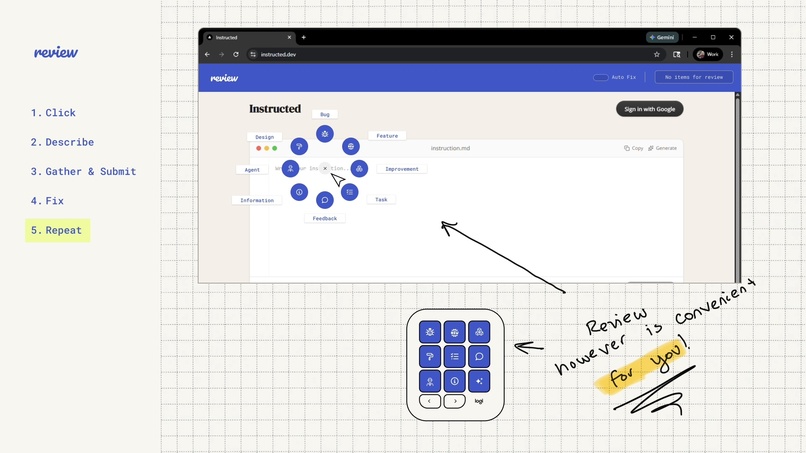
Repeat the process and watch as development becomes magical
Inspiration
Every developer knows the pain. You're reviewing your own work, a stakeholder spots something during a demo, or QA finds a bug, and suddenly you're bouncing between your browser, your ticket tracker, your IDE, and your AI coding tool just to log and fix one issue. The feedback loop from "I see a problem" to "it's fixed" is scattered across too many tools and too many clicks.
We asked ourselves: what if that whole loop started with a single button press or gesture?
The MX Creative Console and the MX Master 4 with its Actions Ring already sit on developer desks. What if they became the bridge between spotting a problem and solving it? Review came from the idea that fixing software should feel as immediate and hands-on as the hardware you use to build it.
What It Does
Review turns your Logitech MX Creative Console and MX Master 4 into a bug-fixing and feedback command center. Each key on the console maps to a category (Bug, Feature, Design Change, Improvement, Feedback, Agent, Information, Task), and the MX Master 4's Actions Ring gives you quick-access shortcuts and contextual controls right from your mouse. One physical button press or ring gesture kicks off a report on whatever you're working on.
The flow looks like this:
Click. Press a key on the MX Creative Console or use the Actions Ring on your MX Master 4 to pick the issue type. Bug? Design tweak? Feature idea? One press and you're in.
Describe. A modal pops up over your current page. Say what's wrong using voice input, or type it out. A screenshot gets captured automatically along with context like the page URL and the relevant instruction file.
Gather and Submit. Issues stack up in a review dropdown. You can batch multiple items, check which ones to send, and toggle between "Ticket Only" mode (just JIRA) or full auto-fix mode. Submit when you're ready.
Fix. Submitted items flow through a pipeline. Tickets get created in JIRA. A fast model picks the best coding instruction for the issue type. Then Claude Code gets the issue along with the instruction, screenshot, and full context, and fixes it using a thinking model for accuracy. The page refreshes with the changes applied.
Repeat. Keep going. The cycle is built to be continuous, perfect for live QA sessions, stakeholder walkthroughs, or solo vibe-coding sprints where you want to stay in flow.
Auto Fix mode skips the review step entirely. Issues go straight to the pipeline the moment you describe them. A stakeholder can click a button, say what's wrong, and walk away while the system handles the rest.
How We Built It
Review is a proof of concept built on four pillars:
The Actions SDK powers the hardware side. Each key on the MX Creative Console maps to an issue category through a custom plugin, and the MX Master 4's Actions Ring provides quick-access shortcuts and contextual navigation for common actions. Both devices integrate through the same plugin architecture, so the physical controls on either device stay in sync with the category UI in the web app.
The Review Web App is the front-end and orchestration layer. Built with Next.js, Firebase Auth, and Firestore, it handles the review queue, voice input modal, and screenshot capture. This is where users interact with everything visually.
JIRA handles ticket management. Every submitted item becomes a trackable issue with the description, screenshot, category, and metadata attached. Teams get a paper trail and Review stays compatible with existing workflows.
Claude Code is the fix engine. Once a ticket is created, the system picks the right instruction file using a fast model (cheap, quick routing), then hands everything off to Claude Code with a thinking model (better results). Claude Code gets the instruction, screenshot, and related files, makes the fix, and the ticket gets updated with the resolution.
Custom Python agents handle orchestration between these services, hosted on Google Cloud.
Accomplishments We're Proud Of
The thing we're most proud of is the concept itself. There's a real gap between someone seeing a problem and that problem actually getting solved, and it's full of friction that doesn't need to be there. Review closes that gap. A stakeholder spots a visual bug during a demo and instead of writing a Slack message that gets lost, they press a button and an AI agent handles the rest. A developer catches something while testing and instead of context-switching into their IDE, they speak the issue and keep moving.
This isn't just about saving developers time on low-effort work like logging tickets or chasing down small bugs. It's about giving everyone on the team, technical or not, a way to contribute to the solution. A product manager, a designer, a QA tester, anyone with an opinion about what's broken or what could be better now has a direct path from that thought to action. They don't need to know how to write code or navigate a codebase. They just need to press a button and describe what they see. That kind of access changes how teams collaborate and how quickly things get fixed.
What We Learned
Researching the SDK opened our eyes to how much opportunity these devices create. They're already built for customizable, context-aware input, and when you pair that with where AI is right now, the possibilities get really interesting.
AI agents are getting better fast. They can take messy human input, understand intent, pull in the right context, and act on it. The missing piece has been a clean way to trigger them. These Logitech devices solve that. A physical button or ring gesture becomes the starting point for an entire automated workflow. No menus, no setup, no switching apps. Just press and go.
That combination of tactile hardware and intelligent agents can cut down workflows in ways that software shortcuts alone never could. It's not about replacing what developers do. It's about removing the busywork so they can focus on the parts that actually need a human brain, and giving non-technical teammates a seat at the table while they're at it.
What's Next for Review
Review is a proof of concept right now, and the next step is turning it into something we can ship.
Implementation. We're building out the full Actions SDK plugin for both the MX Creative Console and MX Master 4, wiring up the complete pipeline from hardware input through the web app to JIRA and Claude Code. That means finalizing the voice input flow, the screenshot capture with contextual metadata, the dual-model routing, and the auto-fix loop so everything works end to end in a production environment.
Deployment. Once the plugin is solid, we're targeting the Logitech Marketplace for distribution so any developer with compatible hardware can install Review and start using it. The architecture is designed to be extensible so teams can customize issue categories, connect their own agents, and integrate with their preferred AI coding tools.
Team features. We're planning dashboards for real-time visibility into what's being reported, what's being fixed, and what's stuck. Paired with JIRA, this turns Review into a lightweight feedback management layer built for teams that want to move fast without losing track of anything.
Expanding reach. Beyond the browser, we want Review to work with mobile simulators, desktop apps, and design tools. The long-term vision is that anywhere you can see your product, you can use Review to improve it with a button press.
Built With
- logitech


Log in or sign up for Devpost to join the conversation.