-
-
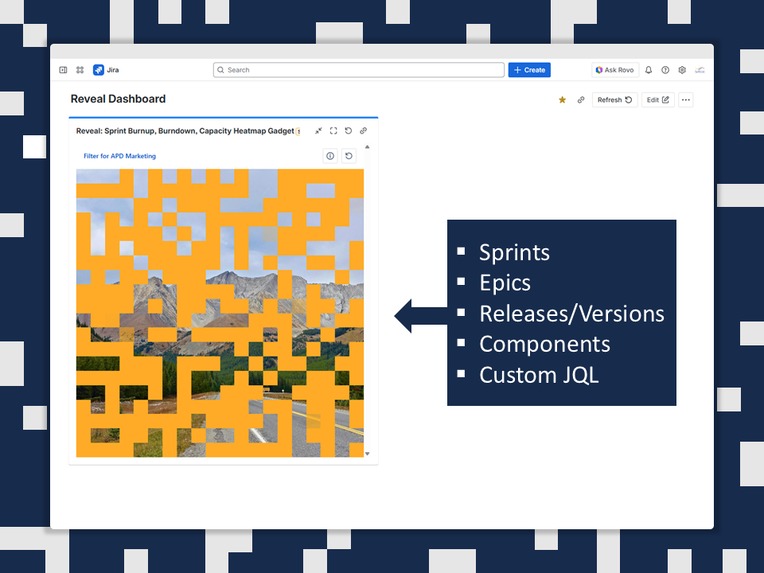
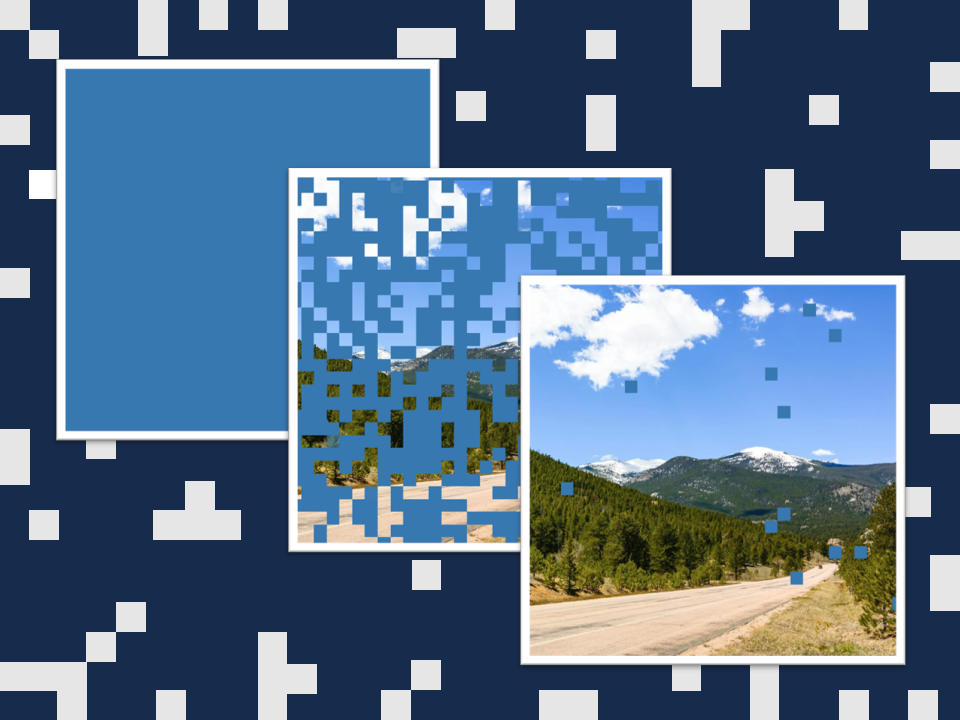
Reveal connects Jira tasks, sub-tasks, or story points to fragments of an image.
-
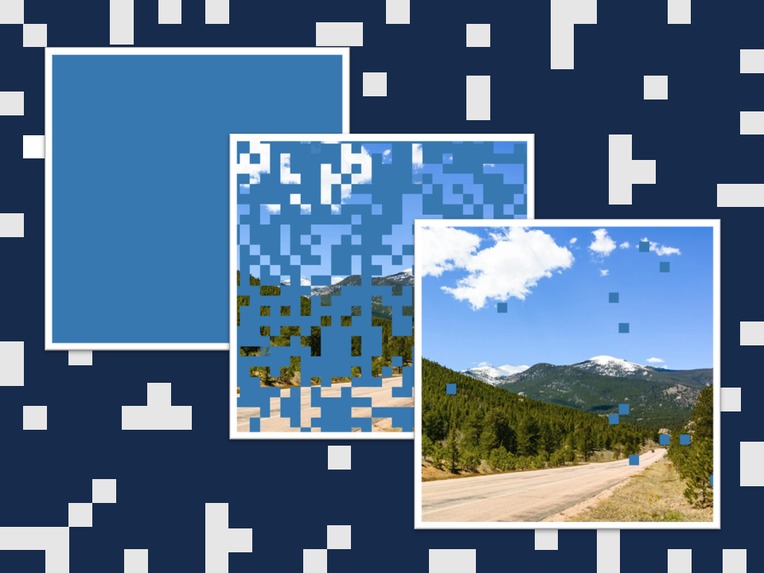
When all tasks are completed, the full image is revealed, signaling sprint or project completion.
-
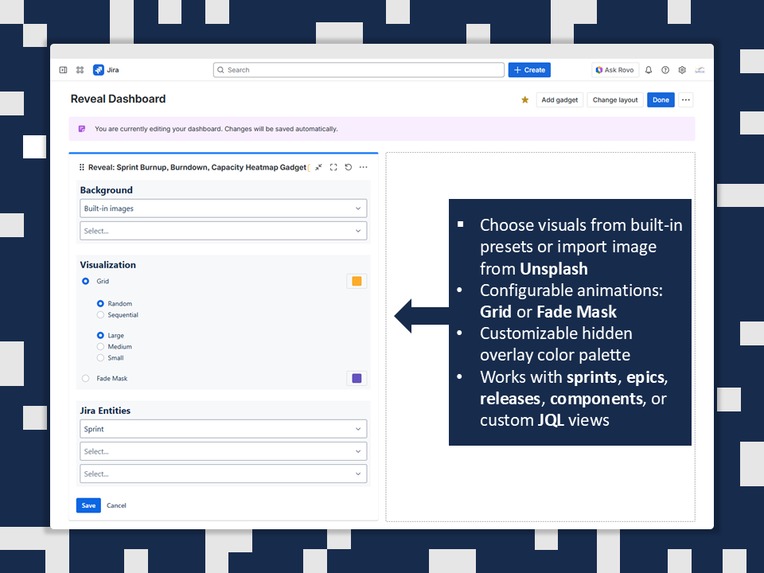
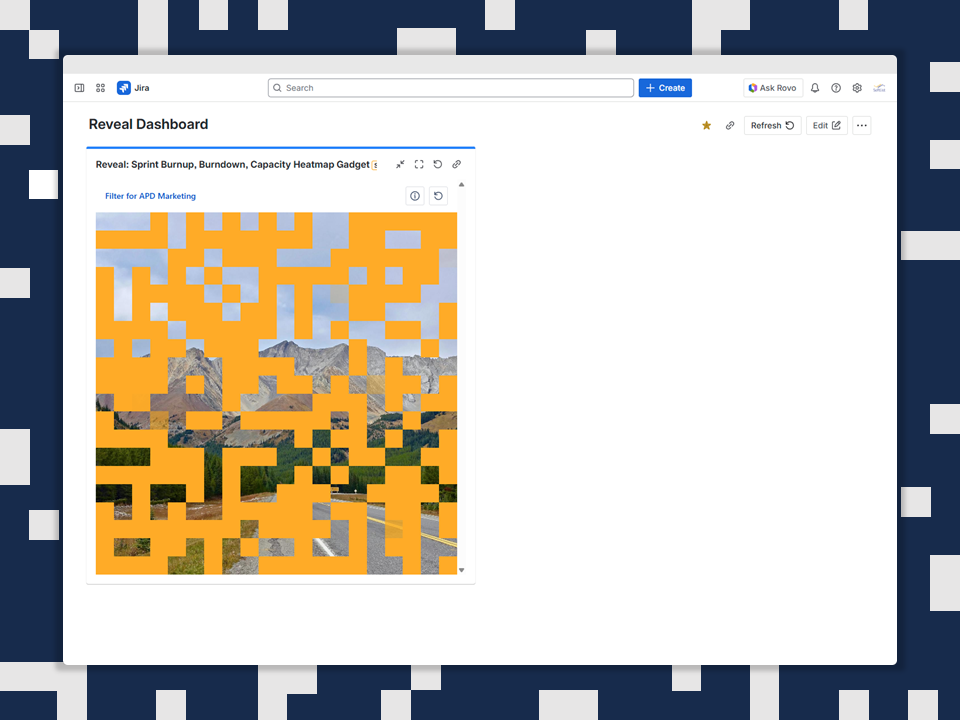
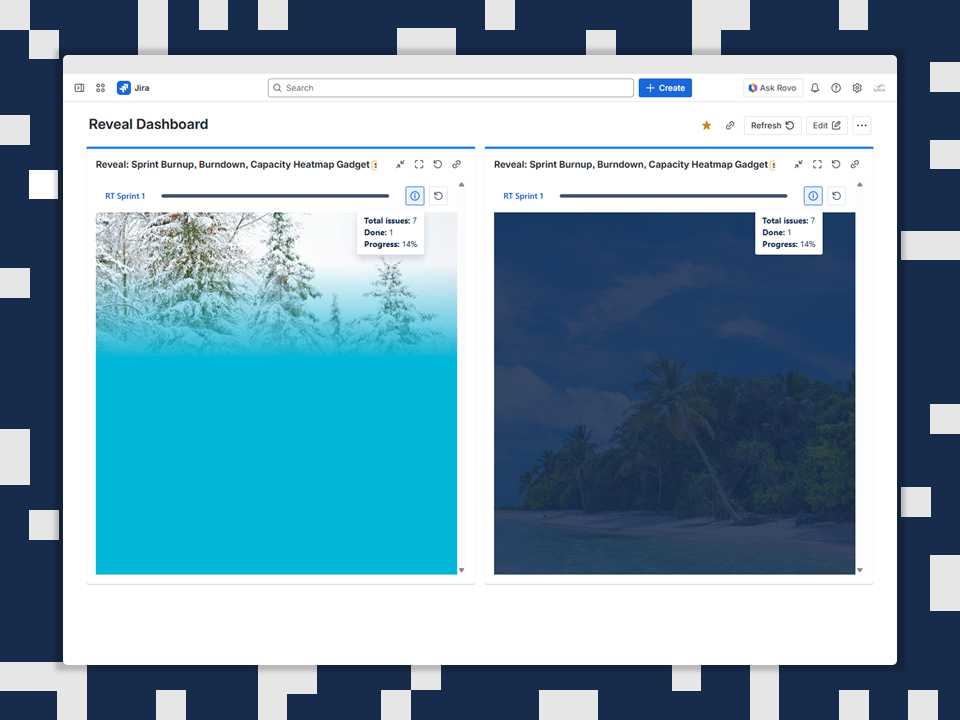
Set animation modes: Grid (multiple block sizes) or Fade Mask. You can also customize the color palette of the hidden overlay.
-
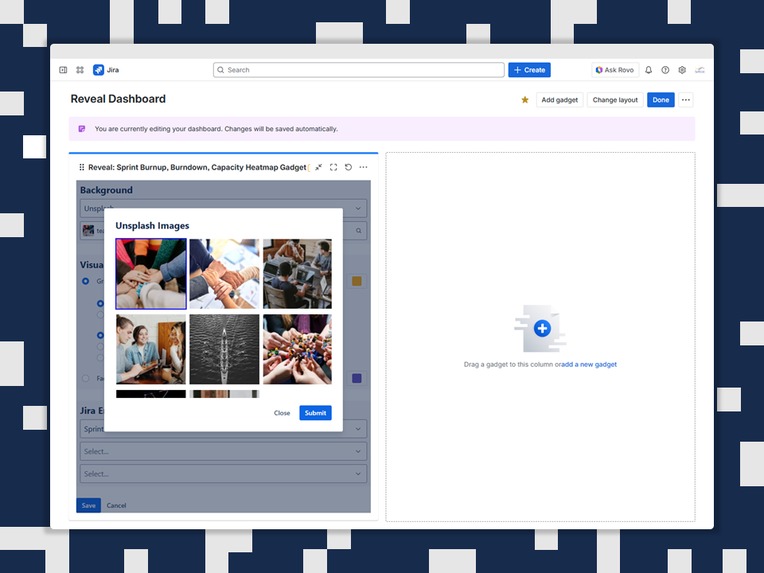
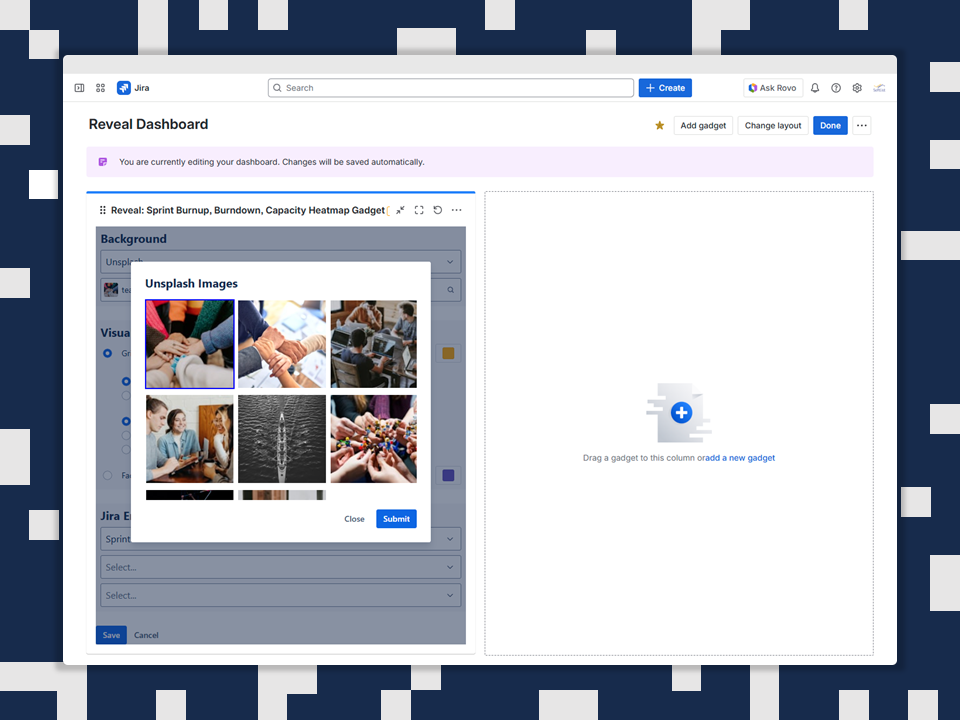
Choose visuals from built-in presets or import image from Unsplash.
-
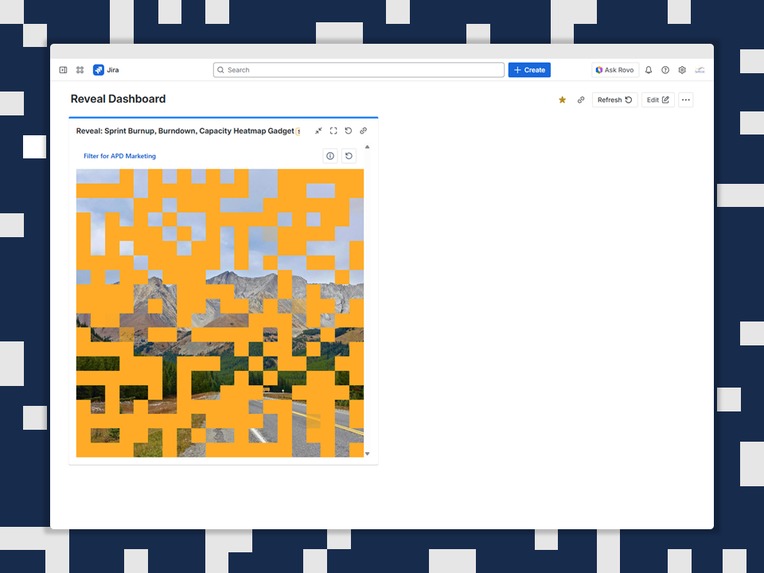
Progress: 33%
-
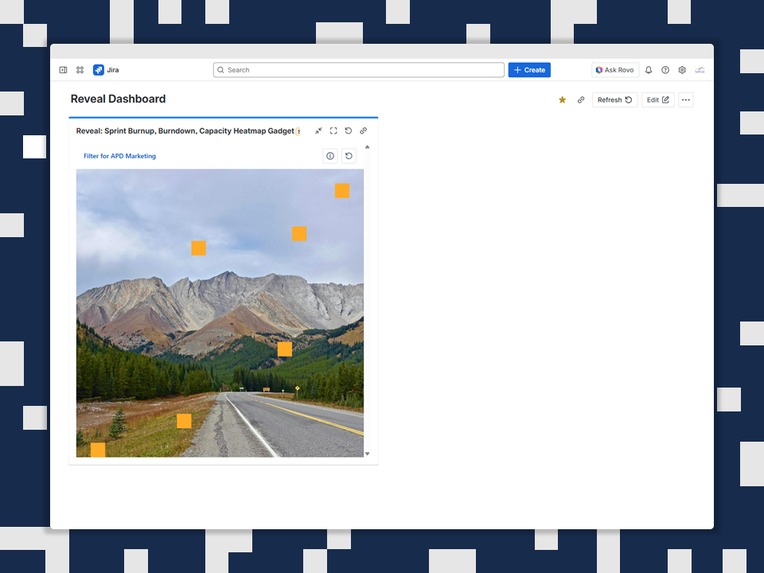
Progress: 98%
-
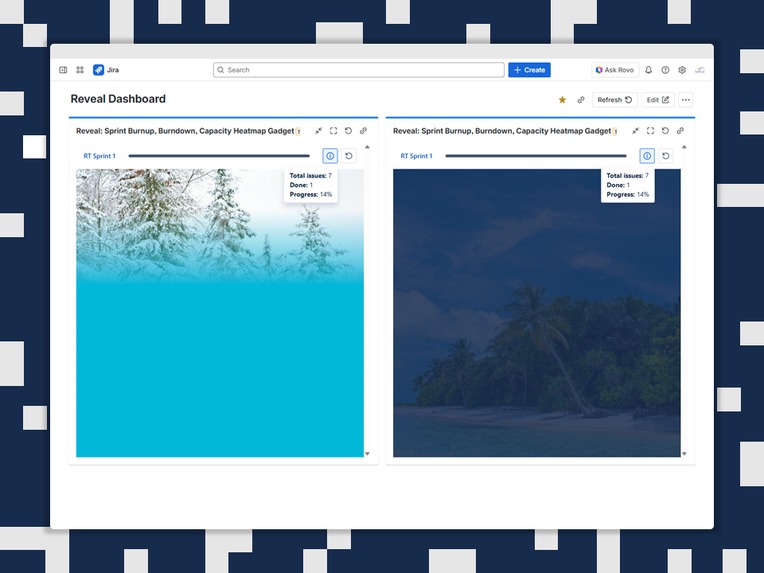
Fade Mask mode (standard or blur)


Inspiration
Traditional Agile charts - Burnup, Burndown, and other metrics - are powerful but often uninspiring. Stakeholders skim past them, and teams rarely feel emotionally connected to their own progress. We wanted to reimagine how progress is communicated - turning dry graphs into something visual, intuitive, and motivating.
Our inspiration came from a simple idea: what if progress could be seen as a picture coming to life? Like assembling a puzzle - piece by piece - mirroring the completion of tasks during a sprint. This metaphor felt natural, engaging, and surprisingly powerful. So we built a Jira gadget that doesn’t just show data… it reveals it.
What it does
The Reveal gadget for Jira transforms traditional sprint metrics into an engaging, visual experience. Instead of charts, teams see an image broken into fragments - and as work is completed, more pieces appear, revealing progress at a glance.
The result is a more intuitive, motivating, and human-friendly way to see how much has been accomplished - and how close the team is to completing the bigger picture.
How it works
Reveal links each Jira task, sub-task, or story point to a fragment of an image.
- Users can select visuals from built-in presets or import an image from Unsplash.
- As work items are completed, image fragments are revealed automatically using configurable animation modes: Grid (random or sequential, with multiple block sizes) or Fade Mask (standard or blur). The gadget also allows configuring the color palette of the hidden overlay.
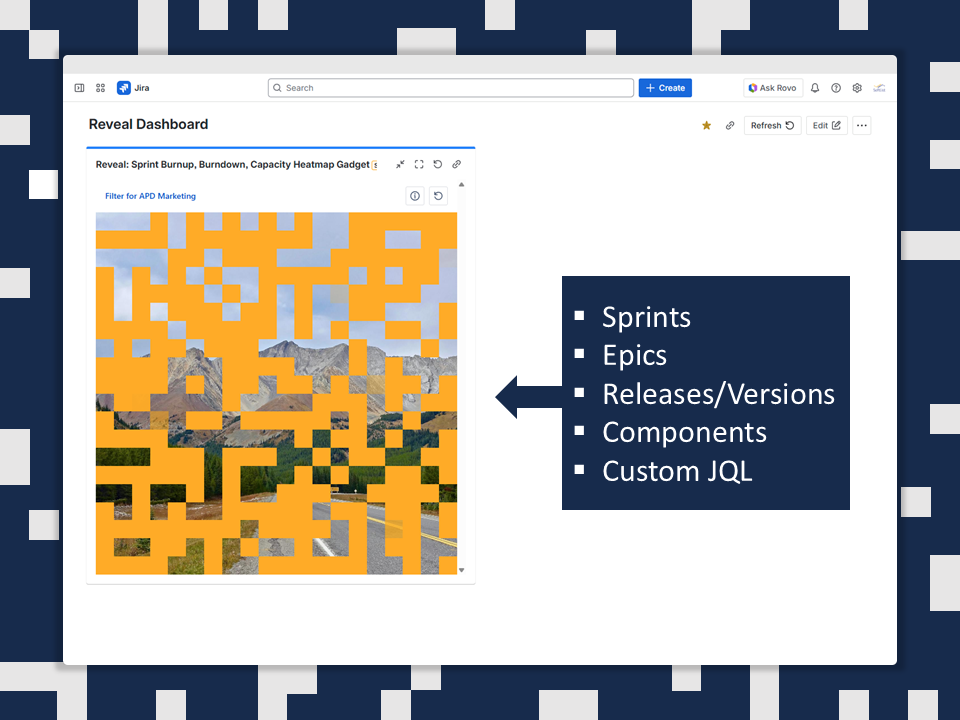
- The gadget supports multiple tracking modes — sprints, epics, releases, and custom JQL views — and adapts to scope changes by adding new fragments or expanding the canvas.
When all tasks are completed, the full image is revealed, signaling sprint or project completion.
How we built it
- Forge UI for the gadget interface
- React to render the mosaic-style image reveal
- Jira REST APIs to fetch sprint issues, statuses, capacity data, and metrics
- A lightweight rendering engine that maps tasks to image fragments based on story points or issue count
- A fragmentation algorithm that dynamically breaks a loaded image into visual fragments
Challenges we ran into
Choosing the right visual model Early on, we explored a true “puzzle” approach, but research showed that a tile-based grid was more reliable and precise. Using equally sized tiles allowed us to accurately calculate how many fragments should be revealed as tasks matching the filter were completed.
Fair task-to-fragment mapping Distributing visual fragments based on story points while keeping the grid visually consistent required several iterations. The tile approach helped balance metric accuracy with a clean, predictable layout.
Filters and JQL integration under time pressure Initially, we planned to support only raw JQL queries for the first release, postponing saved filter integration to later sprints. However, we managed to deliver full filter support before release without compromising stability.
Finding the right rendering and animation mechanism We evaluated multiple libraries and approaches to handle image masking and lightweight animations triggered by task completion. Selecting a solution that was both performant and compatible with Forge constraints was a key challenge—but ultimately solved.
Scaling and layout constraints Supporting different Jira dashboard layouts and allowing image scaling within limited gadget space proved complex. Handling responsive image rendering under these constraints required careful design and trade-offs.
No native file uploads in Jira Jira does not allow direct file uploads for gadget assets, which made image handling particularly challenging. We had to design a workaround that still allowed images to be revealed reliably without direct image uploads.
Accomplishments that we're proud of
- We are the first and only team to visualize Jira team progress through the gradual reveal of a graphical image, delivered as a standard dashboard gadget that any user can add — from a trainee to a team lead or even a CEO (they’re usually serious, but why not).
- We enabled image import from external sources at the API level by integrating Unsplash, fully respecting Atlassian security standards and without compromising product safety.
- We gave teams full control over which metrics drive the image reveal, leveraging native Jira JQL filters that are familiar and intuitive to all users.
- Beyond that, we combined simple math with more advanced area-based calculations to determine how much of the image should be revealed as teams complete work — based on task weight, task count, or other commonly used attributes.
- Finally, we allow users to display progress using multiple configurable reveal modes per gadget. This means the same underlying data can appear in different visual formats on a single dashboard, opening new space for creativity and expression.
What we learned
We believe that not everything in the world has been invented yet, and that sometimes simple ideas — like mosaics or puzzles — can unlock entirely new spaces for innovation and products that don’t exist yet.
We’re grateful that Atlassian’s products and platform make it possible to bring such new ideas to life, providing the technological foundation to confidently explore new horizons.
We’re proud to introduce our product through Codegeist 2025, which we believe is the perfect launchpad for building innovative solutions within the Atlassian ecosystem.
What's next for Reveal: Sprint Burnup, Burndown, Capacity Heatmap Gadget
We want to extend the gadget beyond Jira and make it available in Confluence as well.
We are exploring the possibility of adding a reverse calculation feature, allowing users to estimate required effort based on a desired level of image reveal.
We plan to enable viewing the image and its reveal progress not only for Jira (and later Confluence) users, but also via a public shareable link.
Our roadmap includes integrating additional cloud-based image sources that offer royalty-free content, beyond the existing Unsplash integration, as well as providing alternative ways to work with user-uploaded images within the Atlassian ecosystem.
We also plan to introduce AI-powered image generation for use within the gadget, available as part of a Premium version of the product.
Finally, we deeply care about the teams using Reveal and want to build it together with them. We plan to include an in-product feedback tool to collect suggestions directly from users and prioritize features that help teams work more effectively.
Built With
- css
- forge
- javascript
- jira
- jql
- math
- react-query
- rest


Log in or sign up for Devpost to join the conversation.