-
-
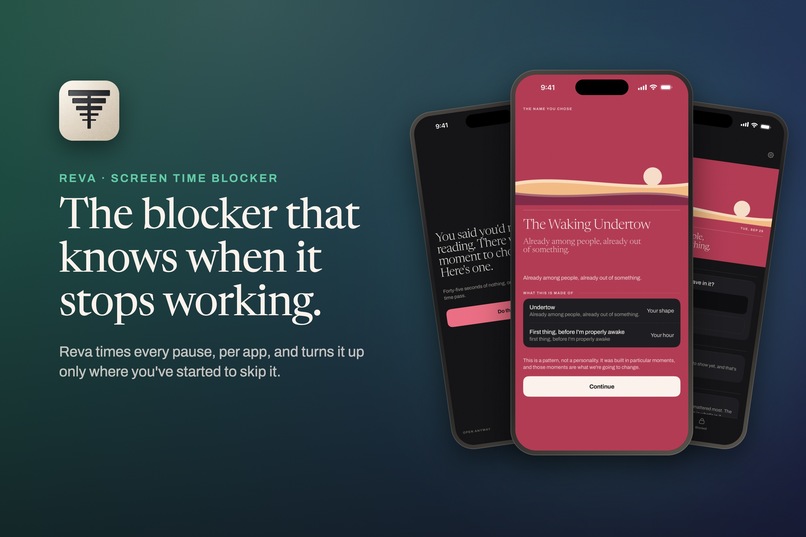
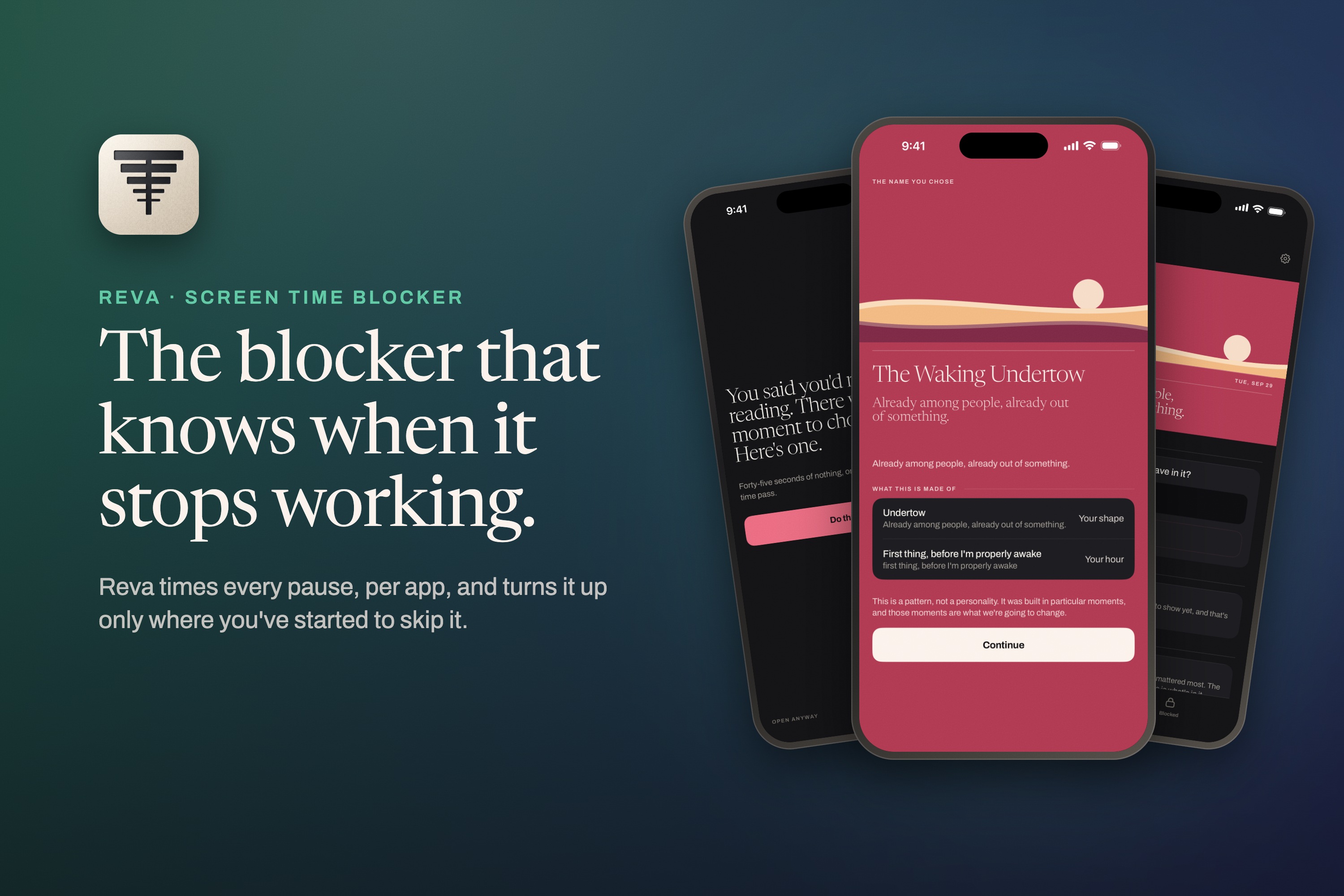
Reva is a screen time blocker that times every pause, per app, and turns it up only where you've started to skip it.
-
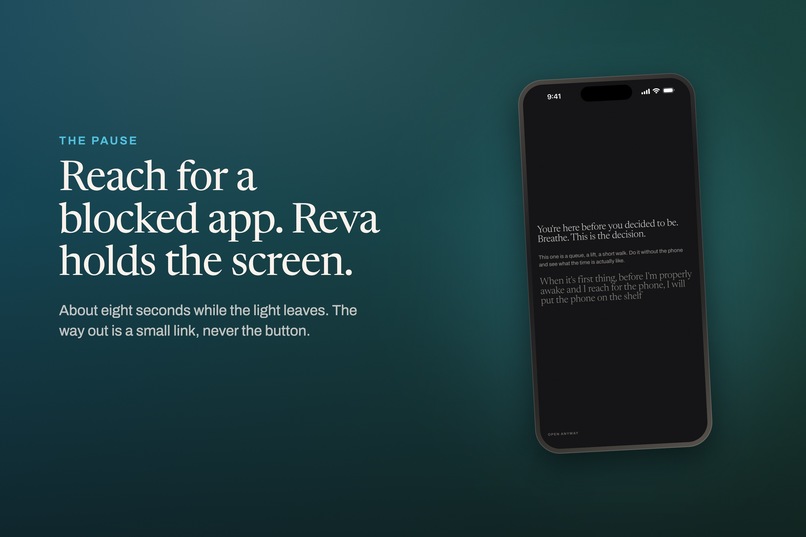
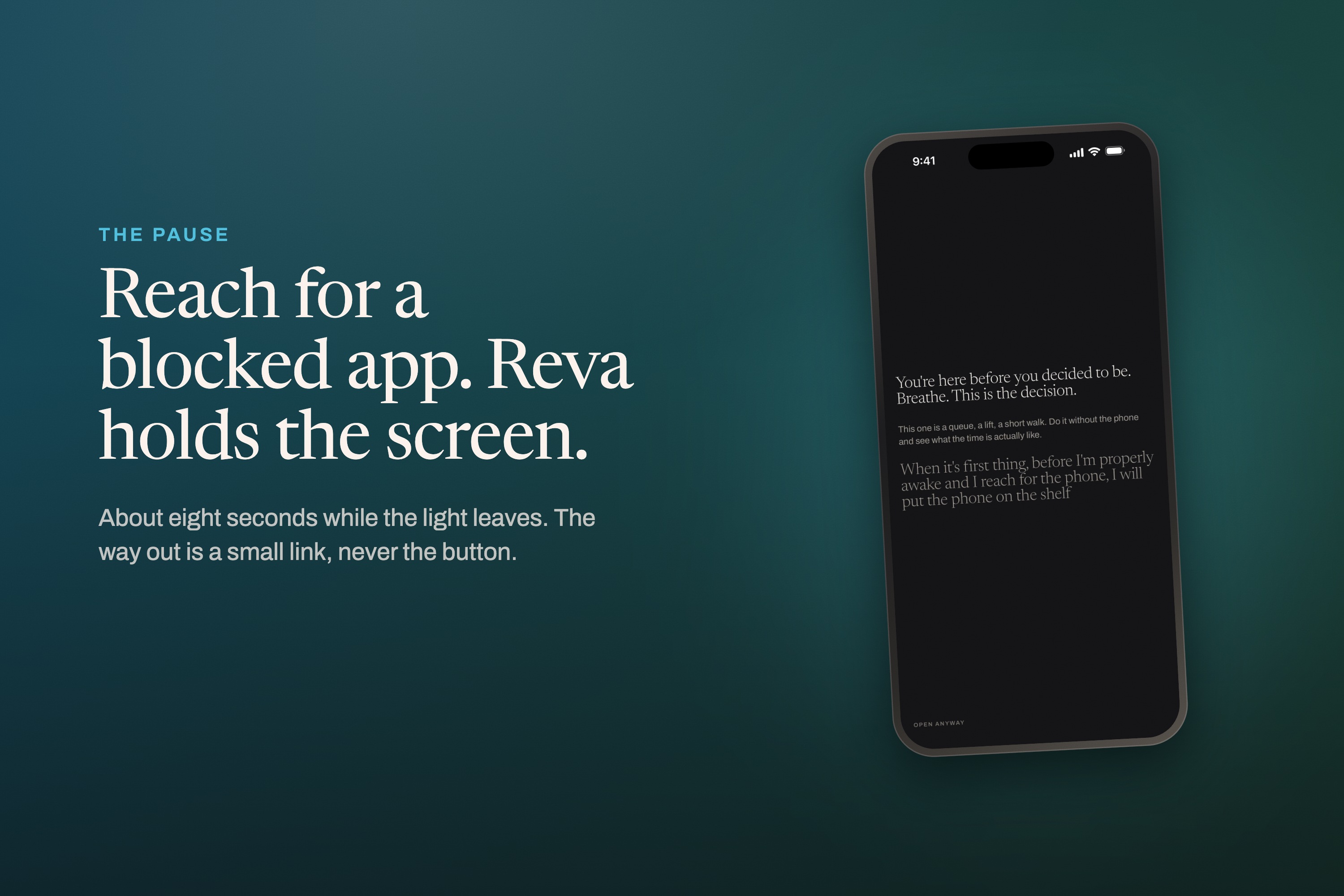
Reach for a blocked app and Reva holds the screen. The way out is a small link, never a button.
-
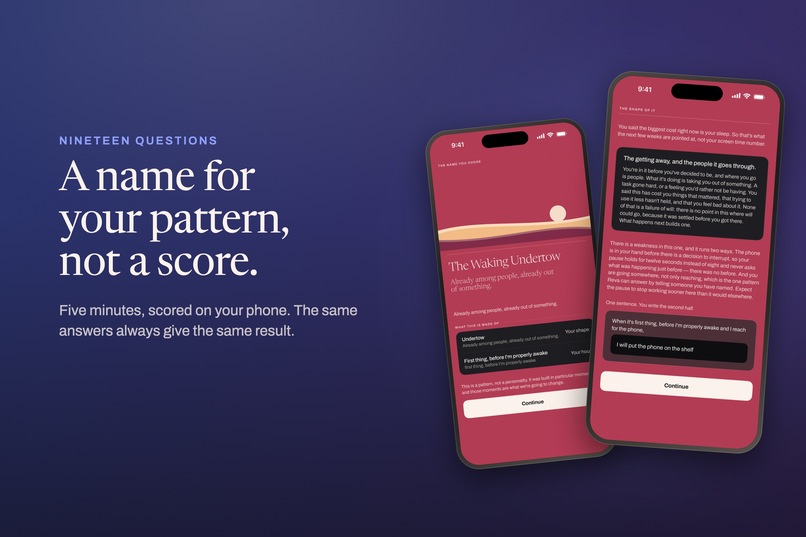
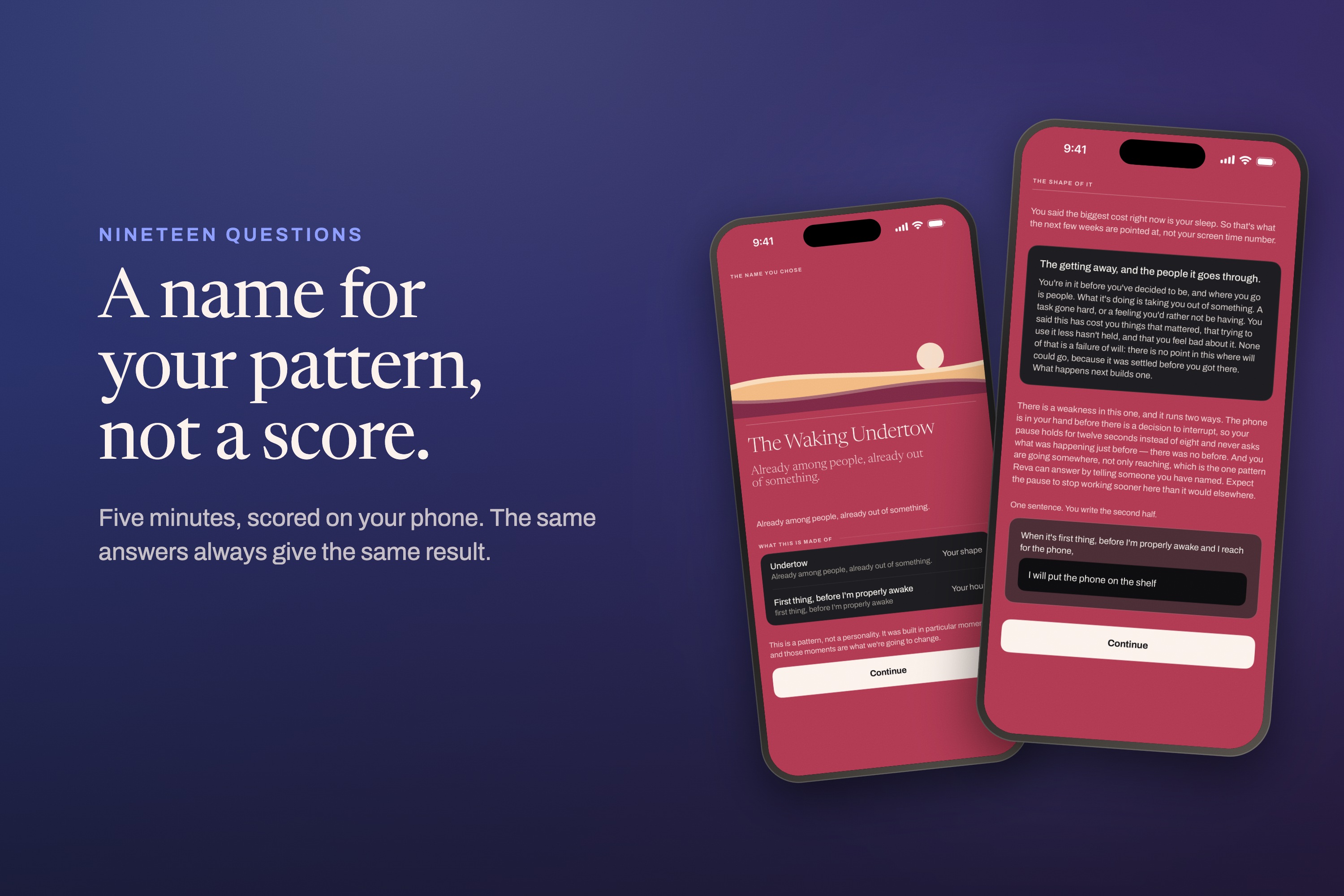
Nineteen questions, scored on your phone. You get a name for your pattern, not a score, and the same answers always give the same result.
-
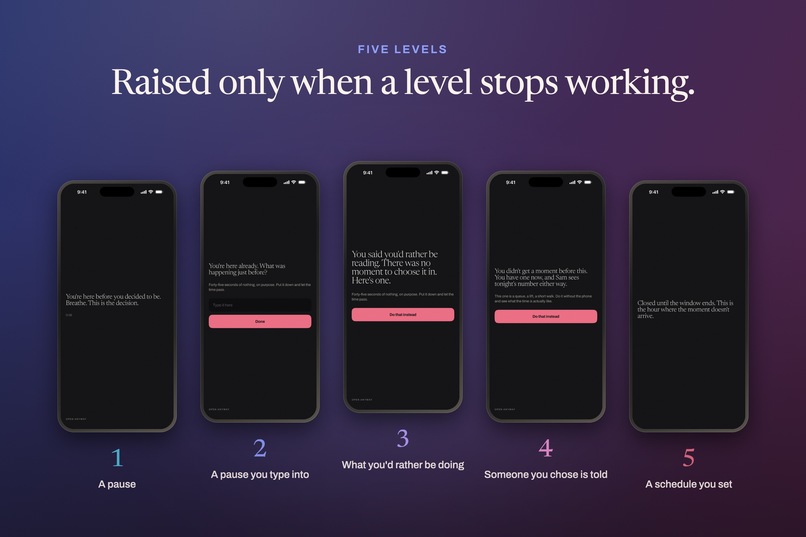
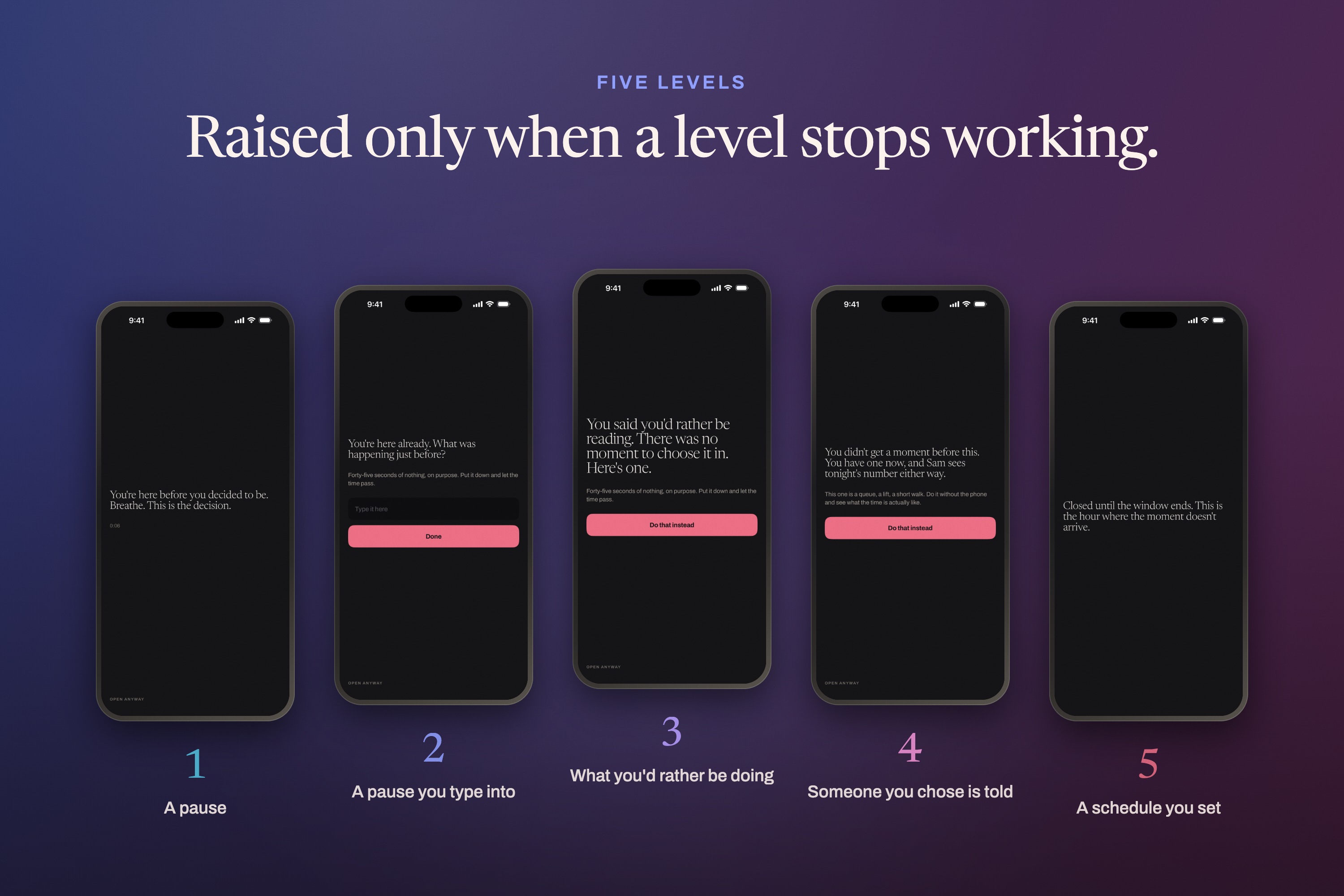
Five levels, from a pause to a schedule you set. Reva raises one only for the app where the level you're on stopped working.
-
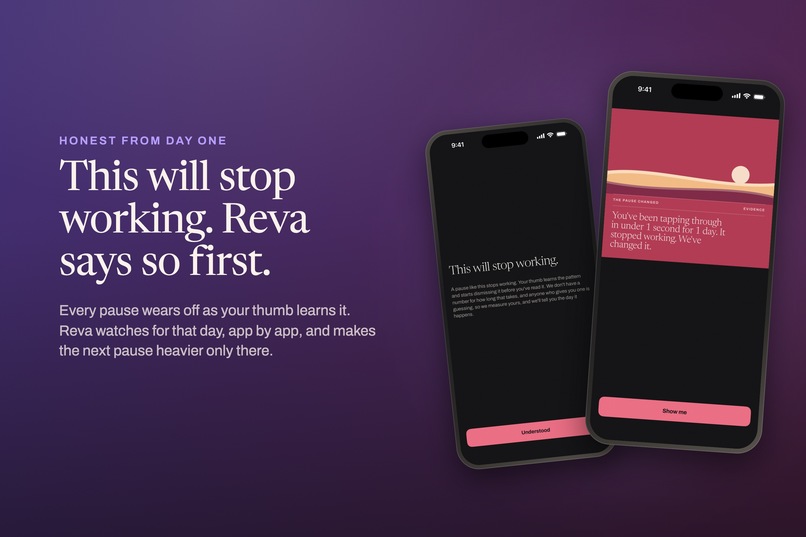
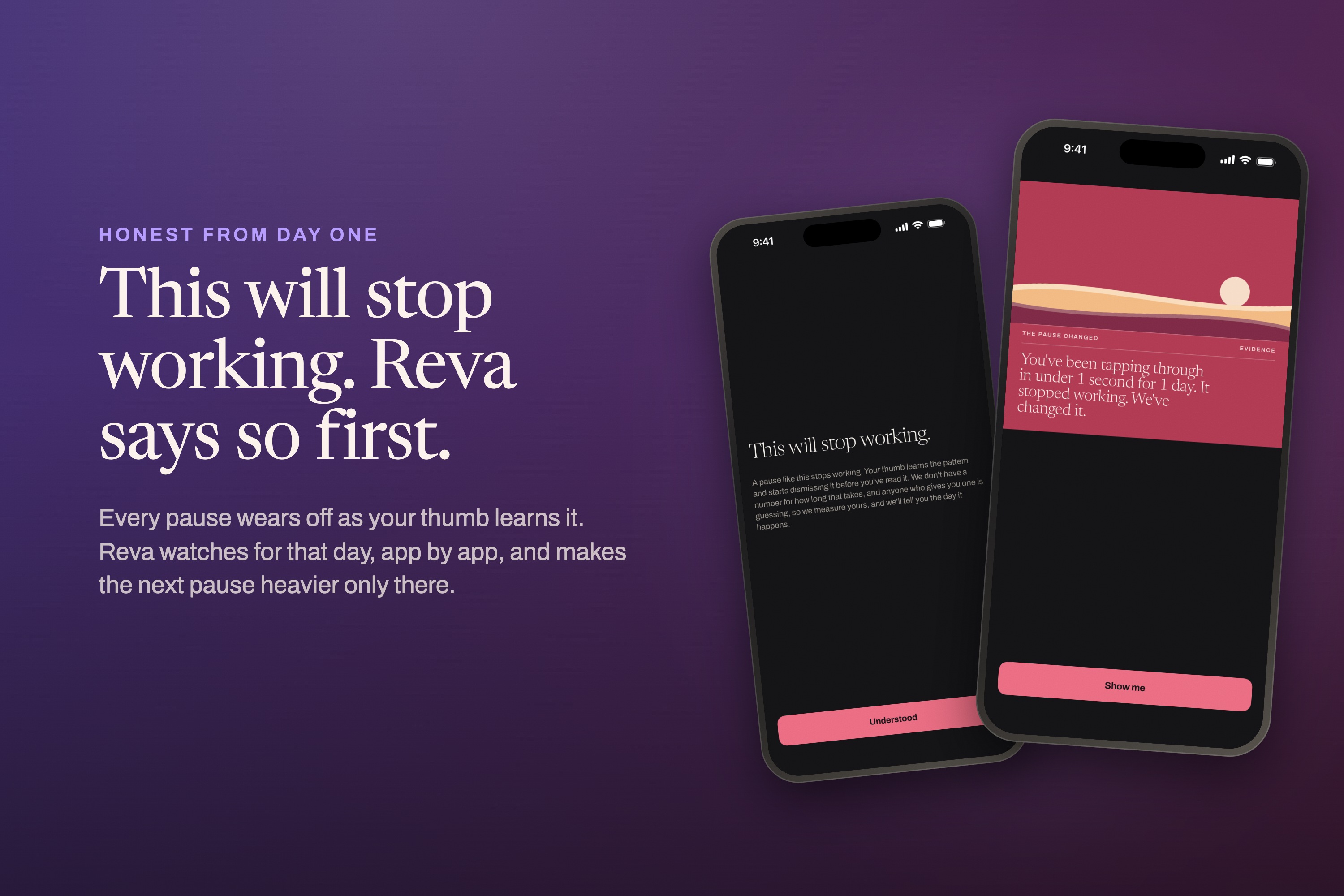
Every pause wears off as your thumb learns it. Reva warns you on day one, then tells you the day it happens.
-
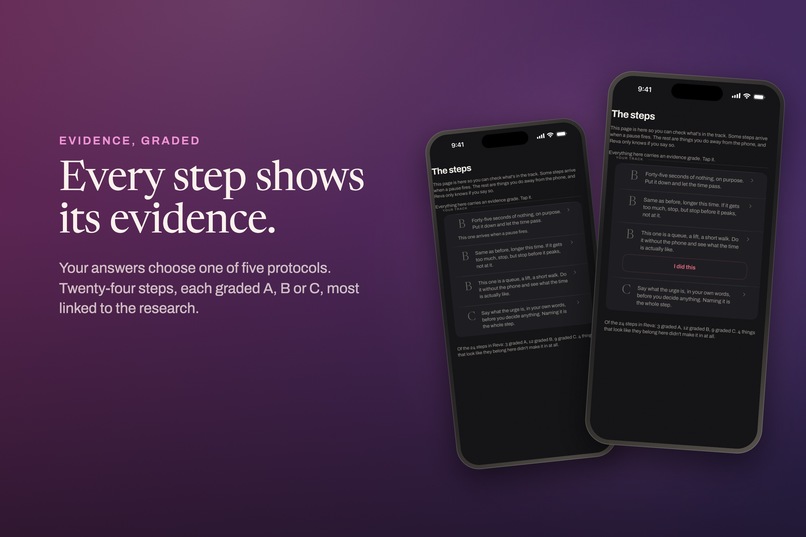
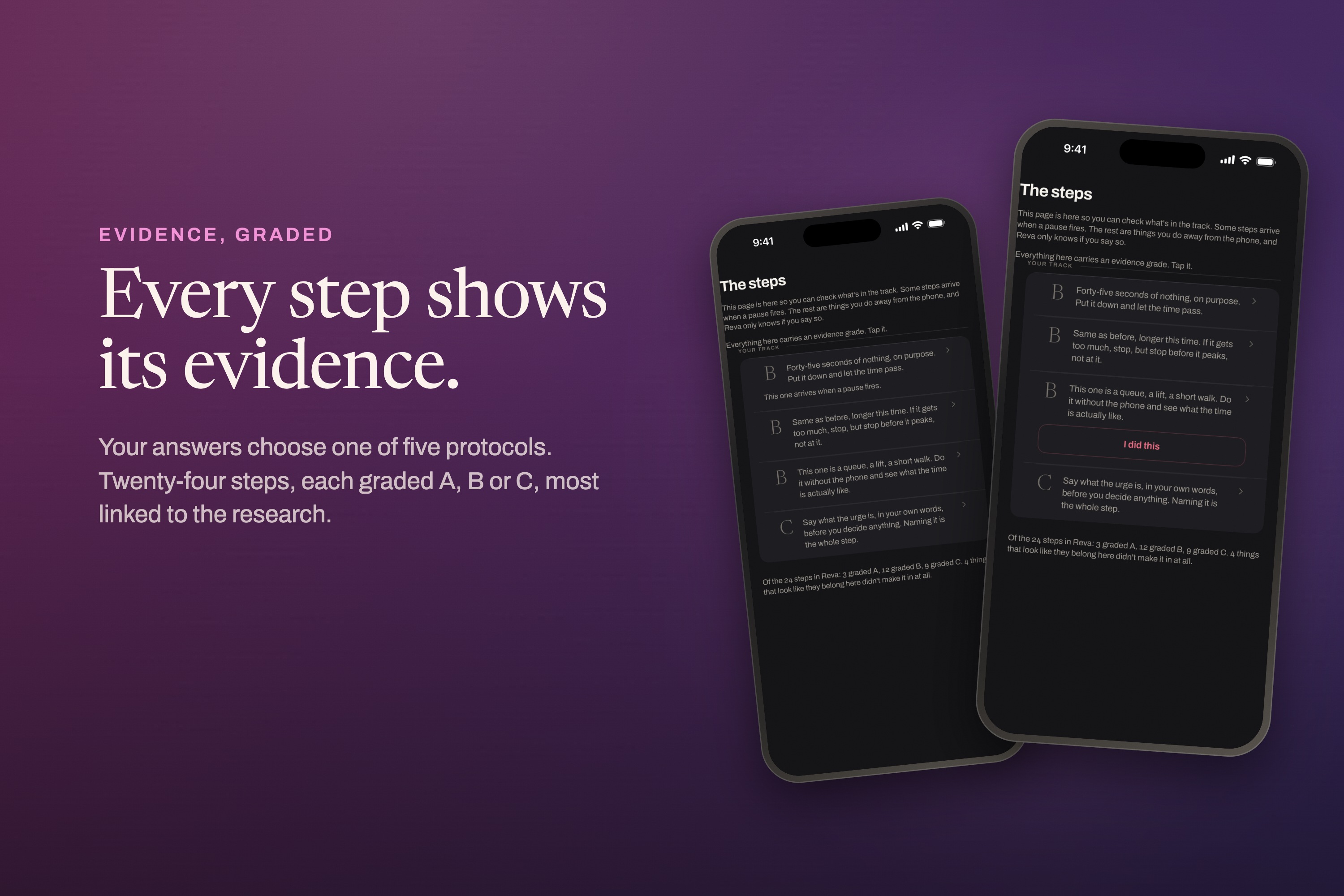
Five protocols, twenty-four steps, each graded A, B or C, and most link to the research.
-
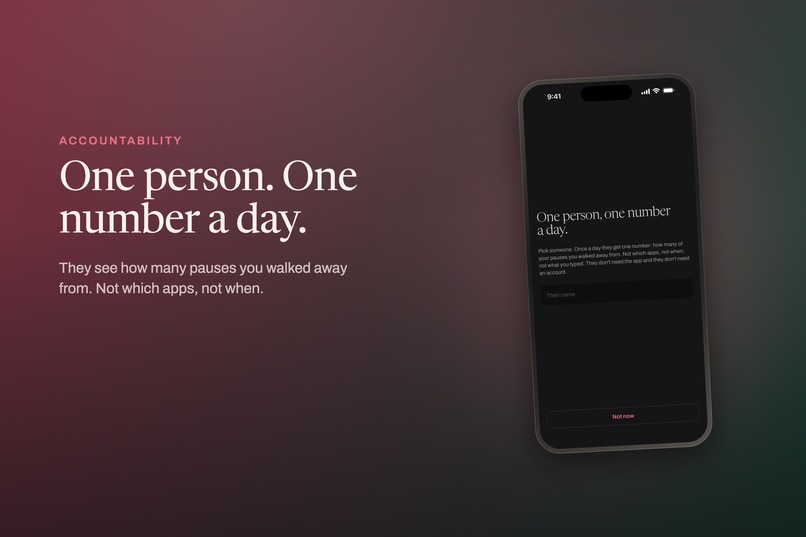
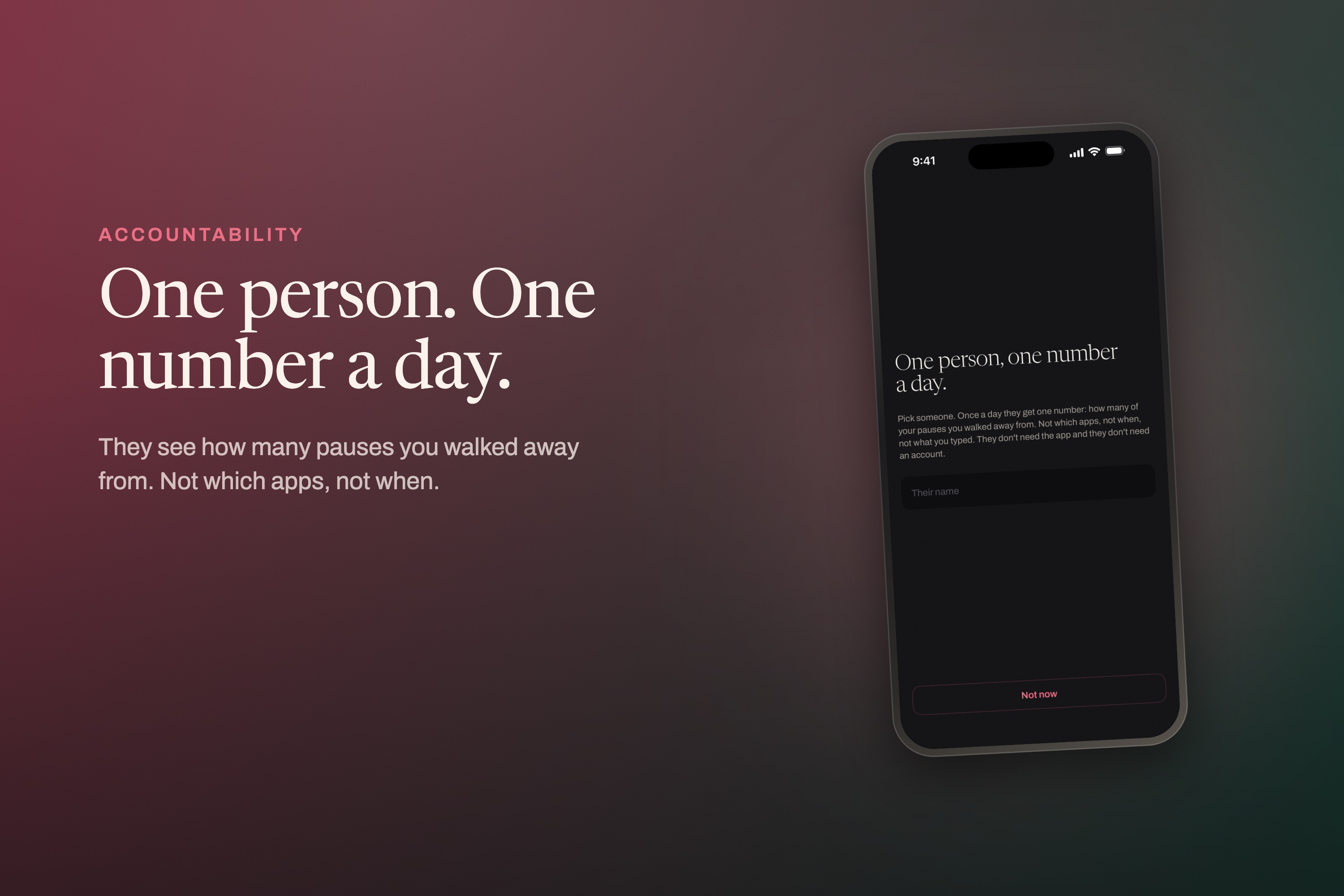
Choose one person. Each day they see how many pauses you walked away from, but not which apps or when.
-
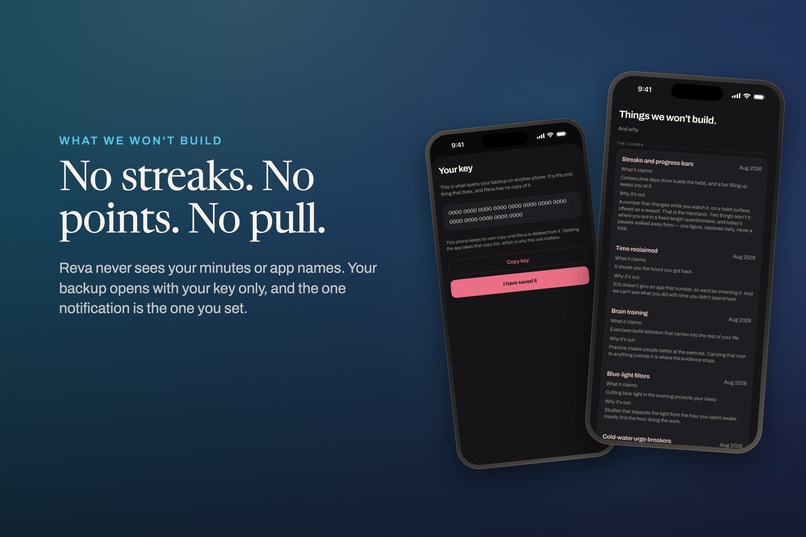
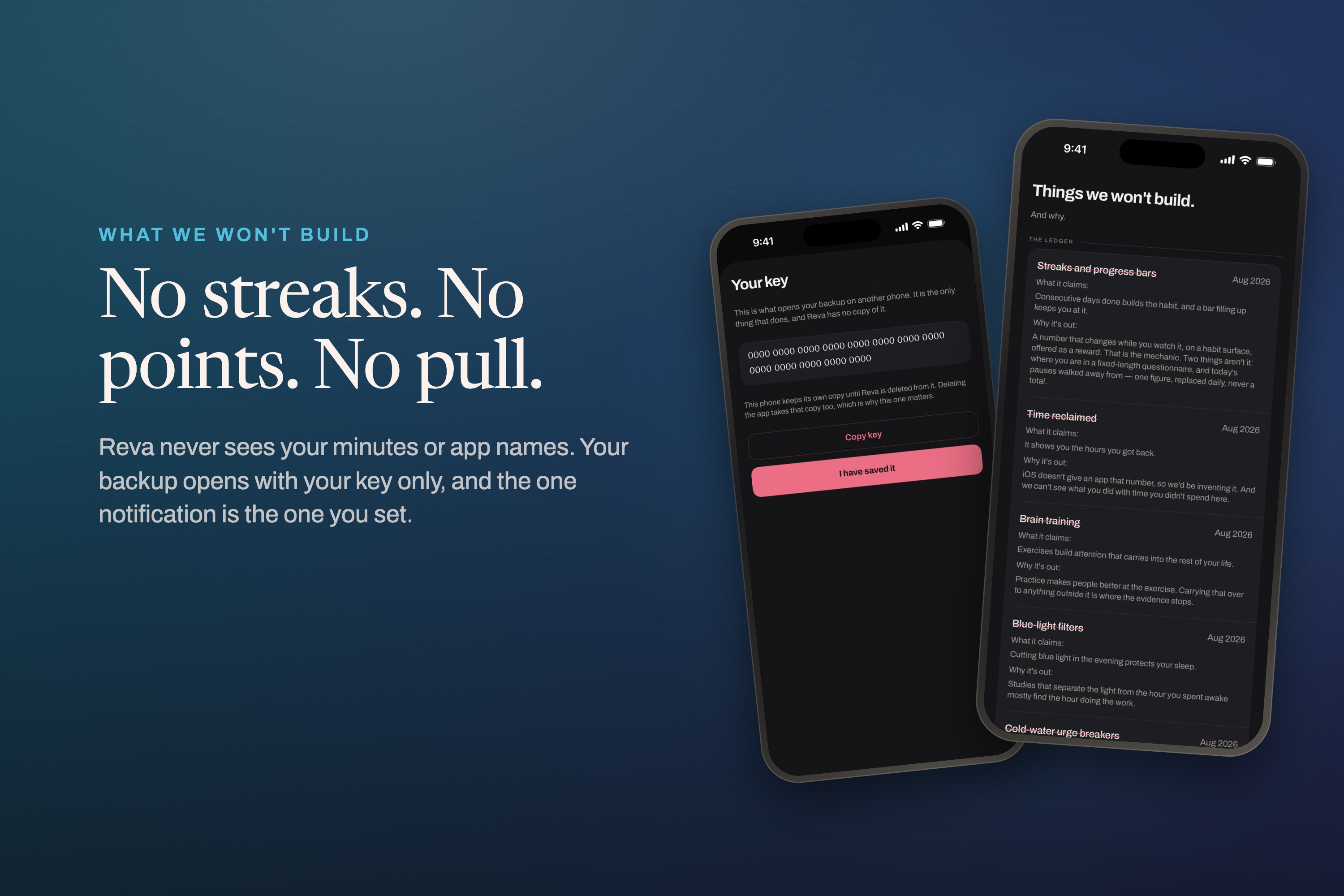
No streaks, no points, no pull. Reva never sees your minutes or app names, and your backup opens with your key only.
-
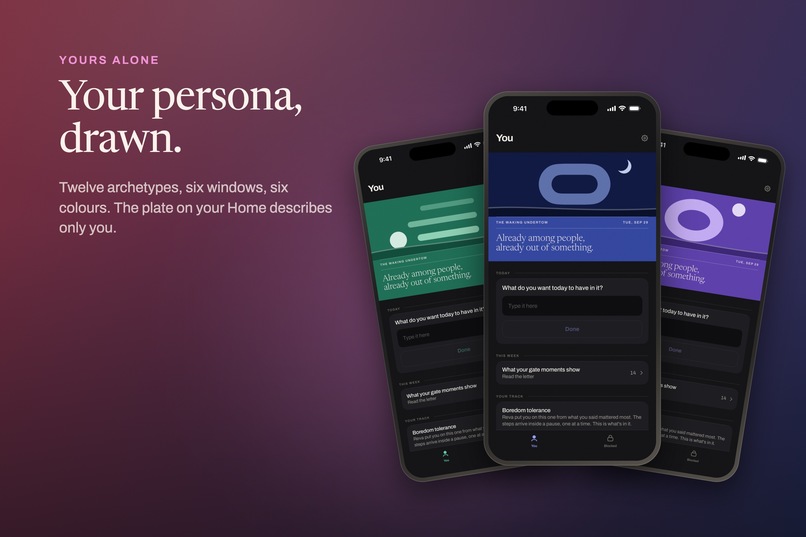
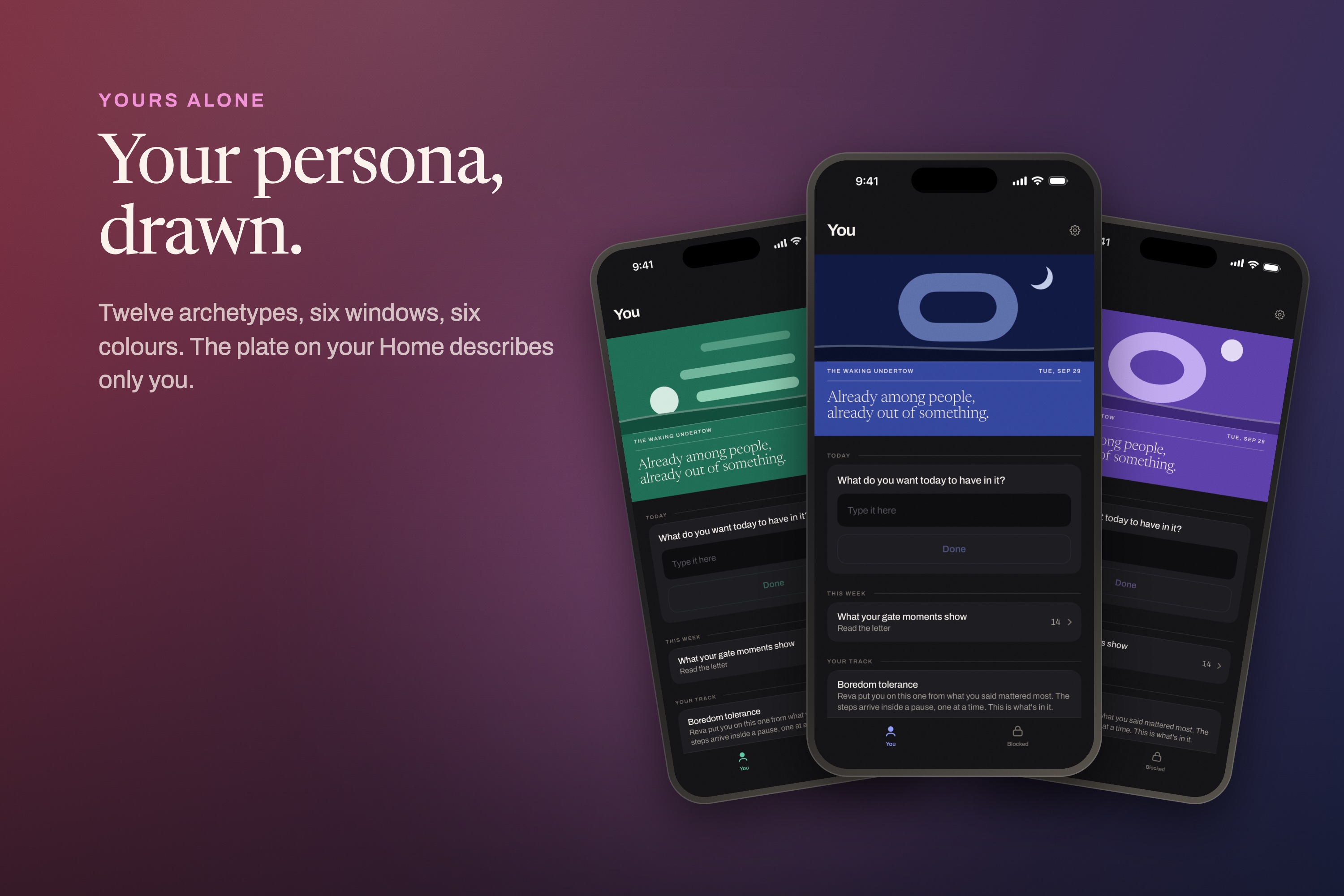
Your persona is drawn as a plate: twelve archetypes, six windows, six colours. The one on your Home describes only you.
-
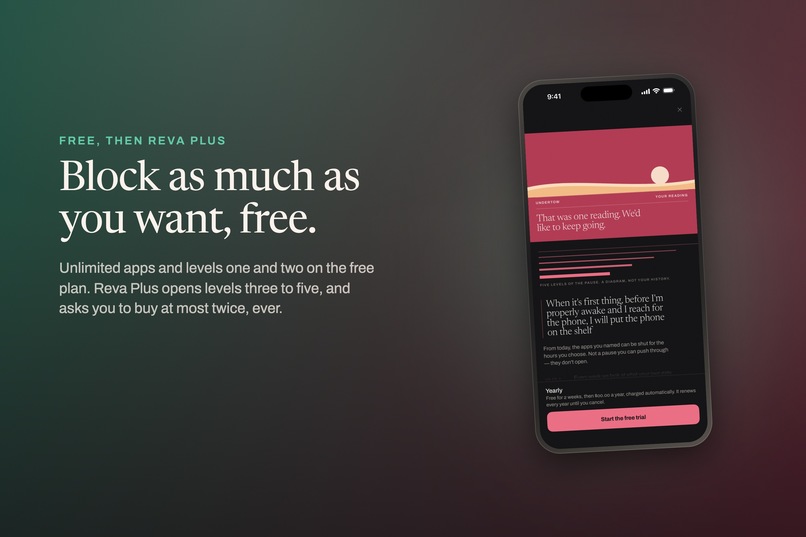
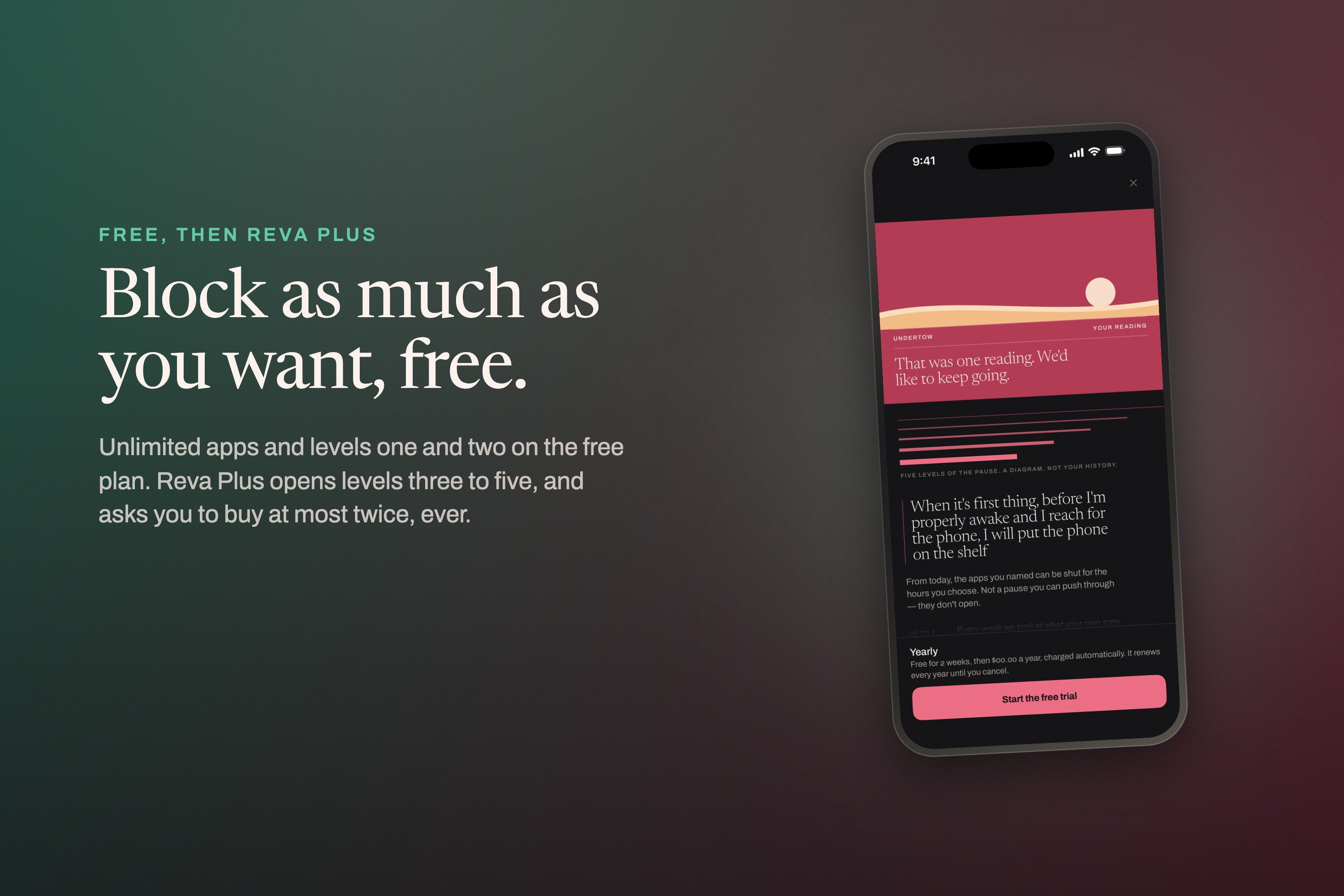
Unlimited blocking is free. Reva Plus, sold through RevenueCat, adds levels three to five, and Reva asks you to buy at most twice.
-

The app icon: five bars for the five levels, narrowing down to one thread.
-
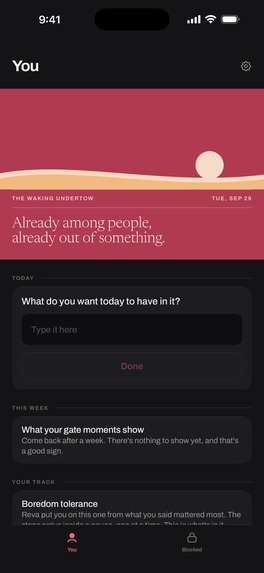
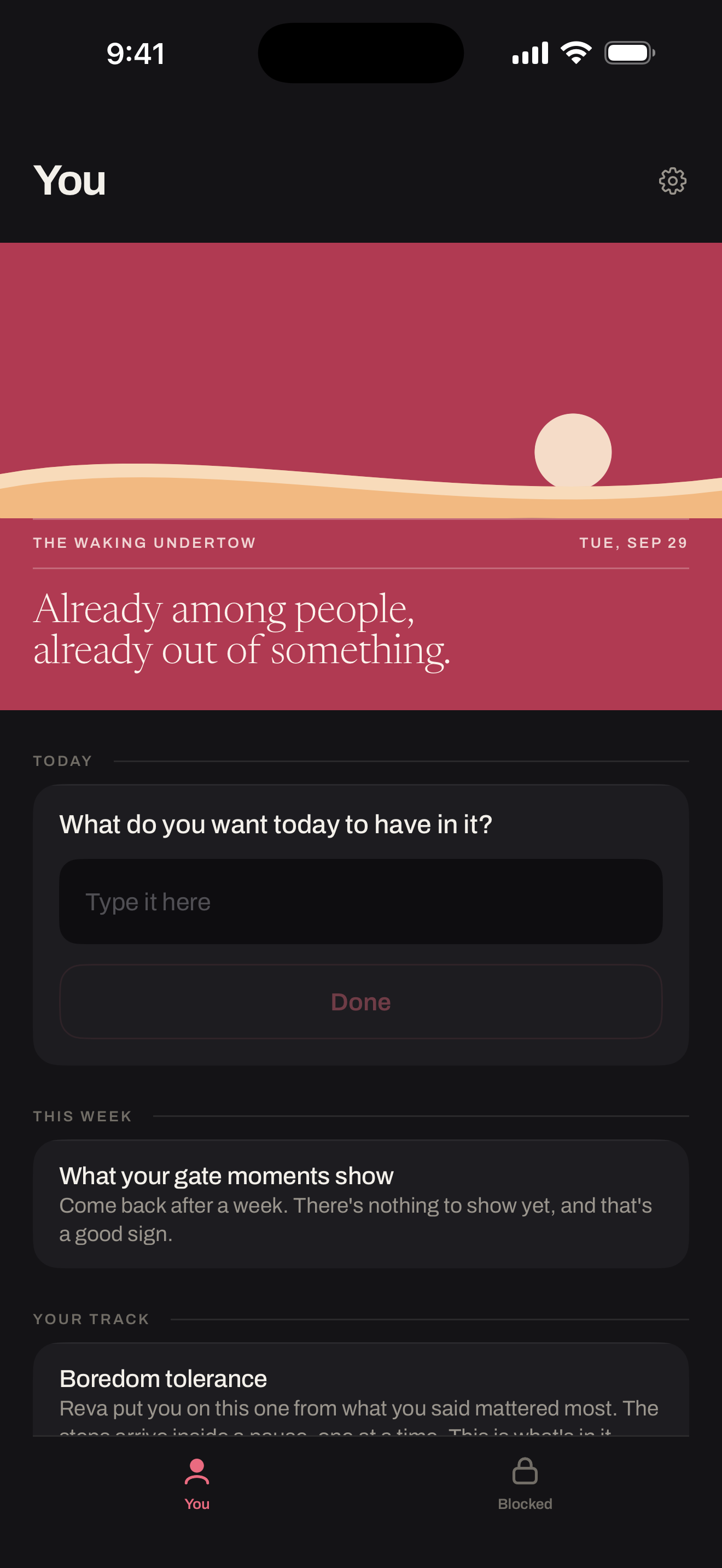
Home screen, unframed: your persona plate, one question for today, and the protocol track you're on.
-
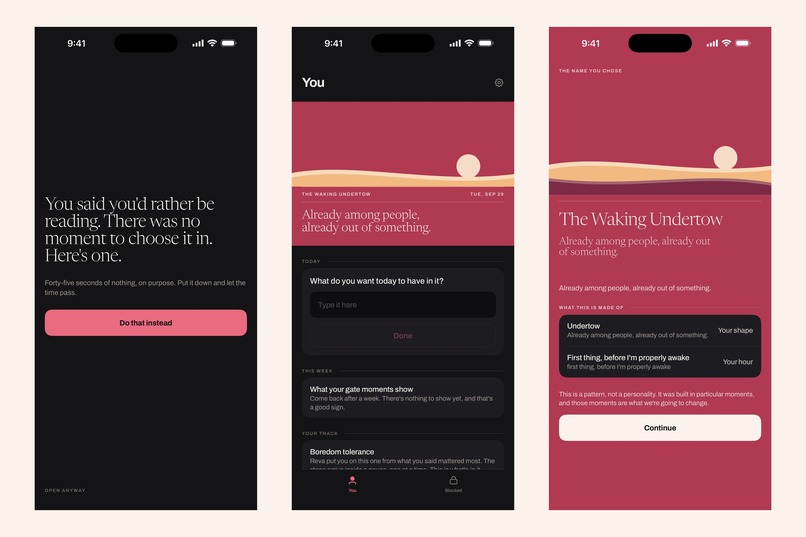
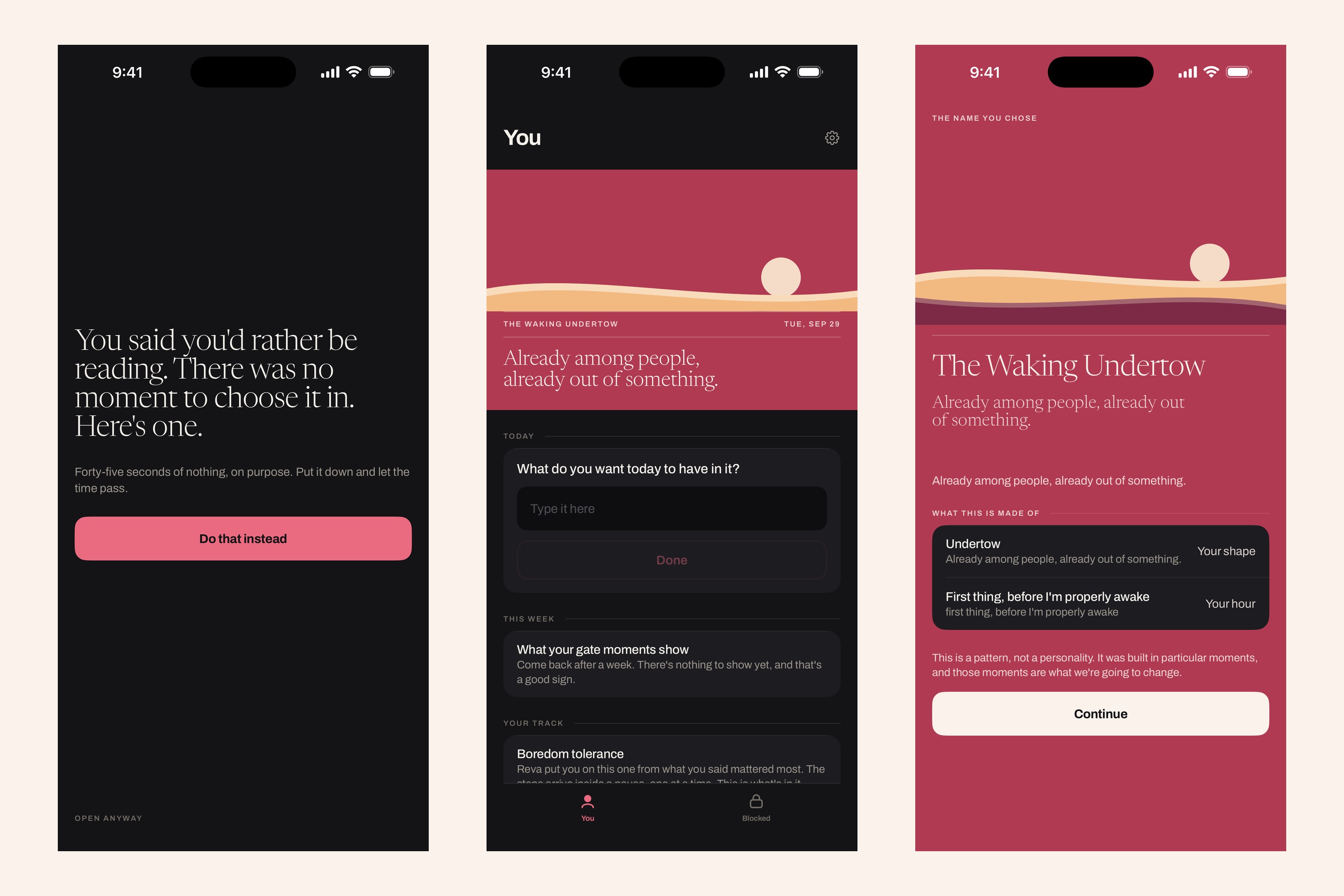
Unframed: a level-three pause, Home with the persona plate, and the persona reveal after the nineteen questions.

Inspiration
A pause screen that looks the same every time has a known problem: you get fast at dismissing it. The usual answer is more friction everywhere, all the time. I wanted to know when the pause had actually stopped working for one specific app, and only then do something about it.
What it does
Reva is a measurement instrument that uses blocking as its measuring apparatus.
- It times the gap between its interruption appearing and you dismissing it, per blocked app.
- It corrects for the fact that everyone gets faster at any screen they see repeatedly.
- It raises the level of interruption only when that corrected number says the current level has stopped working, and only after enough data to judge: 20 recorded events over six days with two or more apps blocked, or 30 over ten days for one.
There are five levels: a pause, a pause you type into, a pause showing the alternative you said you'd do, a pause a person you nominated is told about, and a block on a schedule you set yourself. The last has no escape link at all.
Before any of that, a nineteen-question assessment runs entirely on-device. It reads no clock and no random number, so identical answers always give an identical result. Two of its eight outcomes tell the user their answers don't look like a control problem, and that screen sells nothing.
Reva never requests DeviceActivityReport, so it never receives usage minutes, app names, bundle identifiers or categories. There is no usage chart, and there can't be one.
How I built it
Solo. Swift and SwiftUI, iOS 26.5 minimum, which the shield action extension required. FamilyControls, ManagedSettings and DeviceActivity, with shield configuration and shield action extensions. The opaque tokens Screen Time provides are hashed before storage.
StoreKit 2 and RevenueCat handle Reva Plus. PostHog and Sentry, both EU-hosted, handle analytics and crashes. Assessment answers and interruption events never leave the device.
Every protocol step carries an A, B or C evidence grade and links the paper by DOI where one exists. Where none exists, it says so and is graded accordingly. The thresholds the app escalates on are published, including a latency floor documented in source as a guess, and a flag stating the cutoffs haven't been validated outside the data they were set on.
Universal app, 31 locales, one centred 480pt column in every orientation.
Challenges I ran into
The first scoring model stopped discriminating. It looked fine under random answering and fell apart once I modelled how people actually answer. I replaced it, and the app now asserts its negative-outcome rate against 5,000 simulated trials at every debug launch.
App Review took four rounds. 4.3(a) spam, then a request for a demo account for an app with no accounts, then missing trial terms on the paywall, then an age-rating box I'd ticked wrong. Every round after the first was narrower than the last.
I reversed my own platform decision. I'd gone iPhone-only and portrait-only, then found the guidance I'd cited for both didn't say that. The app is now universal.
Localisation register. Ten South Asian locales were reworked after I found the register was wrong for the tone the app needs.
What I learned
- App Review notes are the reviewer's route through your app. If the purchase flow isn't written into them step by step, the reviewer finds the wrong screen and reports it.
- If a feature can't be seen in a review session, say so up front and say why, rather than hoping nobody asks.
- An honest negative costs conversions, and it's the only thing that makes the positive result believable.
What's next
Validating the escalation cutoffs outside the data they were anchored on. The published thresholds currently say they haven't been, and that flag should flip only when it's true.


Log in or sign up for Devpost to join the conversation.