-
-
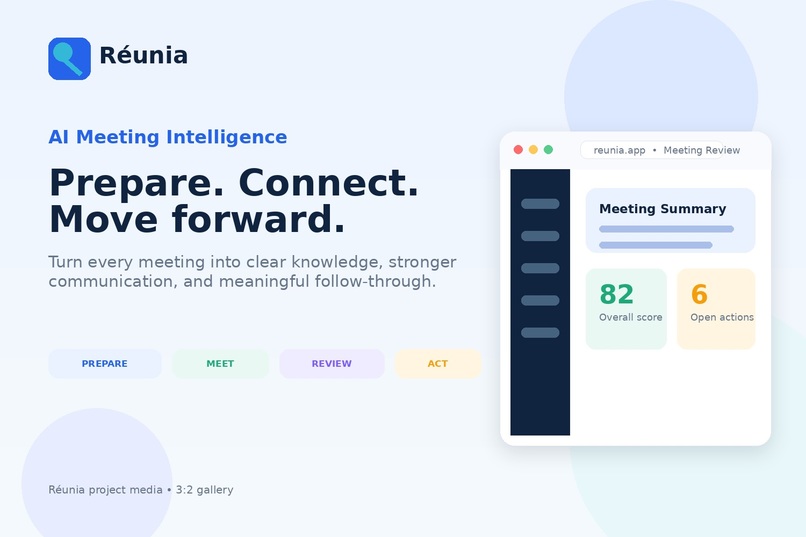
01- Reunia Cover
-
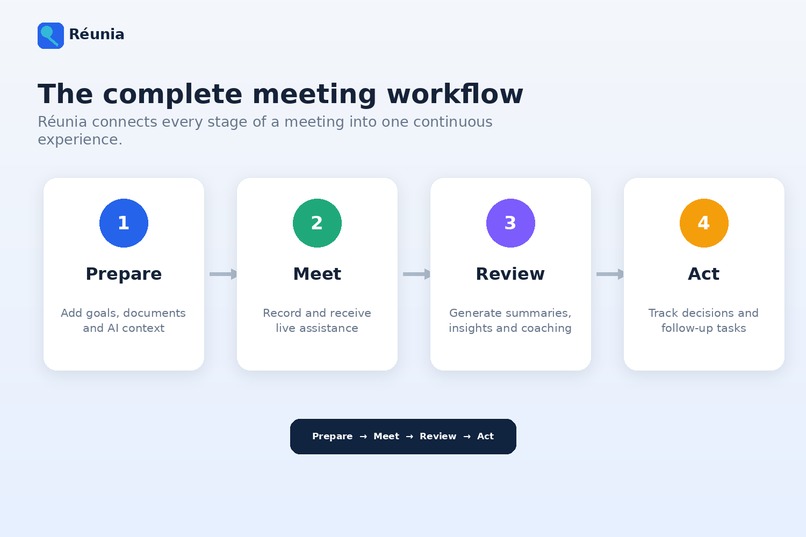
02- Complete Workflow
-
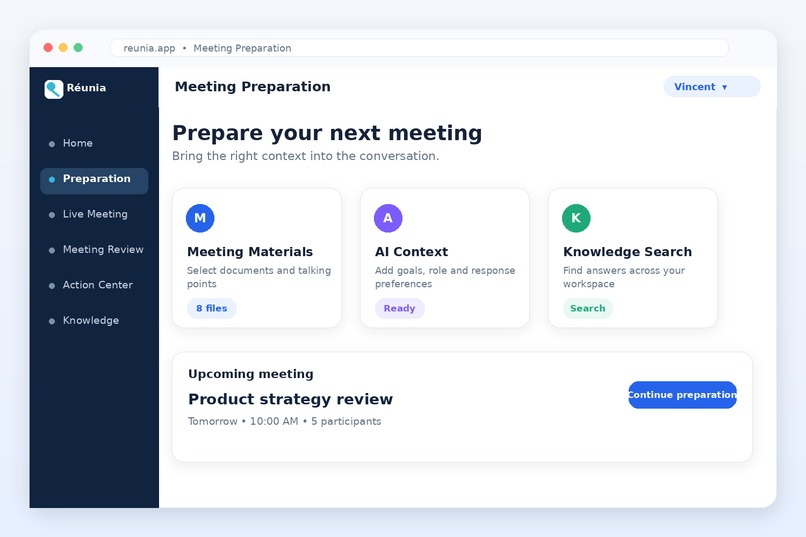
03- Meeting Preparation
-
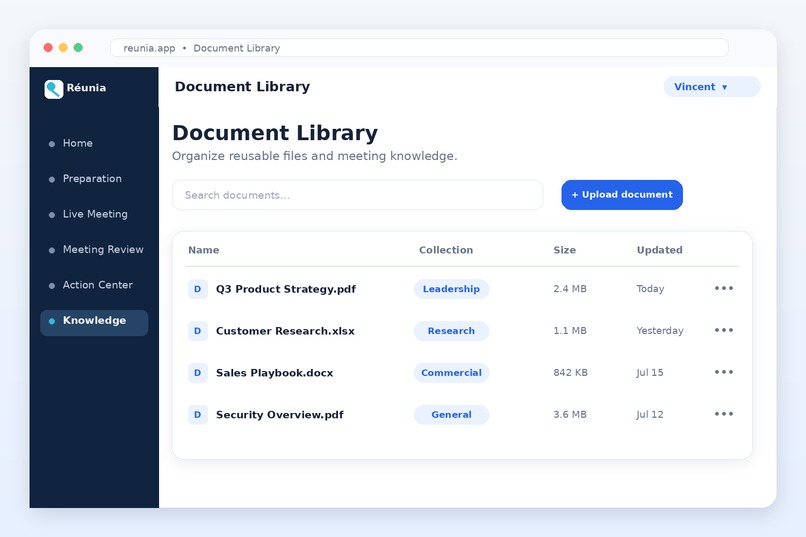
04- Document Library
-
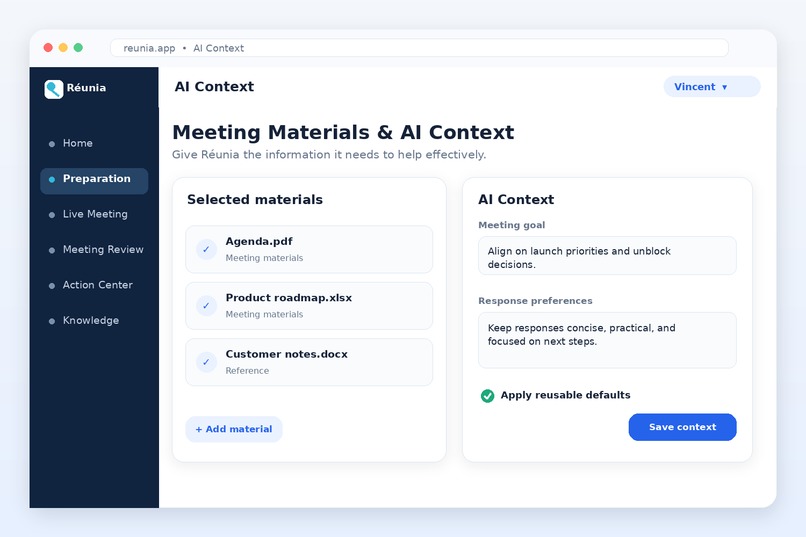
05- Materials AI context
-
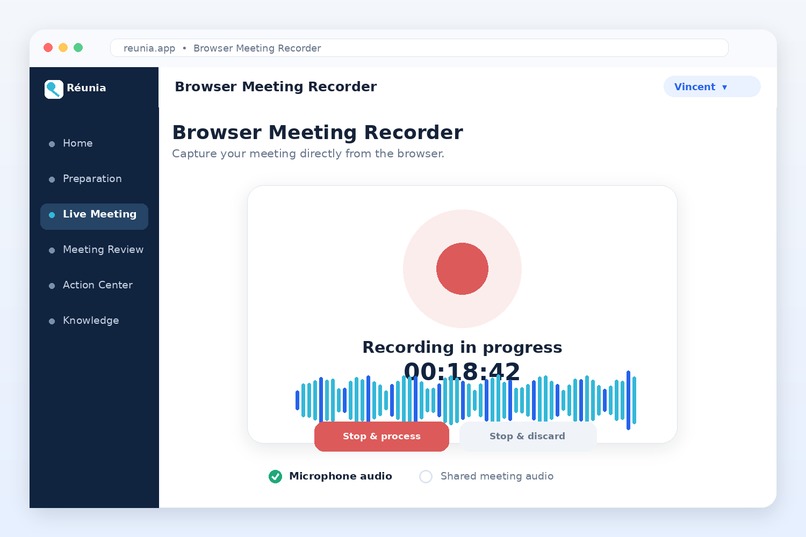
06- Browser recorder
-
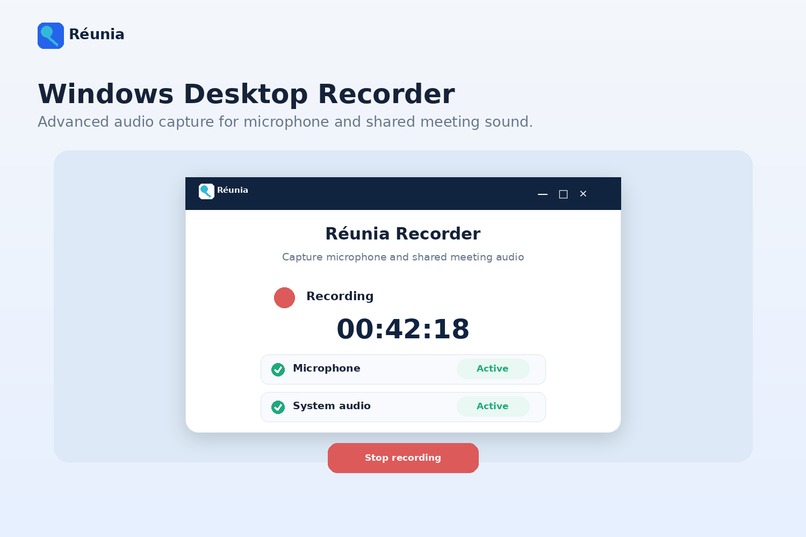
07- Desktop recorder
-
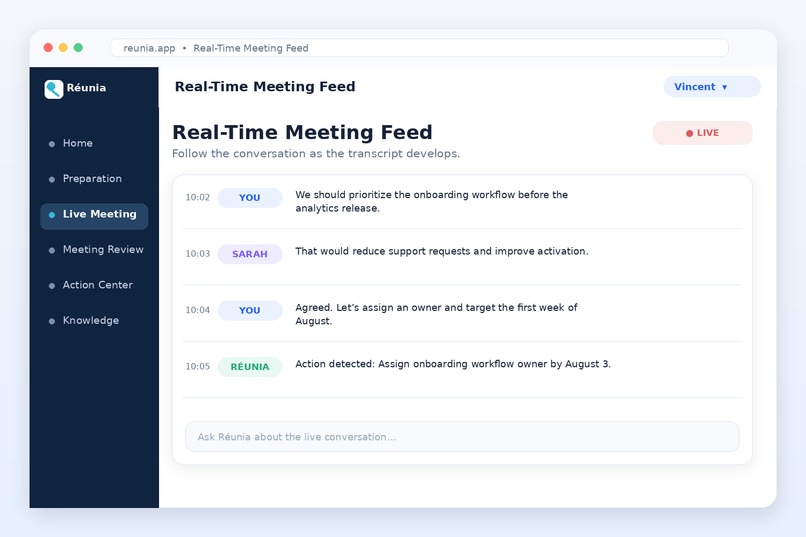
08- Real time feed
-
09- Live Questions & Answers
-
10- Meeting review summary
-
11- Meeting scorecard
-
12- Action center
-
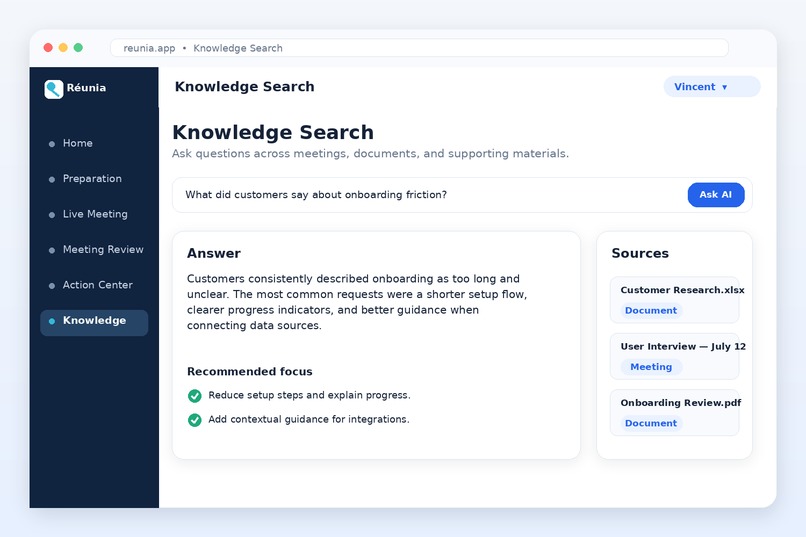
13- Knowledge search
-
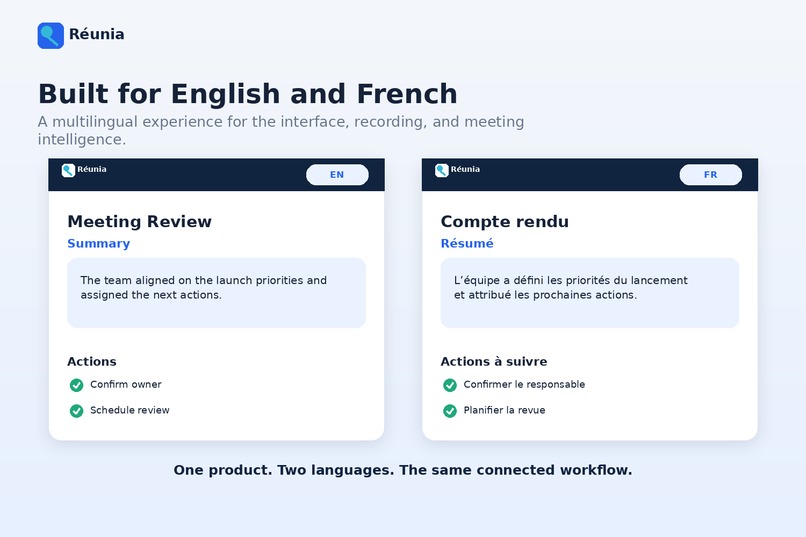
14- English and French support
-
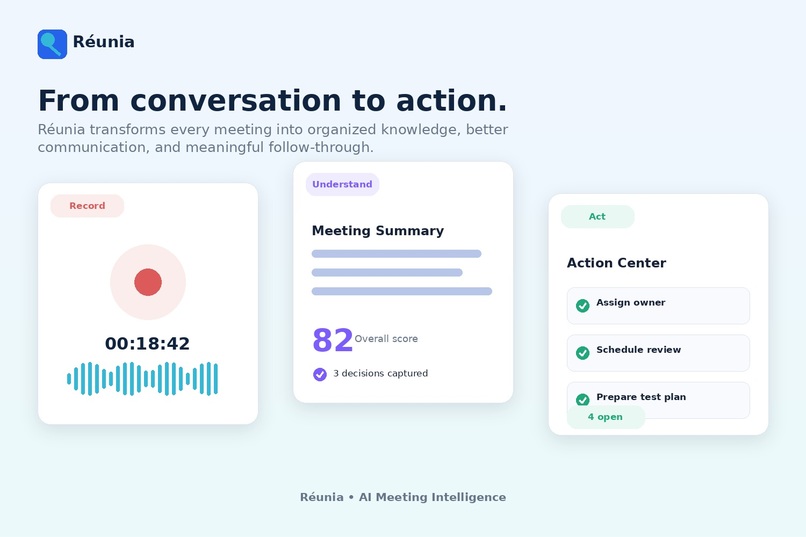
15- From conversation to action
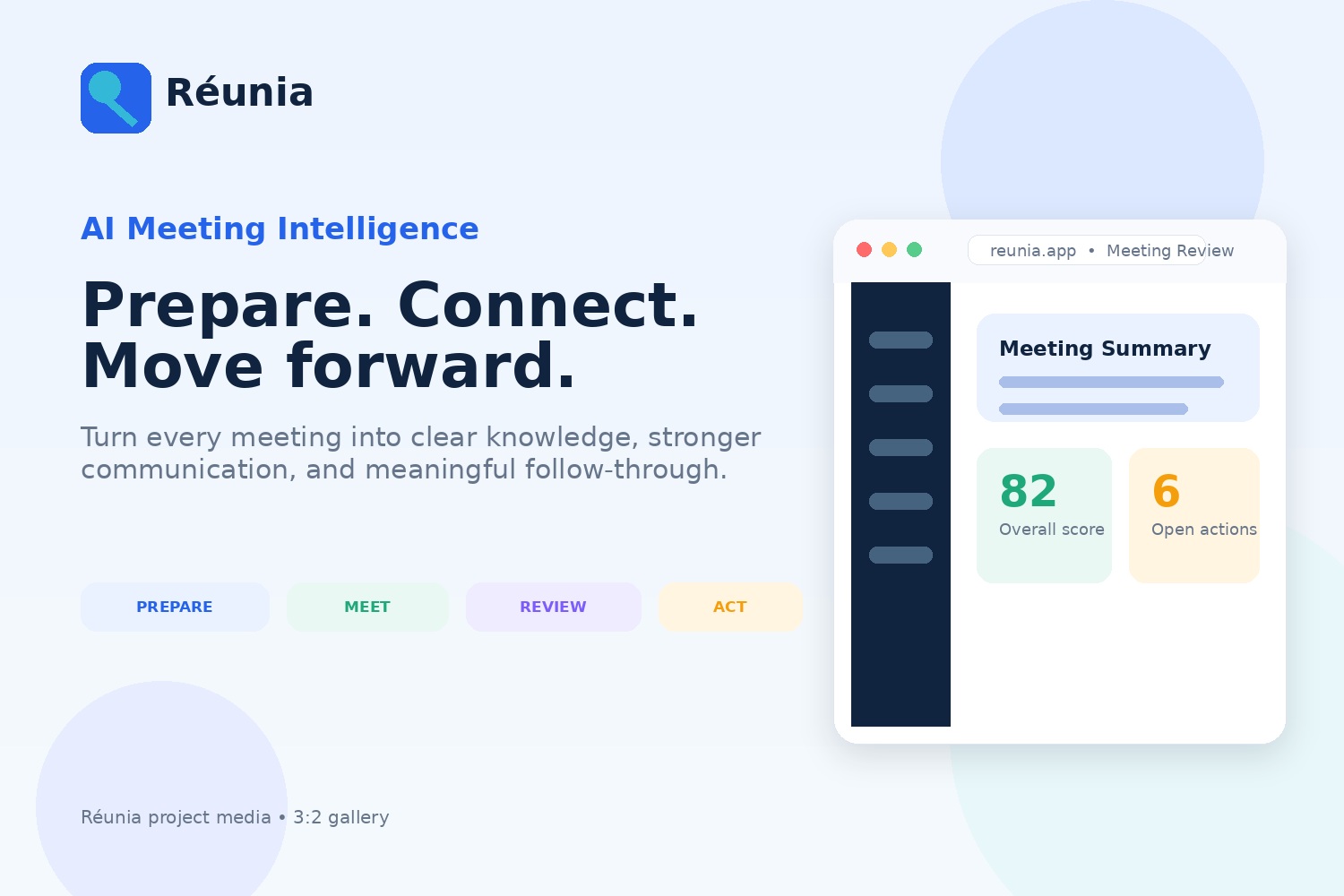
Inspiration
The idea for Réunia came from my own experience with meetings and job interviews.
There have been several times when I left an important conversation and realized that I had already forgotten parts of it. I could remember the general outcome, but not every question I was asked, how I answered it, or some of the details we discussed. Sometimes I wanted to review one specific part of the conversation afterward, but I had no reliable record of it.
I also wanted a tool that could help me perform better during a meeting, not only document it afterward.
When someone asks me a complex question, I sometimes need a little time to fully understand what they are asking and organize a good response. In a live conversation, the group may already have moved to the next topic by the time I have formulated the answer I wanted to give.
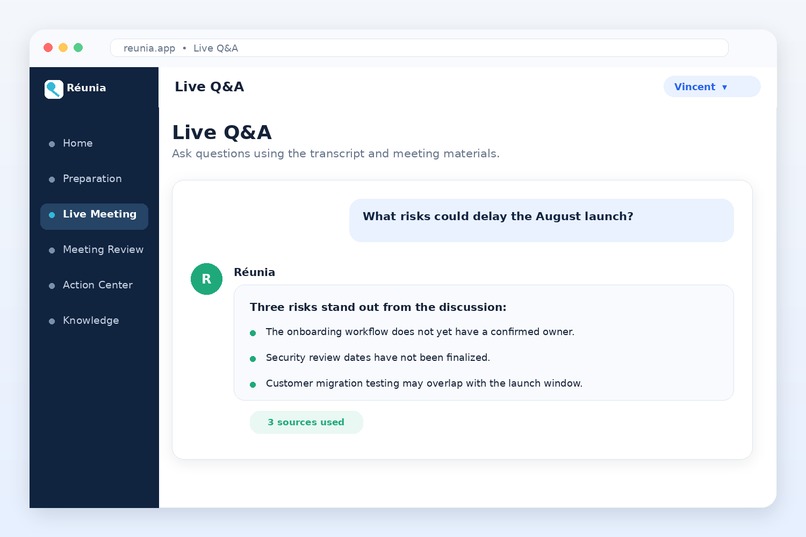
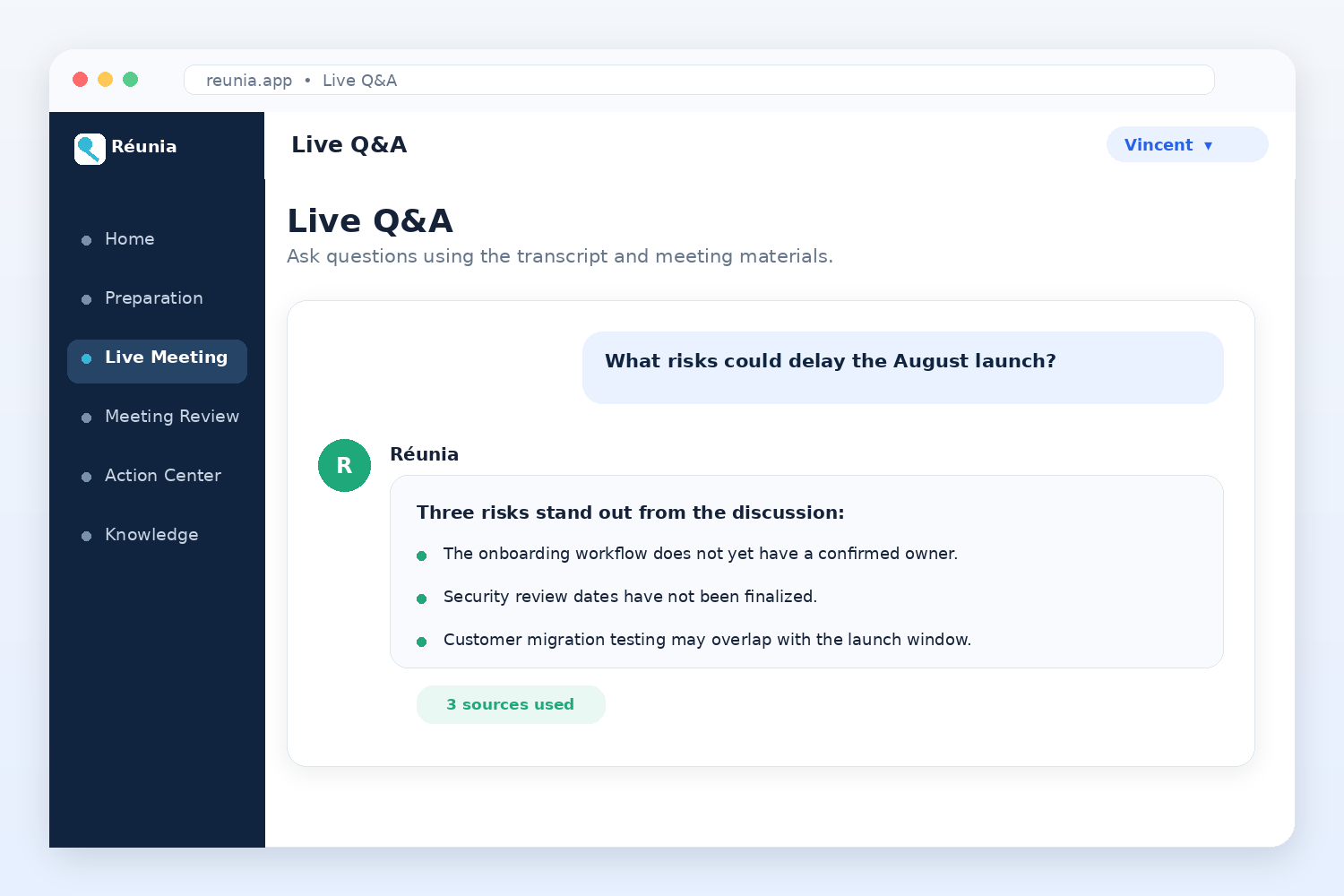
That experience inspired the Live Q&A feature. During a meeting, Réunia can identify questions in the live transcript and suggest a possible answer based on the available context. I do not see it as something that should speak for the user. I see it as a first source of inspiration that can help the user organize their own thoughts more quickly.
I then realized that live assistance was only one part of the problem. I also needed a place to review the conversation, remember what happened, understand what I did well, and prepare for the next meeting.
That is how Réunia became an AI meeting coach rather than only a meeting recorder.
What it does
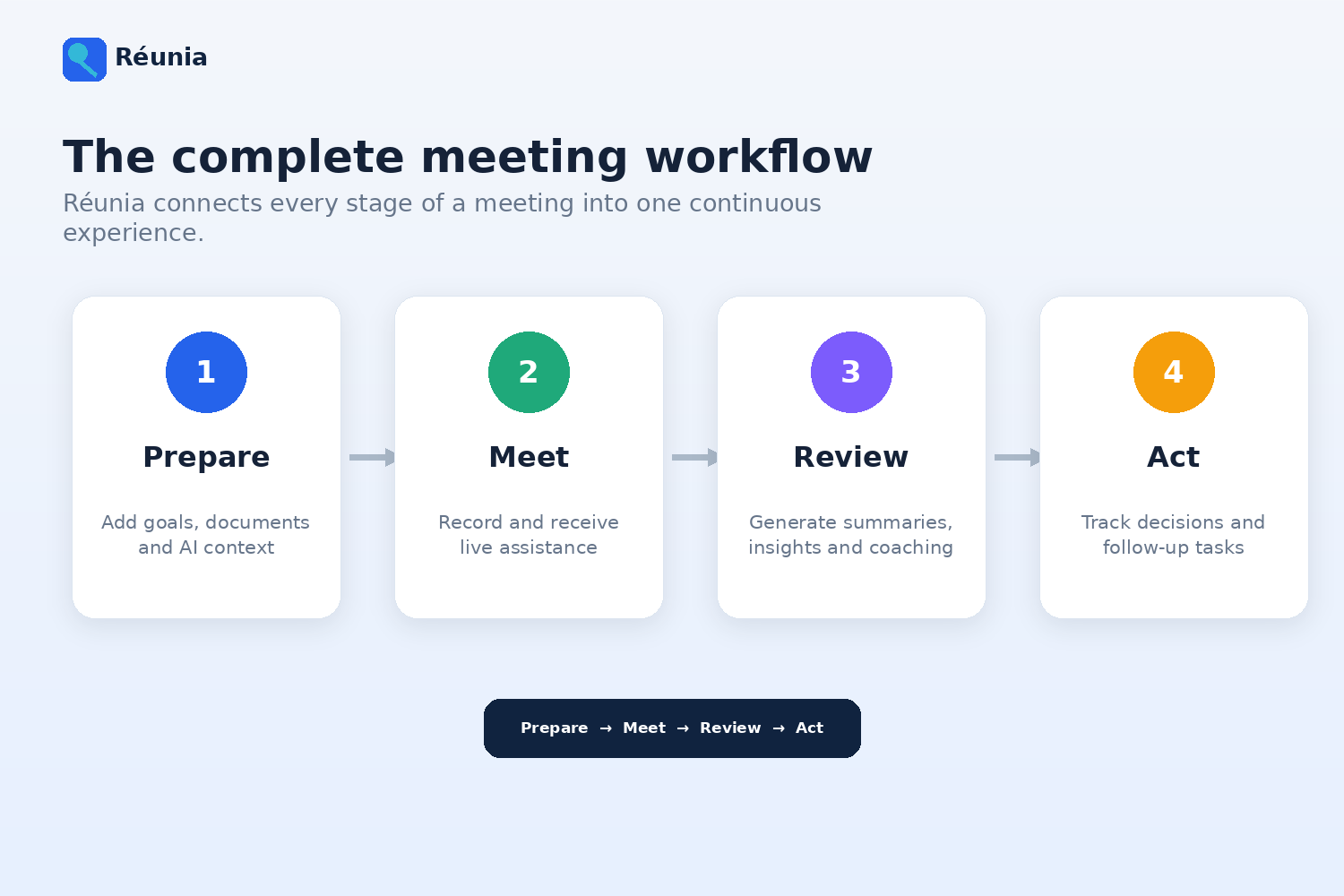
Réunia helps users before, during, and after a meeting.
Before the meeting
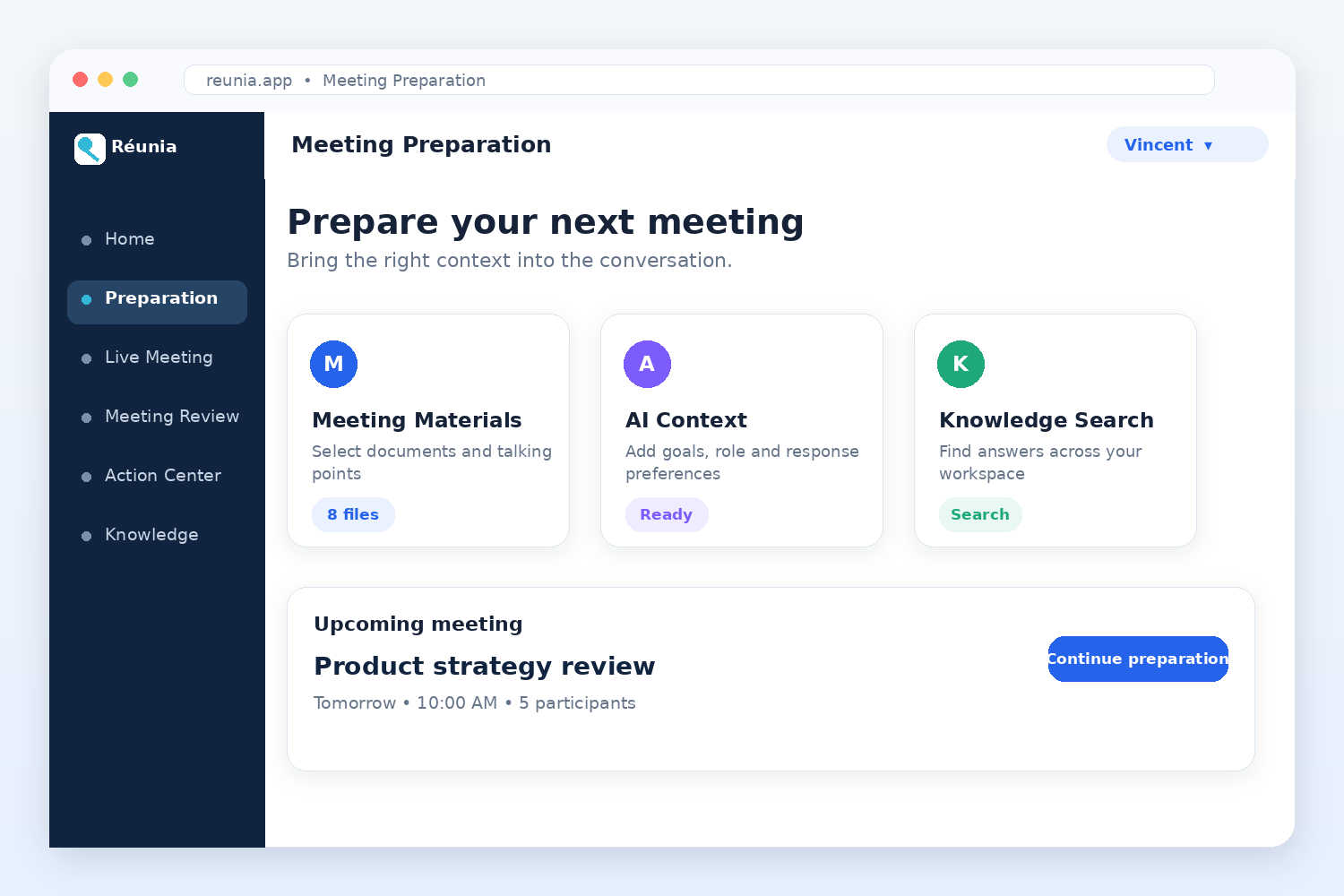
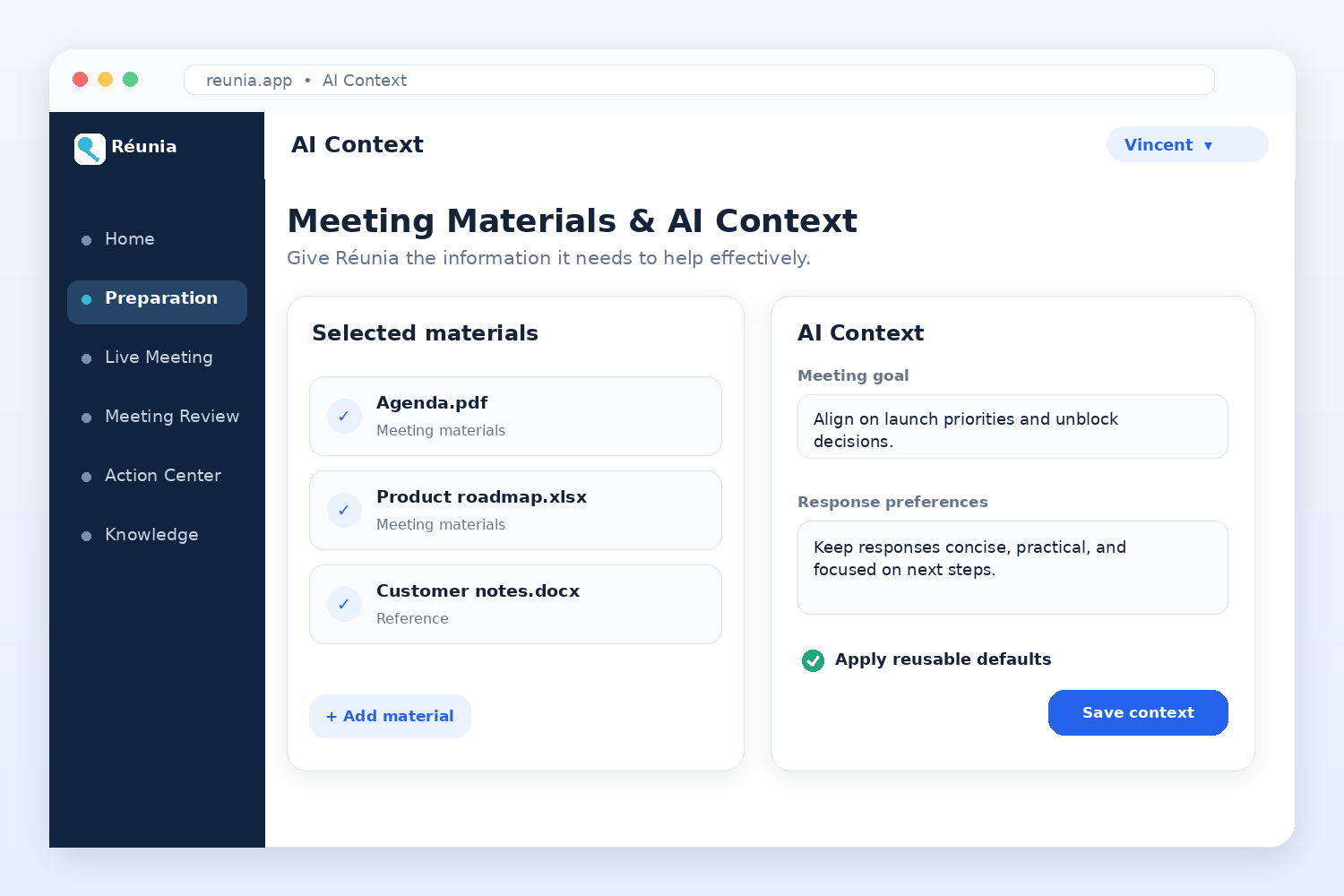
Users can prepare for an upcoming meeting by:
- Adding meeting materials
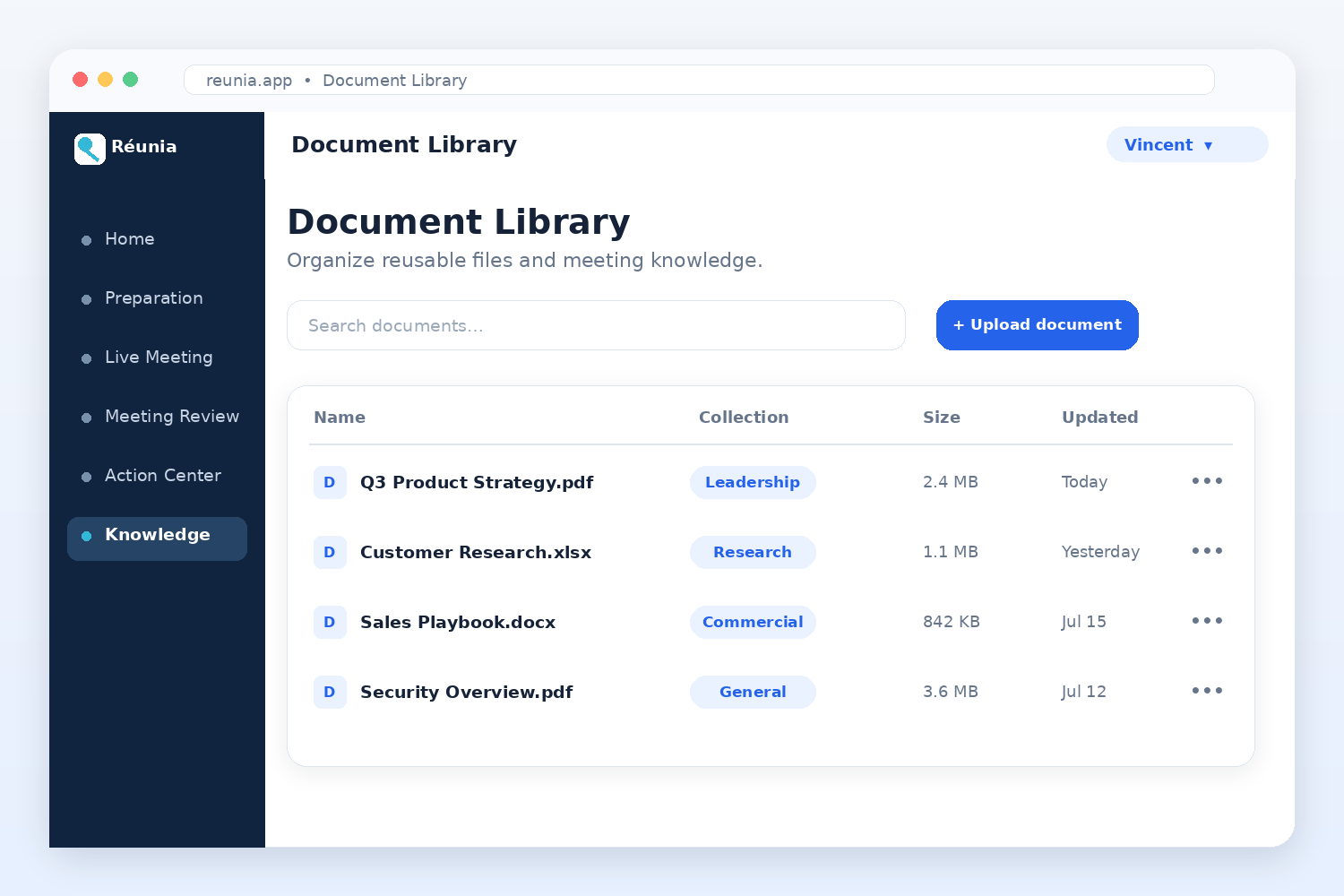
- Uploading supporting documents
- Defining the audience and objective
- Providing company or organizational context
- Choosing response preferences
- Searching information from previous meetings and uploaded documents
This context gives the AI a better understanding of the meeting and makes its answers more relevant.
During the meeting
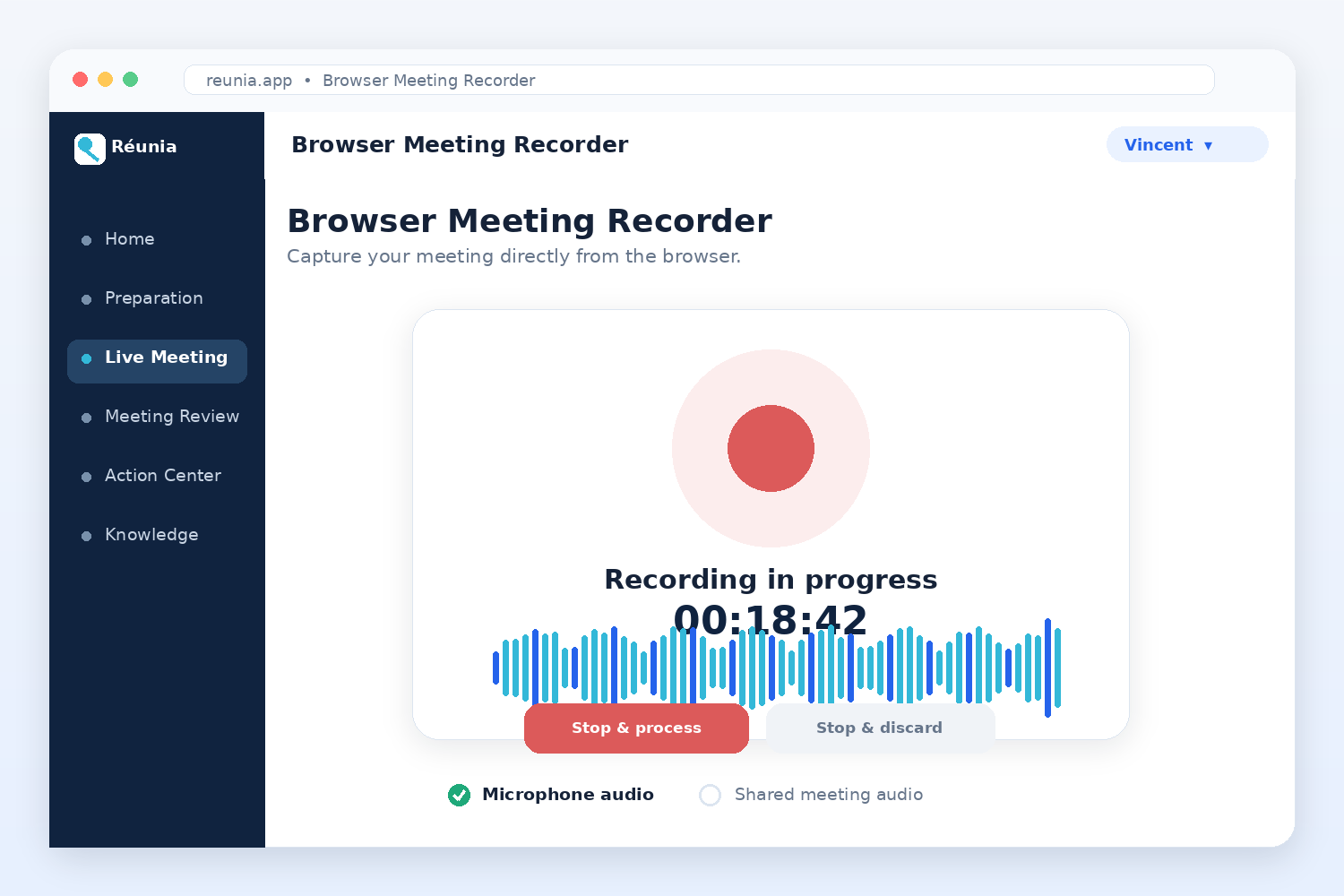
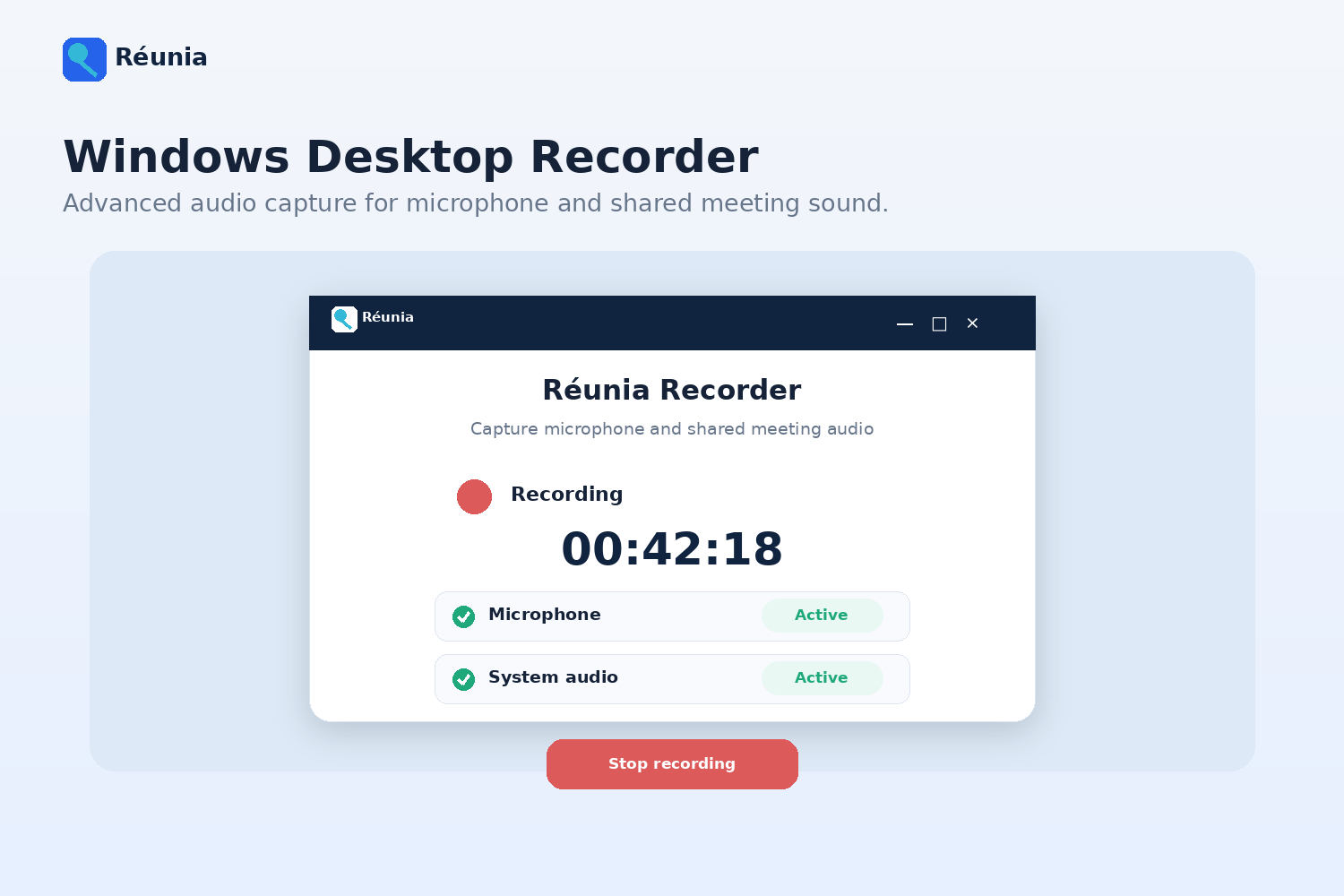
Users can record a meeting through either:
- A browser-based recorder
- A Windows desktop recorder
The desktop recorder supports more advanced microphone and shared-audio capture. It also performs transcription while the meeting is still in progress so that less processing remains after the recording stops.
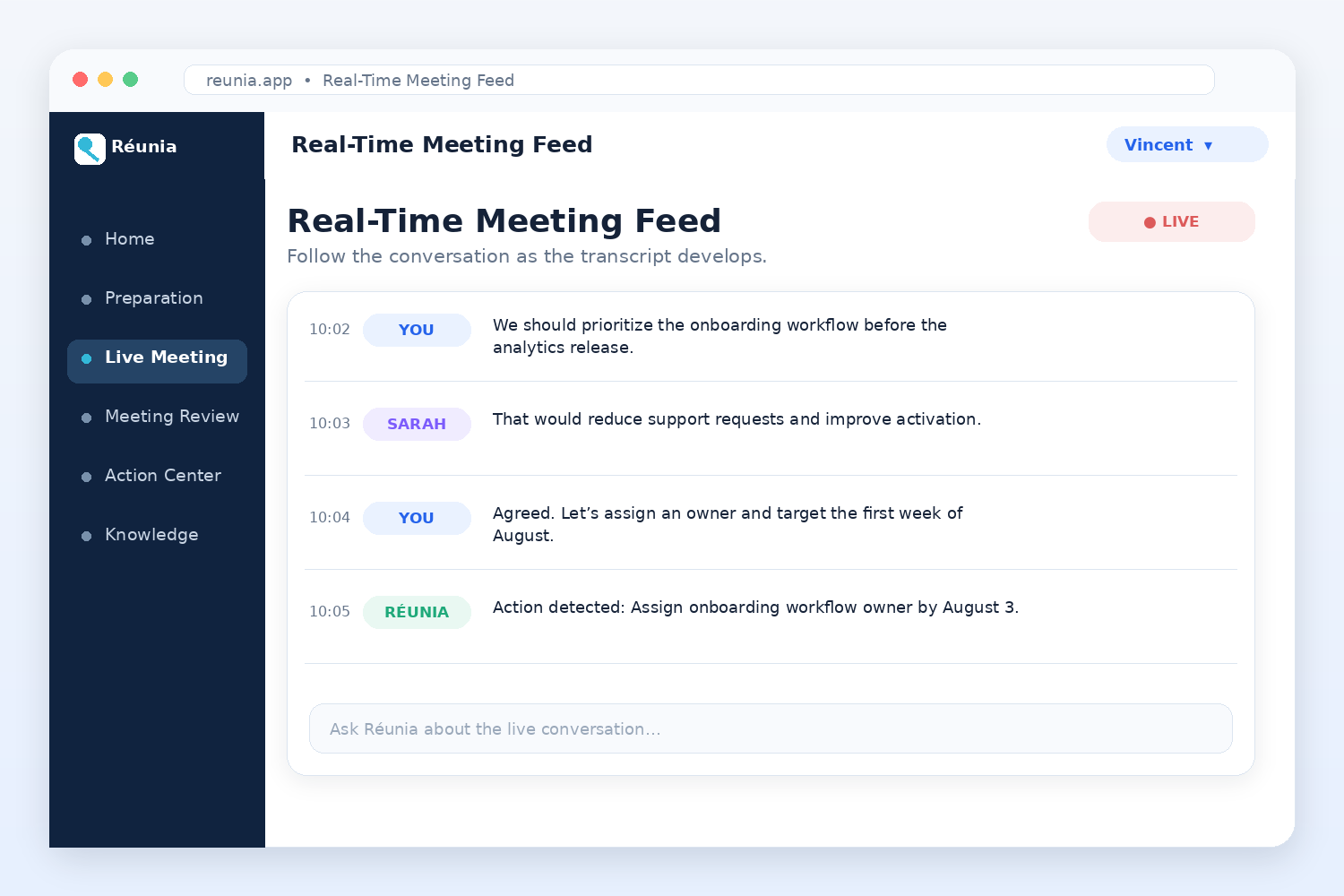
The Live Q&A feed uses the active transcript and the user's prepared context to identify questions and suggest possible answers. The goal is to help the user think faster and remain engaged in the conversation.
After the meeting
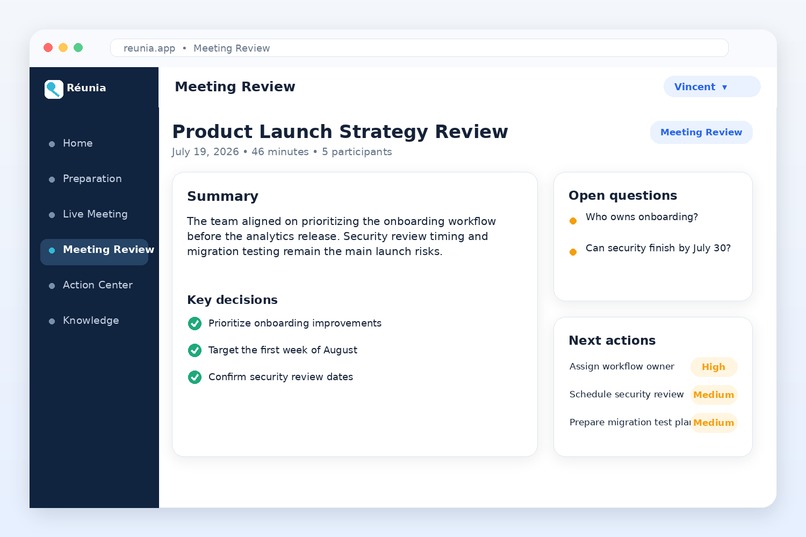
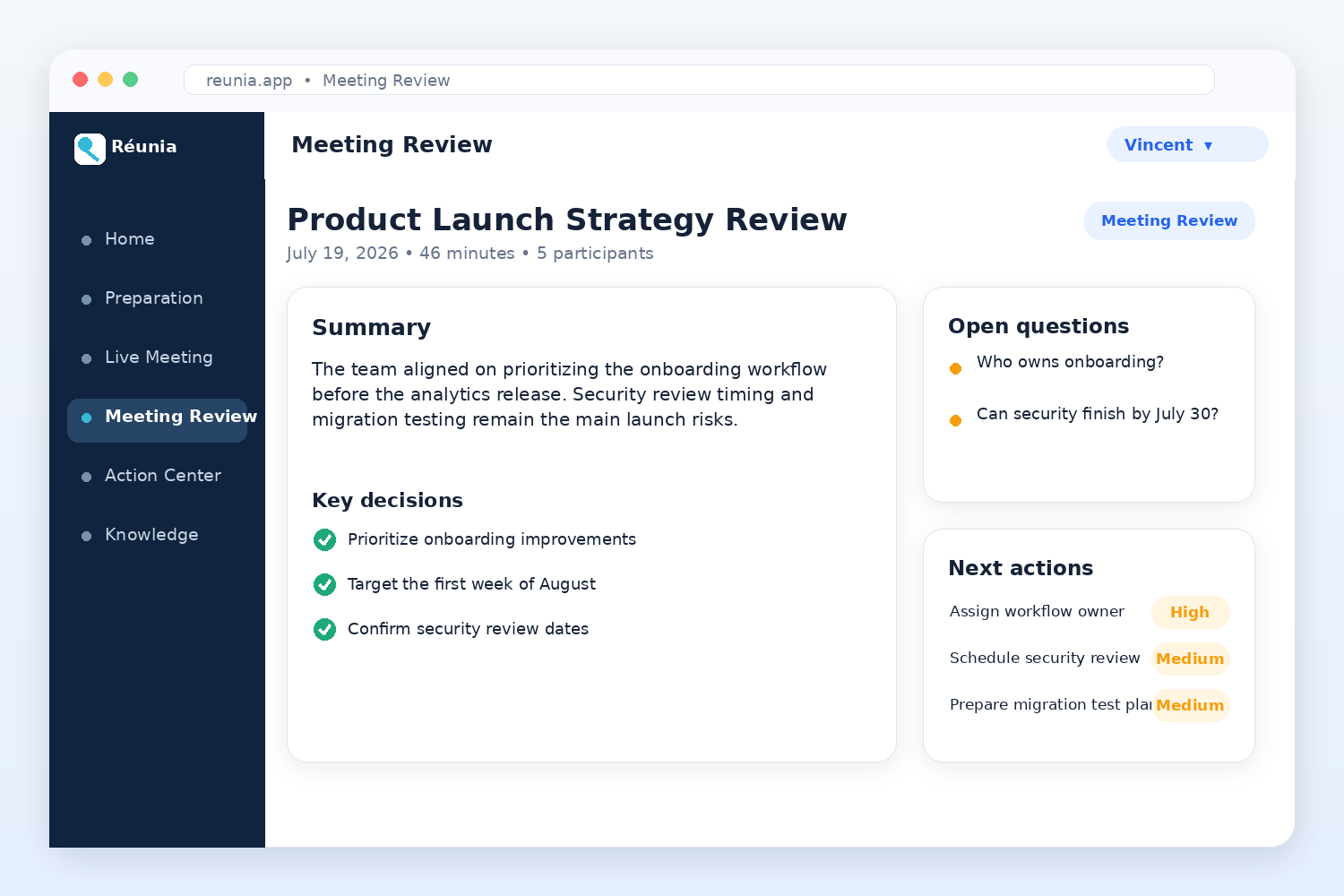
The Meeting Review and Follow-Up area keeps the transcript and transforms it into information that is easier to use.
Réunia can generate:
- A meeting summary
- Key takeaways
- Decisions
- Action items
- Open questions
- Risks and follow-up topics
- Improvement areas
- Key wins
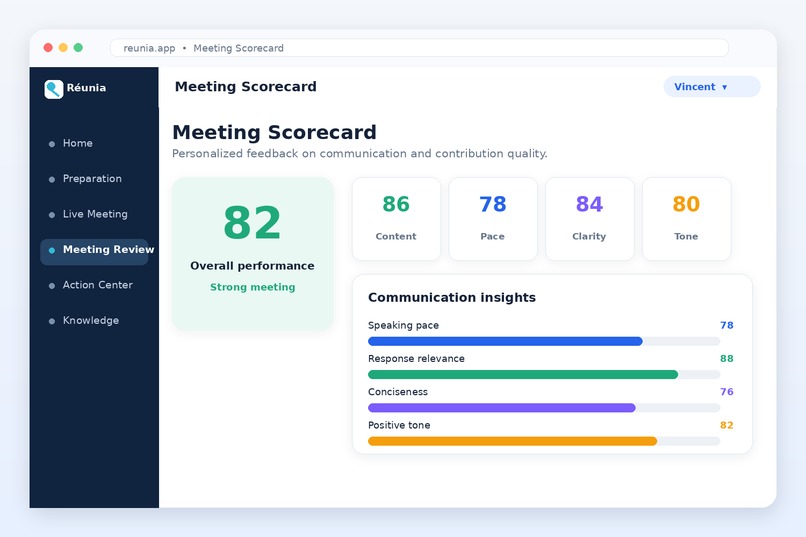
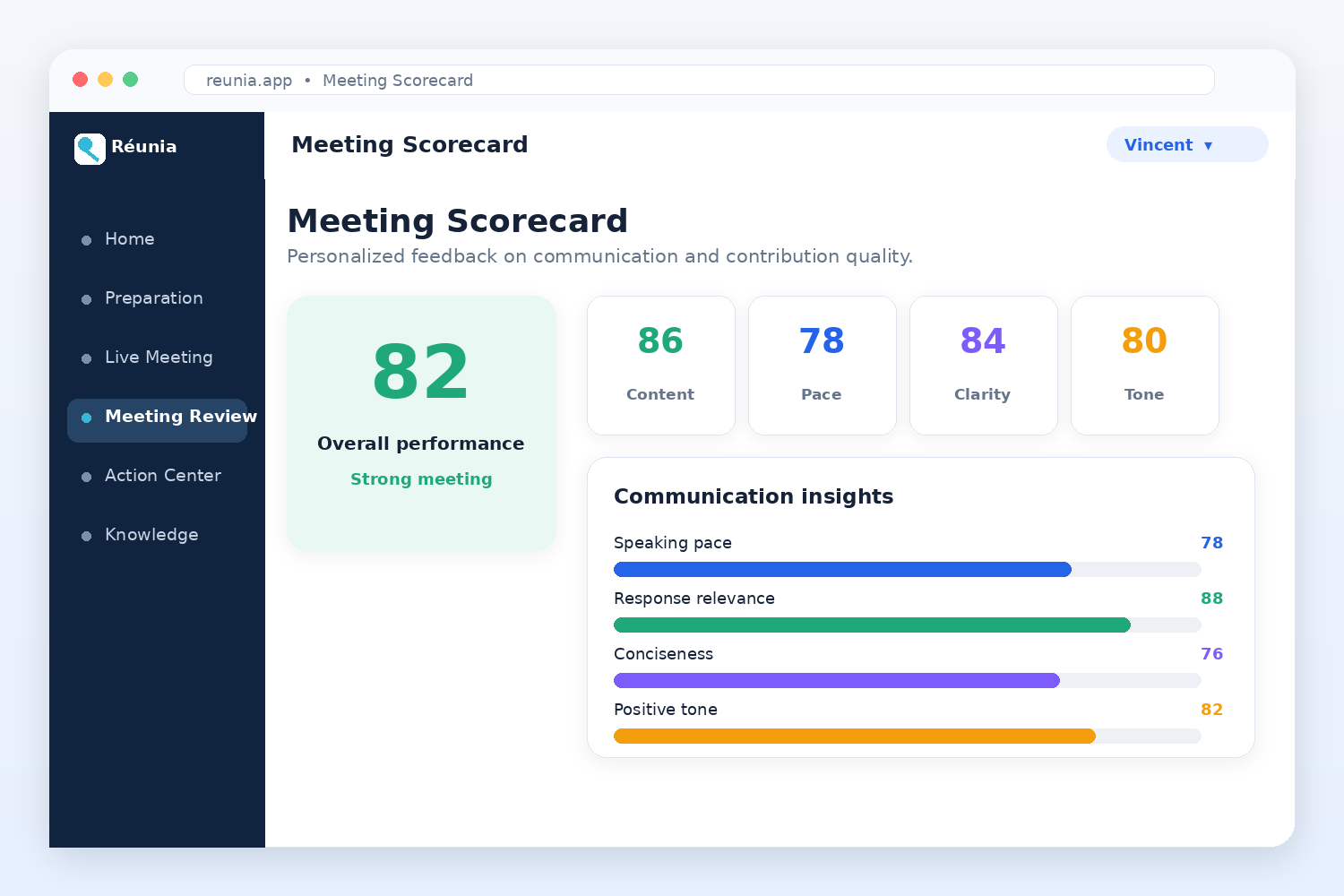
- A meeting scorecard
The scorecard evaluates both the content of the user's contributions and aspects of their communication, such as pace, filler words, pauses, tone, and word choice.
This is one of the parts of Réunia that matters most to me. It helps me understand not only what happened in the meeting, but also where I performed well and what I should improve before the next meeting or interview.
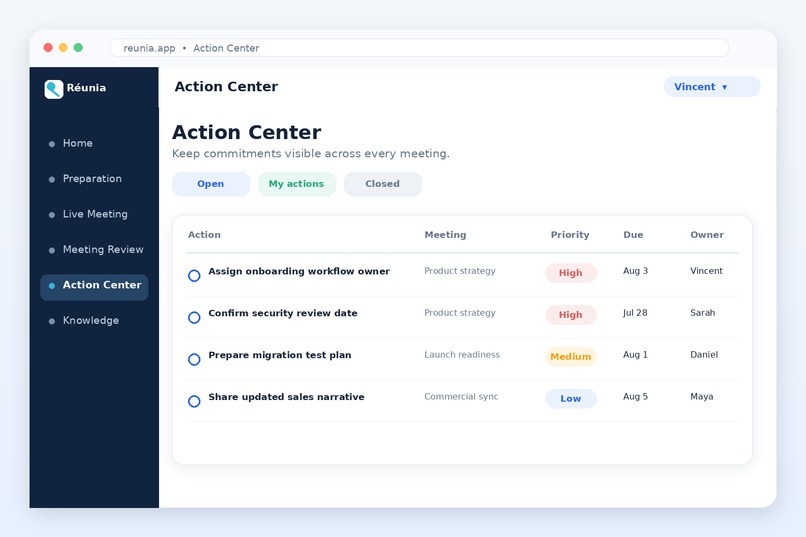
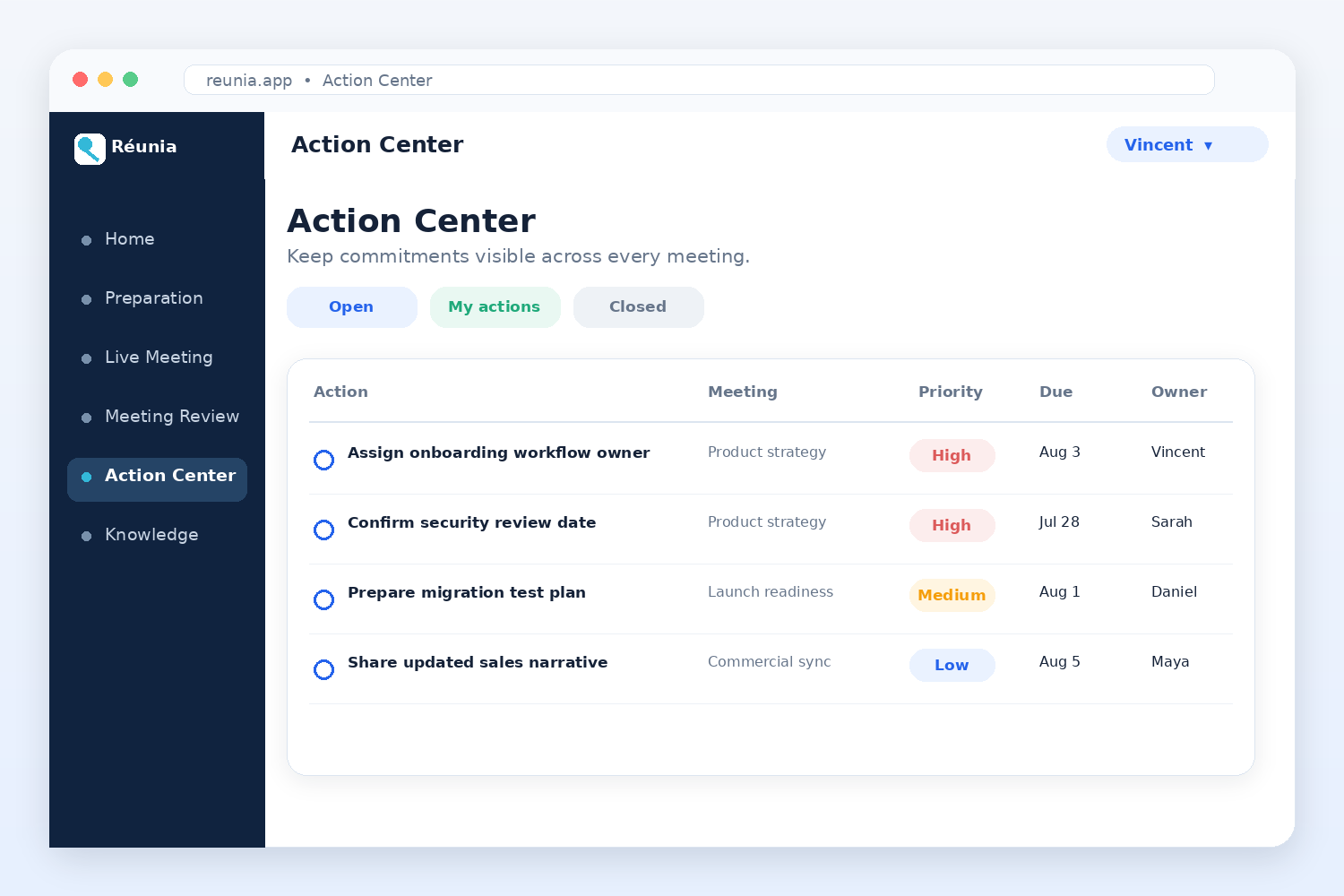
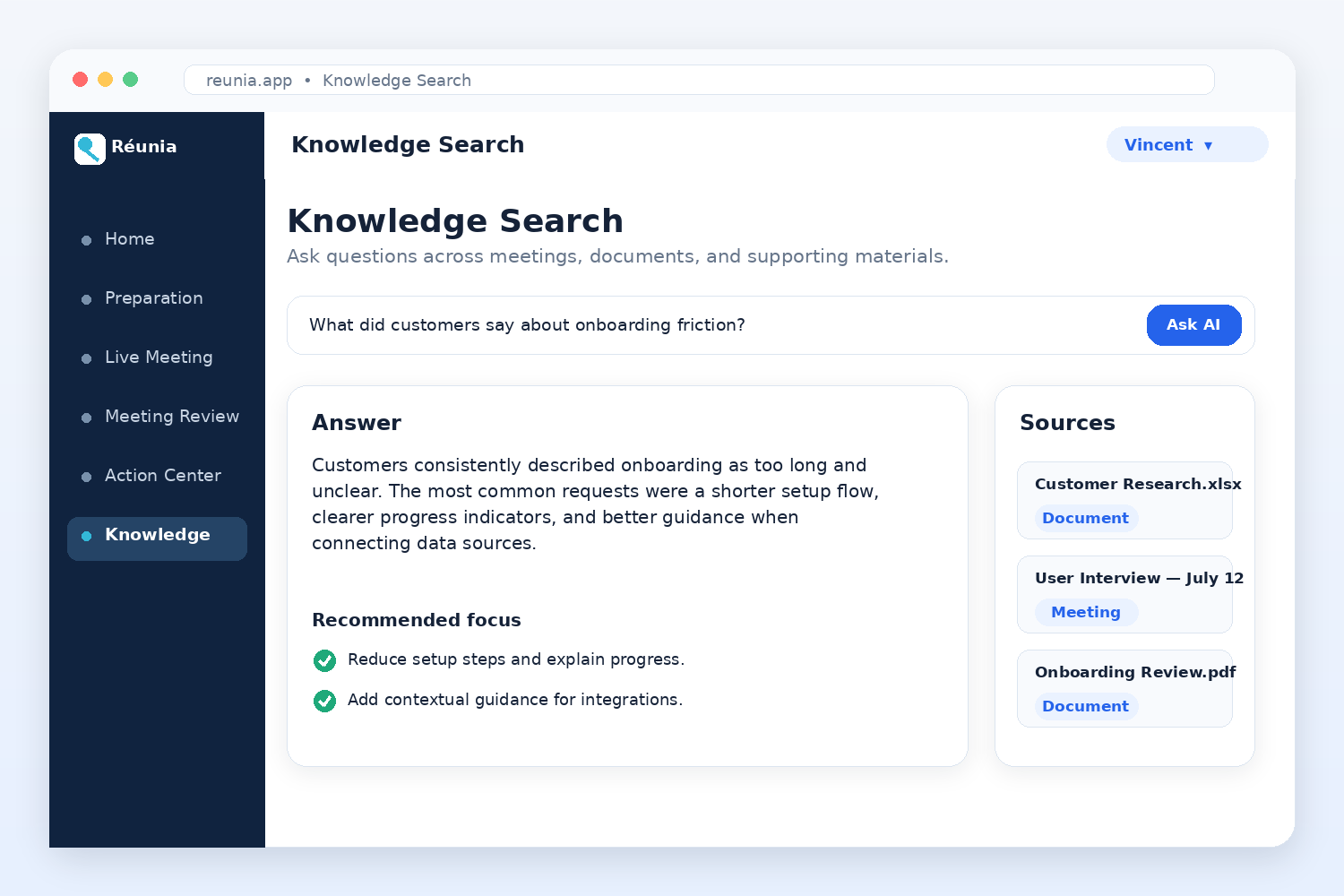
The Action Center gathers follow-up tasks from different meetings in one place, while Knowledge Search lets users ask questions across previous meetings and uploaded documents.
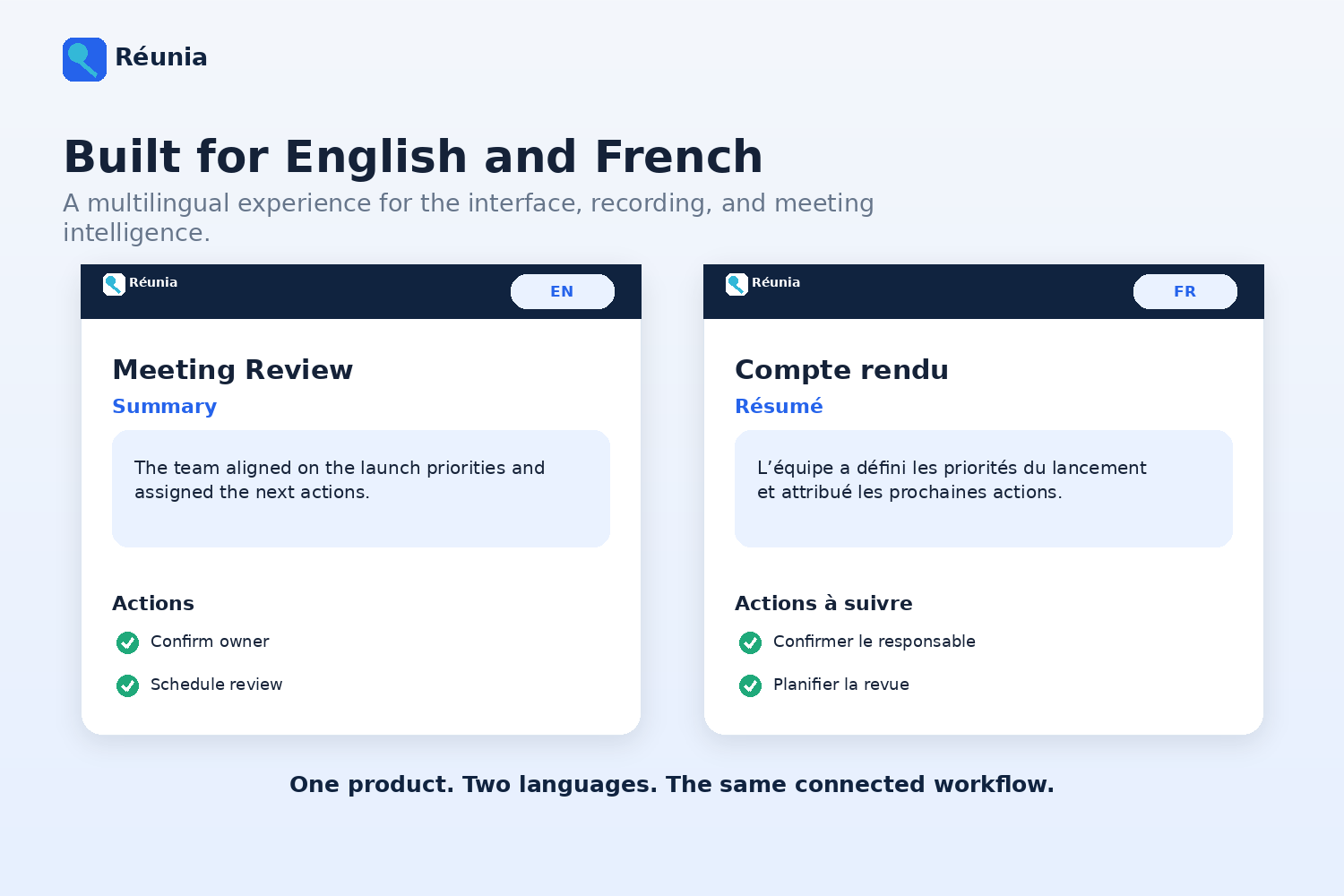
Réunia currently supports English and French, and I would like to add more languages in the future.
How I built it
The technologies I used for Réunia came directly from what I had been learning during the months before OpenAI Build Week.
In January 2026, I completed a professional certificate in Artificial Intelligence and Machine Learning at the University of California, Berkeley. During that program, I gained more hands-on experience with Python, data preparation, machine-learning concepts, model evaluation, and the process of turning an idea into a working technical solution.
Because Python was the language I had used throughout much of the program, it felt like the natural choice for Réunia. I built the web application in Python using Flask, and I also developed the Windows desktop recorder in Python using Tkinter.
My choice of AWS also came from a personal learning experience.
Earlier in May, I had started studying for an AWS certification. As I progressed through the material, I became increasingly curious about how the services worked in practice. I did not want to learn only from documentation or exam questions, so I began experimenting directly in the AWS Management Console.
I started with AWS Lightsail because it seemed more approachable and easier for me to understand than some of the more complex AWS services. Once I became more comfortable with Lightsail, I started learning about Docker, containers, Amazon S3, storage, networking, domains, certificates, and environment configuration.
Réunia became a practical way for me to apply that learning.
The production web application now runs inside a Docker container hosted on AWS Lightsail. I use an Amazon S3 bucket to store uploaded documents, DynamoDB for structured application data, and Redis to support temporary state and background recording jobs.
I did not design the complete cloud architecture at the beginning. I added and configured the different services gradually as I learned more about AWS and as the needs of the application became clearer. Building Réunia helped me move from studying cloud concepts to understanding how they work together in a real deployed application.
Réunia is made of two connected components:
- A Flask web application and backend
- A Windows desktop recording client
The web application handles:
- User authentication
- Meeting preparation
- Document management
- Browser-based recording
- Live Q&A
- Transcript review
- AI-generated summaries and insights
- Meeting scorecards
- Knowledge search
- Action tracking
- Analytics
- English and French localization
The Windows desktop recorder was built in Python with Tkinter. It can record microphone and shared meeting audio separately, divide recordings into smaller segments, transcribe those segments, label the different audio sources, and upload the completed transcript to the web application.
Working on the desktop recorder taught me more about audio capture, background processing, local application storage, authentication, API communication, transcription workflows, and packaging a Python application for Windows.
I organized the product around three main phases:
Meeting Preparation
Before a meeting, the user can add documents, objectives, audience information, reusable context, and meeting-specific instructions.
This gives Réunia a better understanding of the purpose of the meeting and allows the AI to provide more relevant assistance.
Live Meeting
During the meeting, the user can record through either the browser or the Windows desktop recorder.
The transcript is processed while the meeting is taking place and can be used by the Live Q&A feed to identify questions and suggest possible answers based on the meeting context.
Review and Follow-Up
When the meeting ends, Réunia analyzes the transcript and creates a structured Meeting Review.
The user can review the transcript, summary, insights, open questions, improvement areas, scorecard, and identified action items. Those actions are then available in the Action Center for follow-up.
The application uses OpenAI services for tasks such as transcription, transcript cleanup, summarization, structured information extraction, contextual question answering, meeting analysis, and communication feedback.
I also used OpenAI Codex and ChatGPT with GPT-5.6 throughout development.
Codex helped me inspect the codebase, implement coordinated changes across Python, HTML, JavaScript, CSS, tests, and configuration files, investigate bugs, refactor parts of the application, and create regression tests.
GPT-5.6 was useful as a product and engineering collaborator. I used it to think through user workflows, evaluate feature ideas, improve prompts, analyze errors, review interface wording, prepare documentation, and question features or designs that were becoming too complicated.
The AI tools helped me work faster, but the final product direction and implementation decisions remained mine. I defined the requirements, reviewed the proposed changes, tested the application, identified problems, and frequently requested corrections or simpler alternatives when something did not work as expected.
For me, Réunia became more than a Build Week project. It gave me a practical opportunity to bring together what I had learned about Python, artificial intelligence, machine learning, AWS, Docker, containers, cloud storage, and deployment, and turn those different areas of learning into a working application.
Challenges I ran into
The first major feature I implemented in Réunia was Live Q&A.
My goal was to create a Real-Time Meeting Feed where I could see the questions being asked during a meeting and receive a suggested AI answer while the conversation was still happening. I wanted the answer to appear quickly enough that it could help me organize my thoughts before the meeting moved on to another topic.
My first implementation stored the live questions and answers in a database. Technically, it worked, but it was too slow for the experience I wanted to create. In some cases, an answer would appear 15 or 20 seconds after the question was asked. That delay may be acceptable for an analysis performed after a meeting, but it was not useful enough during a live conversation.
To improve the response time, I changed the implementation and temporarily stored the Real-Time Meeting Feed directly in Python memory. The results appeared much faster, and the feature felt much closer to a real live assistant.
However, that solution introduced a completely different problem.
Each time I redeployed the Docker container in AWS Lightsail, the container restarted and everything stored in memory disappeared. This meant that the Real-Time Meeting Feed was cleared for every user. I also realized that an in-memory solution would become unreliable if the application used multiple processes or containers, because each process could have a different copy of the data.
This was an important learning moment for me. The fastest solution was not necessarily the most reliable one.
I asked ChatGPT with GPT-5.6 to help me evaluate the problem and find an architecture that could preserve the speed of an in-memory feed without losing the data whenever the application restarted. It suggested using Redis, which is designed for fast, temporary, shared application state.
I then changed the architecture so that Live Q&A data could be stored in Redis instead of only inside the Python process. This allowed the feed to remain fast while also making it accessible across application processes and more resilient to container restarts.
The current Live Q&A architecture is the result of that progression:
- I first used a database, but the feed was too slow.
- I moved the data into Python memory, which improved speed.
- I discovered that container redeployments erased the feed.
- I introduced Redis to provide fast, shared, and more durable temporary storage.
This challenge taught me that building a feature is not only about making it work once. I also had to think about performance, persistence, deployment, multiple users, and how the architecture would behave in production.
Another major challenge was reliable audio capture.
Microphone audio and shared computer audio behave differently depending on the browser, operating system, meeting platform, permissions, and device configuration. I had to work through issues involving device selection, silence detection, overlapping audio segments, missing words, and differences between the browser and desktop recording experiences.
Transcription speed was also difficult.
Originally, too much of the transcription happened after the user stopped recording, which created a long waiting period. I worked on moving more transcription into the active recording session so that most of the work would already be complete when the meeting ended.
That introduced additional problems, including:
- Keeping transcript segments in the correct order
- Avoiding duplicated text
- Preventing missing words between segments
- Recovering from failed transcription requests
- Managing background processing
- Controlling API usage and cost
I also needed the meeting scorecard to evaluate the user rather than every person in the conversation.
To support this, I introduced transcript labels such as [MICROPHONE], [USER], and [SPEAKER]. I then added filtering rules to decide which parts of the transcript should be included when evaluating content and communication performance.
Making AI responses predictable enough for an application was another challenge. A language model can return slightly different wording or structures even when the prompt is similar, while the application interface expects consistent fields and values.
I had to improve the prompts, structured output formats, validation rules, fallback values, and parsers so that the application could handle imperfect or unexpected responses without breaking the Meeting Review page.
Cloud deployment introduced problems that I had not encountered during local development.
Features that worked on my computer sometimes failed in production because of missing environment variables, DynamoDB configuration, S3 permissions, Redis connectivity, container networking, domain configuration, or HTTPS certificates. Each deployment issue helped me better understand how the different parts of the application and AWS infrastructure depend on one another.
Finally, the interface became more complicated as I added features.
At different stages, I realized that some pages contained too many options or that similar features existed in different parts of the application. I reorganized the navigation several times and gradually structured Réunia around the natural meeting journey:
- Prepare for the meeting
- Participate in the live meeting
- Review what happened
- Follow up on the results
One of the biggest lessons I learned was that technical progress is rarely a straight line. Several parts of Réunia went through multiple implementations before I found an approach that was fast enough, reliable enough, and understandable for the user.
Accomplishments that I am proud of
I am proud that Réunia grew from a basic meeting recorder into a working meeting-coaching platform.
The different parts of the application now connect to each other:
- Documents added before a meeting can provide context during the meeting.
- The recording becomes a searchable transcript.
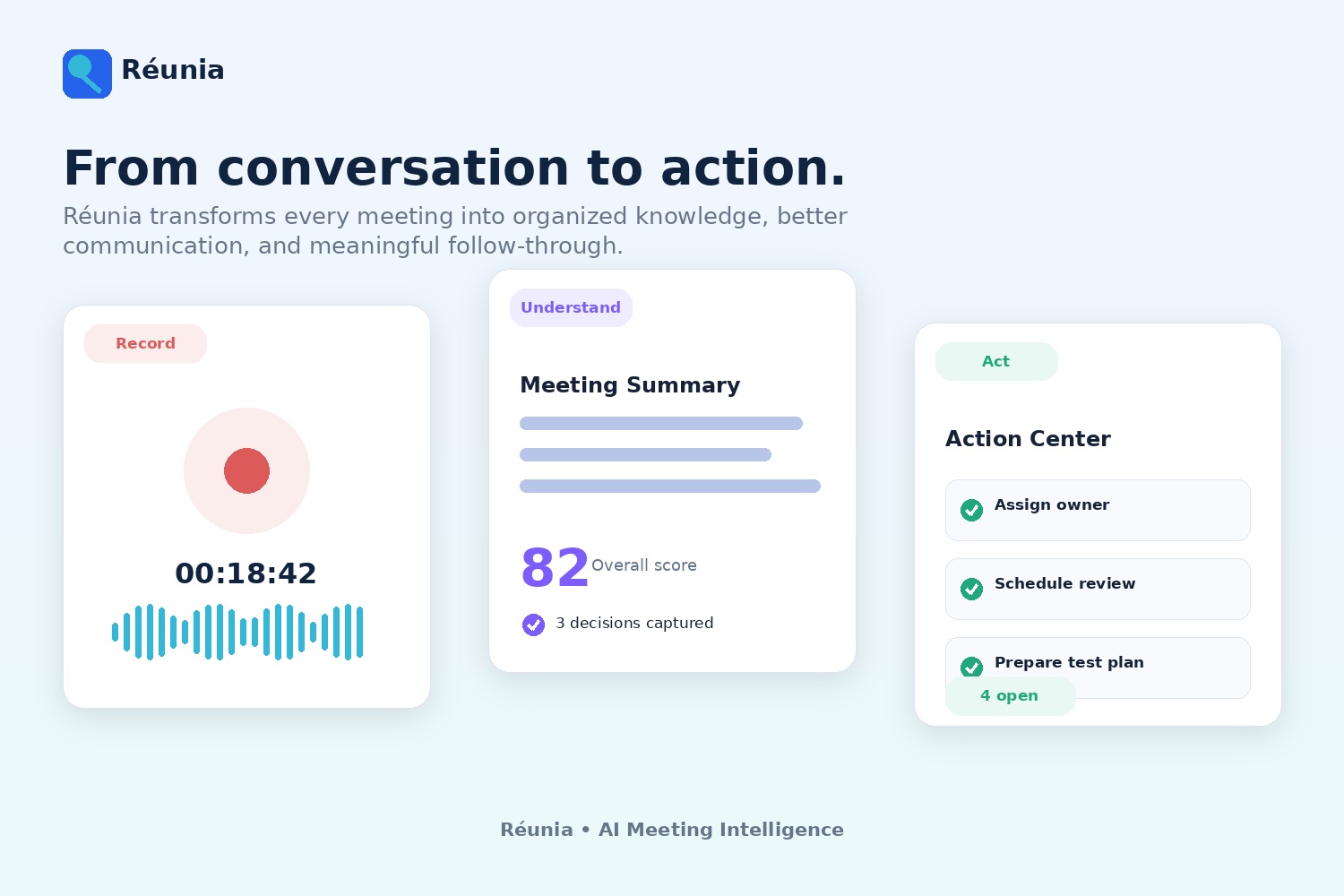
- The transcript becomes a summary, scorecard, action list, and set of insights.
- The actions can be tracked across several meetings.
- Previous meetings can become part of the user's searchable knowledge.
I am also proud that Réunia offers two recording options. The browser recorder is simple and accessible, while the Windows desktop recorder supports more advanced recording and transcription workflows.
Other accomplishments include:
- Building an end-to-end meeting workflow
- Creating Live Q&A based on the active transcript and prepared context
- Building a reusable document and knowledge system
- Generating structured meeting reviews
- Creating a cross-meeting Action Center
- Adding communication and content scorecards
- Supporting both English and French
- Deploying the application to a production cloud environment
- Creating automated tests and saved test evidence
Most importantly, Réunia is not limited to recording what people said. It helps the user remember the meeting, understand their own performance, and decide what to do next.
What I learned
I learned that building a useful AI application involves much more than sending a prompt to a model.
The final experience depends on the entire system:
- Reliable recording
- Accurate transcription
- Relevant context
- Well-designed prompts
- Structured responses
- Validation and error handling
- Secure infrastructure
- Clear feedback to the user
- A workflow that is easy to understand
I also learned how important context is.
A transcript by itself does not always explain the purpose of the meeting, the user's role, the related documents, or what kind of answer would be useful. Combining the transcript with meeting materials and user-defined context makes the AI much more helpful.
Another major lesson was that adding a feature is often easier than deciding where it belongs.
As Réunia grew, I had to repeatedly ask whether a feature was useful, whether it duplicated another feature, and whether users would understand when to use it. Some of the best improvements came from simplifying the interface rather than adding more functionality.
I also learned the value of testing the product from a real user's perspective. A workflow can look correct in the code but still feel confusing, slow, or unnecessary when used during an actual meeting.
What's next for Réunia
One feature I would like to add is Meeting Practice.
Before an important meeting or interview, the user could practice with an AI participant using the meeting context and supporting documents. Réunia could ask realistic questions, evaluate the user's responses, provide a score, and suggest areas to improve.
This would extend the coaching experience beyond reviewing past meetings and help users prepare before the real conversation begins.
I also plan to continue improving:
- Real-time transcription accuracy
- Speaker identification
- Recovery from failed audio segments
- Live Q&A relevance and response speed
- Source transparency in knowledge answers
- Collaboration between team members
- Shared meetings and action items
- Long-term meeting analytics
- Calendar and meeting-platform integrations
- Automated follow-up workflows
- Support for additional languages
In the future, Réunia could become more proactive by reminding users about unresolved actions, identifying commitments from previous meetings, recommending useful documents, and helping them prepare for upcoming conversations.
Réunia started from two personal needs: I wanted to remember meetings more accurately, and I wanted to become better at participating in them.
My goal is to continue developing it into a coach that helps users prepare with more confidence, respond more effectively, learn from each conversation, and follow through afterward.
Built With
- amazon-dynamodb
- amazon-web-services
- codex
- css
- docker
- flask
- generative-ai
- gpt-5.6
- gunicorn
- html
- javascript
- json
- lightsail
- meeting-coach
- natural-language-processing
- openai
- productivity
- pyinstaller
- python
- redis
- retrieval-augmented
- s3
- speech-to-text
- tkinter
- whisper

Log in or sign up for Devpost to join the conversation.