-
-
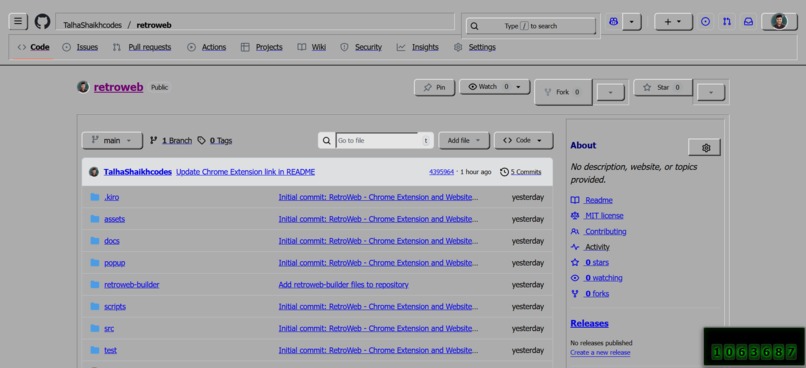
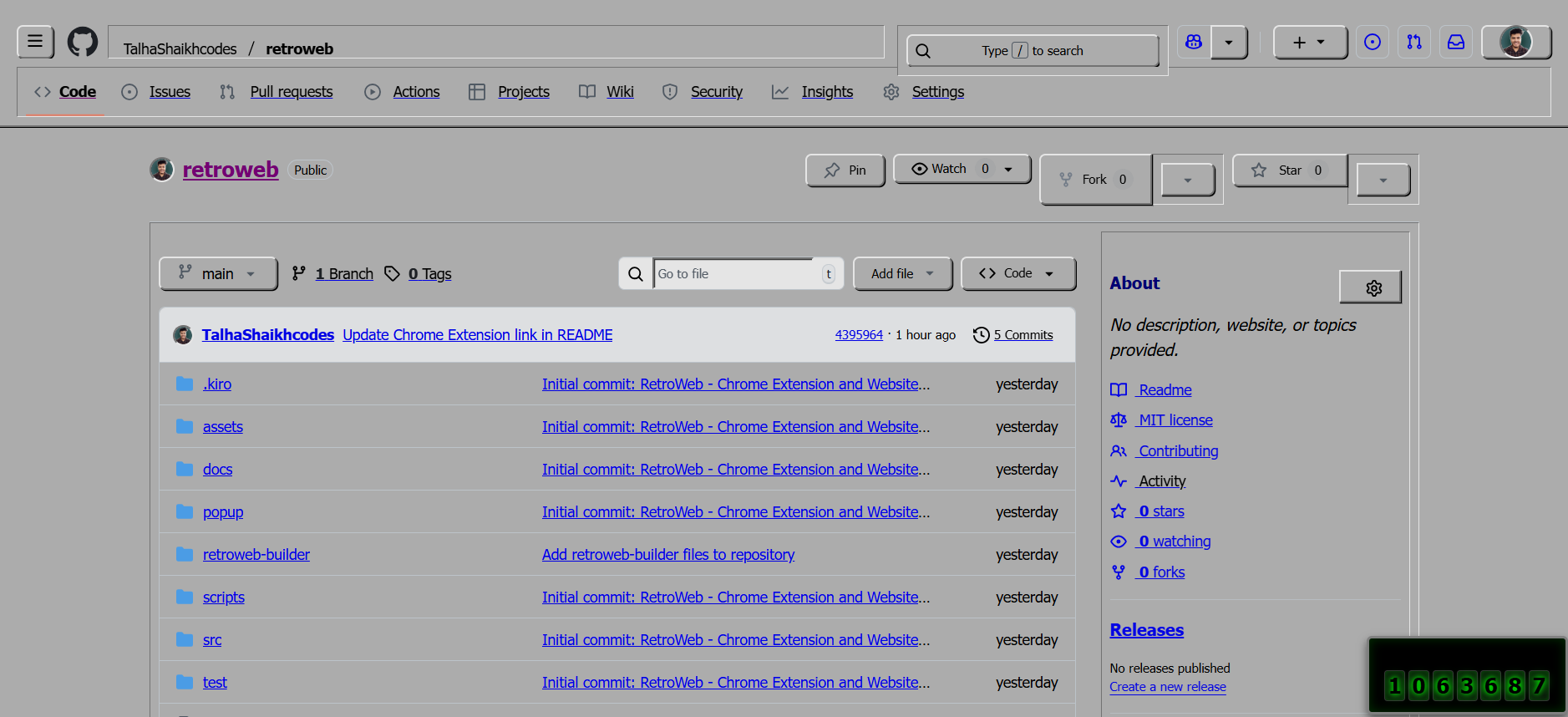
Github in Old windows theme
-
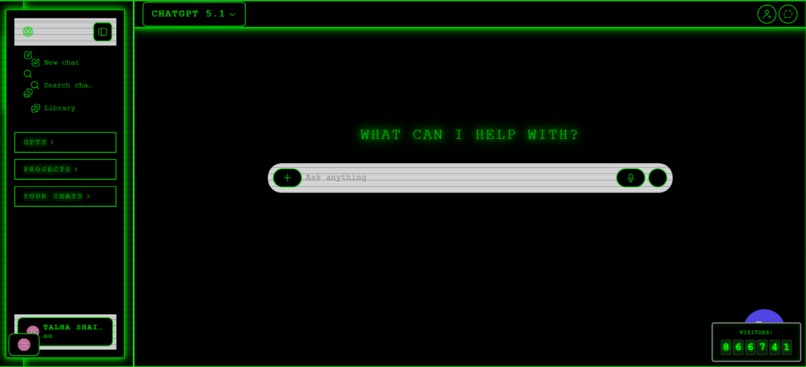
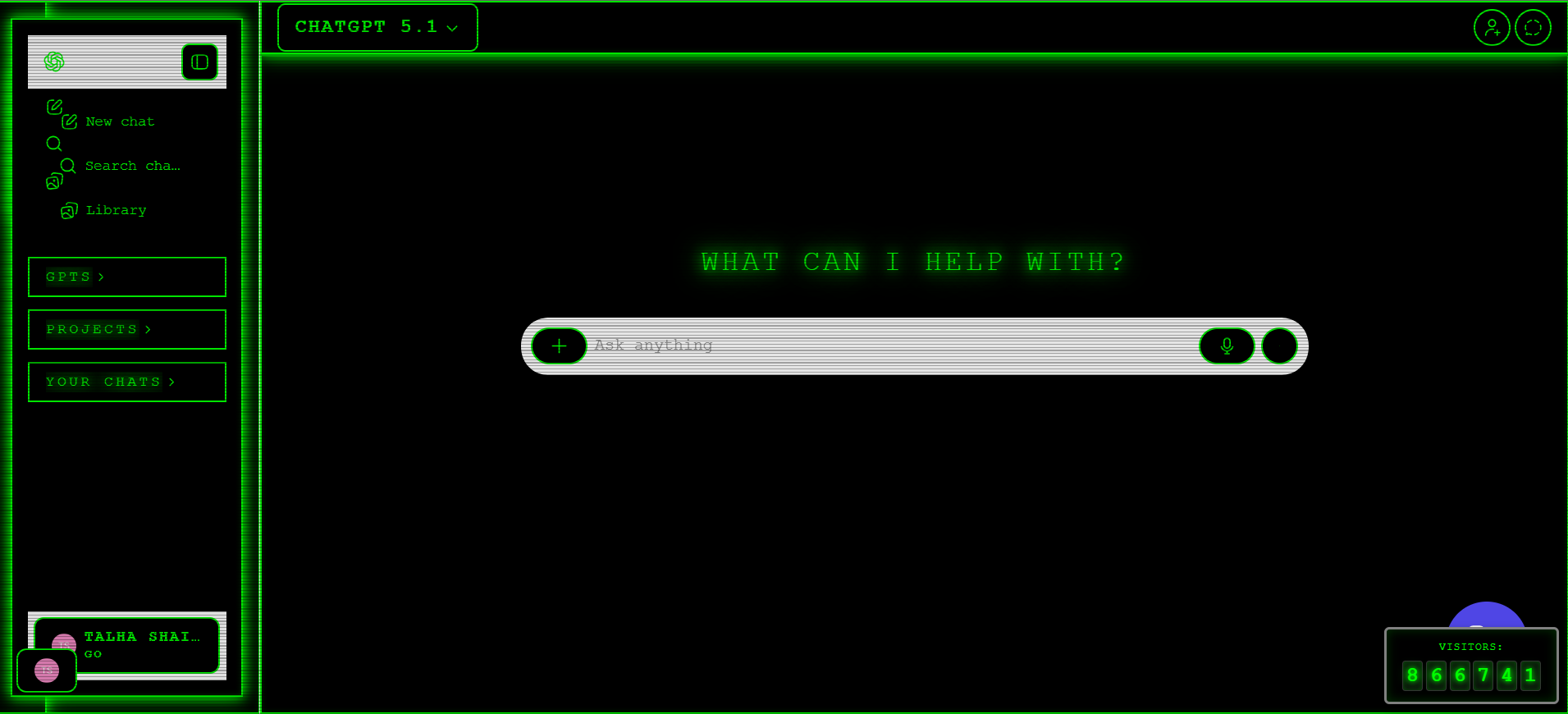
Chatgpt transformed with neon cyber theme with extension
-
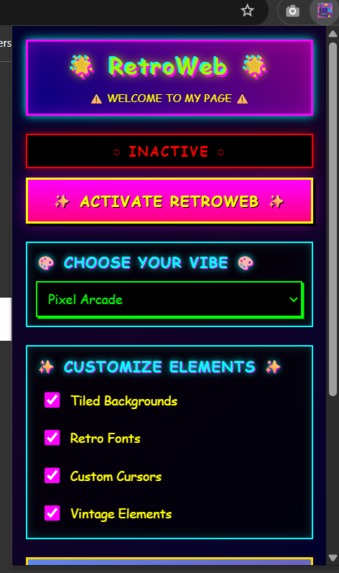
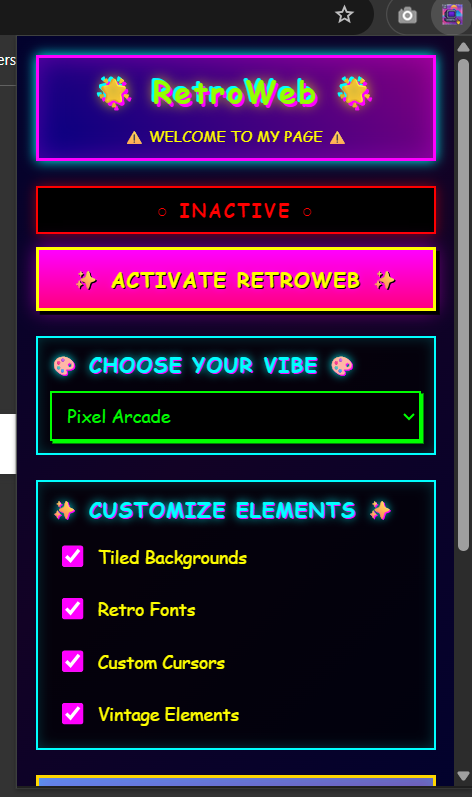
Extension Popup UI
-
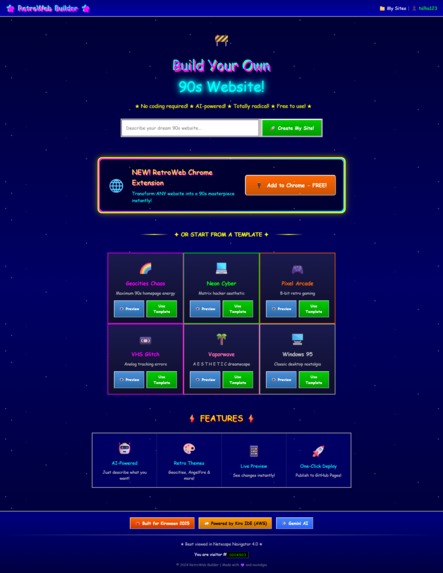
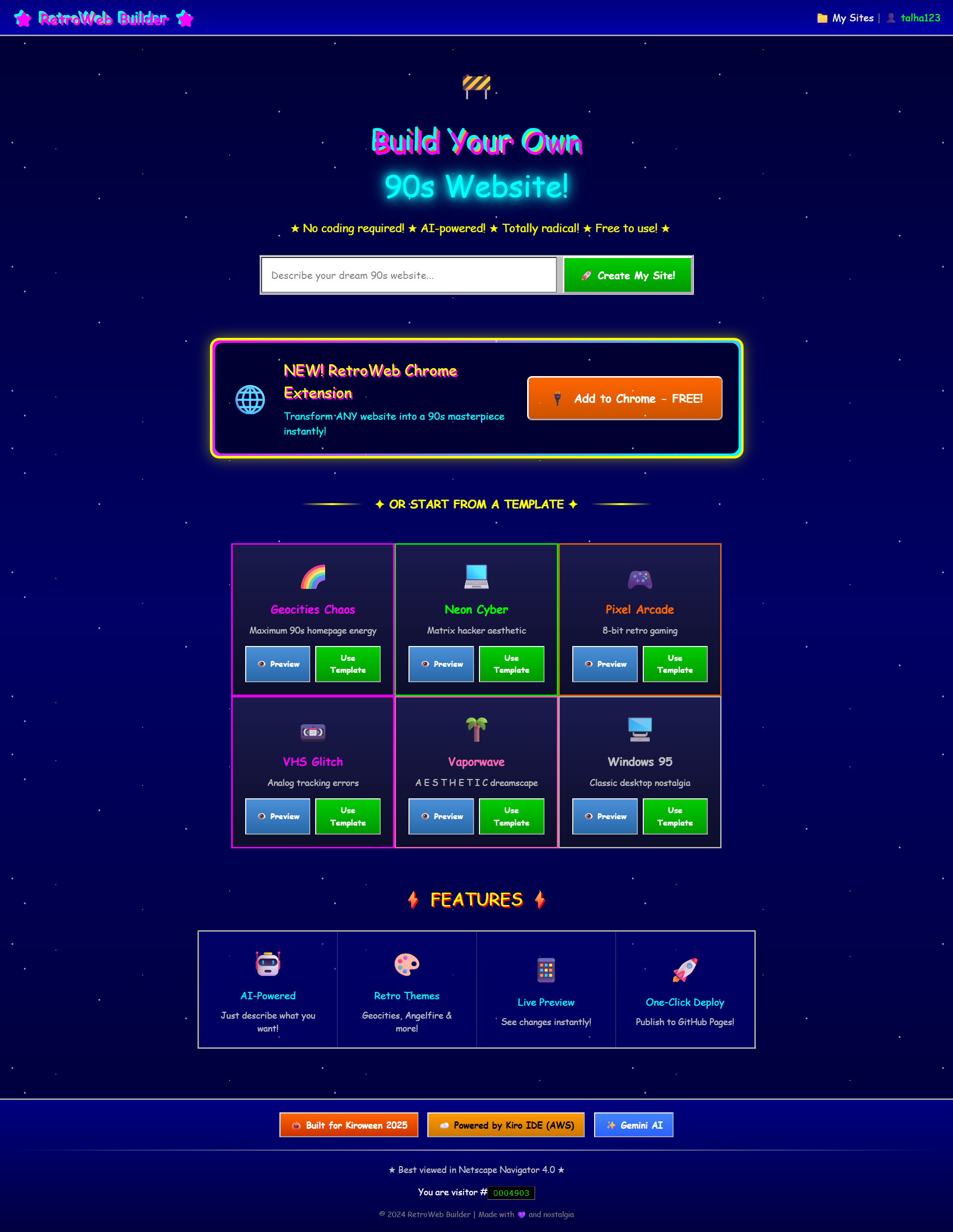
Website landing page
-
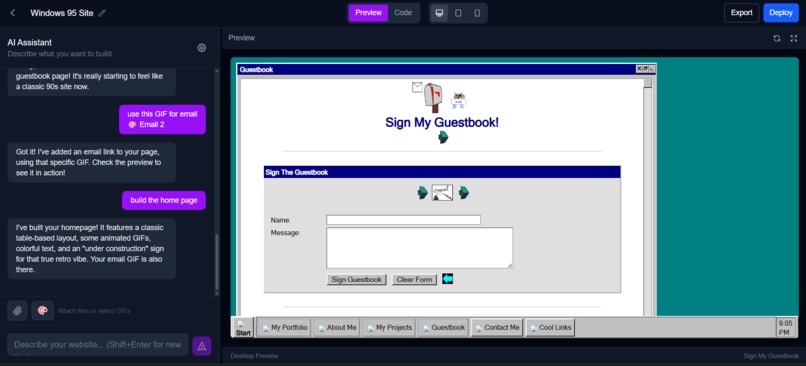
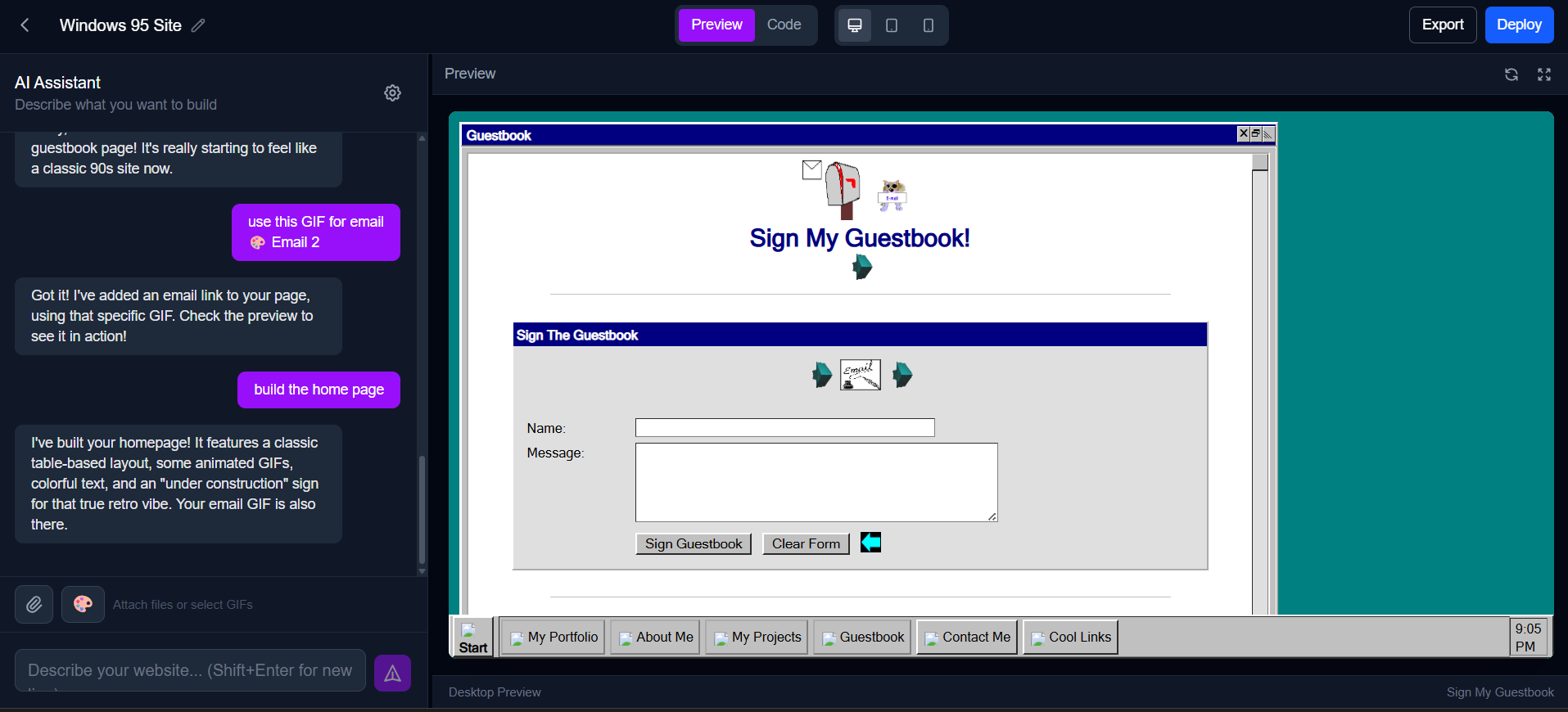
AI website builder screen
-
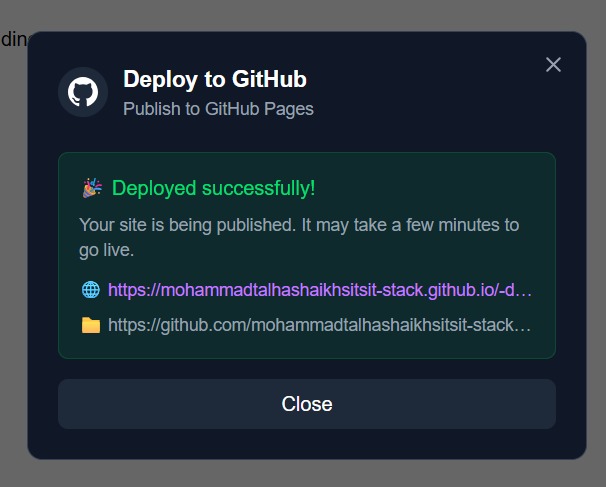
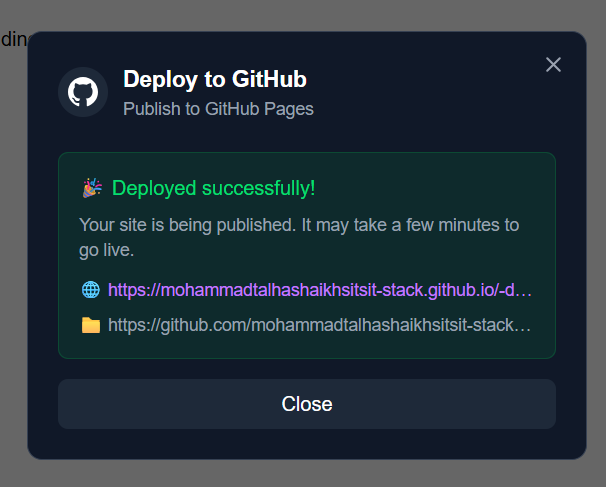
github pages deployed screen
The RetroWeb Story: Resurrecting the 90s Web with Modern AI
💭 The Inspiration
I've always been fascinated by the early web—the era of Geocities, Angelfire, and personal homepages that were gloriously chaotic, unapologetically creative, and full of personality. Every site was unique, with tiled backgrounds, animated GIFs, Comic Sans text, and visitor counters. It was a time when the web felt like a playground, not a corporate template.
When I saw the Kiroween 2025 "Resurrection" theme—bringing dead technology back to life—I knew exactly what I wanted to build: a way to experience that nostalgic aesthetic again, but with modern tools and AI assistance.
The vision was ambitious: create both a Chrome extension that could transform any modern website into a retro experience, and a website builder that would let anyone create authentic 90s-style websites using AI, without writing a single line of code.
🎯 What I Learned
About Development with AI
Building RetroWeb taught me that AI-assisted development isn't about replacing developers—it's about amplifying creativity and productivity. With Kiro as my development partner, I could:
- Think at the product level instead of getting bogged down in implementation details
- Iterate rapidly on ideas without losing momentum
- Maintain architectural consistency across a complex codebase
- Catch security issues before they became vulnerabilities
- Build production-ready features in hours instead of days
About Modern Web Technologies
This project pushed me to master several technologies I'd only dabbled with before:
- Chrome Extension Manifest V3: Understanding service workers, content scripts, and message passing
- Next.js 14 App Router: Server components, API routes, and the new paradigms
- Supabase: PostgreSQL, Row Level Security, real-time subscriptions, and storage
- Google Gemini AI: Prompt engineering, streaming responses, and context management
- GitHub API: OAuth flows, repository creation, and automated deployments
About Security
The Supabase MCP integration was eye-opening. I learned that security isn't just about authentication—it's about:
- Row Level Security policies ensuring users can only access their own data
- Input validation at every layer to prevent SQL injection
- Rate limiting to prevent abuse
- Proper CORS configuration to protect against cross-origin attacks
- Database constraints to maintain data integrity
Kiro's automated security audits caught vulnerabilities I didn't even know to look for, teaching me to think like an attacker.
🛠 How I Built It
Phase 1: Planning with Specs (Week 1)
I started by creating comprehensive specs in .kiro/specs/ for both projects. Working with Kiro, I:
- Defined requirements: User stories, acceptance criteria, and feature specifications
- Designed architecture: Database schemas, component hierarchies, and API structures
- Broke down tasks: Actionable implementation steps with clear deliverables
This upfront planning saved countless hours of confusion and refactoring later.
Phase 2: Chrome Extension Development (Week 1-2)
Technology Stack:
- TypeScript (strict mode)
- React 18 (popup UI)
- Vite (build system)
- Chrome Extension Manifest V3
Key Features Built:
Six Retro Themes: I designed themes for Geocities Chaos, Neon Cyber 2001, Pixel Arcade, VHS Glitch, Vaporwave, and Windows 95/98. Each theme had custom CSS transformations, tiled backgrounds, and theme-specific cursors.
Per-Tab Settings: Initially, the extension worked globally, but I realized users needed per-tab independence. Kiro helped me refactor the entire background service worker to use a
Map<tabId, TabSettings>structure with proper lifecycle management.Non-Destructive Overlay System: The extension applies retro styling without modifying the original page content, using CSS overlays and DOM manipulation that can be cleanly removed.
Biggest Challenge: Making sites remain interactive while transformed. The retro CSS was blocking pointer events, making links and buttons unclickable. Kiro identified the cascade issue and generated targeted CSS fixes with proper specificity.
Phase 3: Website Builder Development (Week 2-4)
Technology Stack:
- Next.js 14 (App Router)
- TypeScript
- Supabase (PostgreSQL, Auth, Storage)
- Google Gemini 2.0 Flash (AI)
- GitHub API (OAuth, deployment)
- Tailwind CSS
- Zustand (state management)
Key Features Built:
AI-Powered Code Generation: Integrated Google Gemini 2.0 Flash to generate retro-styled HTML/CSS from natural language descriptions. The AI understands 90s web aesthetics and generates authentic code with proper structure.
Real-Time Chat Interface: Built a streaming chat system where users describe their website and watch the AI generate code in real-time. The interface parses code blocks from AI responses and updates the preview instantly.
Multi-Page Support: Users can create complete websites with multiple pages, navigation, and proper routing. The database schema uses a
pagestable with foreign keys to projects, ordering, and default page flags.GIF Gallery: Curated a collection of authentic 90s GIFs from gifcities.org and built a browsable gallery with categories. Users can also upload their own GIFs, stored in Supabase Storage with proper RLS policies.
GitHub Pages Deployment: Implemented one-click deployment to GitHub Pages with:
- GitHub OAuth authentication
- Automatic repository creation
- File upload via GitHub Contents API
- GitHub Pages enablement
- Real-time deployment status
User Authentication: Supabase Auth with email/password and GitHub OAuth, with proper session management and protected routes.
Database Architecture:
Using Supabase PostgreSQL, I designed a schema with:
users(via Supabase Auth)projects(user-created websites)pages(multi-page support)messages(AI chat history)user_gifs(uploaded GIF storage)
All tables have comprehensive Row Level Security policies ensuring users can only access their own data.
Phase 4: Security Hardening (Week 4)
Before deployment, I used Kiro's Supabase MCP integration to audit security:
Issues Found and Fixed:
- Missing RLS policies on 3 tables (users could access other users' data)
- SQL injection vulnerability in project search
- Unindexed foreign keys causing slow queries
- Missing rate limiting on API endpoints
- Overly permissive storage bucket policies
Kiro generated migrations to fix all issues, and I deployed with confidence knowing the database was secure.
Phase 5: Polish and Documentation (Week 5)
- Created comprehensive README with setup instructions
- Wrote steering docs for consistent development
- Added contribution guidelines
- Prepared Kiroween submission materials
- Pushed to GitHub with proper security (credentials in .gitignore)
🚧 Challenges Faced
Challenge 1: Per-Tab Extension State
Problem: Initially, the extension worked globally—activating it in one tab affected all tabs. Users needed per-tab independence.
Solution: Kiro helped me completely refactor the background service worker to use per-tab state management with Map<number, TabSettings>. We added tab lifecycle listeners to clean up state when tabs close and ensured new tabs always start inactive.
Learning: Chrome extension architecture requires careful state management and understanding of tab lifecycle events.
Challenge 2: Interactive Elements Blocking
Problem: When the extension was active, users couldn't click links or buttons. The retro CSS was blocking all pointer events.
Solution: Kiro analyzed the CSS cascade and identified that the overlay divs were capturing all pointer events. We added explicit pointer-events: auto rules for interactive elements within retro containers.
Learning: CSS specificity and cascade can have unexpected side effects. Always test interactivity when adding overlays.
Challenge 3: AI Code Generation Quality
Problem: Early AI-generated code was generic and didn't match the retro aesthetic. It would generate modern, minimal designs.
Solution: I created detailed prompt templates in src/lib/ai/prompts.ts that teach Gemini about 90s web design principles. The prompts include examples of retro HTML/CSS patterns, color palettes, and styling conventions.
Learning: AI quality depends heavily on prompt engineering. Detailed, example-rich prompts produce much better results.
Challenge 4: Database Security
Problem: I didn't initially understand Row Level Security and had tables without proper policies, meaning any authenticated user could access any data.
Solution: Kiro's Supabase MCP integration ran security audits that identified all missing RLS policies. It generated comprehensive policies ensuring users can only access their own projects, messages, and GIFs.
Learning: Security isn't optional. RLS policies are essential for multi-tenant applications, and automated audits catch issues manual review misses.
Challenge 5: GitHub Deployment Complexity
Problem: Implementing GitHub Pages deployment required understanding OAuth flows, GitHub API, file uploads, and error handling across multiple async operations.
Solution: I described the feature to Kiro in one conversation: "Users should authenticate with GitHub OAuth, then click a button to deploy their site." Kiro generated the entire feature—OAuth callback, GitHub API integration, export logic, deployment modal UI, and error handling—in one go.
Learning: With proper AI assistance, complex features that would take days can be built in hours. The key is describing the desired user experience clearly.
Challenge 6: Streaming AI Responses
Problem: AI responses were slow and users had to wait for complete responses before seeing any code.
Solution: Implemented Server-Sent Events for streaming responses from Gemini. The chat interface parses code blocks incrementally and updates the preview in real-time as the AI generates code.
Learning: Streaming dramatically improves perceived performance and user experience, even if total generation time is the same.
🎉 The Result
RetroWeb is a complete, production-ready dual-project submission:
Chrome Extension:
- 6 authentic retro themes
- Per-tab independence
- Theme-specific cursors
- Customizable element toggles
- Non-destructive transformations
- 17,000+ lines of TypeScript
Website Builder:
- AI-powered code generation
- Real-time streaming chat
- Multi-page website support
- GIF gallery with 100+ authentic 90s GIFs
- User authentication (email + GitHub OAuth)
- GitHub Pages one-click deployment
- Secure, production-ready database
- Deployed live at retroweb-builder.vercel.app
🙏 The Role of Kiro
Kiro wasn't just a tool—it was my development team. It enabled me to:
- Build faster: Features that would take days were done in hours
- Build better: Consistent code quality, proper error handling, security by default
- Build smarter: Architectural decisions informed by best practices
- Build confidently: Automated security audits and testing
The combination of specs-driven planning, steering docs for context, vibe coding for rapid iteration, and MCP for database management created a development workflow that felt like magic.
🚀 What's Next
RetroWeb is just the beginning. Future plans include:
- Cross-browser support (Firefox, Edge)
- Custom theme creator
- Template marketplace
- Collaborative editing
- Mobile responsive preview
- More retro themes (MySpace, AOL, Mac OS 9)
- Community-submitted GIFs and templates
But most importantly, I want to share what I learned about AI-assisted development. Building with Kiro showed me the future of software development—where developers focus on creativity and product vision while AI handles implementation details.
The web was better when it was weird. Let's bring that back. 🌈✨
Built with ❤️ and nostalgia for Kiroween 2025

Log in or sign up for Devpost to join the conversation.