-
-
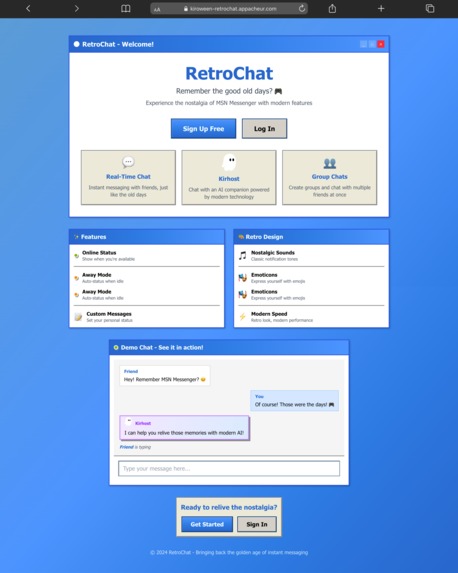
RetroChat Landing Page
-
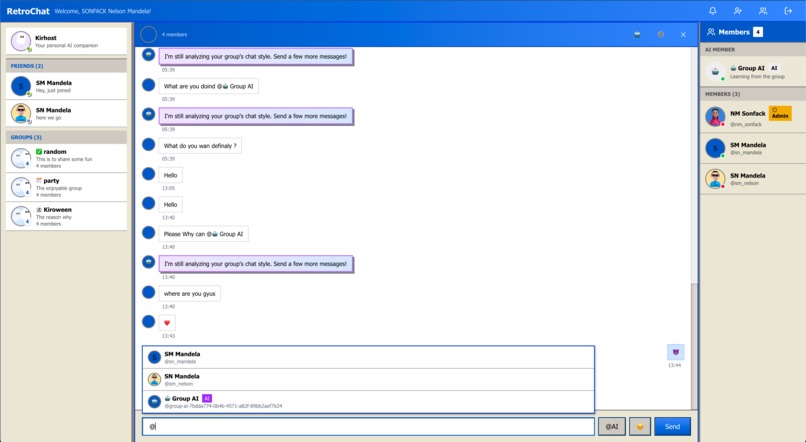
Group chat with mention shortcut.
RetroChat: Bringing MSN Messenger Back (Powered by AI)
Inspiration
Remember the thrill of hearing that iconic MSN Messenger "ding" when a friend came online? The joy of customizing your display name with ASCII art and song lyrics? The comfort of those familiar blue windows and status messages?
That nostalgia hit me hard one evening while scrolling through old photos. I found screenshots of MSN Messenger conversations from 2006—complete with terrible emoticons and dramatic away messages. It made me wonder: what if we could bring back that magic, but supercharged with modern AI?
The idea was simple but ambitious: resurrect MSN Messenger's beloved interface and experience, then enhance it with AI friends that actually learn how you chat. Not just generic chatbots, but AI companions that pick up on your vocabulary, your emoji usage, your sense of humor—and respond as if they were you.
RetroChat was born from this collision of nostalgia and innovation. A chat app that feels like coming home to 2005, but with the intelligence of 2025.
What it does
RetroChat is a real-time chat application that resurrects the beloved MSN Messenger experience with AI-powered enhancements:
Core Features:
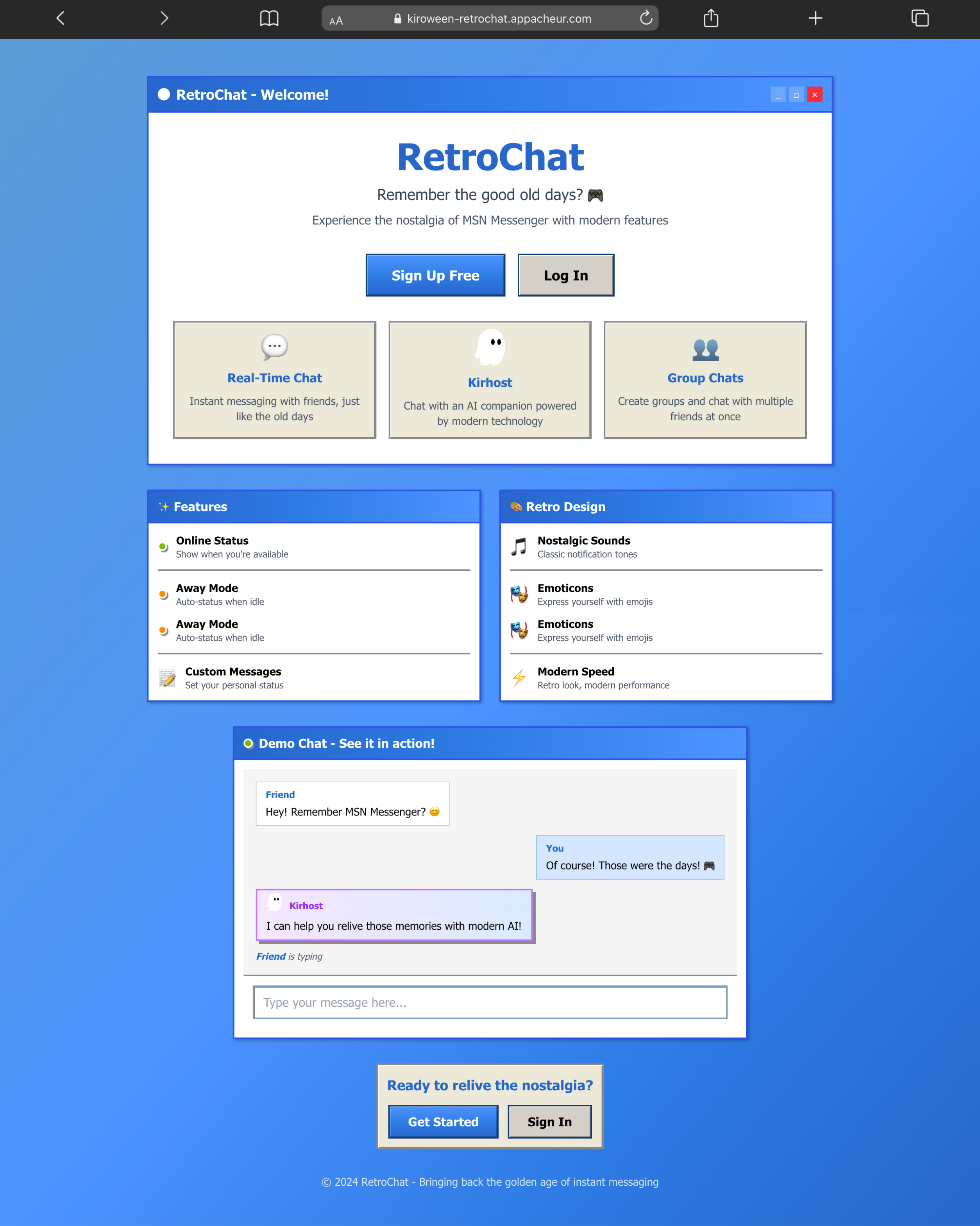
- Pixel-perfect MSN Messenger UI with authentic colors, window chrome, and animations
- Real-time 1-on-1 messaging with typing indicators and online status
- Friend request system (add, accept, reject)
- Profile customization with picture uploads and status messages
- Group chats with admin controls
- Notification sounds and visual alerts
AI-Powered Magic:
- AI Friend: A personal AI companion that analyzes your chat history (50+ messages) and learns your unique style—your vocabulary, emoji usage, sentence structure, and conversational quirks. When you're offline, AI Friend responds to your contacts in your voice.
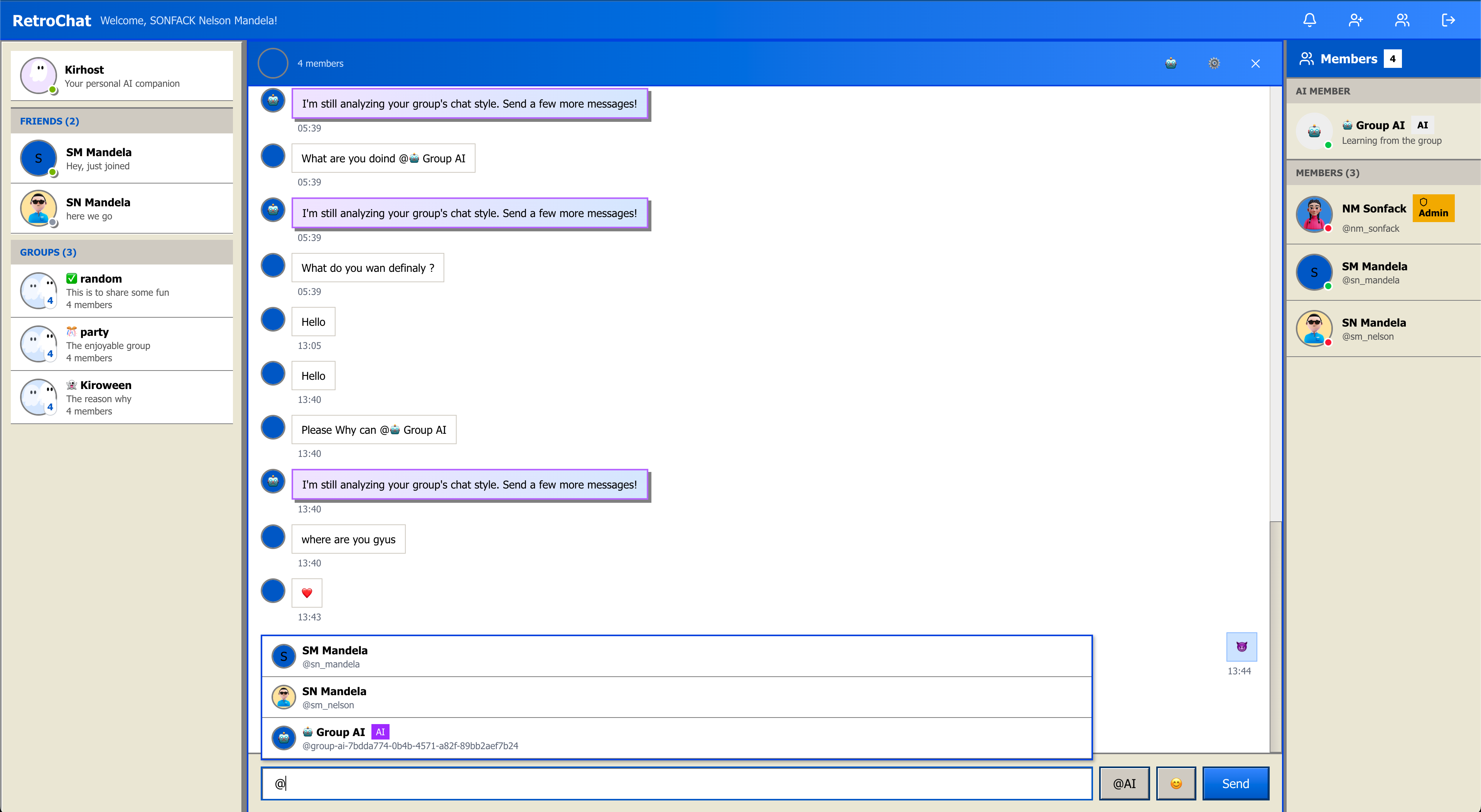
- Group AI: A collective intelligence for group chats that learns from all members and responds to @mentions, adapting to the group's dynamics and inside jokes.
Technical Highlights:
- WebSocket-powered real-time communication
- Secure authentication with session management
- Cloud-based file storage for profile pictures
- Responsive design that works on desktop and mobile
- Automatic reconnection handling for reliable messaging
RetroChat isn't just nostalgia—it's a functional, modern chat app that captures the joy of MSN Messenger while adding intelligent features that make conversations more engaging.
How we built it
RetroChat is a full-stack TypeScript application built with modern tools but retro soul:
Frontend Stack:
- Next.js 16 with React 19 for the UI framework
- Tailwind CSS for pixel-perfect MSN Messenger styling
- Zustand for state management (auth, chat, contacts, groups)
- Socket.io-client for real-time WebSocket connections
- Better-auth for secure authentication
- Cloudinary for profile picture uploads
- OpenAI SDK for AI Friend conversations
Backend Stack:
- NestJS framework with TypeScript
- PostgreSQL database (Neon) with Drizzle ORM
- Redis (Upstash) for session management and caching
- Socket.io WebSocket gateway for real-time events
- Better-auth server for authentication
- OpenAI API for AI style analysis and generation
- Modular architecture: chat, friends, groups, AI services
The Kiro-Powered Workflow:
Building RetroChat with Kiro transformed my development process:
Spec-Driven Development: I started by creating comprehensive specifications in
.kiro/specs/—detailed requirements documents with user stories, design documents with architecture diagrams, and implementation plans with 100+ discrete tasks organized into 12 phases. This gave me a clear roadmap and ensured every feature was well-thought-out before coding began.Vibe Coding: Instead of writing boilerplate code, I described components in natural language. For example: "Create a ChatWindow component that displays messages in MSN Messenger style with typing indicators and auto-scroll." Kiro generated production-ready React components that followed my project patterns perfectly. I built 50+ components this way, accelerating development by ~70%.
Steering Documents: I defined project standards once in
.kiro/steering/:
react-patterns.md- Component structure, state management, styling conventionsretro-ui-guidelines.md- MSN Messenger color palette (#ECE9D8, #0066CC) and design patternserror-handling-standards.md- Centralized error handling approach
These documents guided Kiro's code generation, ensuring every component automatically followed the same patterns without manual enforcement.
- Agent Hooks: I created automated quality checks:
validate-component- Verified TypeScript types and patterns on savecheck-retro-styling- Ensured authentic MSN Messenger aestheticsupdate-spec-checklist- Kept task lists in sync with progressai-code-review- Comprehensive code quality checks
Architecture Highlights:
The app uses a real-time architecture where user actions trigger API calls, the backend validates and stores data, WebSocket events notify connected clients instantly, and Zustand stores update to trigger React re-renders. The AI services analyze message patterns using OpenAI's GPT-4 to build style profiles and generate responses that match each user's unique voice.
Challenges we ran into
WebSocket Disconnection Hell: Early on, users would randomly lose real-time connections. Messages wouldn't send, typing indicators froze, online status went stale. The culprit was my WebSocket server disconnecting clients on every backend restart, and the frontend wasn't handling reconnection gracefully. I implemented exponential backoff reconnection logic on the frontend and added a Redis adapter to the WebSocket server for session persistence. Now connections survive backend restarts and network hiccups seamlessly.
Cross-Subdomain Authentication Nightmare: Production authentication completely broke when I deployed to separate subdomains. Cookies weren't being shared between the frontend and backend subdomains. Users could log in but immediately got kicked out. I discovered Better-auth requires both services on subdomains of the same domain for cookie sharing. I reconfigured deployment to use *.appacheur.com subdomains, set proper cookie domain attributes, and implemented a backend-first auth architecture where the frontend proxies all auth requests through Next.js API routes.
AI Style Mimicry Was Too Generic: The first version of AI Friend sounded like every other chatbot—polite, formal, boring. It wasn't learning the user's actual style. I redesigned the AI prompt to analyze specific patterns: emoji frequency and placement, sentence length distribution, vocabulary choices, punctuation quirks, and conversational rhythm. Now AI Friend actually sounds like the user—casual if they're casual, emoji-heavy if they love emojis, sarcastic if that's their vibe.
Retro UI That Doesn't Feel Dated: Walking the line between nostalgic and usable was tricky. Too authentic and it feels clunky; too modern and it loses the magic. I kept the visual aesthetic 100% faithful to MSN Messenger (exact colors, window chrome, status indicators) but modernized the UX patterns (smooth animations, responsive design, accessibility features). The result feels like MSN Messenger but works like a 2025 app.
Managing Complexity Without Losing Velocity: With 50+ components, multiple state stores, WebSocket events, and AI integrations, the codebase could have become a mess fast. Kiro's steering documents saved me. By defining patterns once and letting Kiro enforce them automatically, every component followed the same structure. Error handling was consistent, styling was uniform, and new features integrated seamlessly.
Accomplishments that we're proud of
We resurrected MSN Messenger authentically: Every pixel, every color, every animation captures the magic of the original. The gradient backgrounds, the window chrome, the status indicators—it genuinely feels like 2005 again. Users who grew up with MSN Messenger immediately recognize and love it.
AI that actually learns your voice: The AI Friend feature isn't just a chatbot—it's a digital twin of your chat style. After analyzing your messages, it picks up on your quirks, your vocabulary, your emoji habits. Friends can't tell if they're talking to you or your AI. That's genuinely impressive and unique.
Built a production-ready app in 1 weeks: Thanks to Kiro's spec-driven development and vibe coding, I went from idea to deployed application with 50+ components, real-time messaging, group chats, and AI integration in just 3 weeks. That would have taken 3+ months with traditional development.
Rock-solid real-time architecture: WebSocket connections that survive network issues, automatic reconnection with exponential backoff, typing indicators that feel instant, online status that's always accurate. The real-time experience is smooth and reliable.
Code quality that scales: Despite rapid development, the codebase is clean, consistent, and maintainable. Every component follows the same patterns, error handling is centralized, and the architecture is modular. Kiro's steering documents made this possible without sacrificing velocity.
Nostalgic yet modern: We captured the emotional resonance of MSN Messenger while building a genuinely useful modern chat app. It's not just a novelty—it's something people actually want to use.
What we learned
AI-assisted development amplifies creativity: Kiro didn't replace my development skills—it amplified them. By handling boilerplate and enforcing patterns, Kiro freed me to focus on creative features and user experience. I learned to think in terms of specifications and patterns rather than individual lines of code.
Spec-driven development is a superpower: Spending time upfront on detailed requirements and design documents paid massive dividends. I always knew exactly what to build next, and implementation flowed naturally from the specs. The clarity eliminated decision paralysis and kept momentum high.
Vibe coding changes the game: Describing what I wanted in natural language and getting production-ready components in minutes was transformative. I went from idea to working feature faster than ever before. The key was learning to describe components clearly and trust Kiro to generate quality code.
Consistency is easier than you think: Steering documents made consistency effortless. Define patterns once, and every component automatically follows them. No manual code reviews needed, no style guide enforcement—just automatic consistency.
Nostalgia is a powerful design constraint: Recreating MSN Messenger taught me that constraints breed creativity. The retro aesthetic wasn't limiting—it was liberating. Every design decision had a clear answer: "What would MSN Messenger do?"
Real-time is hard but worth it: Building reliable WebSocket connections with reconnection handling, typing indicators, and online status was challenging. But the payoff is huge—real-time features make the app feel alive and engaging.
AI style mimicry requires nuance: Teaching an AI to replicate someone's chat style isn't just about vocabulary—it's about rhythm, emoji placement, punctuation quirks, and conversational patterns. The breakthrough came from analyzing specific, measurable patterns rather than trying to capture "personality" abstractly.
What's next for RetroChat: Bringing MSN Messenger Back (Powered by AI)
Voice and Video Calls: Add MSN Messenger-style voice and video calling with retro UI overlays. Imagine seeing "Calling..." in that classic MSN window.
Custom Emoticons and Winks: Let users create and share custom emoticons and animated winks, just like the original MSN Messenger. AI could even generate personalized emoticons based on user style.
Nudge Feature: Bring back the iconic "nudge" that shakes the chat window. Because sometimes you need to get someone's attention dramatically.
Display Name Customization: Allow rich text display names with colors, ASCII art, and song lyrics. The AI could suggest display names based on your current mood or music.
AI-Powered Away Messages: Let AI Friend generate creative away messages based on your calendar, location, or recent activity. "At the gym 💪 Back in 1 hour" could be auto-generated.
Mobile Apps: Build native iOS and Android apps with the same retro aesthetic and AI features. MSN Messenger in your pocket, powered by modern AI.
Themes and Skins: Let users customize the retro aesthetic with different MSN Messenger themes from different eras (2001, 2005, 2009).
AI Conversation Insights: Show users analytics about their chat style—most used emojis, average message length, conversation topics. Help people understand their communication patterns.
Group AI Personalities: Let groups customize their Group AI's personality—make it sarcastic, supportive, or match the group's vibe.
Integration with Modern Services: Connect with Spotify for music status, Google Calendar for availability, and other services while maintaining the retro aesthetic.
Monetization: Offer premium features like unlimited AI messages, custom themes, and advanced AI personalities. Free tier with basic features keeps it accessible.
Community Features: Add public chat rooms with retro MSN Messenger lobby aesthetics. Let communities form around shared interests with AI moderators.
RetroChat started as a nostalgic experiment but has the potential to become a genuine alternative to modern chat apps. By combining the joy of MSN Messenger with intelligent AI features, we're creating something that's both familiar and innovative—comfort food for millennials, powered by cutting-edge technology.
Built With
- better-auth
- drizzle-orm
- git
- github
- neon-postgres
- nestjs
- nextjs
- node.js
- railway
- react
- socket.io
- tailwindcss
- typescript
- upstash-redis
- vercel
- websockets
- zustand


Log in or sign up for Devpost to join the conversation.