-
-
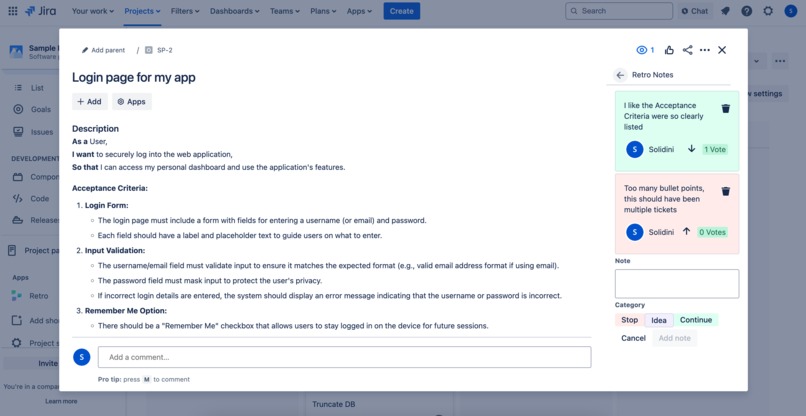
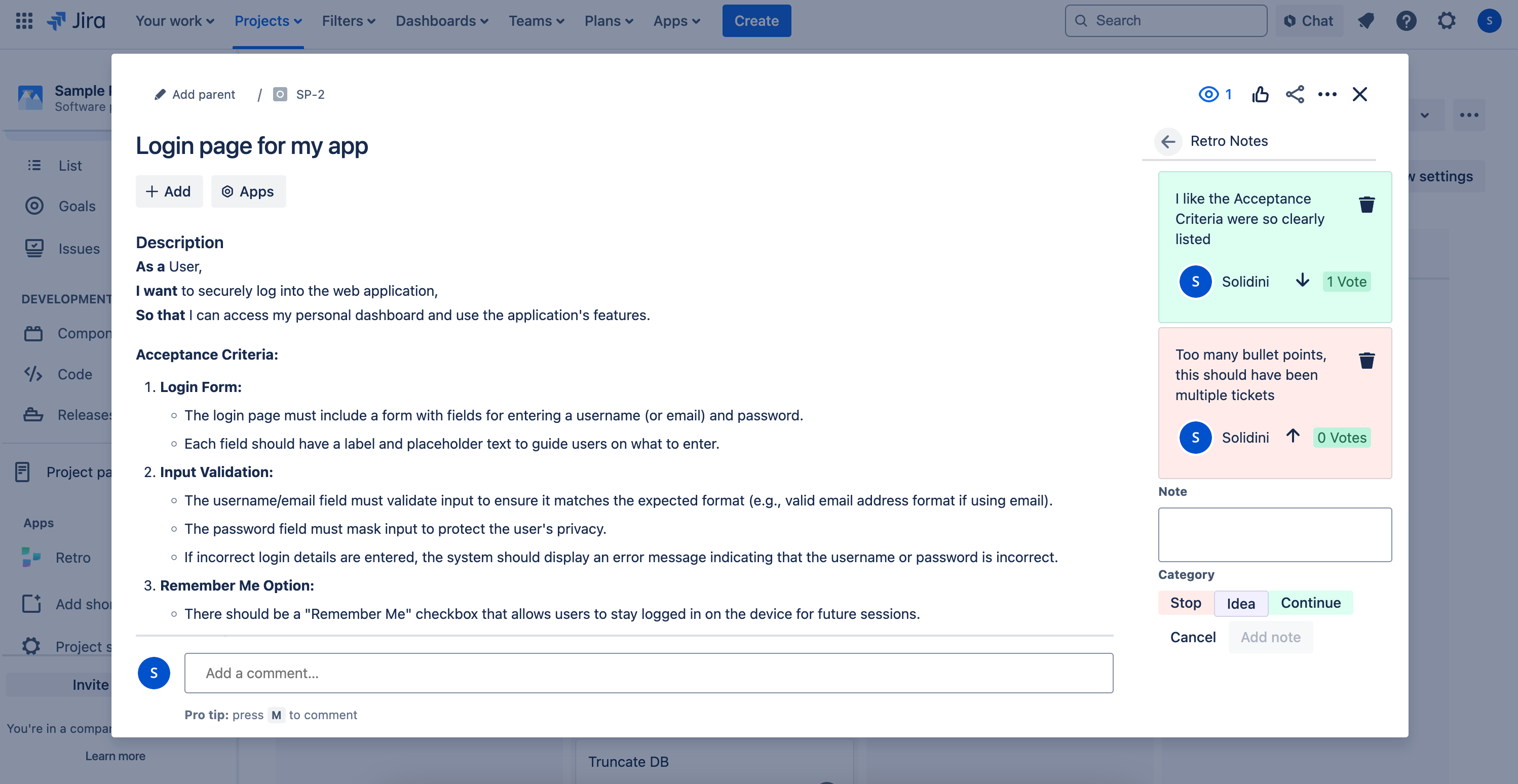
Write, read and upvote notes on Jira tickets
-
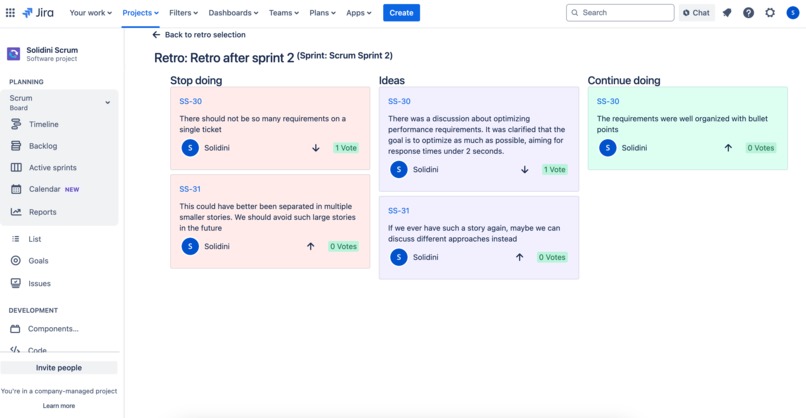
Start a retro session with your team and discuss
-
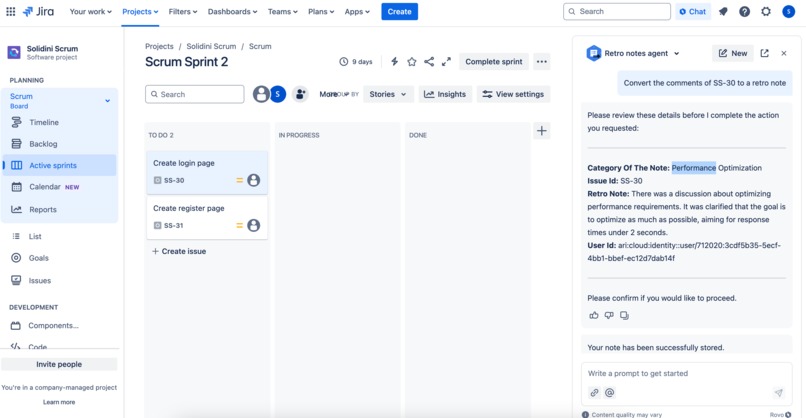
Use the Rovo agent to convert comments to a retro note
Inspiration
Often retrospectives in agiles teams are not well prepared. People are asked to retrieve the important aspects of the last (often 2) weeks and then try to come up with something in a couple minutes. There's a massive recency bias on what is thought of and discussed and important topics might never be talked about.
It's good to keep notes of the work that you did, what went well, what didn't went well, and ideas that might cross your mind on how to do it differently next time. These notes can be easily spread and lost if not having a dedicate place for them. That's why they should be in Jira, right in the context of your work!
What it does
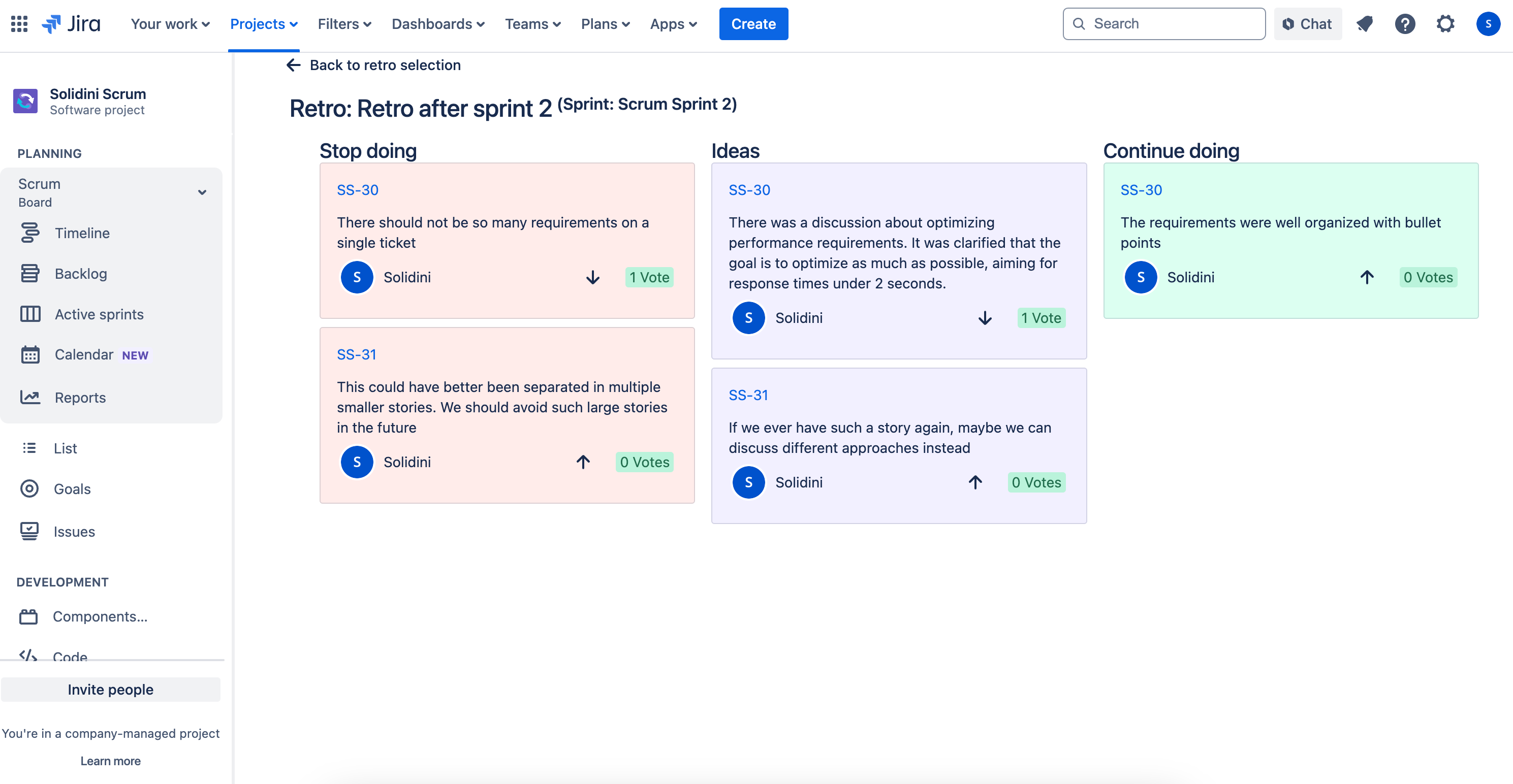
With retro notes, any team member can leave notes on a Jira ticket. These notes are visible for everyone, so people can already start upvoting ideas.
Once the team is ready for a retro, they go to the project page and select either the relevant sprint, or the timespan of the work that they want to talk about. The retro board will be filled with all notes of Jira tickets that were worked on in that timeframe. The team can take a moment to vote, add extra notes and then start a well prepared retro.
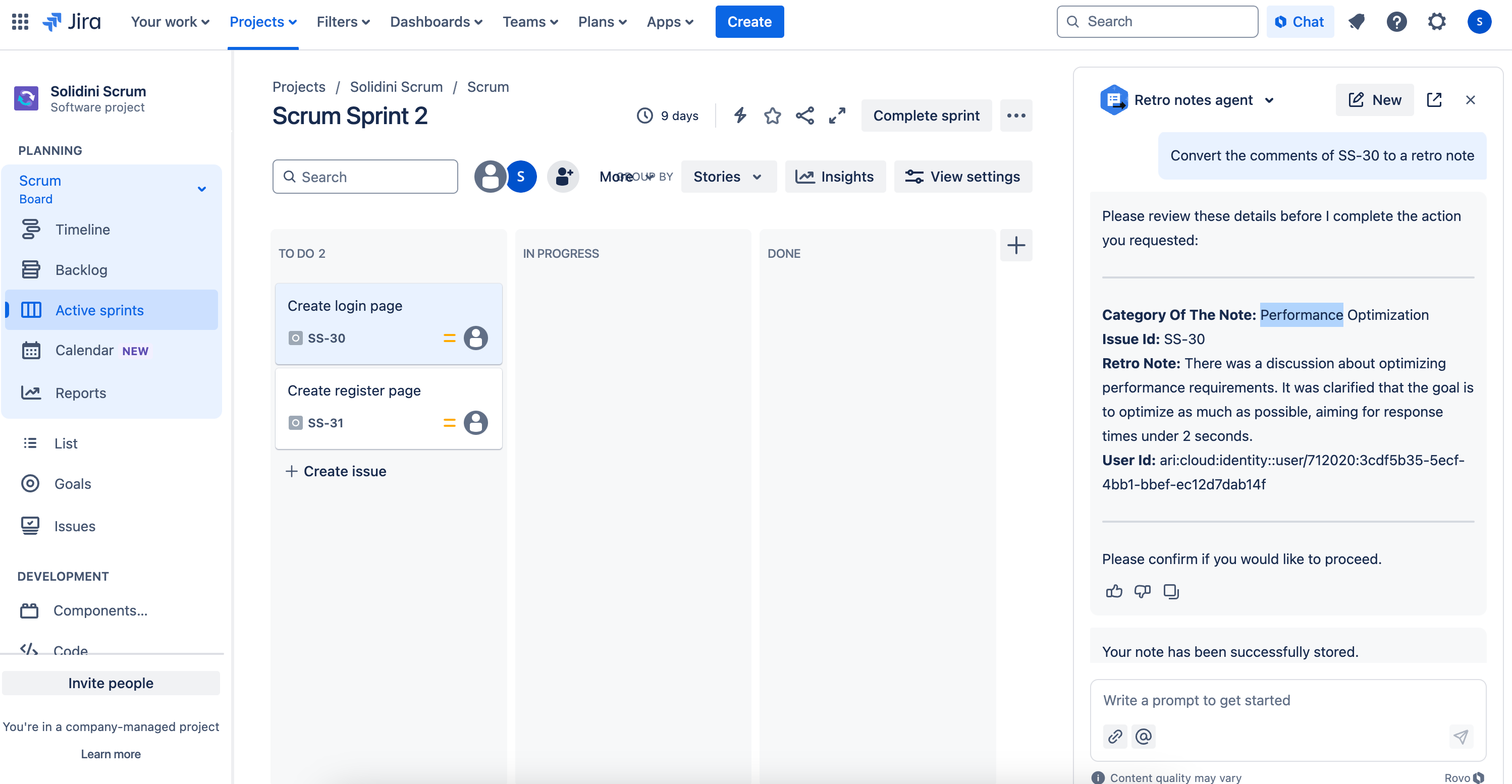
BONUS: For Jira instances that have Rovo installed, you can ask the rovo agent to convert the comments of a Jira ticket to convert it to a retro note.
How we built it
All is build with Atlassian Forge and stored within the Atlassian Ecosystem, no external resources or connections involved.
Every Jira ticket has an issue glance where the user can add a note, view other's notes and vote for notes on that ticket.
There is a project page that let's the user start a new retro session, or continue an existing retro session (for example, one that a teammate started). All Jira tickets within the timespan will be checked for retro notes, and they will be shown on the retrospective board.
The Rovo agent is build to support the creation of retro notes from comments. It captures the general sentiment and summarizes the comments into a single retro note and stores it within the retro notes, for easy discussion during the retrospective.
Challenges we ran into
The idea was to have the Rovo agent triggered in the background upon the click of a button, in the background. With the current state, that is not possible and it has to be a human interaction. Hopefully in the future, the user will be able to click a button that says 'Convert comments to retro note', which then triggers the agent in the background.
Also, providing Rovo agents with the right instructions can be a challenge. Couple of examples:
- The Rovo agent does not seem to differentiate between issue keys and issue ids. Where the issue id is retrieved from the backend, the issue key is what the user will reference. It was not possible to work with those terms for the agent, so the terms where changed to make the difference more apparent. Since these are known terms for Atlassian development, I was surprised it did not work.
- Things like: Assign a category to the note based on the sentiment of the comments. The category of the note is limited to be either 'negative', 'positive' or 'neutral' NO other options are allowed. Is not something that works very well for this AI.
Accomplishments that we're proud of
A working solution to a problem that I really believe many teams face. A retrospective being not a moment in time, but actually something that users can leave input for during the entire sprint (or other timespan that is used), can really be a gamechanger for having effective feedback cycles in the team.
What we learned
Rovo agents are a bit trickier to instruct than other LLMs. Part of that might be the way they are trained, or have higher level instructions. Ideally, for a Rovo agent to work well as a background worker, it would be useful to fine tune it a bit more by for example setting the temperature and Top P.
What's next for Retro Notes
- Notes independent of tickets. As of now, a retro note always has to be assigned to a Jira ticket. Retro Notes should also support last-minute notes, or notes that do not specifically belong to the work on a Jira ticket.
- Trigger the Rovo agent as a background process rather than requiring in a human interaction.


Log in or sign up for Devpost to join the conversation.