Inspiration
Retro Mac was inspired by the charm and simplicity of early Macintosh computers and classic 80s–90s desktop systems. We wanted to recreate the nostalgic feeling of using an old-school computer while combining it with modern web capabilities. At a time when apps are overloaded with complex UI, Retro Mac aims to bring back minimalism, pixel aesthetics, and playful computing, while still being fully functional on today’s devices.
What it does
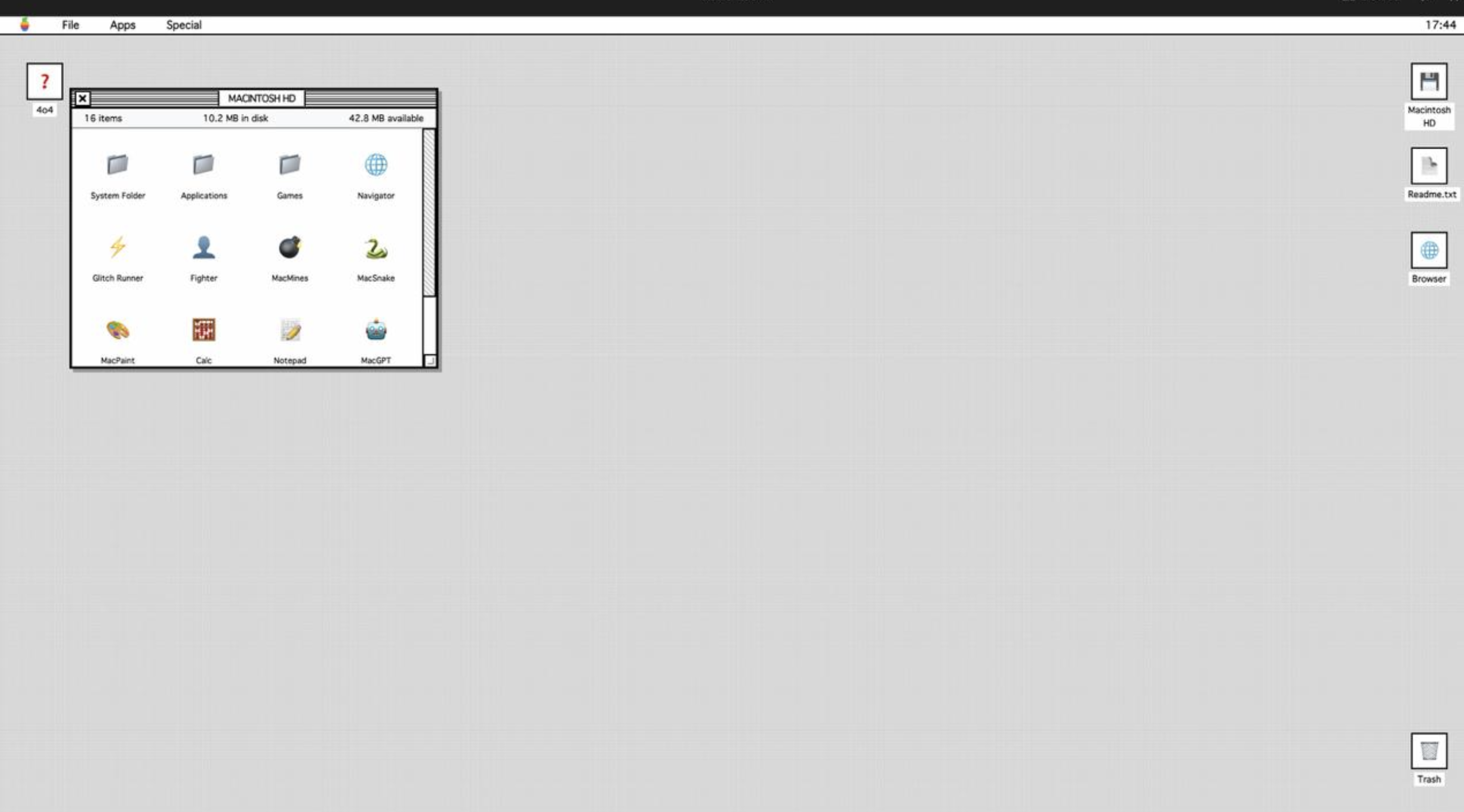
Retro Mac is a web-based retro operating system experience that mimics the look and feel of classic Mac desktops. It includes:
A pixel-style desktop interface with draggable windows
Retro-inspired apps like Notes, Calculator, File Viewer, Games, and Terminal-style interactions
Fully functional UI elements such as menus, icons, windows, and alerts
Works seamlessly on desktop and mobile browsers
Provides a fun, interactive way to experience computing nostalgia without installing anything
How we built it
We built Retro Mac using a modern web stack with a retro-first design philosophy:
HTML & CSS for layout, pixel UI, and window system
JavaScript for app logic, window management, interactions, and state handling
Custom CSS animations to simulate classic OS transitions
Modular app architecture so new retro apps can be easily added
Optimized for responsiveness so the same retro experience works on phones, tablets, and desktops
No external frameworks were heavily relied upon—keeping the build lightweight and true to the retro spirit.
Challenges we ran into
Recreating authentic retro UI behavior (window drag, focus, layering) using modern browsers
Making pixel-based layouts responsive across different screen sizes
Balancing nostalgia with usability so modern users don’t feel limited
Performance tuning while running multiple apps inside a simulated desktop environment
Accomplishments that we're proud of
Successfully recreated a classic Mac-like desktop experience entirely on the web
Built a fully interactive system without native apps or heavy frameworks
Achieved cross-platform compatibility (mobile + desktop)
Designed a scalable architecture that allows adding games, apps, and features easily
Delivered a visually unique and memorable user experience
What we learned
Deep understanding of UI state management and window systems
How small design details dramatically impact user experience
The importance of performance optimization in interactive web apps
How nostalgia-driven design can still be relevant and engaging today
What's next for Retro Mac
Add more retro apps (paint app, music player, mail simulator)
Multiplayer or social features inside the retro OS
Save state and persistent file system simulation
Theme switching for different eras (70s, 80s, 90s computers)
Packaging Retro Mac as a PWA for offline use

Log in or sign up for Devpost to join the conversation.