-
-
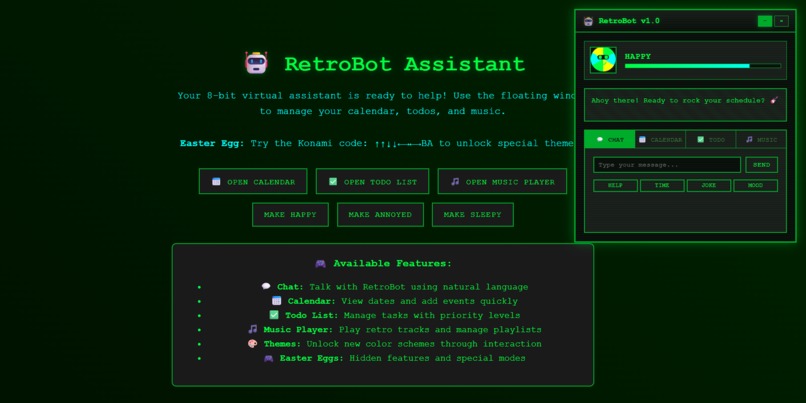
Retro Bot AI
🎮 What Inspired Me
As a kid, I grew up loving the charm of retro interfaces — from DOS prompts and Windows 95 to NES-style pixel art. I missed the quirky personality of old digital companions like Microsoft Clippy or Tamagotchi. In an era where most productivity tools feel sterile, I wanted to bring fun and nostalgia back into our daily workflow.
That led me to ask:
“What if your to-do list had personality?”
And thus, RetroBot was born — a nostalgic, pixelated virtual assistant that blends productivity with personality.
🧱 How I Built It
I built RetroBot using modern web technologies with a retro soul:
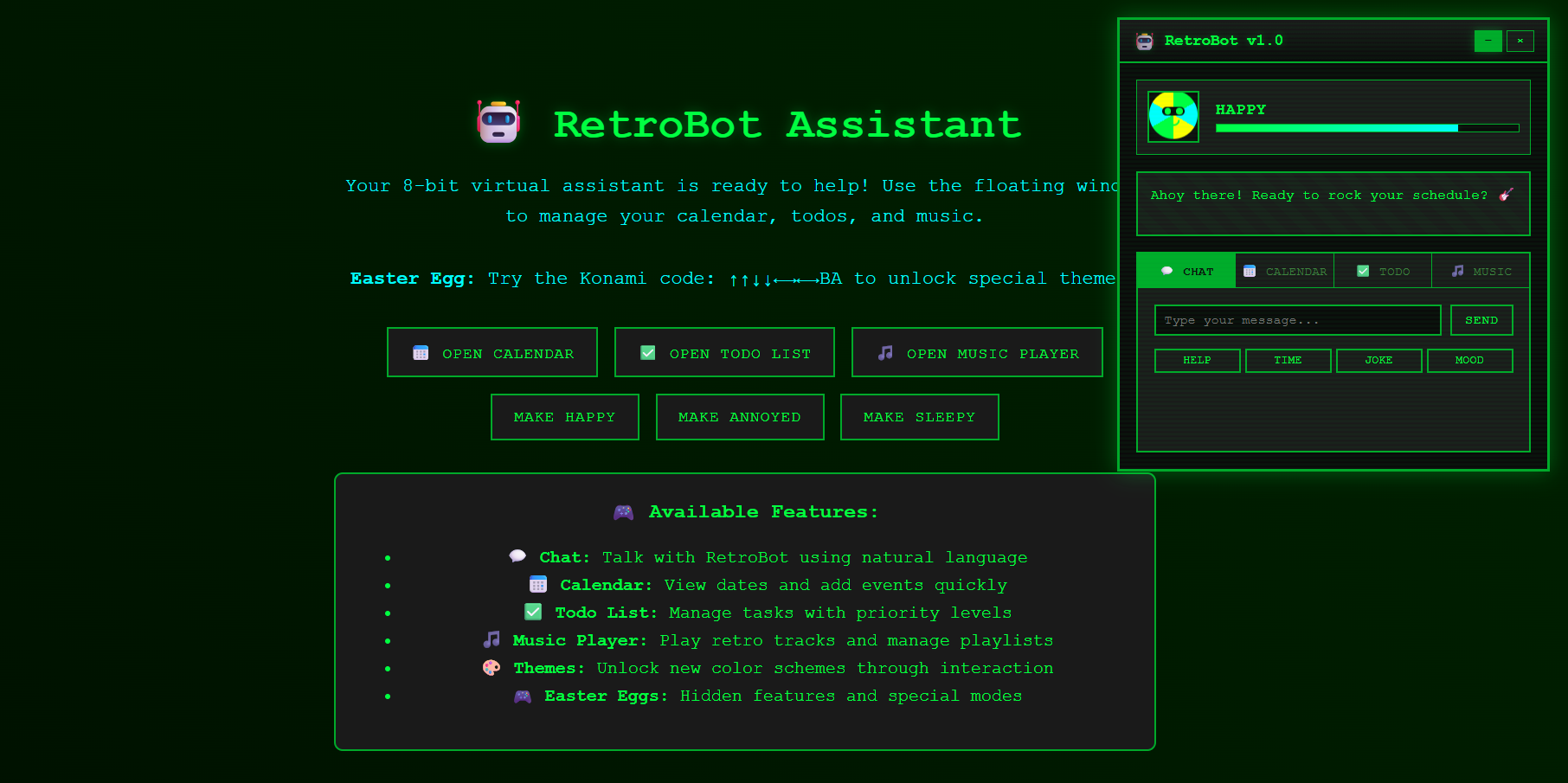
- HTML/CSS: Structured the layout in a pixel-themed interface using monospace fonts and neon green-on-black UI.
- JavaScript: Wrote interactive modules for:
- 📝 Todo List
- 📅 Calendar Events
- 🎵 Music Player
- Modules were toggled dynamically with
toggleModule()logic. - AI-Like Mood System (planned): RetroBot’s mood shifts between 😁 Happy, 😴 Sleepy, and 😠 Annoyed based on your interaction — hinting at a future GPT-powered assistant.
- LocalStorage (coming soon): To persist tasks and mood.
📚 What I Learned
- Recreating a full-featured UI using just vanilla JS sharpened my DOM manipulation and event handling skills.
- Designing a nostalgic interface taught me a lot about UI/UX through constraint — limiting myself to pixel art, monochrome styling, and beep-style interactions.
- I explored retro font rendering and audio embedding, brushing up on the Web Audio API and CSS animation.
I also revisited the importance of accessibility and progressive enhancement — ensuring the assistant worked even without fancy features.
🧩 Challenges I Faced
- Modular UI Logic: Building a clean toggle system for each assistant module without any frontend framework.
- Personality Engine: Creating believable, reactive moods for RetroBot using simple state logic was a fun but tricky task.
- Styling like the 80s: Getting the UI to “feel” 8-bit required digging into custom fonts, colors, and avoiding modern UI shortcuts.
- No frameworks: I avoided React or Vue to keep it lightweight and beginner-friendly — but that meant writing everything from scratch.
One of the challenges was deciding how far to go with the assistant’s AI. I chose to keep it local-first but scalable toward integrating with LLMs like GPT for future conversational upgrades.
🔭 Final Thoughts
This project proved that playfulness can coexist with productivity. RetroBot isn't just a tool — it's a character, a vibe, and a nostalgic reminder that software can still be fun.
“Oi! You again? Fine… I’ll help you with your schedule. But you owe me a snack.”
✨ Fun Fact (with LaTeX)
I almost named the project using a math pun:
Let
$$ R(x) = \text{Retro + Responsiveness + Reminder} $$

Log in or sign up for Devpost to join the conversation.