-
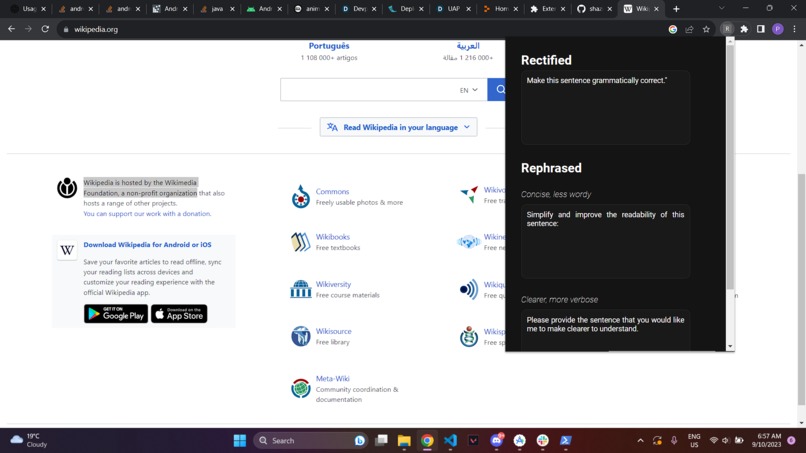
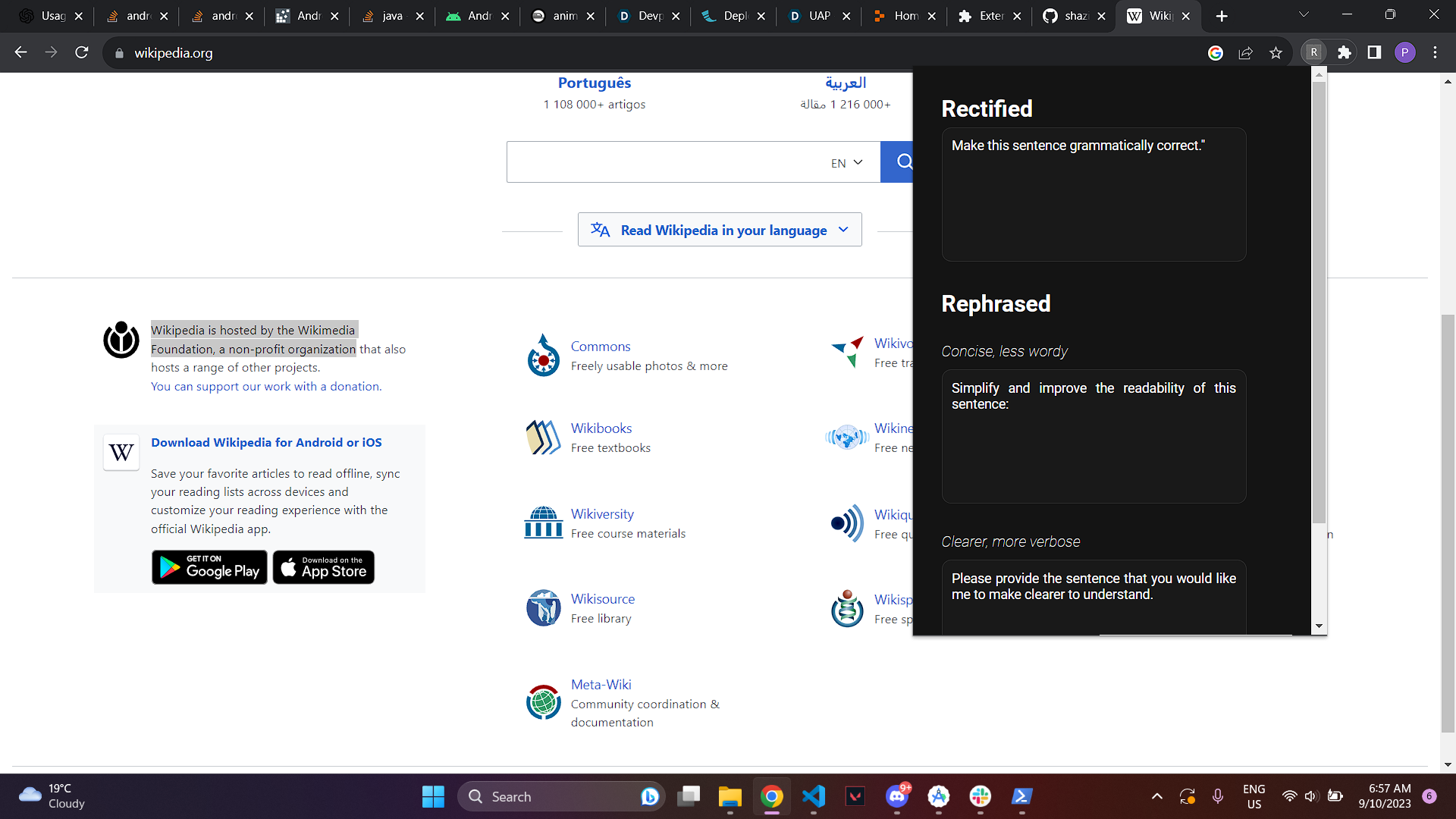
Chrome extension in action
-
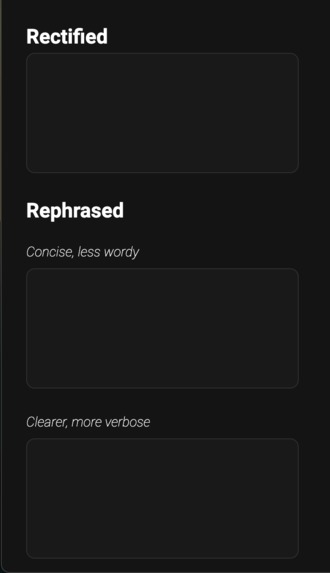
A screenshot of our Chrome Extension UI
-
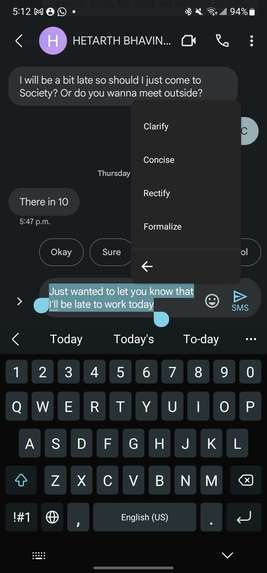
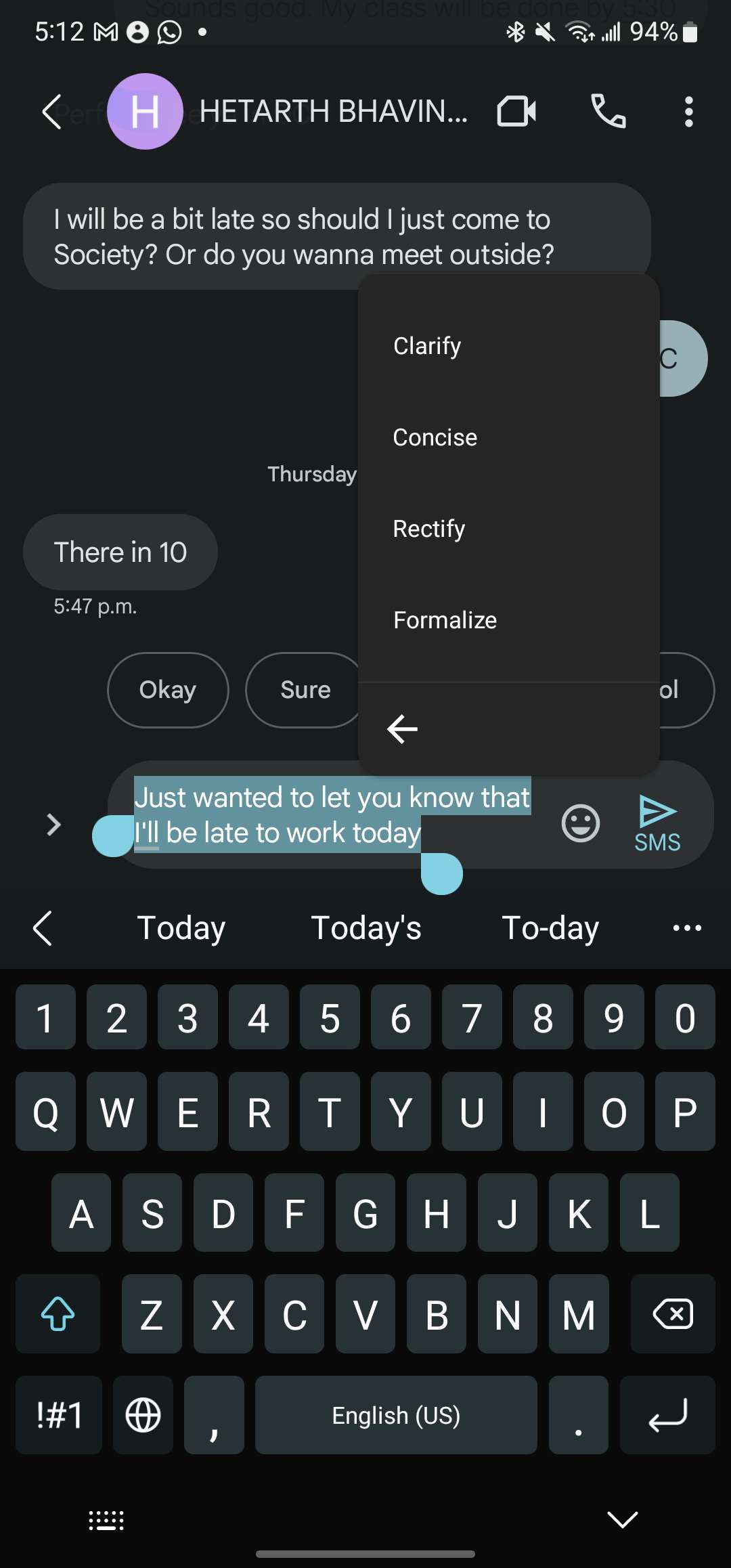
A picture of all the features available on mobile

Inspiration
As most of us had just come back from a co-op term, we were reminiscing about our experiences and the troubles we faced. One problem that inconvenienced us all was the amount of thought and effort required to send messages to our bosses. Messages to employers need to concisely convey intentions while ensuring that they were not curt, which resulted in us spending several minutes drafting single sentence messages. ChatGPT came up as a solution, but the effort required to join a room, draft a response and copy/paste it to our bosses is simply not worth the effort, even more so on mobile. Then one of us said "What if we get rid of all those steps?", and ReText was born!
What it does
ReText is a tool that leverages GPT 3.5 to generate messages suiting the situation. Rather than agonizing over a message asking your boss for a day off, simply write a general draft of your message, select it, tap "Formalize", and voila! A professional message tailored to your needs is already in your clipboard, ready to be pasted into the conversation! ReText is available as a Chrome Extension and as a keyboard shortcut so that it's always available when you need it!
Just like this, ReText offers four different modes to aid with different situations:
- Rectify: Used to catch and fix spelling and grammar mistakes. Perfect for quickly ensuring no one can make fun of you
- Concise: Generates a message that conveys all of your intentions, but with half the lines! No need to make the other person think too hard about what you mean!
Clear/Clarify: Provides extra details to any point you are trying to make. Great for winning arguments!
Formalize: Rewrites your message in a formal manner, perfect to send to bosses, colleagues and work associates. No more Slack response delays!
How we built it
In order to get ReText as a keyboard shortcut for your phone, we had to create an app with separate activities for each feature. This involved Kotlin and Android studio for the layouts, permissions, functionality. After reading the highlighted text, the selected activity creates a unique prompt and accesses the OpenAI API in order to generate a response. This response is then parsed for the desired data and passed into the users clipboard.
The Chrome Extension involved both React and Flask. React was used to provide a comfortable and simple UI for users to interact with, while Flask offered an easy way to generate the prompt, connect with the OpenAI API and parse the resulting JSON object. The result is then displayed on the React UI, where it can easily be copied.
Challenges we ran into
One of our biggest challenges was actually generating the keyboard shortcuts. For a large portion of the hackathon, the keyboard shortcut would not work on anything other than browsers, which defeated the point as ReText is meant to be used with texting services such as Messages and WhatsApp. At one point, we had even resolved that our idea was impossible due to the design of messaging apps. However, through the persistence of one of our members (and a very, very deep rabbit hole of StackOverflow threads), a solution worked!
Another large issue we faced was deploying our Chrome Extension. Having the backend deployed separately from the front end of the application was a new experience for us all, and ended up taking up a lot of our time in order to figure out the issue. Even up until 2 hours before the submission deadline, we were not sure what the issue was!
Accomplishments that we're proud of
For all of our members, PennApps is their first in-person Hackathon! As such, we are very proud for completing a full project from start to finish in proper hackathon conditions! From managing our time between fun workshops and desires to procrastinate, to spending the vast majority of the past 36 hours staring at our screen in determination, these challenges were much more difficult than what we expected, yet we still overcame them!
In addition to this, all of our members were using technologies that were foreign to them, so we all were able to learn loads from our experiences here. Figuring out obscure errors and working together to come up with a cohesive final product has been extremely rewarding.
What we learned
The most important thing we learned over the course of this event was how to workaround problems. Whether they stopped us from deploying our final project or completely thwarted our ideas, figuring out creative ways to achieve the desired outcome is the most important skill we learned.
We also learned a bunch of cool new technologies! Kotlin, Android Studio, React, Flask, Chrome Extensions and server hosting are just some of the new topics we encountered during our project. As such, we feel extremely confident in future full-stack endeavours that we will undertake in the future.
Finally, we also learned a lot about the software engineering industry and its various subfields. From a day in the life of a Bloomberg Software Engineer to learning about Quantitative trading, the wide variety of workshops here at PennApps have taught us a lot about our future options.
What's next for ReText
The next steps are to publish our apps to the IOS and Android app stores, and the Chrome Web store in order to fully make this project come to life. With this, we will be able to get user feedback and continue to make rapid improvements to our product.
Built With
- android-studio
- flask
- javascript
- kotlin
- openai
- python
- react

Log in or sign up for Devpost to join the conversation.