Inspiration
Our phones, laptops, and cloud drives are filled with screenshots, PDFs, lecture notes, receipts, and random downloads that we rarely check. These take up storage space, slow down searches, and can lead to higher cloud bills. Deleting files manually is tedious and stressful. It’s difficult to know what’s safe to remove and what might be needed later. We wanted an AI-driven "storage gardener" that could look through everything saved on your devices and it would identify what are useful and what can or should be deleted to save storage instead of simply warning that storage is almost full.
What it does
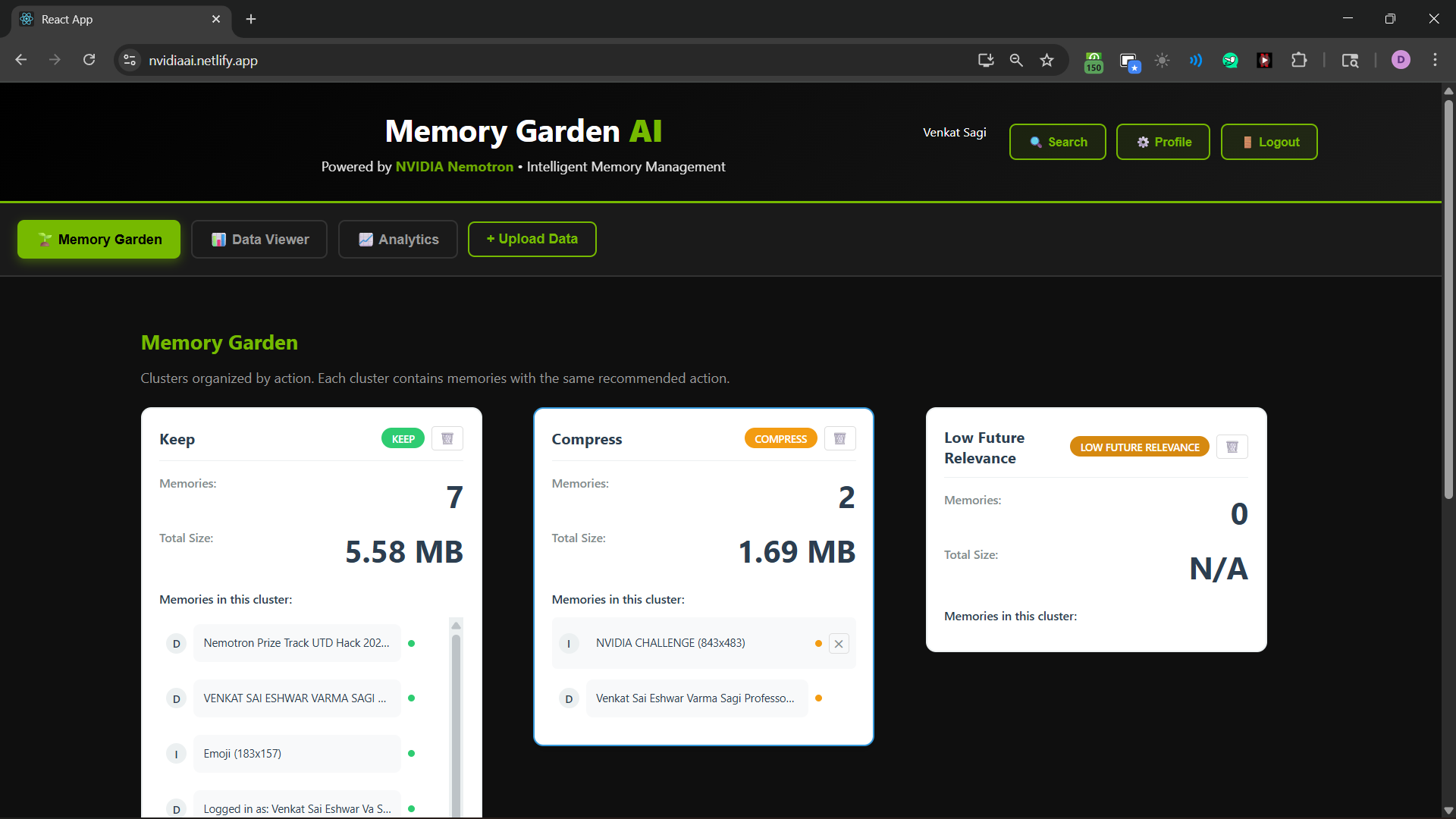
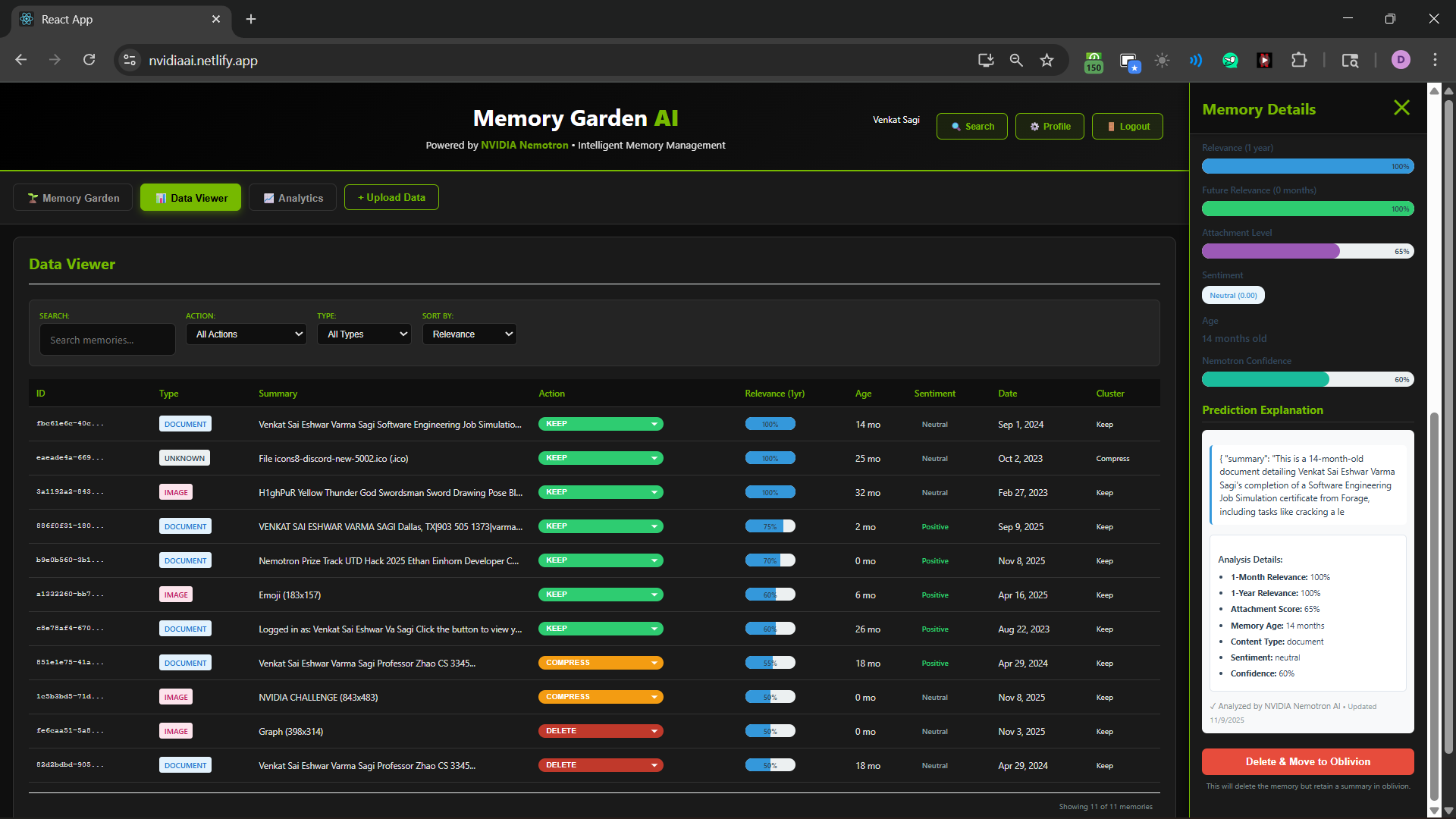
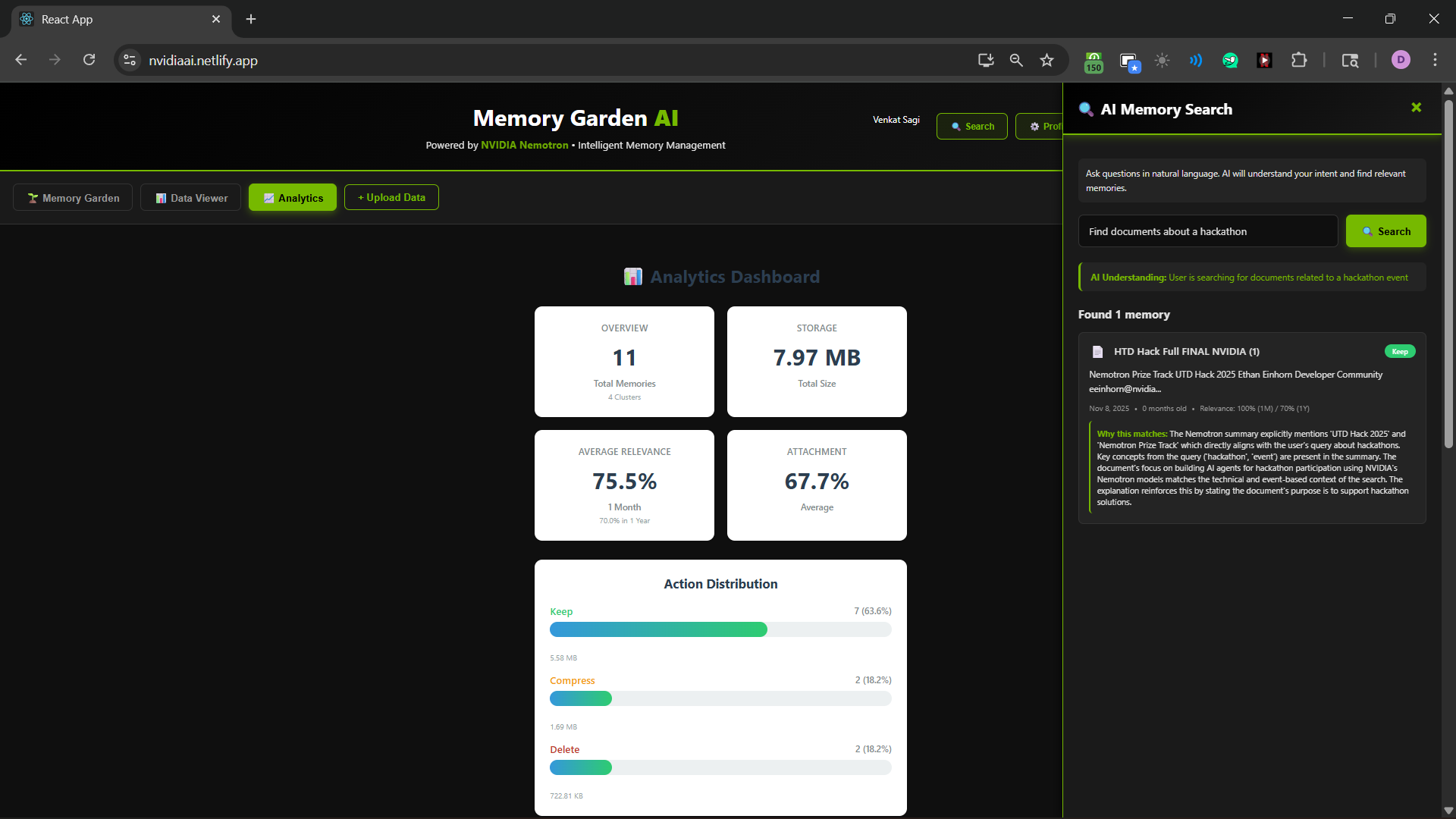
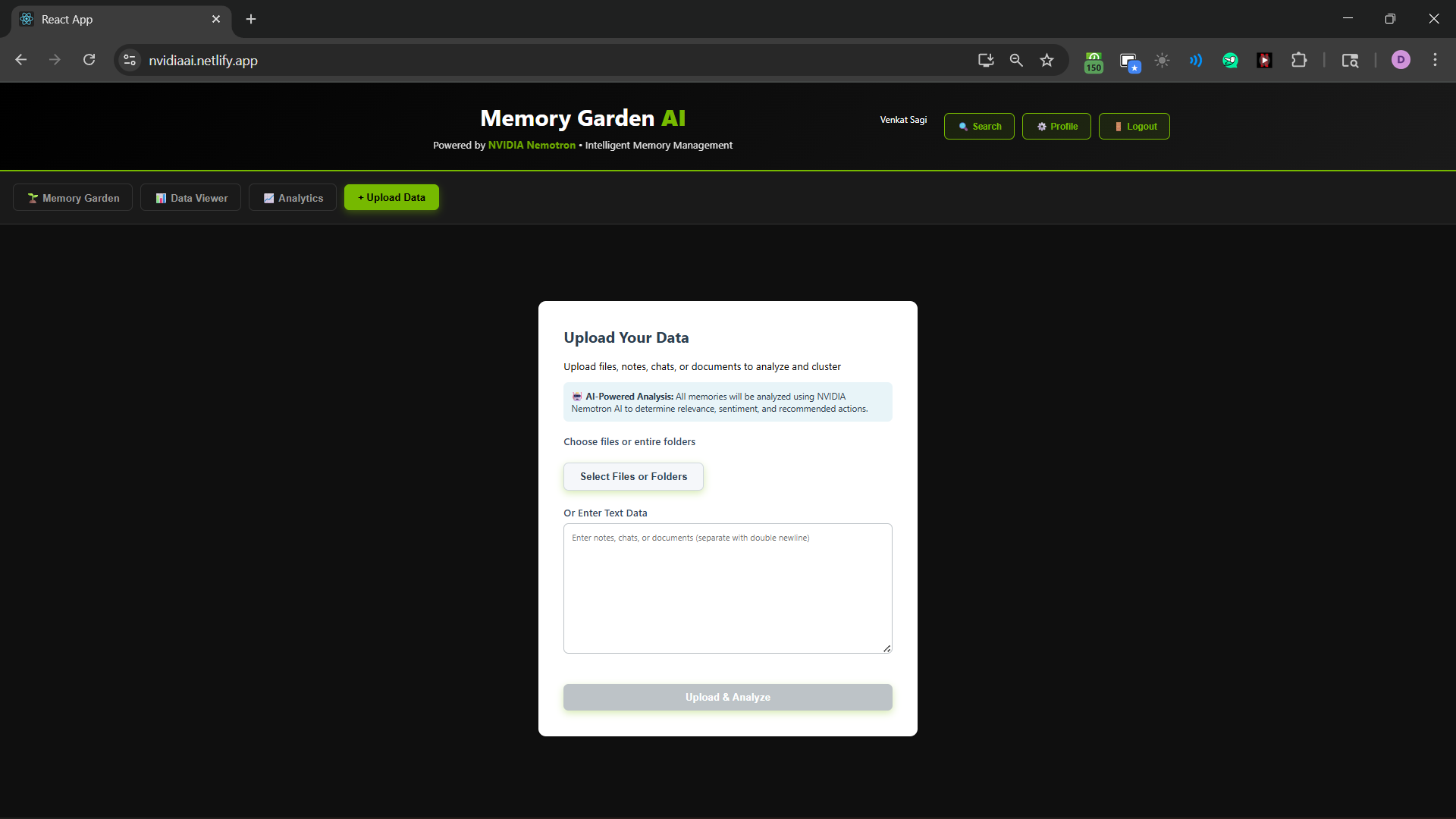
Memory Garden is an AI-powered tool that helps manage your digital storage. Instead of forcing you to upload everything, you can drag and drop folders into the app or allow zmemory Garden to scan your directories directly. For each file it finds like photos, PDFs, and documents the backend extracts text and metadata and sends it to NVIDIA Nemotron for evaluation. Nemotron considers things like age, and job and other factors from the users profile to determine how useful some image/document would be to them now. Nemotron assesses short and long term usefulness, personal or functional importance, and recommends actions like keep, compress, archive, or delete. The frontend provides a view that highlights large space consumers and low-value files, along with an AI search feature that allows users to look for specific items. All of this is linked to a secure user profile so that your files and Nemotron’s insights remain private.
How we built it
We built the frontend using React, focusing on a smooth experience where users can upload folders or specify a local data path for the app to scan and index. The React app connects with a Node and Express backend through REST APIs. On the backend, we created a file-ingestion pipeline that checks local directory paths, finds files, extracts text and metadata from PDFs, images, and documents, and combines everything into a standard "memory item" format. These items are then grouped and sent to NVIDIA Nemotron with well-designed prompts to generate structured scores and recommended actions. At the same time, we store the extracted content in a vector store and use a retrieval-augmented generation (RAG) flow for AI search. This process allows natural-language queries to first find the most relevant pieces, and then Nemotron responds based on that context. The original files remain in their locations or in attached storage, while their metadata, embeddings, and scores are stored in a database linked to the authenticated user. We integrated Auth0 for secure logins and JWT verification, and we secured both the ingestion endpoints and analytics views to ensure each user only sees their own scanned paths, files, and AI results.
Challenges we ran into
One of our main challenges was supporting both classic uploads and direct local-path ingestion without disrupting the pipeline. Scanning local file structures introduced edge cases related to permissions, hidden files, large directories, and inconsistent file formats. We had to normalize them into a format Nemotron can understand. Handling large batches of mixed files led to issues with token limits and required us to design prompts that produced consistent, machine readable JSON instead of random responses. We also needed to balance speed and depth of analysis so that users analyzing a big local directory could see incremental results quickly. On the tech and security side, integrating Auth0 into a rapidly developed hackathon project managing callbacks, tokens, and ensuring per-user access across uploads and local-path scans required careful debugging.
Accomplishments that we are proud of
We take pride in how Memory Garden works from start to finish and feels flexible for users. You can sign up, log in, upload folders or specify a local data path, and receive clear AI-driven storage recommendations instead of just a basic file explorer. We successfully turned Nemotron into a scoring engine that outputs structured keep, archive, or delete decisions rather than generic chat responses. The visual dashboard and timeline make these scores easy to understand and act on, whether the files started on your desktop or in the cloud. Mostly, we are proud that we managed to deliver authentication, local-path ingestion, analysis, and a functional user interface in a single hackathon sprint.
What we learned
We learned to treat a large model like Nemotron as a decision engine instead of just a conversational tool. We gained hands on experience building a file ingestion pipeline that walks through local directory structures, deals with messy content and still yields a clean output for AI. We also improved our understanding of authentication and security best practices, especially when mixing local access with user accounts and cloud-backed analytics. Finally, we realized how important user experience is when asking people to trust AI suggestions about which files sometimes located directly on their laptop are safe.
Built With
- auth0
- express.js
- nemotron
- rag
- react
- restapi


Log in or sign up for Devpost to join the conversation.