-
-
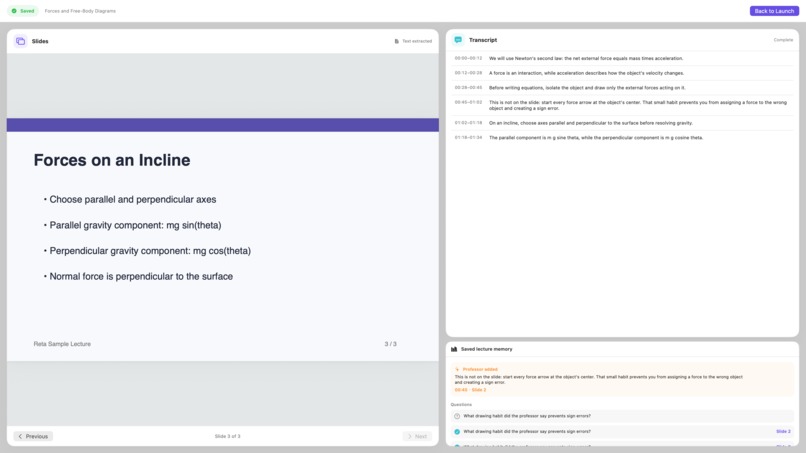
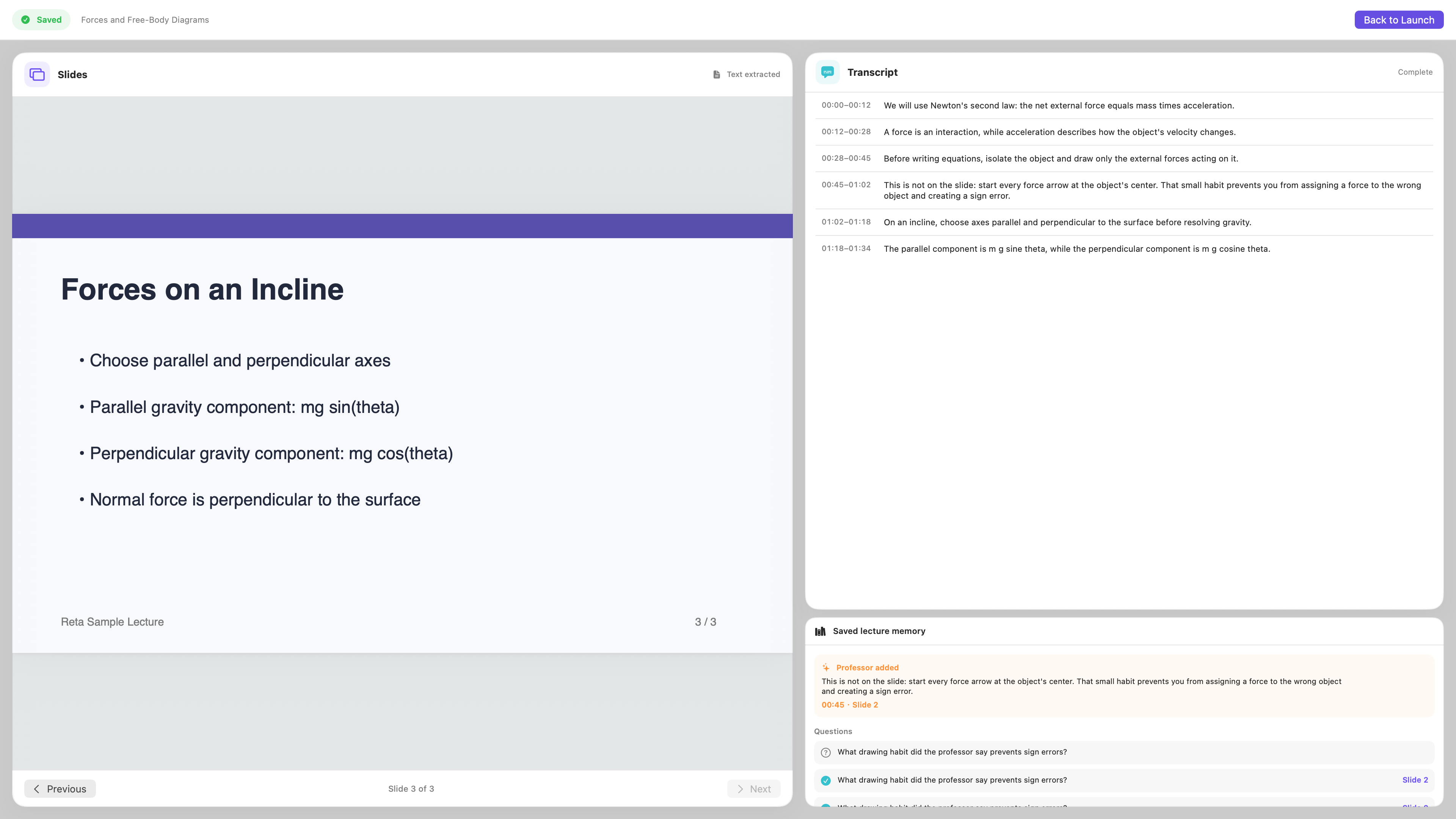
Review screen
-
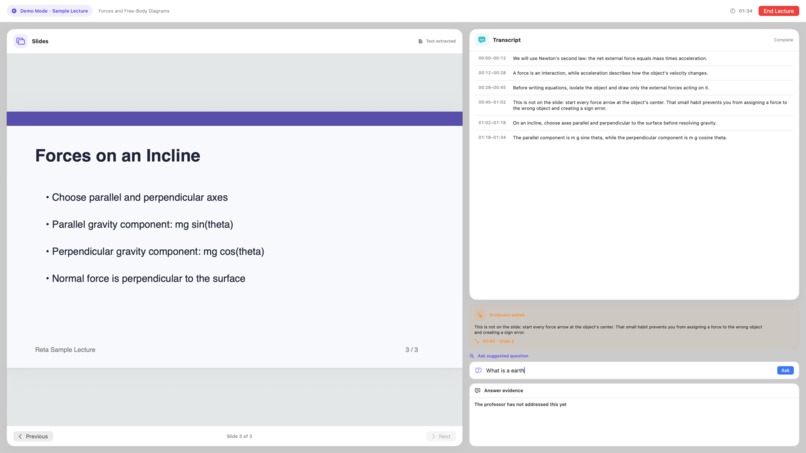
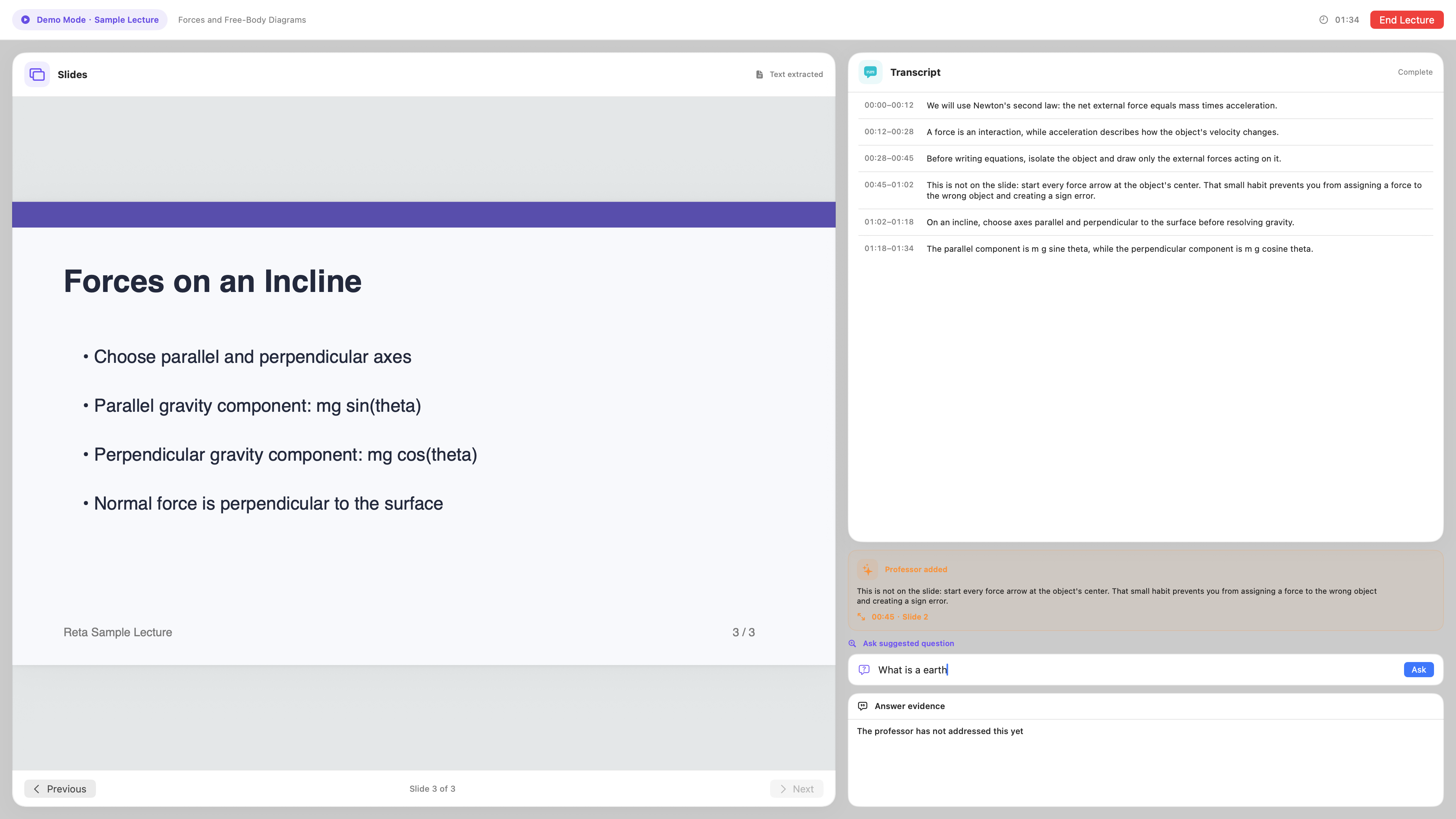
Not addressed answer
-
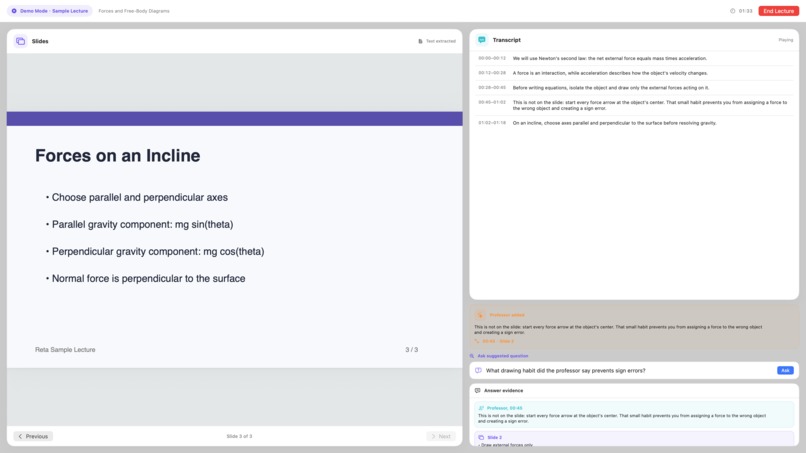
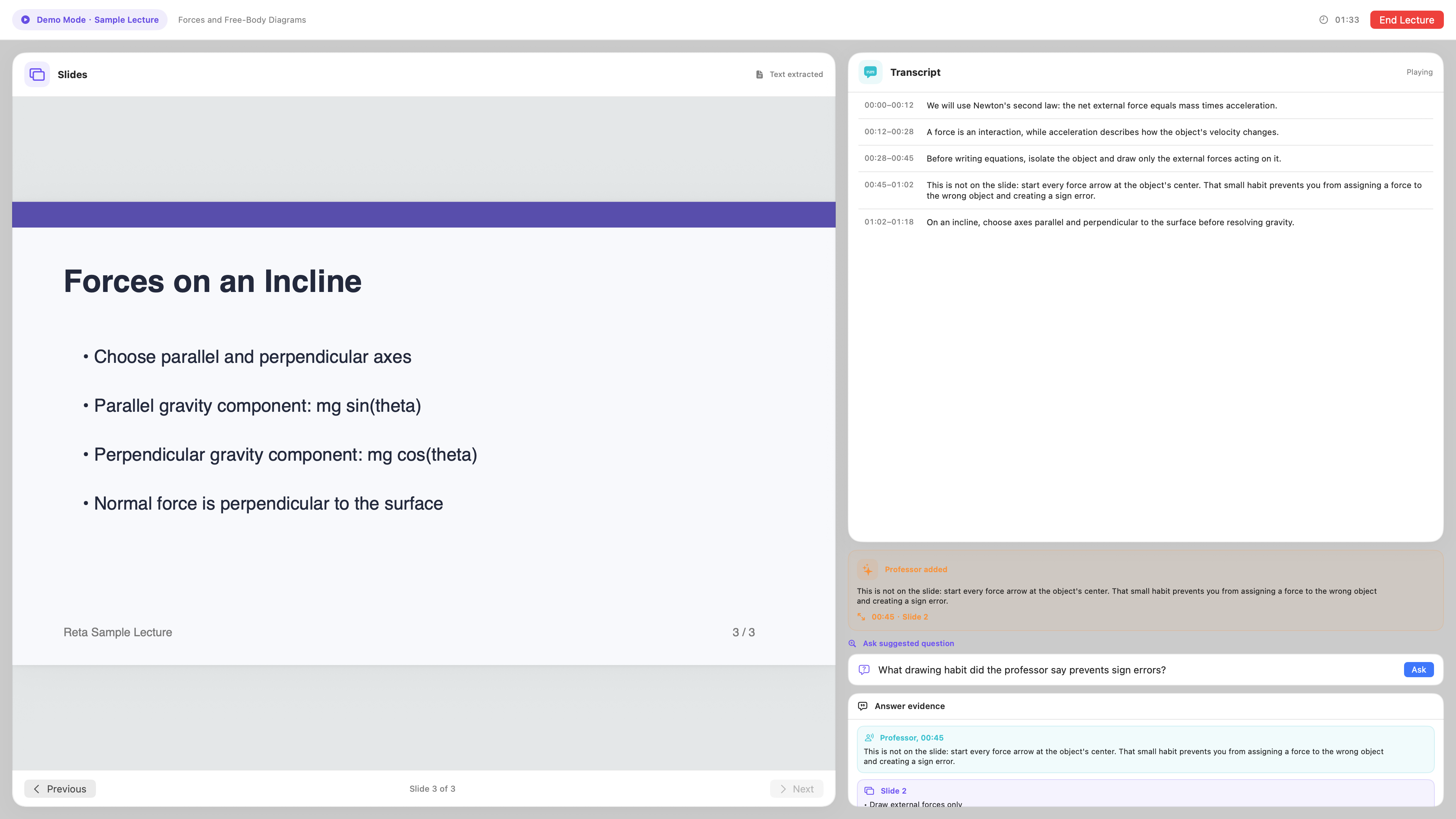
Live lecture view and Grounded question answer
-
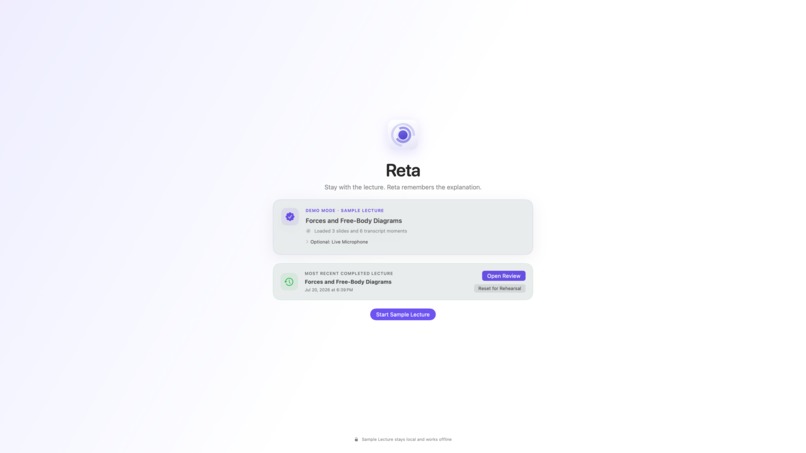
Review and reopen the saved lecture later.
-
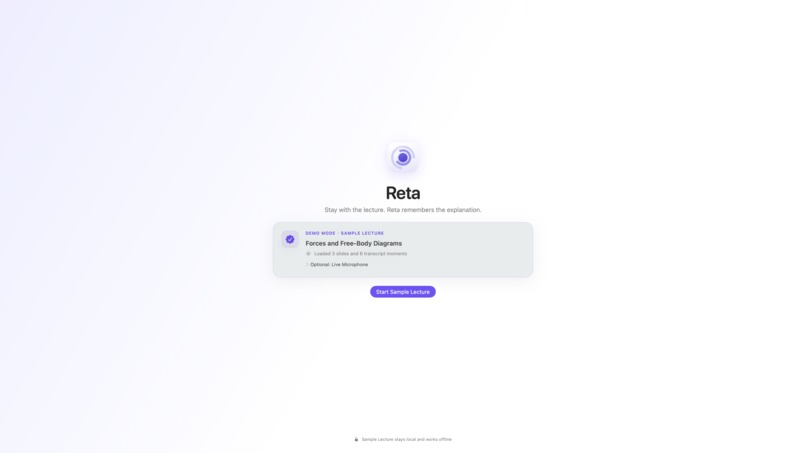
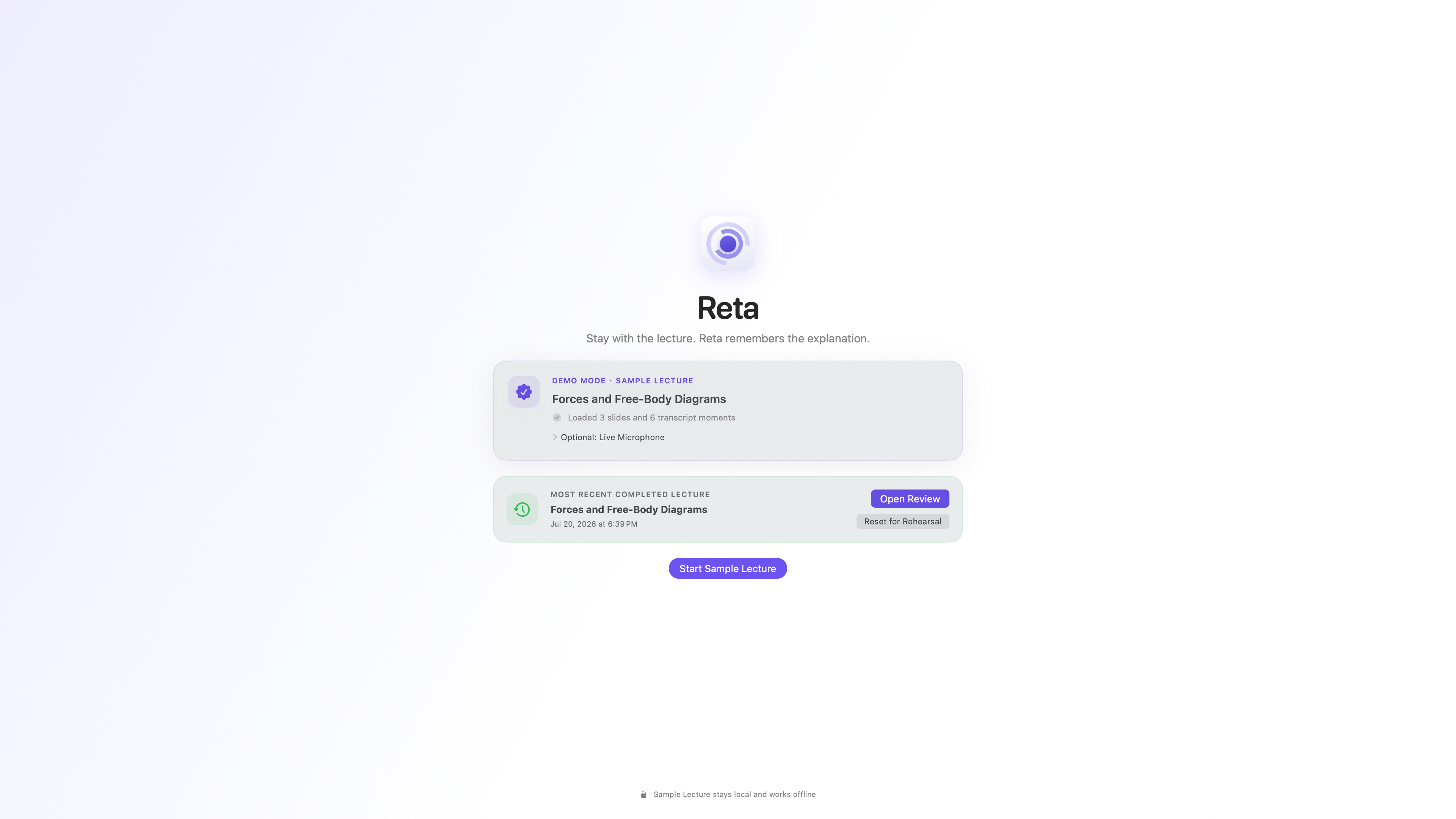
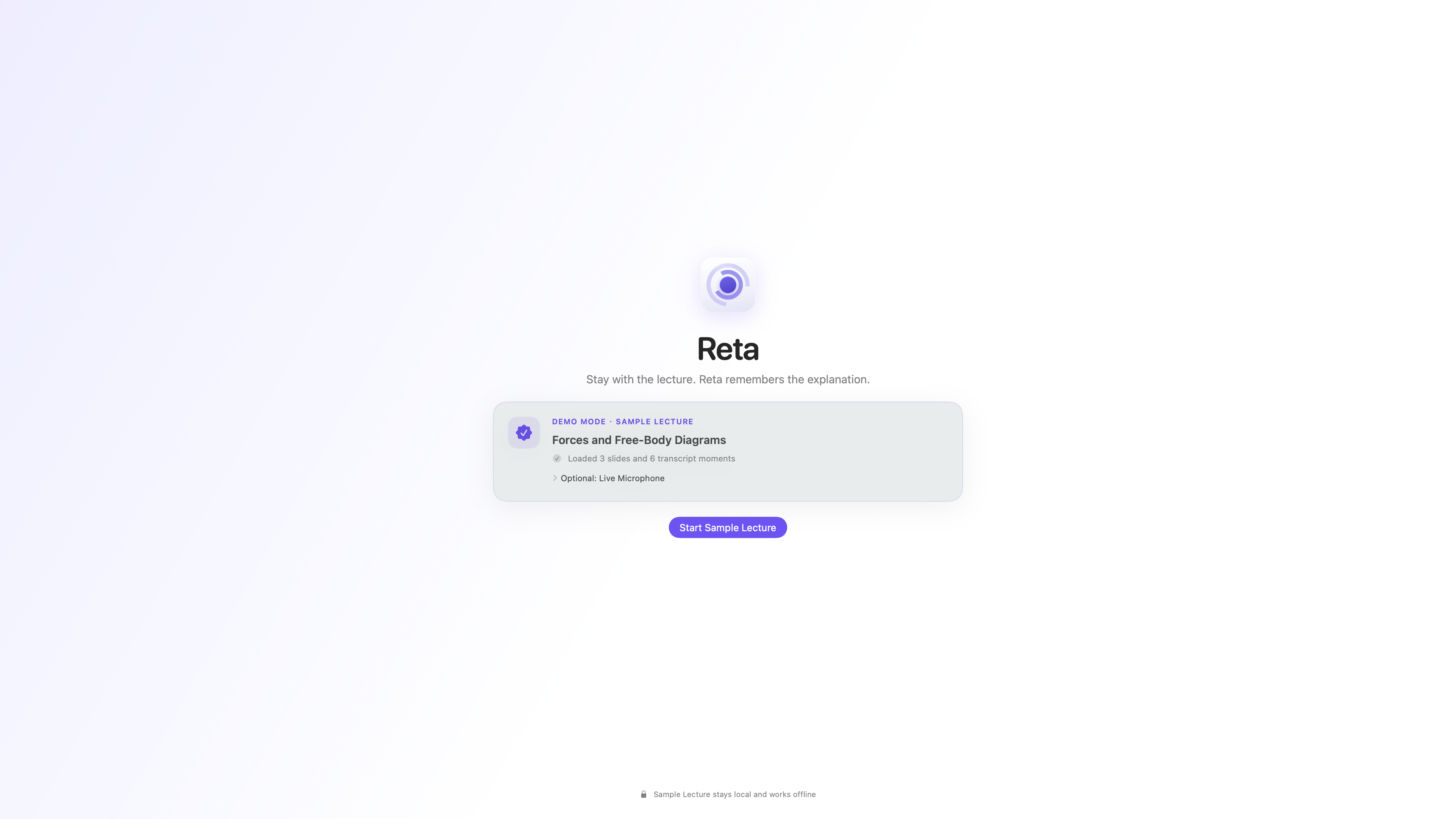
Launch screen
Inspiration
The most important part of a lecture is often the explanation that never appears on the slide. A professor may explain why a method works, describe a common mistake, or connect a diagram to an intuition. Students then have to choose between listening carefully and taking complete notes.
We built Reta to preserve that spoken context so students can stay engaged during class and find the explanation later.
What it does
Reta is a native macOS lecture companion that:
- Follows a prepared slide deck while a timestamped transcript advances.
- Preserves the professor’s spoken explanations as searchable Lecture Memory.
- Surfaces one restrained, source-linked Professor added insight.
- Answers later questions using stored lecture evidence.
- Separates Professor evidence from Slide evidence.
- Shows timestamps and slide references for supported answers.
- Jumps directly from a citation back to the supporting lecture moment.
- Saves the completed lecture locally so it can be reviewed and reopened.
If the lecture does not contain enough evidence, Reta clearly says: “The professor has not addressed this yet.”
How we built it
We built Reta with Swift and SwiftUI as a native macOS application. PDFKit renders the bundled slide deck and extracts its text. A timestamped JSON transcript fixture powers the reliable offline Demo Mode.
Slide following uses normalized lexical overlap with sequential slide bias. Manual Previous and Next controls remain available when automatic matching is uncertain. Transcript segments are preserved as original timestamped evidence and saved in a versioned, atomically replaced JSON snapshot.
Question retrieval uses local token overlap, phrase matching, and a small inspectable alias map. Answers are extractive and evidence-based rather than generated prose. The interface keeps Professor and Slide sources visibly separate, and every Professor claim must resolve to a real stored transcript segment.
Reta also includes an optional on-device microphone route, but the prepared Demo Mode remains the dependable release path and works without a network connection or microphone.
We used Codex and GPT-5.6 during development for architecture refinement, implementation, testing, debugging, and release documentation. GPT-5.6 is not a runtime dependency of the shipped app.
Challenges we ran into
Our biggest challenge was reducing a broad lecture platform into one reliable hackathon journey. The original direction included accounts, cloud sync, semantic embeddings, generalized AI services, multiple courses, personalization, and cross-device review. We had to decide which capabilities directly proved Reta’s core value and defer the rest.
Slide matching was also challenging because professors do not always repeat the exact language shown on a slide. We combined text matching with slide-order awareness and kept manual navigation available as an honest fallback.
The most important challenge was preventing unsupported Professor claims. We designed the retrieval and interface around source validity: if an answer cannot be connected to a real transcript segment, Reta must not present it as something the professor said.
Accomplishments that we're proud of
We are proud that the complete core journey works locally and offline:
- Start a prepared lecture.
- Follow the transcript and slides.
- Capture a professor explanation not shown on the slide.
- Surface a source-linked Professor added insight.
- Ask a later question about that explanation.
- See separate Professor and Slide evidence.
- Jump to the supporting timestamp and slide.
- End, review, quit, relaunch, and reopen the saved lecture.
We are also proud that Demo Mode is not a separate mock experience. It uses the same session, memory, retrieval, citation, persistence, and Review path as the optional live route.
What we learned
We learned that trust is more important than apparent intelligence in an educational product. Students need to know not only what an answer says, but where it came from.
We also learned that a smaller, reliable product can demonstrate more value than a larger unfinished system. Deterministic local processing was the right choice for this deadline because it made the core journey repeatable, inspectable, and safe.
Finally, we learned that fallbacks are part of good product design. Offline Demo Mode, manual slide controls, explicit no-evidence behavior, and local persistence all make the experience more dependable.
What's next for Reta
The next version of Reta could support arbitrary text-based PDF decks, richer live transcription, semantic retrieval across longer lectures, multiple courses, and a more powerful post-lecture review experience.
Over time, we would also like to explore optional cloud sync, cross-device review, personalized study support, and carefully controlled AI-generated explanations. These features should preserve Reta’s central rule: the professor’s words and the source evidence must remain visible, trustworthy, and distinct from generated background knowledge.
Built With
- apple-speech
- codex
- edtech
- education
- gpt-5.6
- information-retrieval
- json
- lecture-assistant
- local-first
- macos
- natural-language-processing
- offline-computing
- openai
- pdfkit
- privacy
- speech-recognition
- swift
- swiftui

Log in or sign up for Devpost to join the conversation.