-
-
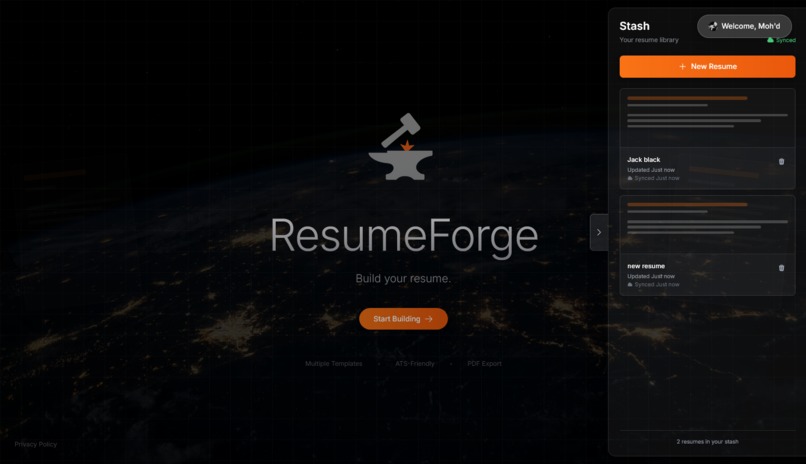
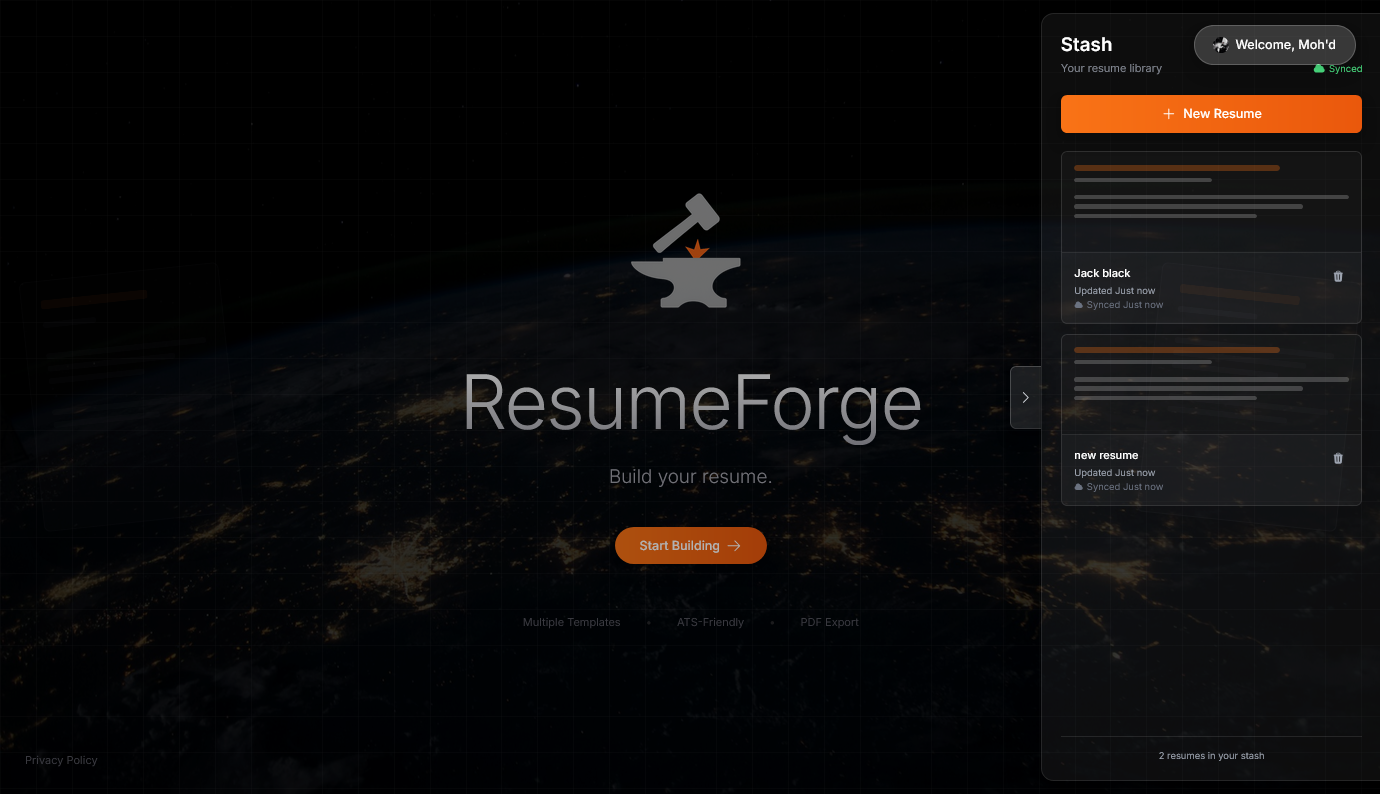
Homepage with my library
-
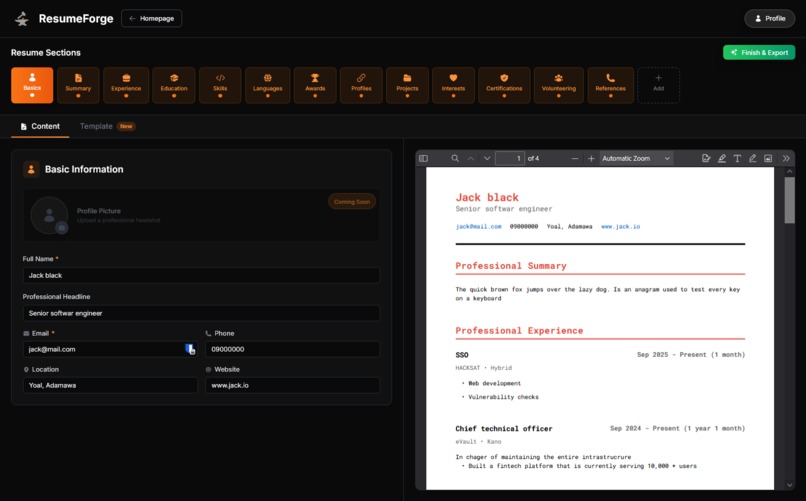
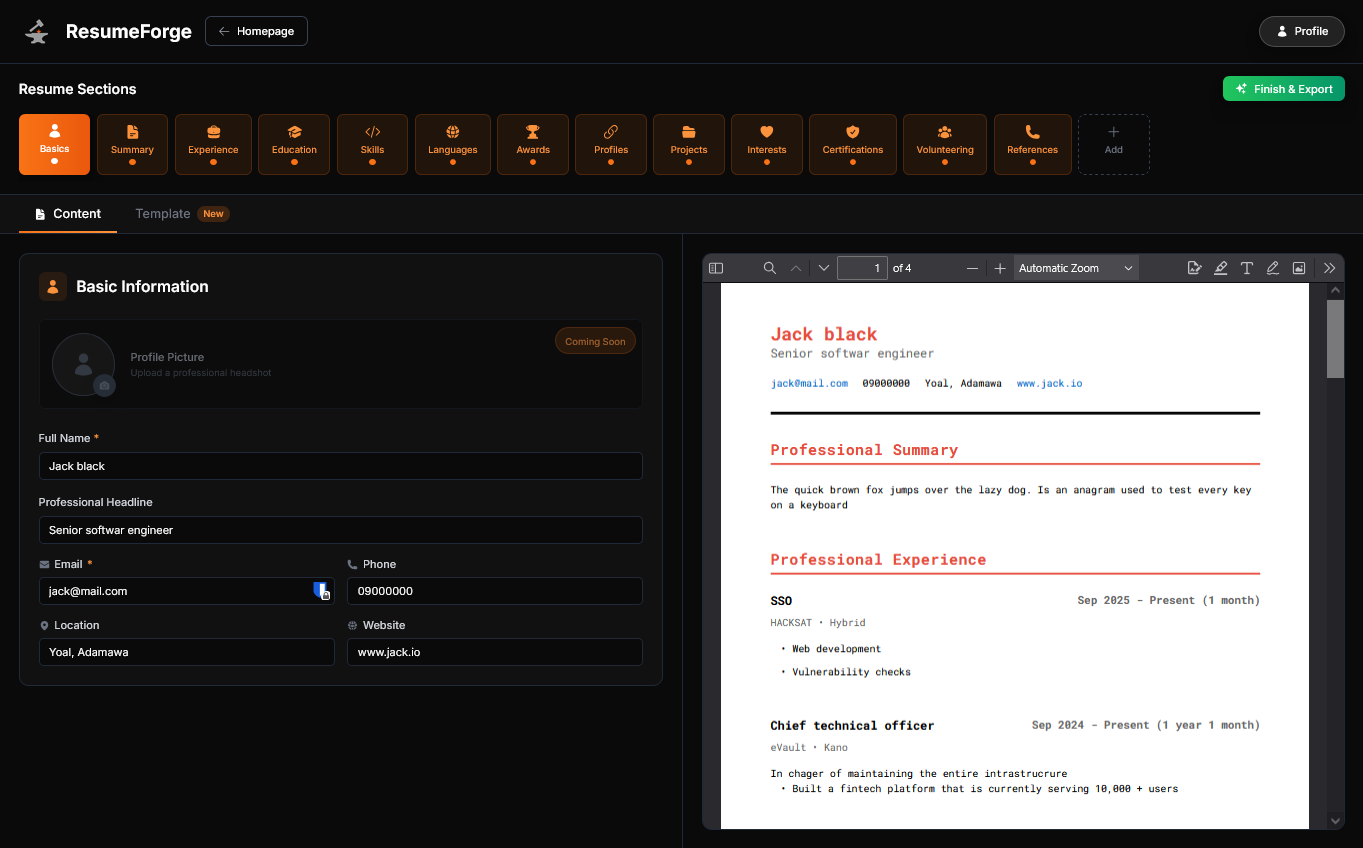
Resume builder interface
-
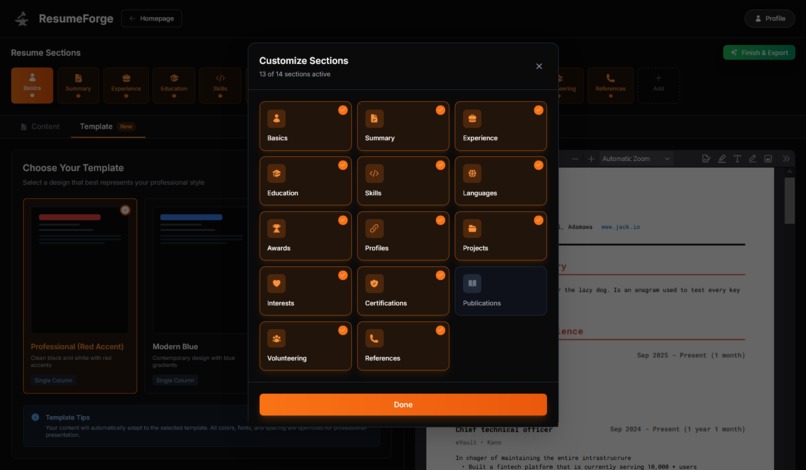
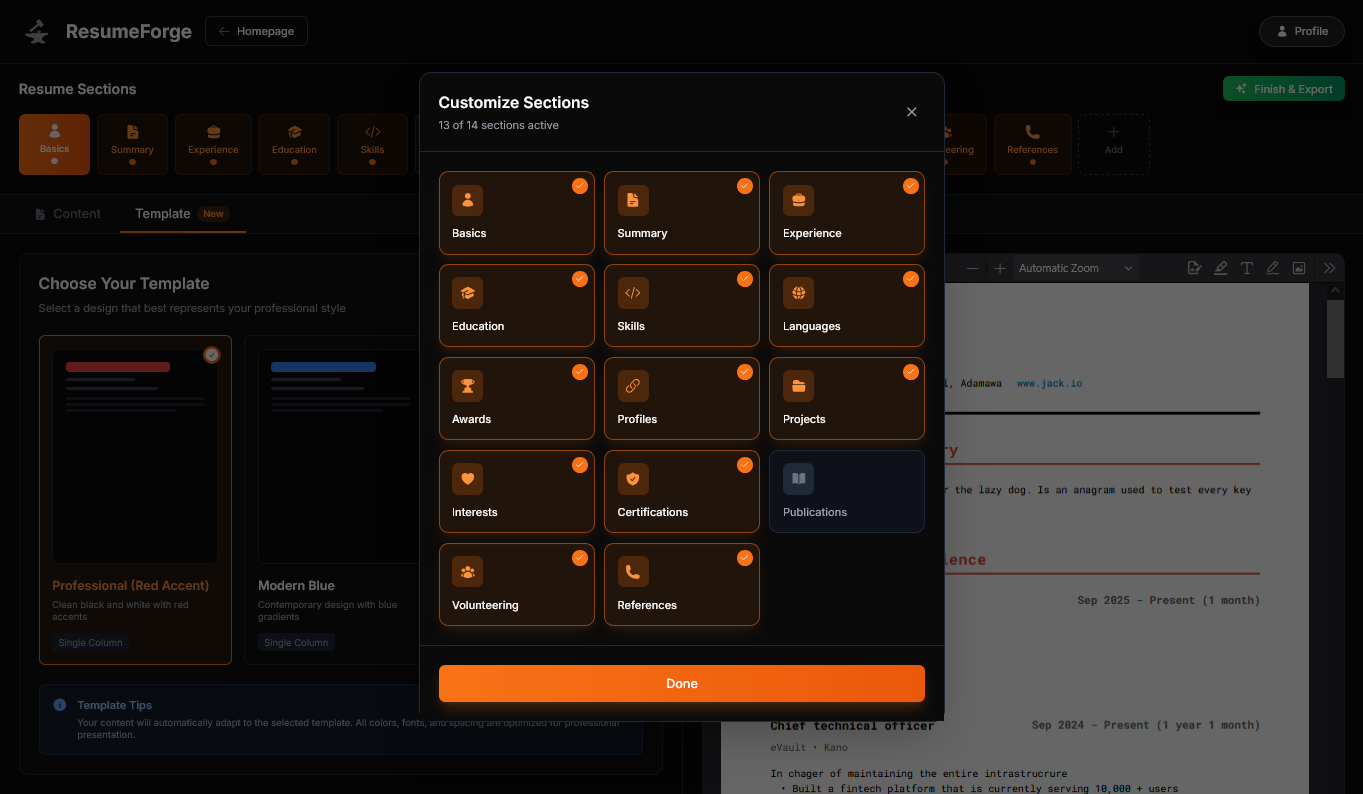
Resume sections selection dialogue
-
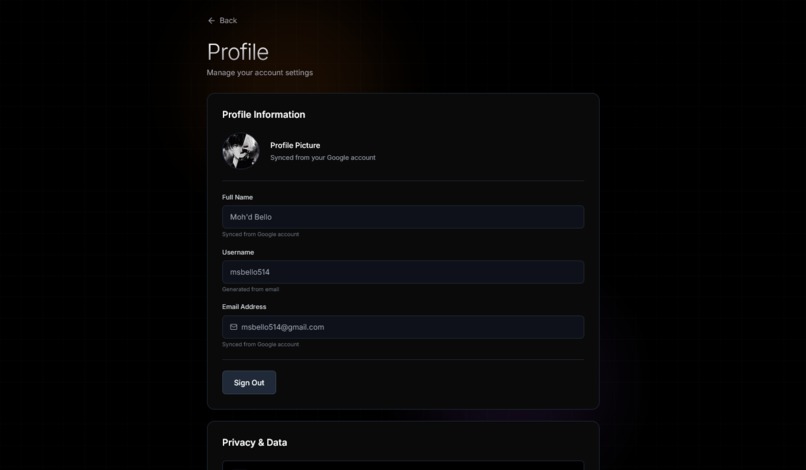
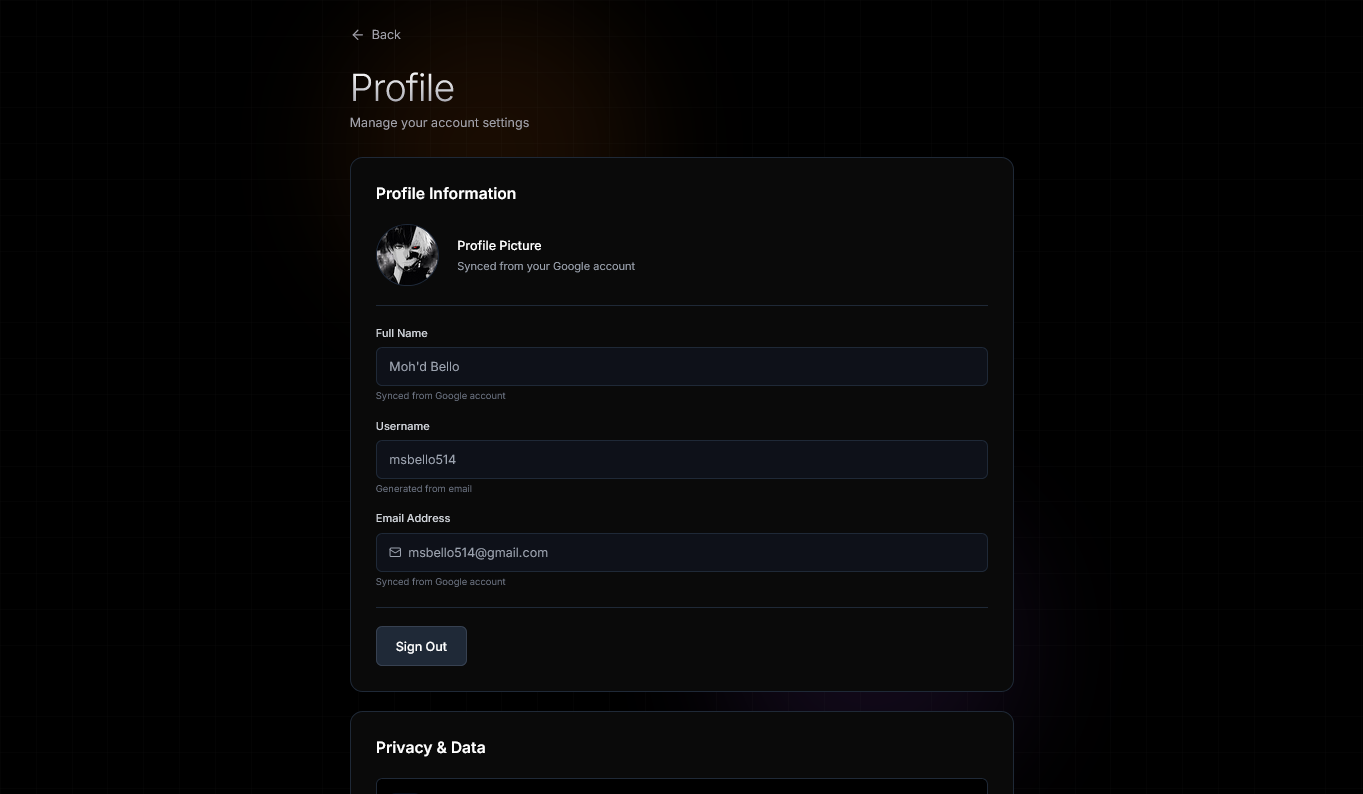
Profile settings
-
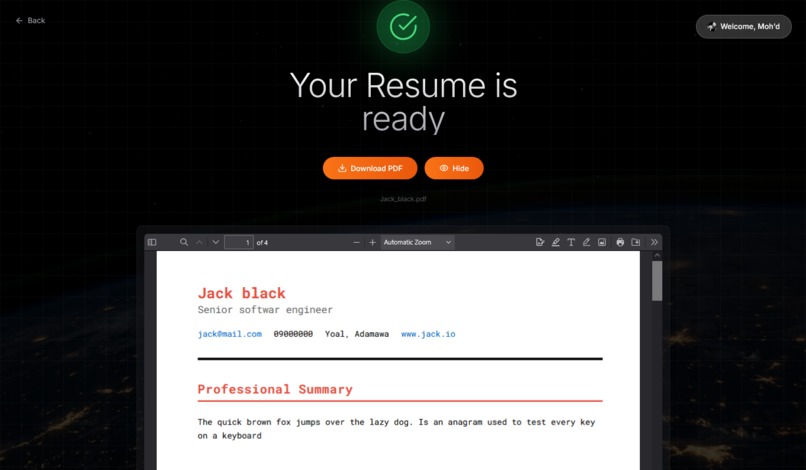
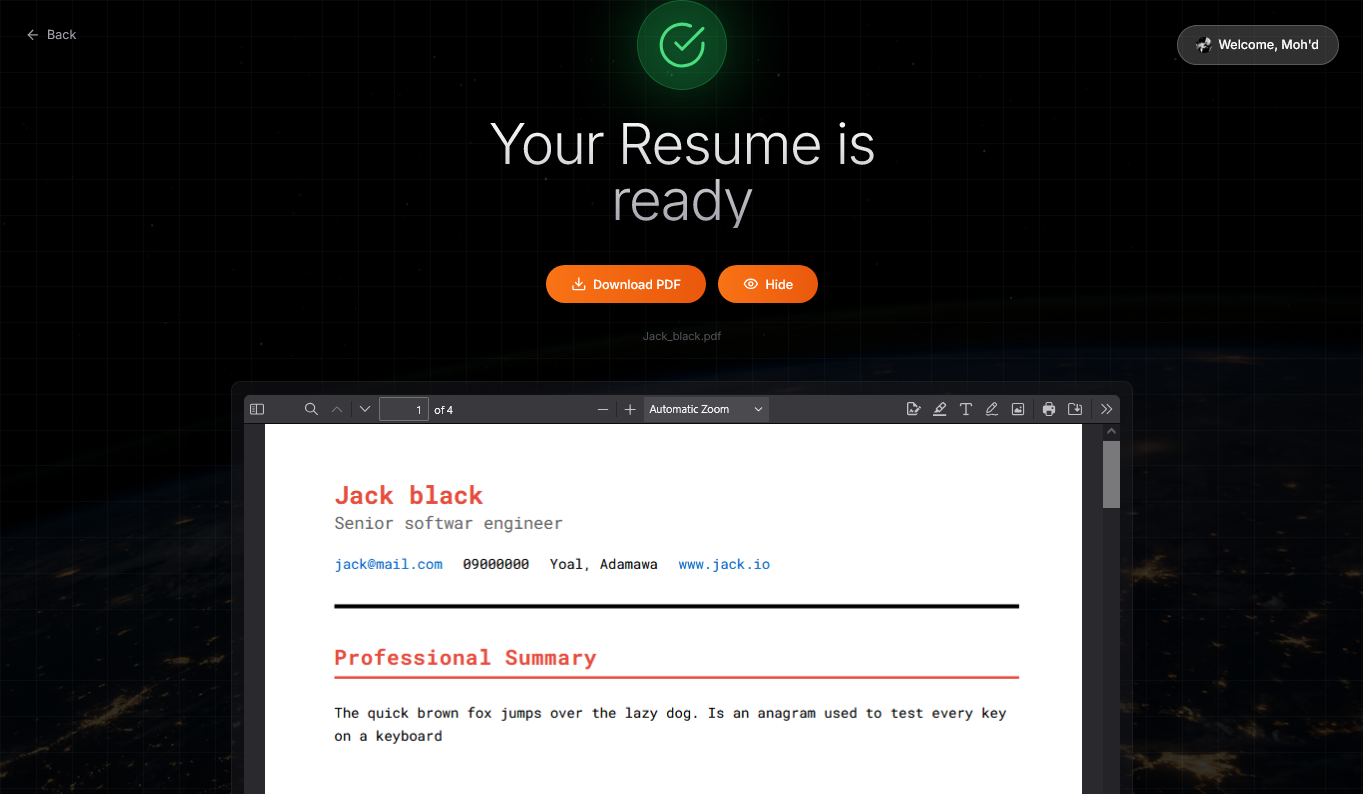
Export page
ResumeForge
Inspiration
Ever spent hours reformatting the same resume for different jobs? ResumeForge lets you maintain multiple tailored resumes that sync across devices and update in real-time no more "Resume_Final_v3_ACTUAL_FINAL.pdf."
I wanted to simplify the process of creating resumes for multiple occasions without being locked into a single predefined structure. I wanted to give users the flexibility to craft their perfect resume, their way.
What it does
ResumeForge helps you build professional resumes with preset templates in an interactive, distraction-free environment so you can generate a tailored resume for a startup role, then instantly create a different version for a corporate position. It focuses on what matters your content while providing real-time PDF preview and multiple template options. Your resumes sync across devices automatically, and you can download them whenever you need them.
How I built it
Initially, I created this as a test of my web development skills. It has evolved into a full-featured React web app with:
- Frontend: React with Vite, deployed on Cloudflare Pages
- Backend: Firebase for authentication (Google OAuth) and Firestore for data storage
- PDF Generation: @react-pdf/renderer for client-side PDF creation
- State Management: React Context API with optimized debouncing
Challenges I ran into
PDF Rendering Performance: The biggest challenge was PDF re-rendering on every keystroke, which made the app slow and caused crashes. I initially thought this was normal behavior, but implementing an 800ms debounce interval solved the issue completely.
Template Architecture: Building a template system that could record raw input data and structure it properly in the PDF was incredibly challenging. I had to first build HTML/CSS versions of resumes, then reverse-engineer each section to properly position fields in the PDF renderer.
Custom Fonts: I assumed adding custom fonts would be as simple as providing a URL, but PDF preview has an entirely different font processing scheme. I had to learn how to properly register and embed fonts for PDF generation.
Responsive Design: Making the PDF preview work seamlessly across mobile, tablet, and desktop required careful consideration of viewport heights and container sizing.
Accomplishments that I'm proud of
I'm happy to say the app works exactly as planned! The entire workflow building, cloud syncing, and downloading PDFs is straightforward and intuitive. The debounced rendering makes the experience smooth, and users can manage multiple resumes effortlessly.
What I learned
- How raw text is parsed and rendered in PDFs
- Browser PDF processing internals and optimization techniques
- Performance optimization strategies (debouncing, memoization, lazy loading)
- Responsive design patterns for complex layouts
- Firebase integration and real-time data synchronization
- The importance of user experience (UX) in productivity tools
What's next for ResumeForge
Public Sharing: Enable users to share their resumes via a public link that clients or hiring managers can view online. Users can update their resume anytime, eliminating the hassle of manually sending updated versions.
AI-Powered Assistance: Integrate AI to make resume building faster and more efficient:
- Personalize resumes for specific job postings or roles
- Suggest improvements to content and formatting
- Generate tailored summaries and bullet points
LinkedIn Integration: Automatically import profile information from LinkedIn to create a preset resume, saving users time on data entry.
Advanced Templates: Add more industry-specific templates and customization options.
Collaboration Features: Allow users to share drafts with mentors or career counselors for feedback.
Built With
- cloud-sync
- cloudflare
- firebase
- firestore
- git
- github
- google-cloud
- javascript
- pdf.js
- react
- tailwindcss


Log in or sign up for Devpost to join the conversation.