📚 What We Learned • How to build a Chrome Extension from scratch. • Integrating React.js + Tailwind CSS to build a modern UI. • Extracting and parsing PDF text using PDF.js. • Connecting with the Gemini API to generate structured insights. • How to let AI handle complex analysis while keeping the frontend lightweight.
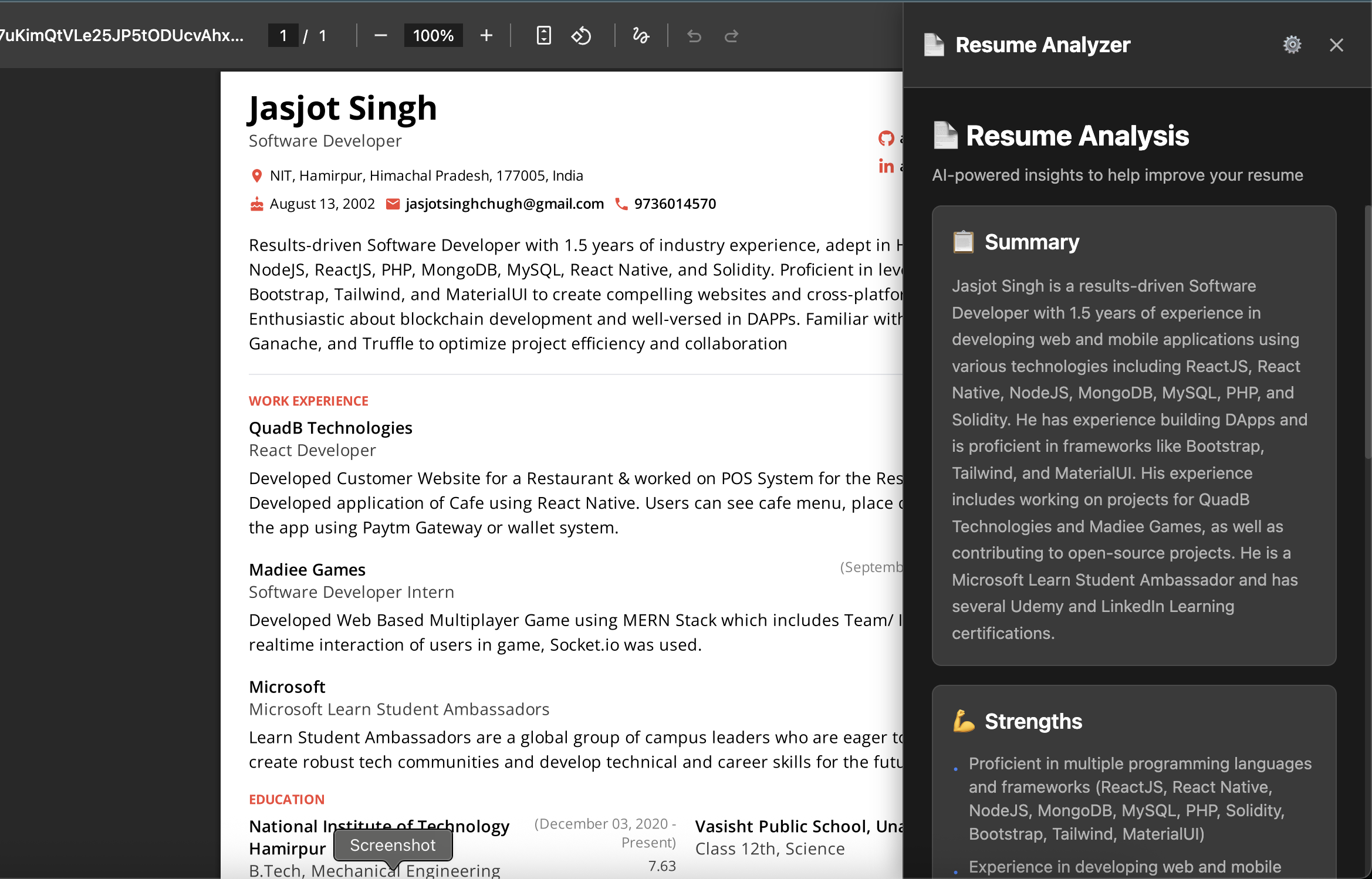
🛠️ How We Built It 1. Set up the Chrome extension manifest, content scripts, and popup UI. 2. Integrated PDF.js to read PDF files opened in Chrome. 3. Sent extracted text to Gemini API for analysis. 4. Built the UI in React + Tailwind CSS for clean and responsive results. 5. Used Roo Code in VS Code by writing prompts — it handled code scaffolding, debugging, and even boilerplate setup.
⚡ Challenges We Faced • Accessing text from local PDF files in Chrome. • Configuring PDF.js worker without CORS issues. • Timing the loading UI while waiting for AI responses. • Coordinating between extension scripts and React frontend.
⸻
🏗️ Built With • Roo Code Extension in VS Code • React.js • Tailwind CSS • PDF.js • Gemini API


Log in or sign up for Devpost to join the conversation.