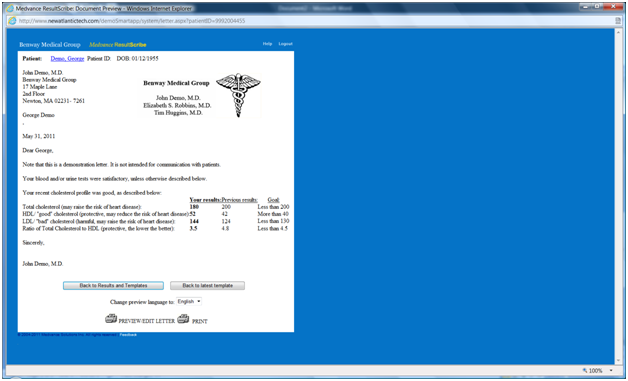
The Problem The problem that the ResultScribe™ system solves is now on a national stage, with one recent report citing a primary care practice's need to write 3100 patient letters in a year.* In 2009, a report commissioned by the Centers for Disease Control and Prevention (CDC) Division of Laboratory Systems cites the ResultScribe™ system as a possible solution to a ubiquitous clinical problem.** Medvance Solutions, Inc. has focused on the provider- and patient literacy aspect of communications, while a recent article in Wired Magazine uses graphic design as a complementary way of addressing the issue.
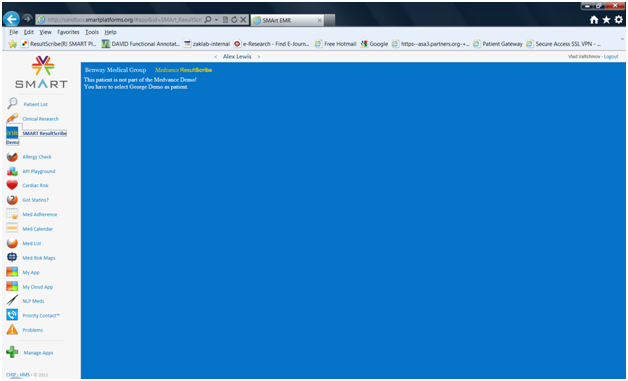
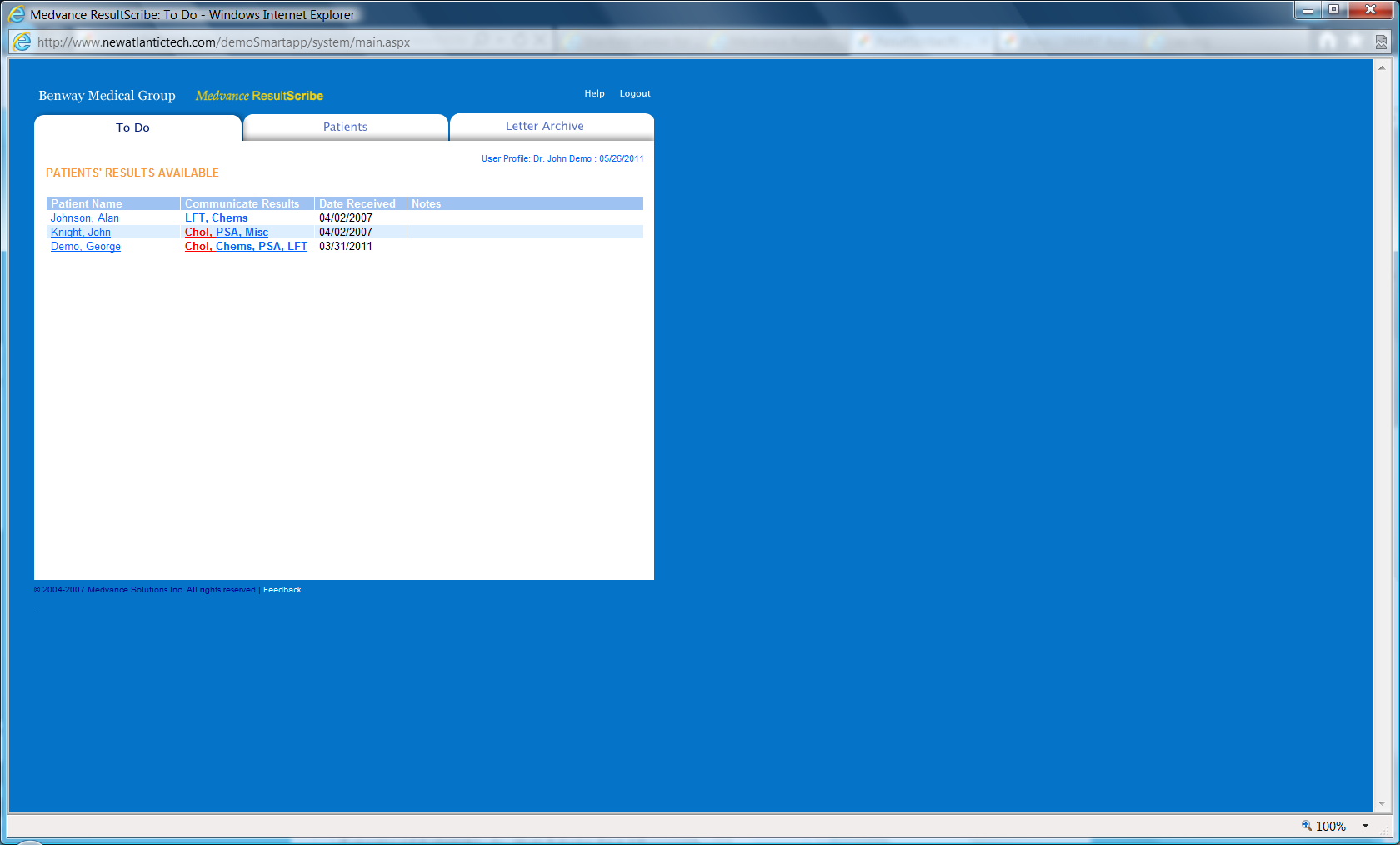
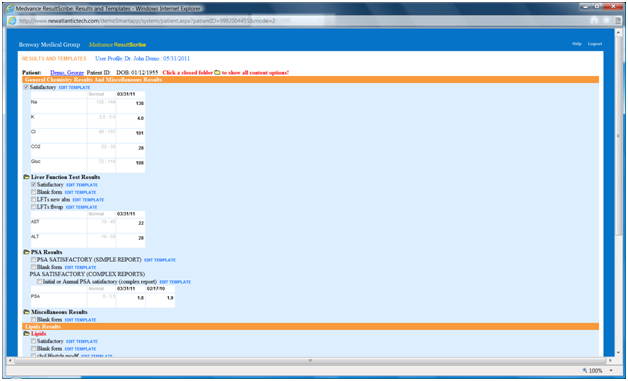
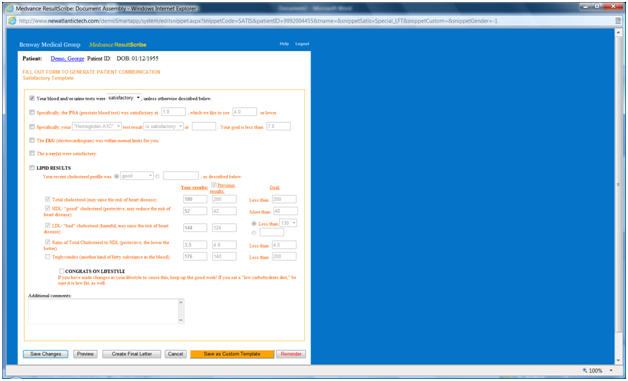
- Baron RJ. (2010) What’s keeping us so busy in primary care? A snapshot from one practice, NEJM; 362; 1632-1636. ** Battelle Memorial Institute, under subcontract to The Lewin Group, commissioned by the Centers for Disease Control and Prevention, “National Status Report – 2008-2009 Update” chapter in, Patient-centered care and laboratory medicine, accessed November 29, 2009 (local copy, see p.10). SMART Platforms Challenge Demonstration We have developed this integrated Demo for the SMART Platforms Contest. It uses SMART REST API protocol to retrieve the laboratory results and demographics of a patient. As the SMART EMR container did not support some of the demographics fields used in the patient letter formatting, we have registered a patient in the SMART EMR (George Demo) who has the combined results of the two default demonstration patients, Alan Johnson and John Knight. Use the same suggested patient communications as outlined below, but for George Demo. Once logged to the SMART EMR sandbox: o Locate the “SMART ResultScribe™ Demo” application link and add it to the menus of your available applications. o Select the patient George Demo (first on the list of the developer-supplied patients, at the bottom of the patient list). If starting of the application is attempted without first selecting the supported patient George Demo, a warning message will be displayed. o Start the ResultScribe™ application. You will be shown a login screen, please use the credentials “demo/demo” to login. System/Browser Requirements Use Microsoft IE7 or better browser. The application relies on extensive web client scripting (Java Script) for implementing the decision support options on the various screens. Make sure you allow third-party cookies and also ActiveX controls notifications. The application will ask to download and install a third-party ActiveX component to facilitate printing directly from IE. Standard-literacy, English, Primary Care Library This is a list of the clinical content modules included in the full version of the ResultScribe™ system. Some content modules were disabled for this demonstration. Chemistries/ Hepatology Chemistries/ Prostate CA Screening Chemistries/ Lipids Mgmt/ Lifestyle Modification Chemistries/ Lipids Mgmt/ Therapeutics Chemistries/ Diabetes Mgmt/ Diabetes Visit Chemistries/ Diabetes Mgmt/ Impaired Glucose Tolerance Hematology/ Anemia Pathology/ Cervical CA Screening Pathology/ GI Lower Endoscopy Pathology/ GI Upper Endoscopy Cardiology/ Stress Testing Customization tools Additional Information A ResultScribe™ tutorial is available online. For contacts Vlad Valtchiniov, PhD ([email protected]; [email protected]) James L. Meisel, M.D. ([email protected]) Company product page: Medvance Solutions, Inc, www.medvance.com IT integration and development: New Atlantic Technology Group, LLC www.newatlantictech.com

Log in or sign up for Devpost to join the conversation.