-
-
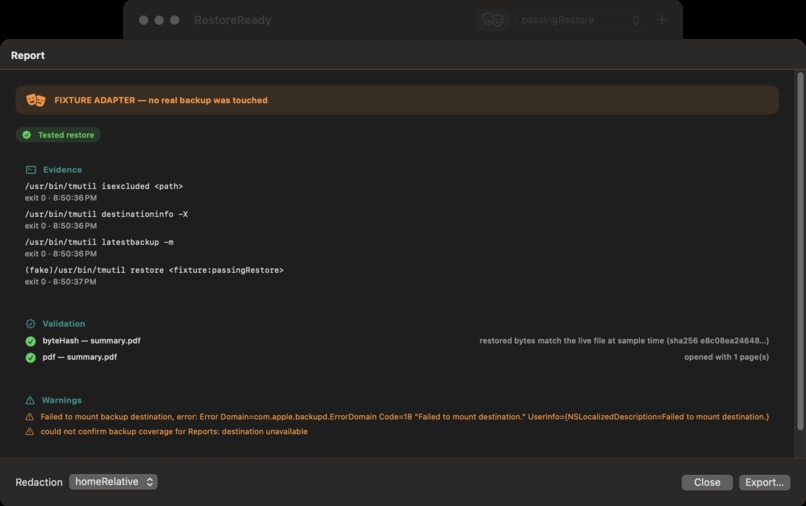
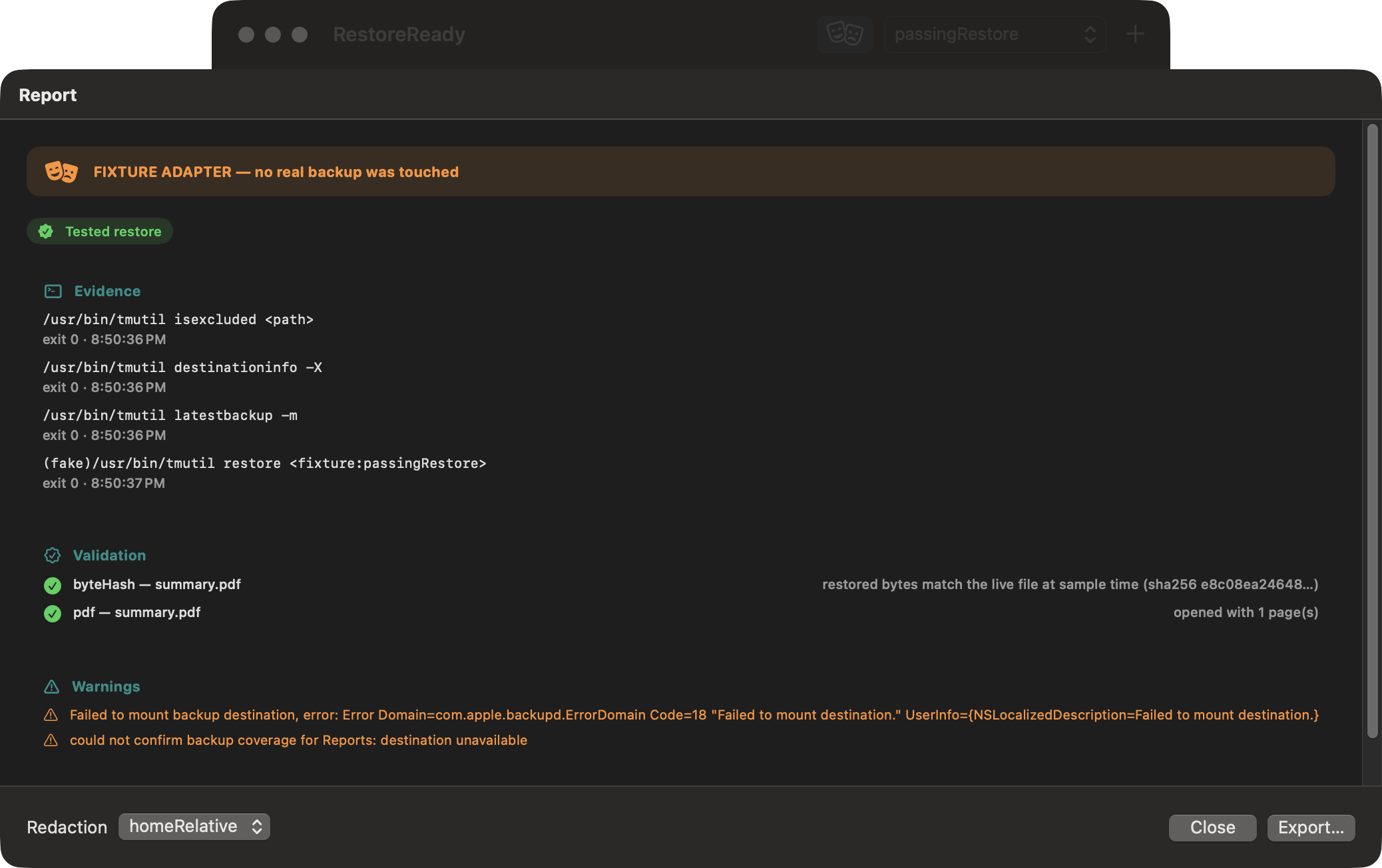
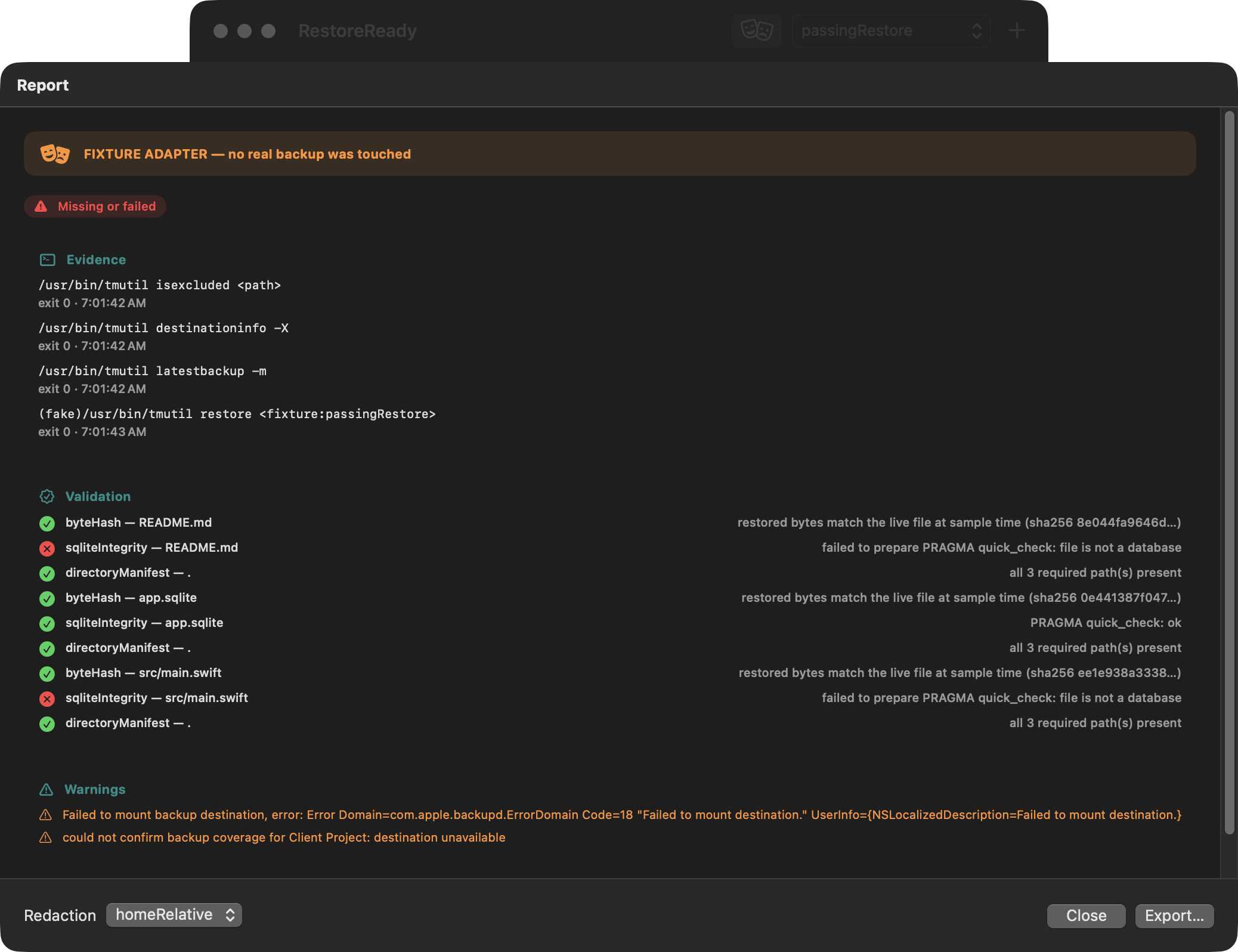
A restored PDF opens successfully and reports its page count; the fixture boundary remains visible.
-
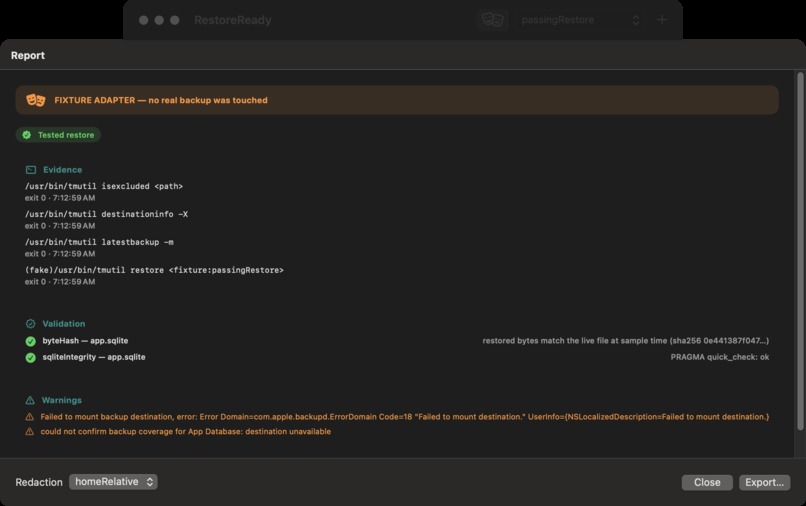
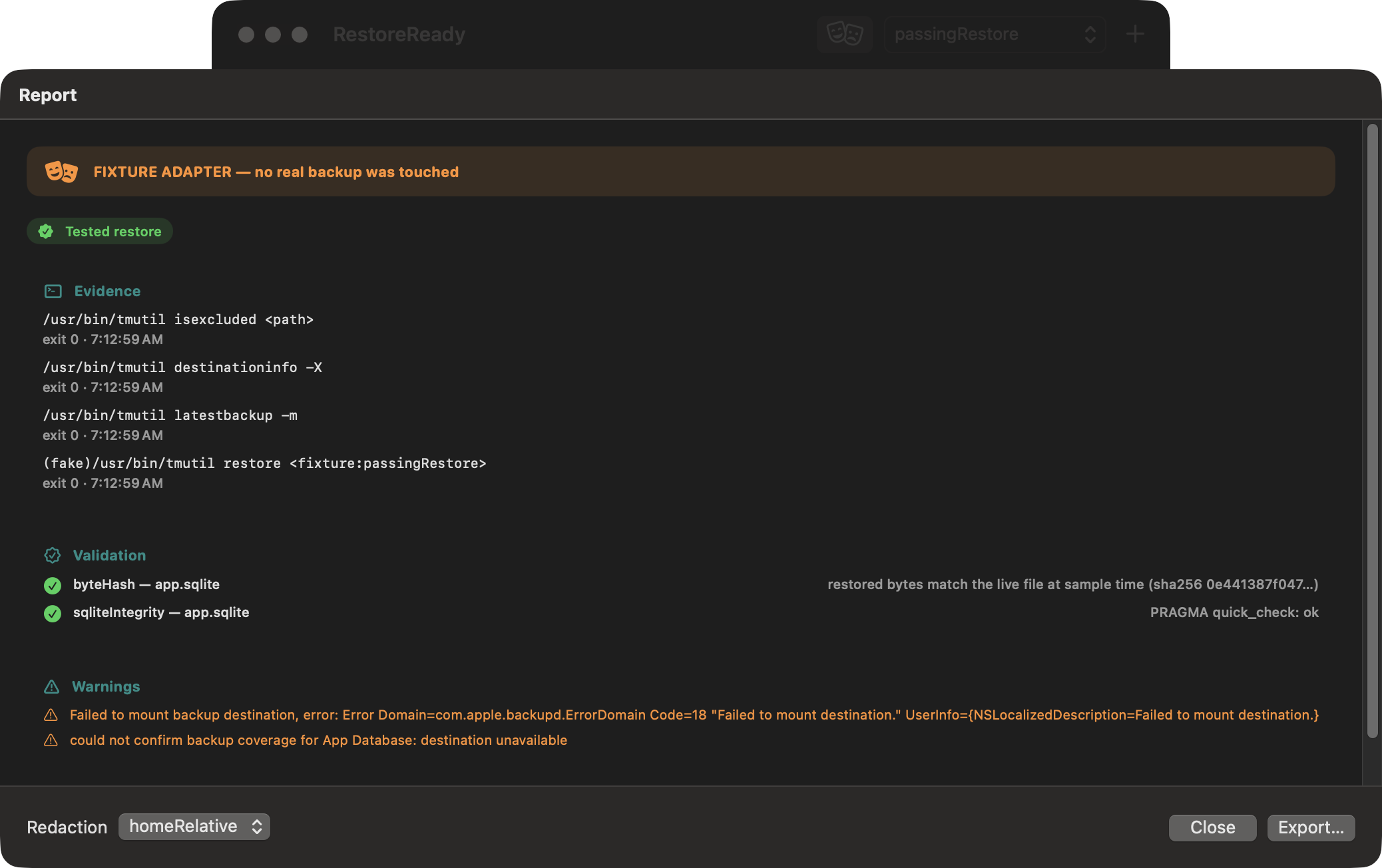
A single SQLite file is safely sampled and restored, then passes PRAGMA quick_check on the isolated copy.
-
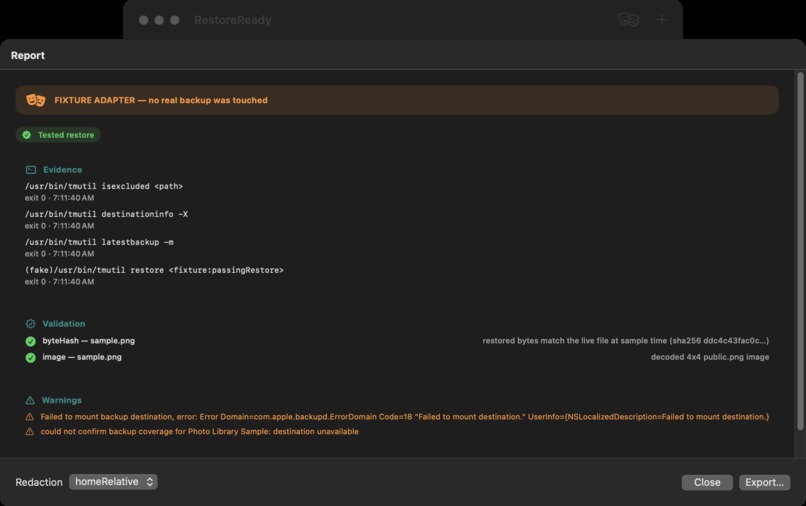
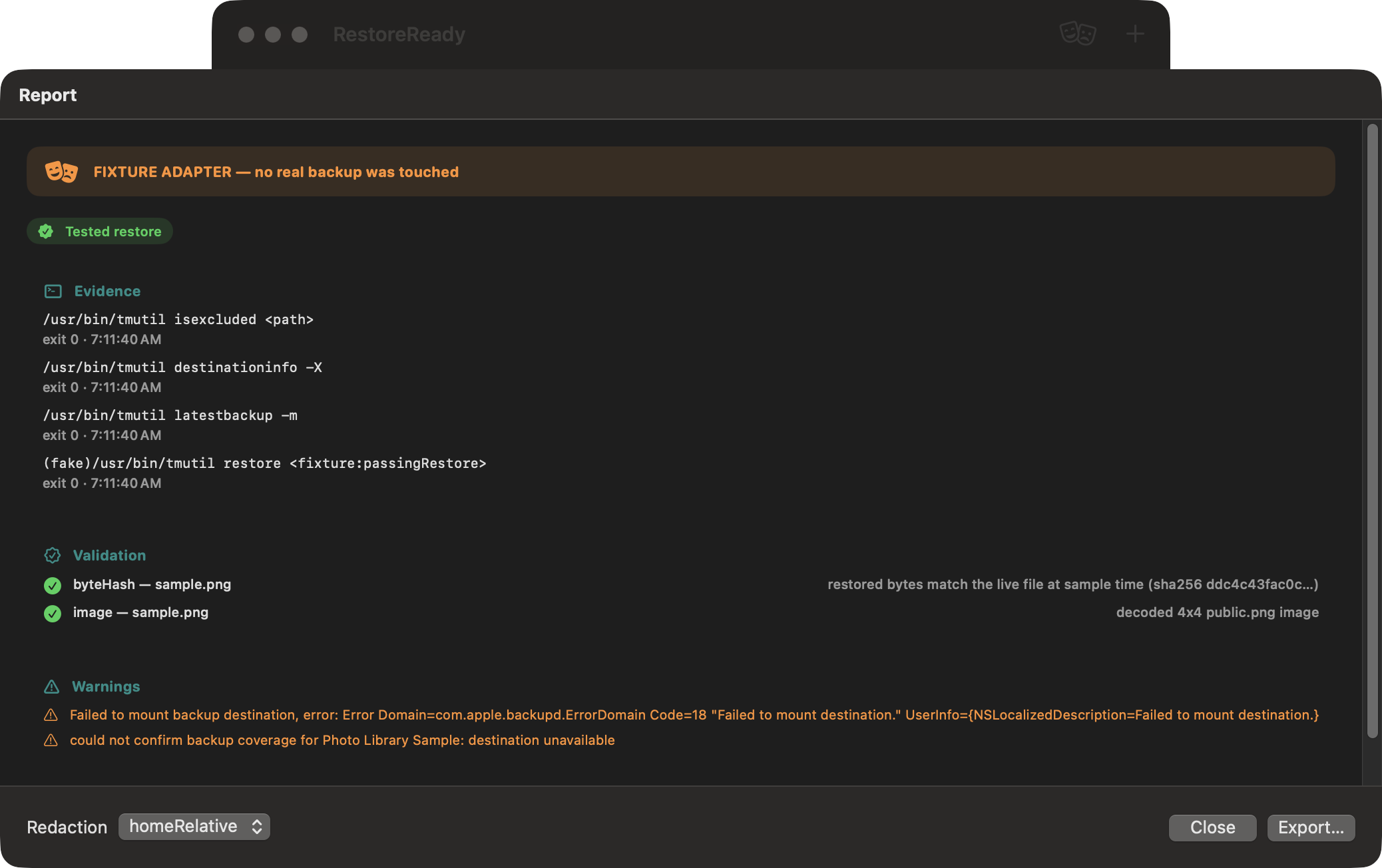
Labeled fixture rehearsal: an isolated sample restore passes byte-hash and image-decoding validation.
-
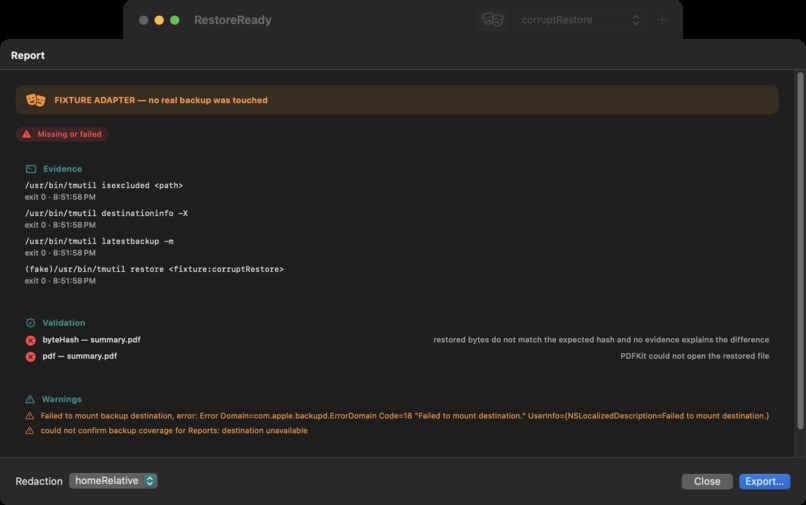
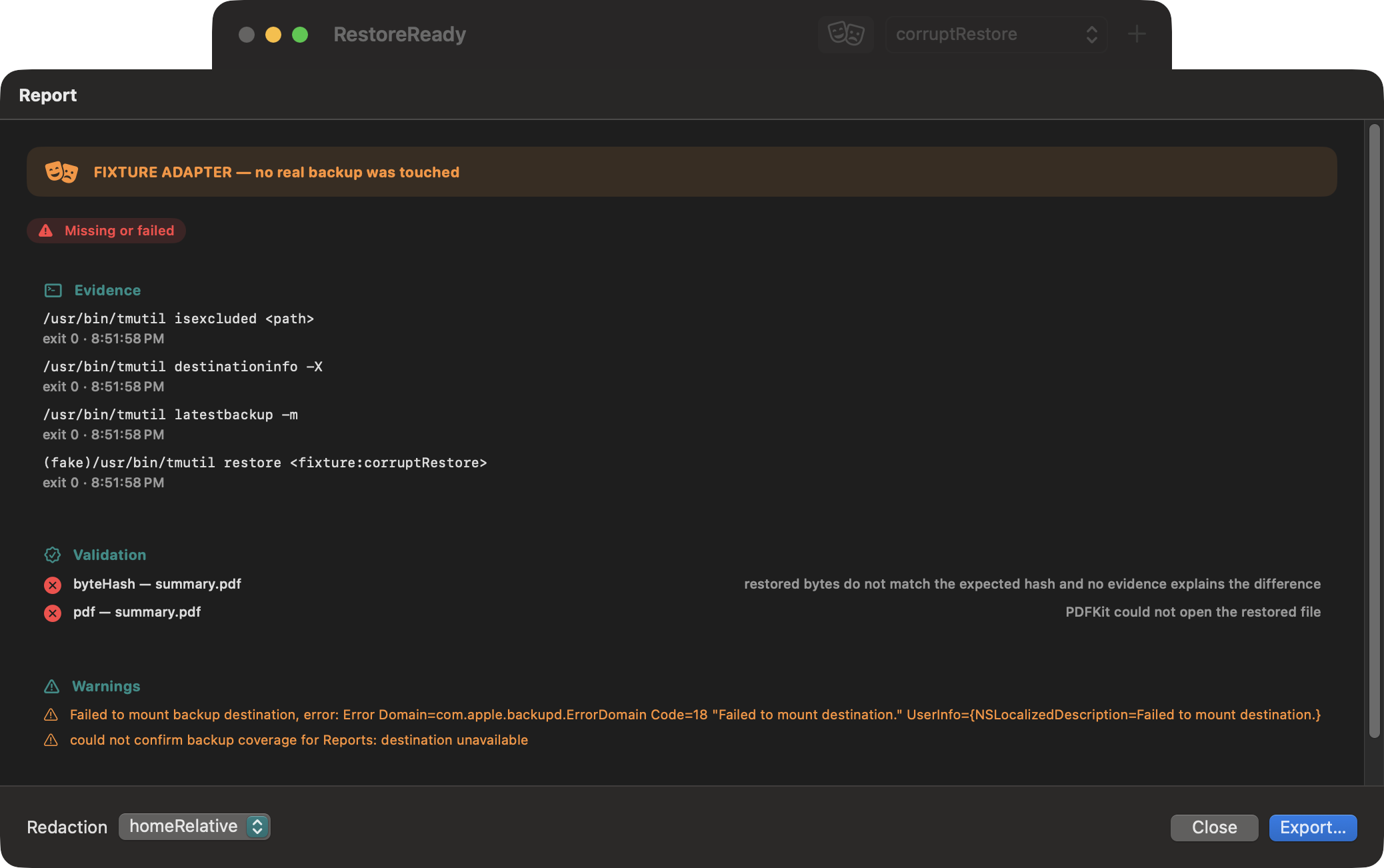
A corrupt restored image fails both its byte-hash and decoder checks, producing a clear red failure state.
-
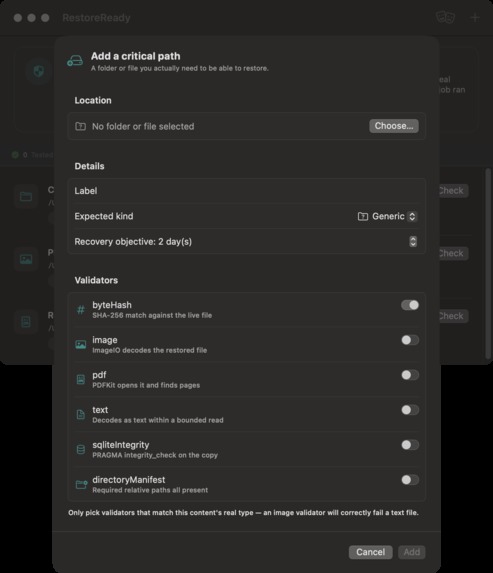
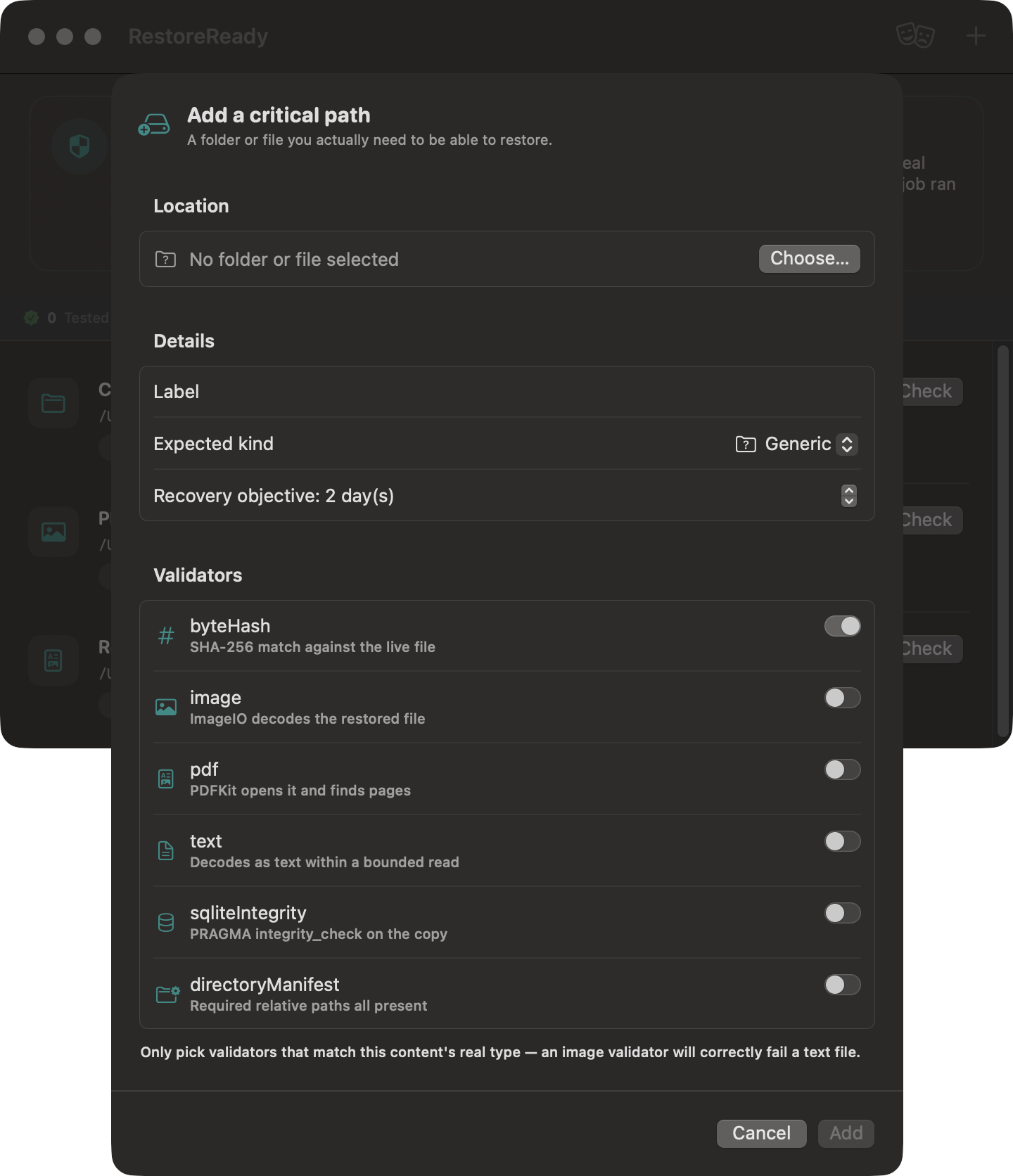
Add a critical path, recovery objective, sample limits, and validators that define what a usable restore means.
-
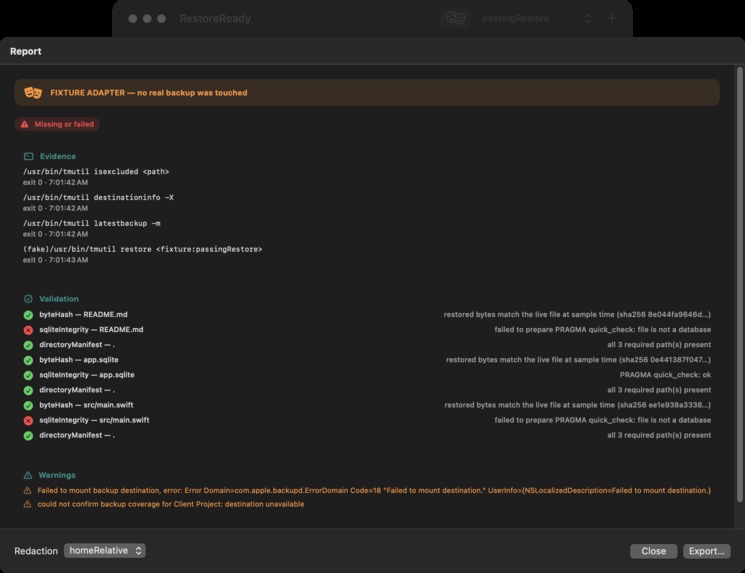
Real read-only tmutil discovery on this Mac reports the configured backup destination cannot currently mount.
-
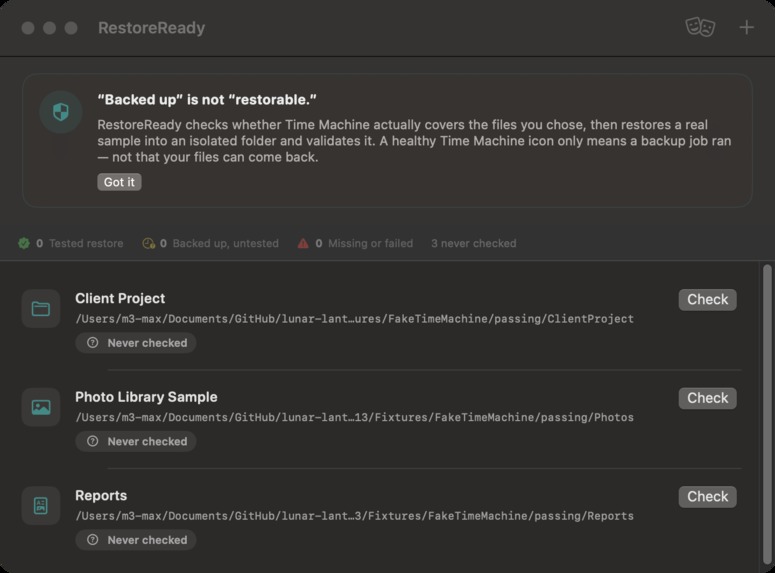
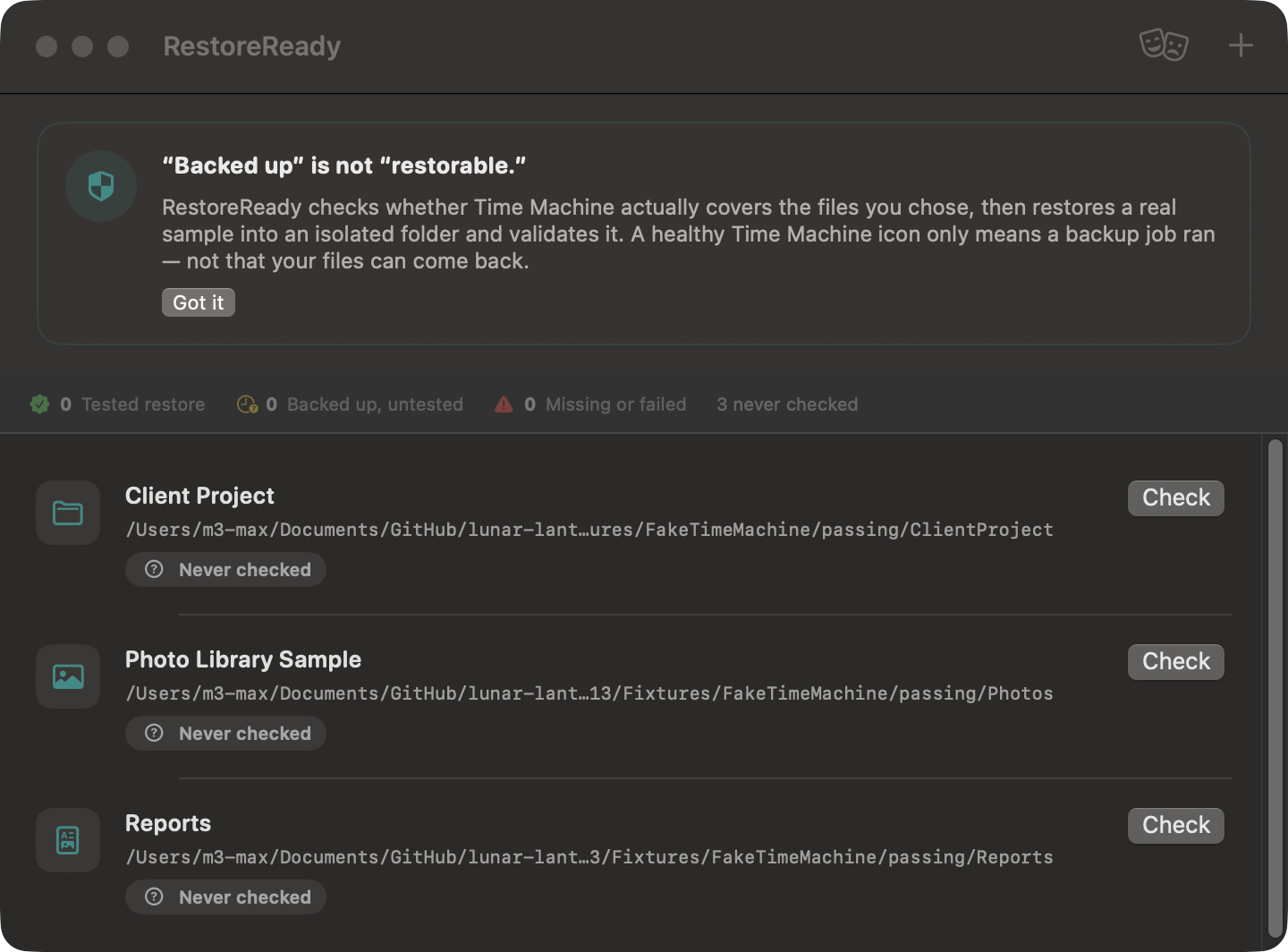
First run: RestoreReady explains why backup activity is not restore proof and keeps setup focused on critical paths.
-
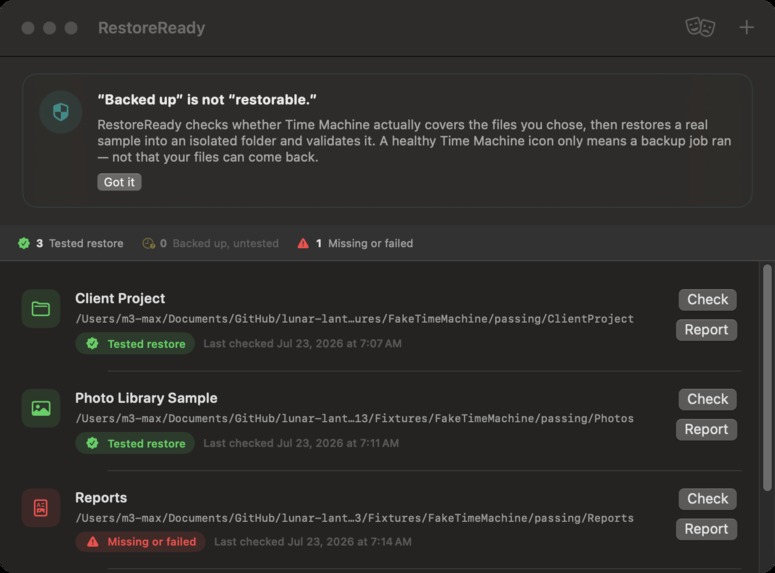
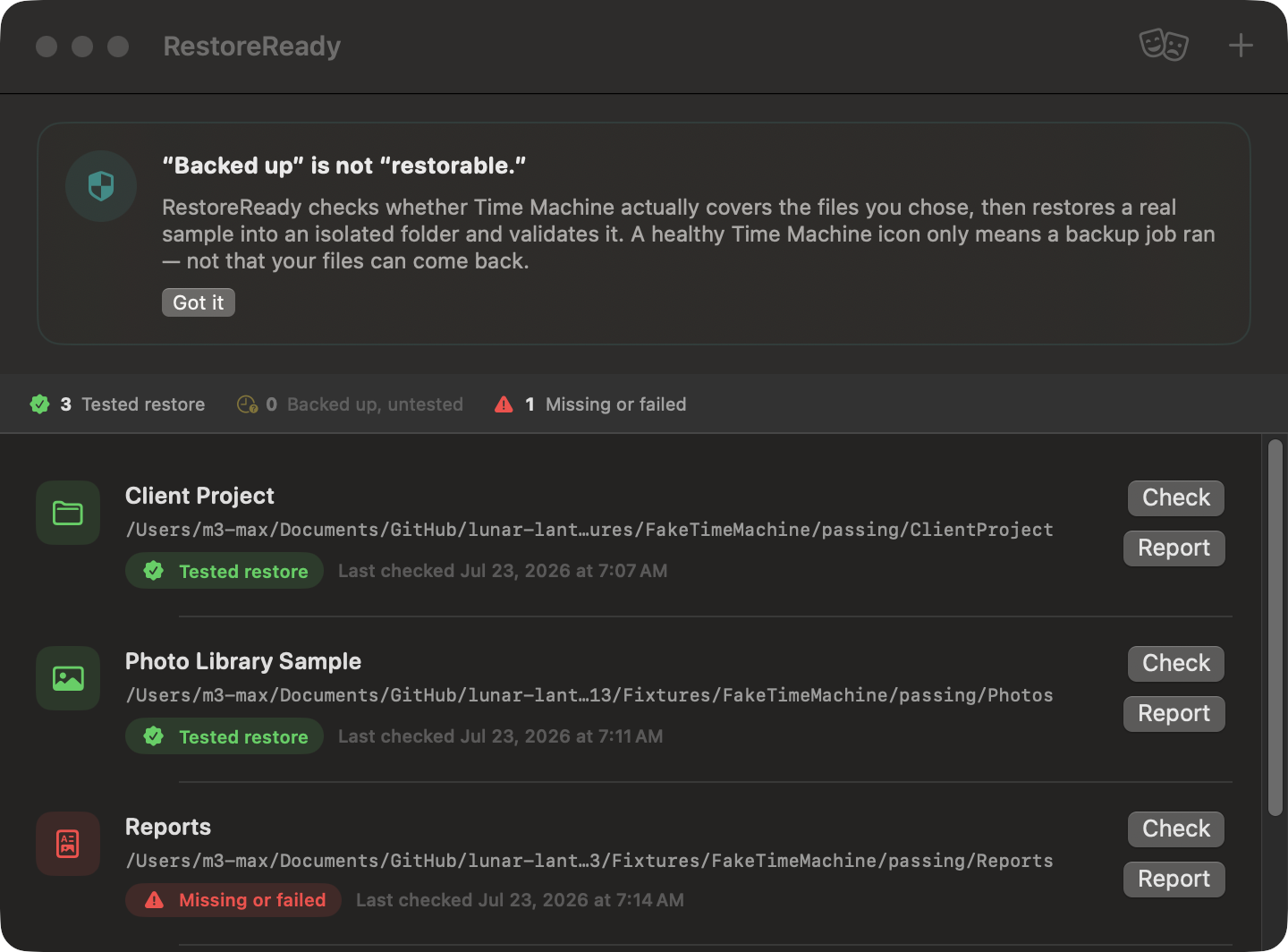
Three states stay distinct: Tested restore, Backed up but untested, and Missing or failed.
Inspiration
A green Time Machine status can tell someone that a backup job ran. It cannot tell them whether the files they care about can actually come back. Discovering an excluded folder, stale copy, corrupt restore, or missing database sidecar only after a laptop failure is too late. RestoreReady was built to move that discovery into a calm, repeatable check before an emergency.
What it does
RestoreReady is a native macOS app for testing a deliberately small, important slice of a Time Machine backup. A user chooses a critical folder or file, sets an acceptable backup age and sample size, and selects validators that match the content. The app then:
- runs real, read-only Time Machine discovery;
- checks exclusions, destination availability, and latest-backup metadata;
- plans a deterministic sample under strict file and byte limits;
- restores only into an isolated app-owned workspace, never over the original;
- validates bytes and hashes plus images, PDFs, text, SQLite databases, or directory manifests;
- reports one of three honest states: Tested restore, Backed up but untested, or Missing or failed; and
- exports a redacted evidence report with commands, exit codes, validation detail, duration, and limitations.
Who it helps and why it matters
RestoreReady is designed for Mac users whose most valuable work is easy to name but painful to replace: a student's thesis, a freelancer's client project, a photographer's selected library, or a developer's application database. Its practical value is reducing false confidence. It can surface exclusions, stale coverage, an unavailable destination, or corrupt content while there is still time to fix the backup plan.
The project does not claim measured real-world loss prevention or completed user research. Its demonstrated impact is a safer decision: showing specific evidence, or a clear red failure, instead of turning backup activity into an unsupported promise of recoverability.
How we built it
The app is written in Swift 6 and SwiftUI. A typed TimeMachineClient boundary allowlists only read-only discovery commands and isolated restore operations. The restore planner enforces deterministic sampling, byte caps, path containment, symlink-escape prevention, and a plausibility fuse for destinations. Validators share a protocol and use CryptoKit, ImageIO, PDFKit, SQLite3, and Foundation. Results are stored locally and reports support label-only, home-relative, or full-path redaction.
The production adapter calls documented tmutil commands with structured parsing, timeouts, and captured exit status. A separate fake adapter drives deterministic edge cases without touching a real backup, and the interface labels fixture rehearsal so it cannot be confused with live proof.
What makes it different
Most backup tools emphasize whether a backup completed. RestoreReady centers the recovery rehearsal. It treats an unavailable destination and an untested backup as meaningful states rather than collapsing them into a green checkmark. The app never edits Time Machine configuration, deletes originals, or writes restored files back over live data.
Technical evidence
- 59 automated tests pass: 50 unit, 5 primary-journey UI smoke, and 4 integration tests.
- A release build completes with Xcode's Swift toolchain.
- Real, read-only Time Machine discovery was exercised on this Mac.
- This Mac's configured destination currently fails to mount; RestoreReady reports that failure instead of manufacturing a successful restore.
- The video therefore uses a clearly labeled fixture rehearsal for the isolated copy and validation path.
- Passing image, PDF, SQLite, text, byte-hash, and directory-manifest checks are covered, alongside corrupt and unsafe cases.
Challenges
The hardest part was preserving a strict truth boundary. The production path had to be useful without becoming destructive, while deterministic fixtures had to demonstrate failures without looking like live backup proof. Live testing also uncovered two gaps that automated tests initially missed: mapping a critical subfolder into the fixture tree and handling a single-file critical path. Both were fixed and received regression tests.
The build machine's Time Machine destination becoming unavailable was another challenge. We kept the real failure in the demo and used it to show why an honest Unavailable state matters.
What we learned
Backup health is an outcome, not an activity log. A trustworthy interface needs to show exactly which files were tested, how they were validated, and what remains unknown. We also learned that running the real product journey catches path-shape and environment problems that a green unit-test suite can miss.
Current boundary
This build does not claim a successful end-to-end restore from a mounted Time Machine destination on this Mac. It is not signed or notarized. A passing sample proves only that the selected files came back in that run; it does not prove the entire backup is recoverable. The UI smoke suite exercises the real AppModel journey but is not a full XCUITest or completed VoiceOver audit.
What's next
Next steps are exercising the production restore path against a mounted Time Machine destination, signing and notarizing the app, completing a VoiceOver and contrast audit, and testing the workflow with Mac users who manage genuinely irreplaceable files. A later version could add local reminders and history so restore readiness becomes a habit rather than a one-time check.

Log in or sign up for Devpost to join the conversation.