Category: Apps for Software Teams · Bonus prize: Best Marketplace published app (live listing: https://marketplace.atlassian.com/apps/2772215736/restorepulse-for-jira)
Inspiration
In Jira Cloud, deleting an issue is permanent. There is no trash and no undo. The request to let admins restore deleted issues, JRACLOUD-36415, has 720 votes and has been open since 2014. When an issue disappears, admins usually go through the audit log, which tells you that something was deleted but not what it contained. Then they rebuild the issue by hand from memory, emails and screenshots.
What it does
RestorePulse keeps a snapshot of every Jira issue in the customer's own site (Forge SQL). It records each deletion: who did it and when. A Jira admin can then:
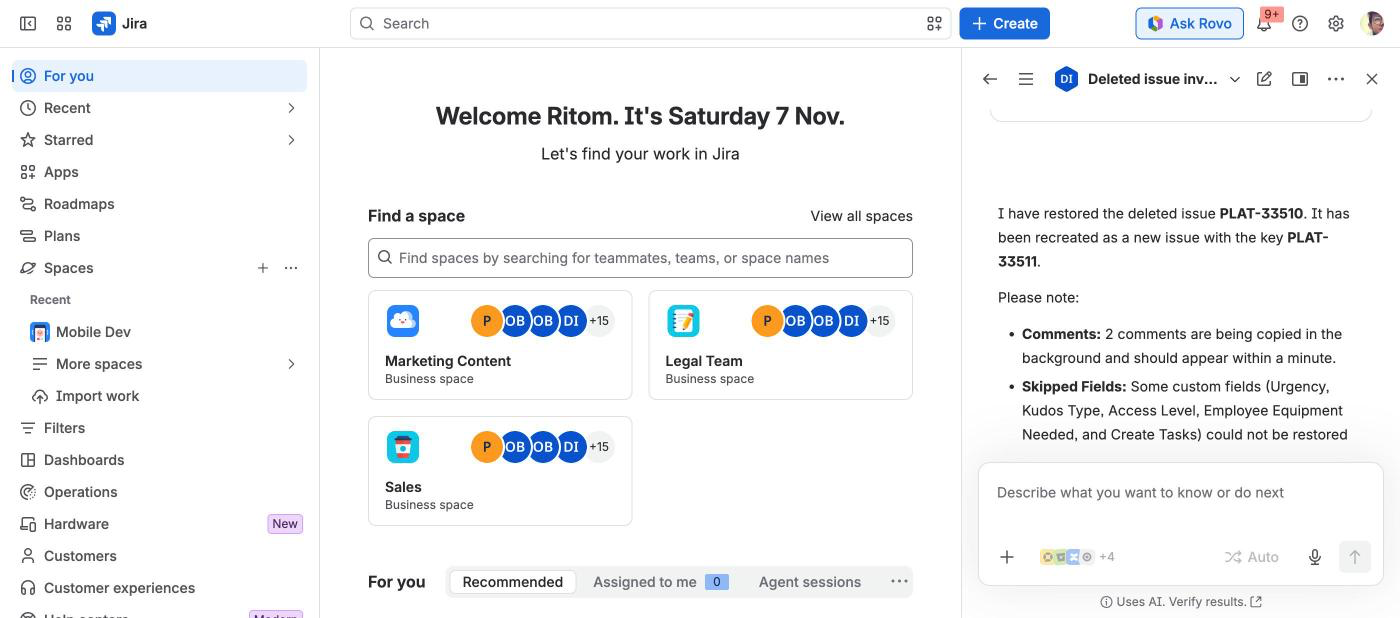
- open Jira settings > Apps > RestorePulse, search the deleted-issue log by project, person, date and restore status, view the last saved version of the issue, and recreate it in one click. The restore copies fields, description, comments (credited "Originally by … on …"), links and parent, and lists anything that could not be restored.
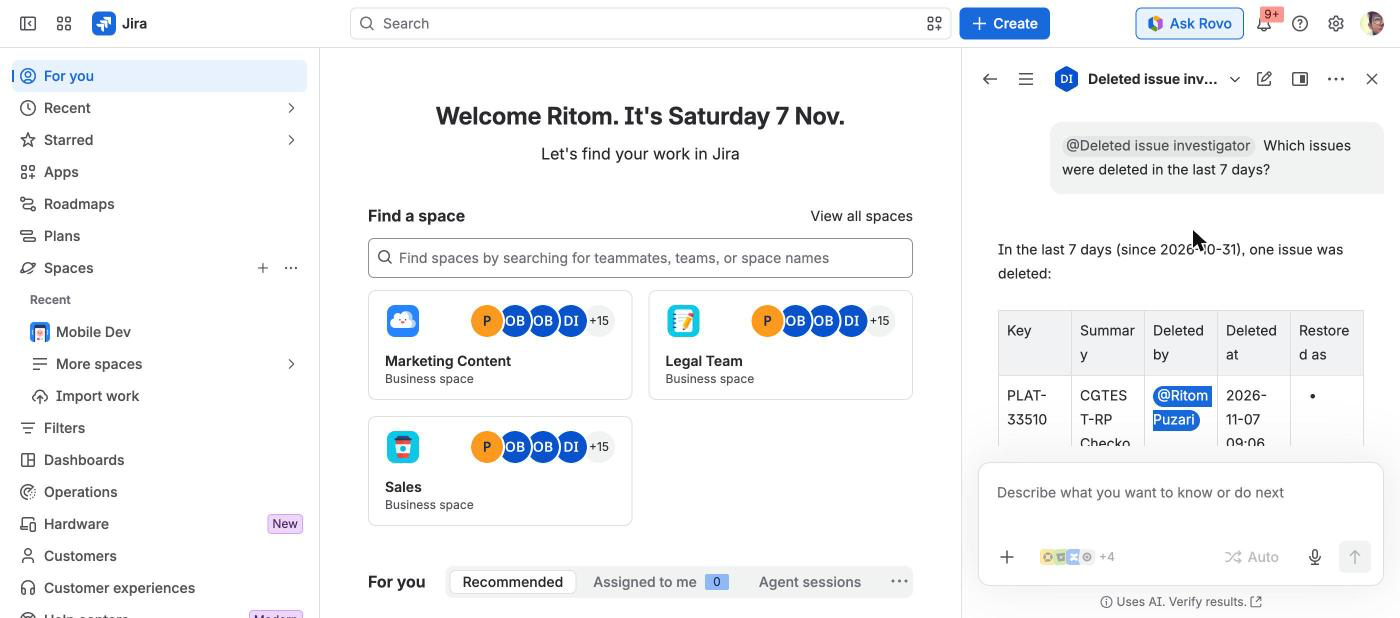
- or ask Rovo. The new Deleted issue investigator agent answers questions like "Which issues were deleted in project CT last week?", "Who deleted CT-42 and what was in it?" and "Restore CT-42". It uses three actions:
- Find deleted issues (GET): filters for project, who deleted it (by name), date range, summary text, and restored yes/no.
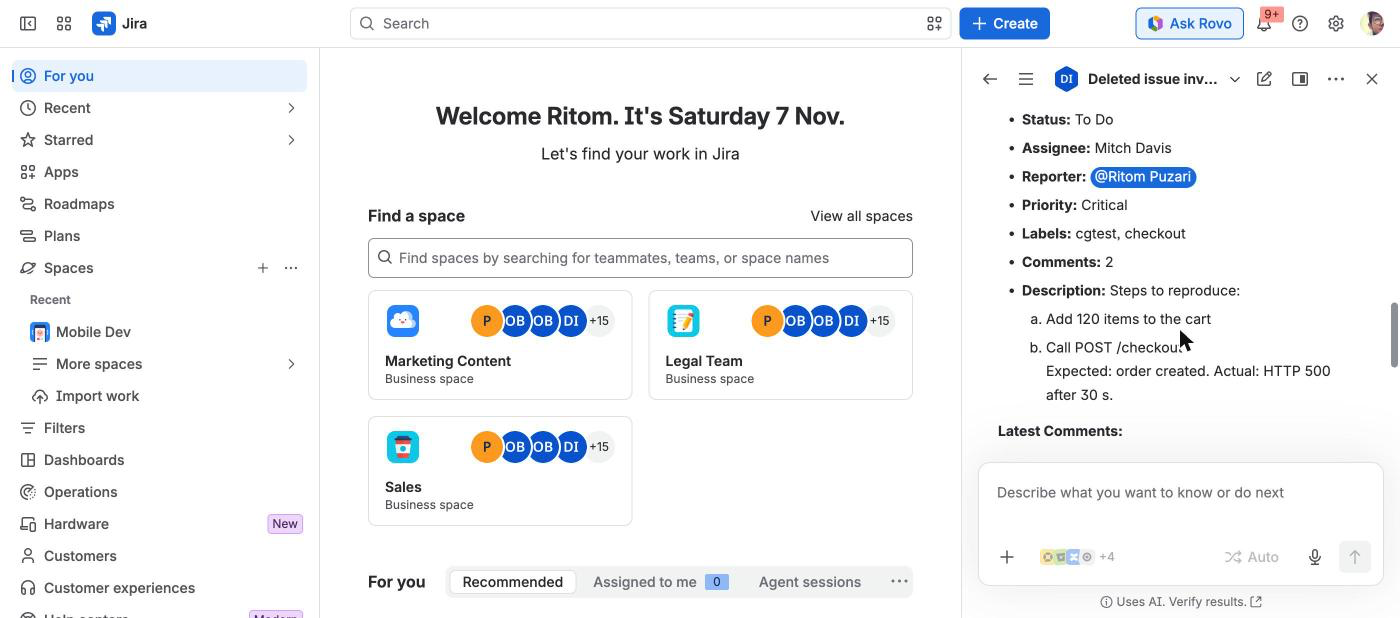
- Get deleted issue snapshot (GET): fields, description, comment count and the latest comments, attachments, who deleted it and when, and whether it was restored.
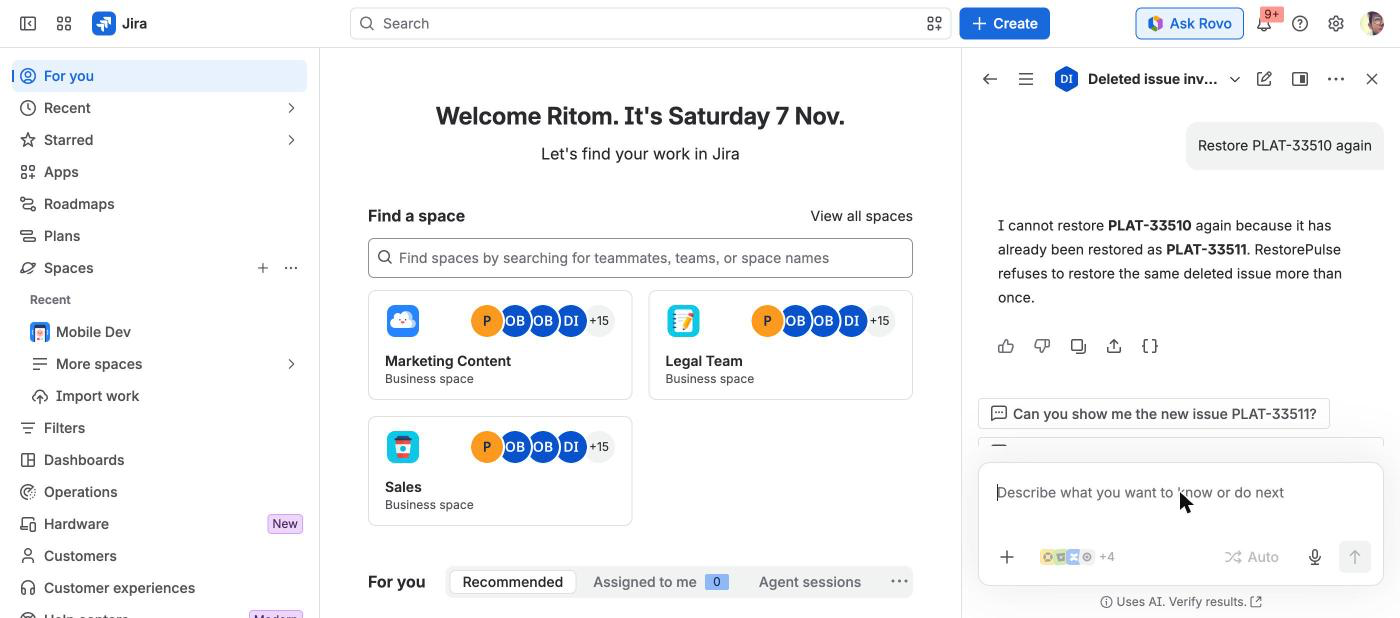
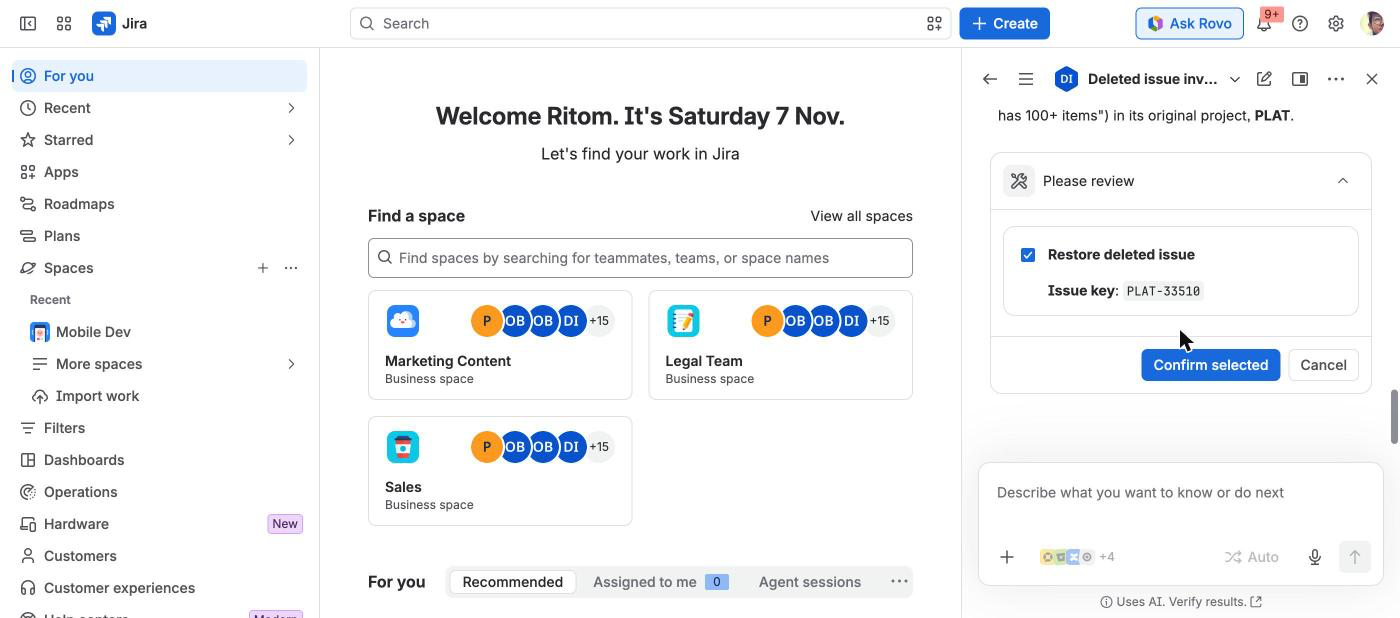
- Restore deleted issue (CREATE, so Rovo asks the user to confirm first): runs the same restore code as the admin page. It refuses an issue that was already restored. To make a second copy you have to use the admin page.
Only Jira administrators can see snapshot data. That rule is the same everywhere: every admin page call and every Rovo action checks the ADMINISTER permission on the server before reading anything. Anyone else gets a refusal and no data.
How we built it
- Forge app on Node.js 24. Modules:
jira:adminPage(Custom UI, plain DOM),trigger(issue created/updated/commented/deleted, app installed/upgraded),consumer(Forge queue for backfill and for copying comments and links),scheduledTrigger(retention, personal data reporting),sql, and nowrovo:agentplus threeactionmodules. - Snapshots are compact JSON, gzipped and split into chunks in Forge SQL (one request is limited to 1 MiB). Only account ids are stored, never display names. Names are looked up when someone views or restores an issue, and closed accounts are anonymised through the personal data reporting API.
- The Rovo actions live in
src/lib/agent.js. They are pure functions that take their Jira and storage calls as arguments, so the permission refusal, filters and output shape are unit tested without Forge.src/rovo.jsconnects them to the real modules. The restore steps moved intosrc/restoreFlow.js, so the admin page and Rovo run exactly the same code. - The action results are deliberately compact: plain text instead of Atlassian Document Format, at most 20 rows, the last 3 comments. This keeps Rovo's answers short and accurate.
- No remote back end and no egress. The deploy reports the app as eligible for Runs on Atlassian.
Challenges we ran into
- Jira sends no delete events for sub-tasks that are removed together with their parent. RestorePulse detects them from the parent's known sub-tasks.
- Restoring into a project whose screens or allowed values have changed. The restore keeps only the fields that are still valid, retries without any field Jira rejects, and reports what it skipped. It never drops data silently.
- Keeping the Rovo agent as strict as the admin page. Every action checks admin permission before it touches storage, and the tests check that a non-admin call never reaches the database.
- Rovo action descriptions have a 255-character limit, which
forge lintenforces. The behaviour rules went into the agent prompt instead.
Accomplishments that we're proud of
- The app is live on the Atlassian Marketplace and runs entirely on Atlassian infrastructure.
- A restore reports exactly what it could not bring back.
- Personal data handling: only account ids are stored, closed accounts are erased, and names are never cached.
- 59 unit tests (10 of them for the Rovo actions) and a browser test suite for the admin page.
What we learned
- Rovo agents fit tasks where admins would otherwise click through filters. "Who deleted issues in CT this week?" is one sentence instead of four filter changes.
- Write actions need guard rails on the server, not only in the prompt. The restore action refuses duplicates in code, whatever the model asks for.
What's next
- Restore several issues at once, for example everything one person deleted in a time window.
- An alert (email or Jira notification) when someone deletes many issues in a short time.
- Offering the actions as
rovo:skill/rovo:mcptools so other agents can call them.
Testing instructions for judges
- Install RestorePulse from the Atlassian Marketplace (https://marketplace.atlassian.com/apps/2772215736/restorepulse-for-jira, free for up to 10 users) on a Jira Cloud site where Rovo is turned on. You must be a Jira administrator. Marketplace-listed apps can't also be shared by installation link, so the listing is the install path.
- Create an issue, add a comment, then delete it (issue > ... > Delete).
- Go to Jira settings > Apps > RestorePulse. The deleted issue is listed with your name and the time. Open it and click Restore.
- Open Rovo chat, pick the Deleted issue investigator agent, and try "Which issues were deleted today?", "Show me what contained", and "Restore " (Rovo asks you to confirm).
- Issues deleted before the app was installed are not in the log. To cover existing issues, click "Snapshot existing issues" on the admin page once.
Built With
- atlassian-forge
- forge-sql
- javascript
- jira
- node.js
- rovo
