-
-
https://youtu.be/afFDygzi3pY
Inspiration
As a 20-something living alone, I’d stare at my bank statements shocked by how much I spent on Uber Eats and takeout—no clue where the money went. I wanted a simple tool that didn’t feel like “budgeting drudgery” to help me (and people like me) take small steps to cut unnecessary spending without sacrificing joy.
What it does
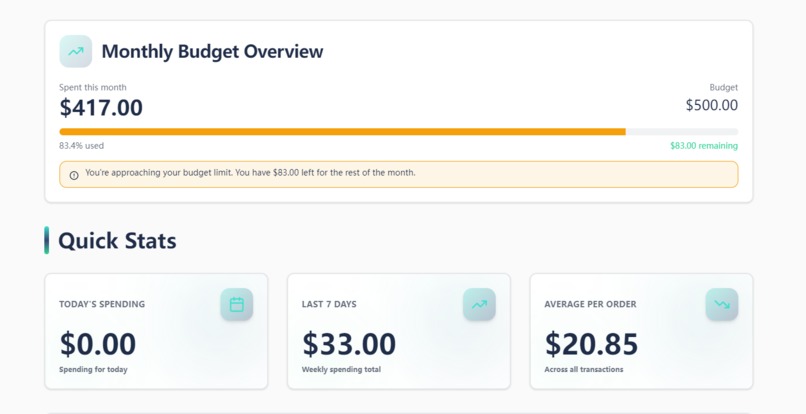
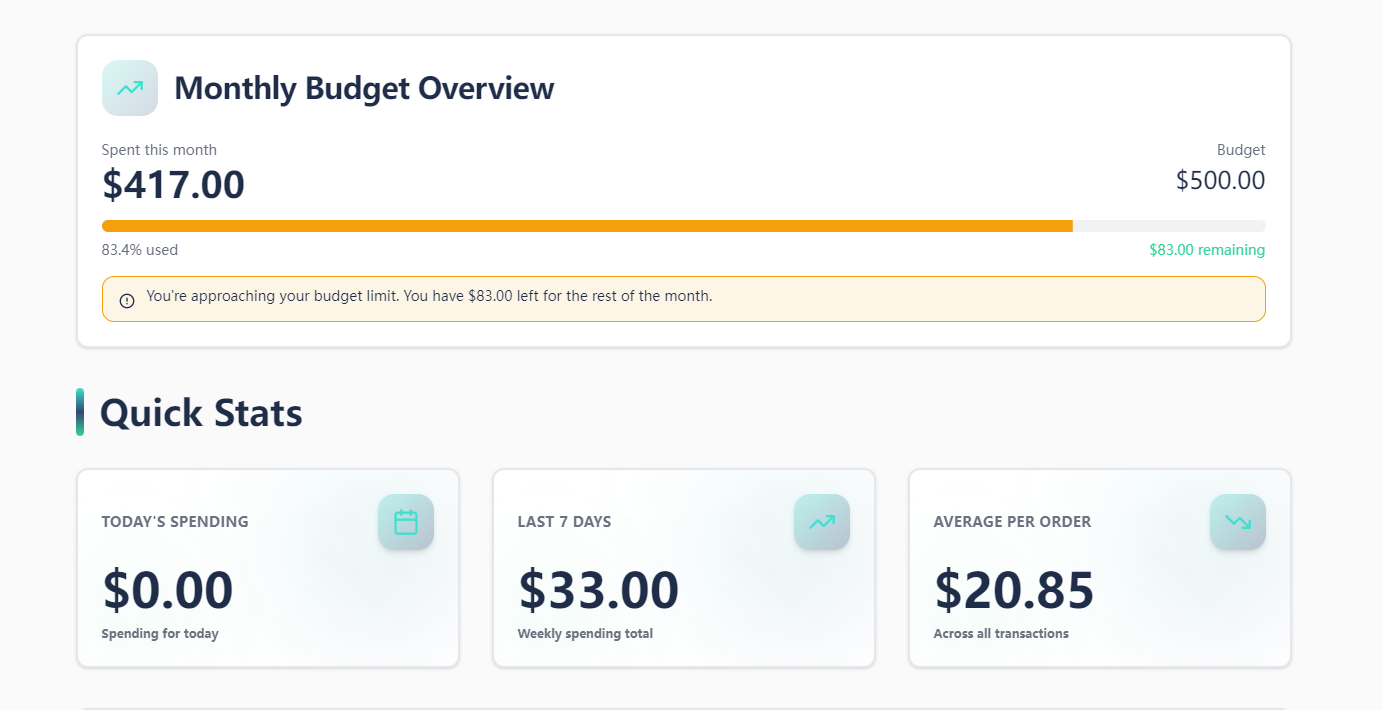
RestaurantBudget Tracker lets young adults monitor monthly dining/delivery spending, set realistic budgets, see their top frequented spots, compare takeout vs. home cooking costs, and track gentle reduction goals (like 2 fewer delivery orders/week). It flags when you’re near your budget limit and shows tangible savings from cooking at home.
How we built it
I started by mapping core user needs (real-time tracking, simple categorization, positive reinforcement). I built the frontend with React for responsiveness, used Chart.js for visualizations, set up a MongoDB database to store transactions/budget data, and styled it with a warm, approachable palette (navy, teal, amber) for mobile/desktop use.
Challenges we ran into
The biggest hurdle was perfecting auto-categorization of transactions—merchant names vary (e.g., “Uber Eats - Joe’s Pizza” vs. “Joe’s Pizza via DoorDash”) so I had to refine matching logic to avoid mis-tagging. Also, balancing “useful warnings” (80% budget alert) with a non-judgmental tone took multiple iterations.
Accomplishments that we're proud of
The app feels intuitive—no login, instant load times, and conversational language (no finance jargon). Users tell me the weekly check-ins with positive reinforcement make sticking to goals easier, and the savings calculator turns abstract “save money” into concrete numbers (e.g., $\text{(Avg Delivery Cost} - 0.3\times\text{Avg Delivery Cost)}\times2\times4$ for monthly savings).
What we learned
I learned to prioritize user empathy over “cool features”—young adults don’t want a clunky finance app, they want something that fits their busy lives. I also mastered responsive design tweaks to make the app work seamlessly on phone screens (where most users check their spending).
What's next for this project
I plan to add optional receipt scanning (via a lightweight API) to auto-log transactions, integrate gentle weekly reminders (no push notifications—just in-app prompts), and expand the meal comparison library to include more regional dishes (tacos, pasta, etc.).

Log in or sign up for Devpost to join the conversation.