What is this?
Rest-Set Coach is an app for Snap Spectacles, Snap's AR smart glasses, that helps you lift weights without touching your phone.
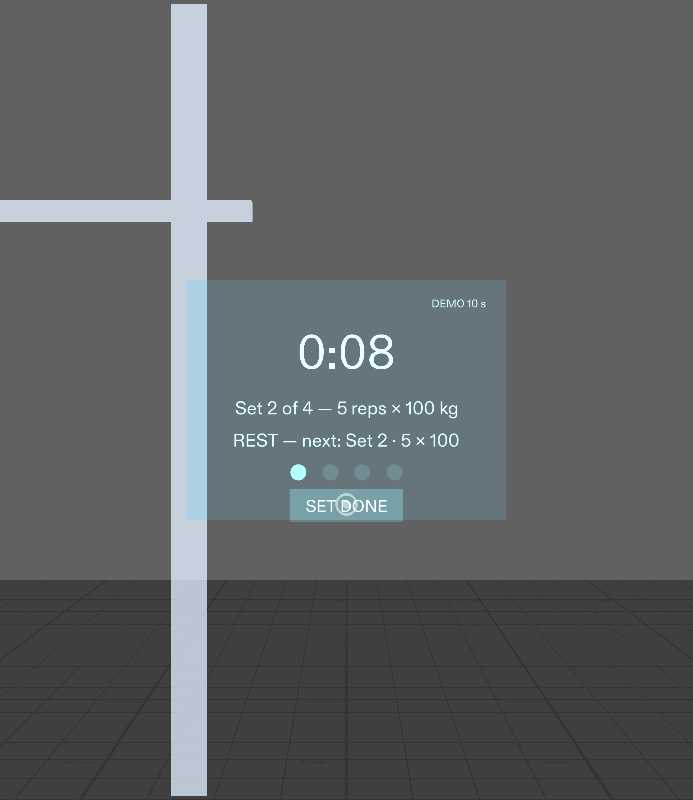
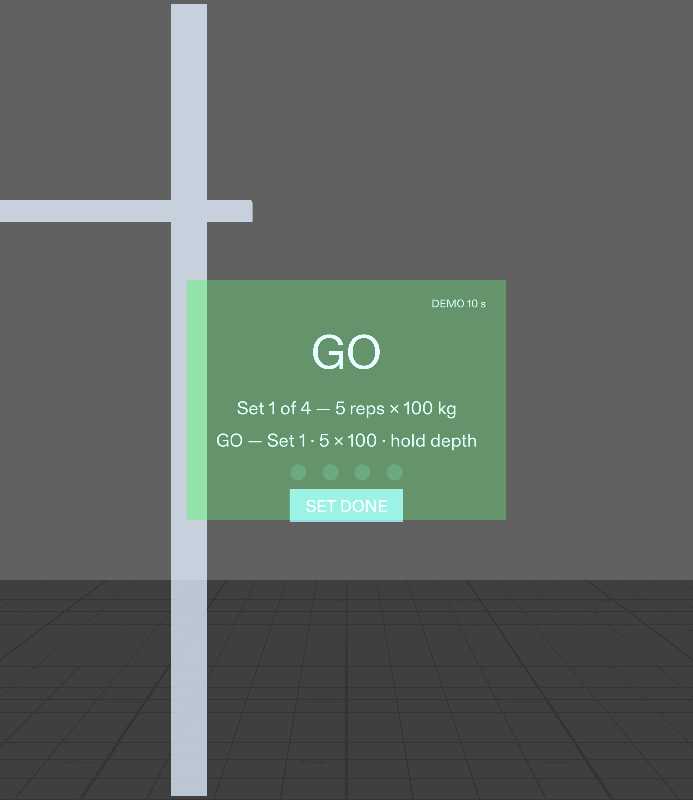
At the gym, most people rest between sets by picking up their phone: unlock it, check the timer, check what's next, log the set. Rest-Set Coach moves that into your glasses. While you rest, you see your next set floating by the squat rack (for example "Set 2 · 5 reps × 100 kg"), a rest countdown, and a clear GO when it's time. When you finish a set, you pinch your fingers in the air to log it. No phone, no unlock screen, no chalky hands on glass.
Think of a rally co-driver calling the next turn: the glasses call your next set, right where you're lifting.
What it does
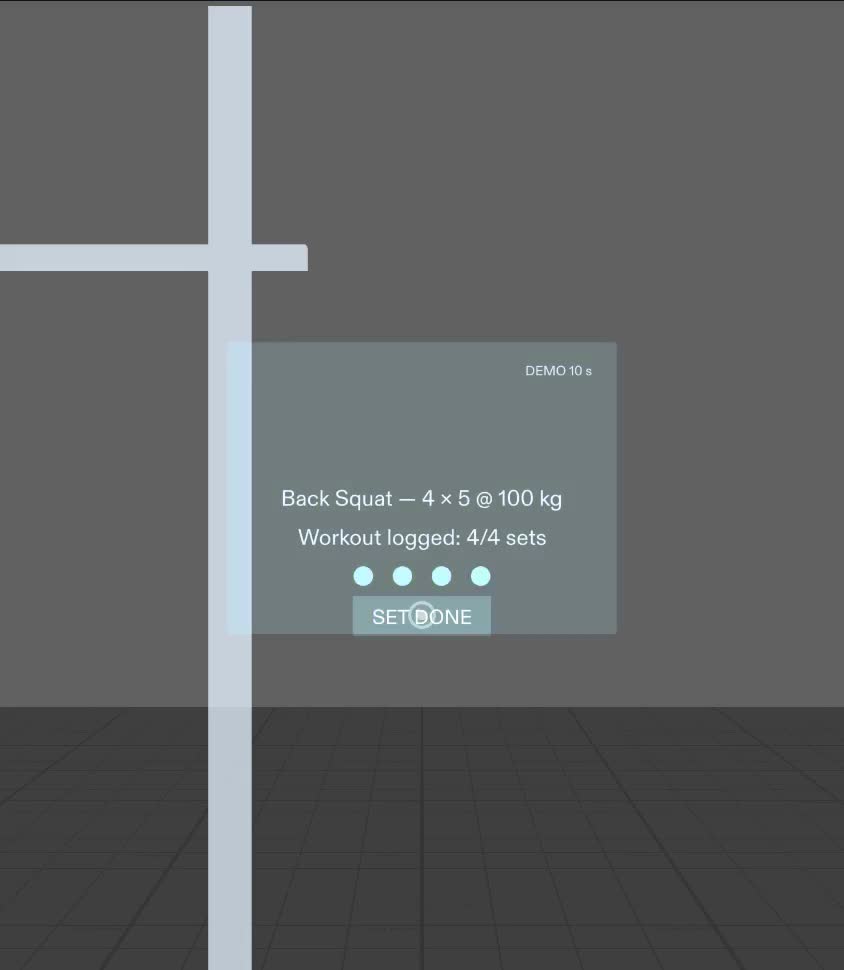
Between sets, lifters check their phone for the rest timer and the next set, then log the set. Chalky hands, a phone on the floor and an unlock screen all break focus and rest timing. Rest-Set Coach puts a small card beside a squat rack, at a little below eye level:
- GO: the card turns green and calls the next set in one short line, the way a rally co-driver calls a turn: "GO — Set 2 · 5 × 100 · hold depth".
- SET DONE: one pinch on a big button logs the set, fills a progress dot and starts the rest.
- REST: a 10 s demo countdown. At 3 s left it pulses amber with "READY — step under the bar".
- DONE: after set 4 it shows "Workout logged 4/4 sets" and hides the timer.
It's the glasses version of Mission Winning ("Log a set. No account. No wearable."). The project also doubles as a reusable Learn AR / CLAD hackathon template.
Not a form coach (no animated demos) and not body tracking or a ghost race. It's one spatial moment: the plan lives at the rack, and you keep your hands on the bar and your eyes up.
How we built it
- Lens Studio 5.23.2, SPECS Base Template, Spectacles Interaction Kit 0.18 (Interactable + collider for the pinch).
- Planning: the learn-specs
plan-lensskill's 7 interview questions, answered by Snowden, then turned intodevpost/design-brief.mdusing the skill's template. - Build: the Lens Studio MCP server (VirtualScene, scene/asset GraphQL, ExecuteEditorCode, RecompileTypeScript, RunAndCollectLogs, preview screenshots), driven by an agent. The CLAD plugin (
ls-clad) skill and agent files were loaded as reference context. - Logic: one TypeScript component,
RestSetCoach.ts: a GO → REST → GO … → DONE state machine, material tinting, and a debounced pinch handler. - Tests: LEAF 2.0.2. Five scenarios, one per done criterion, run through the LEAF plugin in the preview. All 5 pass.
Challenges
- No Mac or Windows machine was available for the build, so Lens Studio ran under Wine on a Linux box, CPU-only rendering.
- LEAF 4.0 (the newest) imports a renamed interaction kit (
InteractionKit.lspkg) that the 5.23.2 SPECS template doesn't ship. Installing it broke the TypeScript compile, so we used LEAF 2.0.2. - The Spectacles preview has a narrow field of view. The card was moved from about 1.2 m to the right to about 1.5 m straight ahead so it stays in frame.
- The AI preview "pinch" tool failed (package error), so pinches in the preview were driven with mouse/touch injection.
Honest disclosures
- Loosened test:
rest_countdown_runsfailed twice under Wine. It now accepts any "0:xx" first reading and a starting value above 8 s, instead of exactly "0:10" and above 9.5 s. We believe the cause is slow preview frames, but haven't confirmed it. The other 4 scenarios are unchanged. - Simulated pinches: in the demo video, pinches are mouse/touch events injected into Lens Studio's Interactive Preview (clicking counts as a pinch in the preview). No SPECS device was used.
- CLAD: we didn't run CLAD's own Claude Code subagents (no Claude subscription). The build used the same Lens Studio MCP tools, called by our agent, with CLAD's files as reference.
- plan-lens: the questions were answered in writing from a question sheet, not in a live chat with the skill.
- The 10 s rest and the workout plan are hard-coded demo values. No chime in this build: a generated chime.wav failed to decode in Lens Studio under Wine (AudioPlayer error 0xc00d36bb), so it was removed. The GO state is fully visual.
- Feel unproven: readability in gym light and pinching with chalky hands on real glasses.
What's next
Pull the real plan from Mission Winning, use real rest lengths, add a second station ("NEXT STATION · Bench · 3 × 8 · elbows in"), and test on device.
Built With
- clad
- leaf
- lens-studio
- lens-studio-mcp
- spectacles
- spectacles-interaction-kit
- typescript
