Inspiration
Every year, approximately 432,000 Americans die from out-of-hospital cardiac arrests - a tragedy that could often be prevented if someone nearby knew how to properly administer CPR. The reality is that most people either don't know CPR at all or, if they do, lack the confidence and precision to perform it correctly when it matters most. We were inspired to bridge this critical gap by leveraging cutting-edge technology to make life-saving skills accessible to everyone, everywhere.
What it does
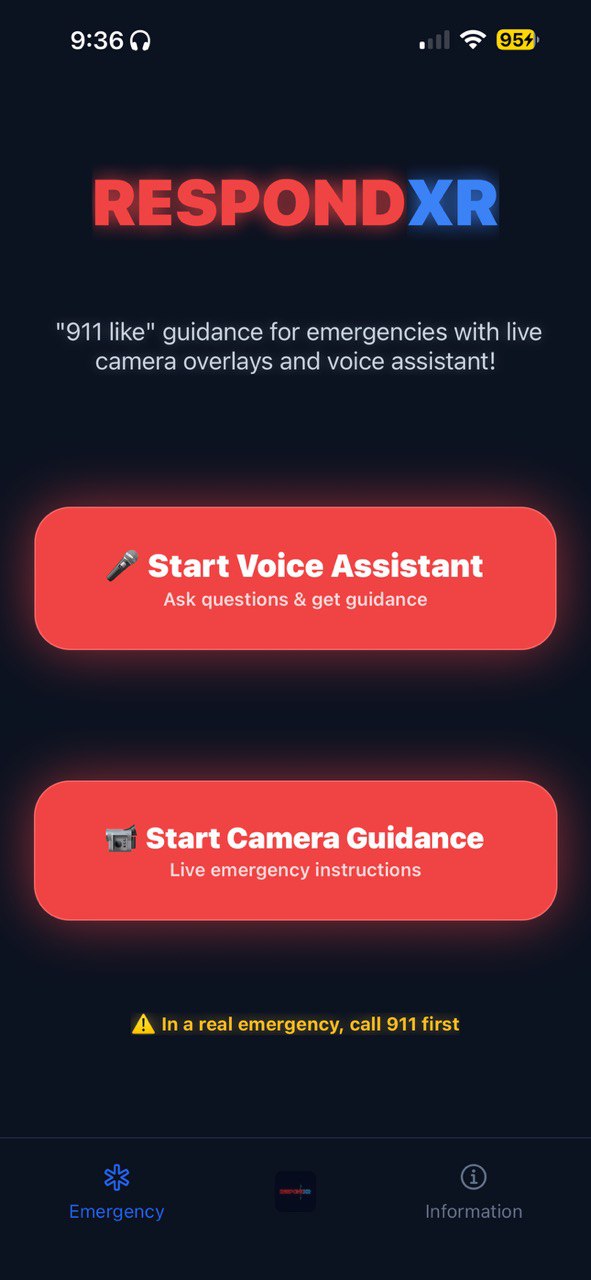
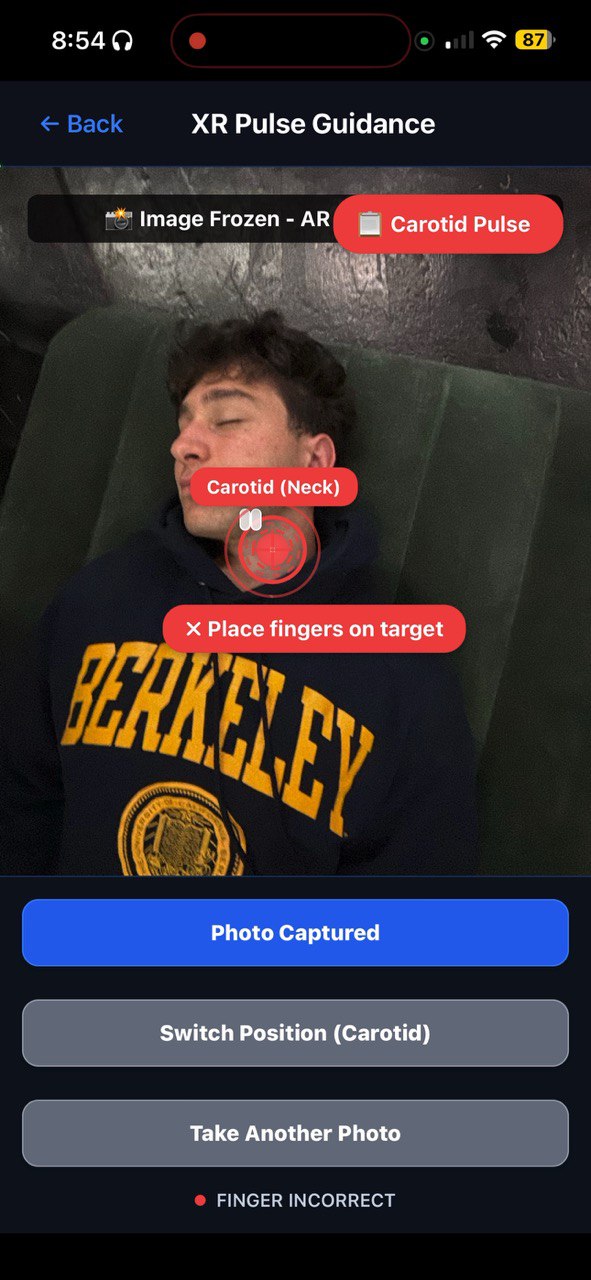
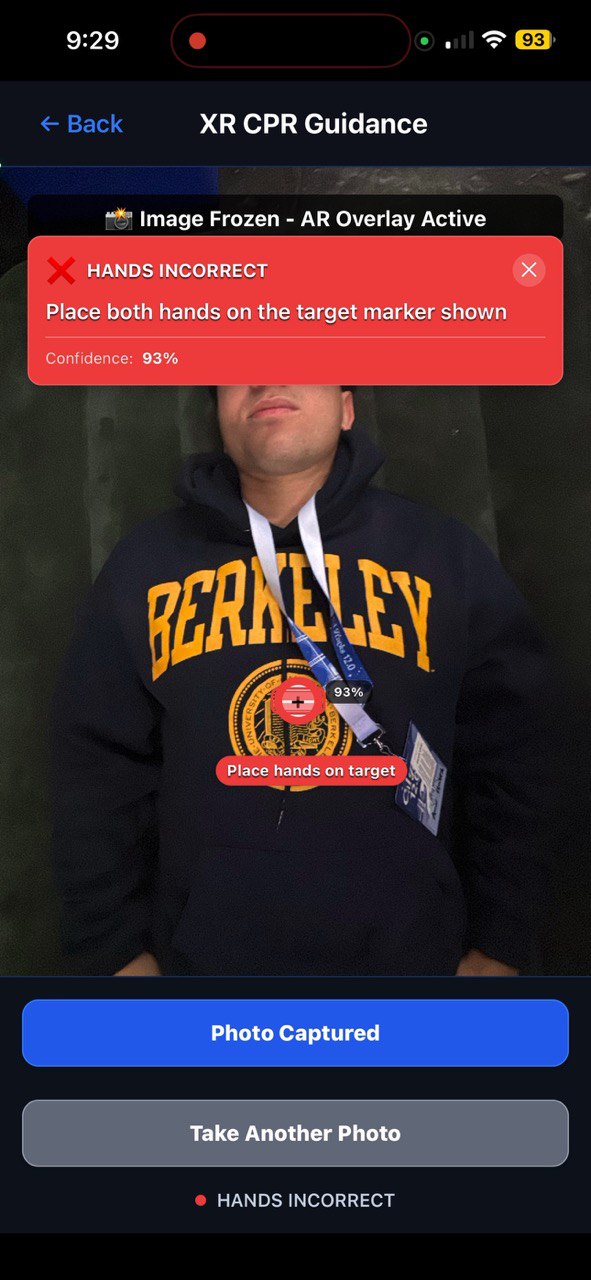
Respond XR revolutionizes emergency response training by combining AI-powered computer vision with Extended Reality (XR) overlays to provide real-time, hands-on CPR guidance. The app uses your smartphone's camera to:
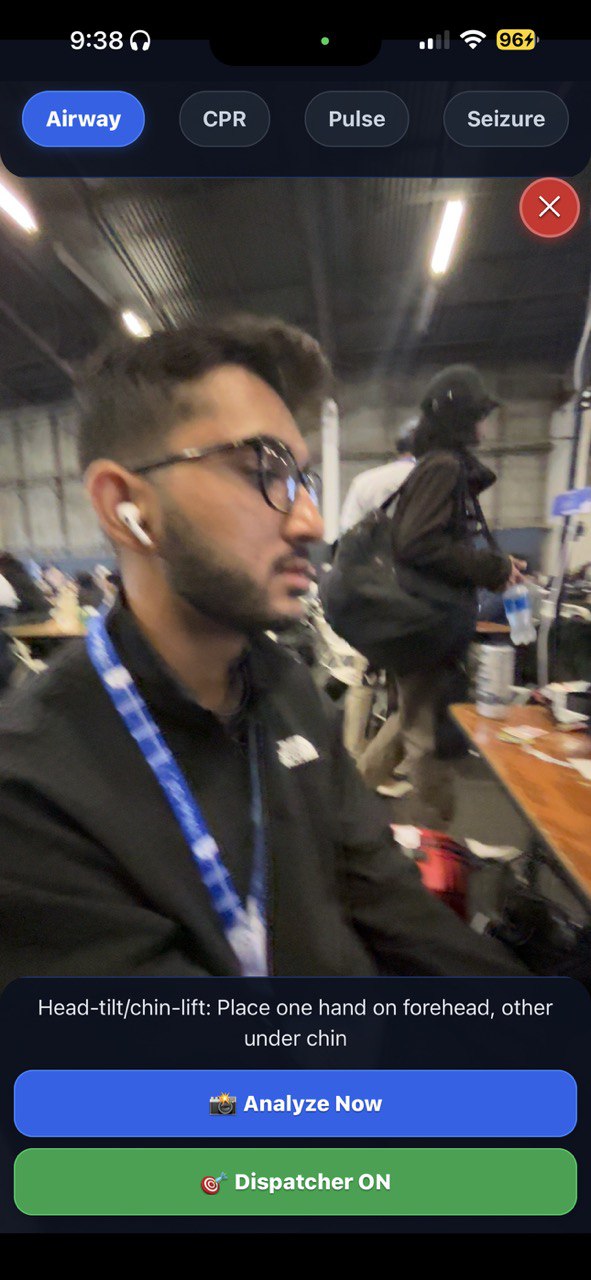
- Precise Hand Placement: AI analyzes the patient's position and overlays visual markers showing exactly where to place your hands on the chest
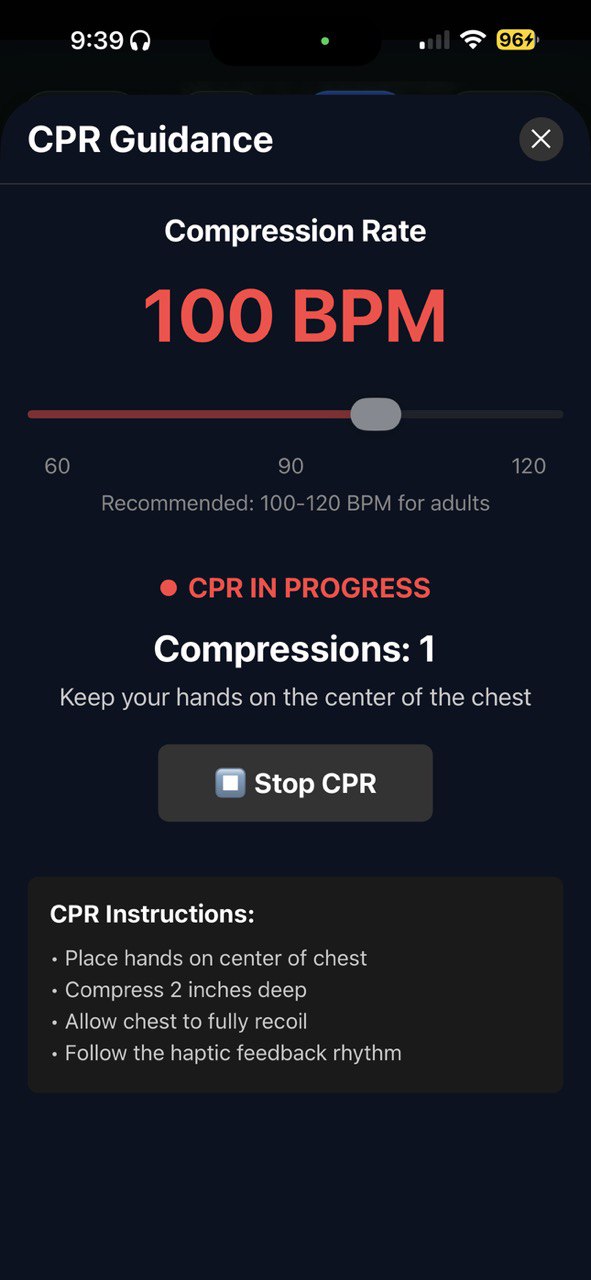
- Compression Depth Guidance: Real-time feedback ensures you're pressing deep enough (2-2.4 inches) but not too hard
- Perfect Timing: Built-in metronome with haptic feedback maintains the optimal 100-120 compressions per minute rhythm
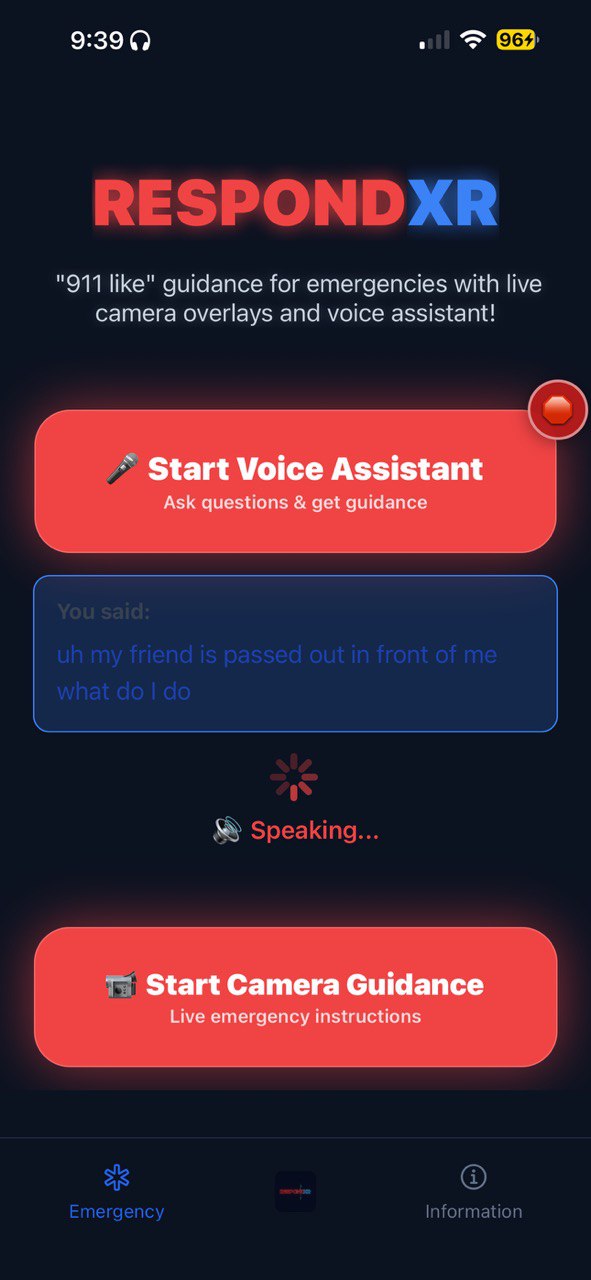
- Voice Instructions: AI-generated speech provides step-by-step guidance and encouragement
- Real-time Feedback: Visual indicators show when your technique is correct, needs adjustment, or is incorrect
The app also includes comprehensive pulse measurement guidance, helping users locate and properly assess carotid and radial pulses - critical skills for determining when CPR is needed.
How we built it
We built Respond XR as a React Native application using Expo for cross-platform compatibility. The technical stack includes:
AI & Computer Vision:
- Google Gemini 2.5 Vision API for real-time pose detection and anatomical analysis
- Claude 3.5 Sonnet for intelligent medical guidance and instruction generation
- Custom pose detection service that identifies body landmarks and calculates optimal hand placement
Audio & Speech:
- Fish Audio API for high-quality text-to-speech conversion of medical instructions
- Expo Audio for metronome beats and haptic feedback synchronization
- Custom audio processing for clear, encouraging voice guidance
XR & UI Components:
- React Native Camera with custom AR overlays
- Animated components for visual feedback and guidance markers
- Real-time pose tracking with confidence scoring
- Responsive UI that adapts to different screen sizes and orientations
Core Features:
- Frozen-frame analysis for precise positioning (takes photo, analyzes, then shows AR overlays)
- Multi-modal feedback combining visual, audio, and haptic cues
- Fallback systems ensuring the app works even with API limitations
- Cross-platform compatibility for both iOS and Android
Challenges we ran into
XR Overlay Precision: The biggest challenge was accurately overlaying XR components on the unconscious patient. We had to develop custom coordinate transformation algorithms to ensure the hand placement markers appeared exactly where they should be on the patient's chest, regardless of camera angle or distance.
Real-time Performance: Balancing AI accuracy with real-time performance was tricky. We implemented a "freeze-frame" approach where the camera captures a photo, analyzes it with AI, then shows AR overlays on the frozen image - this provides accuracy while maintaining smooth performance.
API Integration Complexity: Coordinating multiple AI services (Gemini, Claude, Fish Audio) while handling potential failures gracefully required robust error handling and fallback systems.
Cross-platform Camera Handling: Different camera APIs and permissions across iOS and Android required careful abstraction and testing.
Accomplishments that we're proud of
Complete Feature Implementation: We successfully built every feature we planned - from AI-powered pose detection to real-time CPR guidance with haptic feedback.
Medical Accuracy: The app provides clinically accurate guidance based on current CPR protocols, with proper hand placement, compression depth, and timing.
Technical Innovation: We created a novel approach to emergency response training by combining multiple AI services with XR overlays in a mobile app.
Polished User Experience: Despite the complex technology stack, the app provides an intuitive, easy-to-use interface that works reliably in emergency situations.
Robust Architecture: Built-in fallback systems ensure the app continues to function even if individual AI services are unavailable.
What we learned
AI Integration: We learned how to effectively combine multiple AI services (Gemini for vision, Claude for reasoning, Fish for speech) to create a cohesive user experience.
XR Development: We gained deep experience in developing XR overlays for mobile devices, including coordinate transformation, real-time rendering, and user interaction design.
Performance Optimization: Balancing AI accuracy with mobile performance taught us valuable lessons about when to use real-time processing vs. batch processing.
Medical Domain: We learned about CPR protocols, anatomical landmarks, and the critical importance of precision in emergency medical procedures.
Error Handling: Building robust systems that gracefully handle API failures and network issues was crucial for a medical application.
What's next for Respond XR
Enhanced AI Models: Integrate more sophisticated pose detection models and expand to other emergency procedures (AED usage, airway management, etc.).
Multi-user Support: Add features for training scenarios where multiple people can practice together.
Analytics & Learning: Implement progress tracking and personalized learning paths based on user performance.
Professional Integration: Develop versions for healthcare professionals and emergency responders with advanced features.
Accessibility: Expand language support and add features for users with disabilities.
Platform Expansion: Explore AR glasses and smartwatch integration for hands-free guidance.
Clinical Validation: Partner with medical institutions to validate the app's effectiveness in real-world scenarios.


Log in or sign up for Devpost to join the conversation.