-
-
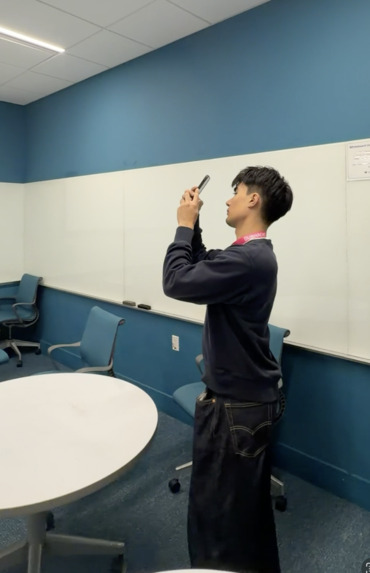
iphone lidar scanning
-
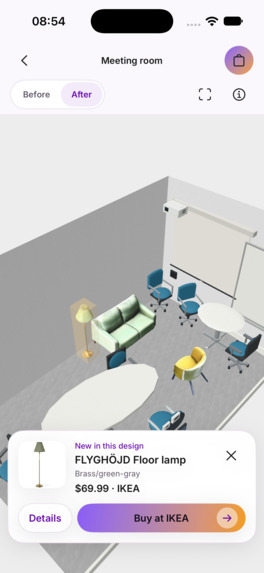
screenshot
-
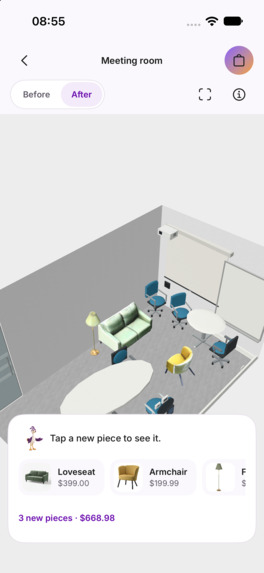
screenshot
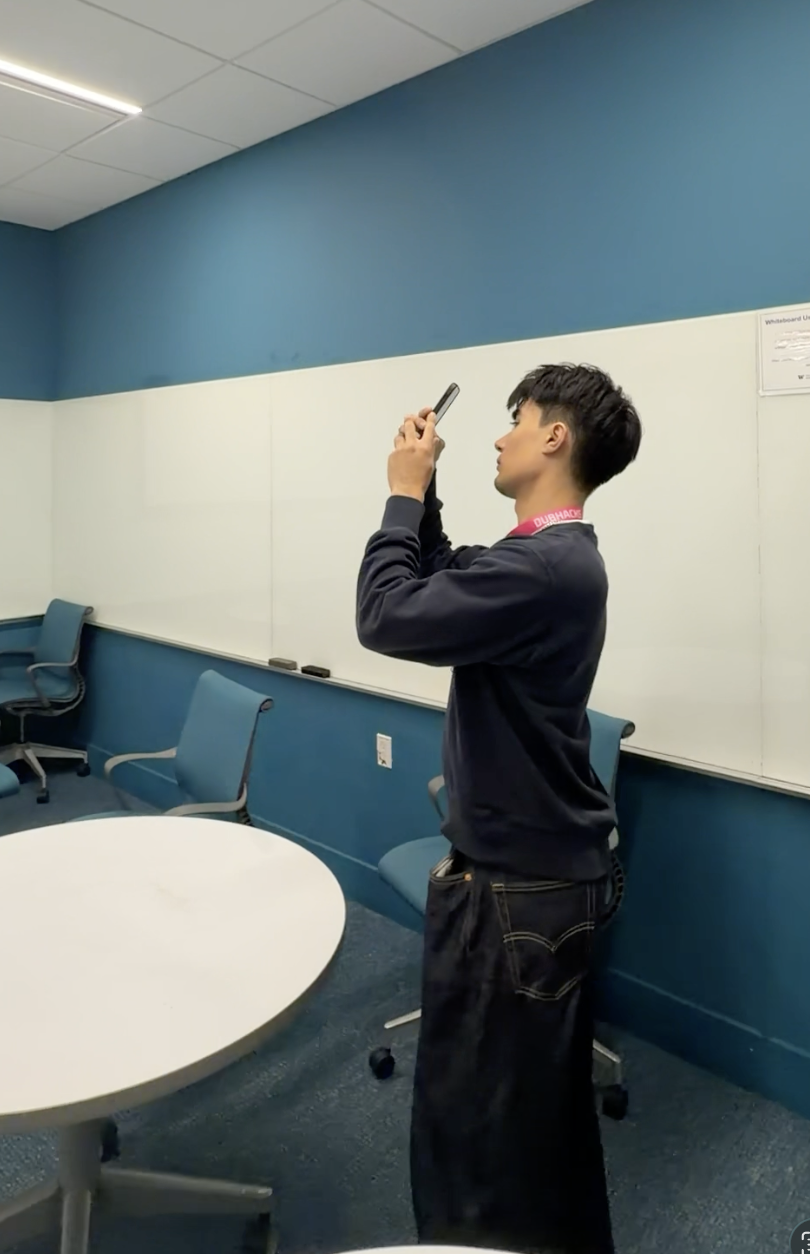
Inspiration
We all want our rooms to look and feel nicer. If you’re a cafe or restaurant owner, you know the vibe matters significantly to customers. However, redesigning a room usually means guessing. We see inspiration photos of nice rooms online, just to be disappointed that their rooms are fundamentally different from our own, and unsure how to actually buy the cool items in the photo.
iPhones have built-in LiDAR scanners that can measure a room. ReSpace takes a quick iPhone scan to build a 3D model of your room using those measurements, then our AI assistant works with you to redesign it as you chat about what you want your space to look like. Every redesign, you can see a 3D preview of your room, not someone else's. The spatial data ensures suggested added products actually fit in your room, and all products are verified to be real products you can buy online seamlessly through our app. The AI assistant also is pre-informed with room design rules that help you thrive, backed by real psychology research.
What it does
ReSpace turns a short scan of your room into a walkable 3D model of the room and a 3D redesign built from real products, each one checked against your room's actual measurements.
- Scan. Walk around the room for at least a minute, scanning with your iPhone. Apple's RoomPlan measures walls, doors, windows and large furniture while ReSpace saves photos and LiDAR depth along the way, plus the room's 3D mesh when you finish. The finished scan stays on your phone, so a dropped connection never means rescanning.
- Walk through it. ReSpace rebuilds your room as a 3D model, furniture and all, that you can explore in first person. Tap Create realistic image for a photo-style picture of the room you can share.
- Review. See your measured room and mark each existing piece Keep in place, Let the design decide, or Remove from design.
- Say what you want. Type it into one box: "a warm reading corner, under \$400." There are no forms or modes to pick. ReSpace works out whether you want a few additions or a full redesign, which styles you're after (or matches your existing style), and your budget. If you didn't give a budget, it asks rather than making one up.
- Answer a few simple questions. An AI designer asks one question at a time: what you do in the room, who uses it, what matters most. Reply in your own words, or skip the question or let it Decide for me. When a choice matters, it shows real listings with photos, prices and sizes and explains the trade-off ("a better couch, or two extra chairs?"). It can't go over your budget without your explicit approval. Ollo, our companion, listens, thinks and celebrates along with you.
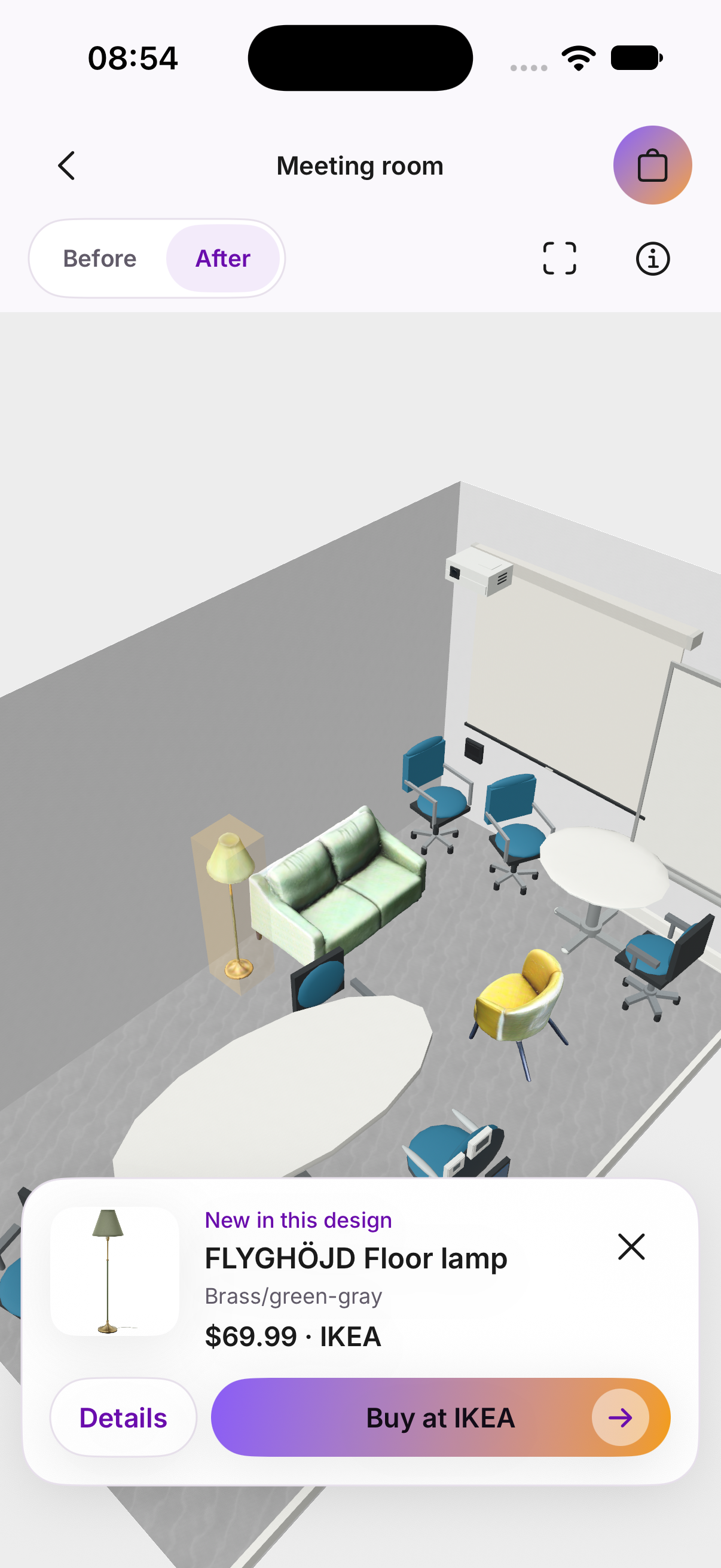
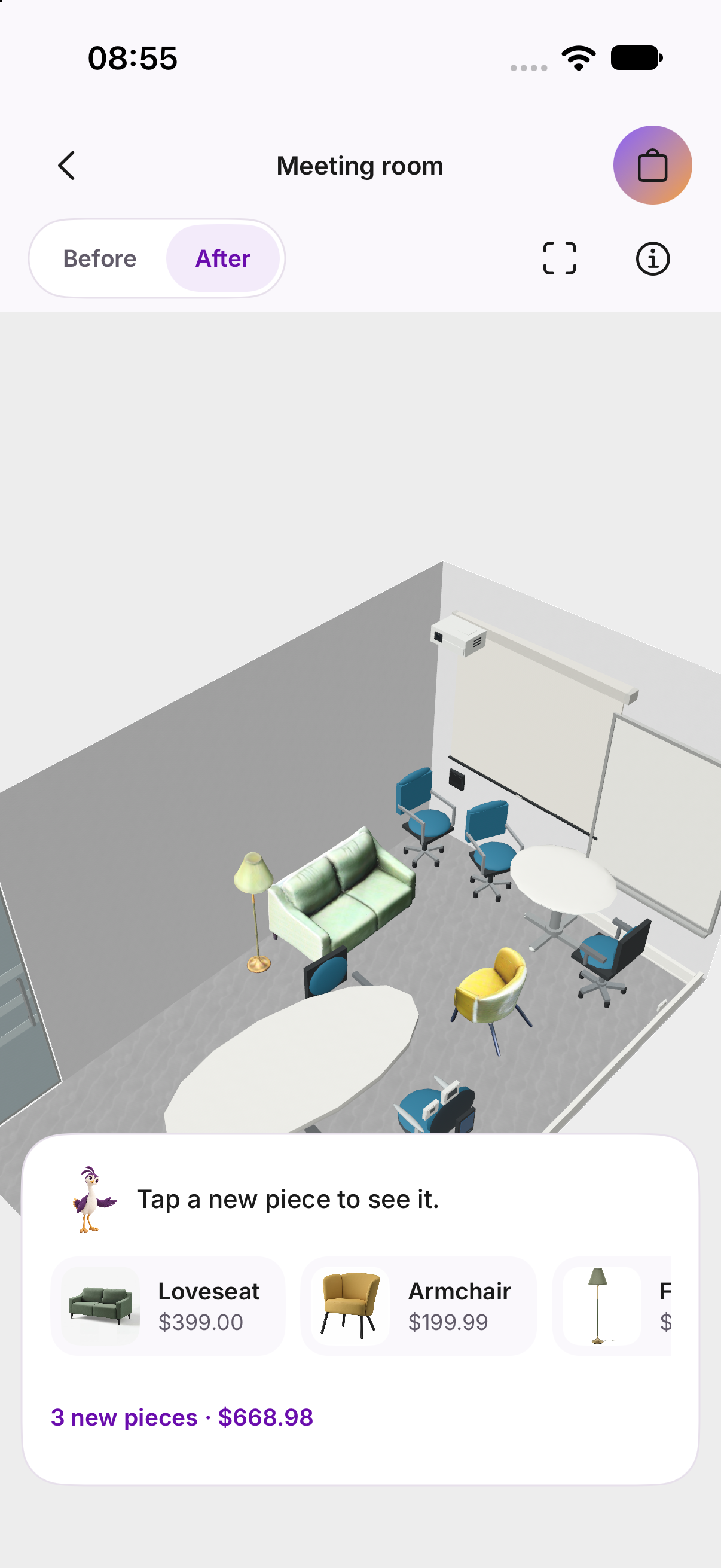
- See your new room in 3D. ReSpace renders your new, redesigned room (your existing furniture plus new products) in a 3D view you can orbit, pan and zoom. Open Items to inspect each new piece: its store, price, verified dimensions, why it was picked, alternatives you can swap in, Find more options, and a Buy link.
- Refine by chatting. "Move this lamp next to the sofa." "Swap the rug for something cheaper." "Remove the side table." Every edit is checked for collisions and walkway clearance before it's saved. If you ask for two things and only one fits, ReSpace saves the one that works and tells you why the other didn't. Every change can be undone in one tap.
- Shop and share. The shopping bag saves your list with exact links, pack counts and the total. Share it as price-tagged images, links and a caption to Messages or Instagram.
The app also ships with a ready-made meeting-room redesign that works without a server: we removed a round table and three chairs from a real scan and added a soft-seating corner of three real IKEA pieces. Flip Before/After, tap any new piece in 3D, and Buy at IKEA opens its exact product page.
How we built it
iOS app (SwiftUI, RoomPlan, ARKit, RealityKit, SceneKit). RoomPlan runs the scan. We sample ARKit frames from the same session every 0.5 seconds, 10 cm of movement or 8° of turning, only while tracking is good and the phone is moving slower than 0.3 m/s, up to 900 frames. Each frame keeps a 2560 px photo, its camera pose and lens parameters, and LiDAR depth and confidence when the phone provides them, saved to disk as it's captured. Plan changes sends the planning backend the RoomPlan export plus 40 evenly spaced frames, resized to 1280 px with the lens parameters rescaled to match and depth converted from 16-bit to 32-bit floats. The design screen is a RealityKit view with an orbit camera. Walls facing the camera are cut away so you can see inside, and furniture appears as USDZ stand-in models scaled to each piece's measured or verified size, with existing pieces tinted their real color. The walkthrough is a first-person SceneKit viewer. Shopping lists are saved per room, and sharing renders 1080 × 1350 images with price labels for Messages and Instagram.
Walkthrough reconstruction (Python, OpenAI GPT-6 Sol, gpt-image-2). A small reconstruction service running on our own machine keeps the API key off the phone. It builds the walls, floor and ceiling directly from RoomPlan's measurements. It then picks up to 64 photos, scoring each for sharpness and exposure and choosing ones taken from different positions and angles. It sends them to Sol with all the scan's LiDAR depth pooled into one compact colored grid and a room mesh simplified to 1,200 triangles. Sol first lists up to 64 objects in the room with their size, position and materials, then builds detailed models at four objects at a time, largest first. Surfaces get textures from our library of 12 material families. The service validates the result and writes an OBJ for the phone's first-person viewer and a USDZ for sharing. Every paid call has its tokens counted before it's sent and is held to a \$10 ceiling per generation. However, every generation takes less than \$1 due to input and output optimization and the pipeline designed to reduce tasks on the API call. On request, the service can also render an eye-level corner view of the room and send it to Sol with a few original scan photos, and Sol calls gpt-image-2 to produce a hyper-realistic image.
Room geometry (Python, NumPy).
- We convert Apple's room scan into our own room model. Walls are snapped into a closed floor outline, doors and windows are attached to their walls, and every door gets a keep-clear zone 1.2 m into the room and 45 cm past each side.
- Each existing piece of furniture gets a stable ID, so Keep in place and Remove from design always point at the same physical object, and its color is sampled from the keyframe pixels where it's actually visible.
The AI designer (Python, FastAPI, Gemini). Gemini first reads your request to decide its scope, styles and budget, and that reading is saved before any search runs. It then runs the interview through exactly three tools: search_products, ask_user and finalize_selection. The backend runs each call, validates it, saves the result and starts the next turn. Gemini can't skip product verification, fake a price check, or approve its own budget increase. Every planning, product and edit request includes layout guidance we wrote from research on how people use and feel in rooms.
Gemini also never outputs coordinates. It plans with anchors: "against wall w2, centered," "under sofa o3," "on the nightstand," "in front of the window." It can only refer to walls and objects that exist in the scanned room. Our solver turns anchors into exact positions.
Real products (SerpApi, Playwright). Every search combines fresh Google Shopping results from SerpApi with products we've already verified in earlier searches. A headless Playwright browser opens each merchant page, and Gemini Flash reads the product's width, depth and height from structured data first and the page text second, quoting where each number came from. Code then checks that every quote appears on the page and does the unit conversion itself, so the model can't make numbers up. Package dimensions, missing measurements and ambiguous variants are rejected, so no product enters a design without verified dimensions. Candidates are ranked out of 100: 60% fit to how you use the room, 30% style, 10% value. Value compares the price against similar products, so an overpriced item counts against a pick and a cheap one isn't automatically "best."
Placement solver (Python). The solver places supports before what sits on them, then applies removals, moves and new items in the priority order Gemini assigns. Every item has a collision class with a 5 cm margin. Rugs may slide under furniture and into door zones; nothing else may. When something collides, the solver slides it along the wall in 10 cm steps, rotates it 90°, then tries the next-best anchor. An item that still doesn't fit is dropped with a plain-language warning, and an existing piece that can't be moved stays where it was. For full redesigns, an aisle check keeps every doorway connected to open floor. When one request asks for several changes, the solver keeps the ones that produce a valid room and reports each one that failed.
Backend and 3D assets. Python and FastAPI, with durable step-by-step operations. For the hackathon it runs locally on SQLite and private files; the same code also has Postgres, Google Cloud Storage and Cloud Tasks backends for Cloud Run. The interview can pause on a question indefinitely and survive the app closing or a server restarting. Every completed edit saves a new, unchangeable version of the design, so Undo just goes back to the previous one. Stand-in furniture comes from the Kenney asset kits. For the IKEA pieces in the demo, we used SPAR3D offline to turn product photos into 3D models, automatically turned them upright, sized them to IKEA's published dimensions and converted them to USDZ.
Challenges we ran into
- Coordinate frames. Apple's room export stores matrices column-major, puts the floor around y = −1.3 m instead of 0, and has no full public sample. The camera looks down −z while image pixels count downward. One wrong sign and every lamp lands in the wrong place. We wrote a round-trip test that projects known 3D points into a synthetic camera and back, and requires them to return within 1 cm before we touch real data.
- Models are bad at geometry and confident about numbers. Ask a model for coordinates and it will give you some. Ask it for a sofa's size and it will guess from the photo. Anchors and verified dimensions take both decisions away from the model.
- Shopping data is messy. Package sizes listed as product sizes, the same chair sold by five stores, chairs sold in two-packs when you need three. We merge listings that share a barcode or manufacturer part number, and the budget counts whole packs: two two-packs for three chairs costs both packs, and the spare chair is shown.
- One scan, two very different consumers. The walkthrough wants hundreds of large frames; the planner wants 40 small ones with matching lens math. We keep the full scan on the phone and derive the planning set from it, rescaling lens parameters and converting depth formats so both pipelines read the same capture.
- Paid generation can run away. Building a whole room with Sol takes many large model calls. We count tokens before every call, reserve the worst case against a \$10 ceiling, checkpoint each batch so retries don't pay twice, and stop if a bill's outcome is ever unknown. If the budget runs out, the remaining objects keep simpler shapes instead of failing the room.
- Three builders, three branches. Each lane wrote its own detailed spec and code, and they disagreed in places, from the depth file format to whether the walkthrough could edit furniture. Every conflict went into a decision record so we resolved it on purpose: the walkthrough stays view-only, and every edit goes through the versioned design so Undo always works.
Accomplishments that we're proud of
- Integrating LiDAR data for a problem we genuinely would use it for
- An AI designer that asks before it decides, and can't overspend, fake a product check, or put furniture through a wall.
- Every recommended product has real dimensions taken from its merchant page, not guessed from a photo.
- A walkable, immersive 3D model of your own room, rebuilt from a one-minute phone scan, plus a photo-style image of it.
- One text box for everything: describe the room you want, answer questions, and edit the design, with no forms or modes.
- A spatial core that is deterministic and fully testable: pure Python with no network access.
What we learned
- Let the model choose, let code place. Gemini is good at "a rug under the sofa and a lamp by the reading chair." It is not good at x = 2.13 m. Separating intent from geometry made both reliable.
- Check facts before writing code. Reading Apple's documentation closely, and writing down sources, caught wrong assumptions about depth availability, coordinate frames and data formats before they became bugs.
- The importance of parallelising work. Because of the complexity of our project, we had to efficiently split up the work.
- Fewer controls, more listening. Replacing mode pickers and style forms with one text box made the app simpler to use and forced the backend to be explicit about what it inferred.
What's next for ReSpace
- Your redesign inside the walkthrough. The backend can already place new products into a reconstructed room and export one 3D file; next is connecting it to the app.
- Café and small-business mode: seating targets, table-and-chair groups, 90 cm aisles, and clearance around counters and registers.
- AR preview that overlays the redesign on your real room through the camera.
- Multi-room scans and sharing a live design with a link.



Log in or sign up for Devpost to join the conversation.