-
-
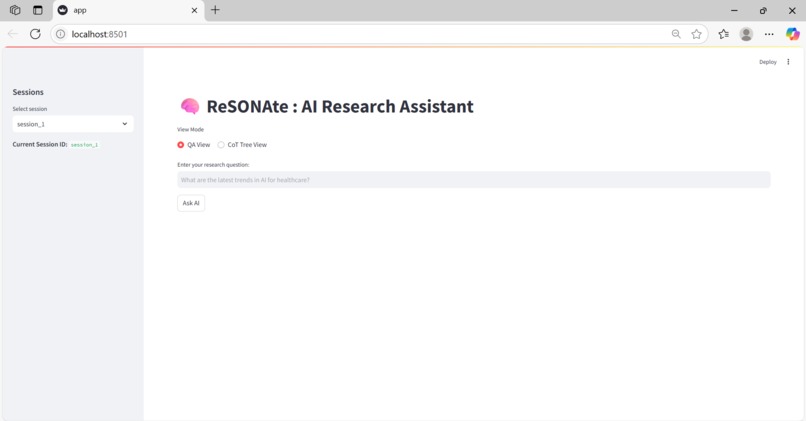
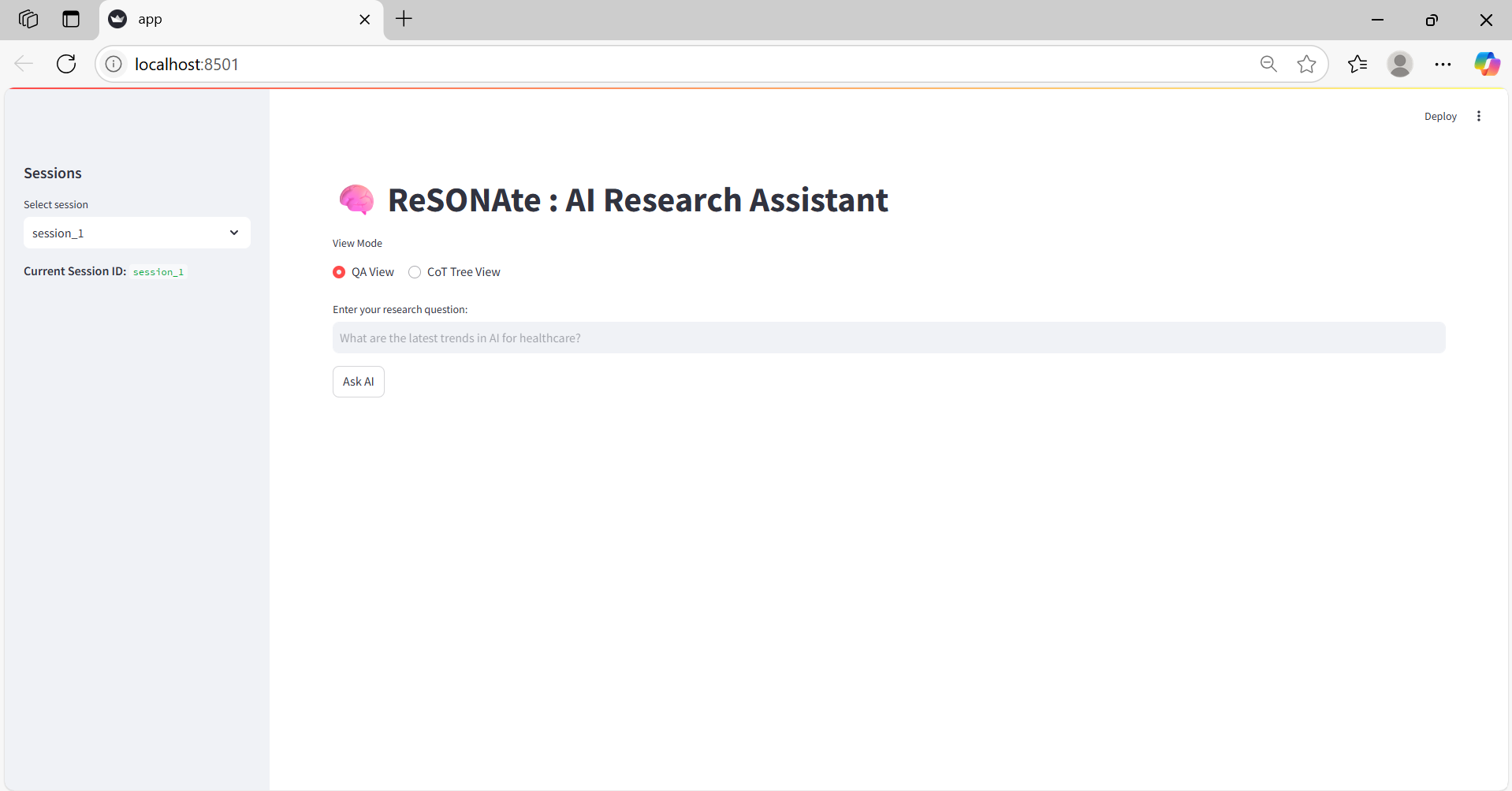
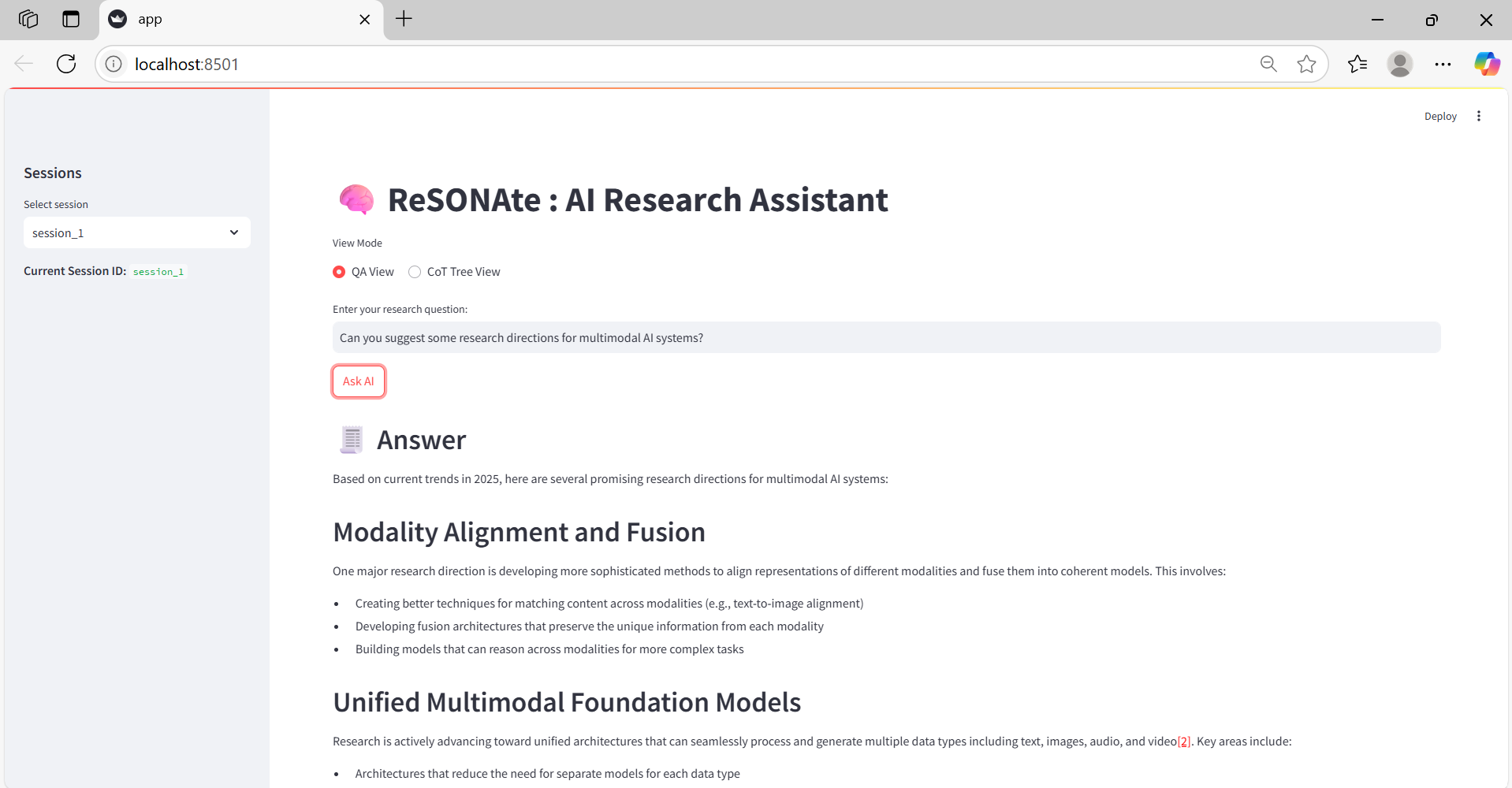
Home screen of ReSONAte
-
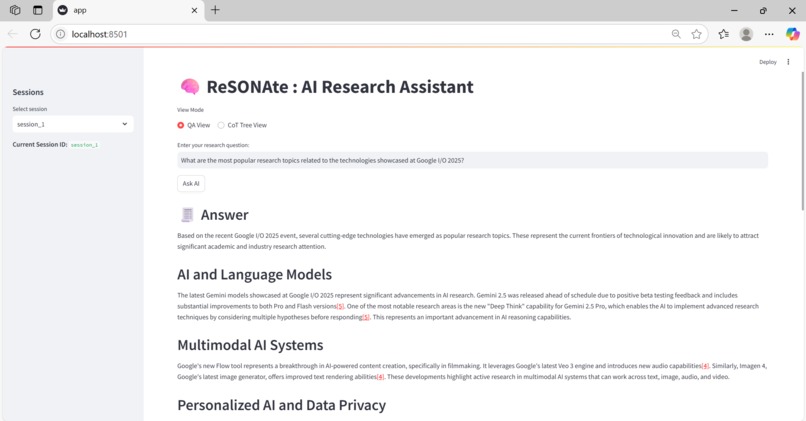
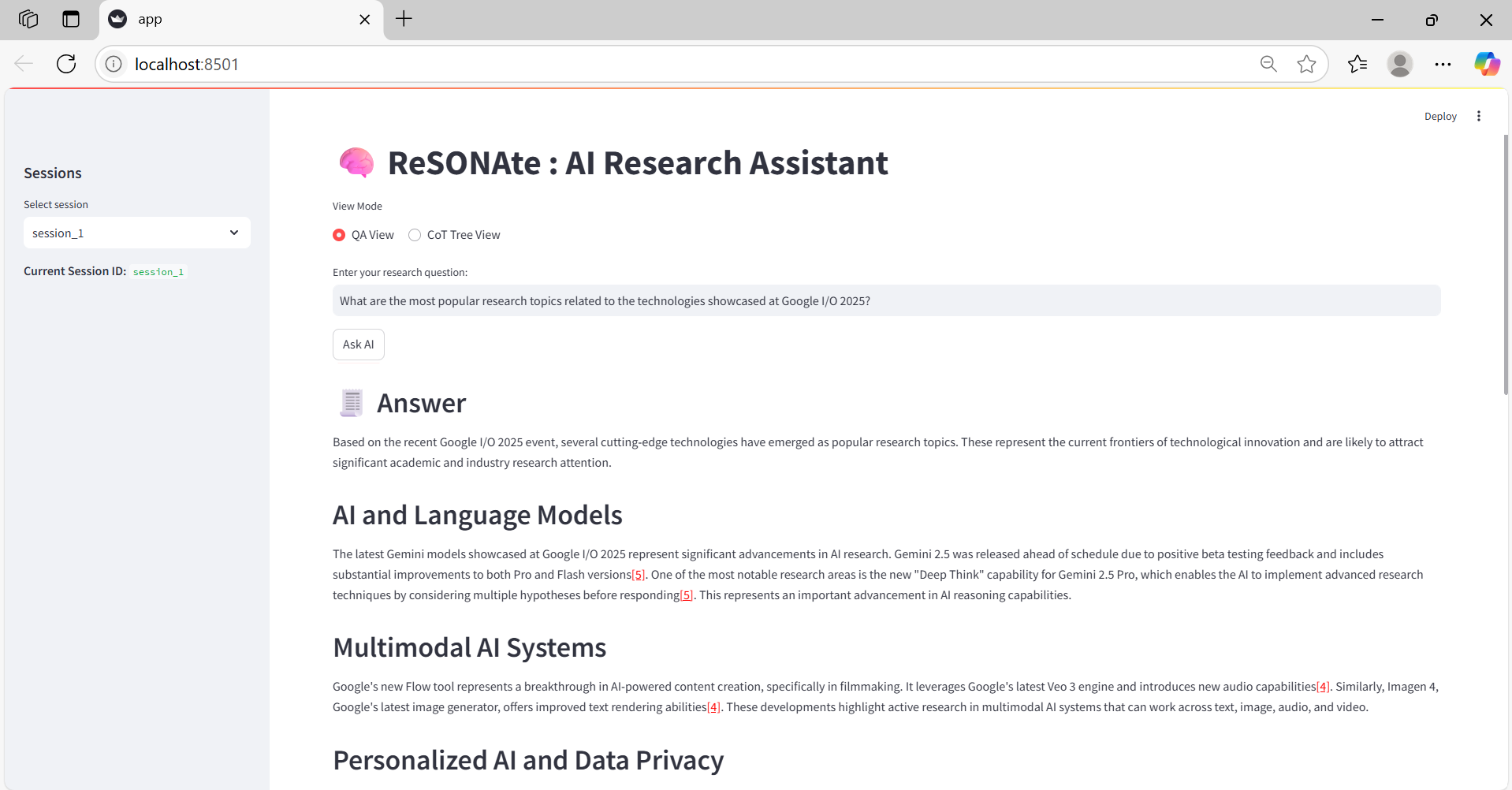
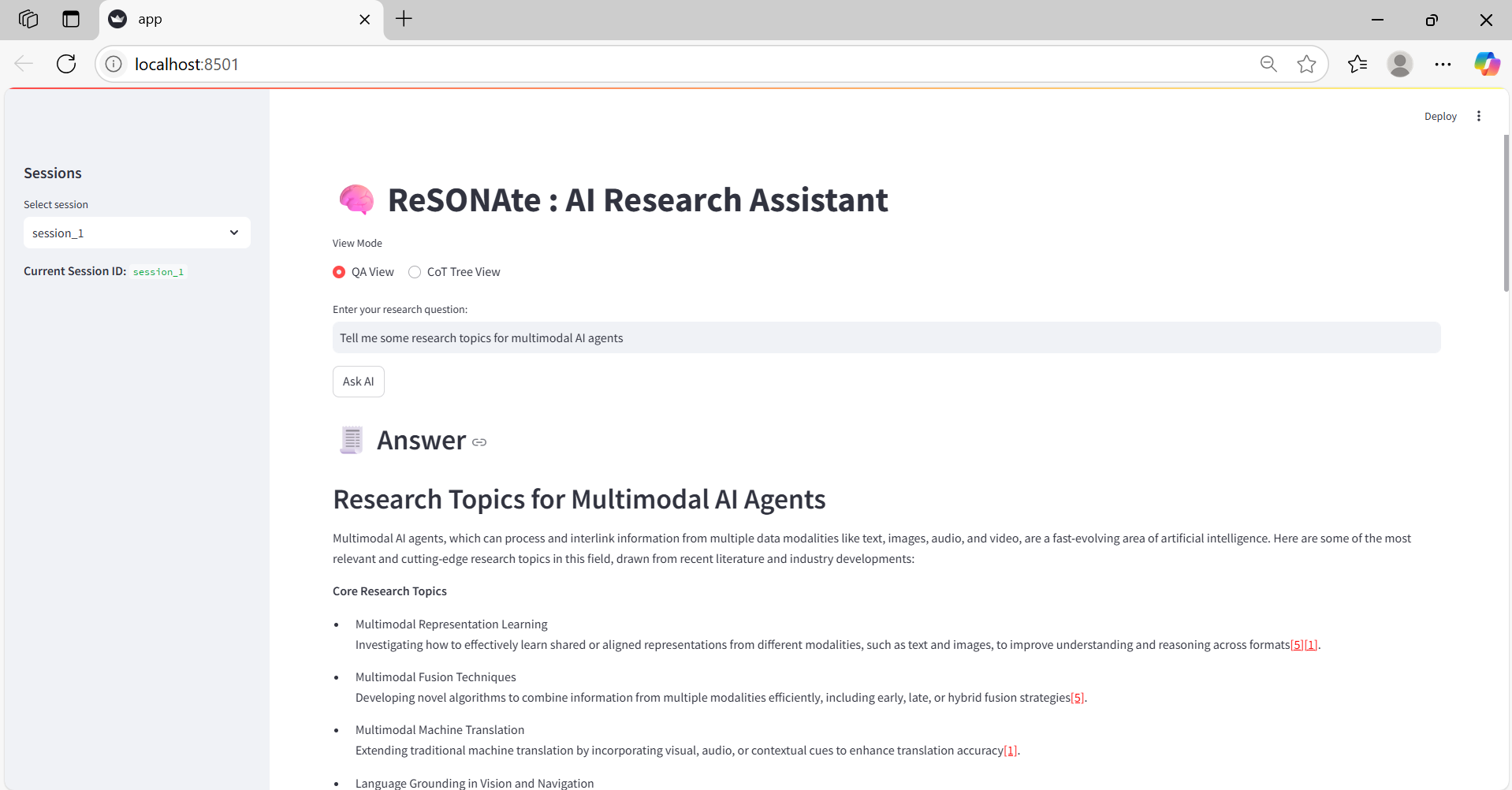
Example interaction in QA view
-
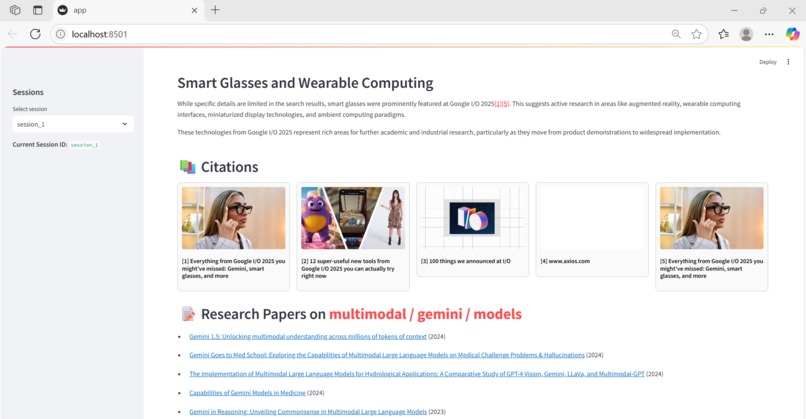
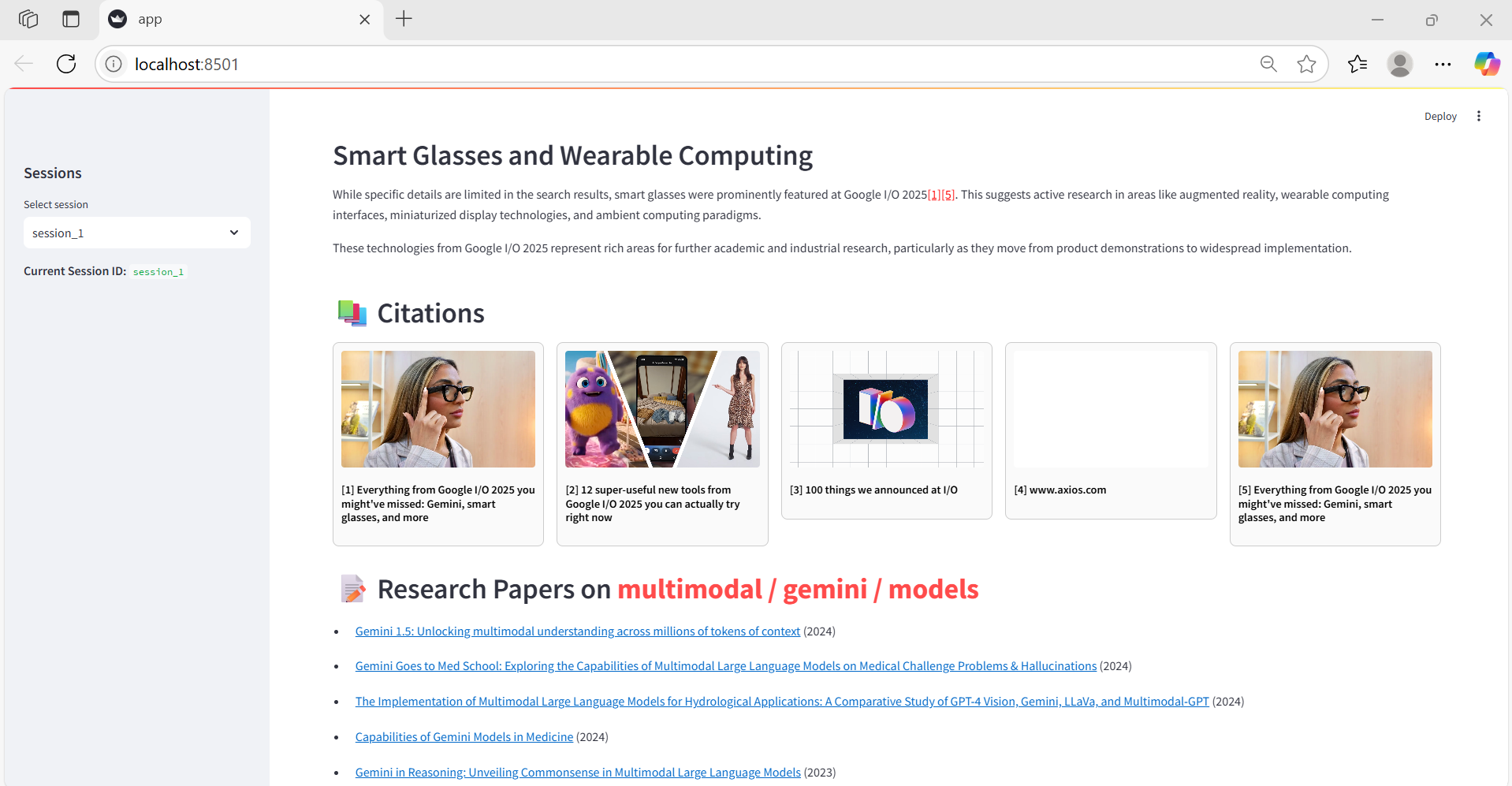
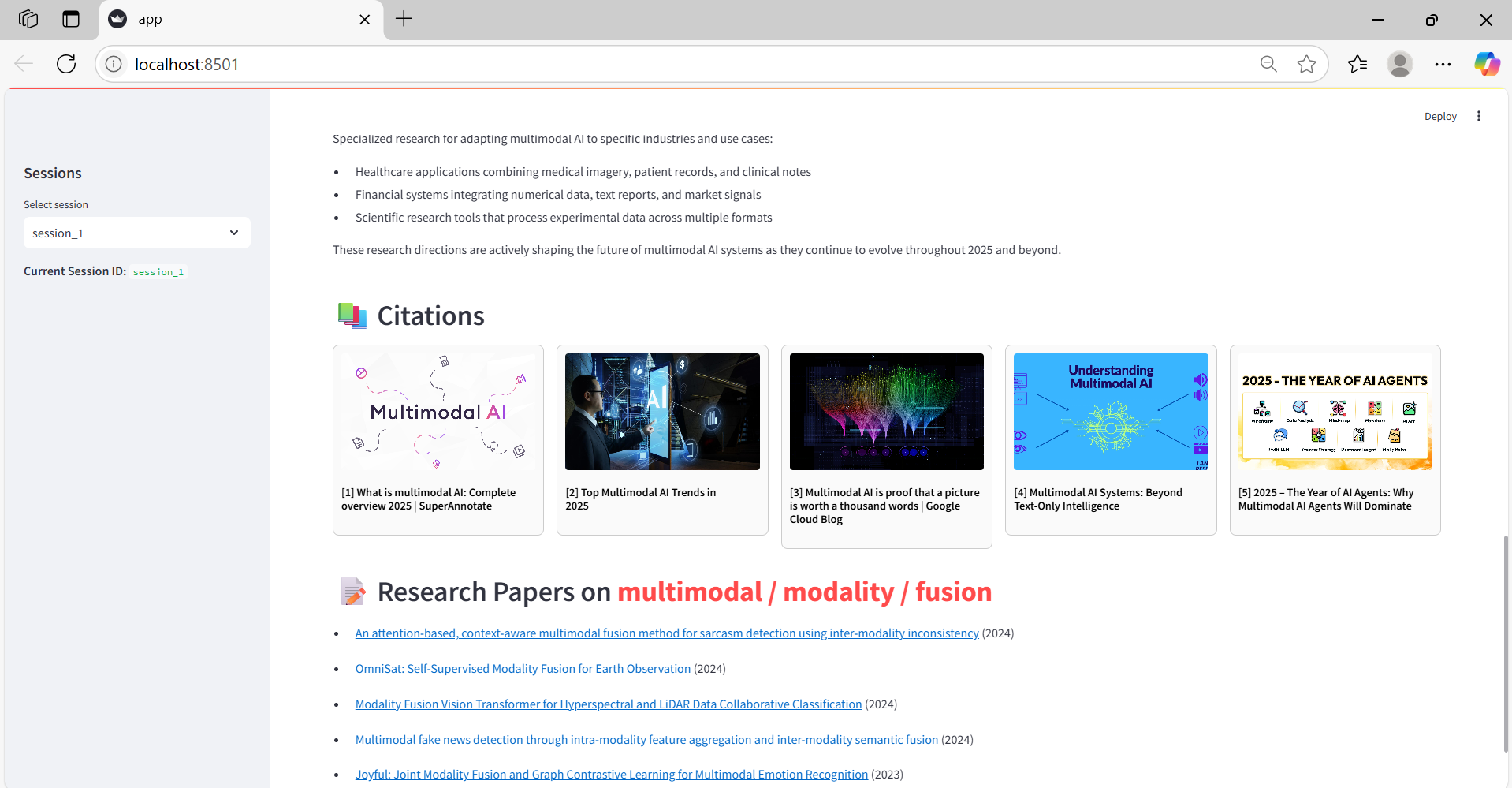
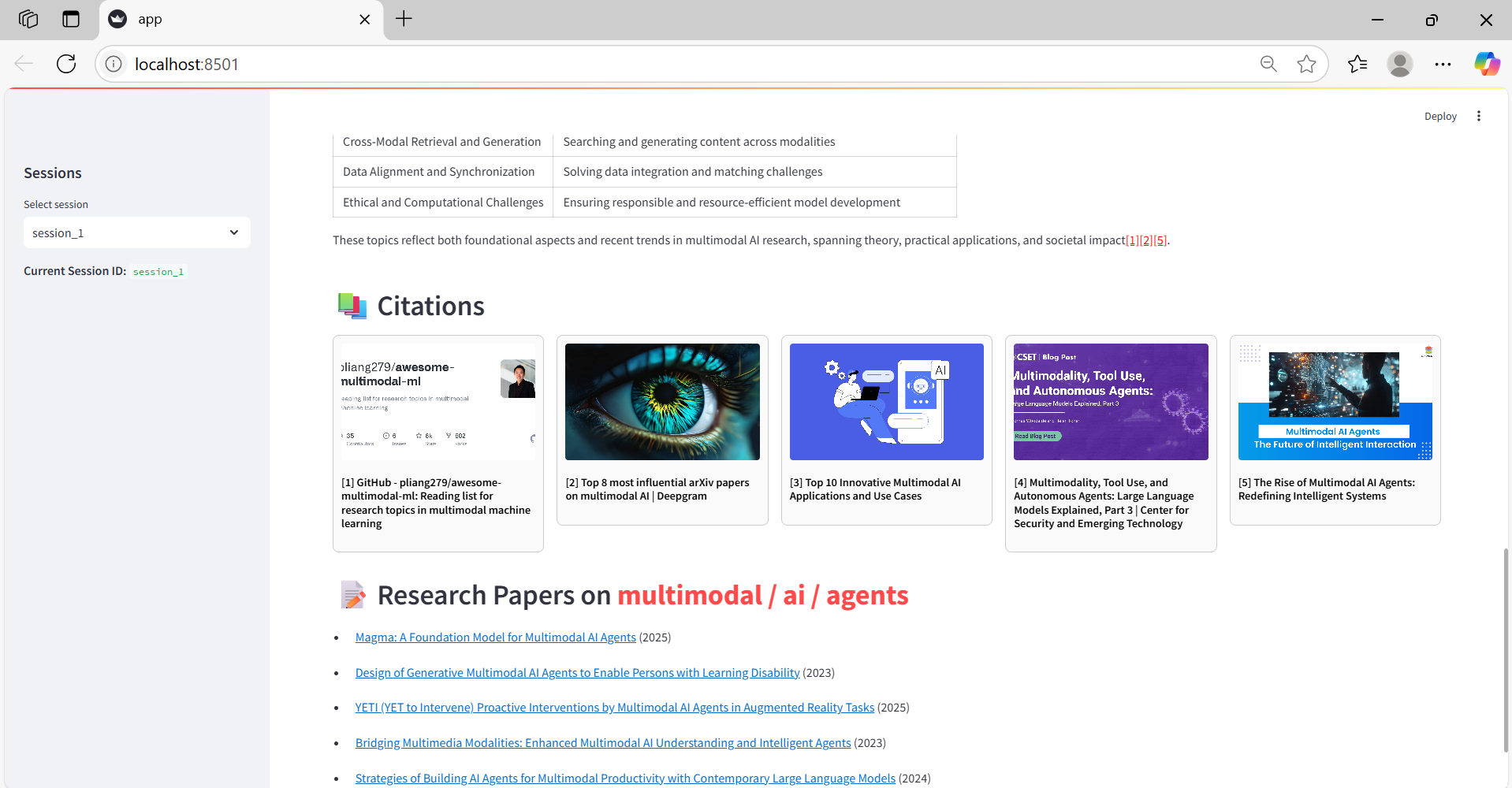
Each answer includes three components: response, citations, and related research papers
-
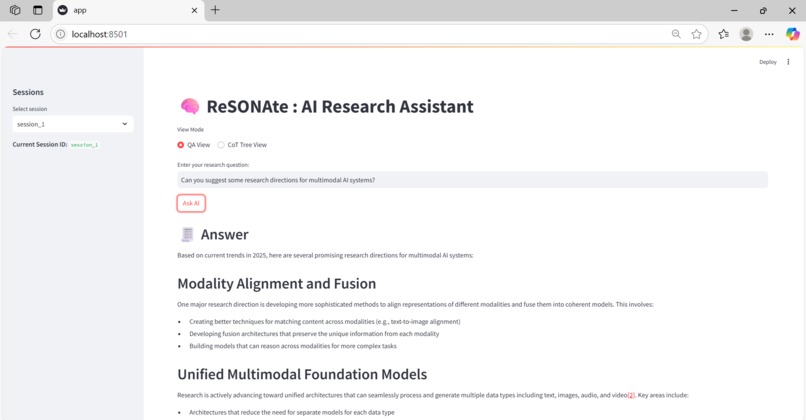
Users can freely ask questions and receive insightful answers
-
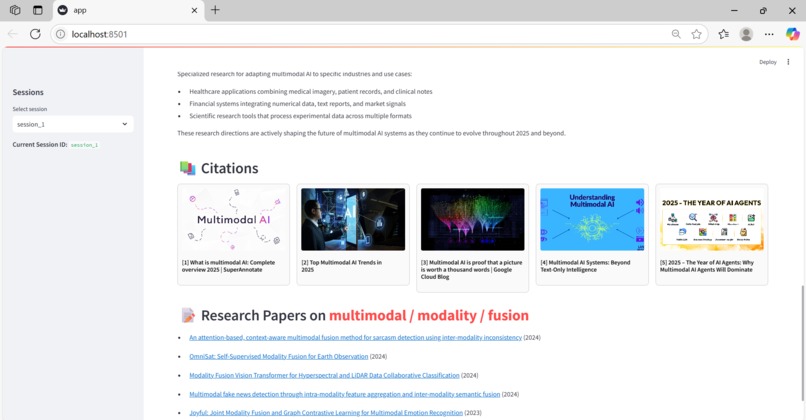
Users can freely ask questions and receive insightful answers
-
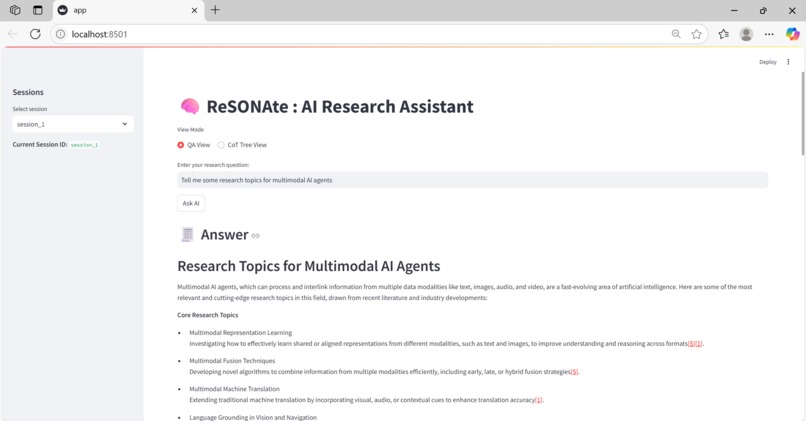
Users can freely ask questions and receive insightful answers
-
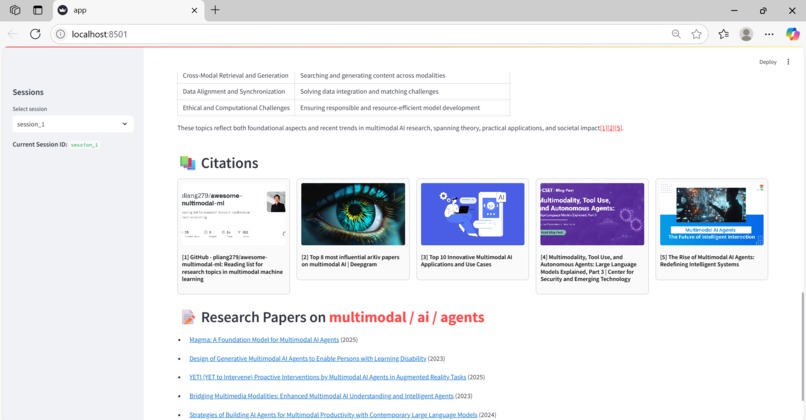
Users can freely ask questions and receive insightful answers
-
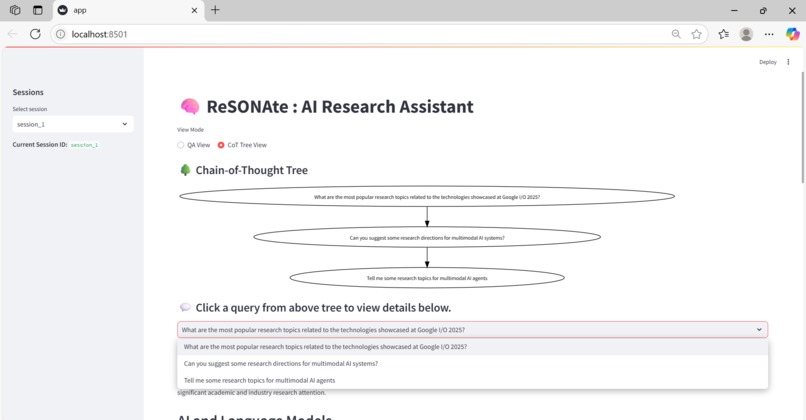
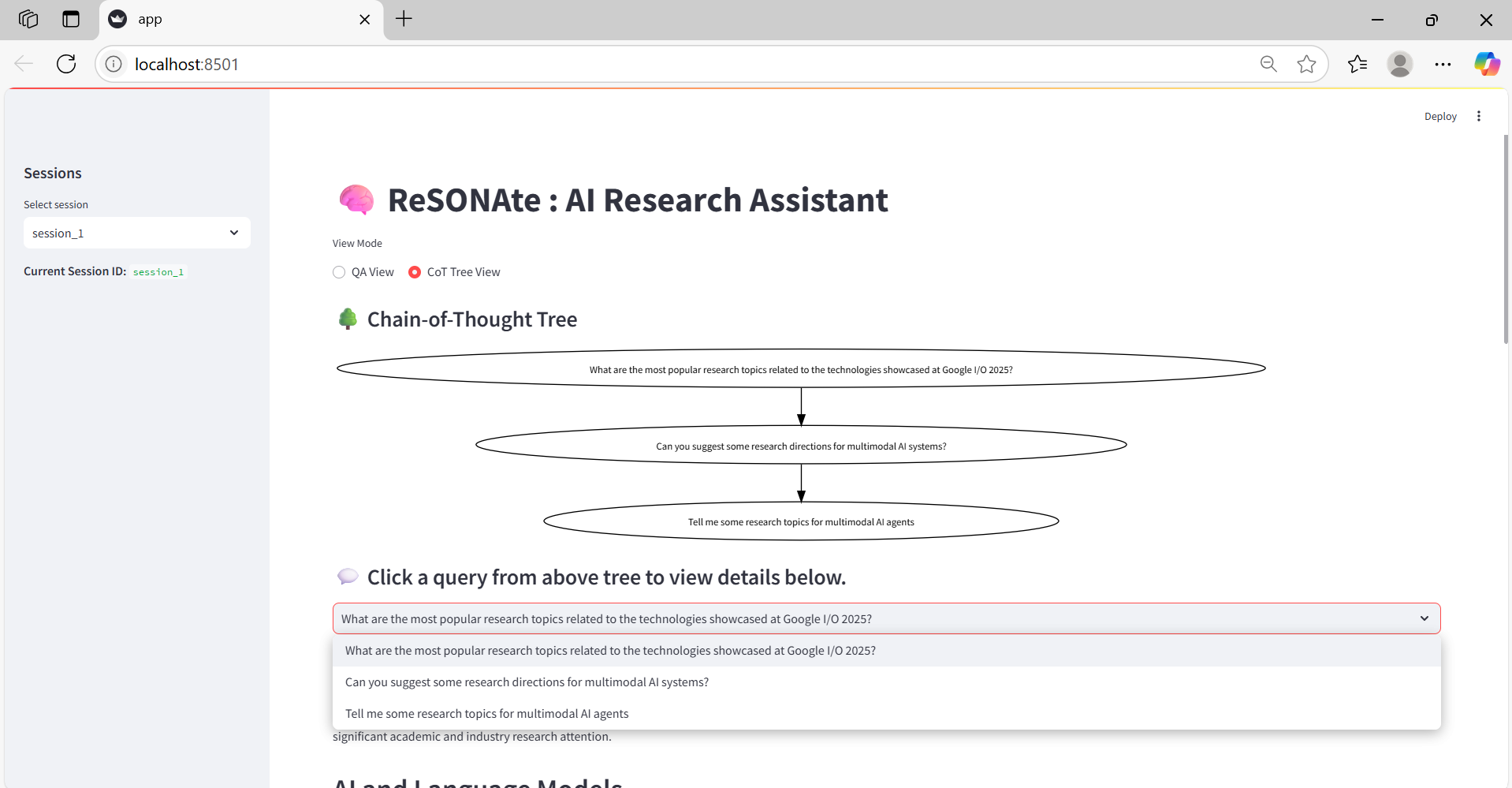
Example of CoT Tree view — users can explore and load answers for all past queries
-
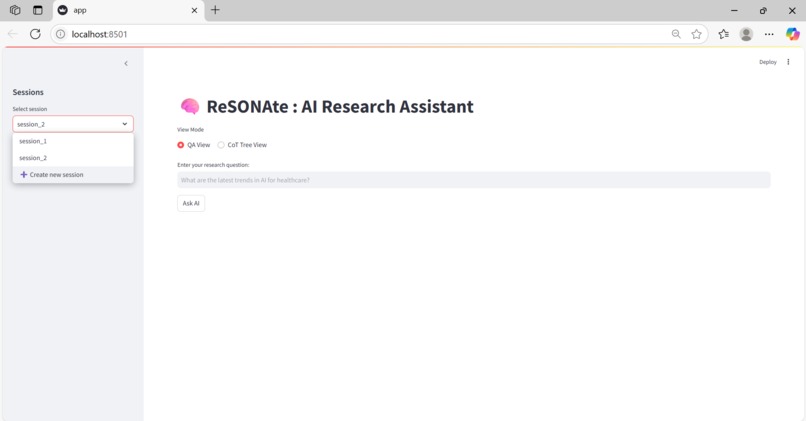
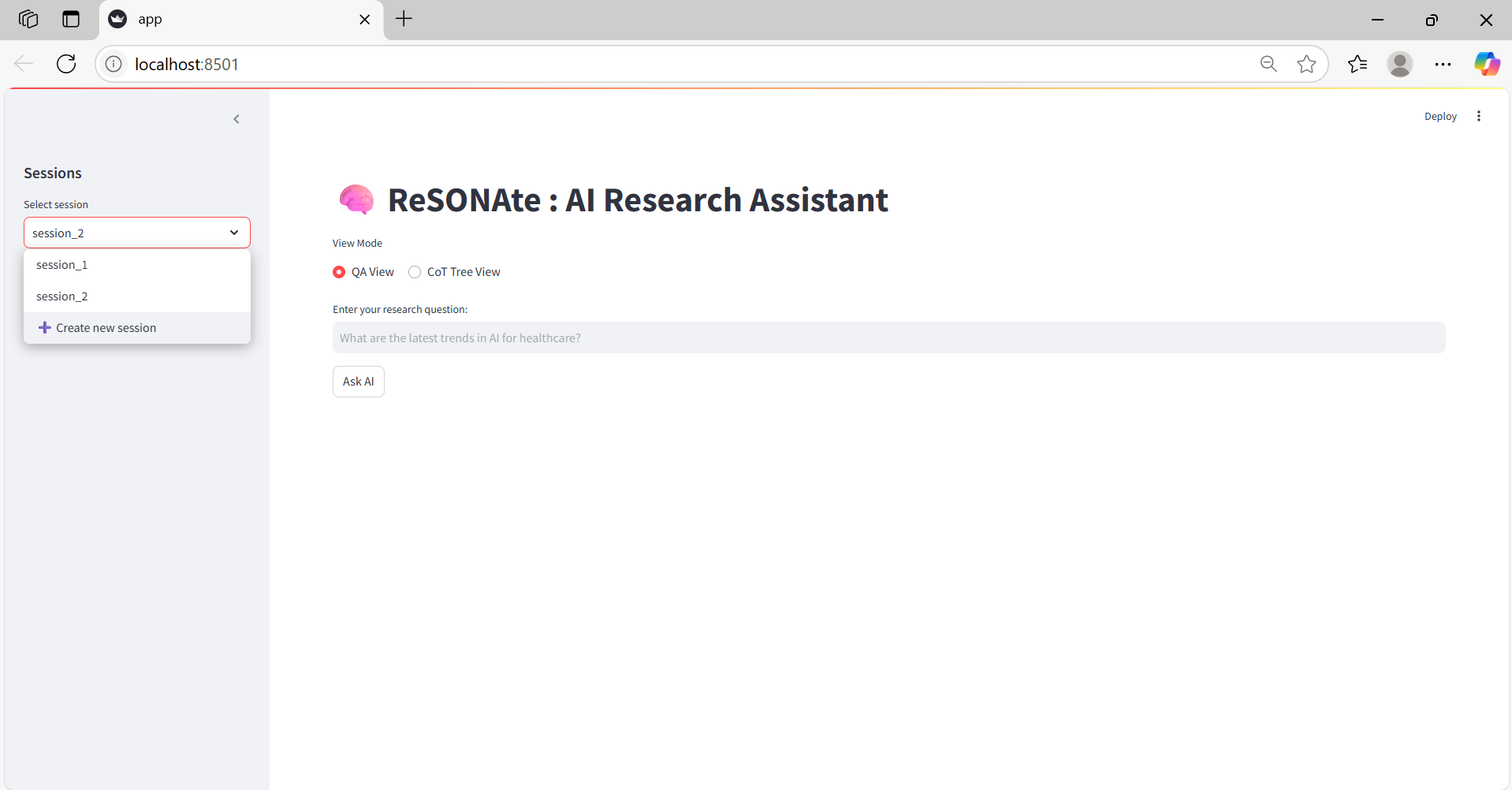
Users can create new sessions to explore different research topics
Inspiration
During my first research internship last winter, I found it challenging to navigate the overwhelming amount of information online. It was difficult to identify promising research topics and stay focused on my own direction without getting sidetracked. Although there are tools for taking notes, none truly supported the research thinking process—from offering detailed, curiosity-driven insights to helping me keep track of how my ideas evolved over time.
That’s when I conceived ReSONAte: a web-based AI research assistant powered by the Perplexity Sonar API, which excels at generating in-depth responses to research-related prompts while also supporting a structured and visual research journey.
What it does
ReSONAte provides two core functionalities to assist researchers:
QA View - Ask any research-related question and receive a structured response
CoT (Chain-of-Thought) Tree View - Visualize your research journey as a growing tree
How we built it
The project is built with a Streamlit frontend and a FastAPI backend. Here's a breakdown:
QA View
- Answer: Uses Perplexity Sonar-Pro API to provide a profound, well-structured reply
- Citation: Visual previews of cited sources for the answer via the LinkPreview API.
- Research Papers: Leveraged KeyBERT to extract key topics and Semantic Scholar API to retrieve a curated list of recent, relevant publications.
CoT Tree View
- Tree Visualization: Queries are displayed in a directed vertical graph. Implemented with Graphviz for structured tree rendering.
- Interaction History: Click on past queries to revisit corresponding answers and papers, helping refine your direction. Session data stored in Streamlit's session state, enabling users to revisit any prior query and response.
Challenges we ran into
Session Management: Handling multiple sessions in Streamlit—especially switching between them or initializing a new one—was more complex than expected due to the app rerunning from top to bottom on every user interaction.
Research Paper Retrieval: Before setting up a stable Semantic Scholar API key, the paper-fetching process was inconsistent and unreliable.
Accomplishments that we’re proud of
- Developed a complete prototype from concept to execution by myself.
- Created an interface that helps researchers stay focused and organized amidst overwhelming online information.
- Integrated Perplexity Sonar Pro and Semantic Scholar, resulting in highly relevant and deep research assistance.
What we learned
- Building a working prototype is a chain of small, solvable problems.
- The developer community (and the internet) is full of solutions—knowing how to search is key.
- Tenacity and consistency are essential to transforming a vision into reality.
What’s next for ReSONAte
- Performance Improvements – Reduce interface latency for smoother UX.
- File Upload Support – Enable users to upload PDFs or documents alongside their queries.
- Smarter Suggestions – Incorporate user history to propose personalized research directions.
Built With
- fastapi
- linkpreview
- perplexity
- python
- semanticscholar
- streamlit


Log in or sign up for Devpost to join the conversation.