-
-
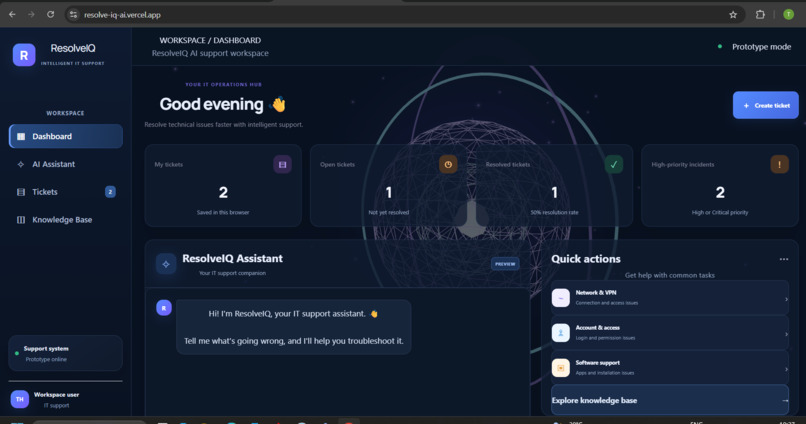
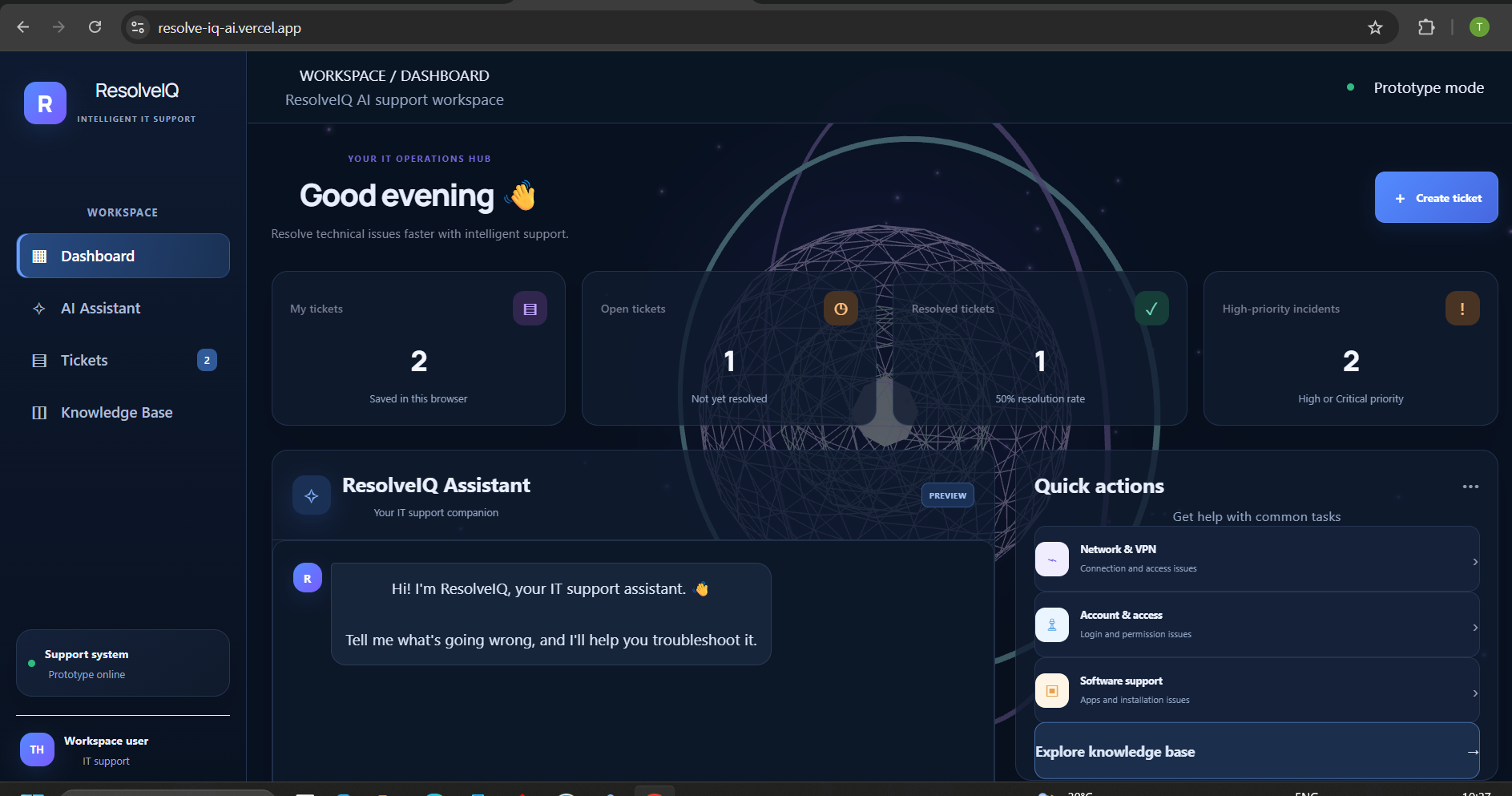
This is the Main Dashboard of the Website where we can see Mytickets,Resolved Tickets,and other analytical data about tickets
-
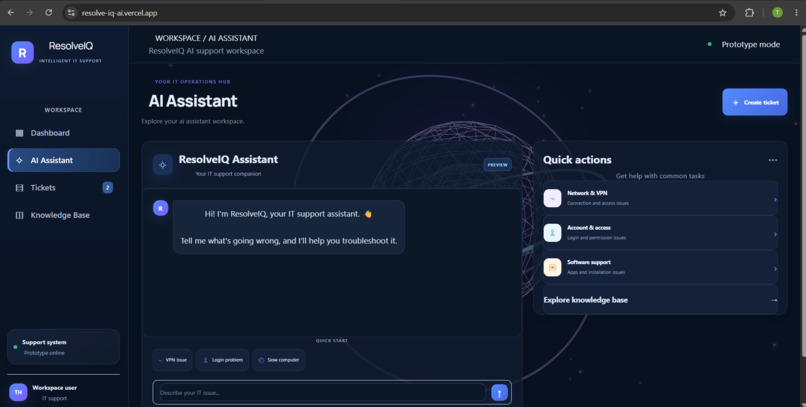
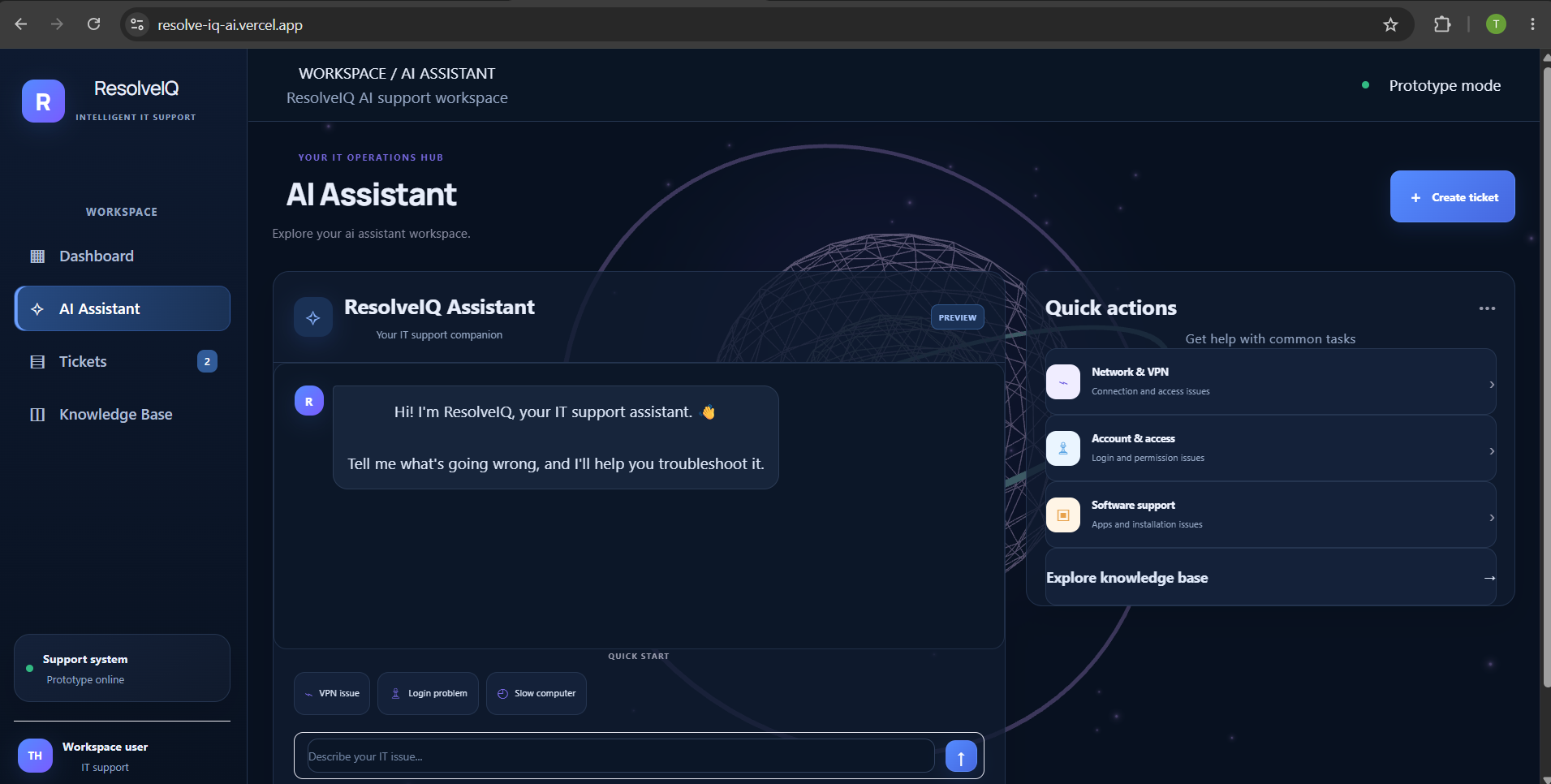
Here we can see the AI Assistant where employee can ask their doubts before creating tickets whether they can solve their problems.
-
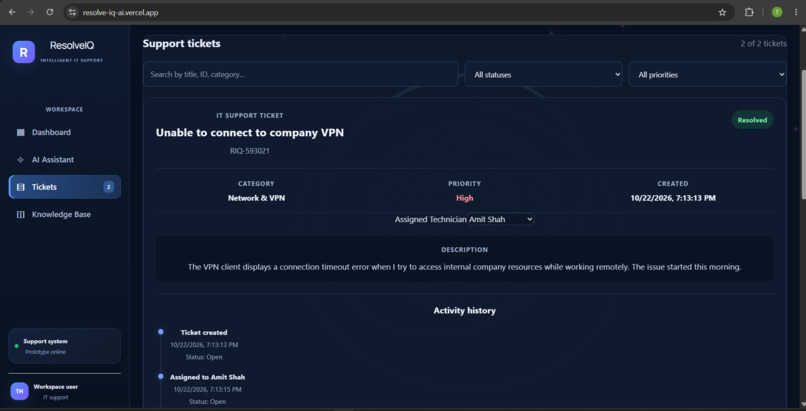
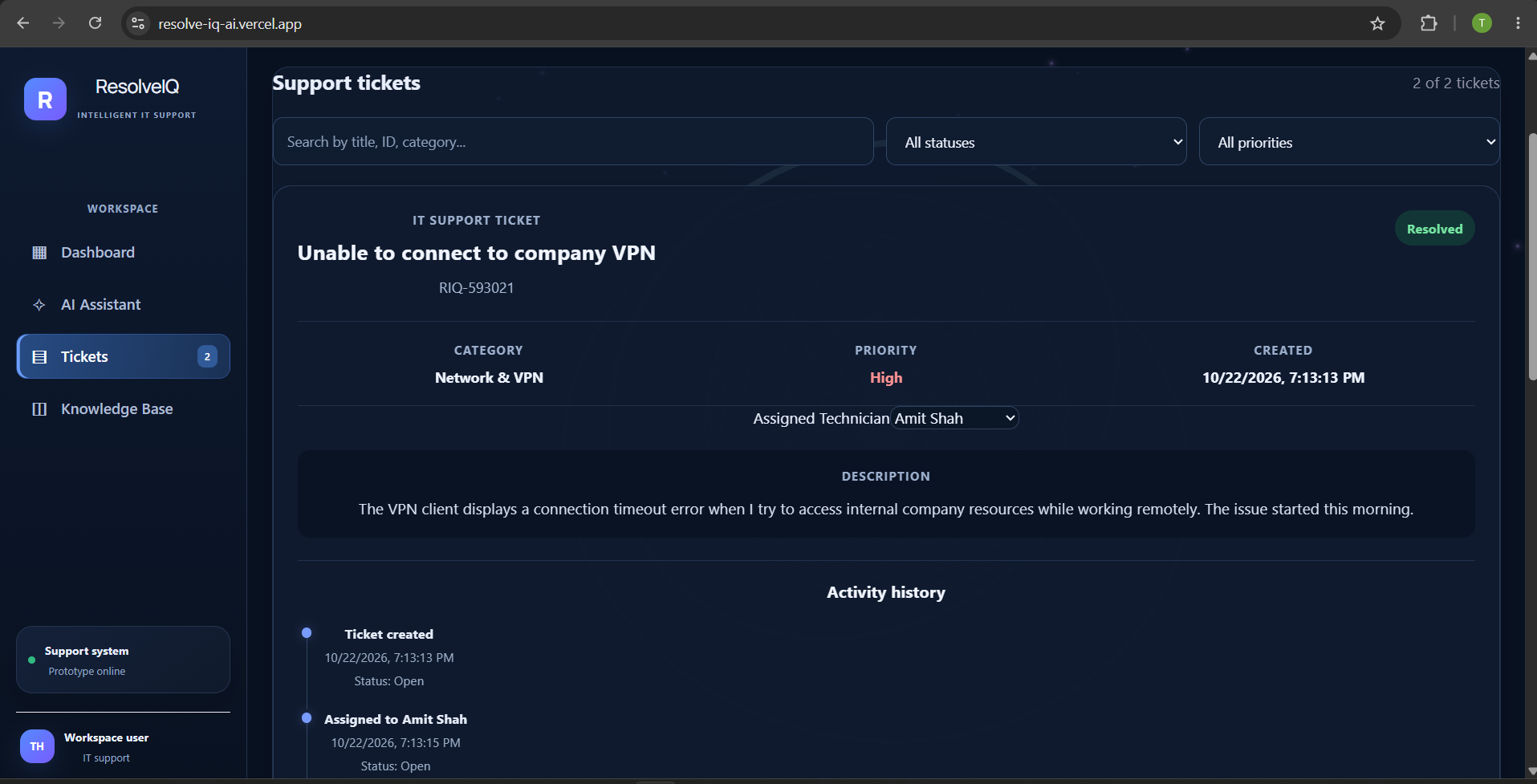
Here we can see that which tickets are available,who have been assgined to solve this tickets and the rest of the history of the tickte
-
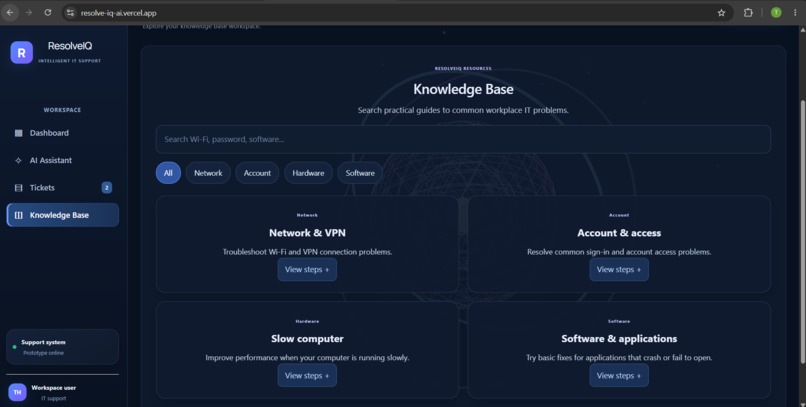
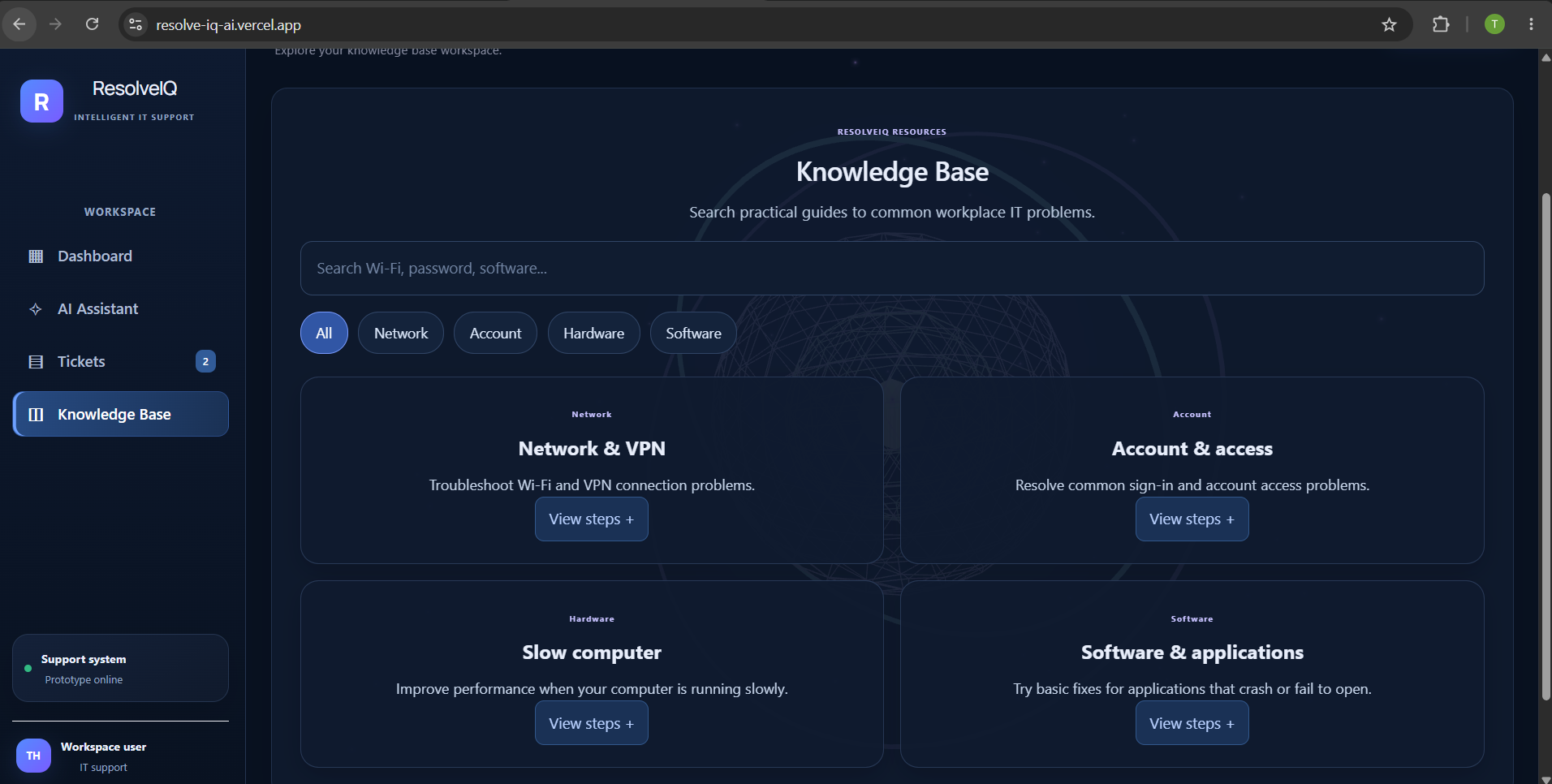
Here includes knowledge base which problems are there in majority and in which category they are in and which team can solve this .
-
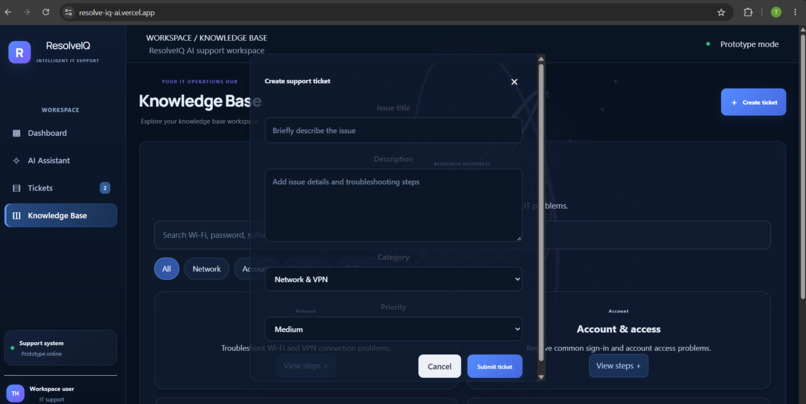
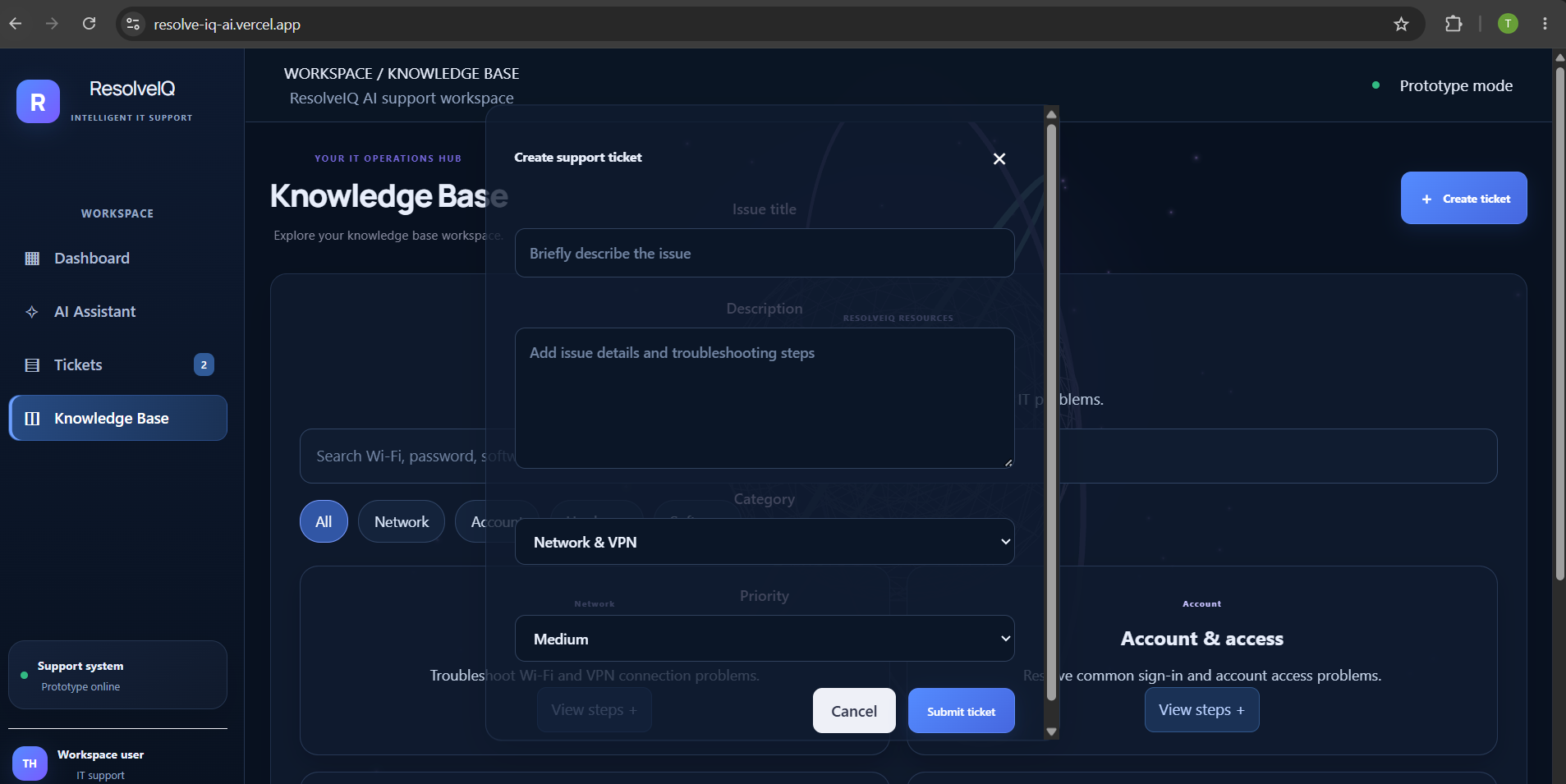
Here you can create tickets of your problems and submit it to respective teams.You can includeticket id,issues,,priority of the problem.
1]Inspiration: IT issues such as network failures, login problems, and software errors can interrupt employees' productivity. We wanted to create a smarter, more organized IT support experience that combines troubleshooting guidance with ticket management in one centralized platform. This inspired us to build ResolveIQ.
2] What it does: ResolveIQ is an AI-inspired IT support command center that helps users troubleshoot common technical issues and manage IT support tickets.
Key features include: 1.An interactive IT troubleshooting assistant for common technical problems. 2.Ticket creation with descriptions, categories, and priority suggestions. 3.Ticket status tracking and technician assignment. 4.Search and filtering to organize support requests. 5.Browser-based persistence to retain tickets across page refreshes. 6.A futuristic dashboard with an interactive 3D AI core.
3] How we built it: We built ResolveIQ using React, TypeScript, and Vite for the web application, with CSS for the interface and React Three Fiber and Drei for the 3D visual experience. Browser localStorage stores ticket information locally. GitHub hosts the source code, and Vercel is used to deploy the application.
The current troubleshooting assistant uses predefined rules and responses to guide users through common IT problems.
4] Challenges we ran into:One challenge was building a visually engaging interface while keeping ticket management easy to use. We also worked through TypeScript and JSX errors, integrated the 3D AI core, and implemented ticket persistence so that information remains available after refreshing the browser. Ensuring that new features worked without breaking existing functionality required careful testing.
5] Accomplishments that we're proud of: We are proud to have developed and deployed a functional IT support dashboard with ticket creation, priority suggestions, technician assignment, status tracking, search and filtering, and browser-based persistence. We also created a distinctive futuristic interface featuring a 3D animated AI core, giving the project a more engaging command-center experience.
6] What we learned: We gained practical experience with React, TypeScript, component-based development, state management, browser localStorage, 3D web graphics, GitHub, and Vercel deployment. We also learned how to troubleshoot build errors, integrate new functionality into an existing application, and turn a problem statement into a working prototype.
7] What's next for ResolveIQ: Our next steps are to integrate a real AI-powered troubleshooting system, add a backend and shared database for team-wide ticket management, and introduce authentication and role-based access. We also plan to explore automated notifications, service-level agreement tracking, analytics, and a compliant Alexa+ experience to make ResolveIQ more useful for enterprise IT support.
Built With
- css
- drei
- github
- react
- reactthree
- typescript
- vercel
- vite


Log in or sign up for Devpost to join the conversation.