-
-
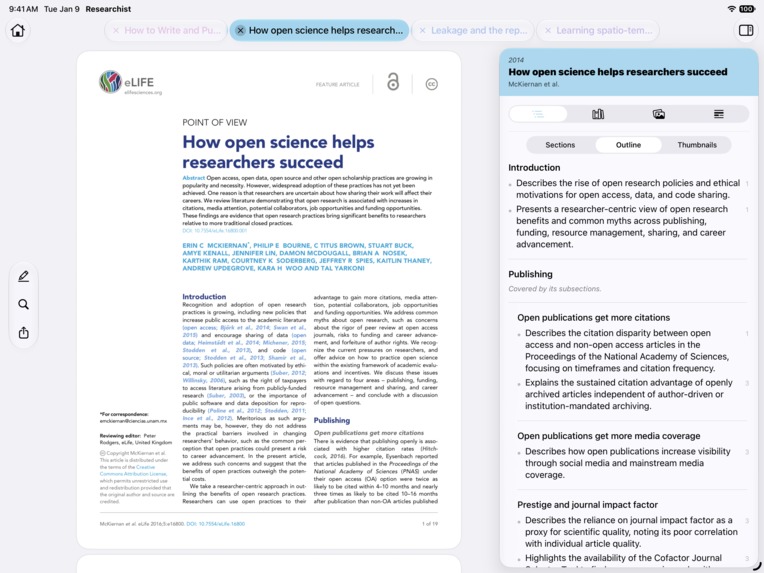
Researchist turns academic PDFs into intelligent, navigable research with summaries, citations, figures, tables, and more.
-
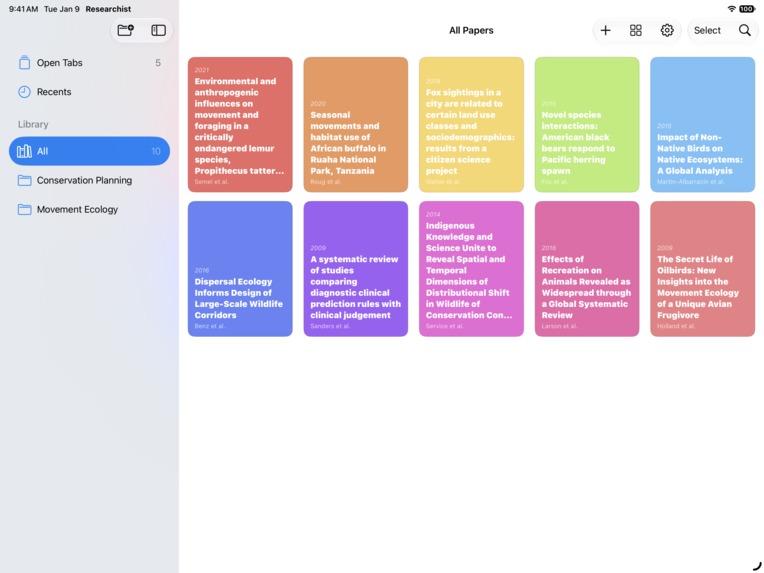
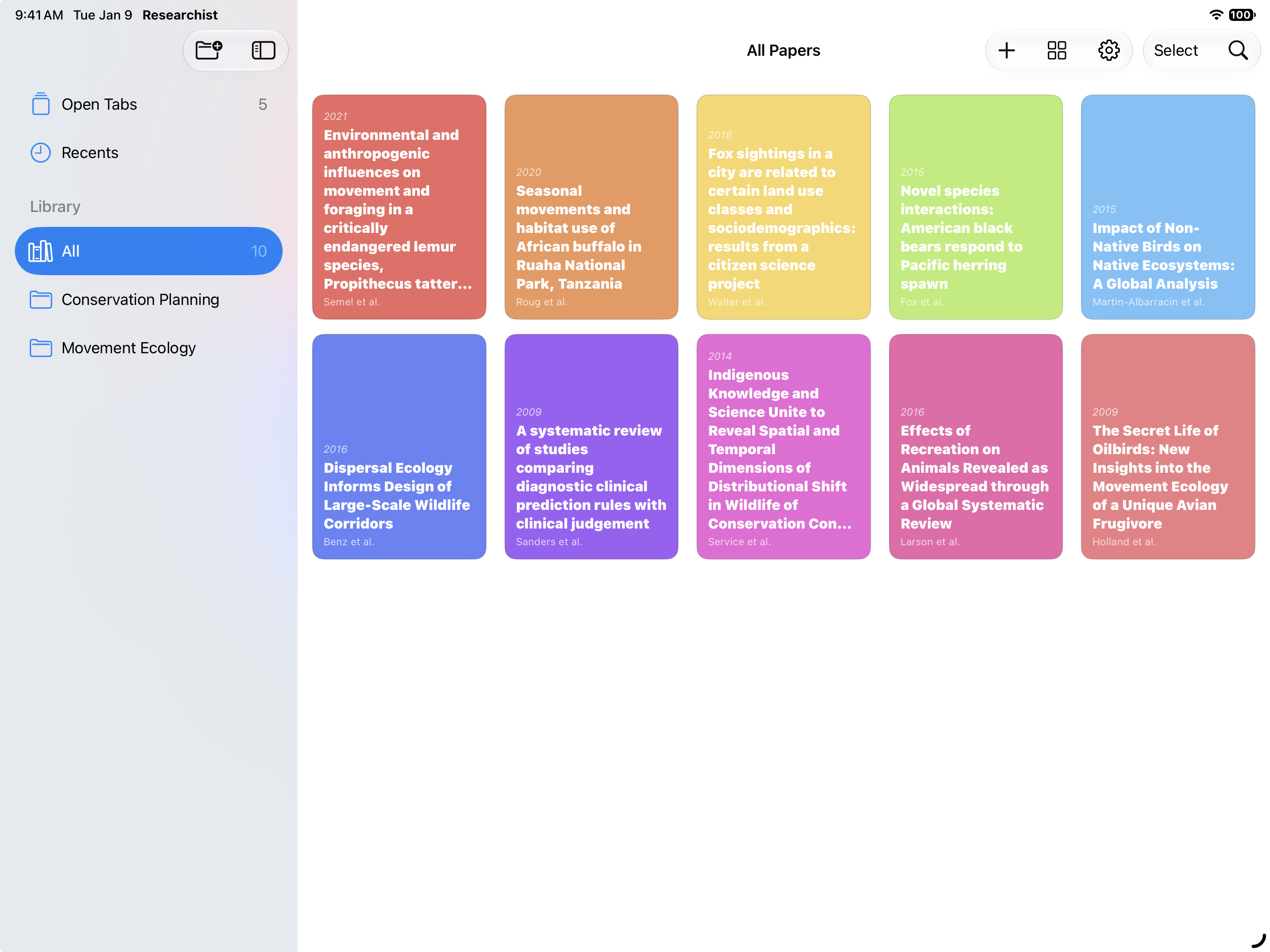
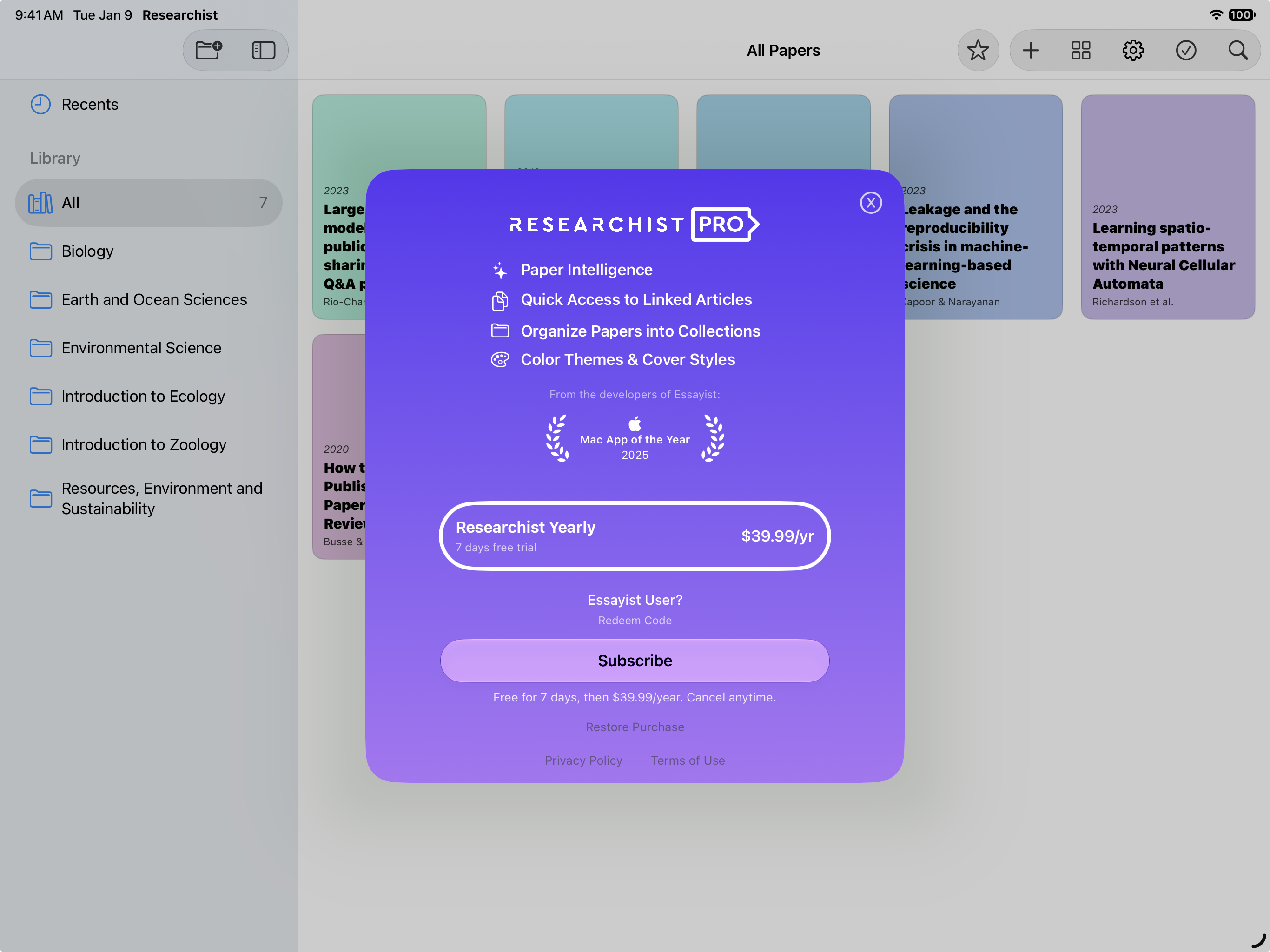
Turn downloaded PDFs into an organized library with titles, authors, dates, and color-coded covers.
-
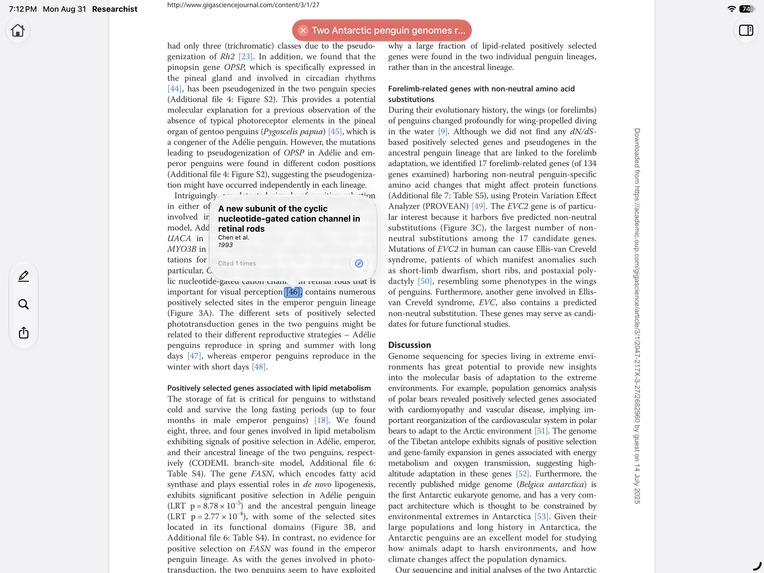
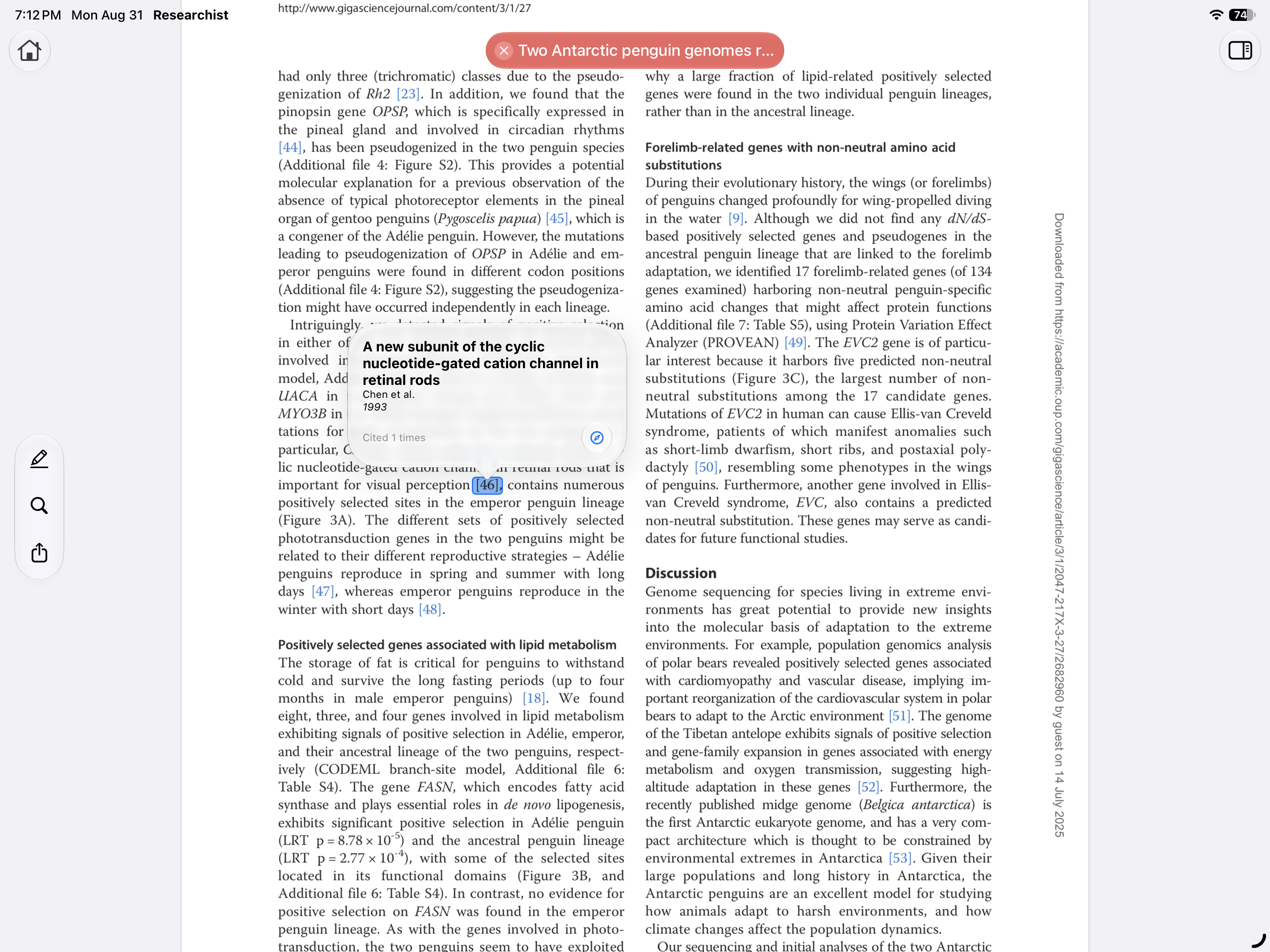
Tap any in-text citation to instantly see the full reference without losing your place in the paper.
-
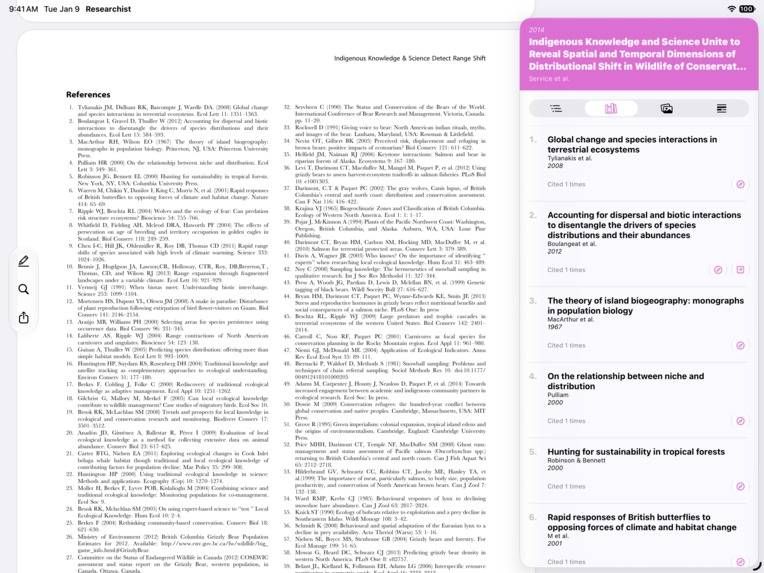
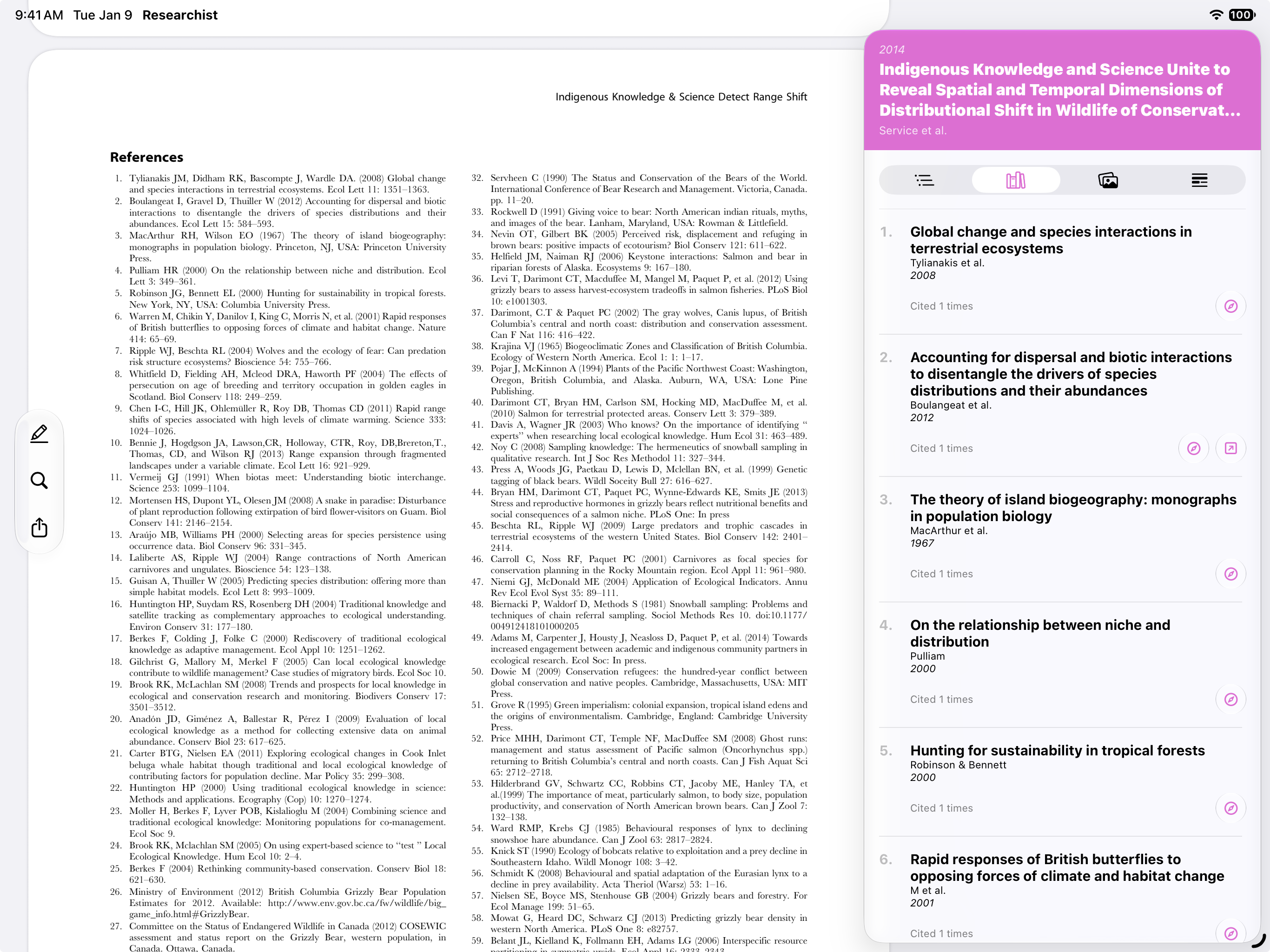
Browse a paper’s extracted references in one place and quickly follow citations to related research.
-
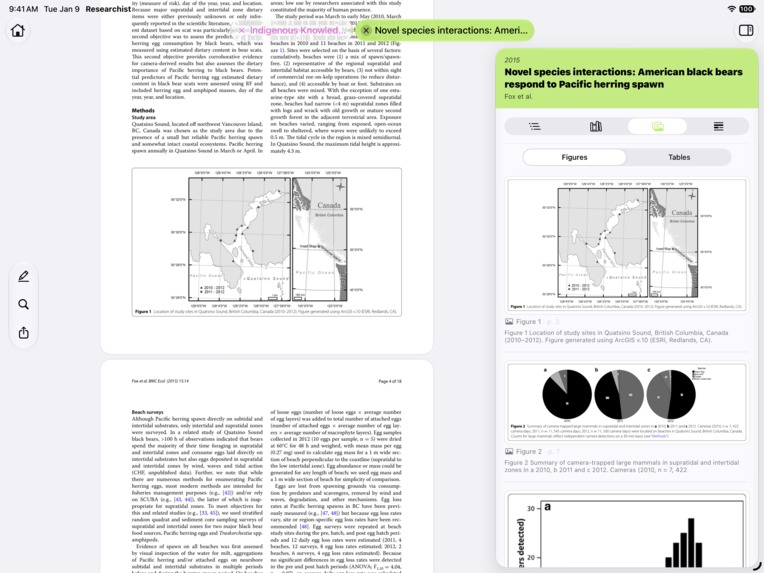
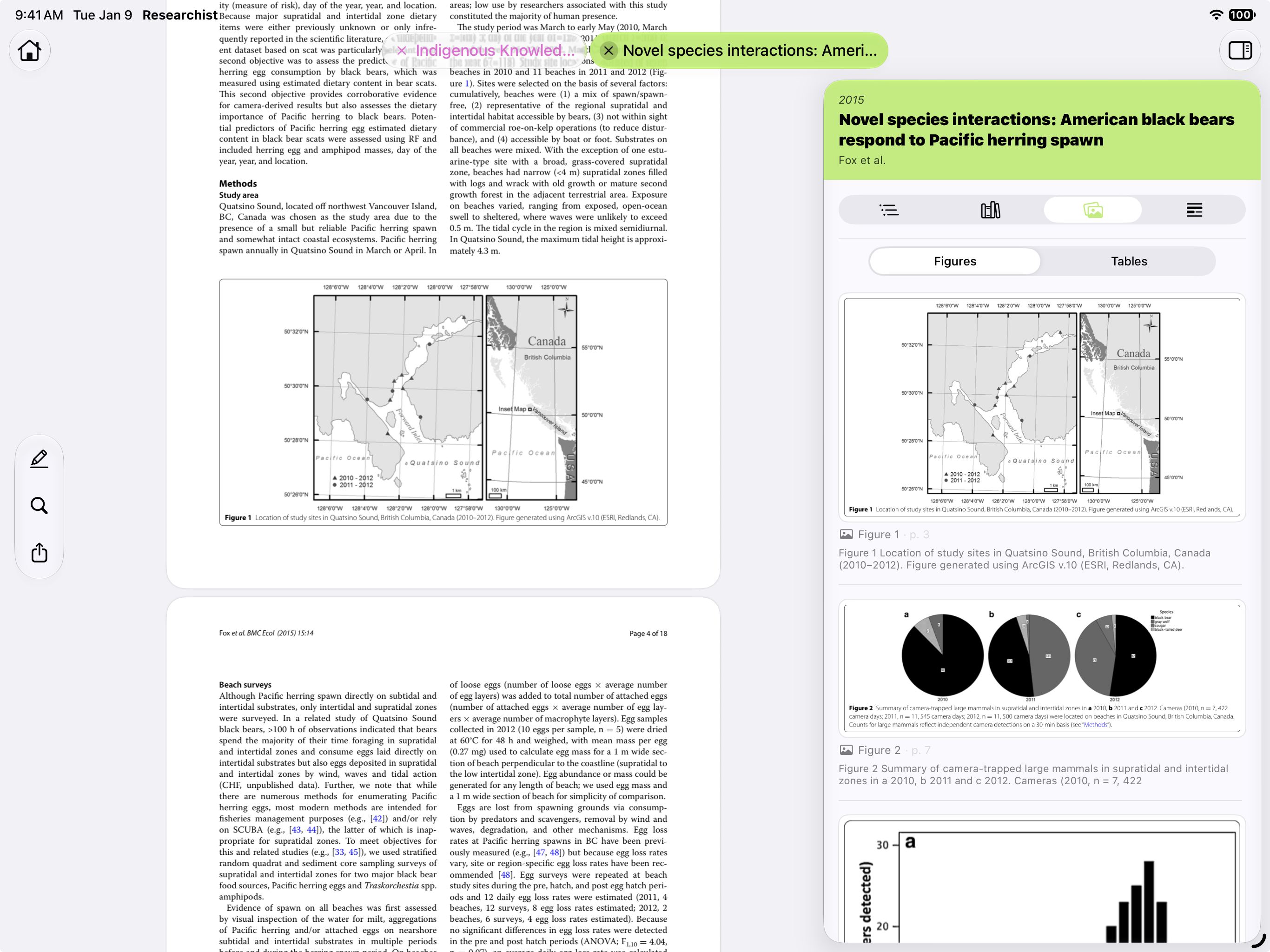
Browse figures and tables extracted from the paper without hunting through pages to find them.
-
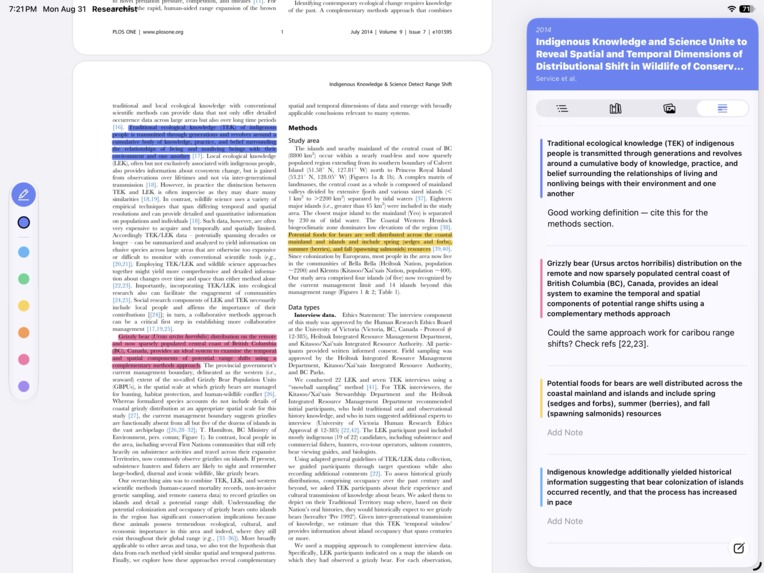
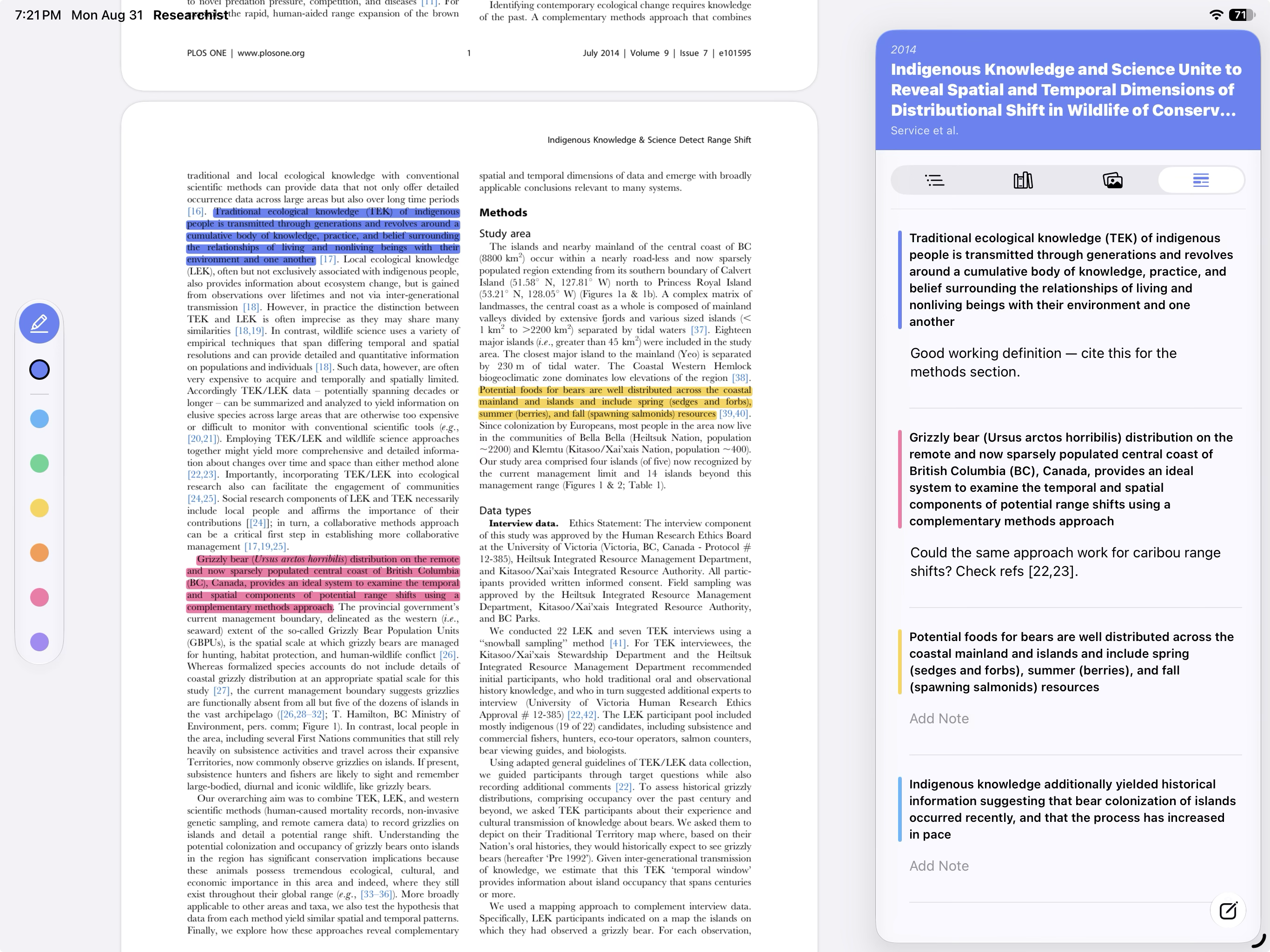
Keep highlights and notes organized alongside the paper so important passages are easy to revisit.
-
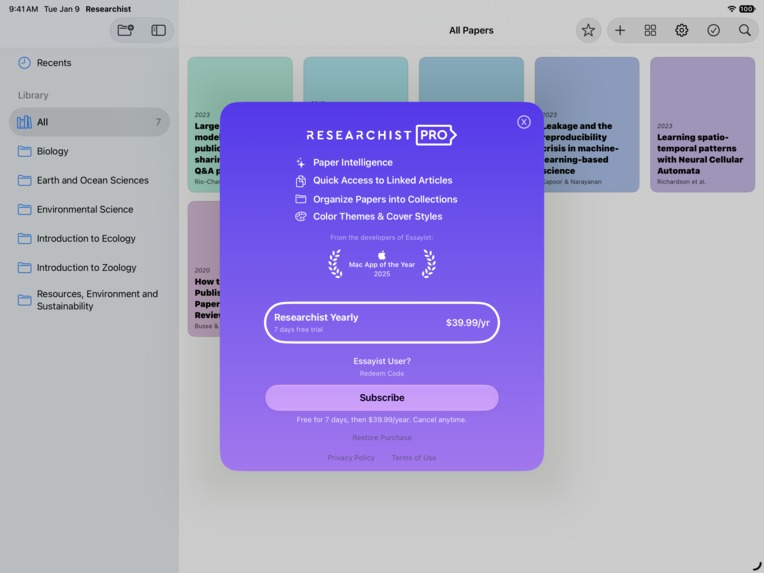
Unlock Paper Intelligence, linked articles, collections, and personalization with Researchist Pro.
-

Researchist App Icon

Inspiration
Academic research still revolves around PDFs, but PDFs were never really designed for research.
Download a few papers and your Downloads folder quickly fills with files named things like S0140673624012345.pdf. Open one and you are still dealing with a static document: references are disconnected from the citations that point to them, figures and tables are buried across dozens of pages, and understanding the structure of a paper often means constantly scrolling back and forth.
We built Researchist because we wanted the experience of reading research to feel more like working with structured information and less like navigating a digital stack of paper.
The goal was not to replace the PDF. Researchers still need to see and read the original document. Instead, Researchist adds an intelligent layer around it that makes papers easier to organize, understand, and explore.
What Researchist does
When a PDF is added to Researchist, it becomes part of an actual research library rather than remaining an anonymous file. Researchist identifies information such as the paper's title, authors, and publication date and presents each document as a recognizable item in the library.
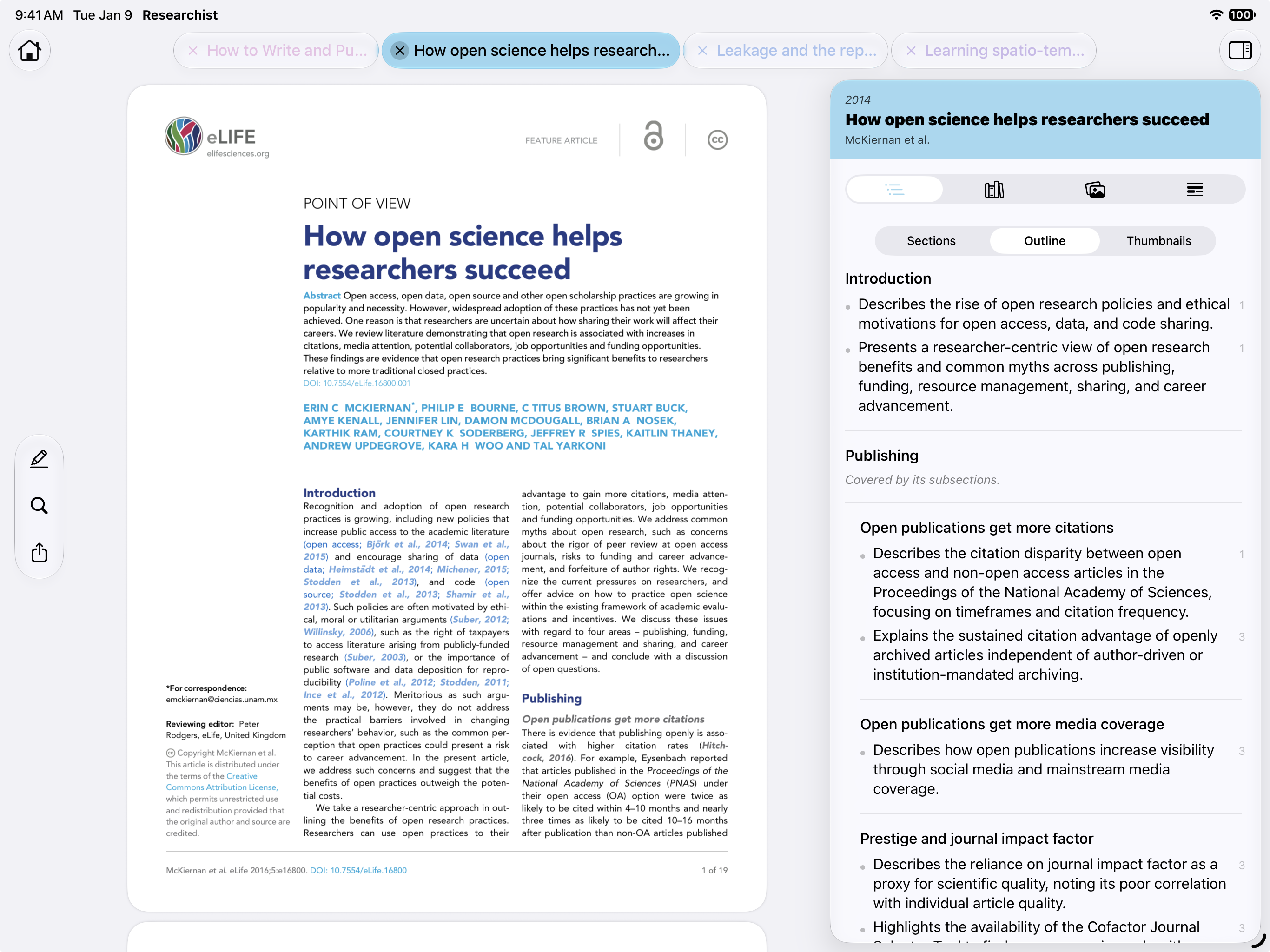
Inside the reader, Researchist can surface the structure hidden within the PDF, including:
- sections and outlines
- figures
- tables
- references
- highlights and annotations
Researchist also generates summaries for individual sections, making it easier to skim a paper and quickly understand what each part covers. A researcher can get a sense of the argument, methods, and findings before deciding which sections deserve a deeper read. This analysis is performed on-device using Apple Intelligence, so the paper does not need to be uploaded to a third-party AI service.
One of the features we care most about is citation navigation.
While reading a paper, a researcher can tap an in-text citation and immediately see the complete reference without leaving their place in the document. If they want to investigate further, they can follow that citation to the associated paper and continue exploring the research behind it.
Instead of citations being dead numbers at the bottom of a page, they become a way to move through the literature.
Researchist also includes Paper Intelligence, which uses Apple's on-device intelligence to extract useful information from a paper. Because the processing happens on-device, researchers can benefit from intelligent document analysis without having to upload their papers to a third-party AI service.
How we built it
Researchist was designed as a native experience for the Apple ecosystem, with the iPad at the center of the reading experience.
A large part of the work involved turning something fundamentally unstructured — a PDF — into an interface that feels structured without getting in the reader's way.
We built systems for identifying papers, extracting and presenting document structure, generating section-level summaries, connecting in-text citations with their references, organizing figures and tables, and presenting highlights alongside the document.
We also integrated Apple's on-device intelligence for Paper Intelligence and RevenueCat to power Researchist Pro subscriptions.
The business model is intentionally simple: the core reading experience remains free, while Pro unlocks more advanced research features such as Paper Intelligence.
Challenges
The biggest challenge was that PDFs are designed to preserve how a document looks, not necessarily what the document means.
Two academic papers can look similar to a person while being structured very differently internally. References may follow different formats, citations can appear in different styles, figures and tables vary enormously, and metadata is often incomplete or missing entirely.
Building Researchist meant finding ways to make those inconsistencies feel invisible to the reader.
Citation navigation was particularly challenging because the experience only feels useful if it is immediate. A user should be able to tap a citation, understand its source, and continue reading without feeling like they have left the paper.
We also had to decide how much intelligence to add without turning Researchist into another AI chat interface. Our goal has always been to keep the paper itself at the center of the experience. Intelligence should make the document easier to understand and navigate, not replace it.
What we learned
One of the biggest things we learned is that small improvements to navigation can have an outsized impact on the research experience.
Showing a summary can be useful, but helping someone understand where to focus their attention can be even more valuable. Section summaries let researchers quickly skim a paper, decide which parts matter to them, and then go deeper only where it is worthwhile.
Removing friction from things researchers do dozens of times — finding a reference, locating a figure, jumping between sections, or following a citation — can be just as valuable as adding entirely new workflows.
We also learned that privacy can be a product feature rather than simply a policy. Research papers can contain unpublished, proprietary, or sensitive material, so being able to perform intelligent processing on-device fundamentally changes what researchers may feel comfortable using.
Most importantly, building Researchist reinforced our belief that the future of research software is not about replacing papers. It is about making the knowledge already inside them easier to navigate.
What's next
Researchist launched in September 2026, and this is only the beginning.
We want to continue making the connections between papers more useful, improving how researchers move through citations and references, and finding new ways to surface the structure of academic literature without interrupting the act of reading.
Our goal is simple:
Turn static research papers into connected, navigable research.
Built With
- appkit
- swiftui
- uikit

Log in or sign up for Devpost to join the conversation.