-
-
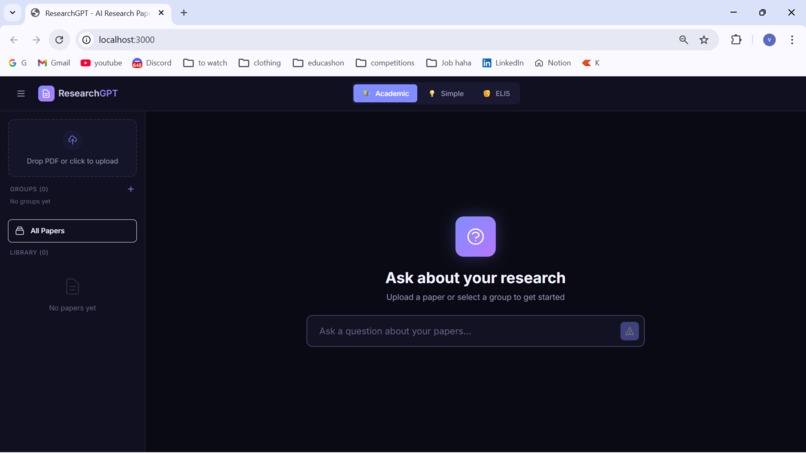
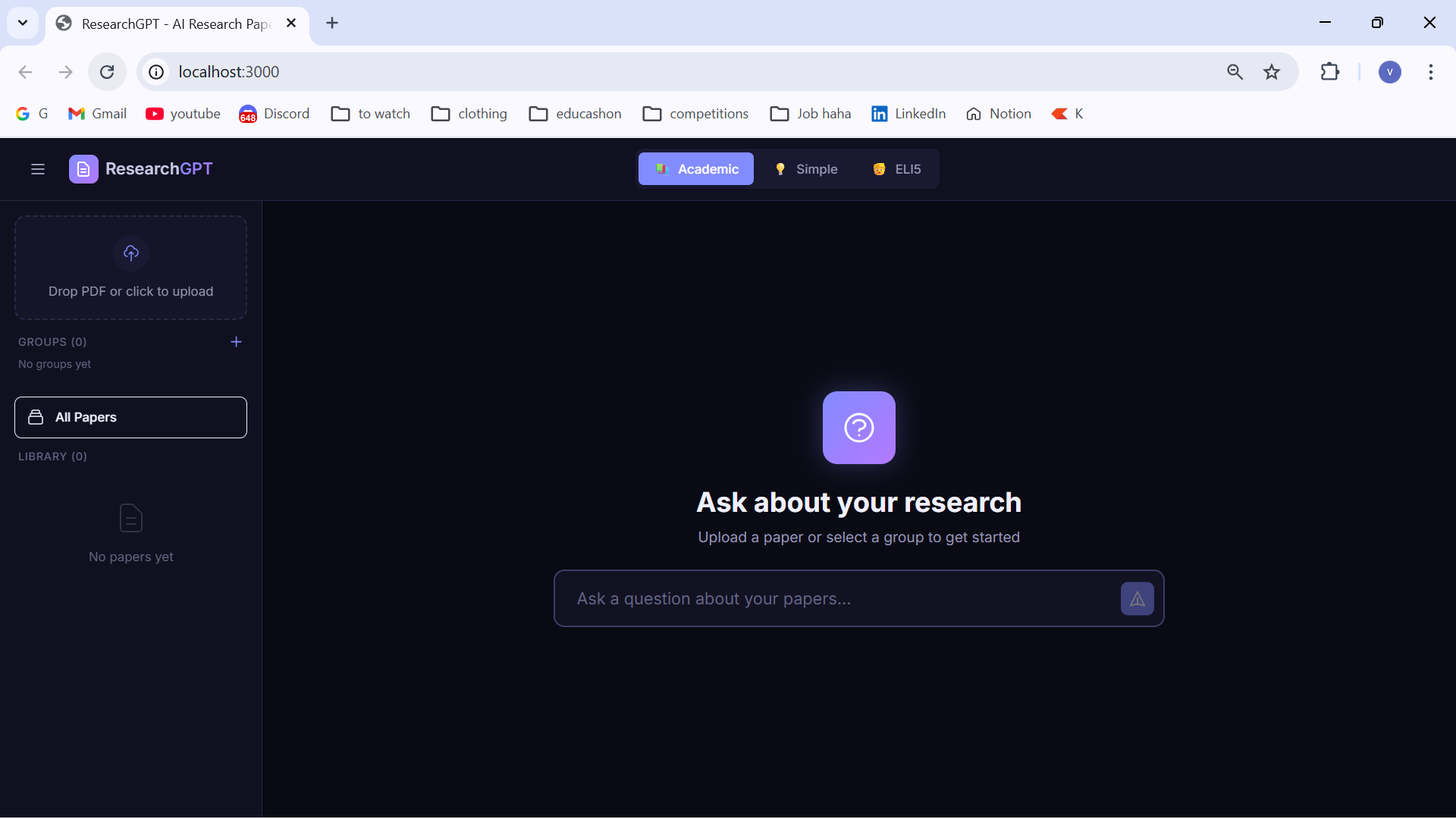
Site'opening interface
-
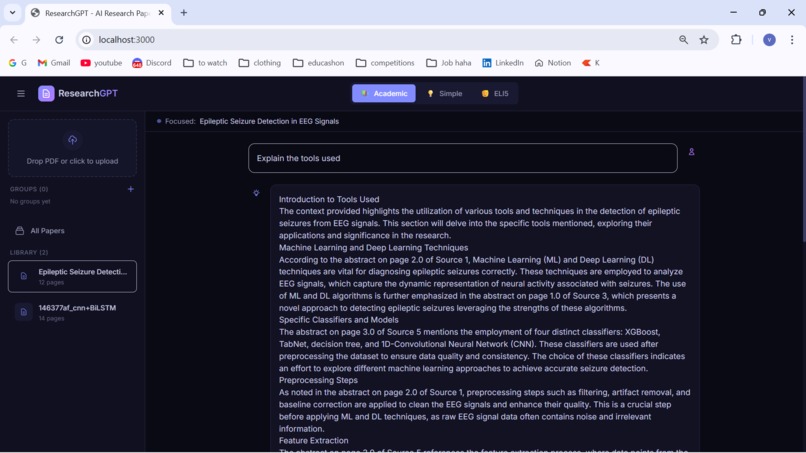
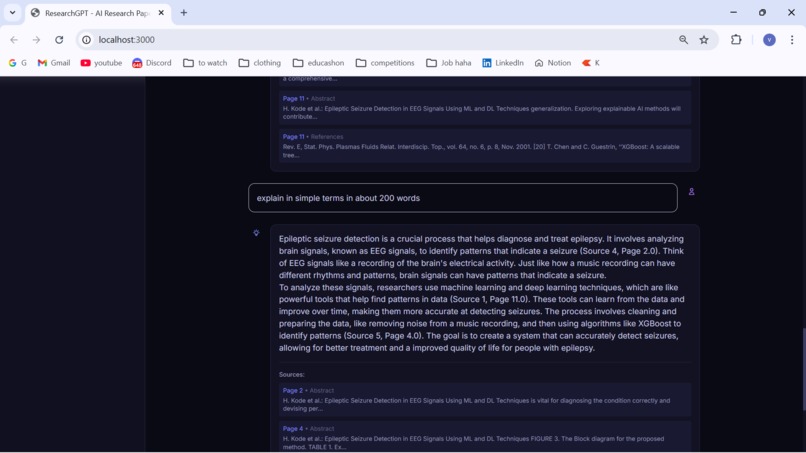
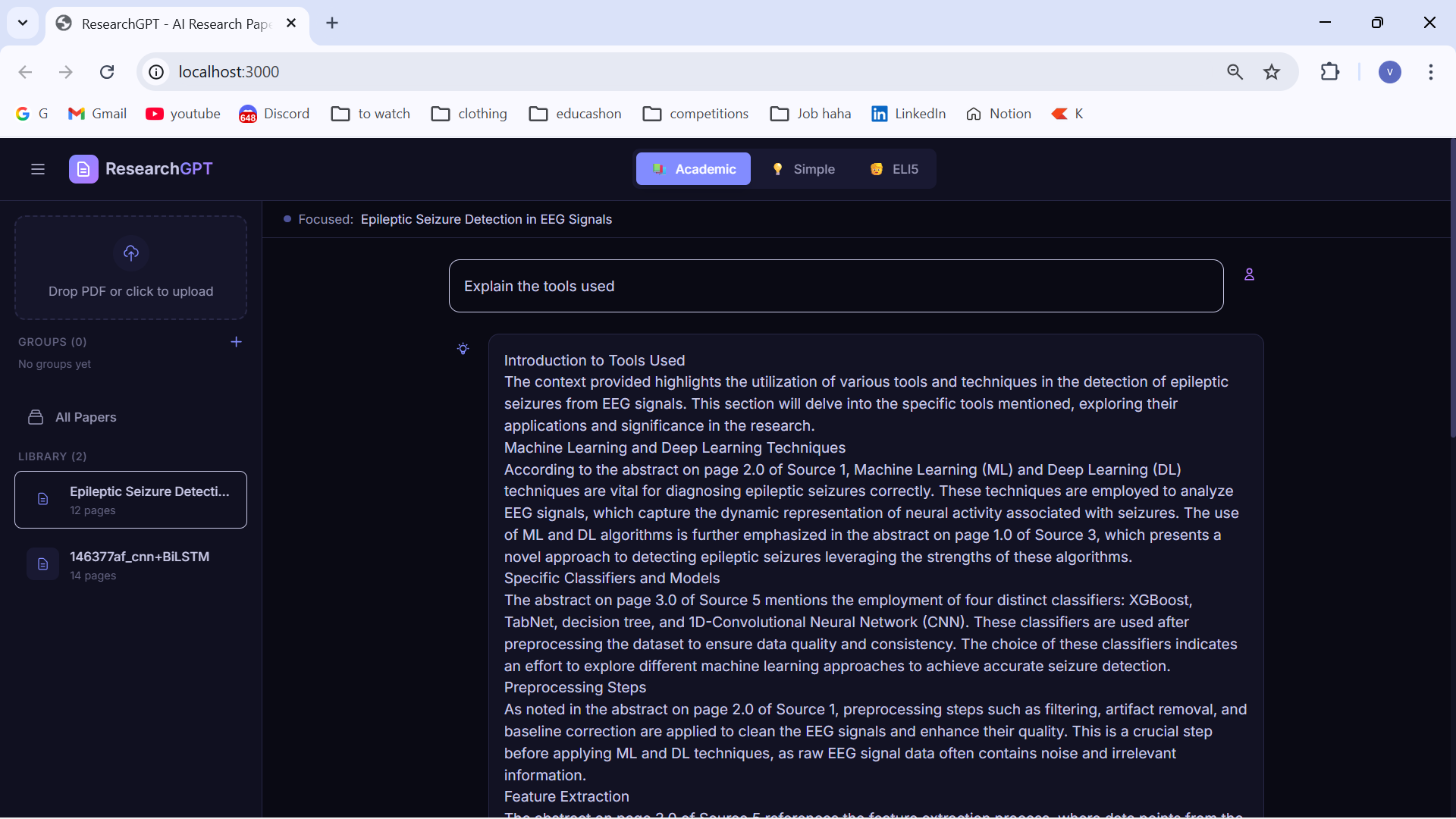
Asking in Academic mode
-
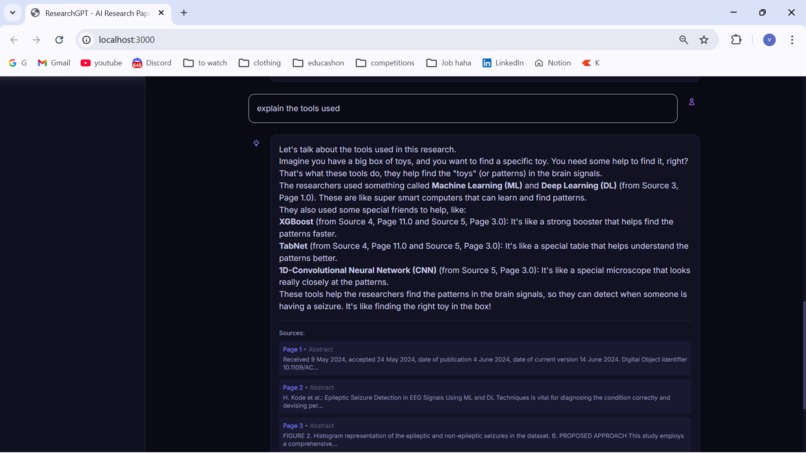
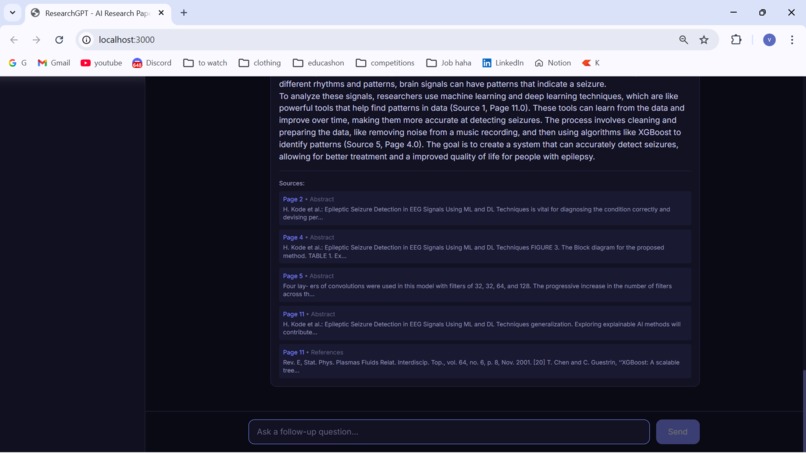
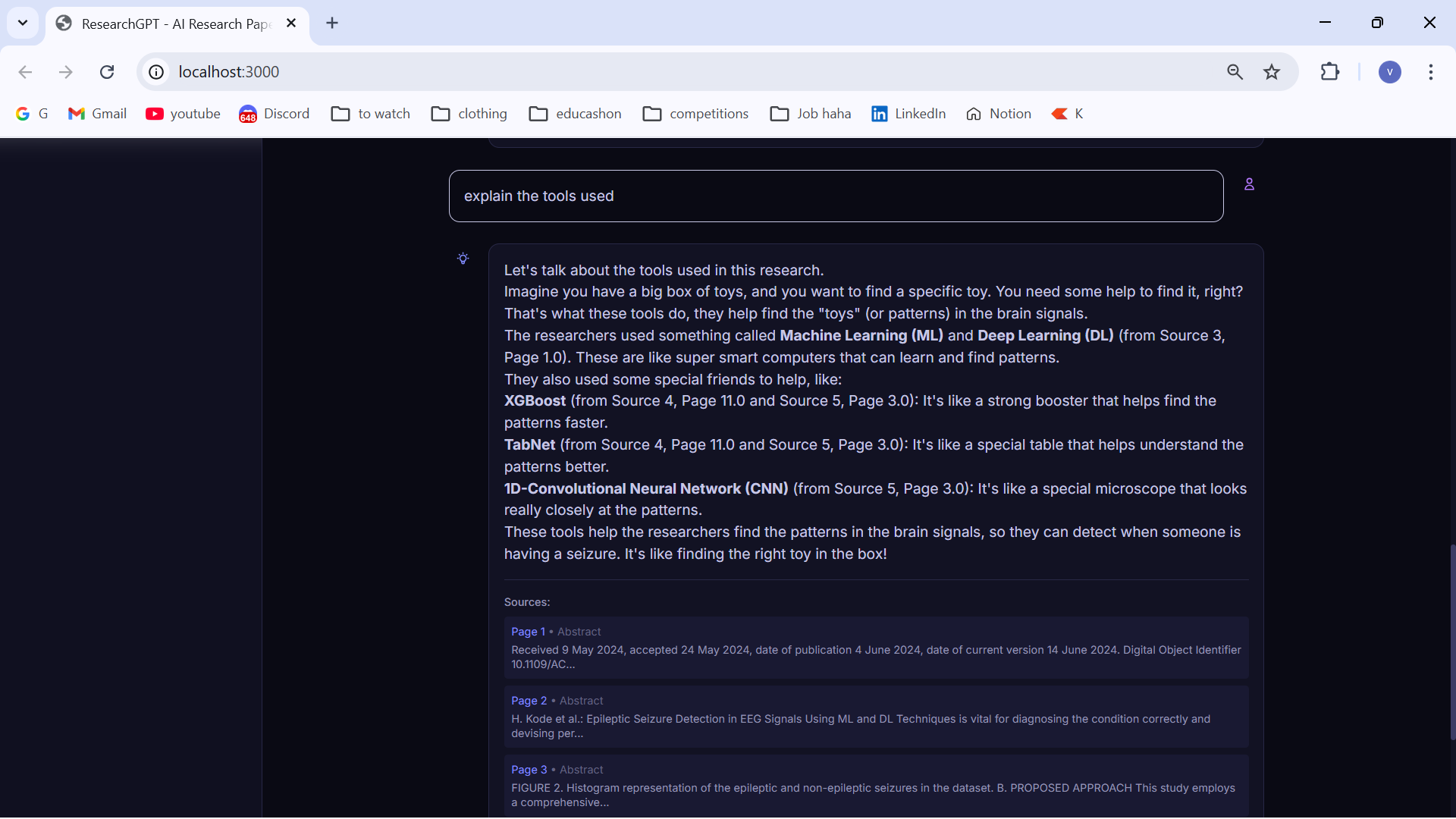
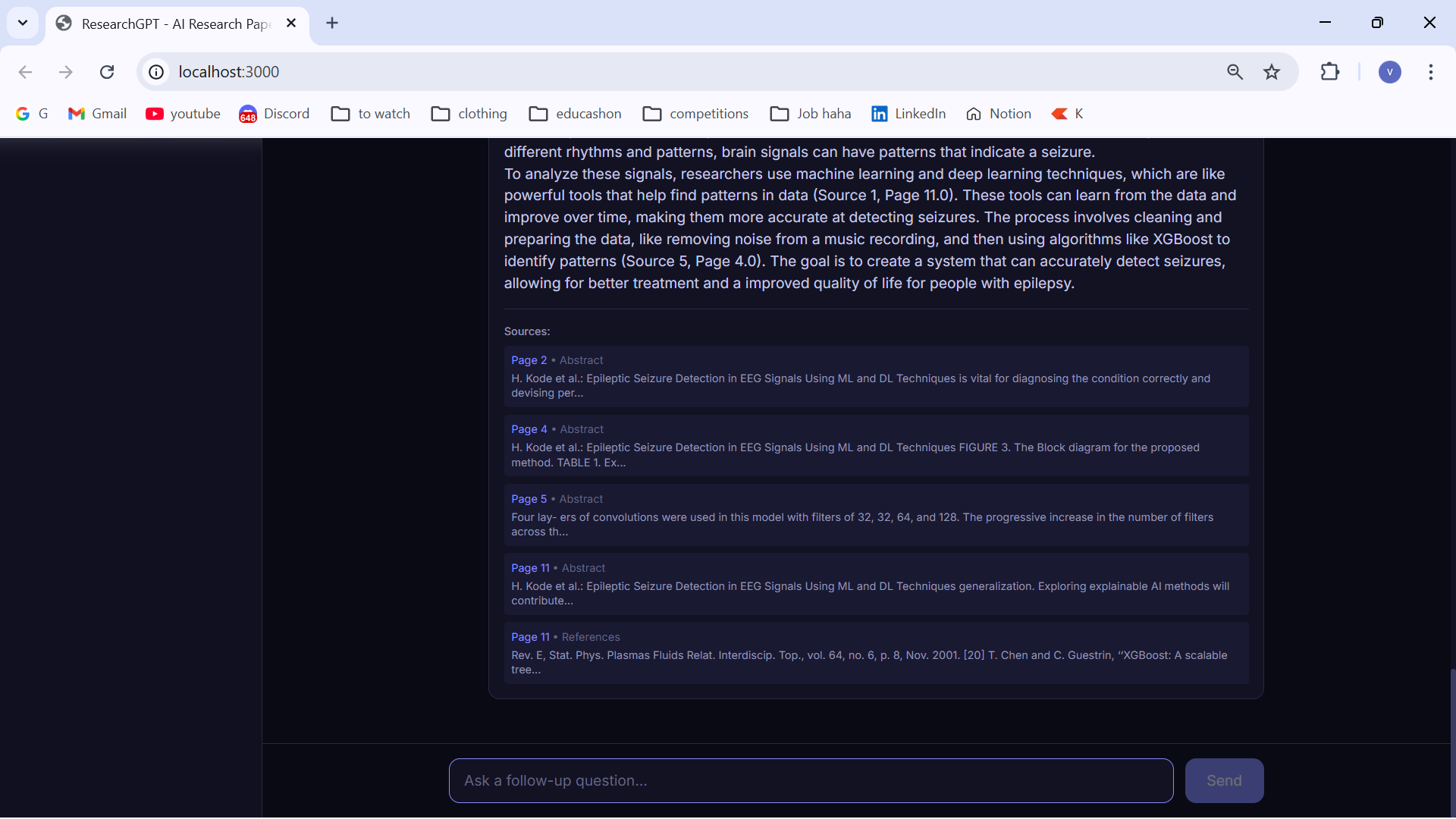
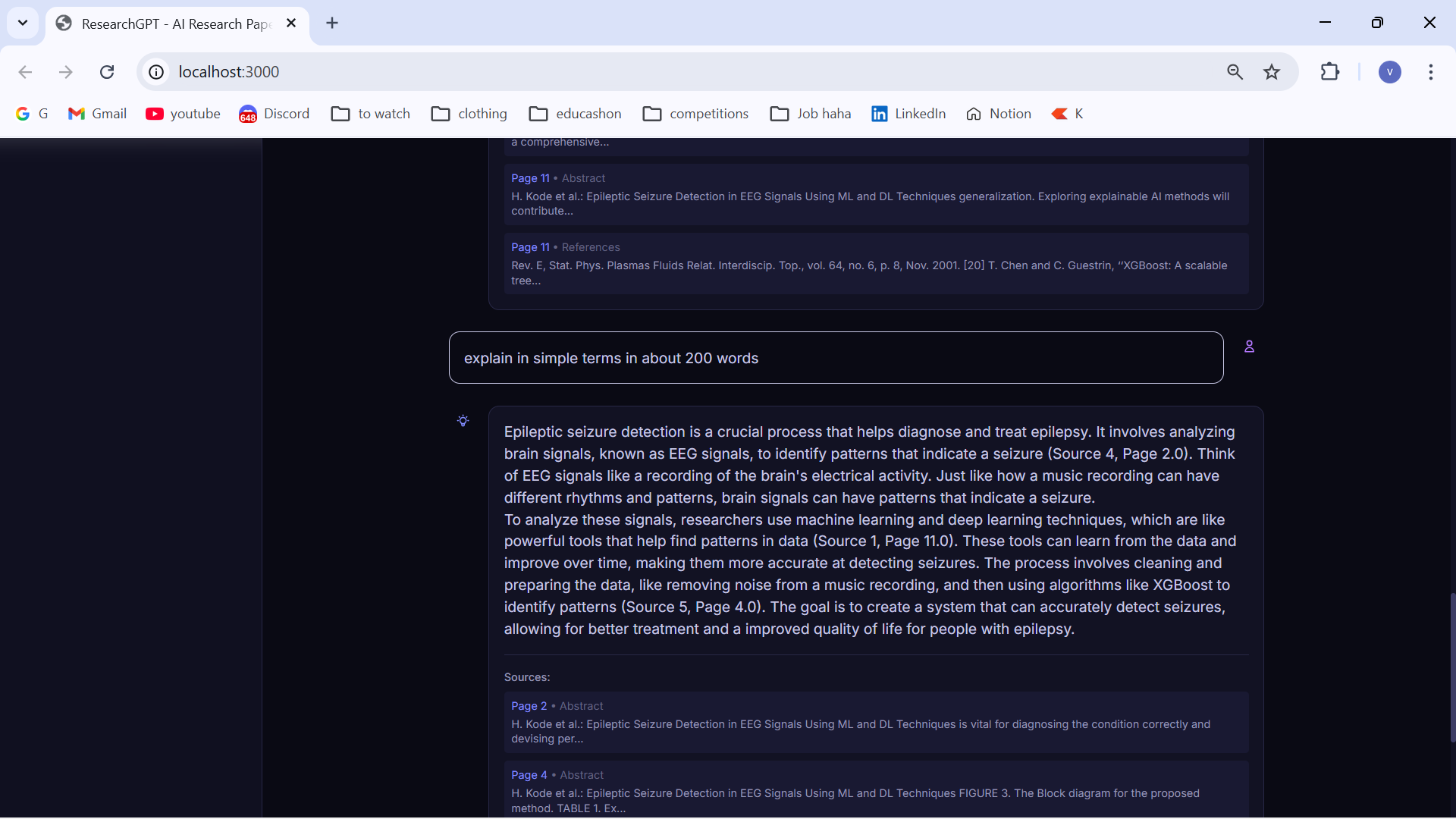
Answer to the query
-
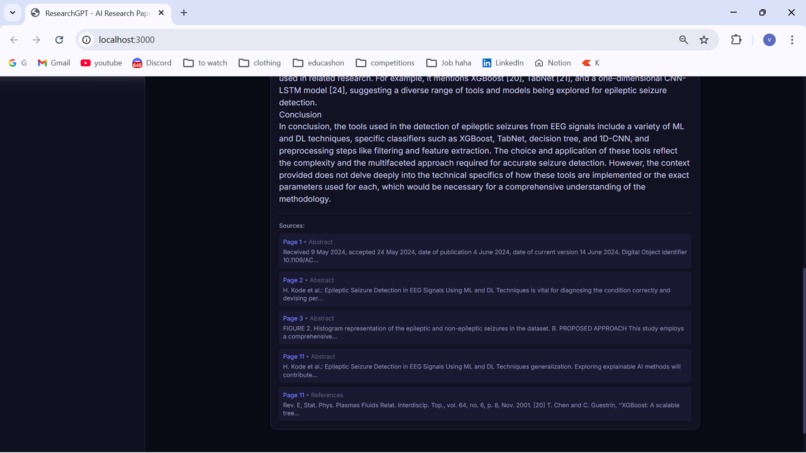
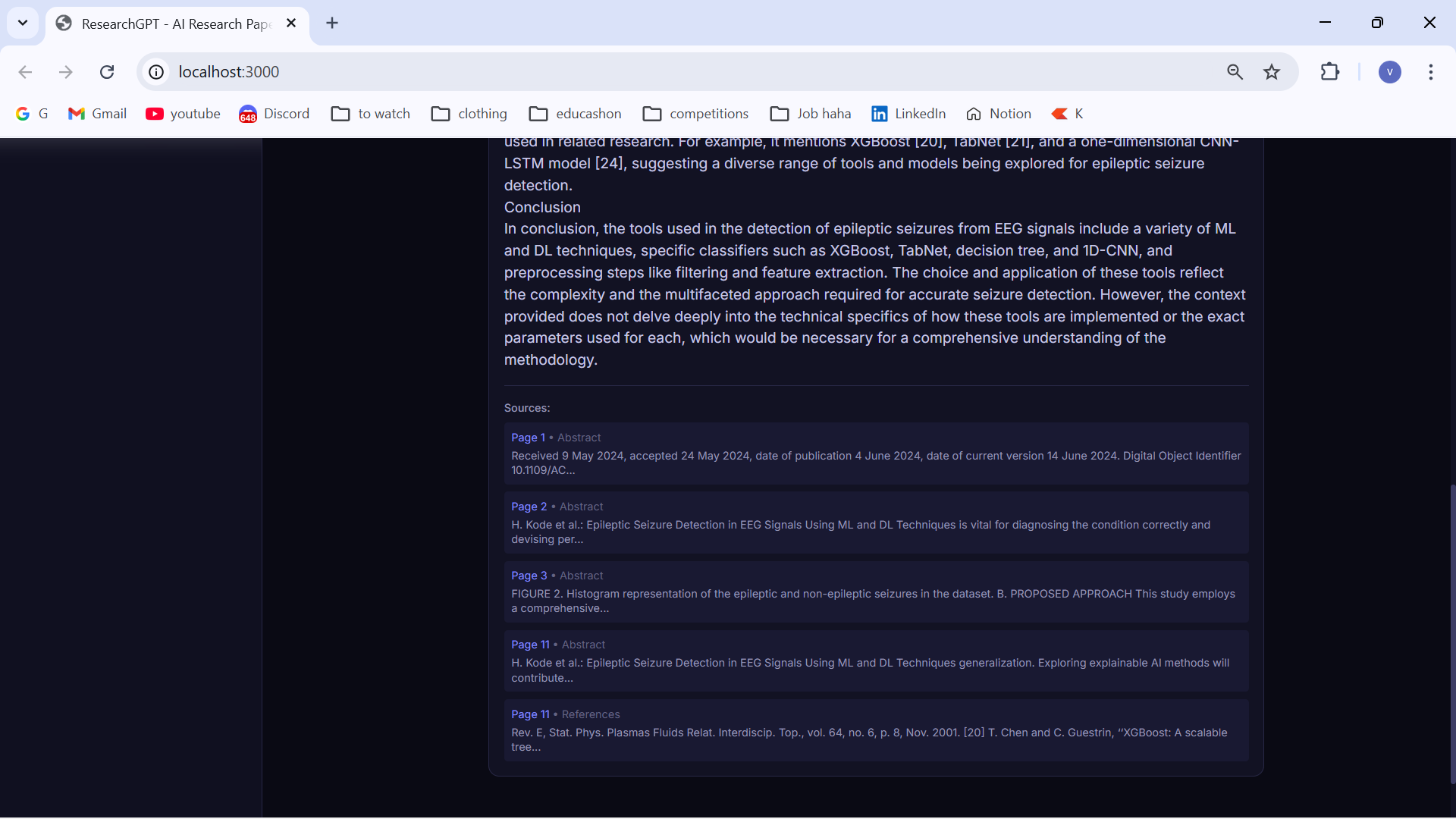
Citations for each answer
-
-
-
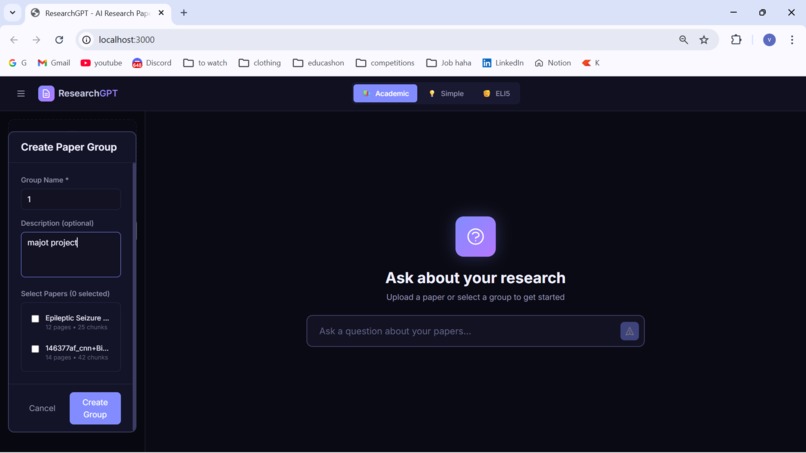
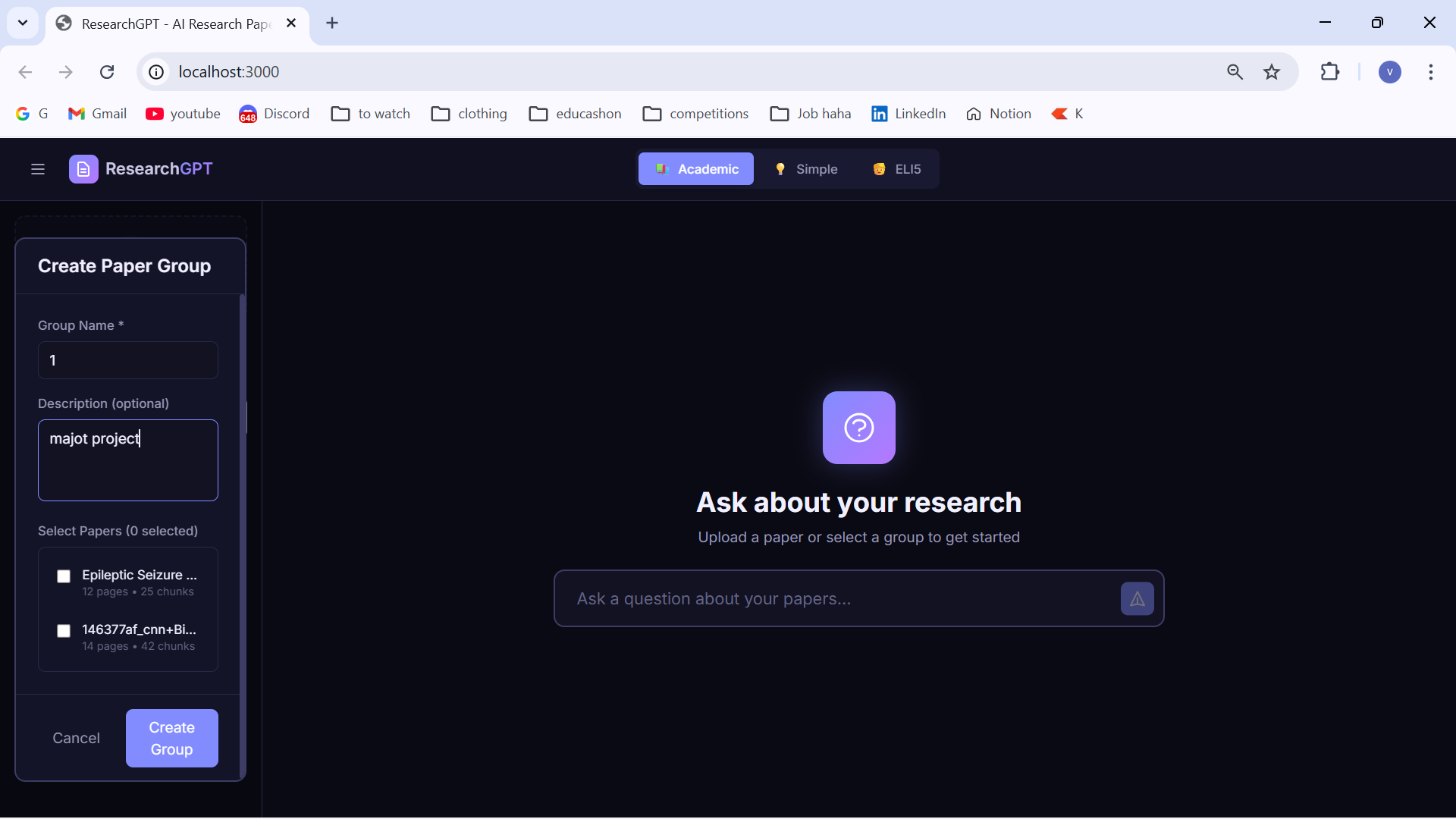
Creating a group for multiple research papers
-
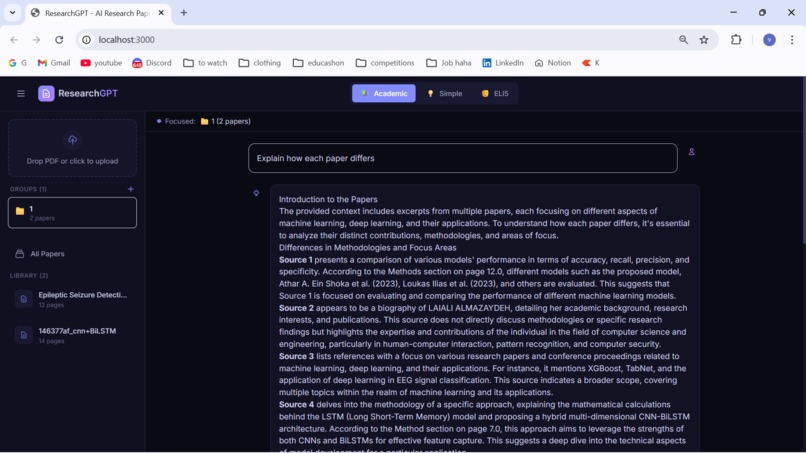
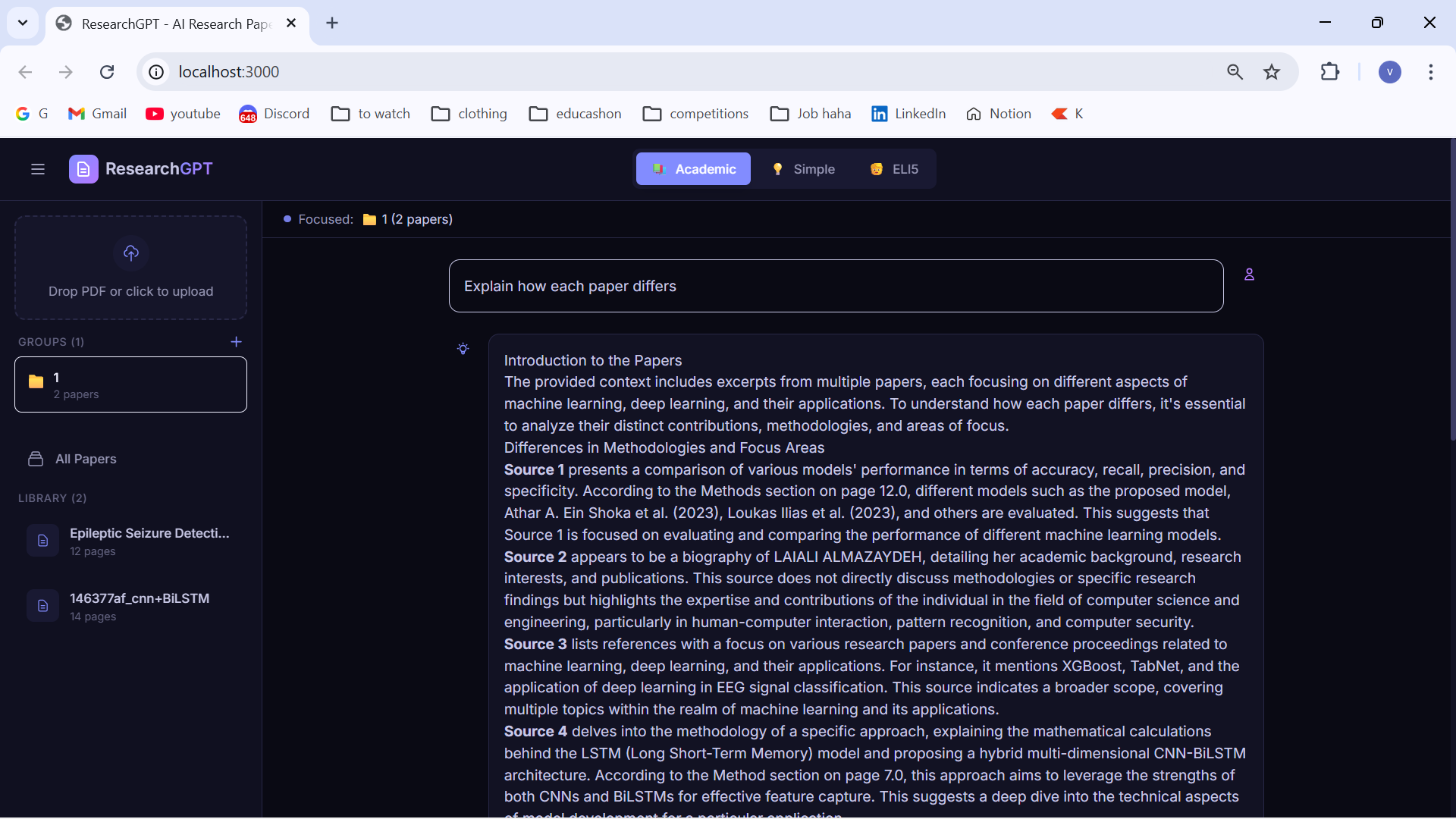
Group created
ResearchGPT - Project Overview Workflow
┌─────────────────┐ ┌─────────────────┐ ┌─────────────────┐ │ PDF Upload │────▶ │ PDF Processing │────▶ │ Vector Storage │ │ (Frontend) │ │ (PyMuPDF) │ │ (Pinecone) │ └─────────────────┘ └─────────────────┘ └─────────────────┘ │ ┌─────────────────┐ ┌─────────────────┐ ┌───────▼─────────┐ │ AI Response │◀──── │ LLM (Groq) │◀──── │ RAG Retrieval │ │ (Frontend) │ │ LLaMA 3.3 70B │ │ (Semantic) │ └─────────────────┘ └─────────────────┘ └─────────────────┘
- Upload → User uploads a PDF research paper
- Process → Backend extracts text, detects sections, chunks content
- Embed → Each chunk is embedded using BGE-base embedding model
- Store → Vectors stored in Pinecone with metadata (page, section)
- Query → User asks a question
- Retrieve → Semantic search finds relevant chunks
- Generate → LLM generates answer with citations
- Display → Response shown with page references
Inspiration
Researchers and students spend countless hours reading (or skimming really) dense academic papers, often struggling to quickly find specific information or understand complex concepts. The inspiration was to create a tool that makes research papers interactive ,allowing users to have a conversation with their documents instead of manually scanning through pages. Existing websites like Paperpal is limited and is not convenient on the long run.
What it does
ResearchGPT is an AI-powered research assistant that lets you:
- Upload PDF research papers and have them automatically processed (chunked,injested and queryed)
- Ask questions in natural language about any uploaded paper.
- Get accurate answers with page citations so you can verify the source.
- Choose between 3 explanation modes:
- Academic - Formal terminology with detailed analysis
- Simple - Everyday language without jargon
- ELI5 (Explain Like I'm 5!) - Explained like you're 5 with fun analogies
- Build a personal research library with multiple papers and also group multiple papers and query as a whole
How we built it
Backend (FastAPI): Built a REST API with endpoints for uploading papers, listing them, deleting, and asking questions. Used async/await for efficient processing.
PDF Processing Pipeline: Used PyMuPDF to extract text page-by-page, implemented section detection (Abstract, Methods), and chunked documents with overlap for context preservation.
RAG System: Integrated Pinecone vector database for semantic search. Each chunk is embedded using HuggingFace's BGE model and stored with metadata.
LLM Integration: Connected to Groq's API for fast inference with LLaMA 3.3 70B. Built custom prompts for each explanation mode.
Frontend (Next.js): Created a modern, dark-themed UI with animated intro screen, real-time chat interface, and responsive sidebar for paper management.
Challenges we ran into.
Hydration Mismatch: Random particle positions in the intro animation caused server/client differences. Solved by using predefined positions.
Model Deprecation: The initial LLaMA 3.1 model was decommissioned mid-development. Had to quickly switch to LLaMA 3.3.
Chunk Boundary Issues: Important information often split across chunks. Solved with overlapping chunks (100 character overlap).
Citation Accuracy: Ensuring page numbers matched the actual PDF required careful metadata tracking through the entire pipeline.
UI Responsiveness: Balancing the sidebar, chat area, and input box positioning for different screen sizes.
Reimplemented frontend UI several times for sharp but smooth usage.
Accomplishments that we're proud of
Page-accurate citations - Every answer includes exact page references users can verify Three explanation modes - Making research accessible to everyone from experts to beginners Fun and animated UI - Galaxy-themed design with smooth transitions and intro animation Fast responses - Groq's LPU delivers answers in seconds, not minutes Clean architecture - Modular code with separate services for LLM, vector store, and document processing
What we learned
-RAG is powerful but needs tuning - Chunk size, overlap, and retrieval count significantly affect answer quality
- Vector databases - How semantic search works and how to structure metadata for filtering
- LLM Prompting - Different prompts dramatically change output quality and style
- Real-time UX - The importance of loading states, animations, and feedback for user experience
- PDF complexity - Text extraction is harder than expected with varying layouts and formats
What's next for ResearchGPT
- Highlighted PDF viewer - Show the exact text being cited in context
- Citation export - Generate bibliography entries in various formats -Collaborative features - Share papers and insights with team members
- Paper summarization - Auto-generate abstracts and key takeaways -Comparison mode - Compare findings across multiple papers -Mobile app - Read and query papers on the go -Voice mode for Querying on the go
Built With
- api
- apis:
- database
- embedding
- fastapi
- groq
- html/css
- huggingface
- inference)
- javascript
- llm
- markdown
- models)
- next.js
- pinecone
- pymupdf
- python
- react
- sentence-transformers
- tailwindcss
- typescript
- uvicorn
- vector


Log in or sign up for Devpost to join the conversation.