Inspiration
It started during the usual struggle of trying to come up with a research direction for a 3 Minute Thesis Competition. I kept going through paper after paper, highlighting lines, taking notes, and still ending up with the same feeling: I understood what people had done, but not what was missing. Most of the time, I could summarize papers, but I couldn’t clearly see where a new contribution could actually exist.
After repeating that process for days, I realized this wasn’t just a personal problem. A lot of students around me were facing the same thing—spending weeks reading papers without knowing how to turn that reading into a meaningful research idea. That gap between “reading research” and “doing research” felt unnecessary and frustrating.
ResearchGap AI was built to reduce that gap. The goal was simple: help turn dense academic reading into something actionable—so instead of just understanding papers, students can actually discover what to explore next.
What it does
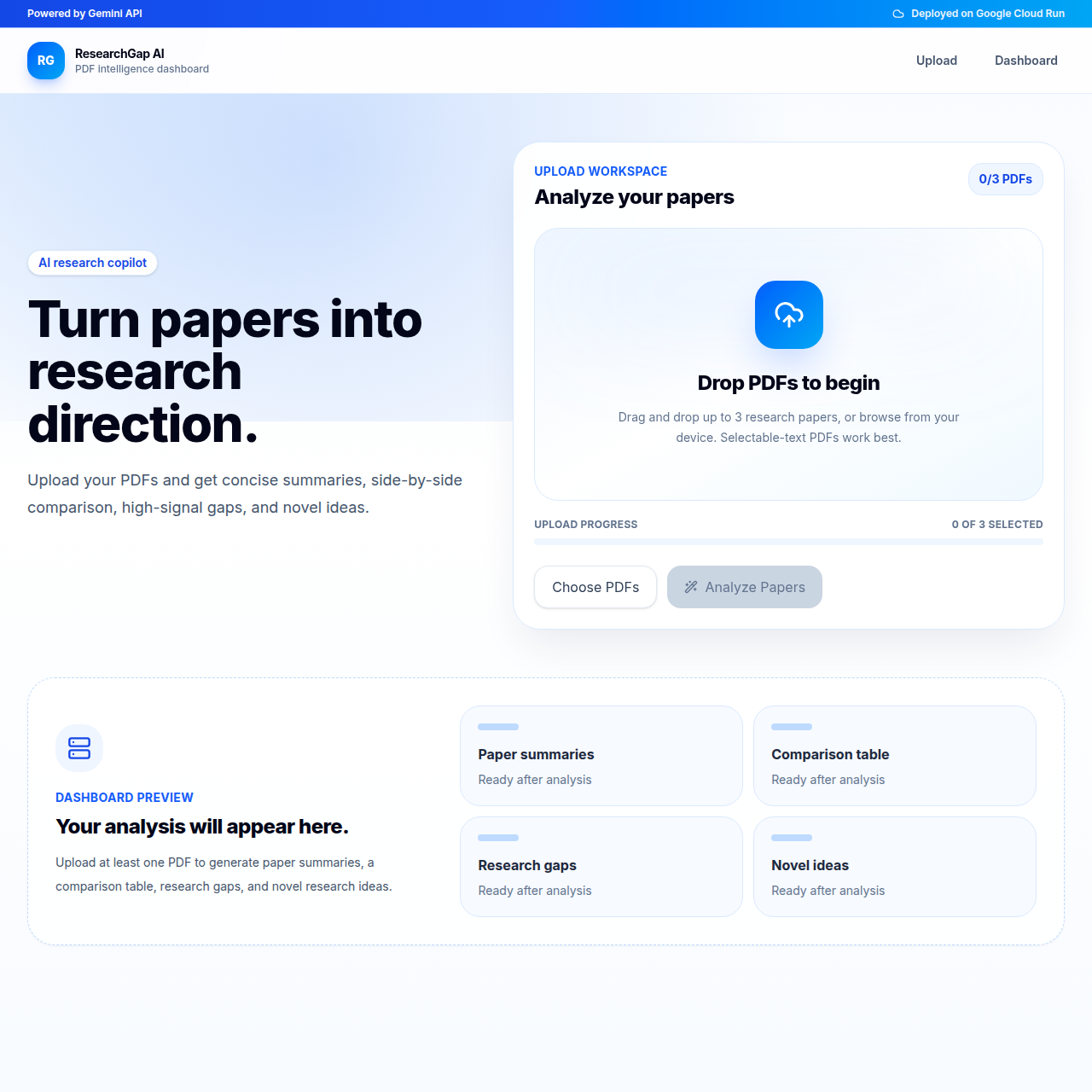
ResearchGap AI helps students and early researchers instantly analyze academic papers, summarize key ideas, and identify unexplored research gaps. It then suggests potential novel thesis directions based on those gaps.
Instead of manually reading dozens of papers, users can quickly understand: What has already been done What is still missing What new ideas can be explored
How I built it
I built ResearchGap AI using a combination of AI-based text understanding and structured prompting to extract insights from research papers. The system processes input text, breaks it into key concepts, and uses an LLM to identify:
Existing contributions Limitations in current work Open research opportunities
I focused on keeping the interface simple so students can focus on ideas, not complexity.
Challenges I ran into
One major challenge was ensuring that the generated “research gaps” were meaningful and not generic AI suggestions. I had to refine prompts carefully and structure outputs in a way that stays grounded in the input paper.
Another challenge was balancing summarization and novelty generation without losing academic accuracy.
Accomplishments that I'm proud of
I built a working system that turns research text into structured summaries, limitations, and research gaps. A key win was generating meaningful, non-generic research ideas grounded in the input paper. I also refined prompting to improve accuracy and made the tool simple enough for beginners to use easily.
What I learned
I learned how difficult it is to translate unstructured academic knowledge into structured insights. I also gained experience in prompt engineering, system design for AI tools, and thinking from a researcher’s perspective rather than just a developer’s.
What's next for ResearchGap AI
I plan to improve multi-paper understanding, add PDF upload, and generate structured research roadmaps. Next versions will include domain filtering and a better UI for exploring ideas. Long-term, I aim to build a full workflow from idea → gap → thesis proposal.
Best Use of Gemini API
ResearchGap AI uses Gemini API for the core intelligence of the application. Gemini is not used for simple text extraction; that is handled locally with pypdf. Instead, Gemini is used where generative AI adds the most value: understanding, comparing, and synthesizing research content.
Gemini receives the extracted text from up to 3 PDFs and performs five key tasks:
- Summarizes each paper.
- Extracts each paper's objective, methodology, and findings.
- Compares papers in a structured comparison table.
- Identifies cross-paper research gaps.
- Suggests novel research directions.
The prompt explicitly instructs Gemini to return valid JSON only. The backend also provides a JSON schema through responseJsonSchema, so the model response is shaped for predictable frontend rendering.
This is a strong use of Gemini because the application depends on semantic reasoning, synthesis, and research-aware comparison rather than basic keyword matching. Gemini transforms unstructured academic text into structured, actionable research insights.
Google Cloud Deployment
ResearchGap AI uses a production-ready frontend deployment on Firebase Hosting, a Google Cloud service that provides global CDN distribution, fast load times, and reliable static site hosting.
The application integrates the Gemini API as its core intelligence layer, enabling semantic analysis of research papers to extract summaries, compare findings, identify research gaps, and generate novel research directions.
Architecture
User → Next.js Frontend (Firebase Hosting) → FastAPI Backend (Render) → Gemini API (Google Cloud AI service) → Structured AI response → UI rendering
This separation of frontend, backend, and AI processing allows the system to scale independently and supports future migration to additional Google Cloud services such as Cloud Run or Cloud Storage if needed.
Agents & Skills Design System
ResearchGap AI uses a lightweight agent-inspired design structure to organize system responsibilities and improve clarity across the full stack.
Instead of implementing a runtime agent framework, AGENTS.md and SKILLS.md are used as architectural documentation tools that define system behavior, responsibilities, and feature mapping.
AGENTS.md (Design Layer)
Defines logical system roles such as Frontend, Backend, AI, DevOps, and Documentation agents. Each agent represents a responsibility boundary in the system rather than a runtime executing entity. This helps structure development and ensure clear separation of concerns.
SKILLS.md (Implementation Mapping)
Maps technical skills (FastAPI, Gemini API, Next.js, pypdf, etc.) to actual implemented features. It ensures traceability between system components and their real functionality in the codebase.
Key Clarification
These files do not power a dynamic AI execution system. Instead, they serve as structured design documentation to improve maintainability, readability, and evaluation clarity during development and hackathon review.
This approach helps present the project as a modular, system-designed AI application while keeping implementation practical and lightweight.
Google Cloud Services Used
- Firebase Hosting (frontend deployment)
- Gemini API (core generative AI engine)
Built With
- fastapi
- firebase
- geminiapi
- next.js
- node.js
- pypdf
- python
- react
- tailwindcss
- typescript


Log in or sign up for Devpost to join the conversation.