-
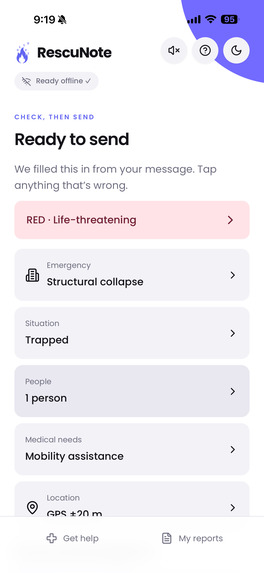
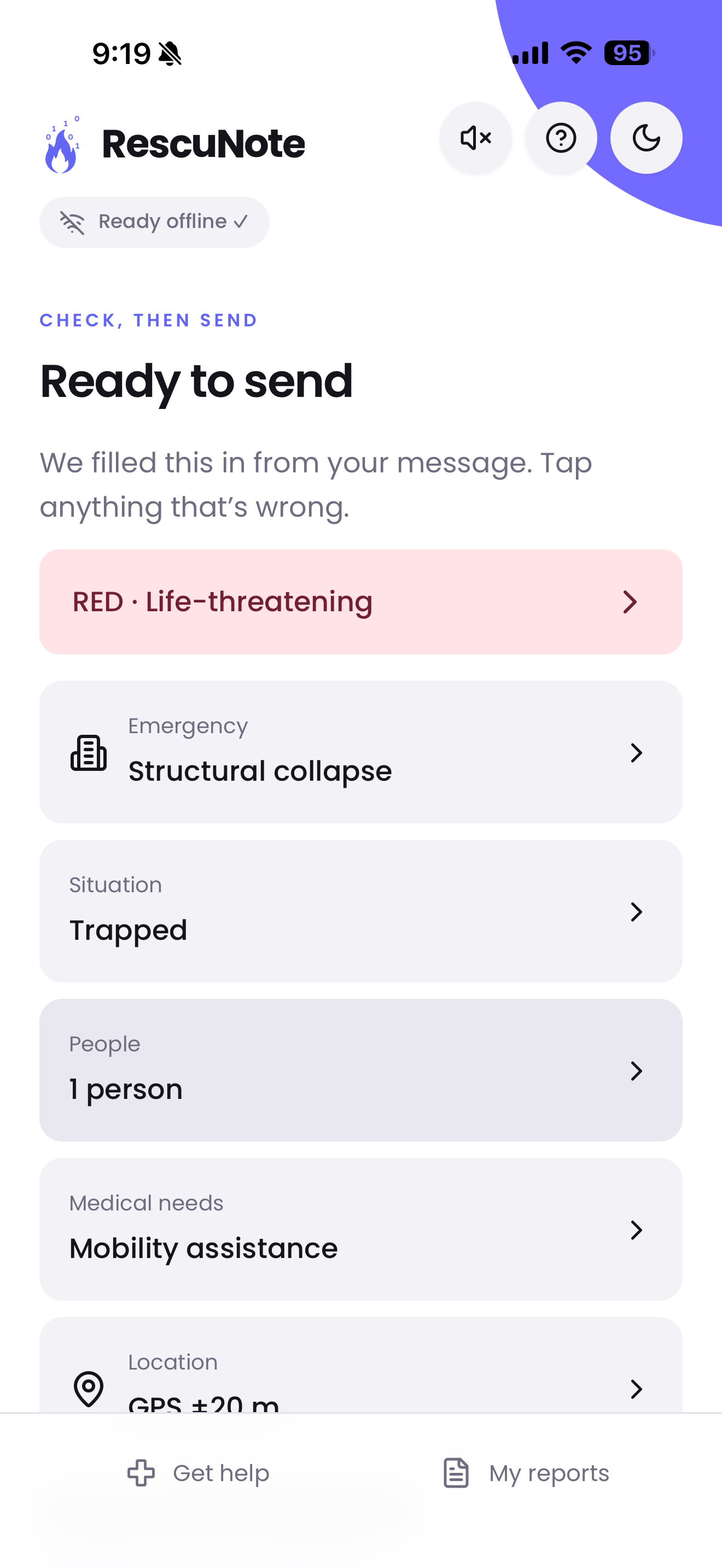
After clicking "Send for help."
-
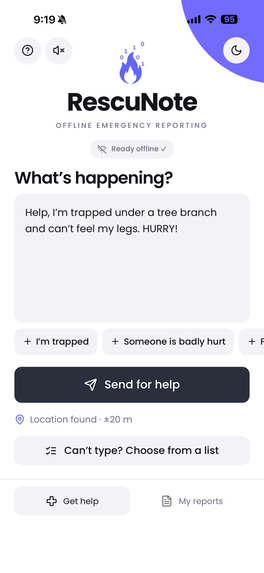
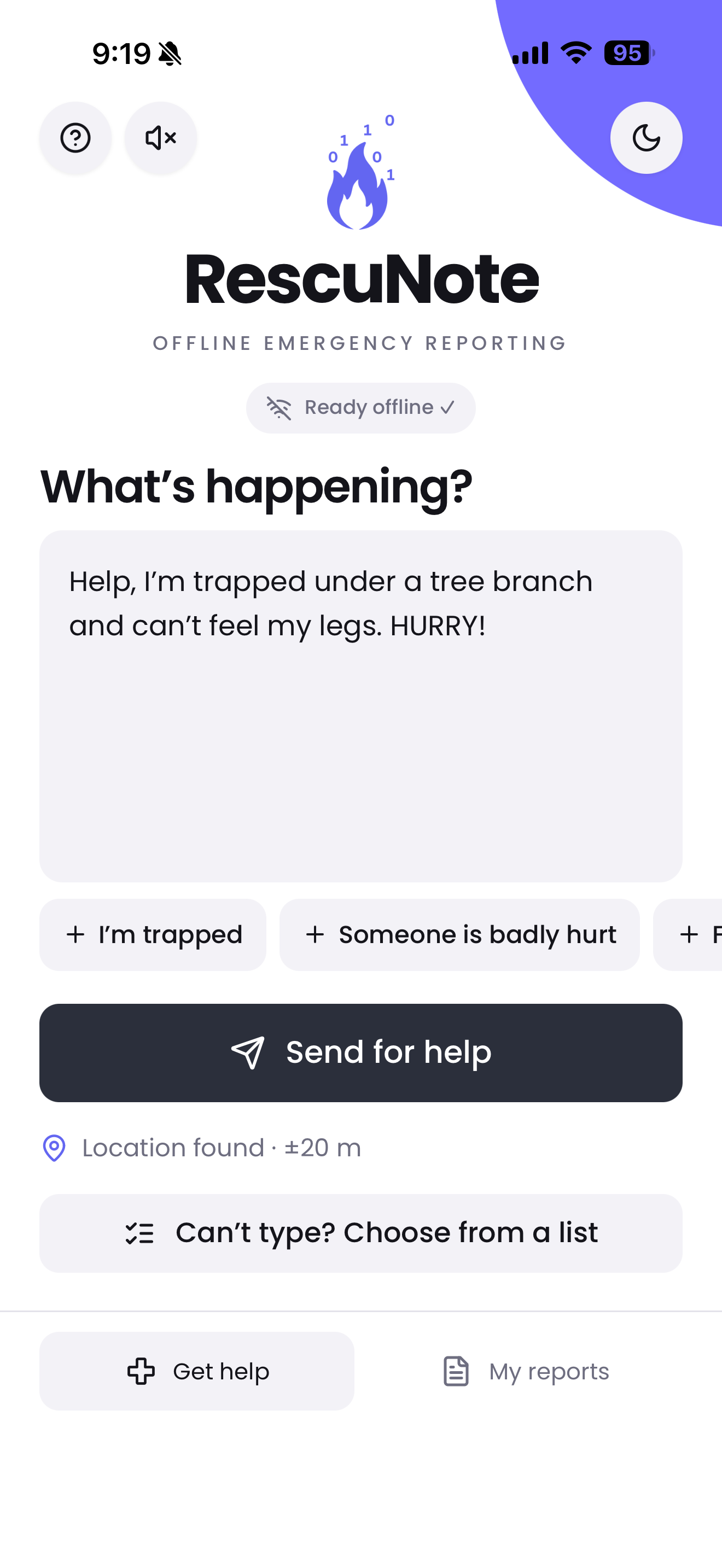
Home screen on iphone app.
-
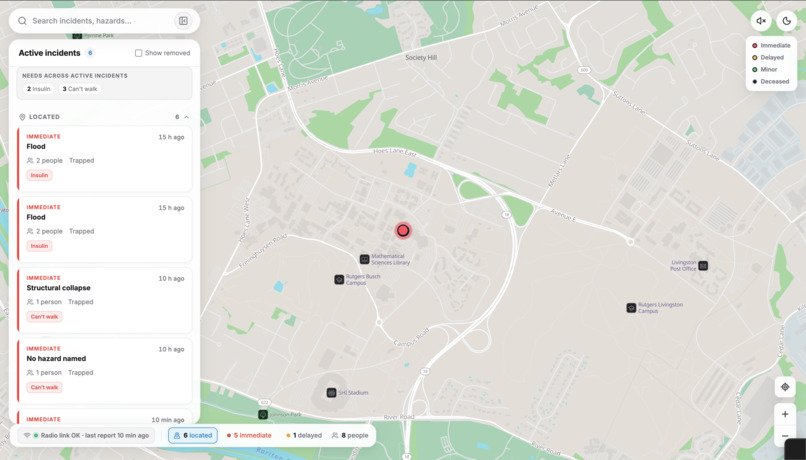
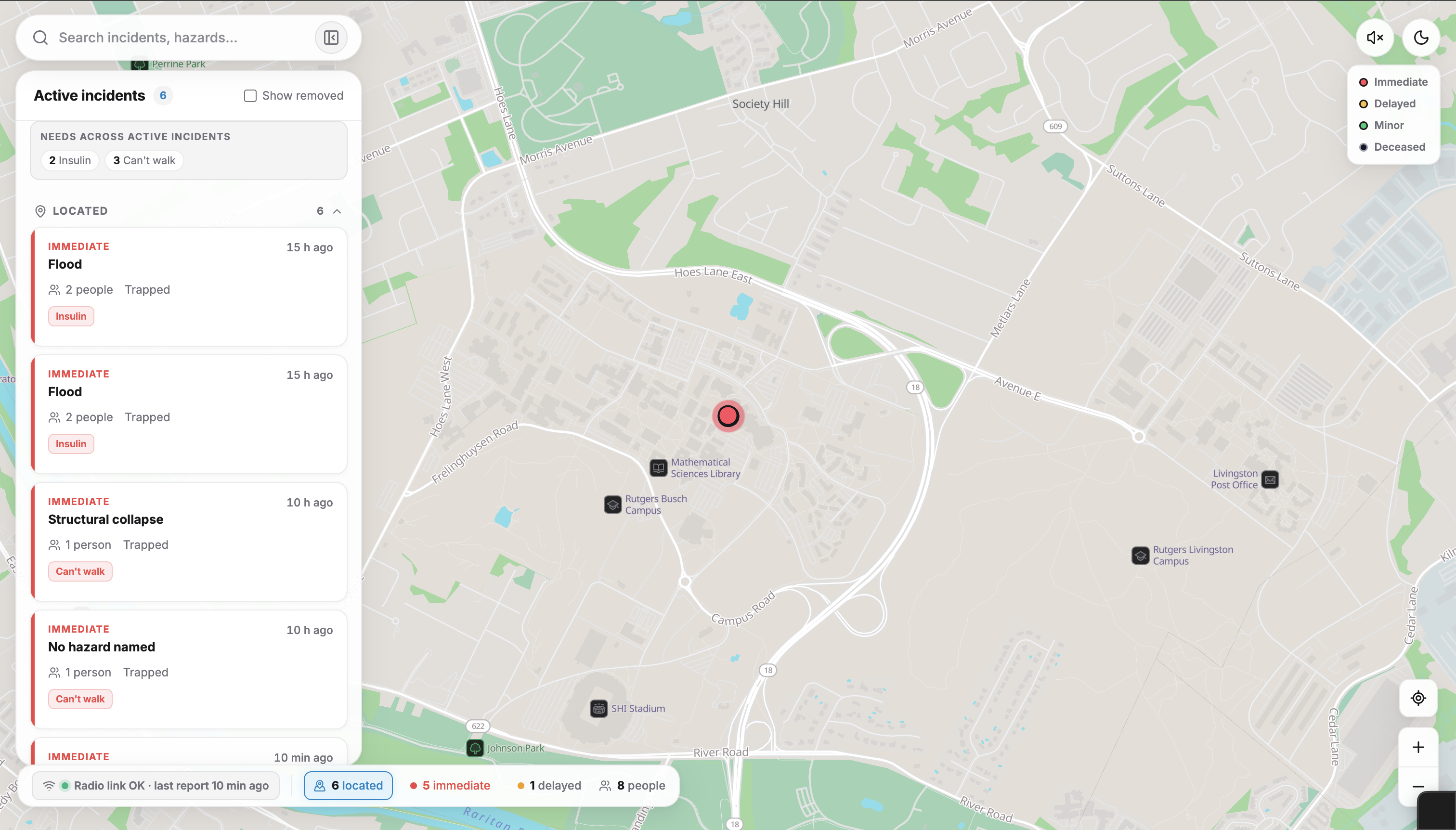
The operator dashboard in light mode: a live, offline map of incoming SOS reports for emergency responders.
-
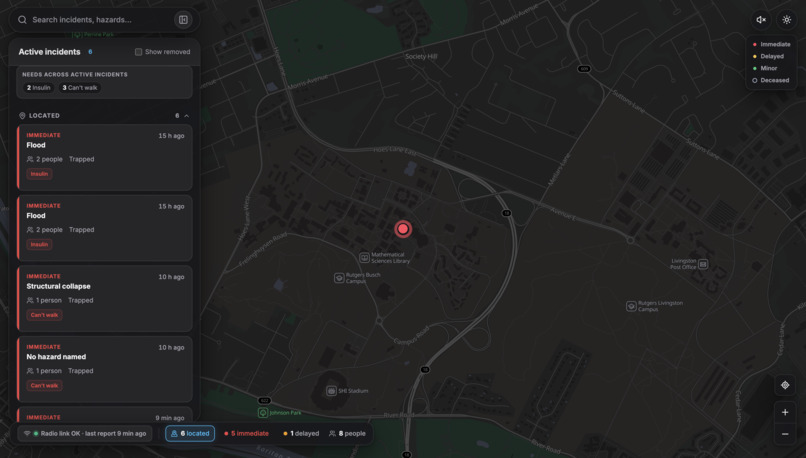
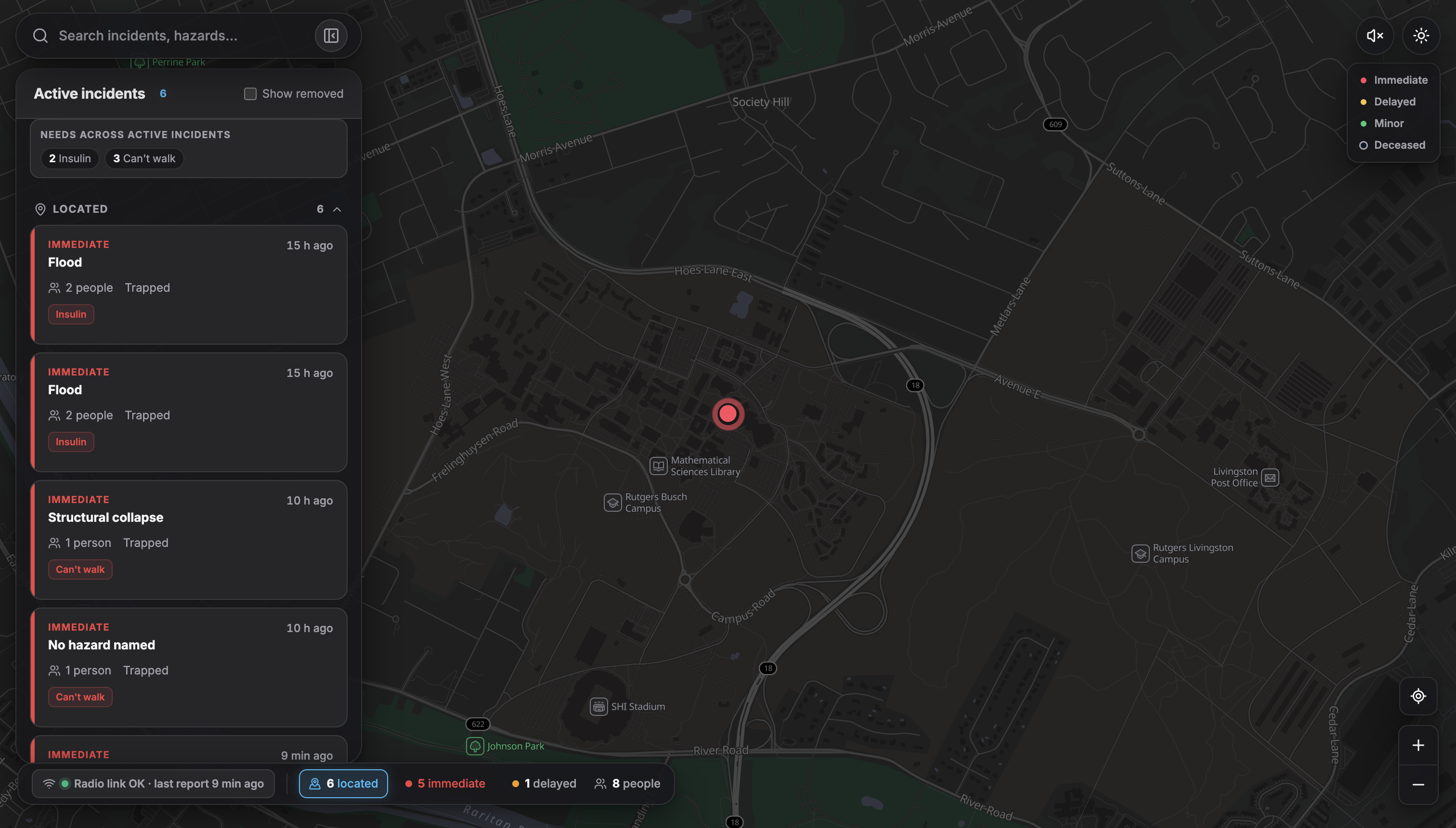
The operator dashboard in dark mode: a live, offline map of incoming SOS reports for emergency responders.
Inspiration
I lived through Hurricane Sandy in 2012. When the power went out, the phones went with it: at the storm's peak the FCC estimated about a quarter of all cell sites across the ten hardest-hit states were down, and days later nearly one in five still were, as backup batteries and generators ran dry. Knowing that people nearby might need help, with no reliable way to reach anyone, stayed with me.
In a hurricane, earthquake or wildfire, the cell network is often the first thing to fail, right when thousands of people need to say "we're trapped, there are three of us, my dad needs insulin." Satellite SOS exists, but only on some phones, and it carries little more than "I need help." Meanwhile, the responders coordinating a rescue need structured information: how urgent, what hazard, how many people, what medical needs, and where.
We asked: what's the smallest message that still tells a rescuer everything they need — and can we send it with no internet, no cell service and no special app store install?
What it does
RescuNote lets anyone with a phone send a triaged SOS with no signal:
- The survivor opens RescuNote (a website that works fully offline once visited) and types, dictates or taps quick phrases describing what's happening.
- A small AI model running on the phone reads the message and fills in a triage report: priority (Red/Yellow/Green/Black), hazard, situation, adults and children, medical needs, and whether the location they described differs from their GPS. They can check and correct anything with one tap; optional voice guidance reads the report back to them.
- The report is packed into an 18-byte frame and handed to a nearby LoRa radio relay over its local Wi-Fi network. The relay transmits it by long-range radio.
- A base station at the command post receives it, and a pin appears on a live operator dashboard with a "what to bring" list for the crew (insulin kit, water-rescue gear, pediatric care…).
The survivor's words never leave their phone; only the coded summary does.
How we built it
Survivor app (PWA). React + TypeScript + Vite, cached by a service worker so it runs in Airplane Mode after one online visit. Inference uses onnxruntime-web (WASM, single-threaded for iOS) with a custom WordPiece tokenizer ported from Python.
The model. We fine-tuned MiniLM as a multi-head classifier (priority, hazard, situation, medical flags, third-party), then quantized it to INT8 (≈18 MB gzipped). Training data was synthetic: LLM "writers" generated realistic, messy distress messages, which a second pass verified and filtered. Rule-based resolvers (English and Spanish) handle what classifiers do badly — counting people, spotting addresses and landmarks, negations like "we are not trapped." We held out a hand-written benchmark set and never trained or tuned on it; on it, the shipped model catches 96.4% of Red (life-threatening) reports.
The 18-byte frame. Every field is bit-packed:
| Bytes | Content |
|---|---|
| 0 | priority (2 bits) · hazard (4) · situation (2) |
| 1 | adults (4) · children (4) |
| 2–3 | medical + location flags (16) |
| 4–9 | latitude, longitude (signed 24-bit each) |
| 10–13 | timestamp |
| 14–16 | device id, sequence number |
| 17 | GPS accuracy bucket, version |
Coordinates are stored as signed 24-bit integers, which still gives about a metre of precision:
$$\Delta\phi = \frac{90^\circ}{2^{23}-1} \approx 1.07\times10^{-5}\,^\circ \approx 1.2\ \text{m}.$$
Why 18 bytes matters. LoRa airtime grows with payload length. With spreading factor $SF=7$, bandwidth $BW=125$ kHz and coding rate $4/5$, one symbol lasts
$$T_{sym} = \frac{2^{SF}}{BW} = \frac{128}{125\,000} = 1.024\ \text{ms},$$
and the payload needs
$$n = 8 + \left\lceil \frac{8\,PL - 4\,SF + 28 + 16}{4\,SF} \right\rceil (CR + 4)$$
symbols. For our $PL = 18$ bytes that's $n = 38$, so with the preamble the whole packet is on air for about 51 ms. Sending a 200-character free-text message instead would take about 318 ms — over six times longer, on a shared channel during a disaster.
Hardware. Two Heltec WiFi LoRa 32 V3 boards (ESP32-S3 + SX1262, 915 MHz, RadioLib):
- the field node runs an open Wi-Fi access point; the app hands over the frame by opening
[http://192.168.4.1/sos?d=](http://192.168.4.1/sos?d=)<hex>(an HTTPS page can'tfetch()plain HTTP, so it's a top-level navigation), and the node transmits it and shows a "Report sent" page that returns to the app by itself; - the base station listens continuously and forwards frames over USB serial.
Command post. A Python FastAPI bridge decodes frames, de-duplicates retries by $(\text{device id}, \text{seq})$, stores them in SQLite and pushes them over WebSockets to a React + MapLibre dashboard with an offline PMTiles map, so the command post doesn't need internet either.
Voice. We used ElevenLabs to generate 89 short clips once, at build time; the app stitches them together offline into a spoken read-back like "Red. Life-threatening. Flood. Trapped. Three people. Needs: insulin." The phone never contacts ElevenLabs.
Challenges we ran into
- Python and the phone disagreed. INT8 dynamic quantization turned out to depend on batch size, so our Python evaluation (batched) and the phone (one message at a time) produced different answers. A parity test between the two caught it; we now evaluate one message at a time, exactly like the phone.
- iPhone memory. After about four reports the model "could not start." iOS doesn't free WebAssembly memory across page reloads, and every return from the relay reloaded the app. The fix was to return with
history.back()so iOS restores the page — model still loaded — from its back/forward cache. - One radio report, sent eight times. A build flag left literal quote marks in the relay's link, so tapping it reloaded
/sosand re-transmitted. We fixed the link and made the relay robust: post/redirect/get plus a repeat guard. - Dropped frames. A blocking
receive()call missed packets; switching to interrupt-driven continuous receive fixed it. - GPS with no network. A cold GPS start in Airplane Mode can take over a minute, so a single 10-second attempt usually failed silently. Location now starts the moment the app opens and keeps improving while the person types.
- iOS quirks everywhere: audio silenced after the app was backgrounded (fixed by switching to a single "primed" audio element), the keyboard leaving the layout shifted, and Home Screen apps reporting the screen 62 points short. We tested these on the iOS Simulator with on-screen diagnostics rather than guessing.
What we learned
- Offline-first is a different discipline: every asset, font, map tile and voice clip has to ship with the app, and every failure needs a fallback (manual entry if the model can't load, the phone's own voice if a clip is missing).
- Measure on the real target. Most of our hardest bugs only appeared on an actual iPhone or in the Home Screen app, never in desktop Chrome.
- Compression is a design decision, not just an encoding: deciding what a rescuer needs — and what can stay on the phone for privacy — shaped the whole system.
- Synthetic data works if you keep an honest test set. Holding out a benchmark we never trained on kept us from fooling ourselves.
What's next
Mesh repeating between field nodes for longer range, acknowledgements back to the survivor's phone ("a crew has your report"), incident status for operators (acknowledged → en route → resolved), and more languages for both the model and the voice.
Built With
- arduino
- c++
- elevenlabs
- esp32
- fastapi
- heltec-wifi-lora-32
- hugging-face-transformers
- lora
- maplibre
- onnx
- onnxruntime-web
- openrouter
- protomaps-pmtiles
- python
- pytorch
- radiolib
- react
- service-workers
- sqlite
- tailwindcss
- typescript
- vite
- webassembly
- websockets

Log in or sign up for Devpost to join the conversation.