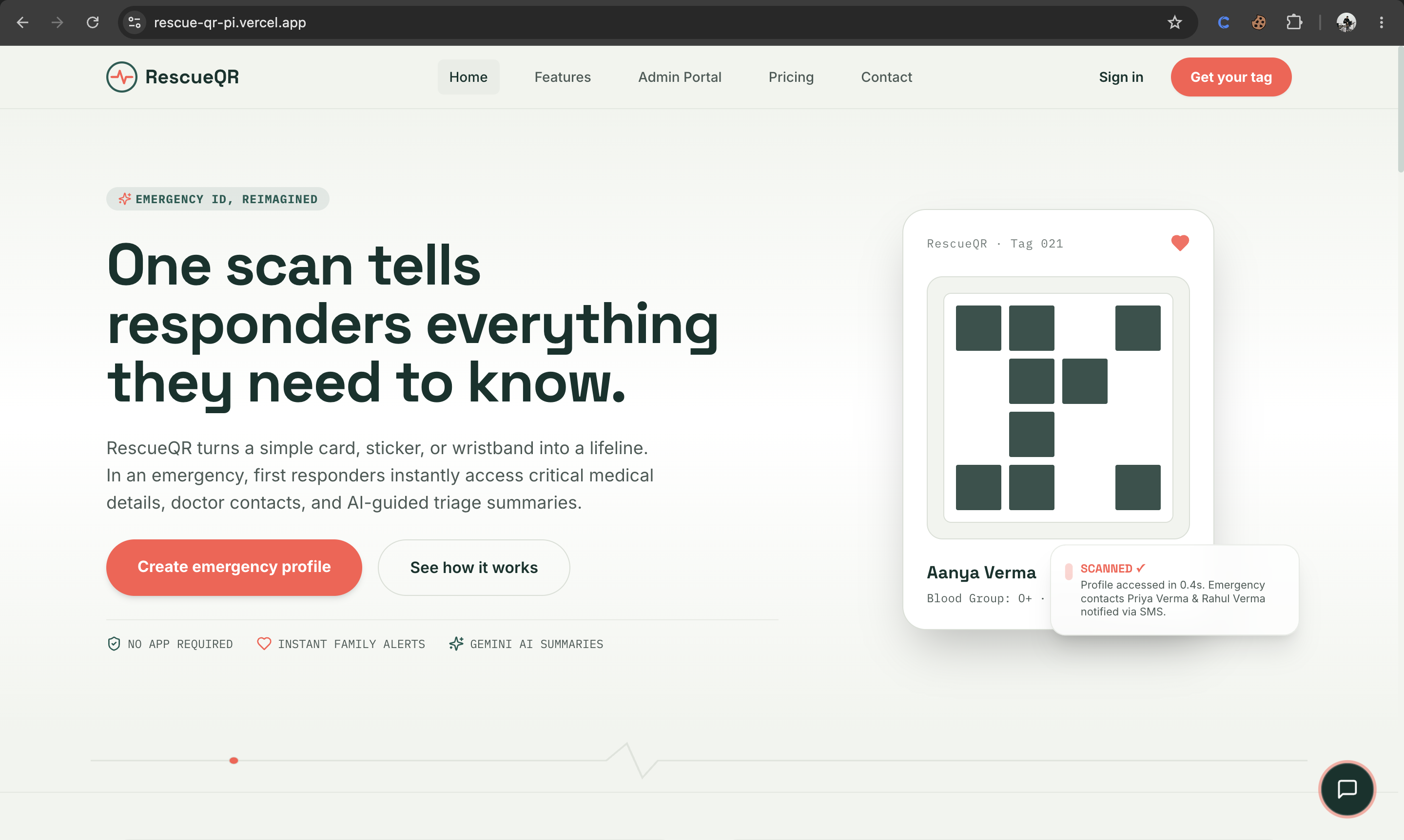
The Story of RescueQR
An emergency medical identification platform powered by conversational AI, designed to save lives during the critical "Golden Hour" of medical emergencies.
💡 The Inspiration
Every year, millions of individuals are involved in accidents or suffer sudden medical crises (such as diabetic shock, cardiac arrest, or severe allergic reactions) while alone. In these high-stress moments:
- First Responders (paramedics, police, bystanders) have an average of $T_{critical} \le 5\text{ minutes}$ to make critical triage decisions.
- Vital Information—such as blood groups, life-threatening allergies, current medications, and primary care doctor contacts—is locked behind passcode-protected smartphones or stored in paper wallets that are easily lost.
We were inspired to build RescueQR to bridge this information gap. By turning a simple card, sticker, or wristband into a dynamic, AI-guided emergency access tag, we give responders instant access to life-saving clinical context while automatically alerting emergency contacts in real-time.
🛠️ How We Built It
The architecture of RescueQR is built with modern, high-performance web tech stacks:
The Frontend & Backend
- Next.js 15 & React 19: Leveraged for high-performance server-side rendering (SSR), dynamic routing, and fast load times.
- Tailwind CSS: Crafted a clean, mobile-first design with accessibility-oriented high contrast (red alerts, green action triggers).
- Supabase Database: Utilized Row-Level Security (RLS) policies to protect patient profiles and store scan logs securely.
The AI & Voice Engine
- Gemini 2.5 Flash API: Integrated to summarize dense clinical profiles into 10-second first-responder briefings, generate family coping guides, and flag medication interaction conflicts.
- OmniDim Conversational Voice Agent: Configured to make automatic outbound phone calls to emergency contacts when a responder scans a tag, speaking the details and texting a Google Maps link.
- Web Speech Synthesis API: Programmed a fallback in-browser audio caller using text-to-speech to simulate interactive AI voice agents during offline or demo configurations.
🧬 Mathematical Formulations (LaTeX Support)
To optimize the reliability of emergency dispatch alerts and evaluate a user's health preparedness, we modeled two core metrics:
1. Emergency Preparedness Score ($S_{prep}$)
A user's emergency profile completeness is dynamically calculated using a weighted score:
$$S_{prep} = \sum_{i=1}^{n} w_i \cdot I_i$$
Where:
- $I_i \in {0, 1}$ represents whether a specific field $i$ (e.g., Blood Group, Allergies, Emergency Contacts) is filled.
- $w_i$ represents the critical weight assigned to each field, where:
$$\sum_{i=1}^{n} w_i = 100$$
For example, having emergency contacts and severe drug allergies verified is weighted heavily ($w_{contacts} = 30$, $w_{allergies} = 25$) compared to secondary fields like vehicle numbers ($w_{vehicle} = 5$).
2. Location-Based QR Token Compression
To support offline routing (Mock Mode), we compress the user's medical details into a URL-safe Base64 token $T_{safe}$ using the function:
$$T_{safe} = \text{Base64UrlEncode}(\text{gzip}(\text{JSON.stringify}(P)))$$
Where $P$ is the emergency profile payload. This ensures that the generated QR code remains compact and readable even by low-end smartphone cameras under poor lighting conditions:
$$\text{Density}(QR) \propto \text{Length}(T_{safe})$$
⚠️ Challenges We Faced & How We Solved Them
1. The Autoplay Blockade (Audio Restrictions)
- The Challenge: Modern browsers block text-to-speech and audio alerts ($window.speechSynthesis$) unless they are triggered by a direct user click. Running voice call timelines asynchronously on a timer resulted in silent calls.
- The Solution: We restructured the calling flow. The first responder must solve a verification math puzzle (
Math.random()) and click the "Send Alert & Call" button. We hook into this click event to immediately speak a silent utterance, "unlocking" the audio context for the voice agent to speak the detailed script seconds later.
2. Base64 Route Collisions
- The Challenge: Standard Base64 strings contain
+,/, and=characters. In URL paths,/splits routing, causing Next.js to throw404errors, while+is decoded as a whitespace character. - The Solution: We implemented RFC 4648 URL-safe Base64 encoding, replacing
+with-and/with_, and stripping out padding=symbols before injecting tokens into QR routes.
🧠 What We Learned
Building RescueQR taught us the power of graceful degradation. By combining client-side browser features (Web Speech API, Geolocation, LocalStorage) with server-side API integrations (Gemini AI, OmniDim, Supabase), we built a web application that works flawlessly in high-end production environments, yet remains completely functional and testable in completely offline demo environments.

Log in or sign up for Devpost to join the conversation.