RescueMesh — Offline Emergency Communication When Networks Fail
https://drive.google.com/drive/folders/1kwexW37j9pqECKHLJqj-MSKng00moE-Q?usp=sharing
The Idea: What Inspired Us to Build It?
During an emergency, having a working phone does not always mean having a way to communicate.
In earthquakes and building collapses, people can become trapped beneath debris while their smartphones are still functional. But damaged cell towers, power failures, or overloaded networks can prevent them from contacting rescuers — even when rescue teams or other people may be nearby.
The same fundamental problem appears in other situations. Floods and cyclones can damage communication infrastructure across affected regions. Large gatherings can overload cellular networks. During government-imposed internet shutdowns, people may also lose access to the internet-based communication services they normally rely on, even though their phones themselves continue to work.
These situations made us realize something:
The phone isn't always the problem. The infrastructure connecting the phones is.
Traditional communication usually depends on infrastructure:
Phone → Cell Tower / Wi-Fi → Network → Another Phone
If that infrastructure becomes unavailable, communication can disappear exactly when people need it most.
Natural disasters — floods, earthquakes, cyclones — have this cruel pattern: the moment people need to communicate most is exactly when cell towers, mobile data, Wi-Fi infrastructure, and power grids can go down.
We wanted to build something that doesn't depend on infrastructure surviving the disaster to be useful during it.
Since almost everyone already carries a smartphone, we started with a simple question:
What if the phones could just talk to each other directly?
That idea became RescueMesh — an Android application designed to enable nearby smartphones to communicate directly during emergencies, even when traditional communication networks are unavailable.
How It Works
RescueMesh allows nearby Android phones to discover and communicate with each other without internet access, SIM signal, or Wi-Fi routers.
The application uses Google's Nearby Connections API, which takes advantage of technologies such as Bluetooth and Wi-Fi-based peer-to-peer communication to establish direct connections between devices.
The basic flow is:
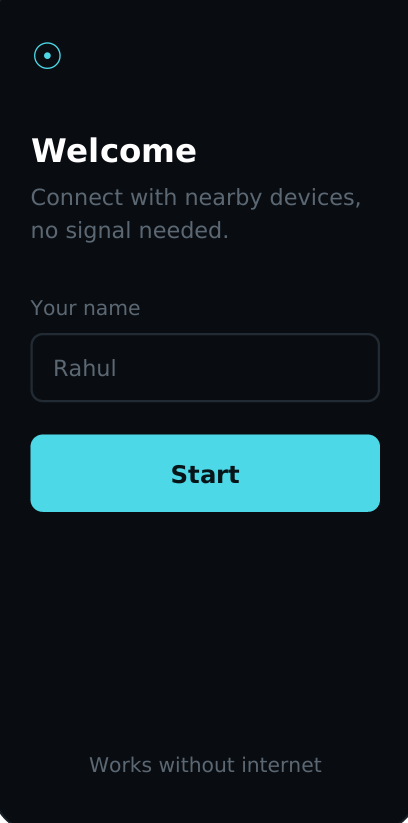
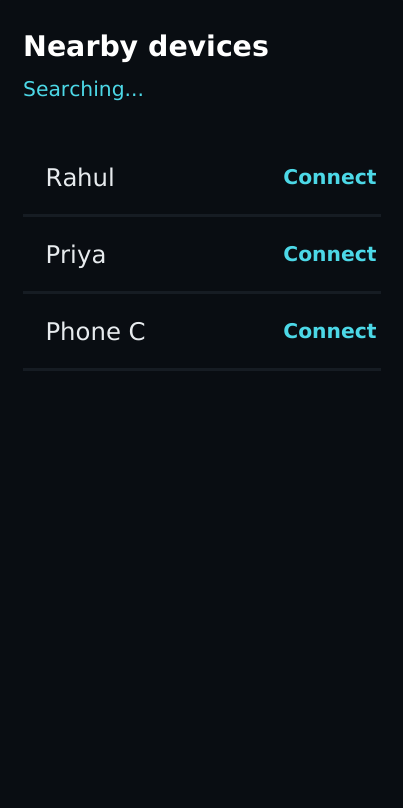
Open App → Enter Name → Grant Permissions → Advertise → Discover → Connect → Send/Receive HELP
One device can advertise itself while nearby RescueMesh devices discover it and establish a connection.
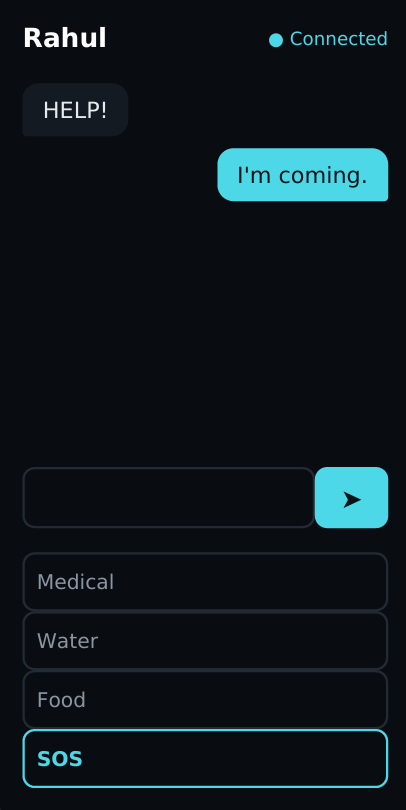
Once connected, a user can send a HELP broadcast that reaches connected devices at once.
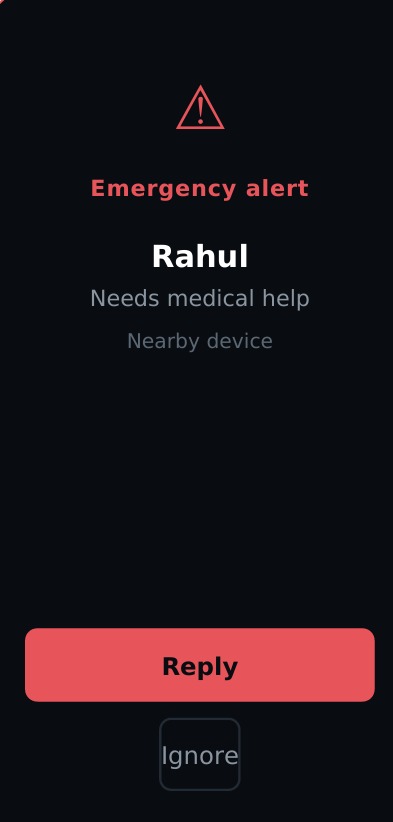
Recipients can quickly choose to Reply or Ignore the request. Emergency categories such as Medical, Water, Food, and SOS reduce the amount of typing required and make it easier to understand what kind of assistance is needed.
For the current MVP, RescueMesh uses a reliable one-hop communication model, where messages are delivered directly to connected nearby devices.
Main Features
📡 Offline Device-to-Device Communication
Phones communicate directly without depending on mobile data, SIM connectivity, or traditional network infrastructure.
🚨 Emergency HELP Broadcasts
A user can broadcast an emergency request to multiple connected devices rather than contacting people individually.
🆘 Quick Emergency Categories
Users can quickly categorize requests as:
Medical • Water • Food • SOS
This helps nearby people understand the type of emergency immediately.
💬 Reply or Ignore
Recipients can respond to requests when they are able to help or ignore requests that they cannot assist with.
🔍 Nearby Device Discovery
RescueMesh automatically advertises and discovers compatible nearby devices using the Nearby Connections API.
🌑 Emergency-Focused Interface
The UI uses a dark theme, large tap targets, minimal typing, and straightforward navigation so the application remains easy to operate during stressful situations.
🔗 Foundation for Multi-Hop Mesh Networking
The current MVP focuses on reliable direct communication, while the architecture provides a foundation for future message relaying:
A → B → C → D
This could allow emergency messages to travel significantly farther than the range of a single connection.
Technology Stack
Language
- Kotlin
Android Development
- Android Studio
- Jetpack Compose
Architecture & State
- ViewModel
- Compose state management
Communication
- Google Nearby Connections API
- Bluetooth
- Wi-Fi-based peer-to-peer communication
Data Transfer
- Nearby Connections Payload API
Development & Collaboration
- Git
- GitHub
Testing
- Multiple physical Android devices
- Airplane-mode and offline connectivity testing
How We Built It
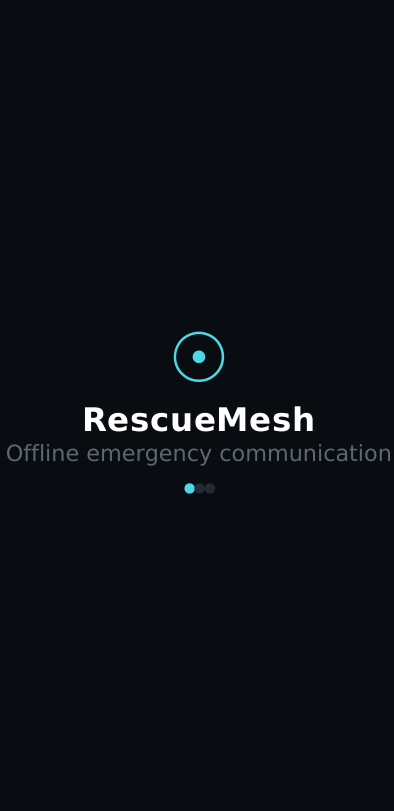
We started by prototyping the user experience around five core screens:
Splash → Welcome → Nearby Devices → Chat → Emergency Alert
The interface was built using Jetpack Compose, with ViewModels and state management handling connection and messaging state.
Once the core UI flow was ready, we integrated the Nearby Connections API underneath it.
The networking layer handles:
- Device advertising
- Nearby device discovery
- Connection requests
- Connection lifecycle
- Payload transmission
- Incoming payload handling
- Android permissions
We then tested the application across physical Android devices under different connectivity conditions to ensure communication could continue without normal internet access.
Intended Audience
RescueMesh is designed for people who may lose access to normal communication infrastructure during emergencies.
Potential users include:
- People affected by floods, earthquakes, cyclones, and other natural disasters
- Disaster-response volunteers
- Rescue teams
- NGOs and humanitarian organizations
- Communities in remote or poorly connected regions
- People attending large events where cellular networks may become overloaded
- Emergency response coordinators
The goal is not to replace existing emergency communication systems, but to provide an additional communication layer when conventional infrastructure becomes unavailable.
Challenges We Ran Into
One of our biggest challenges was getting Nearby Connections to reliably advertise and discover devices without flaky connections or reconnect issues.
Designing a one-to-many broadcast model was another challenge. We wanted something simple enough to demonstrate reliably while still representing real emergency triage behavior through actions such as Reply and Ignore.
Scope management was equally important.
It was tempting to implement full multi-hop mesh forwarding immediately, but we deliberately focused on building a solid one-hop MVP first so the core communication system would work reliably during a live demonstration.
Testing offline communication also required multiple physical devices and realistic scenarios such as airplane mode and unavailable internet connectivity.
Accomplishments We're Proud Of
We successfully built a working, demoable MVP capable of sending and receiving emergency messages with zero internet connectivity.
Instead of limiting communication to simple 1:1 messaging, RescueMesh implements a one-to-many emergency broadcast model.
We also designed an interface specifically around stressful situations — large tap targets, a dark theme, minimal typing, and quick emergency categories.
Most importantly, we proved the core idea end-to-end on real Android devices within a short development window.
What We Learned
Building RescueMesh showed us that infrastructure-independent communication is achievable using ordinary Android smartphones without requiring custom radio hardware.
We also learned that designing software for emergencies is very different from designing for everyday convenience.
Every screen forced us to ask:
"Can someone understand and use this quickly while stressed, moving, or running on limited battery?"
We also discovered that moving from simple device pairing to one-to-many communication introduces significantly more technical and UX complexity than we initially expected.
Team & Contributions
👨💻 Aditya — Networking Lead
Responsible for the core communication and networking layer of RescueMesh.
Contributions:
- Nearby Connections API integration
- Bluetooth/Wi-Fi Direct communication
- Device advertising and discovery
- Connection management
- Payload sending and receiving
- Android permission handling
- Testing communication across both physical phones
- Debugging and fixing connectivity issues
- Offline communication testing
👩💻 Mansi — Product Lead
Responsible for the application experience, interface, presentation, and overall product polish.
Contributions:
- Jetpack Compose UI
- Screen design and implementation
- Navigation
- User experience design
- Emergency message display
- Demo video
- Presentation/PPT
- README documentation
- App icon
- Final UI and product polish
What's Next for RescueMesh
🔗 Multi-Hop Mesh Forwarding
Our biggest planned improvement is true multi-hop communication.
Instead of requiring the sender and receiver to be directly connected:
A → B → C → D
Devices could automatically relay emergency messages through other nearby RescueMesh devices.
This could extend communication across an affected area far beyond the range of a single Bluetooth or Wi-Fi connection.
🔄 Message Persistence & Retry
Emergency messages could be stored locally and automatically retried when connections become available again.
This would make RescueMesh more resilient when people are moving or devices temporarily disconnect.
📍 Lightweight Location Tagging
Emergency messages could include approximate location information, allowing responders to prioritize requests based on proximity and urgency.
🔋 Battery-Aware Relay Logic
Since battery life is extremely important during disasters, future versions could avoid selecting low-battery devices as message-relay nodes whenever alternatives are available.
Our Vision
RescueMesh started with a simple idea:
Communication shouldn't disappear just because infrastructure does.
By allowing the smartphones people already carry to communicate directly, RescueMesh aims to create a decentralized emergency communication network that can continue operating when conventional networks cannot.
The current MVP proves the core concept.
The next step is turning those individual connections into a true device-to-device emergency mesh network.
Built With
- android
- android-permission
- android-studio
- google-connection-api
- kotlin


Log in or sign up for Devpost to join the conversation.