-
-
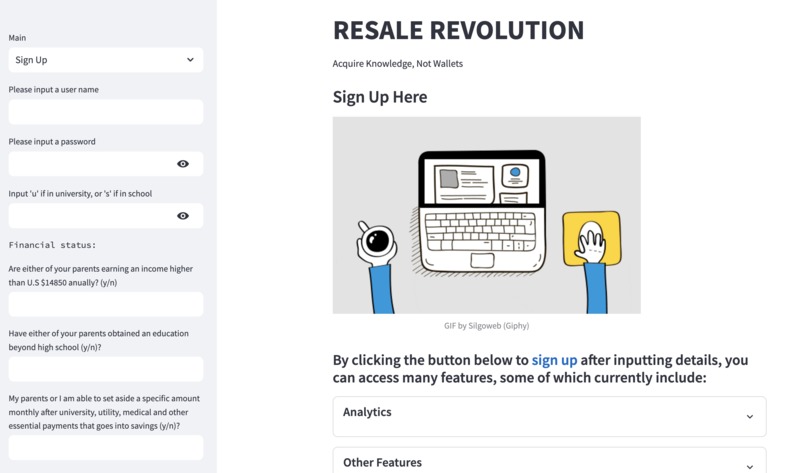
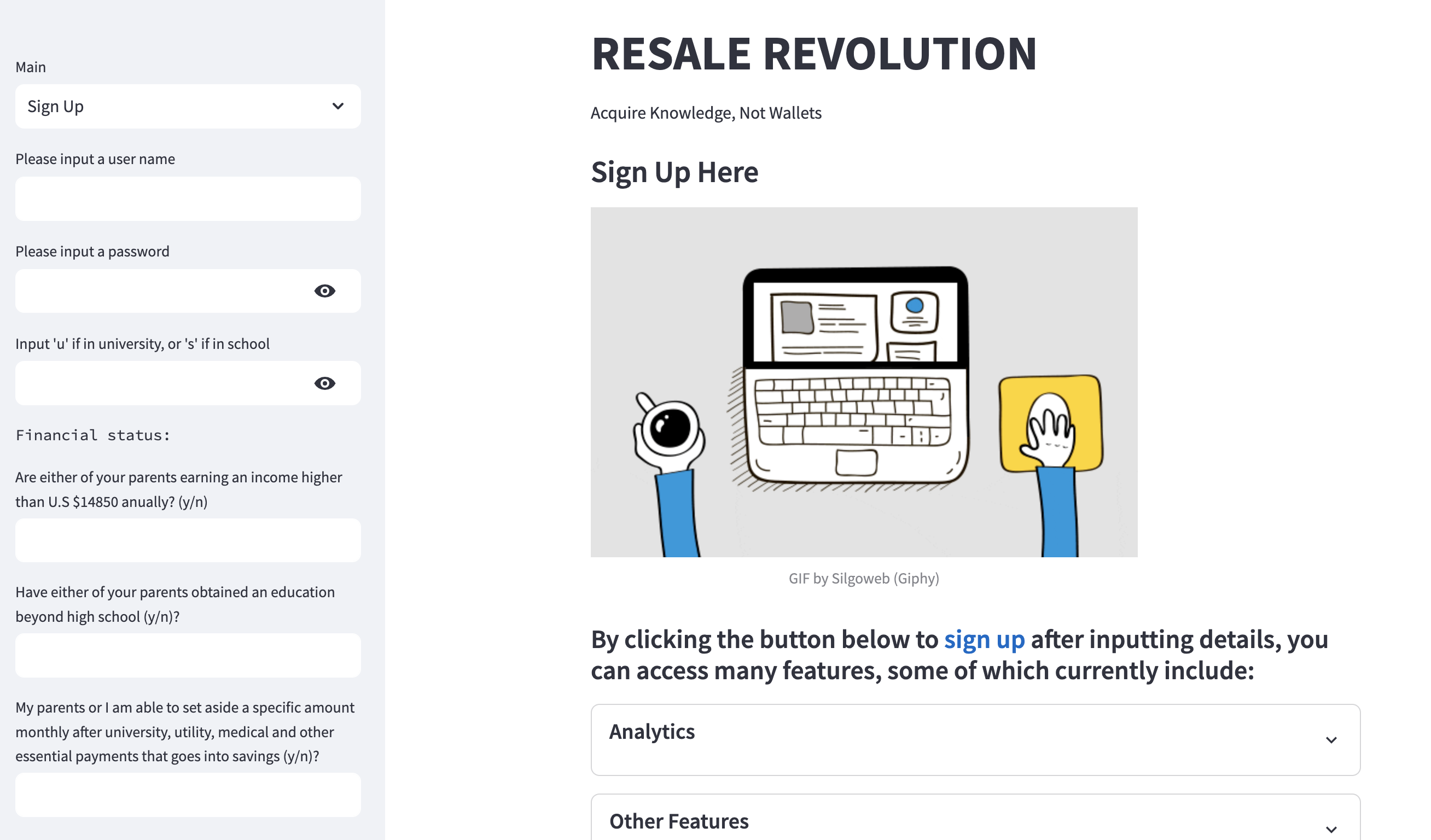
Signup page
-
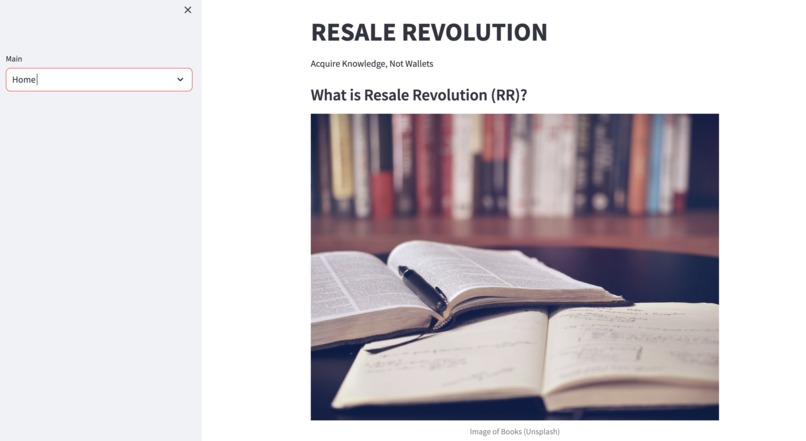
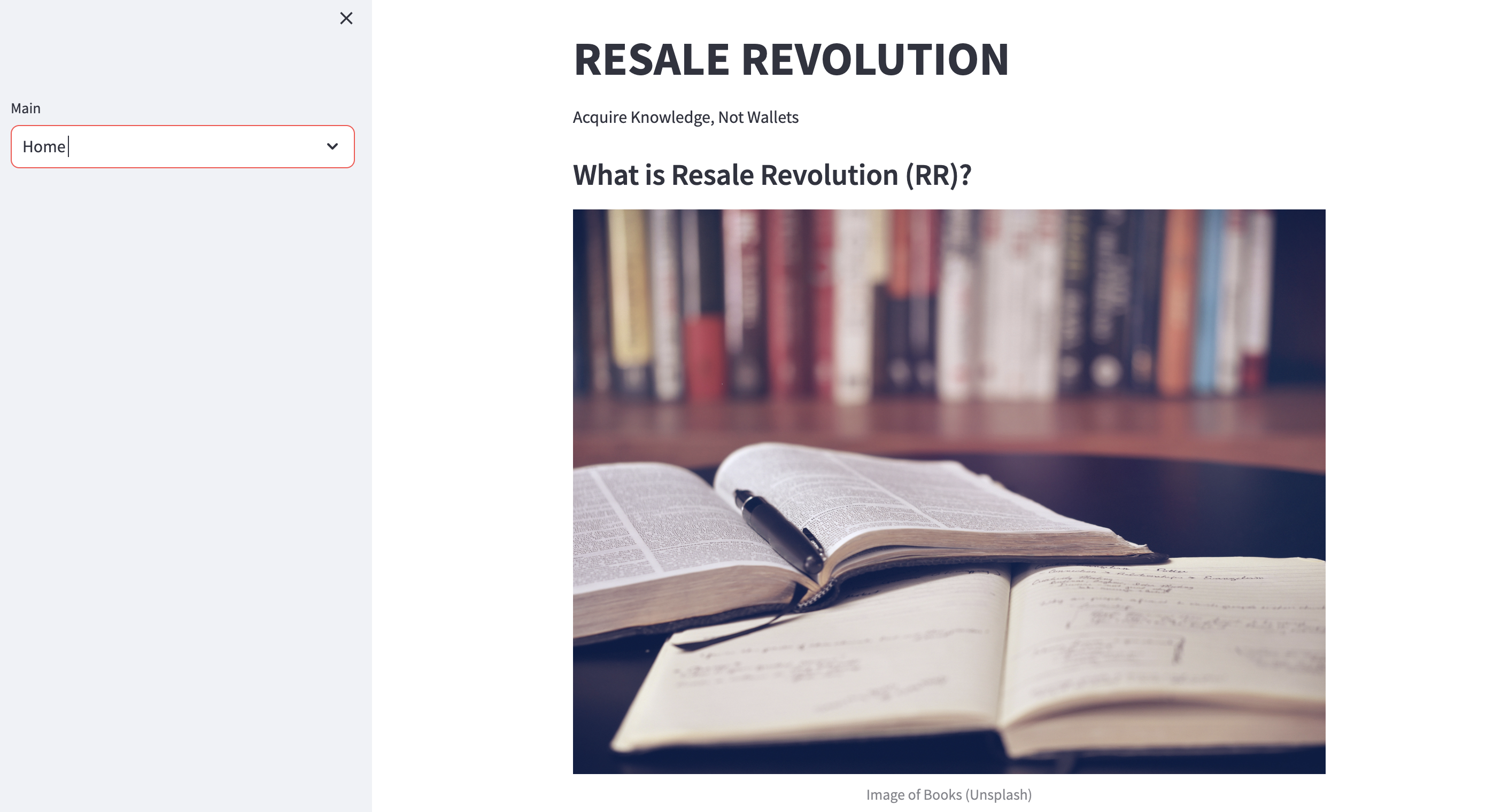
Home page
-
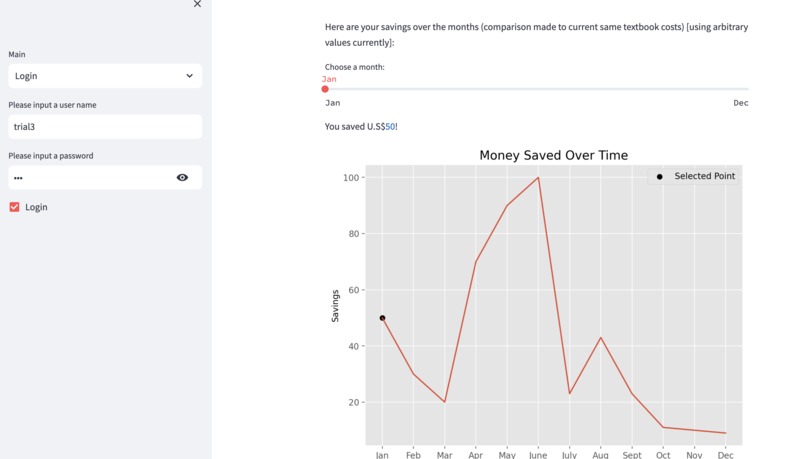
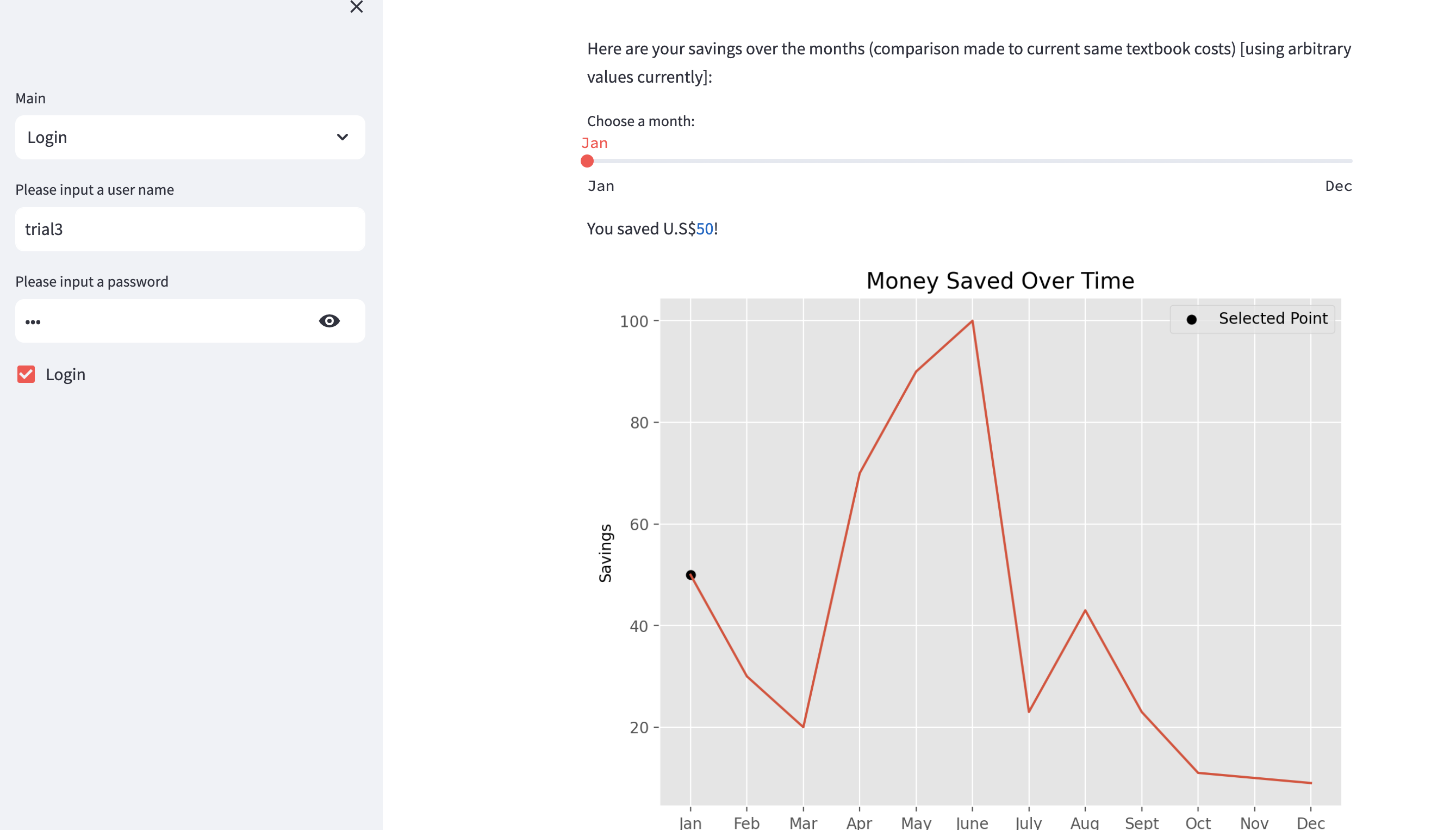
Part of the analytics page
-
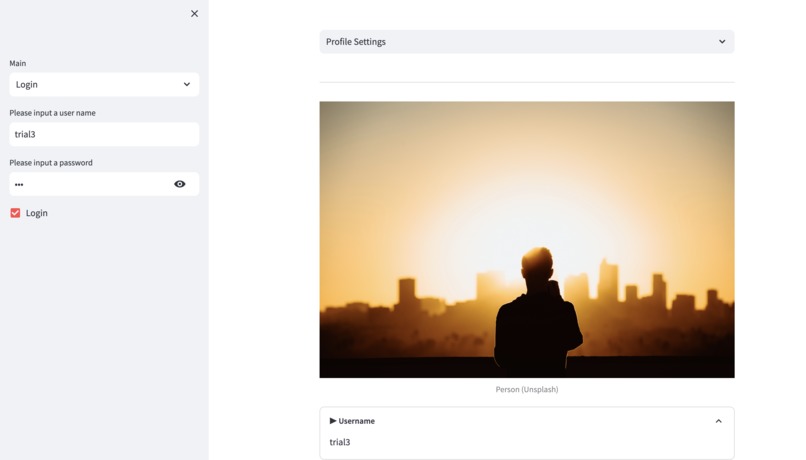
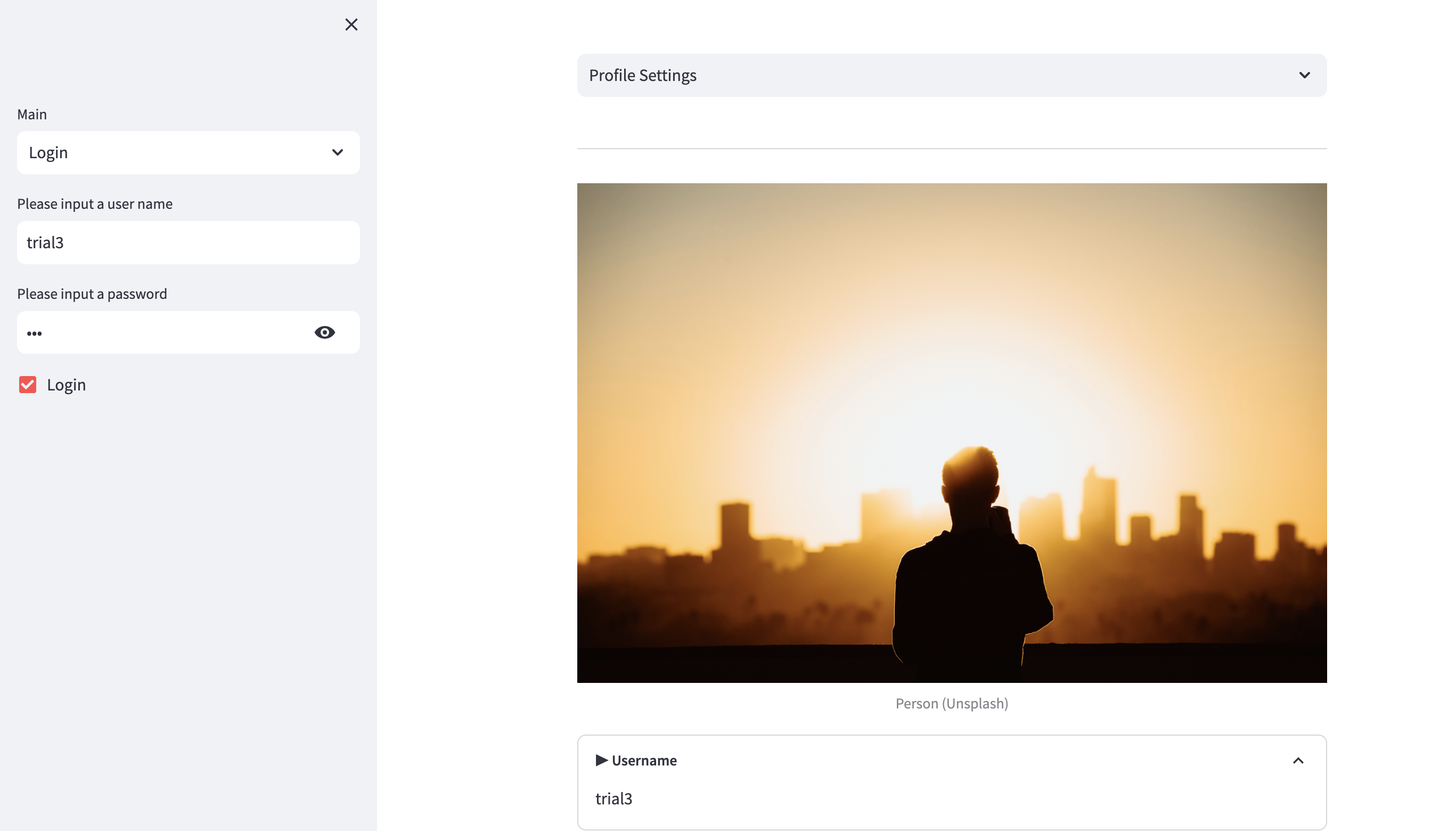
Profile settings page
Find the video demo and pitch above (might take some time to load) or in the Github repository
Inspiration & Bio
- Inspired to create this project based on my past experience and research
- A lot of money would go into purchasing supplies, and textbooks took up the most
- Reading up about this issue online made me more aware of the financial burden placed on most students, with low income students impacted the most (particularly for first generation low income students who have to deal with expenses and navigate university life)
- Bio: final-year undergraduate student in the U.K, interested in programming, econometrics, mathematical economics, statistics and data science. Currently working as a research intern on a project focusing on economic perspectives of the health effects of climate change using statistical methods and R/Python programming.
What it does
- Web application that facilitates lending/borrowing & selling/purchasing of second-hand low-priced course textbooks (or free if borrowing) amongst students, with some unique elements (involving gift cards, tracking analytics and more), to promote:
➤ Learning for academic success, unburdened by financial concerns
➤ A sense of belonging and community among low income students
➤ Resource sharing
➤ Initiative to help by creating incentives such as an opportunity for senior low income students to receive gift cards to purchase food, clothes and supplies by increasing their 'rank'
➤ Reduction in the opportunity and time costs of finding cost-effective and budget-friendly books and lack of availability in libraries or platforms
➤ And most importantly, help low income students feel valued in the community and have the ability to contribute
➤ Reusing textbooks and reducing waste (also lowering printing costs)
Note: In addition to first generation low income college students, the project created has been extended to low income school students as well.
How I built it
- Coded from scratch and primarily used Python and Streamlit. Some packages used include numpy, pandas, matplotlib (and others such as time and random)
- Used SQLite to build a database to store user signup information and use it on other pages in the web app. Also used the os module as part of this
- Incorporated a bit of HTML to make a few changes to the default structure
- Started with a basic web app structure and then added further details. Coded in Visual Studio Code
Challenges I ran into
- Connecting user signup information to the SQLite database and storing it at an appropriate location
- Dealing with lengthy structures of code and the placement of functions associated with the database. For example, finding out how to structure and place the below code:
def select_textbook_user_background(username_loggedin, password_loggedin): con.execute('SELECT uni_or_school, major_name FROM table_user WHERE username=? AND password = ?', (username_loggedin, password_loggedin)) background_data = con.fetchall() return background_data - Another major challenge was time. I had to devote lots of time to researching, coding and resolving errors.
Accomplishments that I'm proud of
- Given that I was new to using Streamlit and had limited time, I was able to find sources to learn more about this after the prompt was released. This way, I not only improved my research skills but also learned a new framework that I can utilise in the future
- Able to utilise Python coding language to produce something meaningful with a real-world impact
What I learned
- A lot of potential to use code for social good and make a difference in people's lives
- Interested in continuing to develop my skills further so that I can apply my knowledge to build further applications that have real-world impacts
- Technical skills: Streamlit, SQLite
- Also improved my skills in Python and using packages effectively
- Teaming up with other individuals might have developed my skills even further
Brief User Guide
- Simple dropdown navigation to access different pages with a minimalist colour scheme
- First, create an account by navigating to the sign-up page (in the sidebar under 'Main') and answering a few questions such as details related to educational background, financial status, and more. If you cannot find the sidebar, please select the right arrow positioned at the top left of the screen. Create an appropriate username and password, after which you should scroll down to the bottom of the page and select the Sign Up button. On the same sign up page, you can also find details on what features are present in the web app and what you can gain access to after signing up.
- Then, go to the login page and input your username and password.
- Once you log in, you can browse through the profile settings page, which consists of all the details you signed up with.
- You can go to the next pages by selecting the dropdown navigation on the main screen. The next page is 'Select Textbook', where you can choose what textbook you would like to borrow or buy:
‣ You will first find a list of textbook names along with other details such as subject, user selling or loaning the book, loaning period, selling price, textbook condition, textbook level, and more.
‣ Enter 'y' to get textbook recommendations that match your background and profile (major and university or school level).
‣ Then choose whether you would like to borrow or buy, following the instructions on the screen.
‣ After making a choice, you will be displayed a list of textbooks and previous details, either arranged from highest to lowest lending periods or from lowest to highest selling prices based on whether you choose to borrow or buy a book.
‣ Enter the number of the textbook you would like to purchase or borrow and obtain textbook details, including an image of the textbook owned by the user, textbook condition, number of days till return, and more.
‣ Click the borrow button to borrow. If purchasing, you have the option to choose whether to send a gift card to the seller/lender. If you choose yes, choose an amount on the slider and then click the purchase button to make the purchase.
- The next pages are messages and payments, which can be accessed through the same dropdown navigation. These pages will be updated in the future, and you can find out the purpose of these pages once you are directed to them.
- Analytics is another page where you can track the number of gift cards sent (and lives impacted updated automatically) and monthly savings by dragging the slider across months to find out how much you saved by purchasing a low-priced second-hand textbook (or borrowing one). You can also find your accomplishments and badges over the year, which can be based on your monthly savings or the number of gift cards sent in a row, as an example. For sellers, this will look different (details are specified in the attached documents and/or videos).
- The final page is ratings and reviews. Enter a username to rate the seller or lender (which has to be one of the sellers or lenders who use the web app to sell or lend textbooks). This does not have to be case-sensitive. Then, rate the user on a scale of 1 to 5 and provide constructive feedback. Your seller or lender will anonymously receive a rating that can boost their overall rank and increase their chances of obtaining a gift card.
- To log out of the web app, uncheck the 'Login' checkbox in the sidebar.
- Find out more about the project by navigating to the home, gift card, and about us pages.
Note: The above guide is mainly from the perspective of a user who is either a buyer or borrower in the web app.
What's next for Resale Revolution
Some future plans include:
- Anonymize and use user data (stored temporarily in a SQLite database) to extract meaningful insights (eg: relation between financial status and major chosen at university) and use this to target specific audiences (and increase inclusivity)
- Algorithmically match students of similar economic status after textbook selection
- Use real data from users and include exceptions to handle errors
- Streamlit has introduced a feature involving building your own chatbot, so this can be implemented on the web app
- Possibly move to other frameworks such as Django or Flask if they offer more features, or increase CSS customization for the current web app
- Implement all the possible basic functionalities of a web app or website
- Increasing security features and introducing more clearly defined rules for lenders on how much they can charge compared to original prices (if selling)
- Web app mainly suited towards low income students who are buyers or borrowers, so also give the user the option of choosing to be a buyer or seller and consider both when building the web app
- User notification system to receive notifications when a borrowing request is made and for other purposes. Also include the availability of sellers or lenders, including details on whether a request is available.
- Improving code structure in the current web app by replacing some repeated conditions with functions taking in inputs instead
- Extend to various majors and school subjects
- Other ways to verify the financial status of registered users
Other long-term plans:
- Collaborate with universities and schools to encourage sign-ups, especially in programmes with high proportions of low income students. In turn, build a network of students aware of the issues faced by such students and willing to lend a hand
- Extend to other university supplies, such as stationary
- Extend service to master's and PhD students

Log in or sign up for Devpost to join the conversation.