Inspiration
Every year, millions of children are displaced — by conflict, climate disaster, or economic crisis — and re-enrolled in schools that were never built with them in mind. A tenth grader who fled Syria might land in a Kenyan classroom mid-way through a physics unit that assumes she learned concepts her old curriculum never covered. A language she's still learning. A textbook that doesn't wait for her to catch up.
Teachers want to help, but they don't have the time or resources to individually rebuild lesson plans for every new arrival. The result: bright students fall behind — not because they can't learn, but because nobody built the bridge between what they already know and what's suddenly expected of them.
We built Repurpose to be that bridge.
What it does
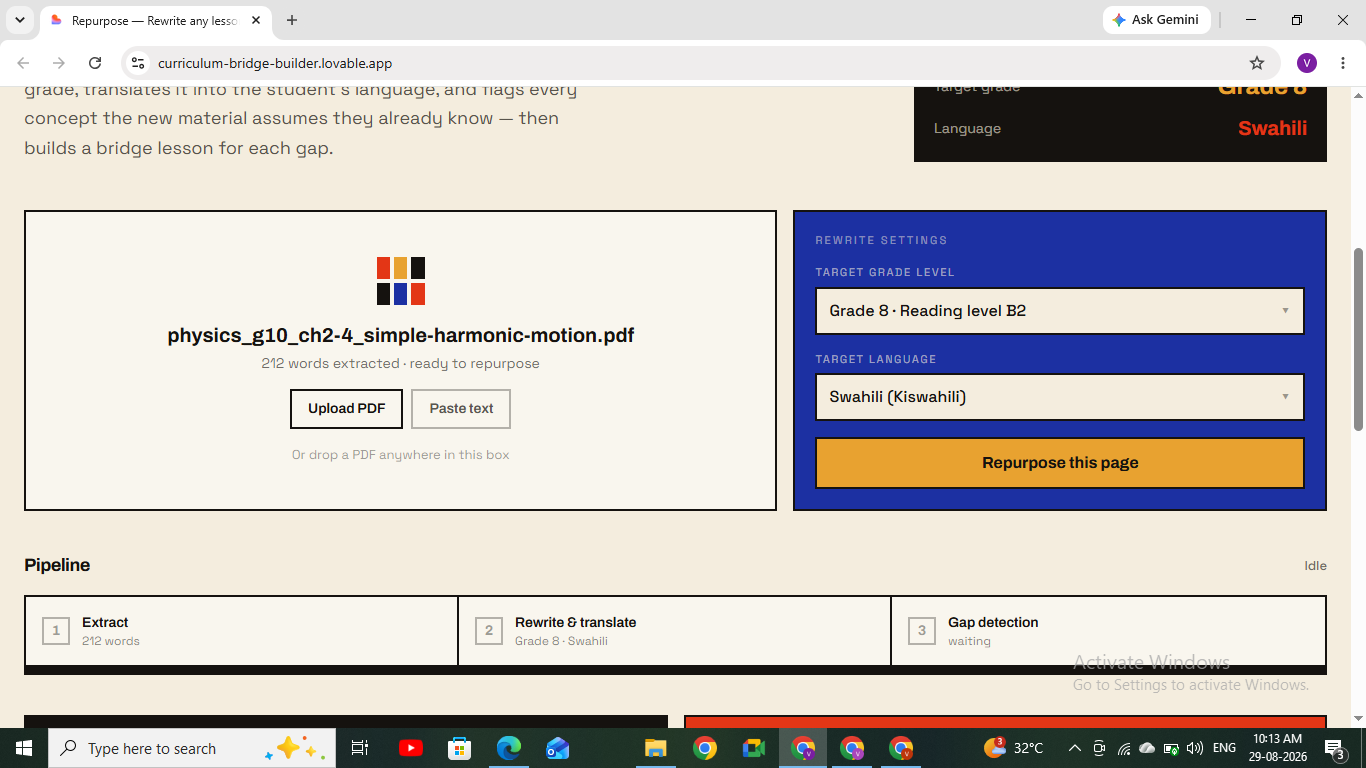
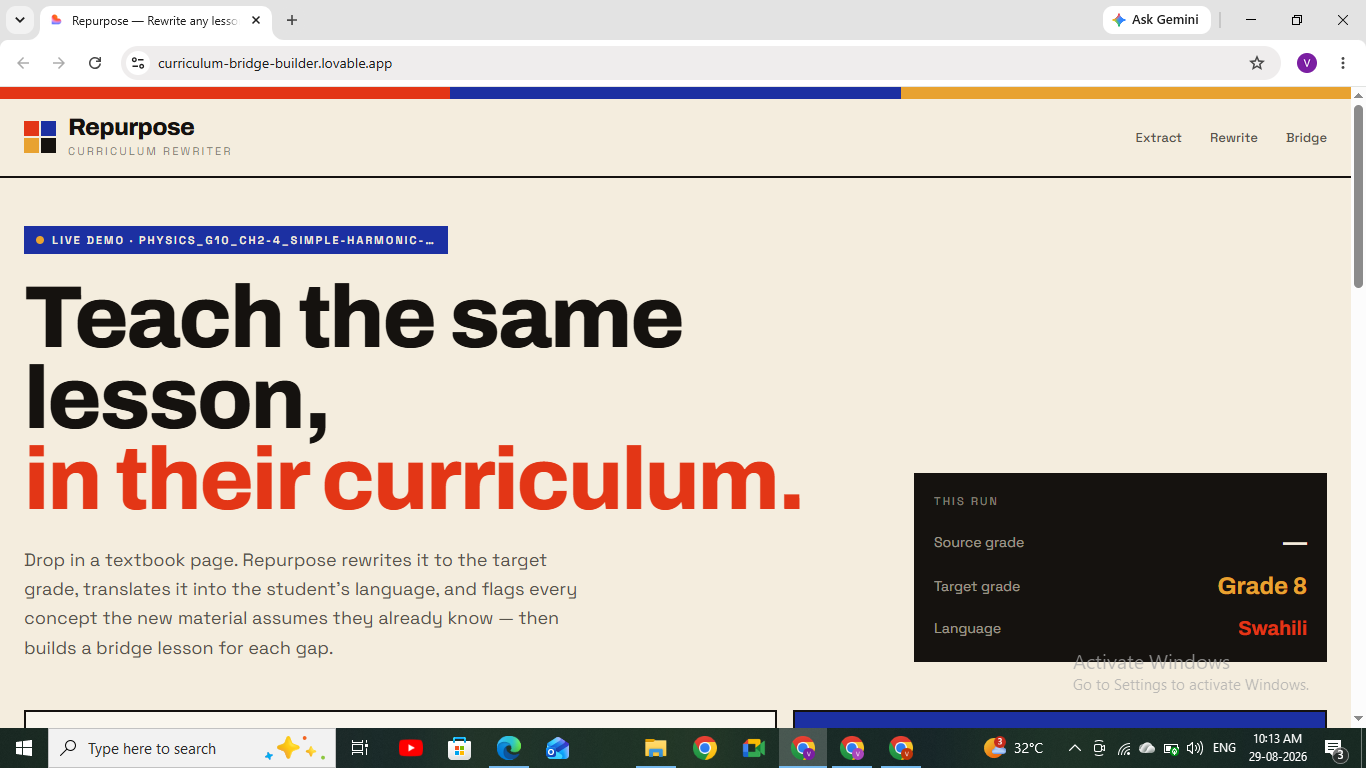
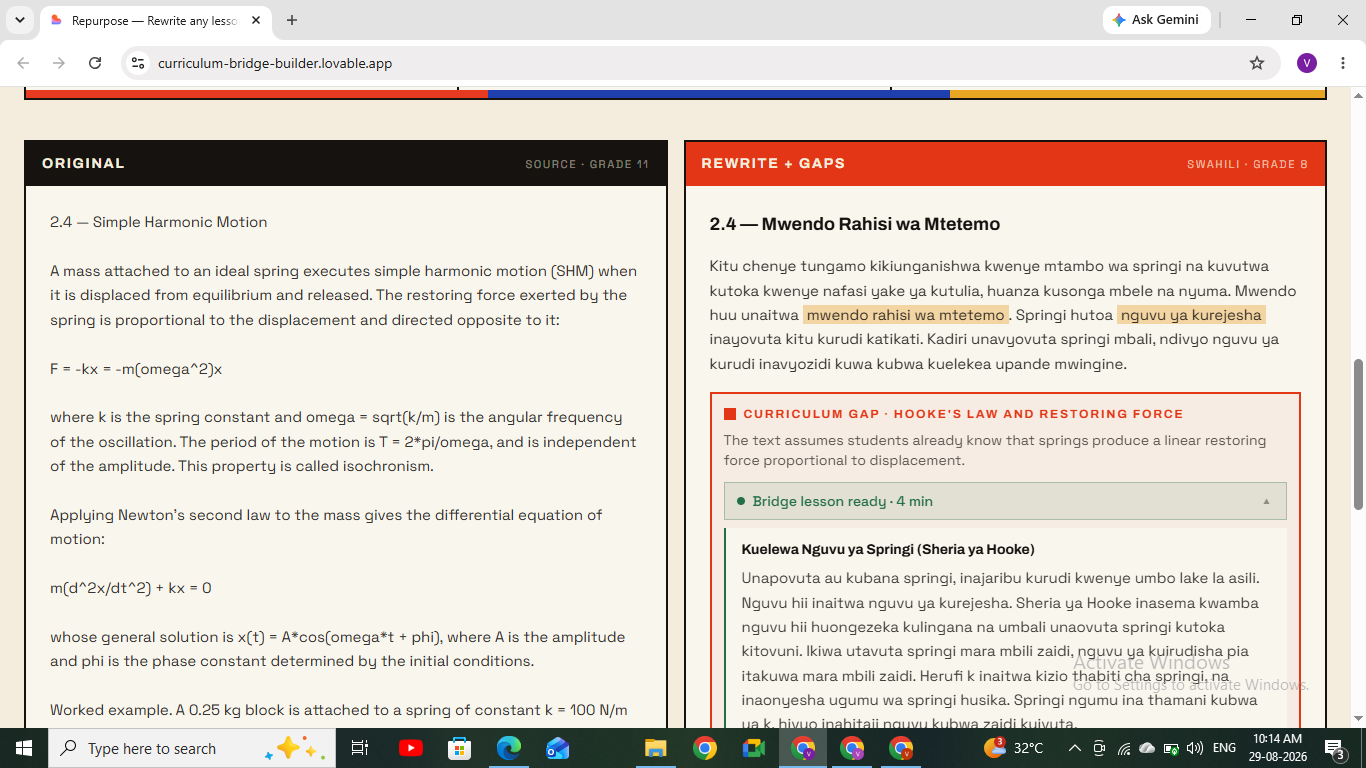
Repurpose takes any page of educational material — a textbook excerpt, a worksheet, a handout — and adapts it in real time for a displaced or migrant student's specific situation:
- Rewrites the content at the student's target grade and reading level
- Translates it fully into the student's chosen language
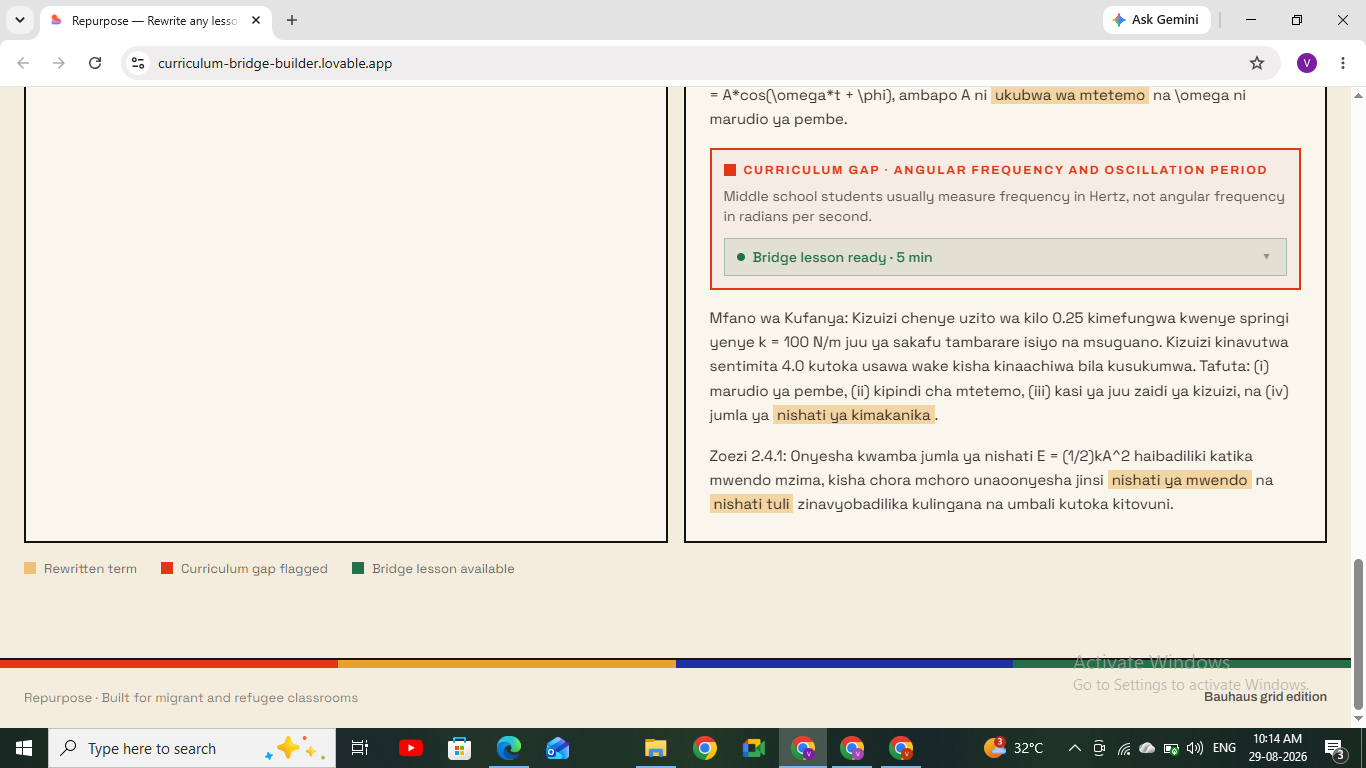
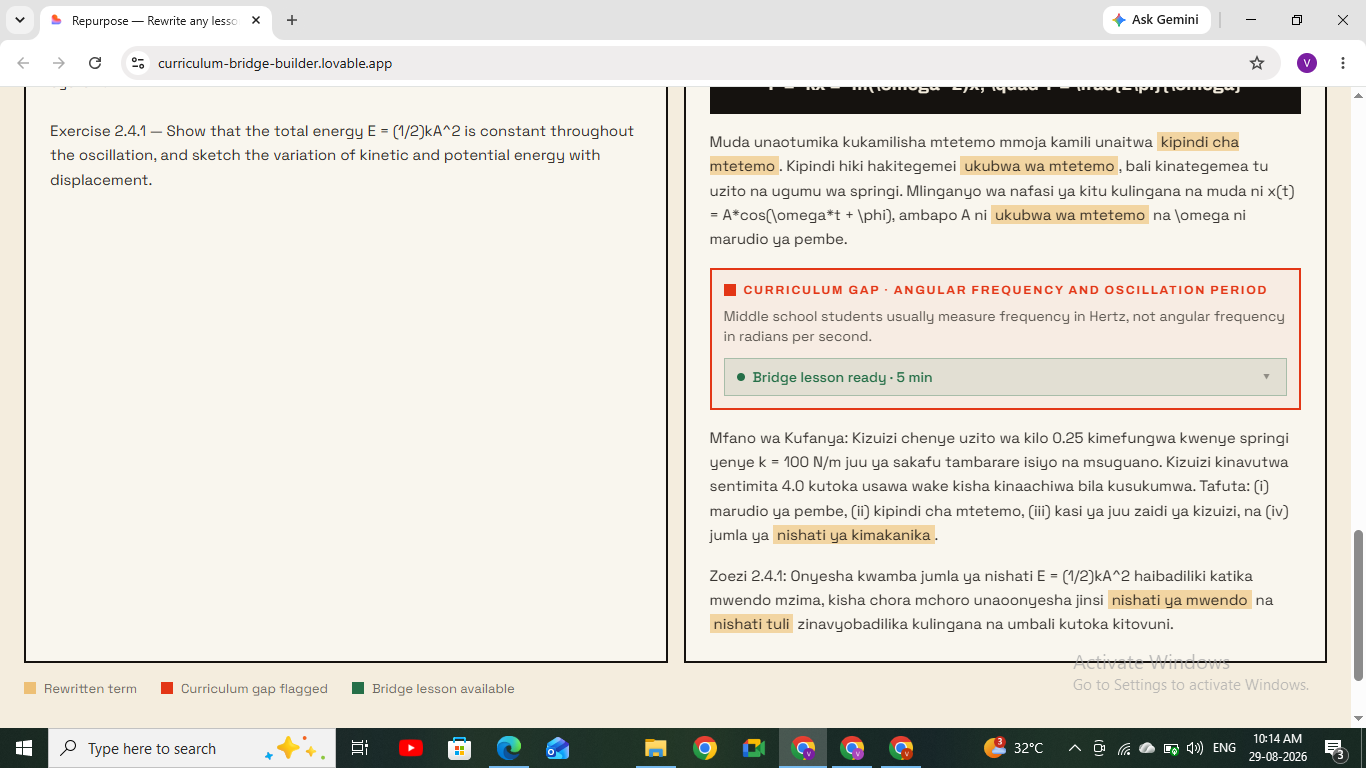
- Detects curriculum gaps — concepts the new material assumes the student already knows, but that their home curriculum may never have taught — using a selectable "home curriculum" context (e.g., Syria, Ukraine, Afghanistan) to sharpen accuracy
- Generates bridge lessons — short, plain-language mini-lessons that fill each detected gap on the spot
- Reads content aloud in the target language, for students who are still building reading fluency even as their comprehension outpaces it
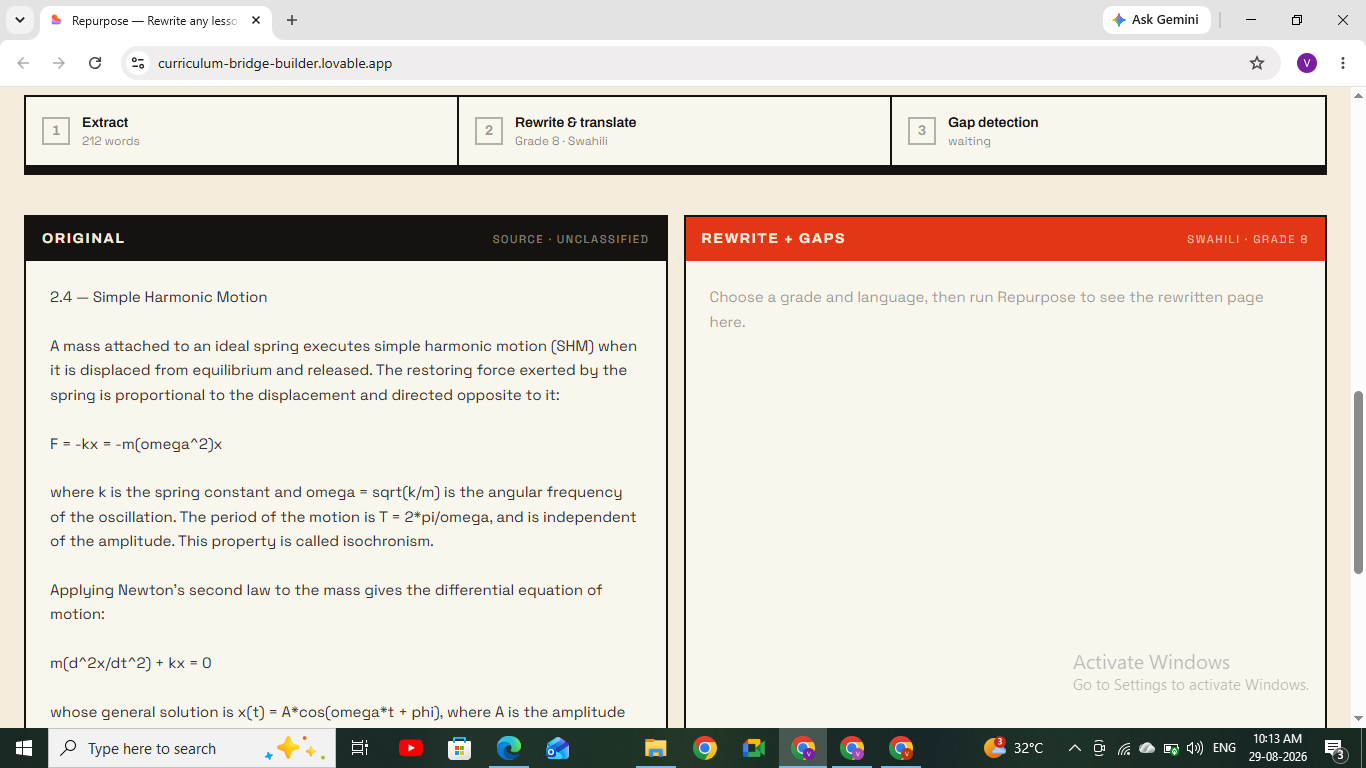
Everything happens on a single screen: one upload zone, one settings bar, one side-by-side output view. A student or teacher can go from a raw textbook page to a fully adapted, gap-corrected, read-aloud-ready lesson in under 20 seconds.
How we built it
Repurpose runs a chained AI pipeline:
- Extraction — uploaded PDFs are parsed directly in-browser to pull raw text, avoiding server-side upload delays
- Rewrite + Translate — the extracted text is passed through an LLM prompt that rewrites for the target grade level and translates into the target language in a single pass
- Gap Detection — a second AI pass compares the rewritten content against the selected home curriculum's typical scope and sequence, flagging concepts the new material assumes but likely weren't covered
- Bridge Lesson Generation — for each flagged gap, the AI generates a short, standalone explanation written to be understandable without any other context
- Text-to-Speech — the final rewritten output and each bridge lesson can be converted to speech in the target language via a multilingual TTS gateway
The frontend is built with React and TypeScript in a minimalist, Bauhaus-inspired visual style — deliberately calm and high-contrast, since the target users include students under real stress, not just casual browsers. The entire interface fits on one screen with no multi-page navigation, so nothing gets lost or confusing for a first-time user.
Challenges we ran into
- Gap detection accuracy — the hardest part wasn't rewriting or translating (LLMs handle that well), it was reliably detecting which concepts were genuinely curriculum gaps versus just unfamiliar vocabulary. We solved this by anchoring the AI's comparison against a named home curriculum rather than a generic "assume nothing" baseline, which sharpened precision significantly.
- Keeping bridge lessons short but complete — early versions either over-explained (defeating the purpose of a "quick bridge") or under-explained (leaving the gap only partially closed). We iterated on prompt constraints until lessons consistently landed at 2–4 sentences with a concrete example.
- Multilingual TTS quality — not all languages had equally natural-sounding voices available; we prioritized broad language coverage over polish for the MVP, with room to upgrade voice quality post-hackathon.
- Keeping the UI to one screen — with five distinct outputs (rewrite, translation, gap flags, bridge lessons, audio), fitting everything into a clean single-screen layout without overwhelming a low-digital-literacy user took several rounds of layout iteration.
Accomplishments that we're proud of
- A full rewrite → translate → detect → bridge pipeline completing end-to-end in under 20 seconds
- Reliable curriculum-gap detection that adapts based on the student's actual home curriculum, not a one-size-fits-all assumption
- A genuinely accessible interface — high-contrast, single-screen, minimal cognitive load — built for users who may be encountering educational software for the first time
- Read-aloud support that extends the tool's usefulness to students who are still building literacy in their new language
What we learned
Building Repurpose taught us that the hardest part of "AI for education" isn't the AI — it's understanding the specific gap a learner is facing. Generic simplification tools already exist. What doesn't exist, commonly, is a tool that treats a student's prior education as real, specific, and worth comparing against — rather than assuming every learner starts from zero. That shift in framing, from "simplify for anyone" to "bridge for this specific student," changed almost every design decision we made.
What's next for Repurpose
- Teacher dashboard — allowing a teacher to upload a full week's material at once and generate bridge lessons for an entire class roster with mixed curriculum backgrounds
- Expanded curriculum database — partnering with education NGOs to build out accurate scope-and-sequence data for more countries' curricula, improving gap-detection precision further
- Offline mode — caching generated lessons locally so students in low-connectivity regions can access previously generated material without needing to regenerate it
- Peer bridge library — letting students (with consent) contribute their own bridge lessons back into a shared library, so common gaps get progressively better explanations over time
Built With
- ai
- language
- learning
- llm
- machine
- multilingual
- natural
- parsing
- processing
- react
- text-to-speech
- typescript

Log in or sign up for Devpost to join the conversation.