-
-
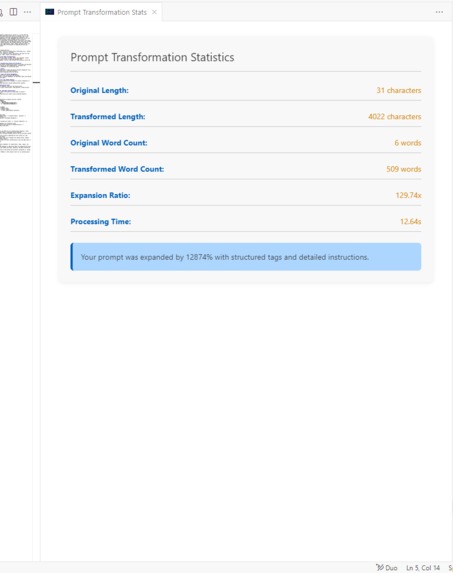
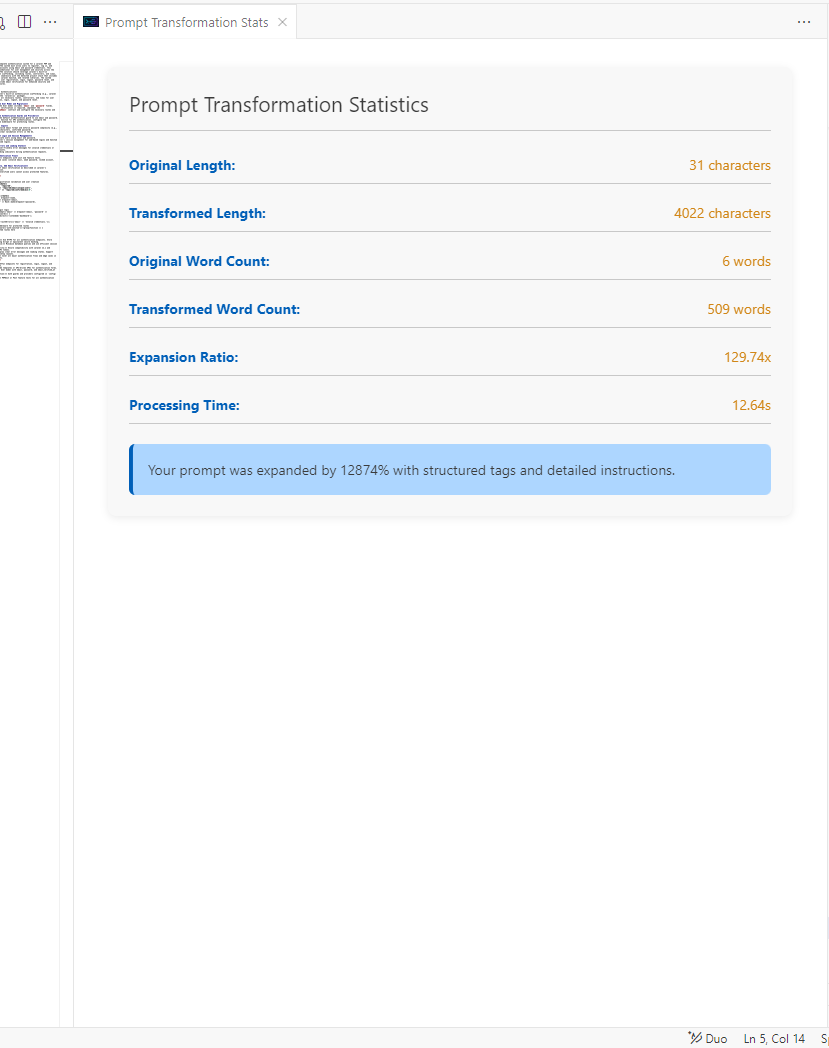
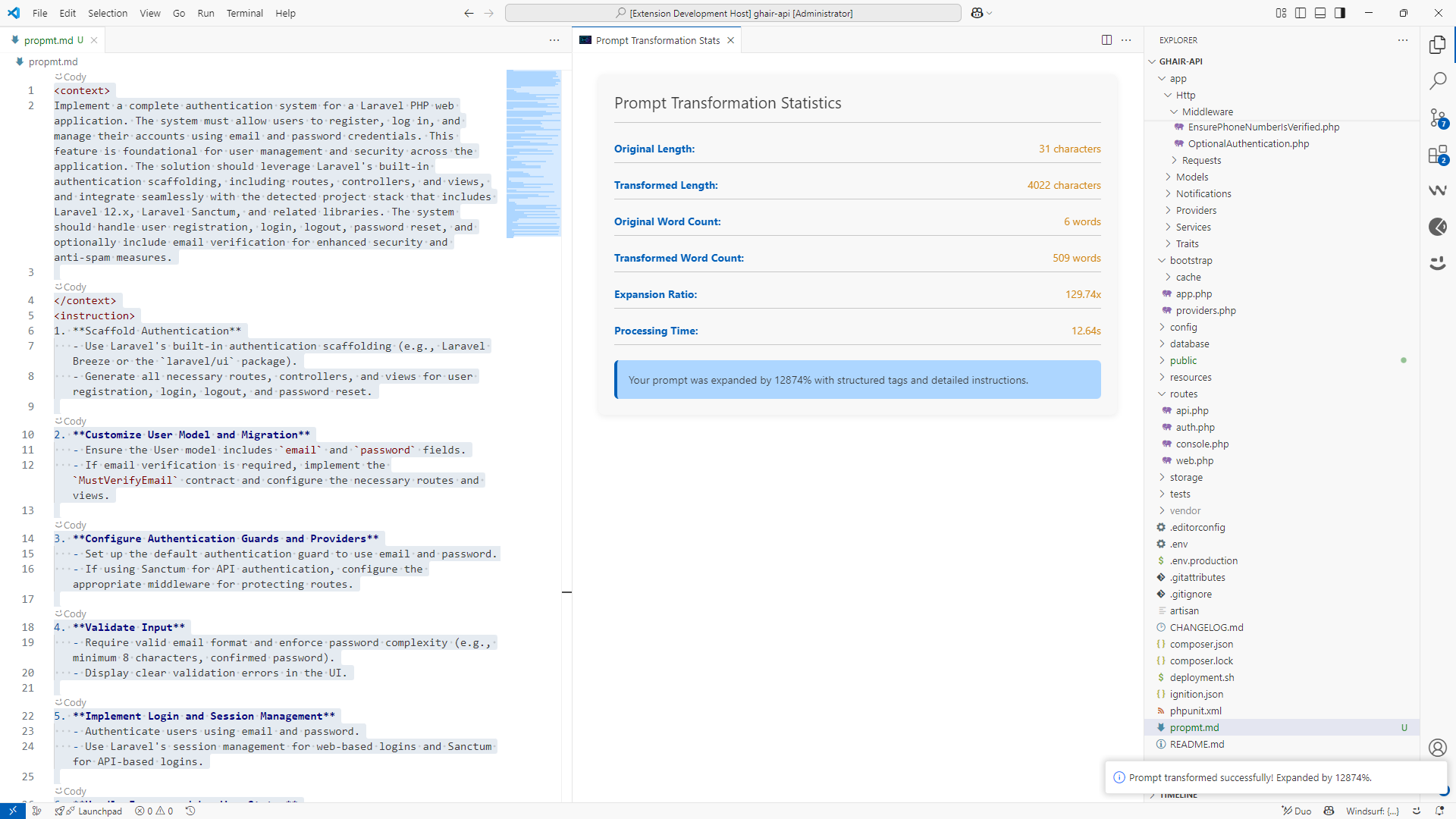
A focused view of the transformation statistics
-
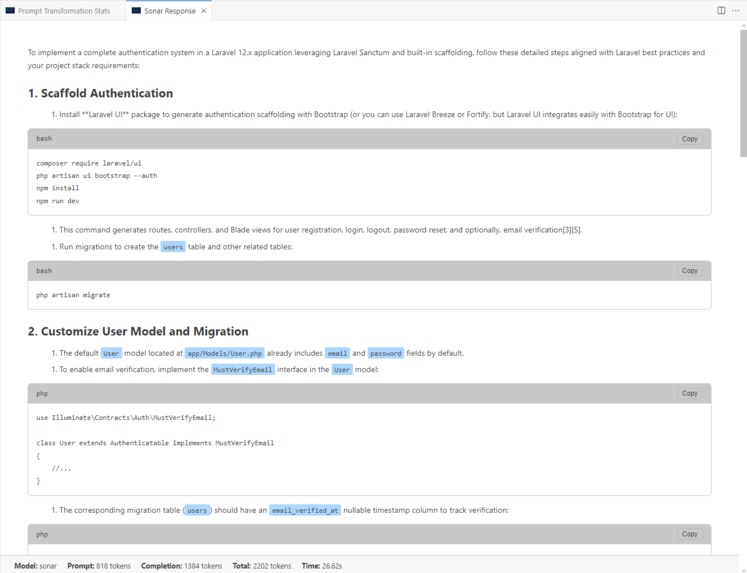
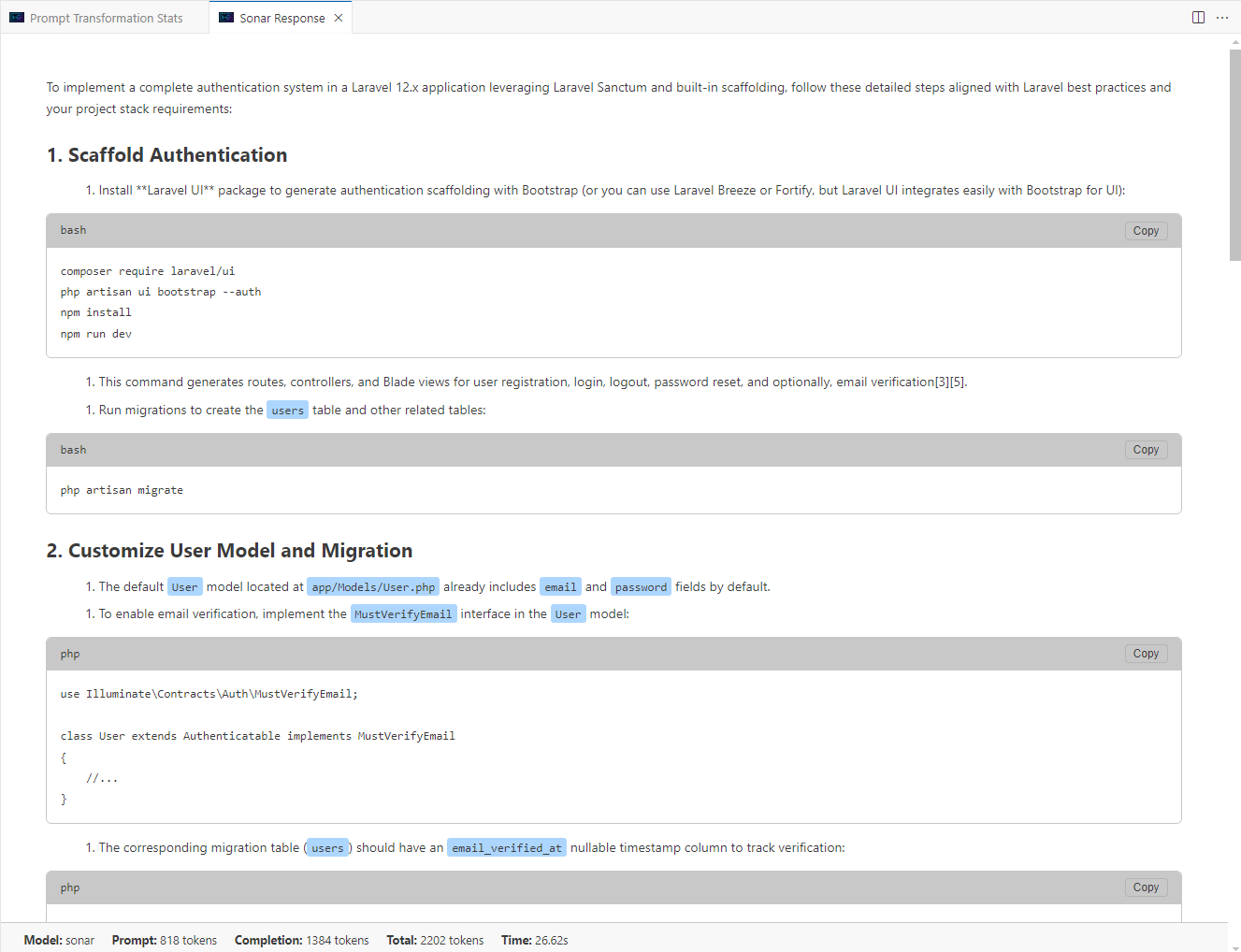
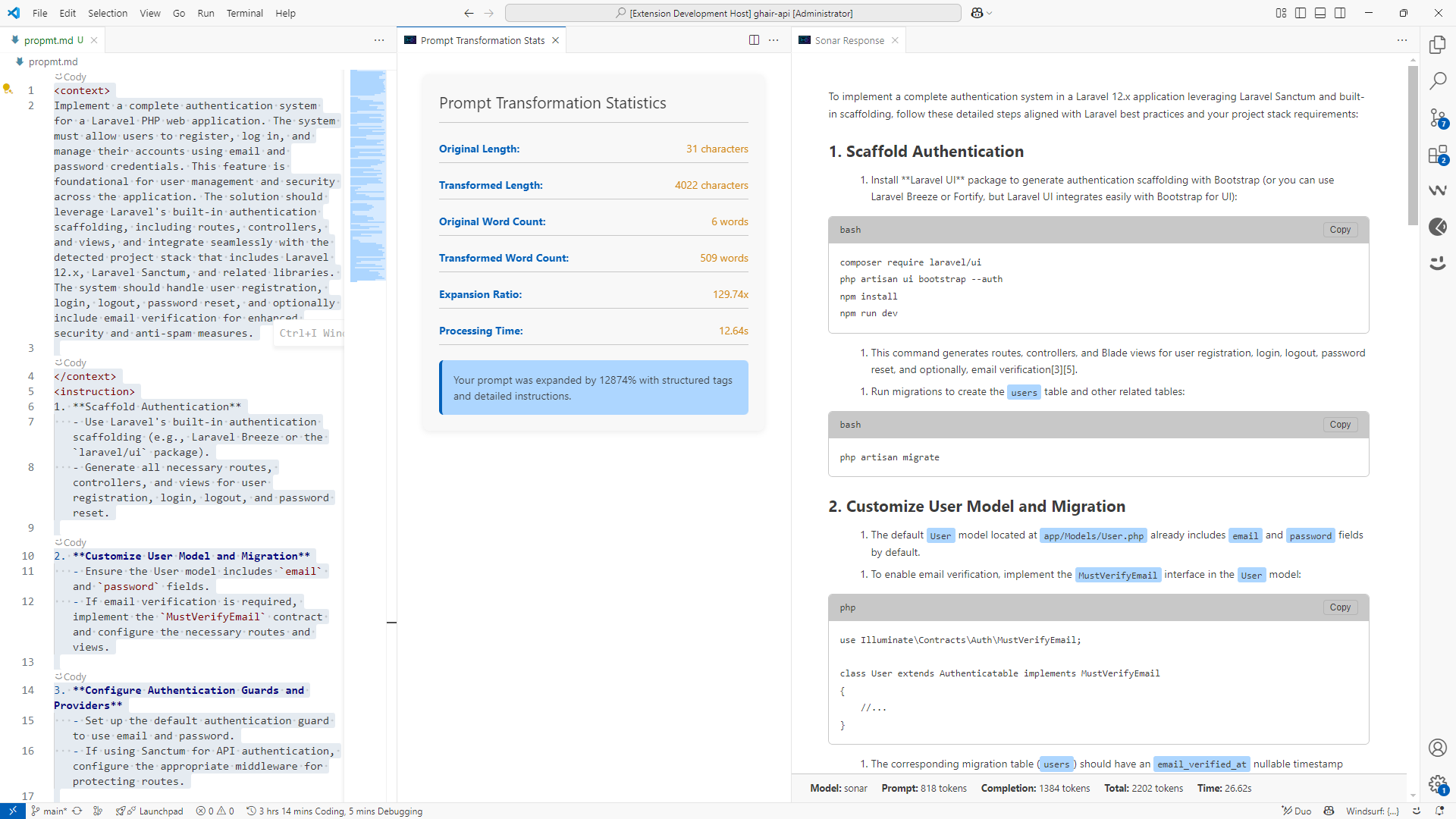
A focused view of the executed transformed prompt by Sonar
-
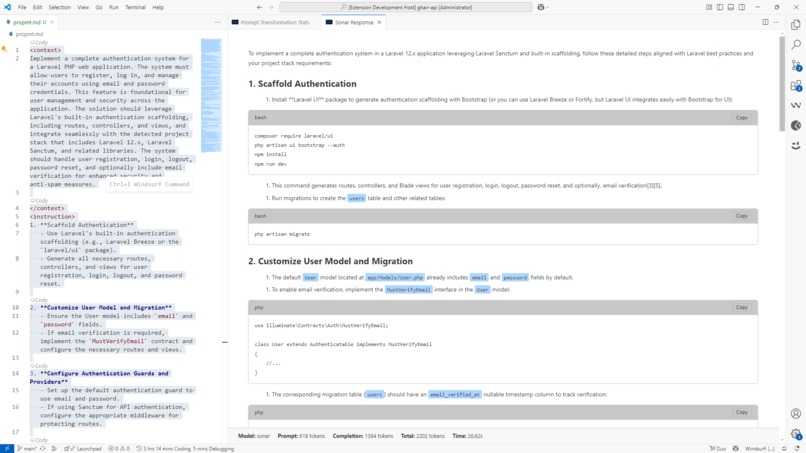
A view of giving the transformed prompt to Sonar to test execute
-
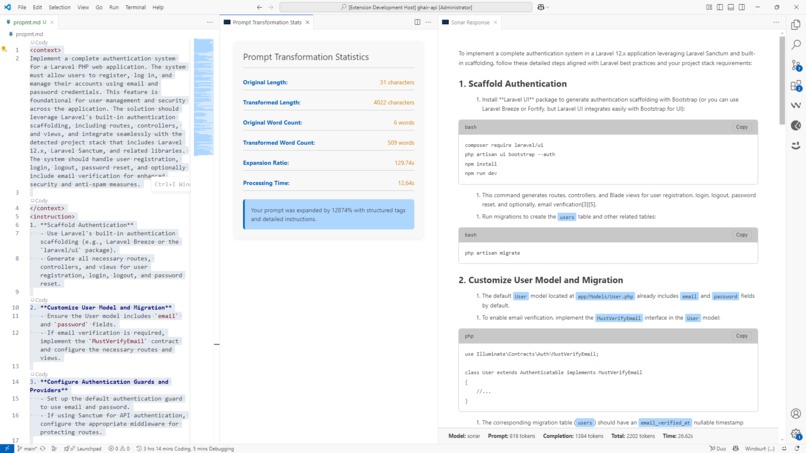
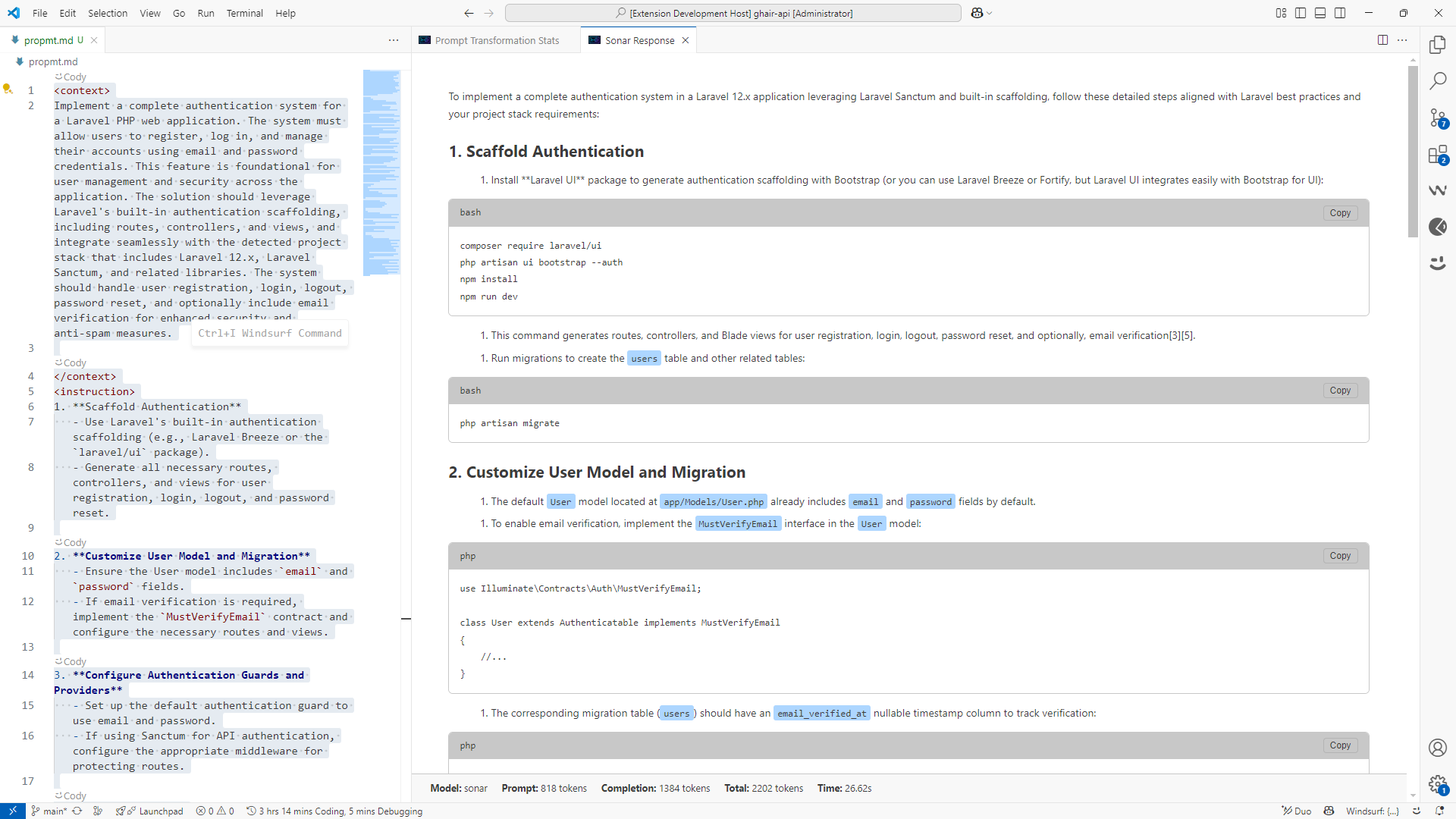
A view of the transformed prompt, it's statistics and the test response from Sonar
-
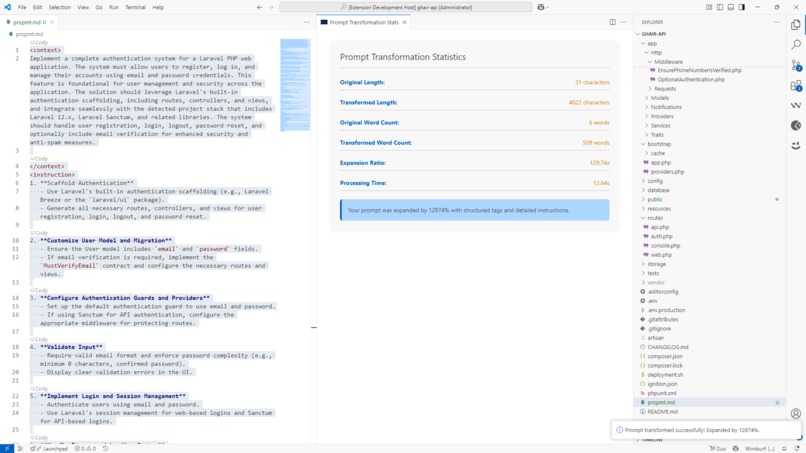
A view of Sonar's transformed prompt and it's stastistics
Reprompt 2.0: Revolutionizing Prompt Engineering in VS Code
The Inspiration
The journey began with a simple frustration: prompt engineering was scattered, inefficient, and context-blind. As a developer working with AI tools daily, I found myself constantly switching between my code editor, browser tabs for research, and various AI interfaces just to craft effective prompts. The original Reprompt was born from this pain point—a lightweight Python library that used rule-based NLP to structure prompts without requiring LLMs.
But as AI became more sophisticated and real-time web data became crucial for accurate responses, I realized the rule-based approach had limitations. Modern development needed something more powerful: a tool that could understand project context, incorporate live web data, and work seamlessly within the developer's existing workflow.
The vision for Reprompt 2.0 crystallized: What if every prompt you wrote was instantly clearer, more contextual, and backed by real-time web data—all without leaving your code editor?
What I Learned
Building Reprompt 2.0 was a masterclass in several key areas:
VS Code Extension Architecture
- Command Registration & Lifecycle: Understanding how VS Code manages extension activation, command registration, and resource cleanup
- Webview API Mastery: Creating rich, interactive UI components that feel native to VS Code while maintaining security boundaries
- Theme Integration: Building UI that adapts seamlessly to VS Code's diverse theme ecosystem
- File System Integration: Efficiently scanning workspaces to detect project structures and technology stacks
AI API Integration & Optimization
- Perplexity Sonar API: Deep dive into model selection, search context optimization, and structured output handling
- Async Programming Patterns: Managing multiple concurrent API calls while maintaining responsive UI
- Error Handling & Resilience: Building robust timeout mechanisms and graceful degradation for network issues
- Cost Optimization: Balancing search context size with response quality and API costs
Advanced Prompt Engineering
- XML-Structured Prompts: Developing a systematic approach to prompt structuring using
<context>,<instruction>,<examples>,<constraints>, and<format>tags - Context Injection: Automatically weaving project-specific information (tech stack, dependencies, team rules) into prompts
- Dynamic Rule Systems: Creating flexible rule engines that can parse Markdown, JSON, and YAML rule definitions
How I Built It
Phase 1: Foundation & Architecture
Started with the VS Code extension scaffold, establishing core patterns:
- Command System: Implemented
Transform Prompt,Run with Sonar, andTestcommands with keyboard shortcuts - Configuration Management: Built settings for API keys, model selection, and feature toggles
- File Type Detection: Added support for
.md,.reprompt,.cursor.md, and other prompt file formats
Phase 2: Core Transformation Engine
Developed the heart of Reprompt 2.0:
- Project Stack Detection: Created algorithms to analyze workspace files (
package.json,requirements.txt, etc.) and identify technology stacks - Prompt Transformation Pipeline: Built a sophisticated system that takes simple ideas and expands them into comprehensive, structured prompts
- Custom Rule Integration: Implemented
.rpmt.*file detection and parsing for team-specific prompt guidelines
Phase 3: AI Integration & UI
Connected everything to Perplexity's Sonar API:
- SonarApiService: Abstracted API interactions with support for multiple models and search context sizes
- Rich Webview Rendering: Created beautiful, responsive UI for displaying AI responses with syntax highlighting, copy buttons, and collapsible sections
- Progress & Statistics: Added themed progress notifications and detailed transformation analytics
Phase 4: Polish & User Experience
Refined the developer experience:
- Context Menu Integration: Made commands accessible via right-click in supported files
- Inline Decorations: Added visual highlighting for XML tags in transformed prompts
- Error Handling: Implemented comprehensive error messages and logging through dedicated output channels
- Performance Optimization: Added timeout protection and efficient caching mechanisms
Challenges Faced & Solutions
Challenge 1: VS Code Webview Security Model
Problem: VS Code's strict Content Security Policy made it difficult to create rich, interactive UI components. Solution: Learned to work within the security constraints by using message passing between the extension and webview, implementing proper nonce-based script loading, and leveraging VS Code's built-in styling variables.
Challenge 2: Project Context Detection Accuracy
Problem: Reliably detecting project technology stacks across diverse workspace structures was complex. Solution: Developed a multi-signal approach that analyzes file patterns, dependency manifests, and directory structures. Created fallback mechanisms for edge cases and made the system extensible for new technology detection.
Challenge 3: API Rate Limiting & Cost Management
Problem: Balancing response quality with API costs while preventing rate limit issues. Solution: Implemented intelligent search context sizing, request queuing, and timeout mechanisms. Added user controls for cost/quality trade-offs through configurable search context sizes.
Challenge 4: Team Rule System Flexibility
Problem: Different teams needed different ways to define and share prompt engineering guidelines.
Solution: Created a flexible rule system supporting multiple file formats (Markdown, JSON, YAML) with intuitive naming conventions (.rpmt.*, .rprmt.*). Made the system hierarchical so rules can be inherited and overridden.
Challenge 5: Maintaining State Across Async Operations
Problem: Managing extension state during long-running API calls while keeping the UI responsive. Solution: Implemented proper async/await patterns, progress tracking with themed notifications, and robust error recovery. Used VS Code's progress API for native integration with the editor's loading indicators.
The Impact
Reprompt 2.0 transforms prompt engineering from a fragmented, manual process into a streamlined, context-aware workflow. Developers can now:
- Transform simple ideas into comprehensive prompts in seconds
- Leverage real-time web data without leaving their editor
- Maintain consistent team standards through shared rule files
- Understand their prompt improvements through detailed analytics
The extension represents a fundamental shift in how developers interact with AI—moving from reactive prompt crafting to proactive, structured prompt engineering that's deeply integrated into the development workflow.
Looking Forward
Reprompt 2.0 is just the beginning. The foundation is now in place for advanced features like prompt versioning, A/B testing, collaborative prompt libraries, and integration with other AI services. The goal remains the same: making AI more accessible, contextual, and powerful for developers everywhere.


Log in or sign up for Devpost to join the conversation.