-
-
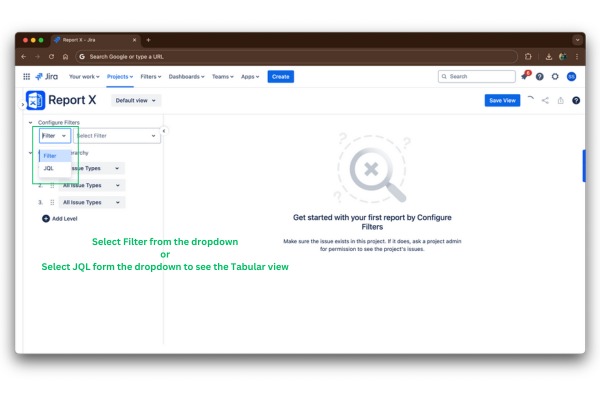
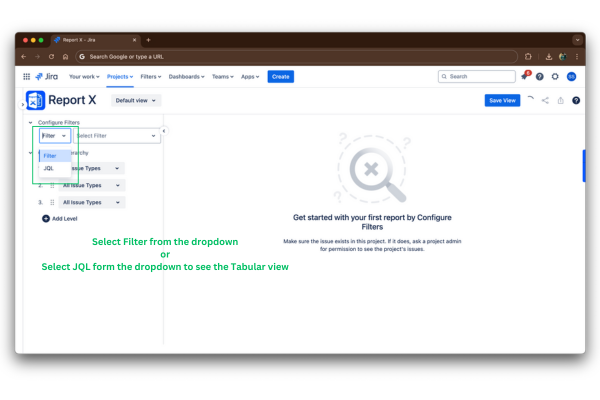
Select Filter from the dropdown or Select JQL form the dropdown to see the Tabular view
-
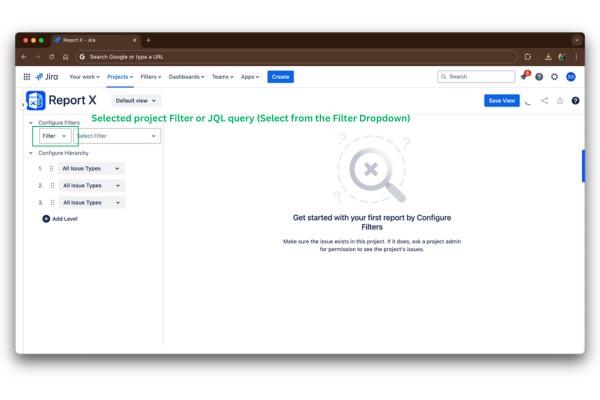
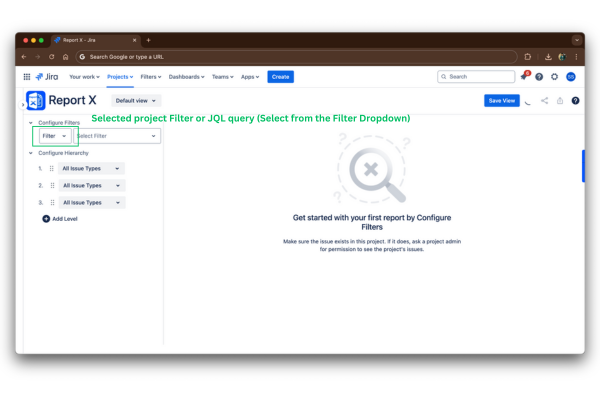
Selected project Filter or JQL query (Select from the Filter Dropdown)
-
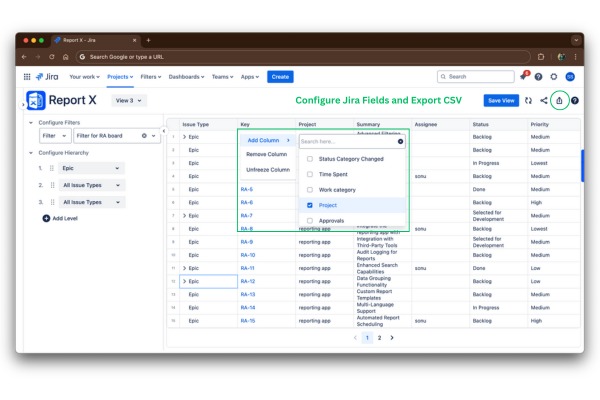
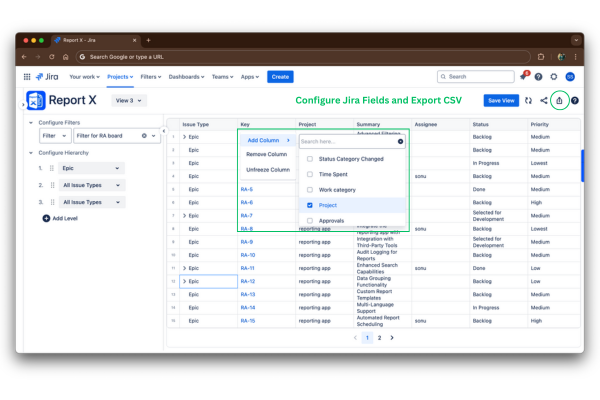
Configure Jira Fields and Export CSV
-
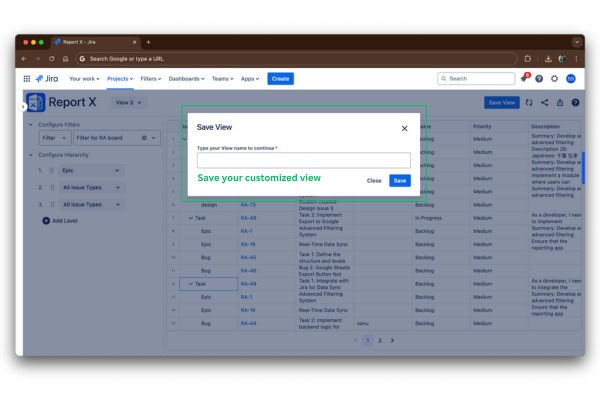
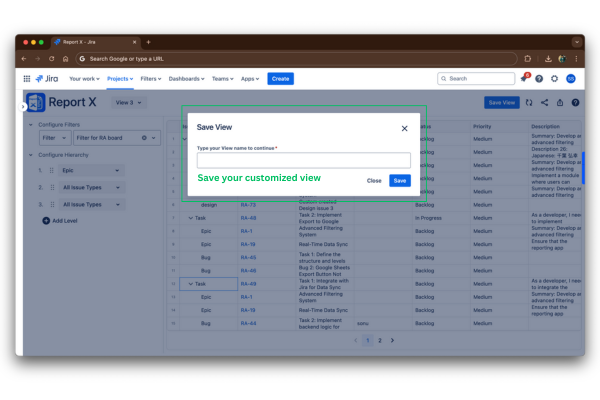
Save your customized view
-
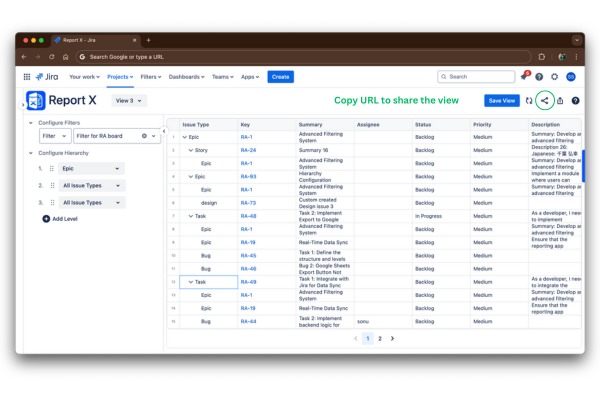
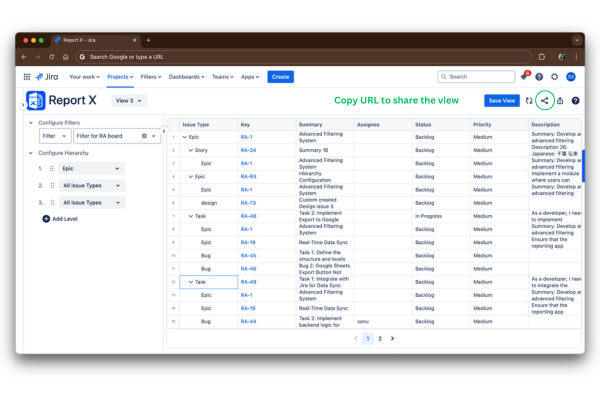
Copy URL to share the view
-
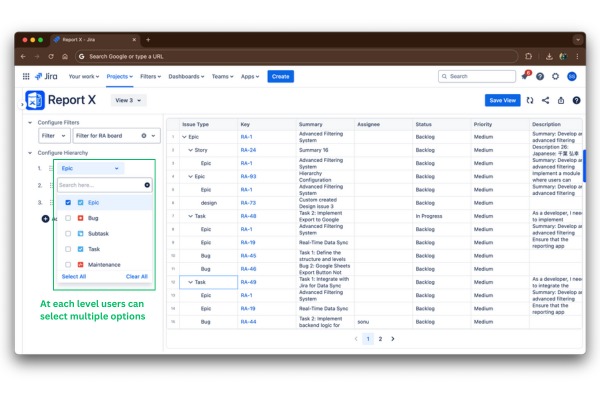
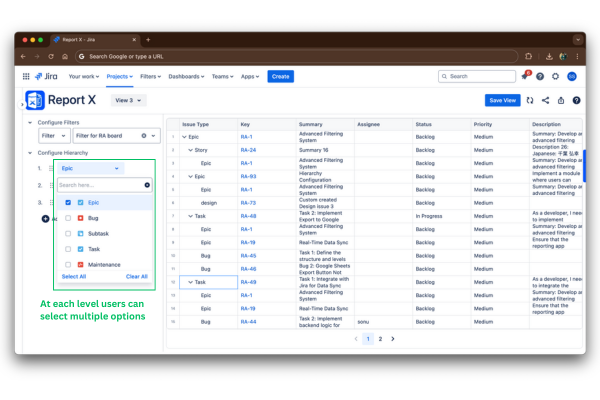
At each level users can select multiple options
-
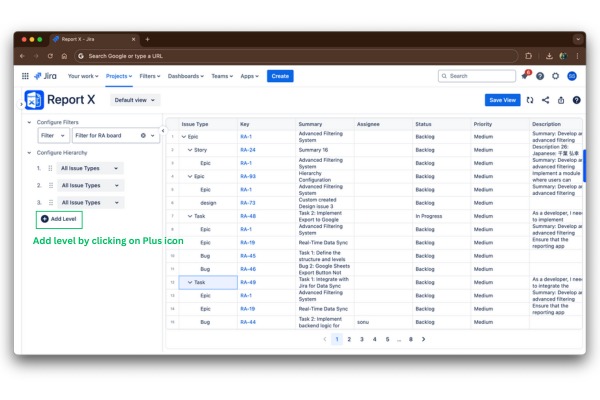
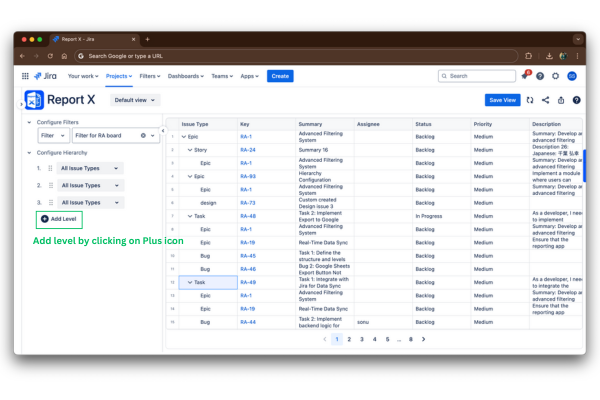
Add level by clicking on Plus icon
-
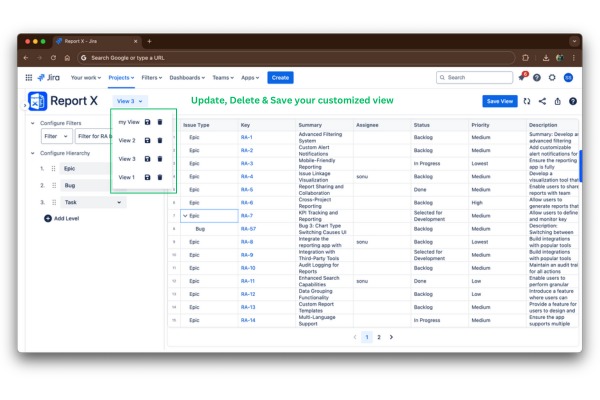
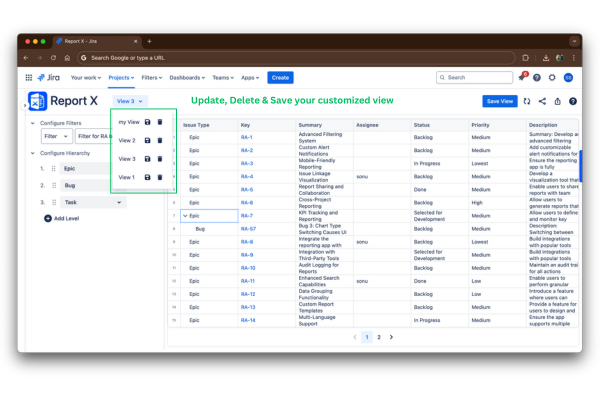
Update, Delete & Save your customized view
-
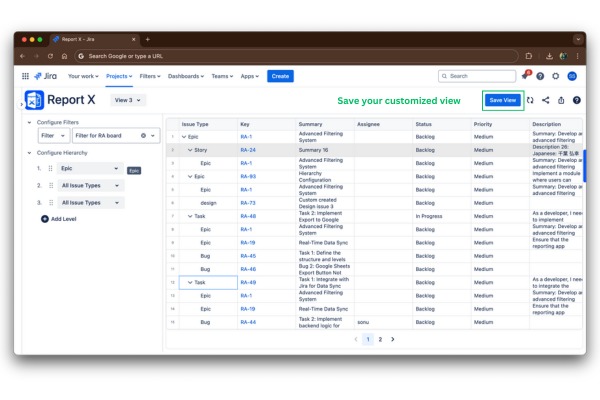
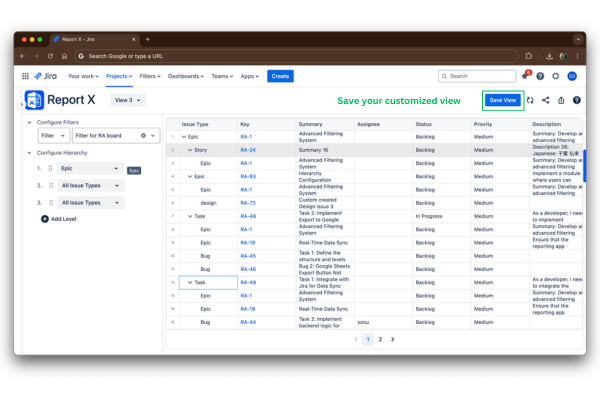
Save your customized view
Inspiration
The inspiration for Report X came from the challenges faced by project teams while managing complex issue linkages in Jira. We noticed how overwhelming it can be to trace relationships between issues within Jira. The need for a tool that simplifies these linkages, provides clear insights, and reduces time spent toggling over multiple tabs became the driving force behind this app.
What it does
Report X transforms complex Jira data into actionable insights. It organizes issues into customizable hierarchies, enabling users to view and track relationships across multiple levels, such as Design → linked with Task/story → Task/story linked with Test → Test. Key features include:
- Customizable hierarchy configuration for any issue type.
- Advanced filtering options using predefined Jira filters or custom JQL.
- Shareable reports using URL and with CSV export for stakeholder as well as Team.
How we built it
Report X was built using cutting-edge technologies to ensure a seamless and efficient user experience:
Forge Platform: We utilized Atlassian Forge, a cloud-based development platform, to build and deploy the app securely within Jira’s ecosystem. Forge allowed us to integrate directly with Jira Cloud and leverage its robust Rest APIs.
Backend: Built with TypeScript to ensure type safety and reliability. The backend handles data retrieval, processing complex issue hierarchies, and managing relationships between issues dynamically.
Frontend: Designed using React, TypeScript, and JavaScript for a highly interactive and responsive user interface. The combination of these technologies ensured a modern, consistent, and flexible UI that adapts to various project needs.
Challenges we ran into
Complex Data Structures: Managing and visualizing hierarchical relationships while maintaining performance was a technical hurdle.
User Experience: Designing an interface that was both powerful and easy to use required multiple iterations.
Dynamic Customization: Allowing full customization of issue hierarchies without breaking workflows posed significant challenges.
Accomplishments that we're proud of
- Completed the first version of Report X within few weeks, marking a significant milestone for the team.
- Chose this project because many Jira users found issue link tracking to be a complex and tedious process, and we aimed to simplify that for them.
- Successfully built a tool that transforms chaotic issue tracking into a streamlined process for teams.
What we learned
- The importance of user feedback in creating a tool that addresses real-world pain points.
- How to balance performance and scalability when dealing with large datasets in Jira.
- Insights into Jira users’ needs for clear communication and stakeholder reporting in complex projects.
- The value of building a solution that not only tracks but also empowers decision-making.
- Gained valuable experience with Forge, learning how to leverage it for building and deploying secure Jira apps.
- Learned how to transform our ideas into a tool that effectively solves real-world problems.
What's next for Report X
- Enhance the user experience to make it even more intuitive and simple.
- Introduce a Card view for improved organization and visualization of issues.
- Add more features such as grouping, roll-up, and sum-up for better Visualizations.
- Integrate an edit feature for Jira issues within the tool for user convenience.
- We see Report X as the ultimate solution for comprehensive Jira issue traceability, consolidating all reports into a single, seamless tool.
Built With
- forge
- forge-customui
- javascript
- jira-native-apis
- react
- styled-components
- typescript


Log in or sign up for Devpost to join the conversation.