Project Story — RepoPilot
Inspiration
The inspiration behind RepoPilot came from a common challenge in software development: understanding an unfamiliar codebase. When developers join a new project, explore an open-source repository, or start working with someone else's code, they often spend hours navigating files, understanding dependencies, tracing application logic, and identifying where specific features are implemented.
Although AI coding assistants can generate code and answer general programming questions, getting accurate answers about a specific repository requires relevant context from the actual source code.
I wanted to build a solution that bridges this gap. That idea led to RepoPilot — an AI-powered GitHub Repository Assistant designed to make code exploration, repository understanding, and developer onboarding more efficient.
What It Does
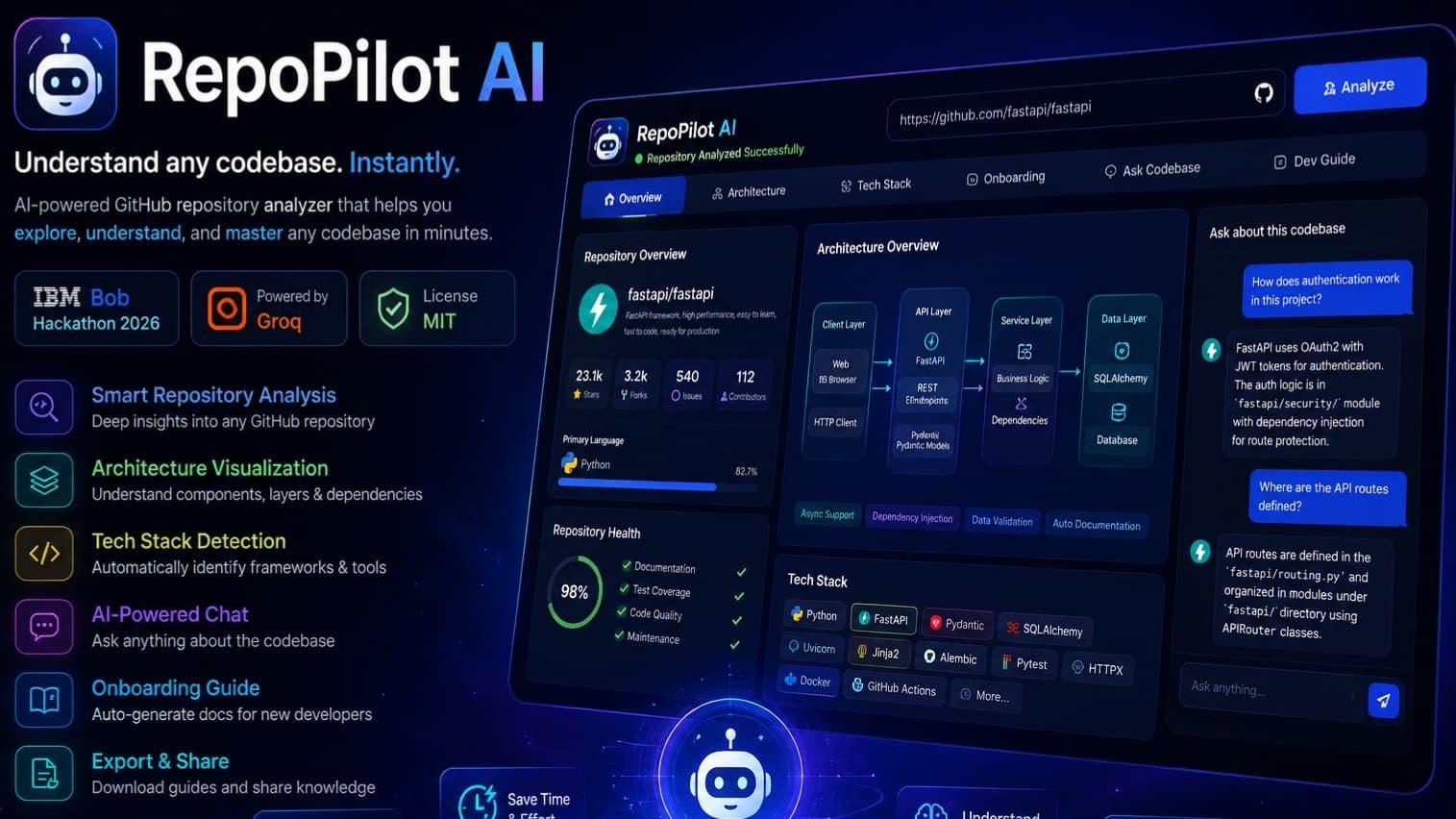
RepoPilot allows developers to provide a GitHub repository URL and explore its structure through an interactive dashboard. It is designed to analyze project files, identify dependencies, help developers understand application architecture, and provide AI-powered assistance for repository-specific questions and debugging.
By combining automated repository analysis with IBM watsonx.ai, RepoPilot aims to provide answers grounded in the actual codebase rather than relying only on generic programming knowledge.
The project is intended for students, developers, open-source contributors, and development teams who want to understand unfamiliar projects more efficiently.
How I Built It
I developed RepoPilot as a full-stack application, using a modern web technology stack and IBM watsonx.ai for AI-powered assistance.
- Frontend: React, TypeScript, Vite, and Tailwind CSS for building an interactive, responsive dashboard.
- Backend: Node.js and Express for handling API requests, validating repository URLs, and processing repository files.
- AI Integration: IBM watsonx.ai for generating repository-aware explanations and assisting with code-related questions.
- Deployment: Vercel for deploying the frontend and making the application accessible online.
The intended workflow starts when a developer submits a GitHub repository URL. The backend validates the input and inspects relevant repository files, including dependency manifests and source code. It then extracts useful project information and provides relevant code context to the AI model. The results are presented through the dashboard to help developers explore and understand the repository.
I also focused on secure repository processing, including avoiding the exposure of API keys and environment-variable values and preventing the execution of untrusted repository code.
Challenges I Faced
One of the main challenges was designing a workflow that connects repository analysis with AI-generated answers. Simply sending a question to an AI model is not enough; the system needs relevant source code and project context to generate useful, repository-specific responses.
Another challenge was integrating IBM watsonx.ai with the backend. Configuring the API key, project ID, regional endpoint, and service access required careful attention to ensure that requests could be authenticated and processed correctly.
I also had to consider repository security and reliability. A repository may contain sensitive configuration files, large files, unsupported file types, or potentially unsafe code. Handling these cases requires input validation, file-size limits, timeouts, and careful filtering of files and secrets.
Finally, building a clear and usable dashboard was important. The information generated by repository analysis needs to be organized so that developers can understand it without having to navigate through unnecessary complexity.
What I Learned
Building RepoPilot strengthened my understanding of full-stack application development and the practical challenges of integrating AI into a real-world product.
I gained experience in connecting a React frontend to a Node.js backend, designing API workflows, processing repository metadata, configuring IBM watsonx.ai, and managing environment variables.
I also learned that an effective AI application requires more than connecting an API. The quality of its output depends on the context provided to the model, the reliability of the underlying data, proper error handling, and security-conscious engineering.
Most importantly, this project helped me think beyond building a working interface. I learned to approach development from a product perspective: identify a real problem, design a practical workflow, consider the user's experience, and account for the risks involved.
What's Next for RepoPilot?
I plan to continue improving RepoPilot by expanding its repository analysis capabilities, improving architecture visualization, making debugging assistance more context-aware, and supporting more programming languages and project types.
Future improvements could also include repository comparison, onboarding summaries, code dependency mapping, and collaborative features for development teams.
My long-term goal is to make RepoPilot a practical assistant that helps developers spend less time understanding unfamiliar code and more time building useful software.
Final Thoughts
RepoPilot represents my effort to combine full-stack development with generative AI to solve a real problem faced by developers. Through this project, I explored how IBM watsonx.ai can be integrated into a developer-focused application and how repository context can make AI assistance more useful.
This project is not just about analyzing code; it is about making software projects easier to understand, navigate, and contribute to.
Built With
- ibm

Log in or sign up for Devpost to join the conversation.