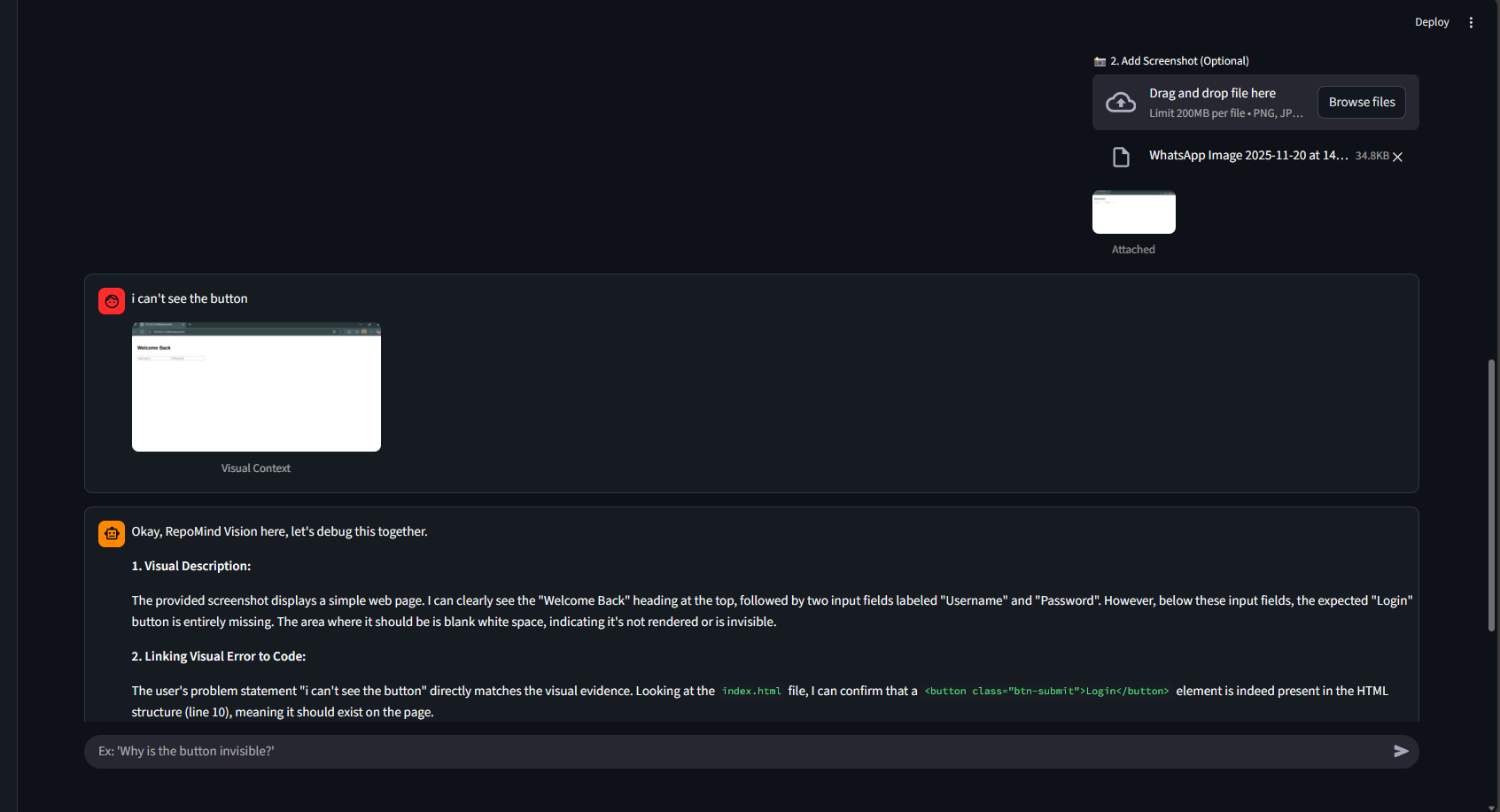
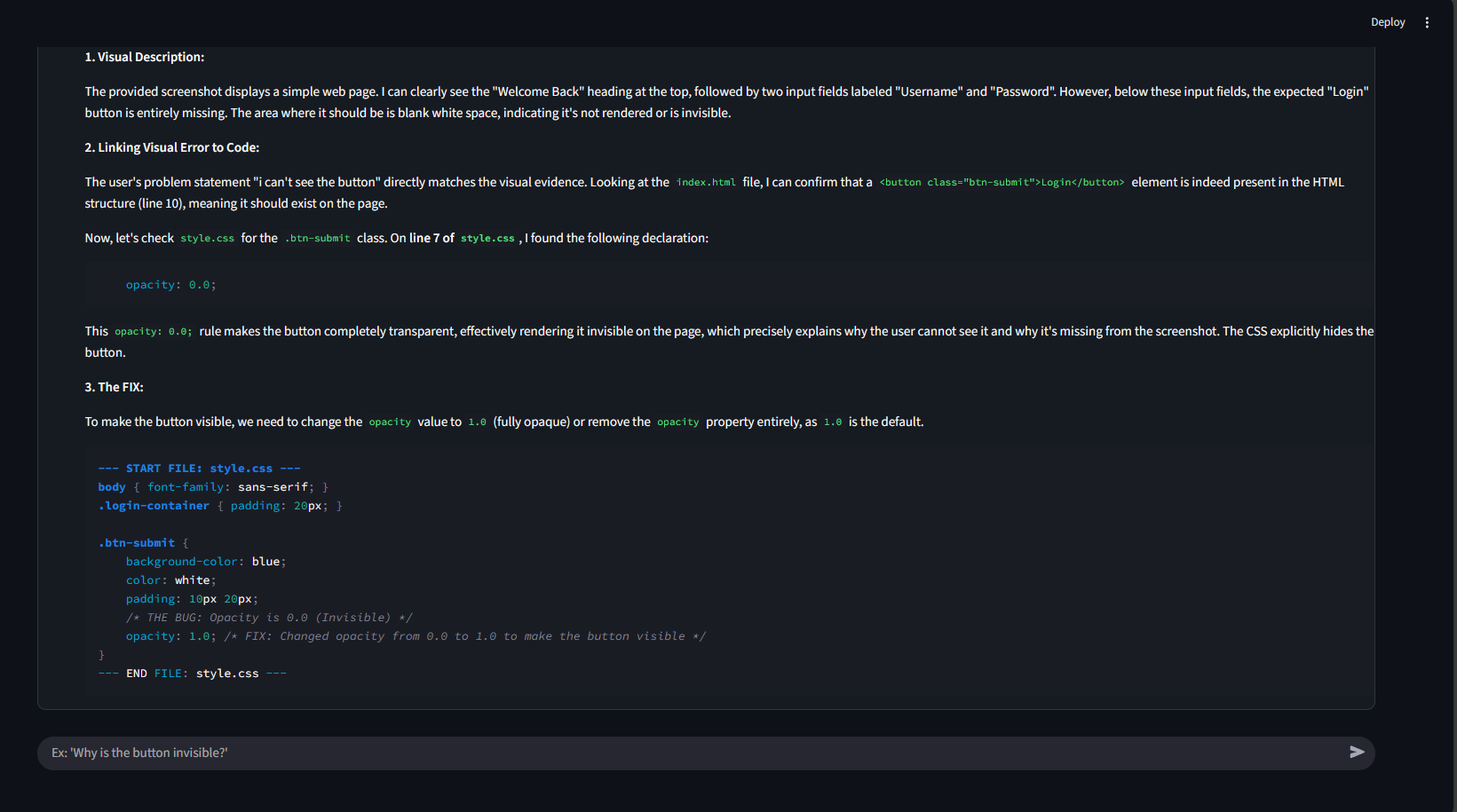
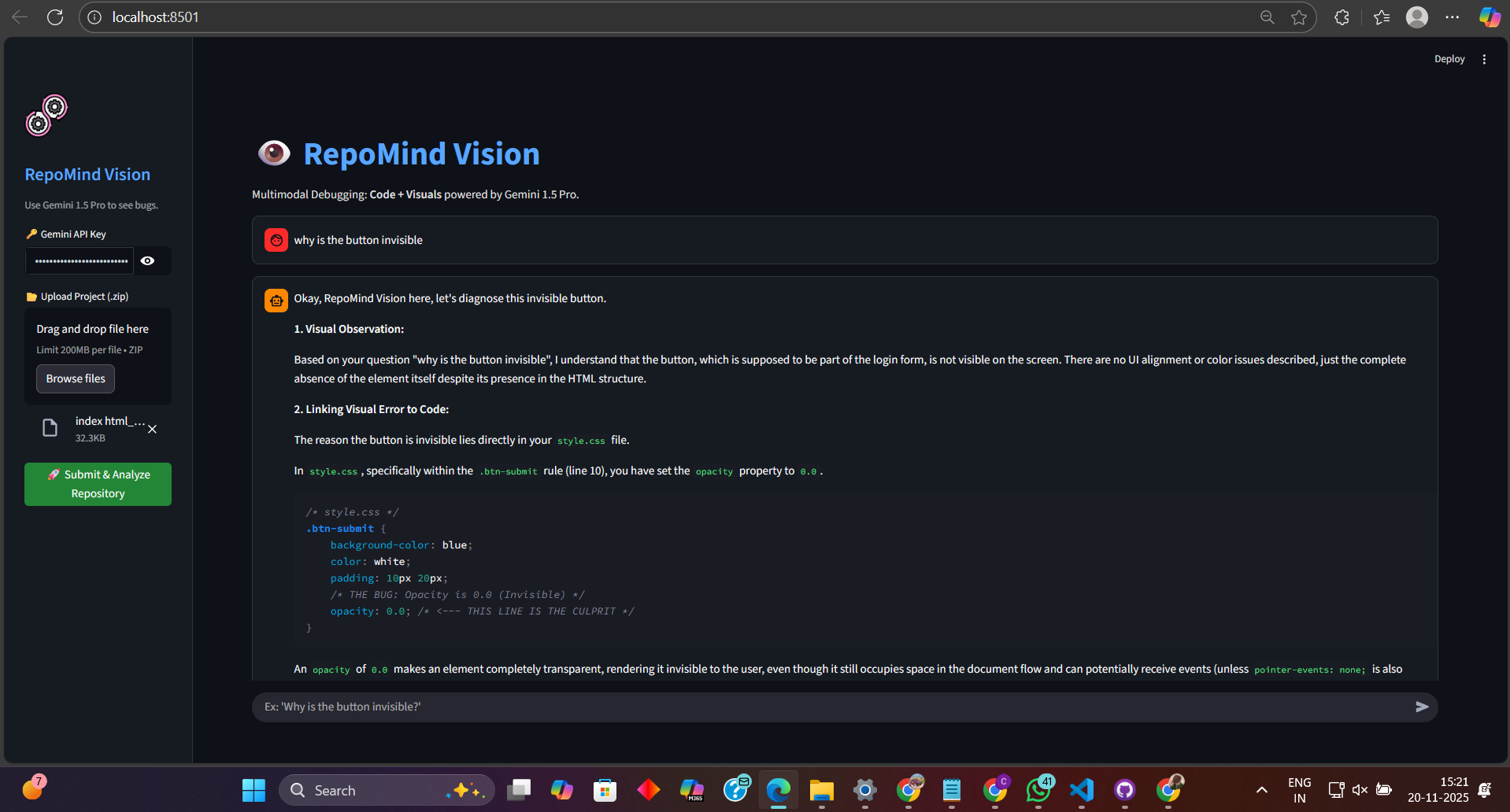
💡 Inspiration We’ve all been there. You spend 3 hours debugging a CSS issue where a button is invisible. You ask ChatGPT, "Why is my button gone?" It analyzes your code and says, "Syntactically, everything looks fine." The problem? Standard AI is blind. It can read your code, but it can’t see what the user sees. We realized that frontend debugging isn't just about logic; it's about pixels. We wanted to build a tool that bridges the gap between the code editor and the browser screen. We asked: “What if an AI could read our entire repository AND look at a screenshot of the bug simultaneously?” 🤖 What it does RepoMind Vision is a Multimodal Whole-Repo Debugger. It Reads: You upload your entire project (ZIP file). We use Gemini's massive context window to ingest every single file—no RAG required. It Sees: You upload a screenshot of the bug (e.g., a broken layout, wrong colors). It Solves: The AI correlates the visual error in the image with the logic definition in the code (CSS/JS) to provide a pixel-perfect fix. ⚙️ How we built it We built RepoMind Vision in a sprint during the CODESPIRE 3.0 hackathon using a high-speed stack: Core Engine: Google Gemini 2.5 Flash. We chose this specific model for its blazing-fast inference speed and superior multimodal capabilities. Backend: Python & Google Generative AI SDK. We utilized the native file processing APIs to convert directory structures into a single context stream. Frontend: Streamlit. We crafted a custom "Cyberpunk" themed UI using raw CSS injection to make the developer experience feel futuristic. Multimodality: We used Pillow (PIL) to process image bytes and feed them directly into Gemini's vision encoder alongside the codebase text. 🚧 Challenges we ran into The Context Paradox: Initially, we worried about token limits. Uploading a whole zip file usually crashes LLMs. However, shifting to Gemini 2.5 allowed us to leverage its massive context window, completely removing the need for complex vector databases. Visual Correlation: Getting the AI to understand that "invisible" visually meant opacity: 0 or display: none in code required sophisticated System Prompt Engineering. We had to create a persona that thinks like a "Full Stack Architect." Model Availability: Accessing the latest 2.5 models required careful environment configuration and API version handling during the hackathon. 🏅 Accomplishments that we're proud of True Multimodality: We aren't just sending text. We are successfully making the AI "look" at UI bugs. No RAG Architecture: We proved that with Gemini's long context window, you don't need to chop your code into vectors. You can just feed the whole repo. Deployment: Taking the app from a local Python script to a live, cloud-hosted web app in under 12 hours. 🧠 What we learned Gemini 2.5 is Fast: The speed difference between 1.5 and 2.5 Flash is noticeable, making real-time debugging feels instantaneous. Prompting is Programming: The quality of the output depended heavily on how we structured the "System Instructions." Defining a clear role for the AI changed everything. Visual Debugging is the Future: Text-only coding assistants will soon be obsolete. 🚀 What's next for RepoMind Vision IDE Extension: Bringing this directly into VS Code so you don't have to zip your files. Video Analysis: Using Gemini's video capabilities to record a screen capture of a bug (reproduction steps) and having the AI fix it based on the video flow. Auto-Fix: Allowing RepoMind to write the fix directly back to the file system.
REPOMIND
Stop pasting snippets. Chat with your entire codebase.

Updates

Leave feedback in the comments!
Log in or sign up for Devpost to join the conversation.