About RepoNavigator AI
💡 Inspiration
Understanding a large codebase can be overwhelming, especially for developers who are new to a project. Finding the right files, understanding how different components connect, and figuring out how a request flows through the system can take hours of exploration.
I wanted to make this process easier by creating a tool that helps developers see, explore, and understand a codebase instead of just reading files line by line. This idea inspired RepoNavigator AI, an interactive platform designed to simplify codebase exploration and developer onboarding with AI.
🛠️ How I Built It
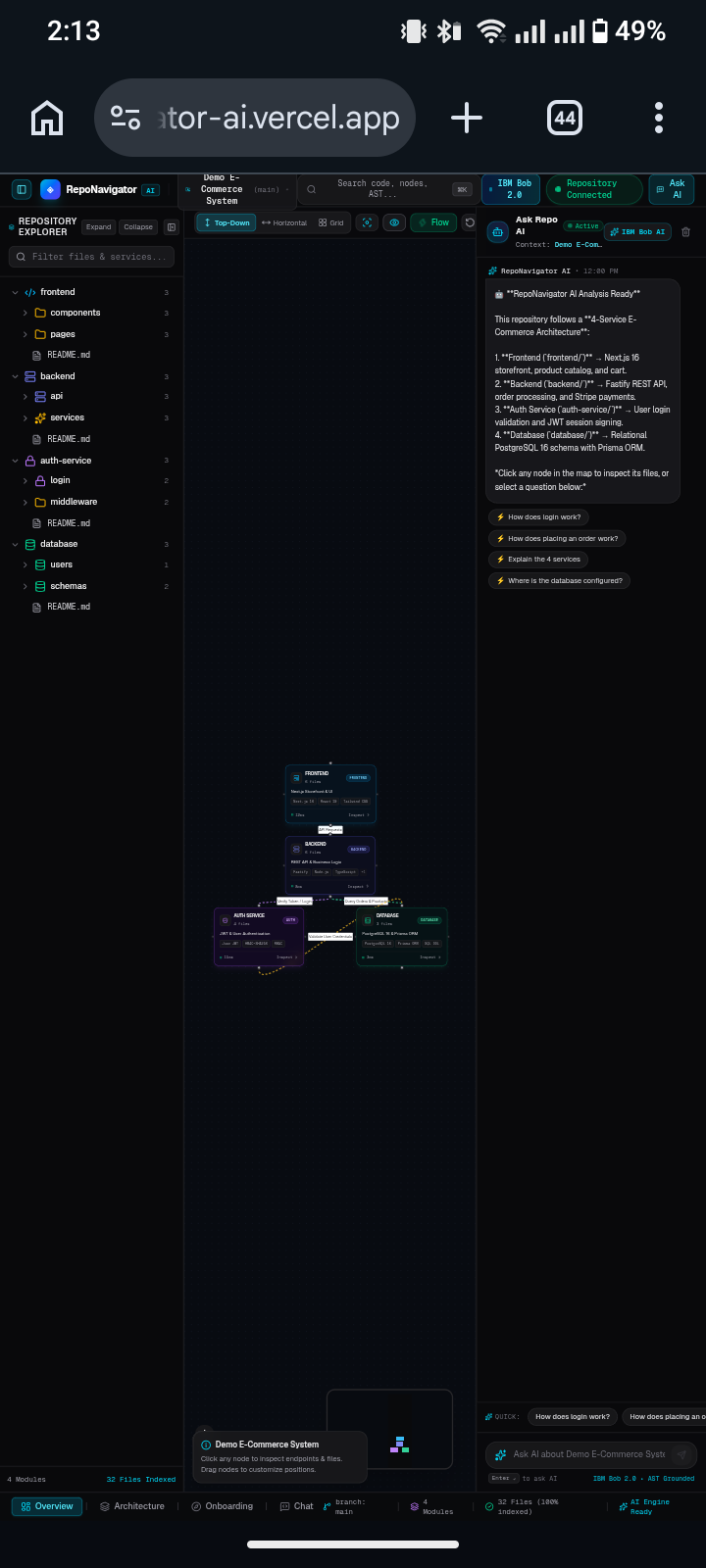
I built RepoNavigator AI as a visual developer workspace that brings repository exploration, architecture visualization, and AI assistance together in one place.
The project uses Next.js, React, and TypeScript for the application, Tailwind CSS for styling, React Flow for interactive architecture diagrams, and Framer Motion for animations.
Its main features include:
- Repository Explorer: Search and navigate files through an organized file tree.
- Interactive Architecture Map: Visualize relationships between different parts of a software system.
- AI Copilot: Ask questions about the codebase and get contextual explanations and code snippets.
- AI Onboarding Guide: Follow structured learning paths and practical tasks to understand a new project.
- Subsystem Inspector: Explore endpoints, implementation files, and subsystem information.
📚 What I Learned
Building RepoNavigator AI helped me explore how modern web technologies can be combined to create a more intuitive developer experience. I learned more about building interactive interfaces, visualizing complex relationships, organizing application components, and designing AI-assisted workflows.
I also gained a deeper appreciation for developer onboarding and how presenting technical information visually can make complex systems easier to understand.
🚧 Challenges I Faced
One of the biggest challenges was bringing multiple features into a single, coherent workspace without overwhelming the user. The architecture map, file explorer, AI assistant, and onboarding guide each serve different purposes, so making them work together in a clear and useful interface required careful planning.
Another challenge was designing an experience where architecture visualization and AI explanations complement each other. The goal was not simply to add a chatbot, but to help developers connect answers with relevant files and system components.
🚀 What's Next
My vision for RepoNavigator AI is to make joining an unfamiliar codebase faster and less frustrating. I want to keep improving the experience so developers can understand project structure, trace how components interact, and become productive with less guesswork.
RepoNavigator AI — Don't just chat with the repository; visually understand it.
Built With
- ai-coding-assistant
- artificial-intelligence
- code-visualization
- developer-tools
- generative
- next.js
- react
- typescript

Log in or sign up for Devpost to join the conversation.