Inspiration
We've all had that moment of dropping into an unfamiliar codebase — a new job, an open-source project, a candidate's take-home assignment — and spending hours just trying to figure out where things live and how they connect. We wanted a faster way to "talk" to a repo the way you'd ask a teammate who already knows the code, but with answers grounded in the actual source instead of guesswork.
What it does
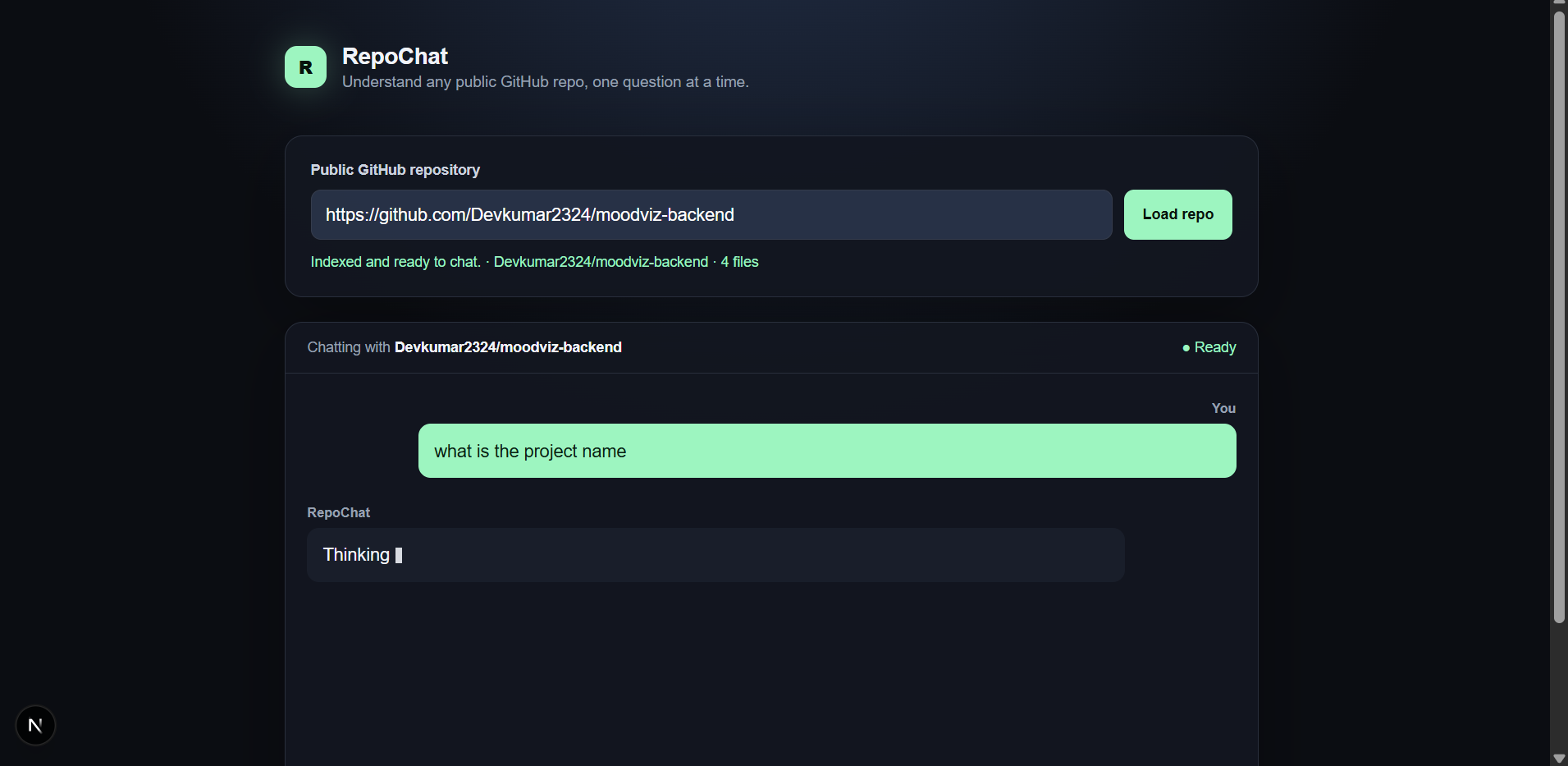
RepoChat lets you paste in any public GitHub repo URL and immediately start chatting with it. Behind the scenes, it shallow-clones the repo, walks the file tree, and indexes every readable text file (filtering out node_modules, .git, binaries, images, and lockfiles). Once indexing finishes, you can ask natural-language questions like "How does auth work here?" or "Where's the entry point?" — RepoChat finds the most relevant files, builds a context-aware prompt, and streams back an answer in real time. Every response shows exactly which files were used as context, so you can verify the answer against real code instead of just trusting the model.
How we built it
- Next.js 15 (App Router) + TypeScript for the full-stack app
- simple-git to perform a shallow clone (depth 1) of the target repo into a temp directory
- A file-walking step that filters out irrelevant/binary/large files and keeps only readable text under 200KB
- An in-memory
Map, keyed by a generated repo ID, to store the indexed file list and contents for the session — no database needed - A lightweight keyword-matching retrieval step that scores file paths and contents against the user's question to select the top 5 most relevant files
- The OpenAI API (chat completions endpoint, streaming) to generate answers grounded in those files, streamed live into the chat UI
- A clean, dark-mode single-page interface: URL input → cloning/indexing status → chat panel with source file attribution on every answer
Challenges we ran into
- Keeping cloning fast and safe: enforcing shallow clones, file size limits, and directory skip-lists so large or irrelevant repos don't blow up memory or response time
- Building a retrieval approach that's simple (no vector database) but still surfaces genuinely relevant files for a wide range of questions
- Streaming responses from the OpenAI API smoothly into the UI while also displaying which files were used, without janky re-renders
- Handling the many ways things can fail gracefully — invalid URLs, private/nonexistent repos, clone timeouts, and API errors — without breaking the chat experience
Accomplishments that we're proud of
- A fully working, end-to-end pipeline from "paste a URL" to "get a sourced answer" with no auth and no database
- Real transparency: every answer is traceable back to specific files, which builds trust that the model isn't hallucinating
- Keeping the whole thing simple enough to deploy as a single app, while still feeling responsive thanks to streaming
What we learned
- How much perceived trust improves when you show your work — surfacing source files changed how "safe" the tool felt to use, even without changing the underlying answers
- Practical techniques for scoping and filtering a codebase quickly (skip lists, size limits, text-file detection) to keep an in-memory index fast and manageable
- The trade-offs between simple keyword retrieval and more complex embedding-based search, and when "simple" is actually the right choice for a hackathon-scale tool
What's next for RepoChat
- Smarter retrieval using embeddings/vector search for better context selection on large repos
- Support for private repos via GitHub OAuth
- Persistent sessions so users can return to a previously indexed repo
- Multi-turn context awareness across a longer chat history
- Support for larger repos via on-demand file loading instead of full in-memory indexing


Log in or sign up for Devpost to join the conversation.