Inspiration
I live in five messaging apps: KakaoTalk for most Korean friends, WeChat for business contacts in China, LINE and Telegram for others, and plain SMS. Every day I bounce between them, and the WeChat messages arrive in Chinese — so answering one question means: notice the notification, open the app, translate the message somewhere, write a Korean draft, translate it back, paste, send. I wanted all of that to collapse into one screen where the only thing I do is decide what to say.
What it does
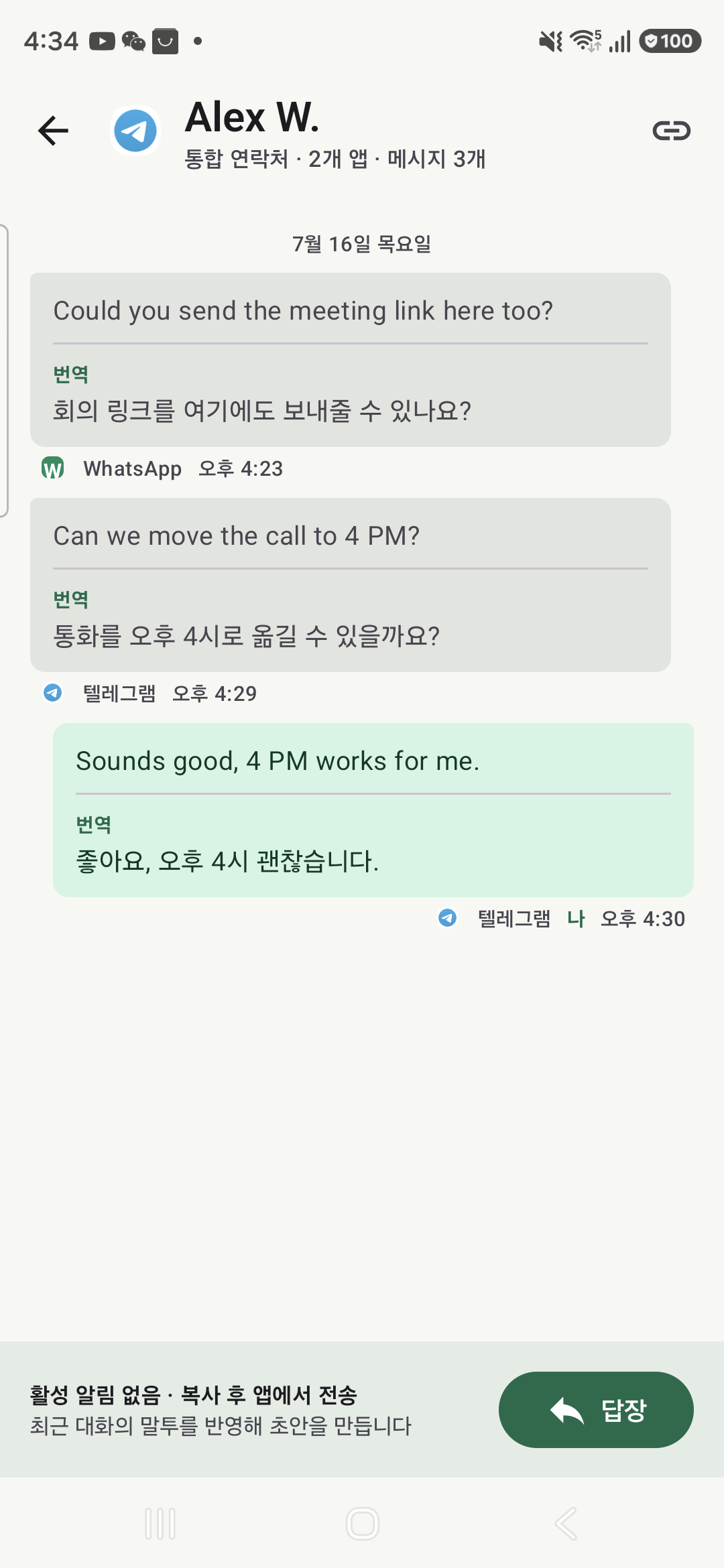
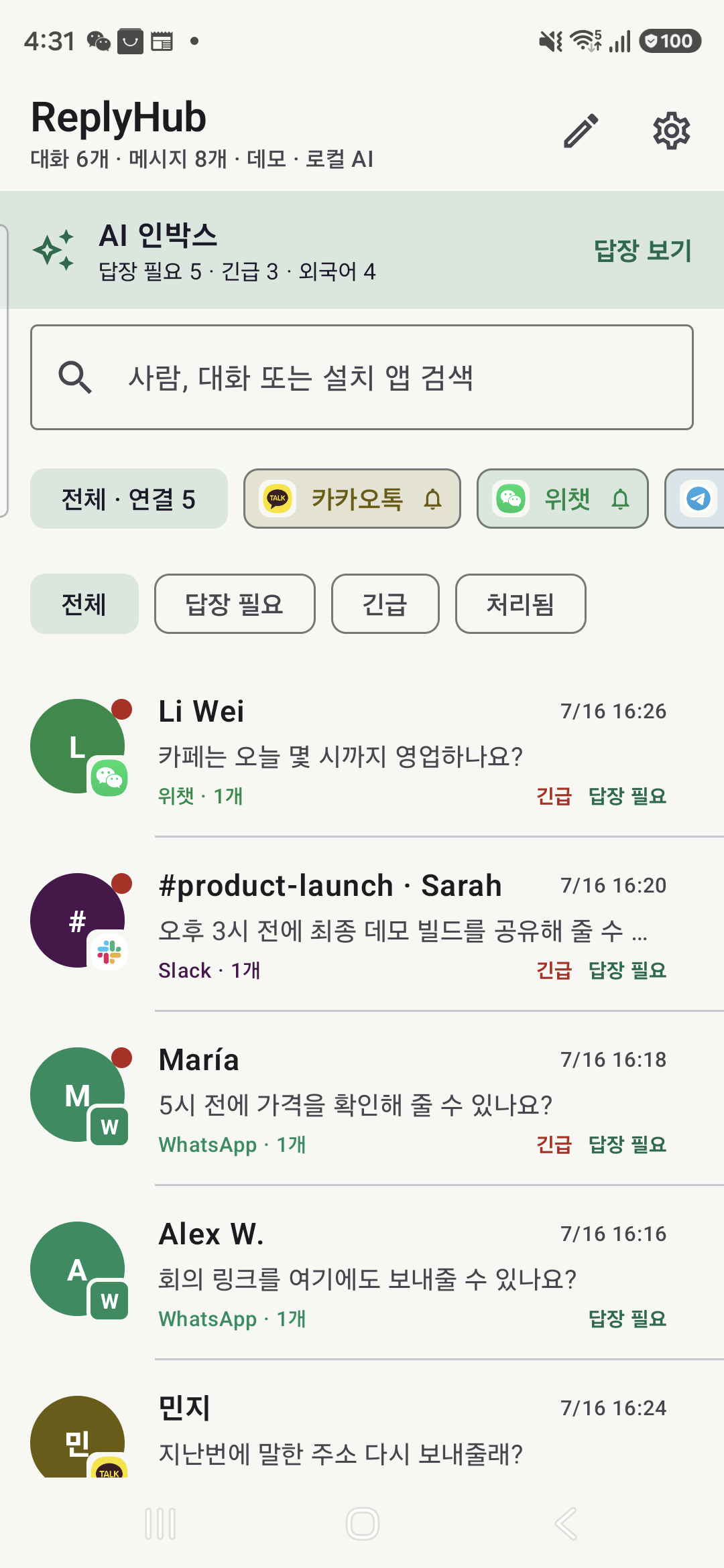
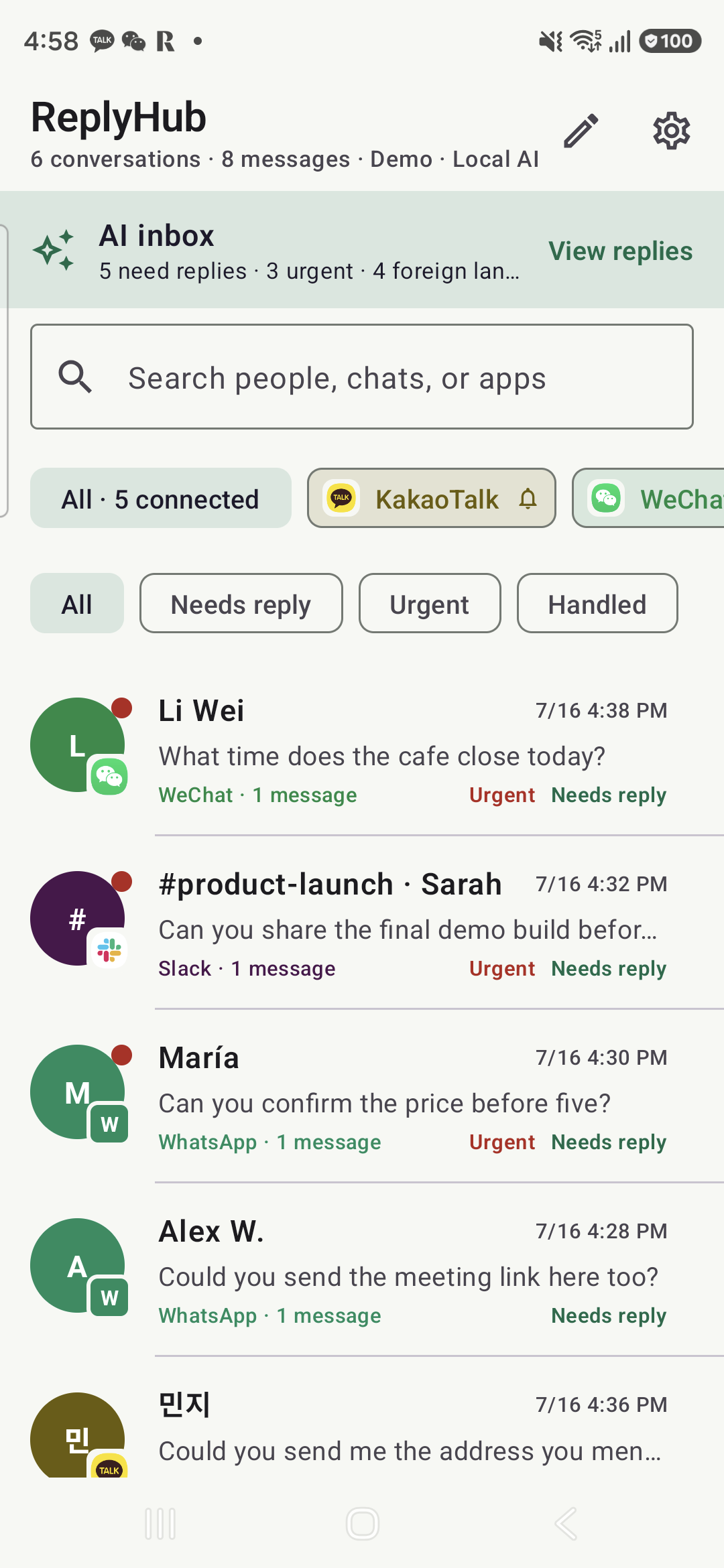
ReplyHub is an Android inbox for every messenger you use. It captures message notifications at the OS level (NotificationListenerService), so it works across a catalog of 25 messengers — KakaoTalk, WeChat, LINE, Telegram, WhatsApp, Slack, Discord, SMS and more — with zero per-app integration.
For each conversation it can:
- Translate on arrival. A fast GPT-5.6 pass detects the language, translates to Korean (or English), and flags what needs a reply now vs. later.
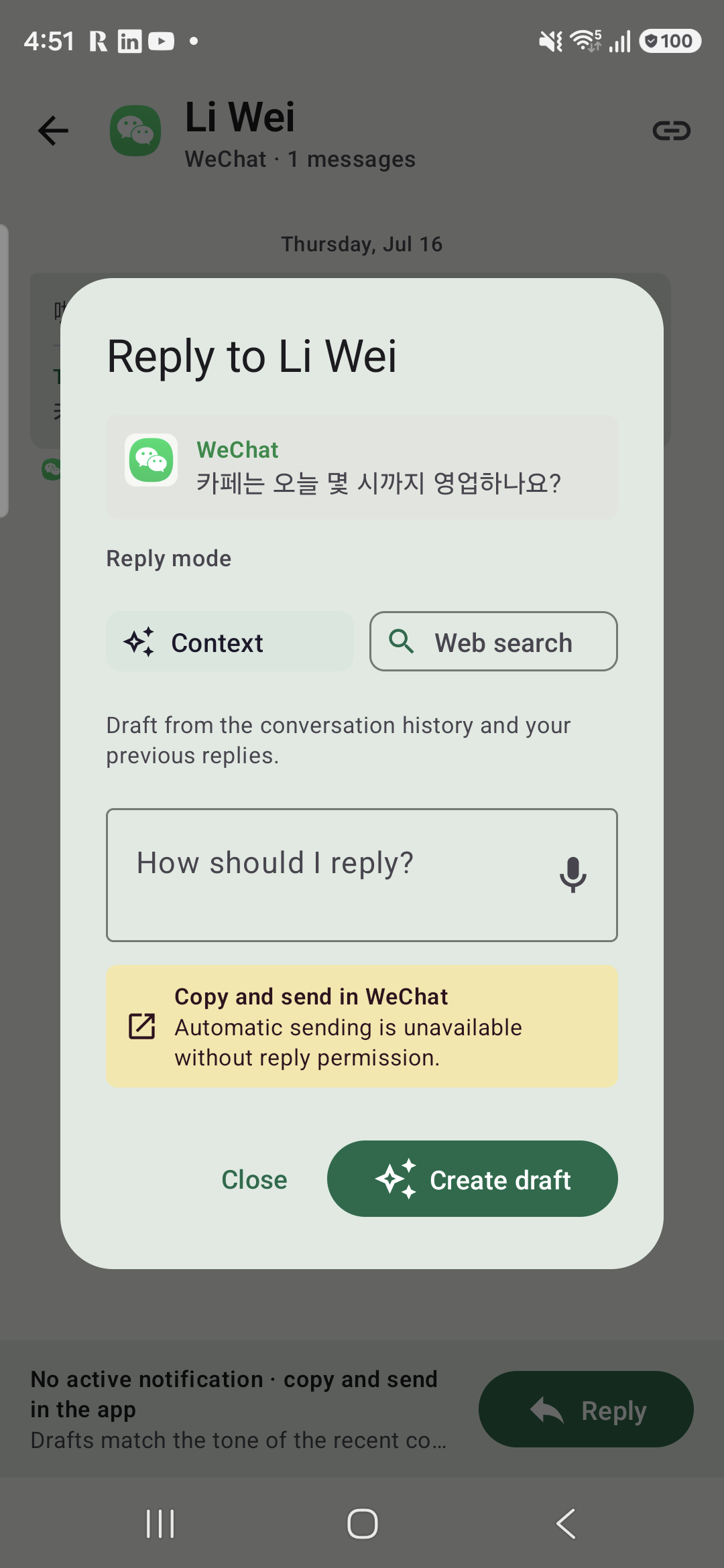
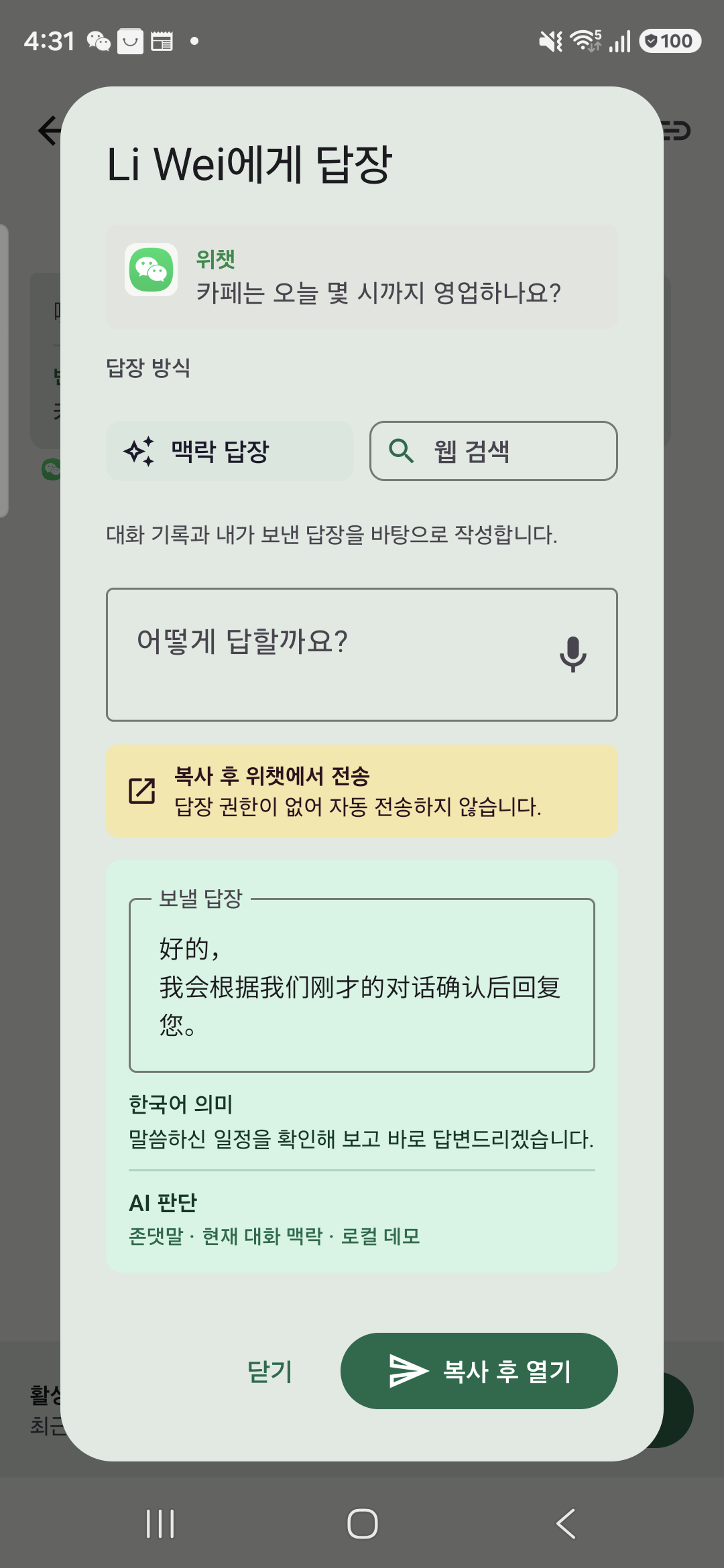
- Draft the reply with real context. GPT-5.6 drafts three reply candidates with strict Structured Outputs. If the incoming question needs a fact I don't know ("what time does that place open?"), the draft runs through OpenAI's web_search tool and shows clickable citations. If it refers to something we already discussed ("what was that address again?"), it searches my local message history — across all channels linked to the same person — and reuses the saved detail. Context replies never touch the web; web replies always cite sources.
- Take dictation. I can speak the reply in Korean; it comes out in the recipient's language, tone-matched (formal vs. casual is detected from the conversation).
- Actually send it. If the messenger's notification exposes a RemoteInput quick-reply action, ReplyHub sends directly — no app switching at all. If not, it copies the translated reply (flagged as sensitive), deep-links into the right app, and asks me to confirm before recording it as sent.
Everything is stored only on-device in a sandboxed Room database with configurable retention (default 30 days, pruned daily), excluded from backups. An API key is optional: connect your own OpenAI key (encrypted via Android Keystore, requests sent with store:false) or use the built-in local fallback and demo mode.
How I built it
Codex wrote the overwhelming majority of this app. My workflow was: write a spec with tight scope (what to build, what NOT to build), then hand Codex one subsystem at a time — the notification listener, the Room schema and migrations, the two-model GPT-5.6 pipeline, RemoteInput dispatch with the clipboard fallback, voice input, and the Compose UI. The riskiest assumption (do KakaoTalk/WeChat notifications even expose usable text and quick-reply actions?) was settled on day one with a Codex-built spike before committing to the design.
The AI pipeline uses two models deliberately: gpt-5.6-luna for the high-volume, latency-sensitive work (language detection, translation, priority triage on every captured notification) and gpt-5.6 for reply drafting with web search and Structured Outputs. Translation enrichment runs asynchronously so a slow API call never delays a new message appearing in the feed.
Near the end I ran a multi-agent adversarial code review over the whole codebase, then fed the verified findings back to Codex as a prioritized fix list. Codex fixed every item and grew the unit test suite from 58 to 70 tests — all green in CI.
Challenges I ran into
- No public APIs. KakaoTalk, WeChat and LINE have no messaging API, and I refused to build on brittle AccessibilityService UI automation. The answer was graceful degradation: every app gets capture + translation + AI drafts (that part is genuinely universal), and delivery uses the best channel each app actually offers — direct RemoteInput send where available, sensitive-clipboard + deep link where not. The app is honest with the user about which path it took.
- Reasoning tokens ate my token budget. My API-key connection test gave the model 16 output tokens; GPT-5.6's reasoning consumed all of them, so valid keys reported "connection failed." The fix: treat any 2xx as a valid key, and detect
status: incompleteresponses everywhere — retrying once with a doubled budget before surfacing an accurate error. A bug you only meet with reasoning models. - Demo reliability. Live notifications are unpredictable, so ReplyHub ships a demo mode that pauses live capture and loads deterministic scenarios — judges can test every feature without an API key or a second phone.
Accomplishments that I'm proud of
A 7,000+ line Kotlin app, built in five days, that my non-hypothetical self actually wants every morning. The part I'm proudest of is the honest architecture: it never pretends to be a full messaging client, it's a triage-and-reply layer that degrades gracefully — which is why it can truthfully claim to work with any messenger that posts notifications.
What I learned
The translation isn't the product — the judgment is. Deciding per message whether a reply needs a web search, a memory from an old conversation, or neither, and doing that fast enough to feel instant: that's what GPT-5.6 contributed that a translation API never could. I also learned to treat Codex like an engineering partner with a spec and a review loop, not an autocomplete — the quality difference is dramatic.
What's next for ReplyHub
- Full-text search across all captured history (the data model already supports it)
- Group-chat triage and per-room tone profiles
- A voice-first "answer everything" flow: the same pipeline, but hands-free end to end — the messenger inbox is the first use case of what could become a general phone assistant


Log in or sign up for Devpost to join the conversation.