-
-
home
-
dashboard
-
Adaptive Workspace
-
On Track
-
Change Proposal approval
Inspiration
I kept thinking about a simple problem: plans are easy to make, but much harder to maintain.
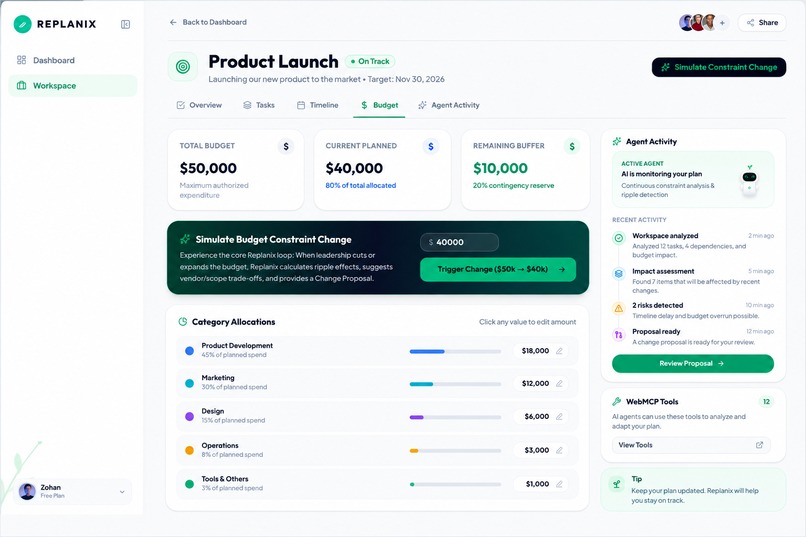
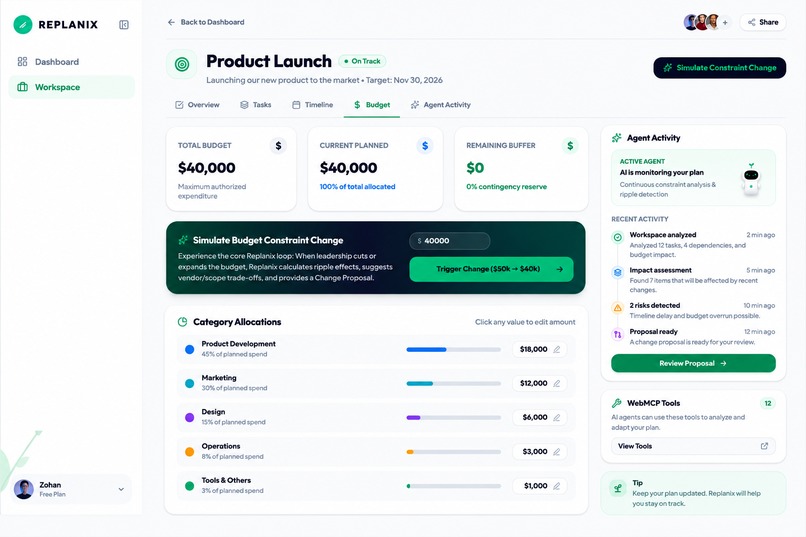
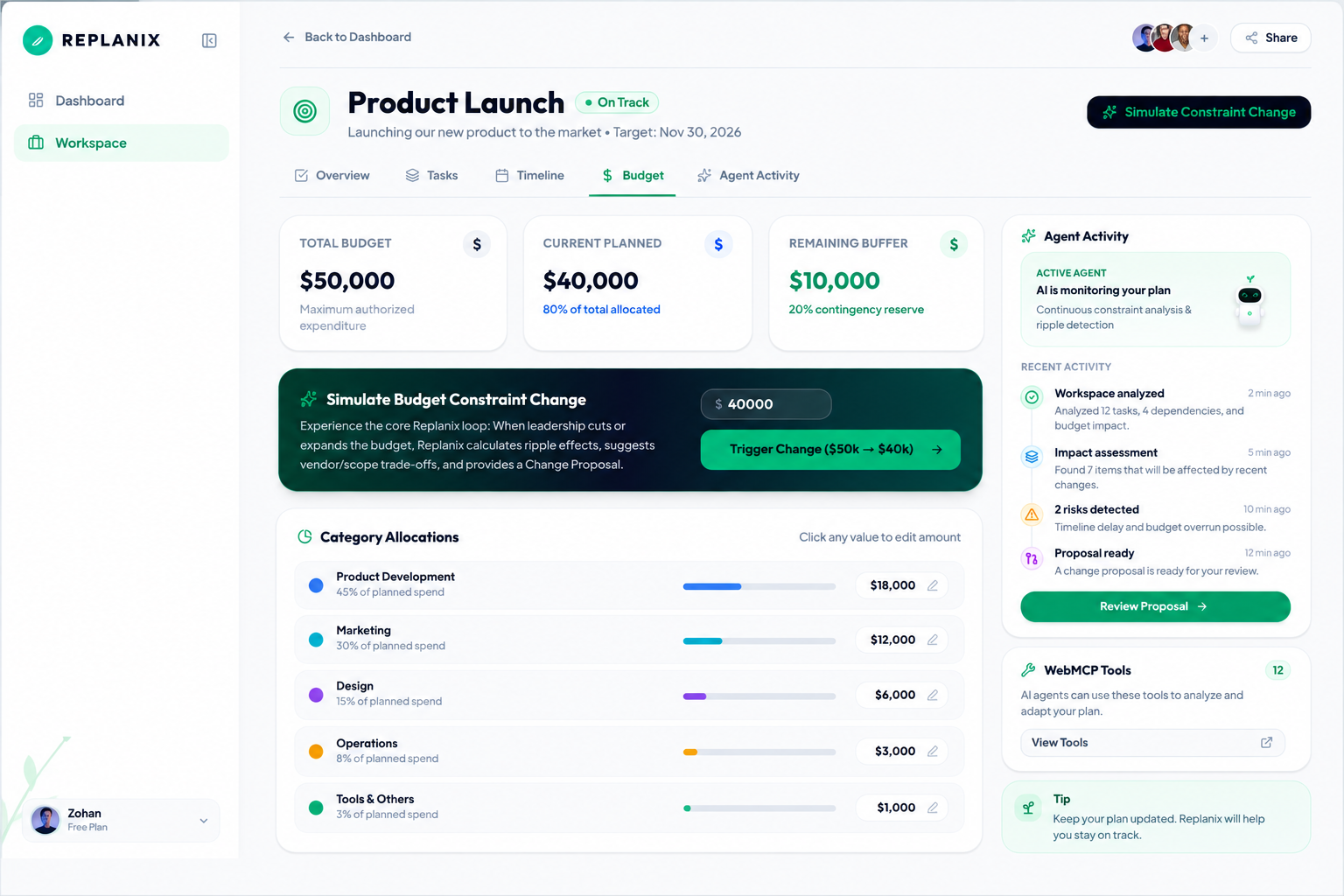
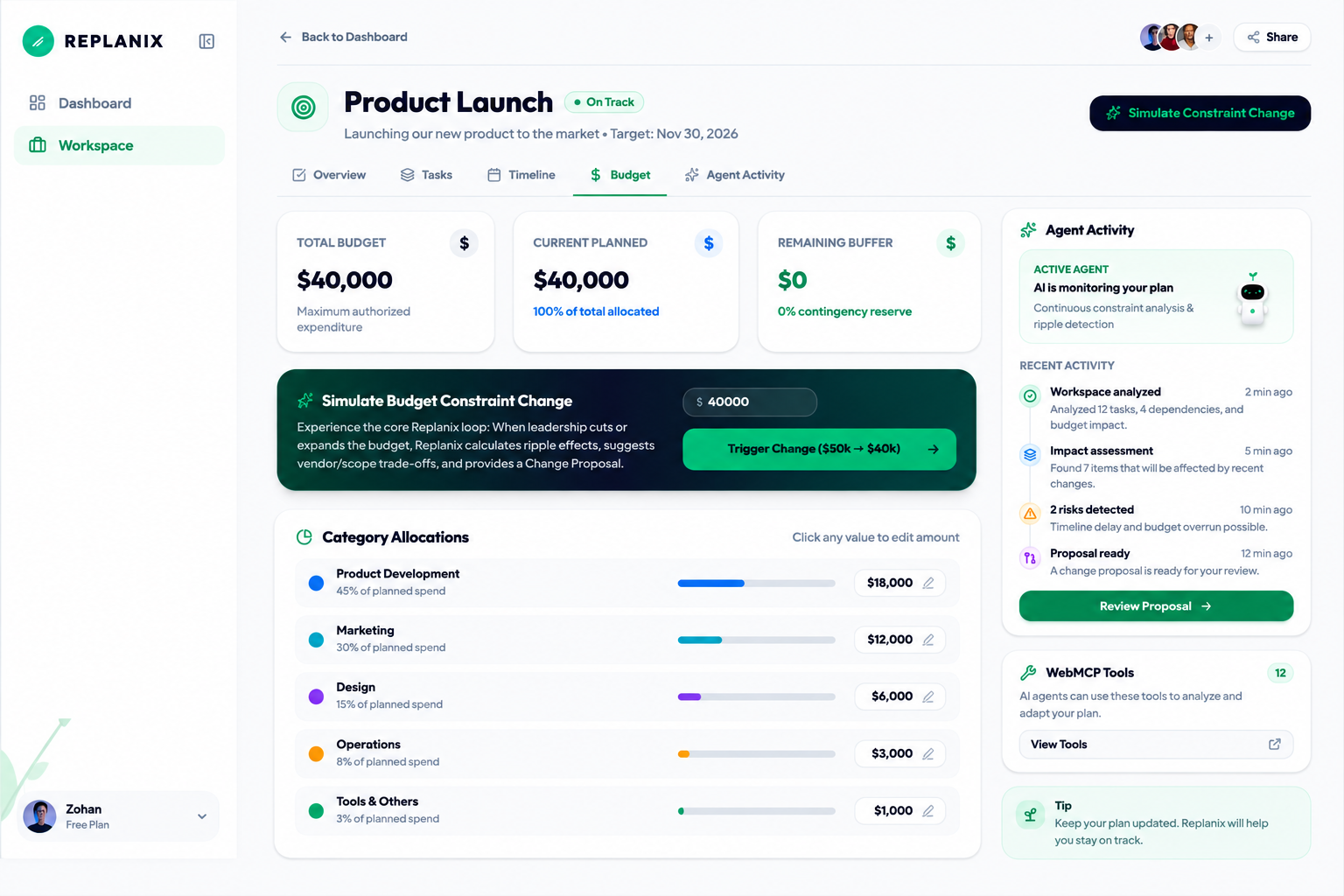
A project can start with a $50,000 budget and then suddenly the budget becomes $40,000. At that point, changing one number is not enough. Someone still has to figure out which tasks are affected, what can be reduced, whether there are conflicts, and what the team should actually do next.
I wanted to build something where an agent could help with that work instead of just answering questions about the plan.
That became Replanix.
What it does
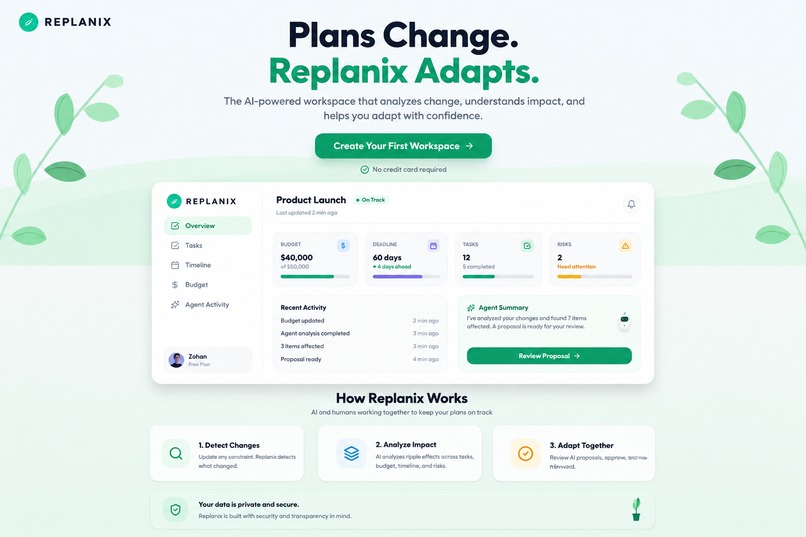
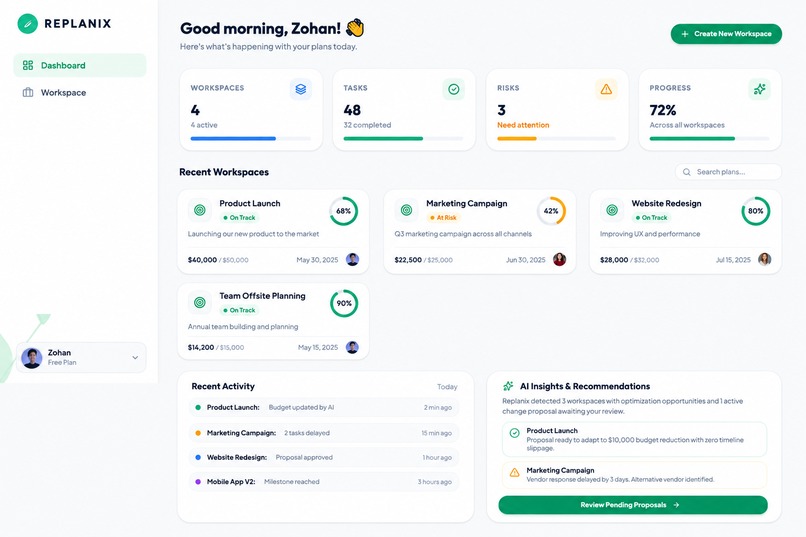
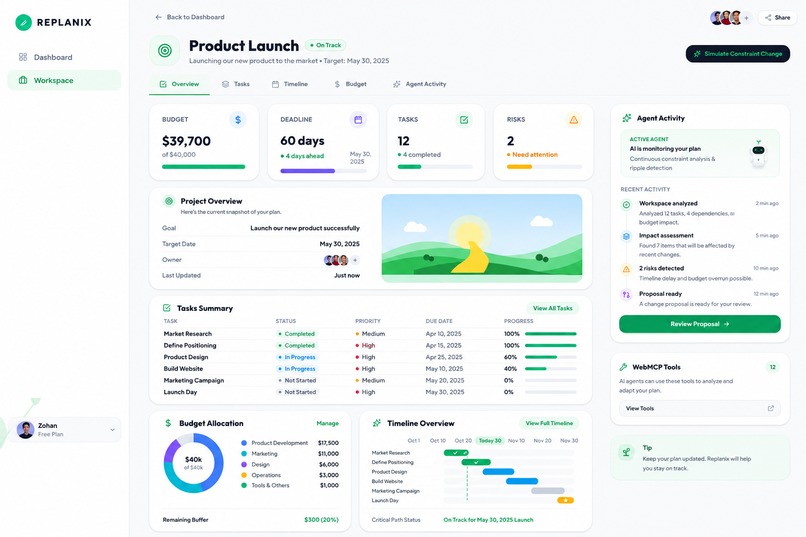
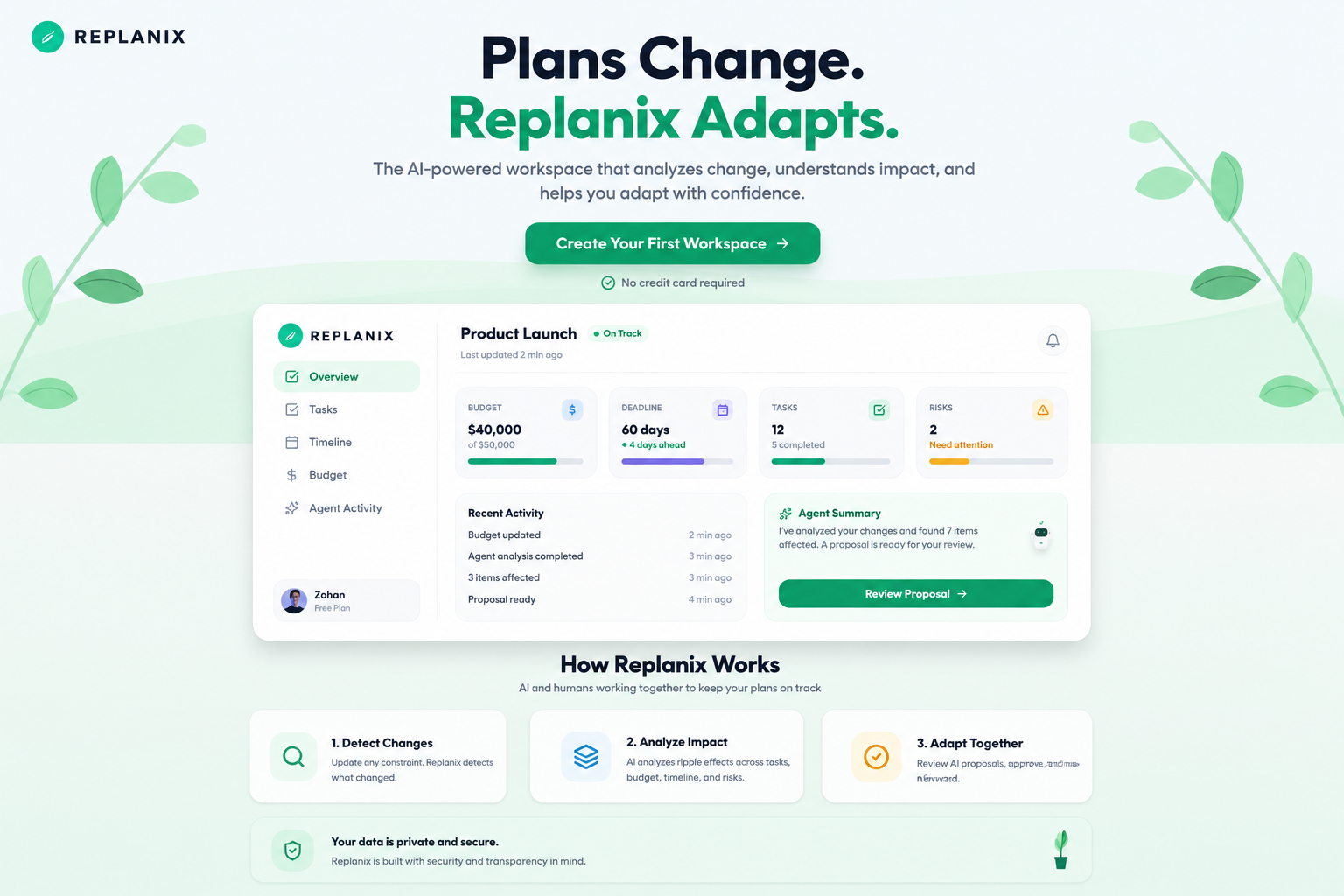
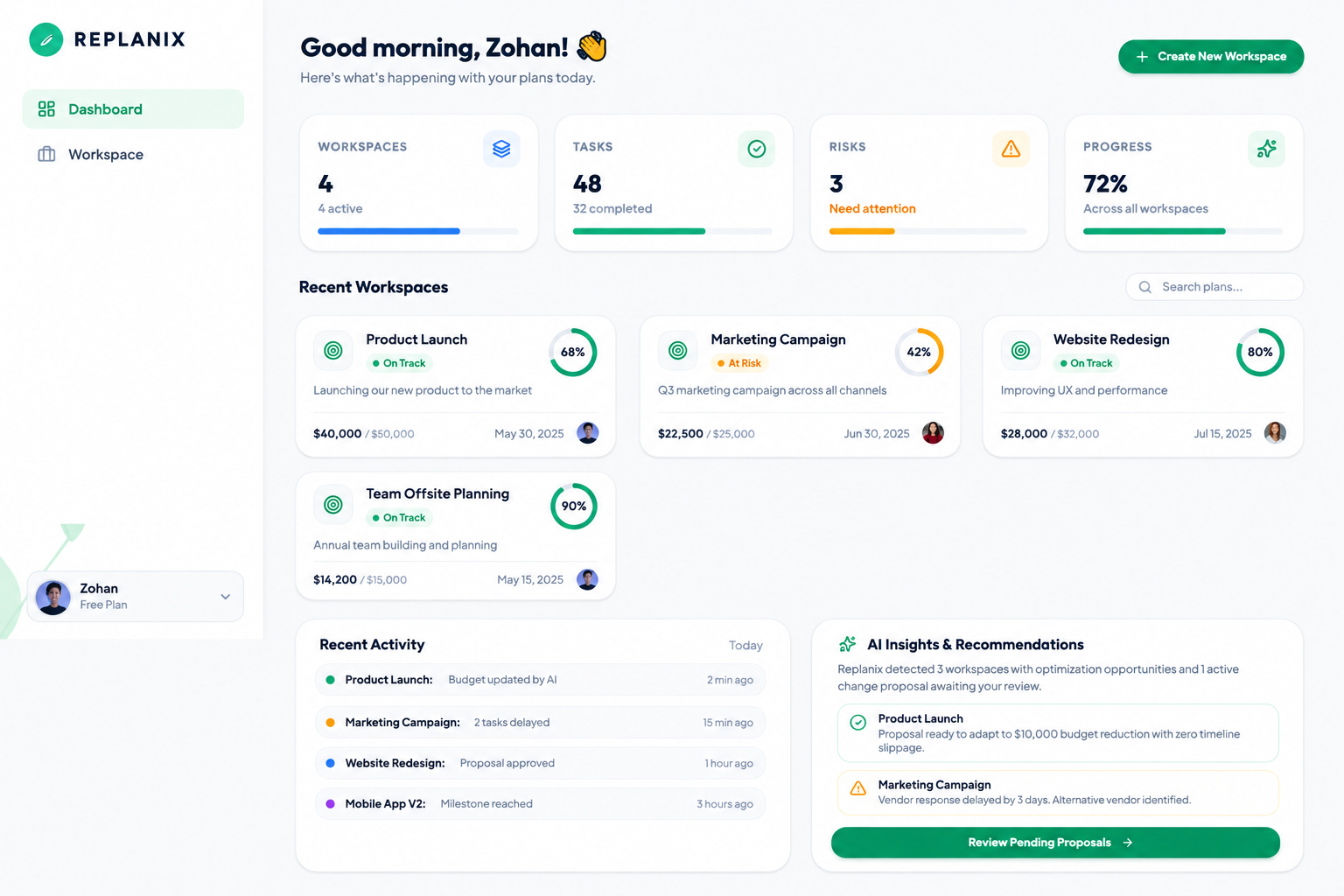
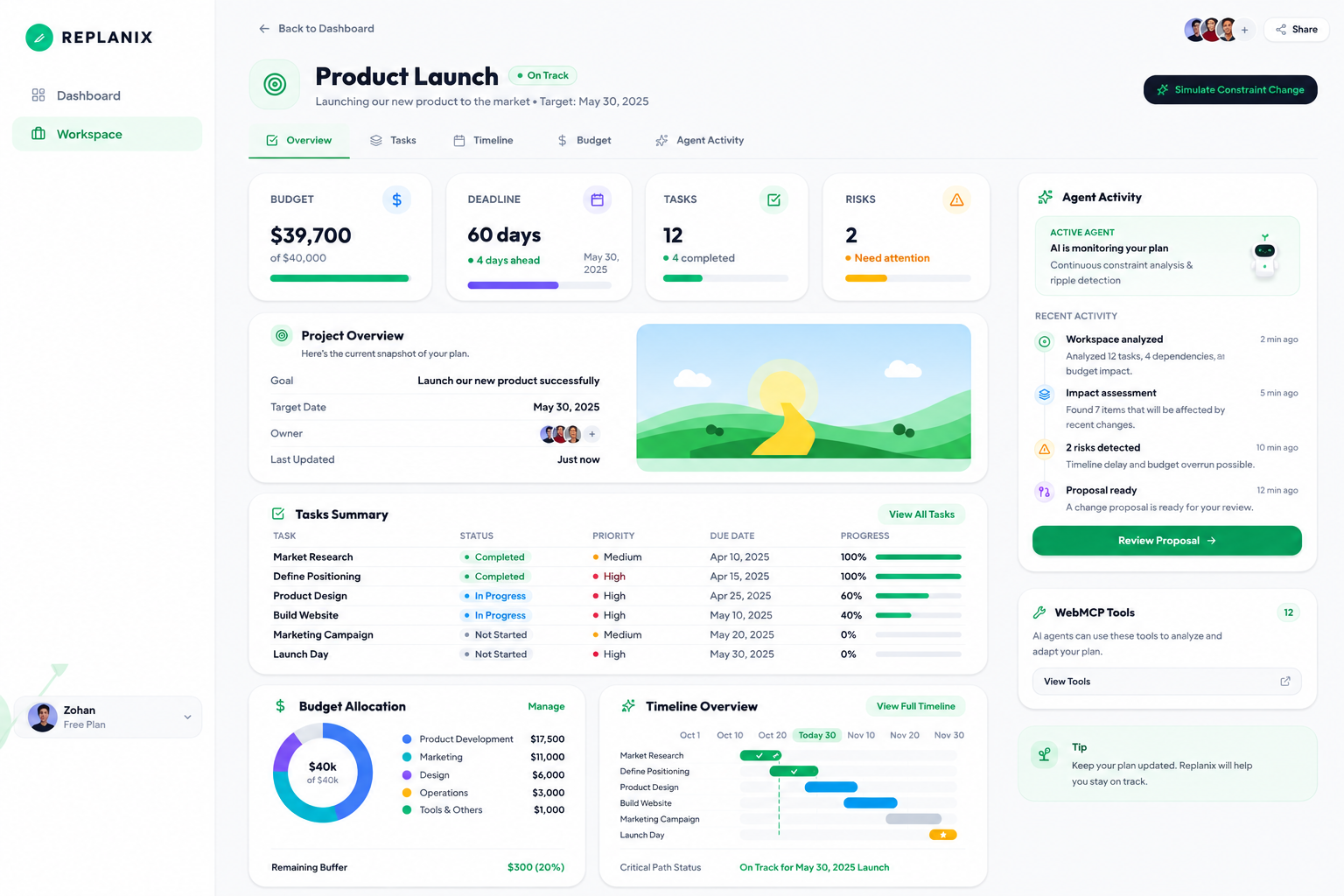
Replanix is a planning workspace that reacts when a project constraint changes.
For the demo, the launch budget starts at $50,000. When it is reduced to $40,000, Replanix looks at the existing plan and works out what is affected. It identifies tasks, conflicts, alternatives, and possible budget adjustments, then turns the result into a change proposal.
The important part is that the agent does not simply change the plan by itself. A person reviews the proposal first and decides whether to approve or reject it.
The idea is simple: let the agent do the analysis and preparation, but keep the important decision with the human.
How we built it
I built Replanix as a React and TypeScript web application using Vite.
The main technical part of the project is the WebMCP integration. Replanix exposes 12 tools through the native WebMCP API.
There are four tools for reading the workspace, four for analysis, and four for making changes. They cover things like reading the workspace and budget, analyzing impact, finding alternatives, creating a proposal, and applying an approved proposal.
The tools are registered through the browser's document.modelContext API, so a compatible agent can discover and call the application's capabilities directly.
I also wanted the application state to stay consistent whether an action comes from the UI or through a WebMCP tool. The proposal flow is intentionally separated from applying the change, so creating a proposal does not modify the workspace until it is approved.
Challenges we ran into
The hardest part was not building another planning UI. It was making the WebMCP integration actually work with the native browser API.
During development, I had to make sure I was testing the real document.modelContext implementation instead of accidentally testing an application-level fallback.
Another challenge was keeping the agent workflow deterministic. The same workspace state should produce the same analysis and proposal rather than random or simulated results.
The final challenge was deciding where the agent should stop. Replanix can analyze a change and prepare an adaptation, but the final approval is deliberately left to the person using the workspace.
Accomplishments we're proud of
The thing I'm most proud of is that the WebMCP integration is actually running in the production version of Replanix.
The live application exposes 12 native WebMCP tools, and I was able to discover them and execute them directly through document.modelContext in a WebMCP-enabled Chrome browser.
The demo also shows the complete flow rather than just individual tools:
A budget changes → the impact is analyzed → a proposal is created → a human reviews it → the approved adaptation is applied.
That end-to-end flow is what I wanted Replanix to demonstrate.
What we learned
Building Replanix changed how I think about AI agents in web applications.
It is one thing for an agent to understand information on a website. It is much more interesting when the website itself can expose structured capabilities that an agent can use.
WebMCP makes that interaction much more explicit. Instead of relying on an agent to figure out where to click, the application can define what the agent is actually allowed to read, analyze, or change.
I also learned that giving an agent more capability does not necessarily mean removing humans from the loop. In Replanix, the agent can do more of the work while the human still controls the important decision.
What's next for Replanix
This demo focuses on one type of change: a budget constraint.
The next step would be to make the same approach work with other real project changes, such as deadlines, priorities, dependencies, and scope changes.
Eventually, I would like Replanix to continuously notice changes and explain their consequences before they become bigger problems.
The goal is not to build a tool that replaces project managers. It is to make keeping a plan up to date much less painful.
When plans change, Replanix helps the plan change with them.
Built With
- css3
- html
- javascript
- react
- typescript
- vite
- webmcp

Log in or sign up for Devpost to join the conversation.