-
-
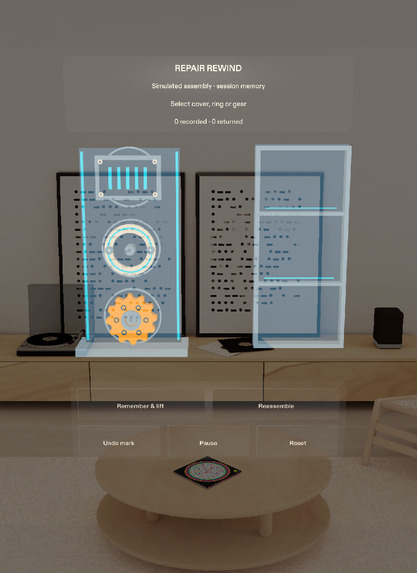
Actual Lens Studio Preview: simulated cover, retaining ring and gear with native controls in the Ready state.
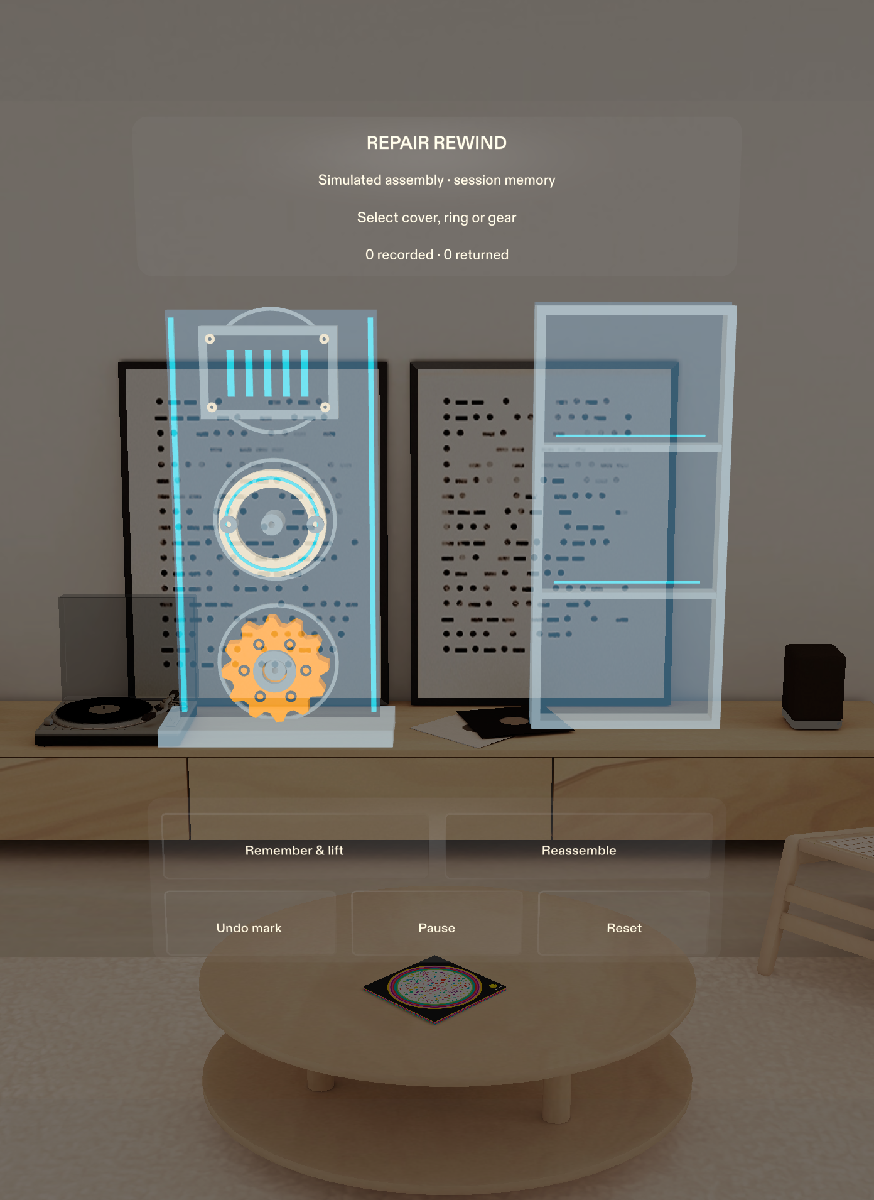
Repair Rewind
Remember how it came apart. Record each part’s place and order, then retrace your own steps.
Inspiration
After an interruption, a loose part raises three questions: what is it, where did it come from, and what happens next? Repair Rewind focuses on remembering the place and sequence of your own actions.
We designed it for makers and repair learners. Its purpose is to help someone recover their place during disassembly and reassembly, with the relevant information beside the workpiece.
What it does
The Lens Studio Preview demonstration uses a clearly labelled, simulated mechanical assembly: a cover, retaining ring and gear.
Select a part and choose Remember & lift. Repair Rewind copies its original position and orientation, assigns a step number, and moves the model into a tray. A numbered outline remains at the recorded location.
Reassemble follows those observations in reverse order. The active part and its destination are highlighted together, and an edge cue helps recover a destination outside the view. Returning the model and confirming the step are separate actions, so arrival never silently advances the sequence.
Pause hides the guidance while preserving the session. Back reopens the last confirmed step so it can be replayed. Undo mark corrects the latest observation, and Reset requires confirmation.
The idea
Repair Rewind makes the user’s own recorded sequence reversible. Each observation connects a part, a place and an order; each return remains under the user’s control.
AR lets that relationship appear in the same space as the task. Whether this reduces attention switching or helps people recover from interruptions remains a question for user evaluation.
How we built it
We started Repair Rewind on 22 October 2026 using the official SPECS Base Template and Learn planning pack. We built the native project in Lens Studio 5.24.1 through CLAD and Lens Studio MCP.
TypeScript manages session state and copied poses. Spectacles Interaction Kit and UIKit provide the native interactions and controls. Procedural meshes form the teaching assembly, with local sound cues for recording and confirmation.
What we learned
Making the sequence reversible affected the whole interaction. Movement needed to be separate from confirmation. Pausing needed to preserve the pending action. Undo needed to restore exactly one step. Recorded destinations needed world coordinates so changing the viewpoint did not redefine where a part belonged.
Offscreen guidance also needed to remain visible when the world-space destination was not. These decisions became explicit state transitions and regression tests.
Current validation and limits
Ten standalone session tests and seven native Preview scenarios have passed. Independent review verified the five Preview criteria against source, native logs, actual mouse input and captures. The corrected wrong-part check waits for the input and rejecting handler before asserting unchanged state. The saved project opens in its normal empty Ready state.
A fresh source-only copy imported and compiled on the existing development host. After clearing two stale scene references, that copy passed the core native loop and all ten standalone tests; other native results retain their earlier provenance. The 2:20 video uses actual Lens Studio Preview footage with English narration and captions. Technical review confirmed its duration, full decoding and sampled visual quality. See the repository's verification page for the exact scope and remaining limitations.
This prototype uses simulated parts and memory within one Lens session. Real-world marking, physical hand tracking, long-term anchors and comfort on glasses remain untested. It does not identify objects, diagnose repairs or verify physical correctness.
Built With
- lens-studio
- typescript

Log in or sign up for Devpost to join the conversation.