Inspiration
Most workout trackers are great at storing numbers: sets, reps, load, and RIR. But for beginner and intermediate lifters, numbers are not always enough.
A user may hit the target reps while their last reps become shorter, less controlled, or less consistent. That is where progression becomes confusing: should they add weight, repeat the same set, slow down, or fix technique first?
We built RepLab around a simple idea:
Traditional workout logs store what you did. RepLab helps you understand how it looked.
Our goal was to create a lightweight workout logger that uses visual evidence from a short set video to help users build confidence before adding weight.
What it does
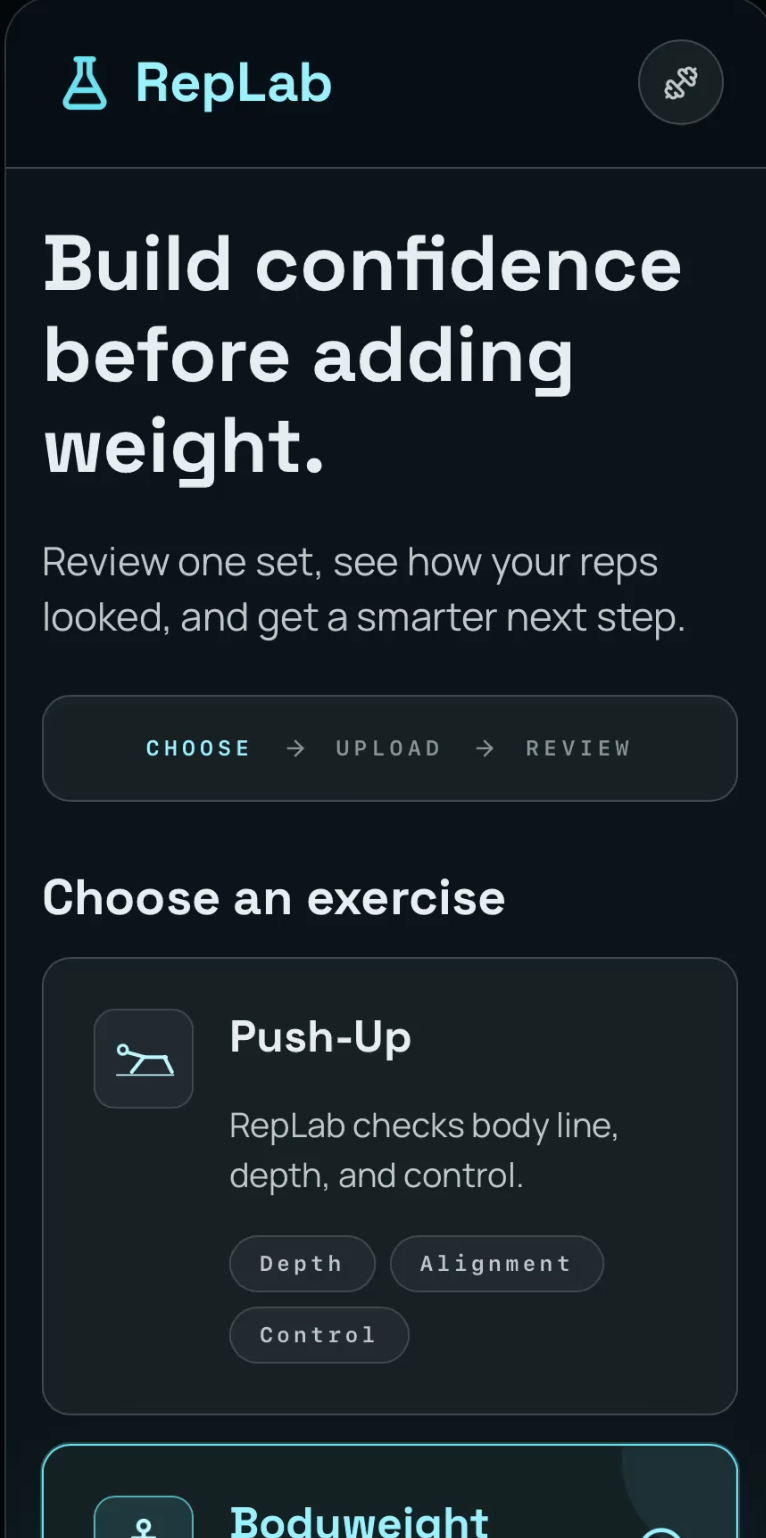
RepLab is a mobile-first workout review app.
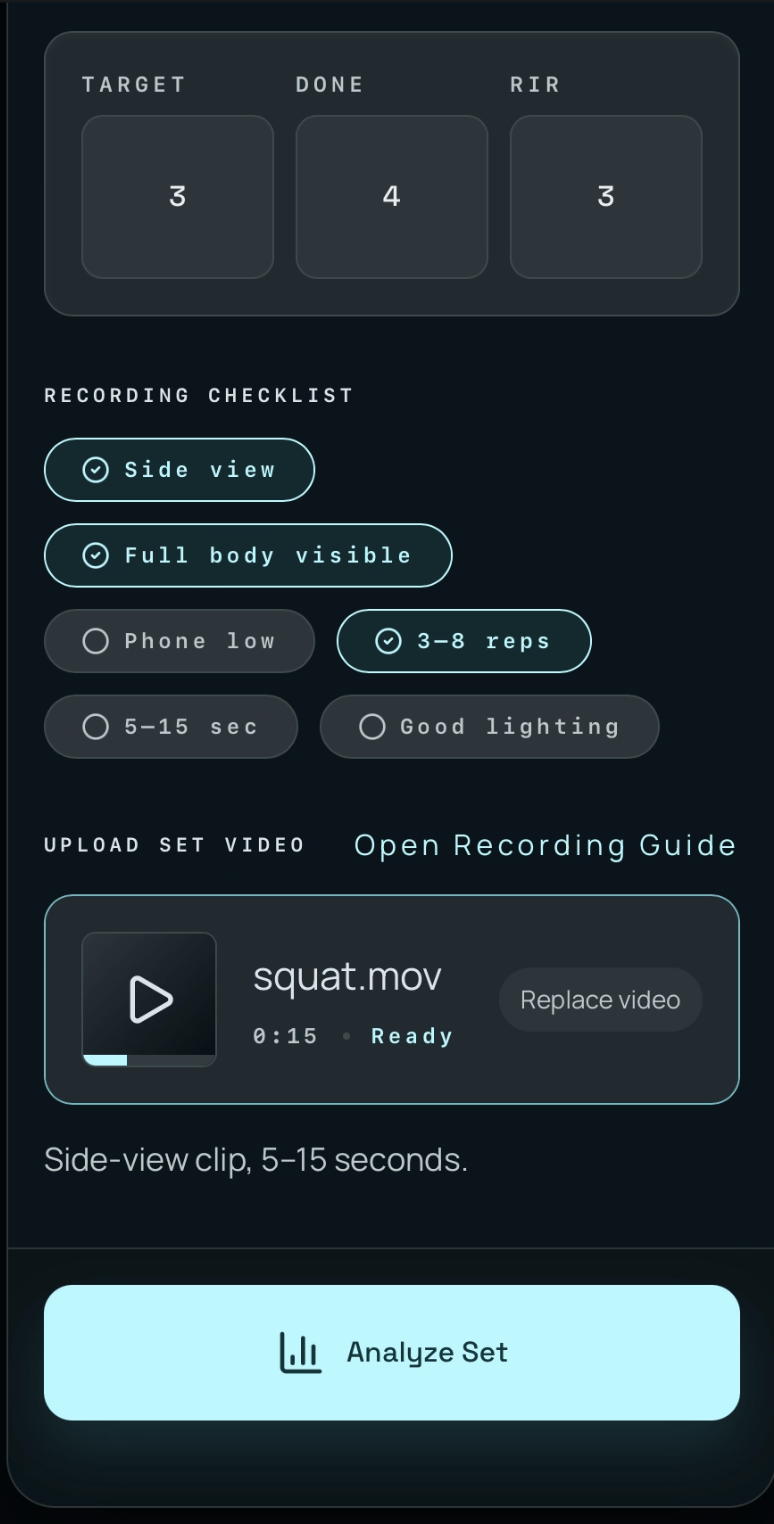
The user selects one supported exercise, learns how to record the set, logs basic set context, uploads a short side-view video, and receives a visual RepLab review.
The MVP supports:
- Push-Up
- Bodyweight Squat
- Bicep Curl
Each video follows a simple and accessible recording setup: phone low to the floor, supported by a water bottle or gym bottle, recorded from the side, with decent lighting and a short 3–8 rep clip.
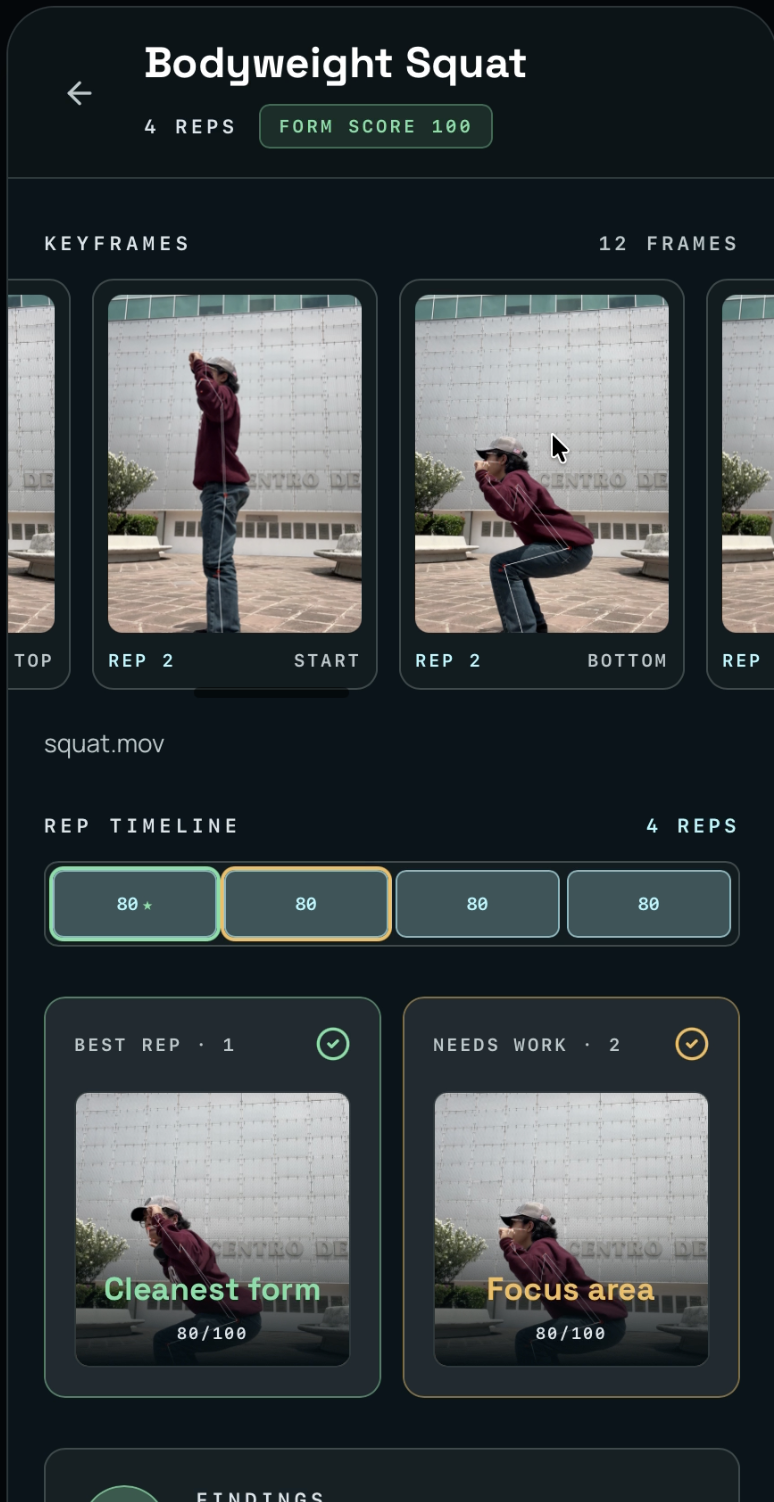
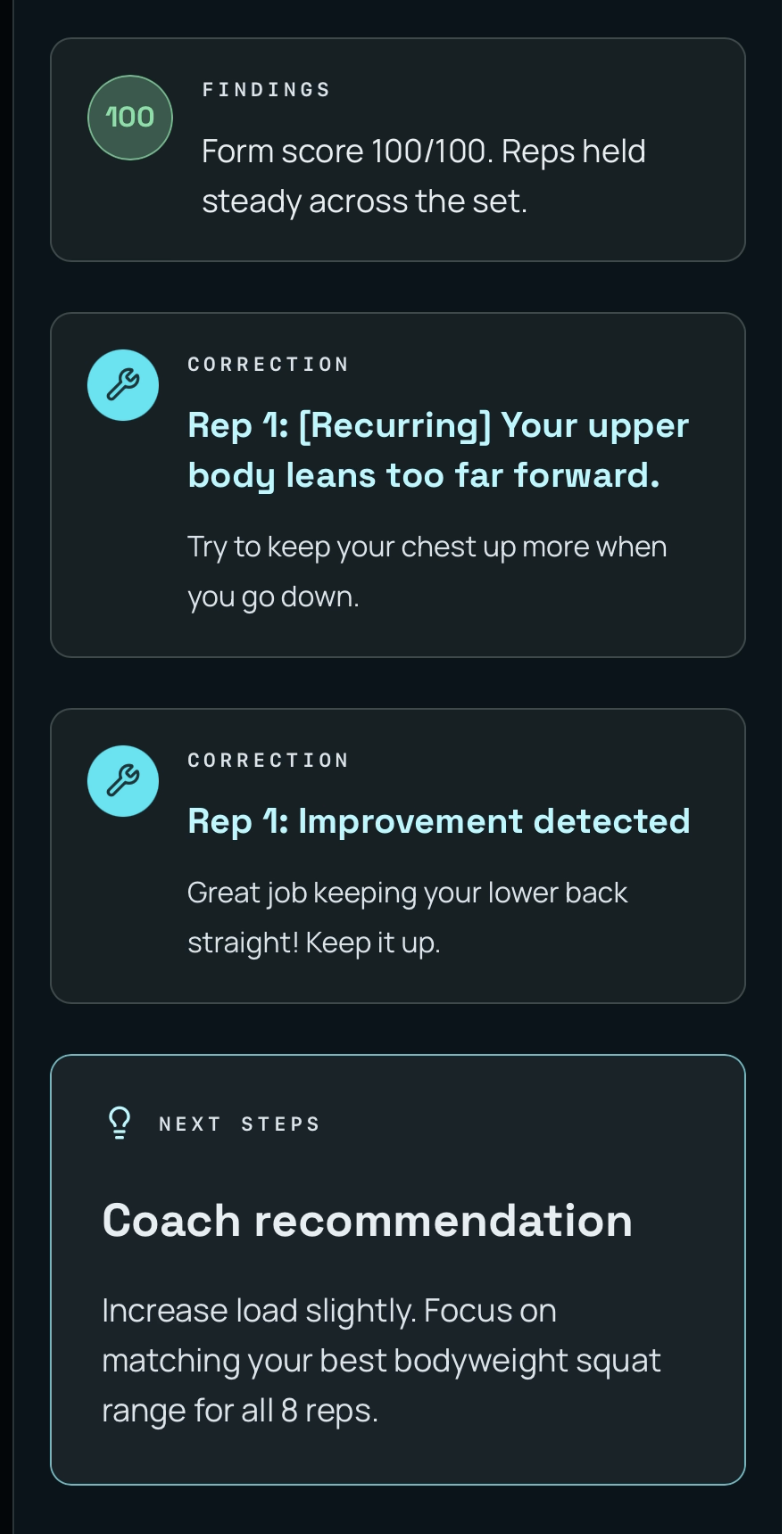
After the set is processed, RepLab shows:
- a rep-by-rep review
- extracted keyframes
- best rep vs needs-work comparison
- practical technique findings
- correction cues
- a simple next-set recommendation
The final output is not just feedback. It is an action:
Should the user repeat the set, add reps, keep the same load, slow the tempo, or progress?
How we built it
We built RepLab as a mobile-first web app with a FastAPI backend.
The frontend is designed around one clear loop:
- Choose an exercise
- Learn how to record the set
- Log basic set context
- Upload the video
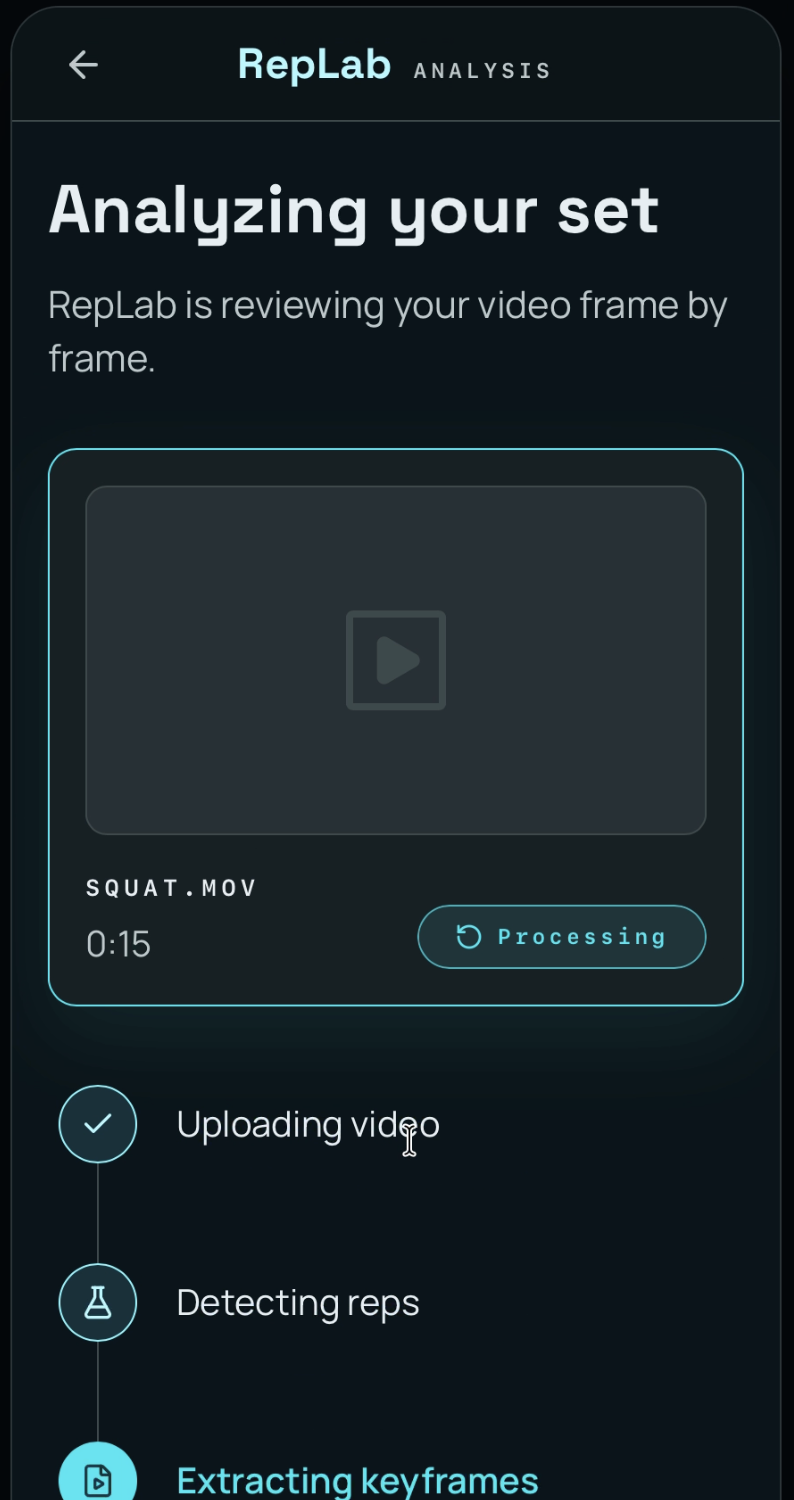
- Wait while the set is analyzed
- Review the RepLab results
- Get a next-set recommendation
The backend receives the uploaded workout video through a FastAPI endpoint, saves it temporarily, runs a computer vision pipeline, extracts keyframes, calls Gemini for multimodal analysis, calculates a progression recommendation, and returns structured results to the frontend. The API response includes the log ID, form score, progression recommendation, extracted keyframe paths, and Gemini analysis.
For the computer vision pipeline, we used Python, OpenCV, and pose-based movement analysis. The pipeline tracks exercise-specific joint angles for push-ups, squats, and bicep curls, detects movement phases, extracts keyframes for each rep, labels range-of-motion quality, and computes a form score.
Gemini is used to analyze the extracted rep images and return structured feedback, including rep scores, best rep, worst rep, and correction cards. The backend also includes a fallback response when the Gemini API key is not configured, which helped us keep the demo stable during development.
The product was designed so AI supports the experience, but does not become the whole product. The main experience remains visual: timeline, keyframes, comparison cards, correction cues, and a next action.
Challenges we ran into
The biggest challenge was keeping the MVP focused.
It was tempting to build a full workout tracker, an AI personal trainer, a routine planner, or a complete Hevy/MacroFactor-style app. Instead, we narrowed the product to one clear loop:
Log Set → Upload Video → Review Reps → Get Next Action
Another challenge was avoiding overclaims. RepLab is not a medical tool, not a professional biomechanics system, and not an injury prediction platform. We focused on beginner-friendly visual feedback: range, control, consistency, and whether the user should progress or repeat the set.
We also had to design around realistic recording constraints. Since the MVP should work without wearables, sensors, tripods, or gym equipment, we chose exercises and camera rules that could be demonstrated with only a phone and a water bottle.
A technical challenge was turning a short video into structured information quickly enough for a hackathon demo. We had to simplify the analysis into a practical pipeline: extract keyframes, score movement quality, generate correction cards, and translate the result into a next-set recommendation.
Accomplishments that we're proud of
We are proud that RepLab feels like a real product, not just a chatbot with a video upload button.
The MVP has:
- a clear mobile-first flow
- a focused set review experience
- accessible recording instructions
- supported exercises with camera constraints
- a lightweight workout logging layer
- a computer vision pipeline for keyframe extraction
- a RepLab review screen
- practical correction cards
- a simple smart progression recommendation
We are also proud of the product positioning. RepLab does not try to replace coaches or become a full fitness platform. It focuses on one useful moment:
After finishing a set, what should I do next?
What we learned
We learned that the most important part of an AI product is not always making the AI bigger. Sometimes the better product comes from narrowing the problem, structuring the workflow, and showing the result clearly.
We also learned that computer vision and AI become more useful when they are connected to product context. A workout video is more valuable when it is linked to the exercise type, target reps, completed reps, RIR, previous corrections, and a next-set decision.
Most importantly, we learned that a strong MVP does not need to do everything. It needs to do one thing clearly enough that users and judges understand the value immediately.
What's next for RepLab
Next, we would improve rep segmentation, make pose analysis more robust across camera angles and lighting conditions, support more exercises, and compare set quality over time.
We would also like to personalize recommendations based on each user’s history, recurring technique patterns, and previous set reviews.
Long term, RepLab could become a lightweight workout logger where technique quality and progression decisions live together.


Log in or sign up for Devpost to join the conversation.