
Inspiration
Small businesses have been going under because of the quarantine due to COVID-19. This effect was felt far and wide, and it even hit close to home. One of our friends’ family owns a restaurant, and when they closed it due to the stay-at-home order in our state, they faced huge financial setbacks. The dilemma they face now that the stay-at-home order has been lifted is how to re-open safely as the COVID-19 crisis continues to rage across the nation. This inspired us to create ReOpen as a way for our friend’s restaurant as well as thousands of restaurants nationwide to reopen without having to worry about the semantics of the COVID-19 virus.
Functionality
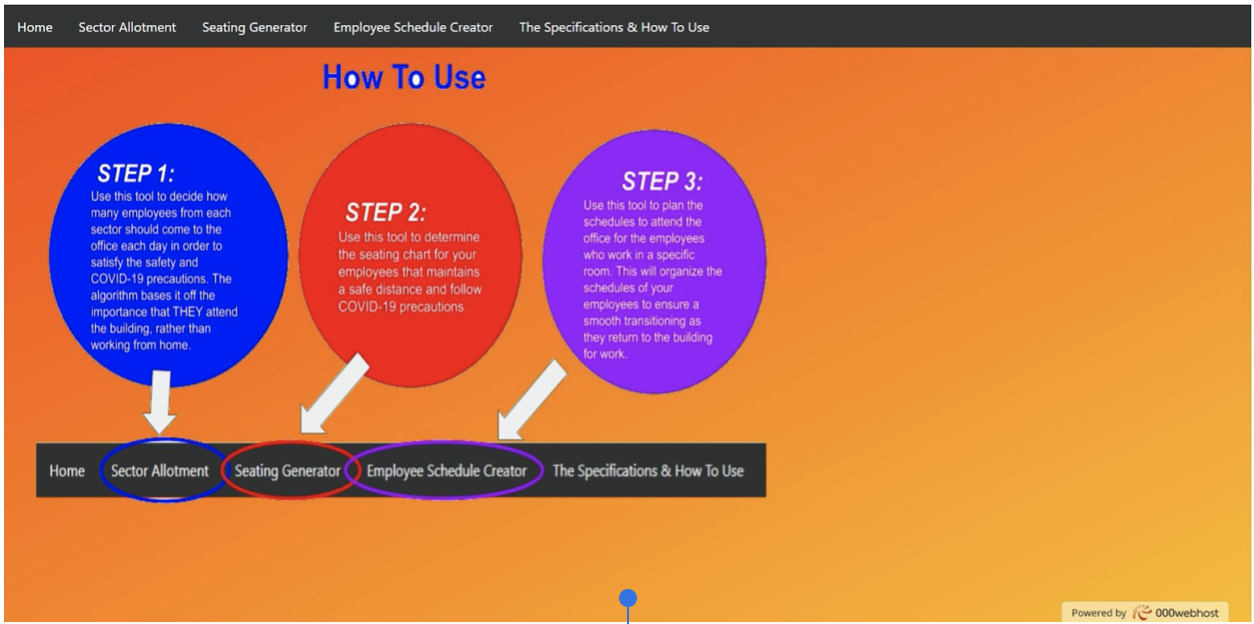
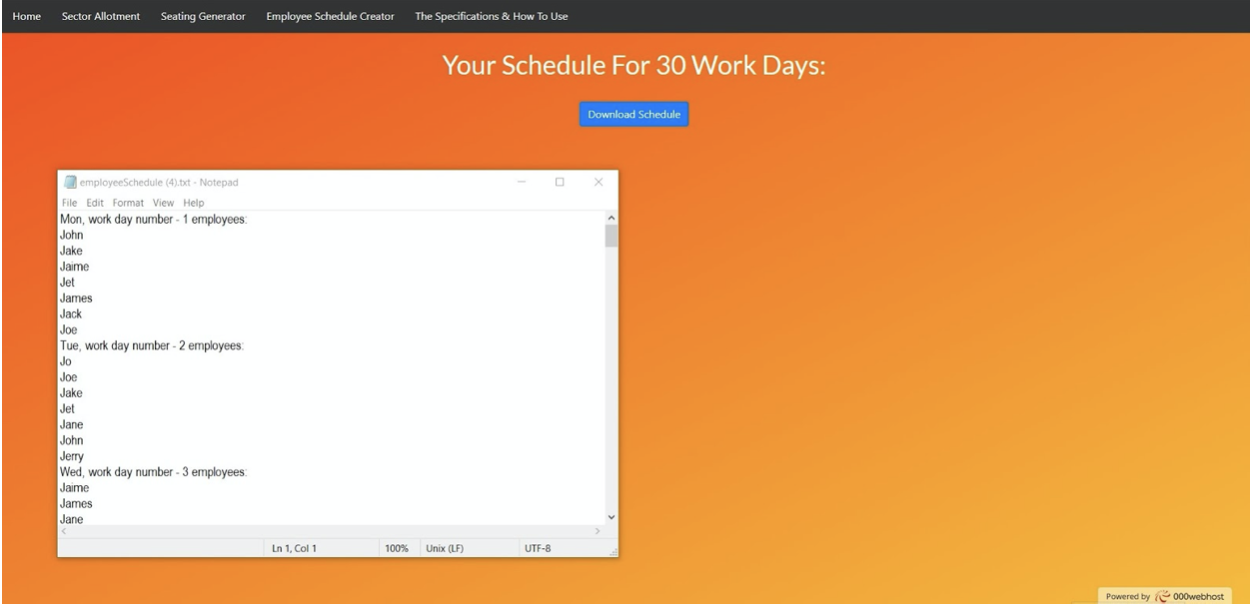
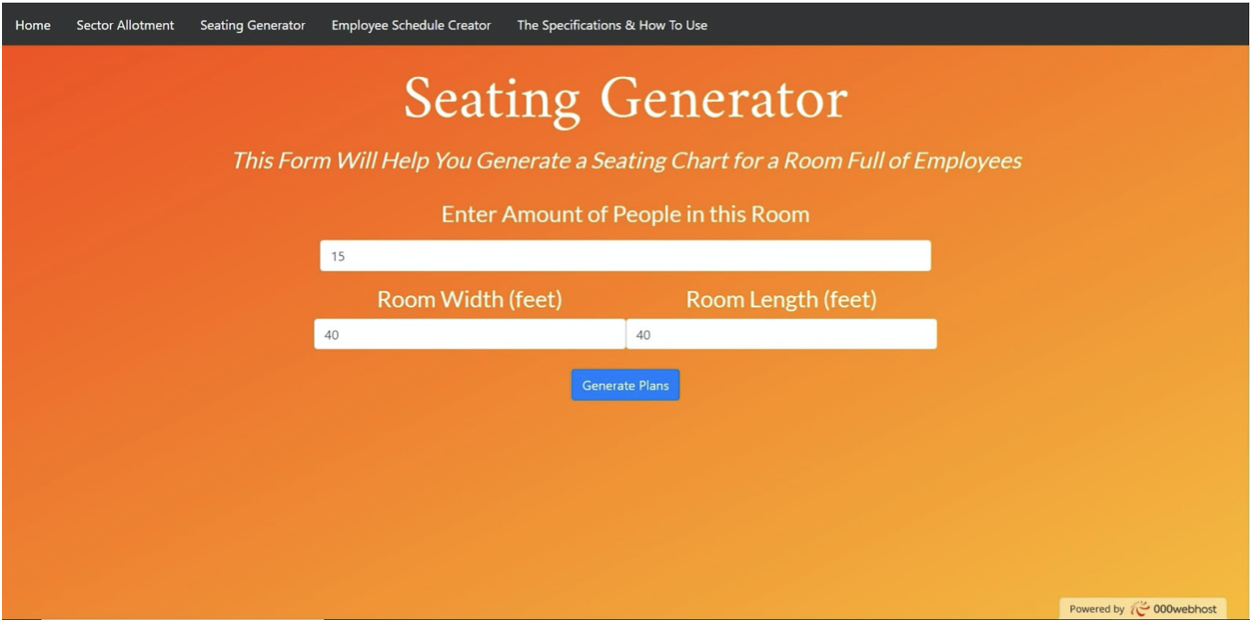
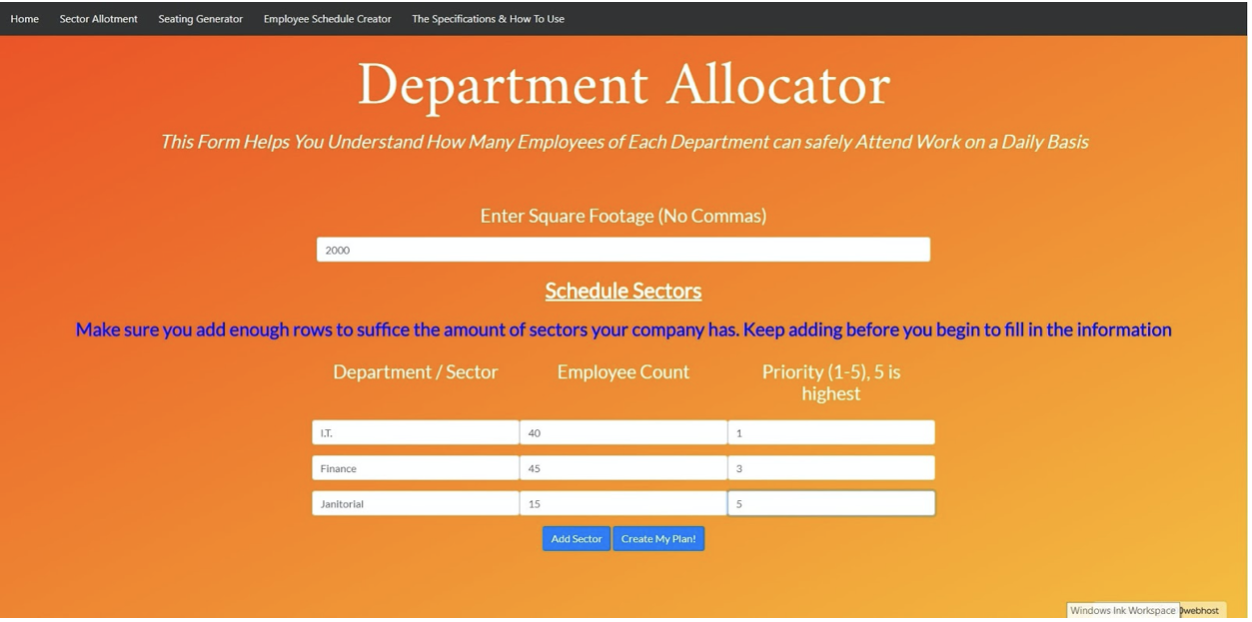
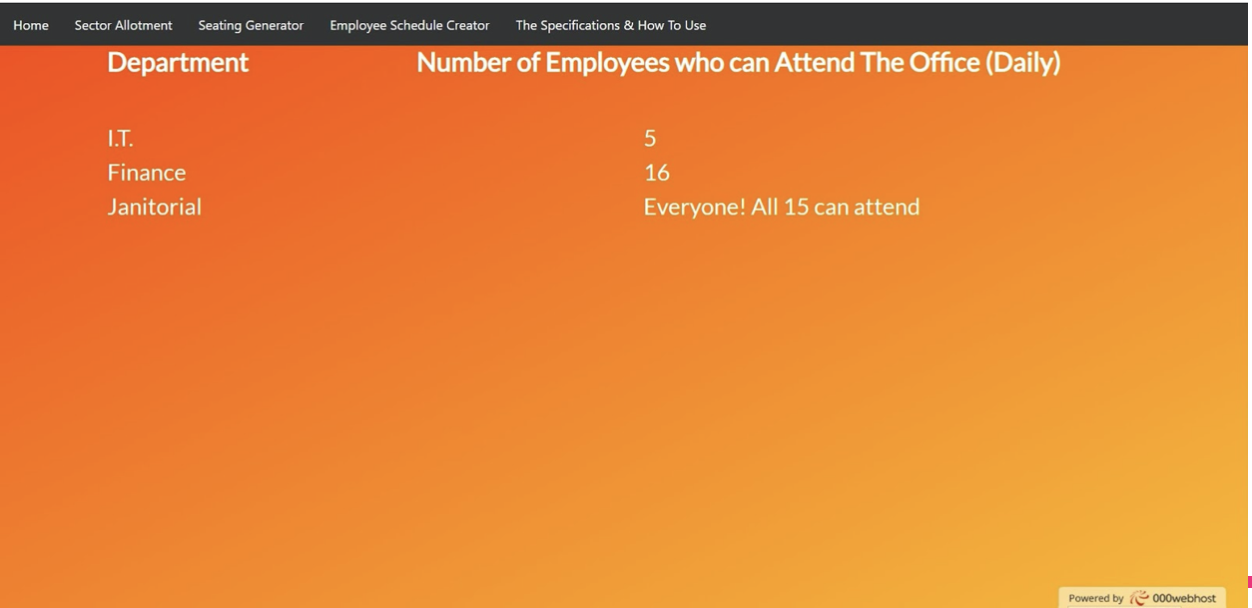
ReOpen consists of 3 tools that allow for businesses to plan around the COVID-19 pandemic. The first tool is the sector allotment tool, which allows for businesses to see how many people each sector in their business should attend each work each day depending on how important it is for a certain sector to be physically present at work. The second tool is a seating chart, which generates a scale model of the office and shows the business owner where employees’ desks should be located to ensure they are all a safe distance apart. The generated image is also given with a key, which displays the scale of the image(how many pixels in the image equal on real life foot). Finally, ReOpen has the Employee Schedule Generator tool. We’ve already created the seating for the specific room, but since not every employee from the company will attend work every day, we need to create a schedule for which specific employees attend work on which specific days. This tool allows the business owner to generate this data over a 30 business day period, and download it as a text file. Ultimately, these 3 tools all assist the business owner in determining the safest way to re-open their business and operate.
Sector Allotment
Using information provided by government regulations, COVID-19 Reports by JHU, and the Centers for Disease Control and Prevention, our team developed an algorithm to determine the total area of space for each individual in order to maintain a safe distance from their colleagues from all sides. Then, using the total square footage in the room, we calculated how many employees could fit into the office while accounting for a marginal error of space taken up. However, because some departments require a larger attendance at the office in comparison to others, our algorithm uses the priorities and weighted averages to allot individuals from each department.
Seating Generator
The seating generator algorithm took in the length, width, and amount of people in a room. It first checked to see if it was possible for these people to fit in the room given social distancing standards. If it was, then the JavaScript code stored the width and length of the computer screen in cookies to be accessed later. The PHP script then accessed the height and width of the screen and determined the ratio of width to height, creating a room that took half the width of the screen and had a height determined by ratio * displayed with. This generated a “model room” that was to the same scale as the original room. Finally, employees were distributed throughout the room in the most efficient way while still ensuring that there was at least 6 feet of distance between each employee, and a scale was generated by dividing the total width of the room by the displayed width in pixels.
Employee Schedule Creator
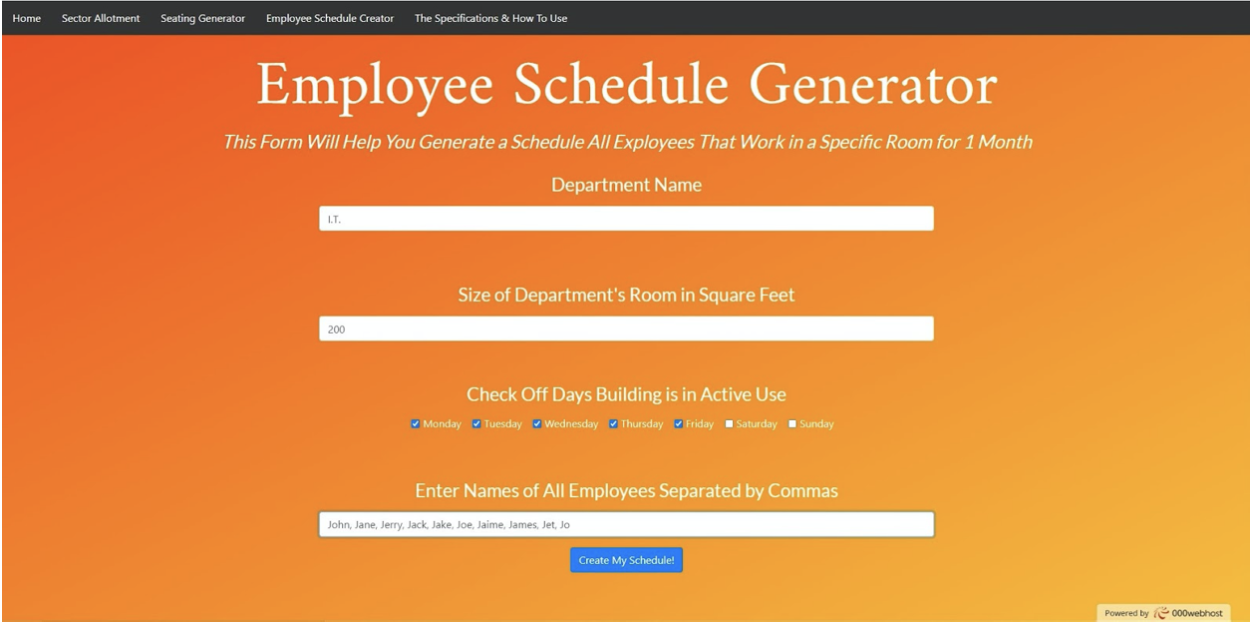
The employee schedule creator algorithm first split the given employees into a list to ensure that they could all be allocated into respective shifts. The algorithm then determined the maximum number of employees that could work in the given room on each possible day. Then, the algorithm went through the given list of names for a 30 day period and created a schedule for each day such that each employee would work an equal amount of days throughout a 30 day period. Finally, the day of the week, as well as the employees working on that specific day, were written into a file which was then displayed as a button the user could click to download the file.
Challenges I ran into
Making the site easy to use: As a result of the web application containing three different tools which we were so accustomed to, it was often difficult to gauge how navigation-friendly and intuitive the site was. Hence, we gave the site to our family members to see if they could use and understand the site easily. Unfortunately, the site proved to be too difficult to navigate for them. To cope with this, we implemented features with the purpose of making the site clearer for new users.Our first objective regarding this was adding a button on the home page of the site that would take users to a diagram that we had created. This diagram was developed and formatted in such a way that it would easily provide an outline of the steps that needed to be taken in order for the user to re open their own business, as well as provide a short summary of each tool. Next, on the page of each tool, we added a short description under the title of the tool that briefly explained the functionality and output of the tool. Finally, we formatted our results pages to be cleaner and more visually appealing. All of this helped to guide users across the site and make it more intuitive and user friendly.
Coordination for a virtual hackathon: This was our first time doing a virtual hackathon, and the fact that none of us could meet each other only made working together on the project more difficult. It was definitely hard at first to coordinate who would take on what part of the project and delegate work. We overcame this project by getting on a group call and dividing up portions of the site. In doing so, we divided and conquered several portions of the site and ultimately were able to properly work together to build our application.
Future Plans That We Will Integrate
- Calculate the chances of a business’s employees being affected by Coronavirus based off of an image of the current seating arrangements of the rooms in the building.
- Converting the 2D Seating Arrangement Diagram generated into a 3D design using EchoAR.
- Provide the user with COVID-19 alerts and information relative to the location of their business’s building.
- Allow businesses to enter the efficiency/work ethic of each employee for the schedule generator to keep certain employees around for more days.
Built With
- 000webhostapp
- bootstrap
- cdc
- cdn
- cookies
- css3
- filestream
- html
- javascript
- pace
- php
- wow


Log in or sign up for Devpost to join the conversation.