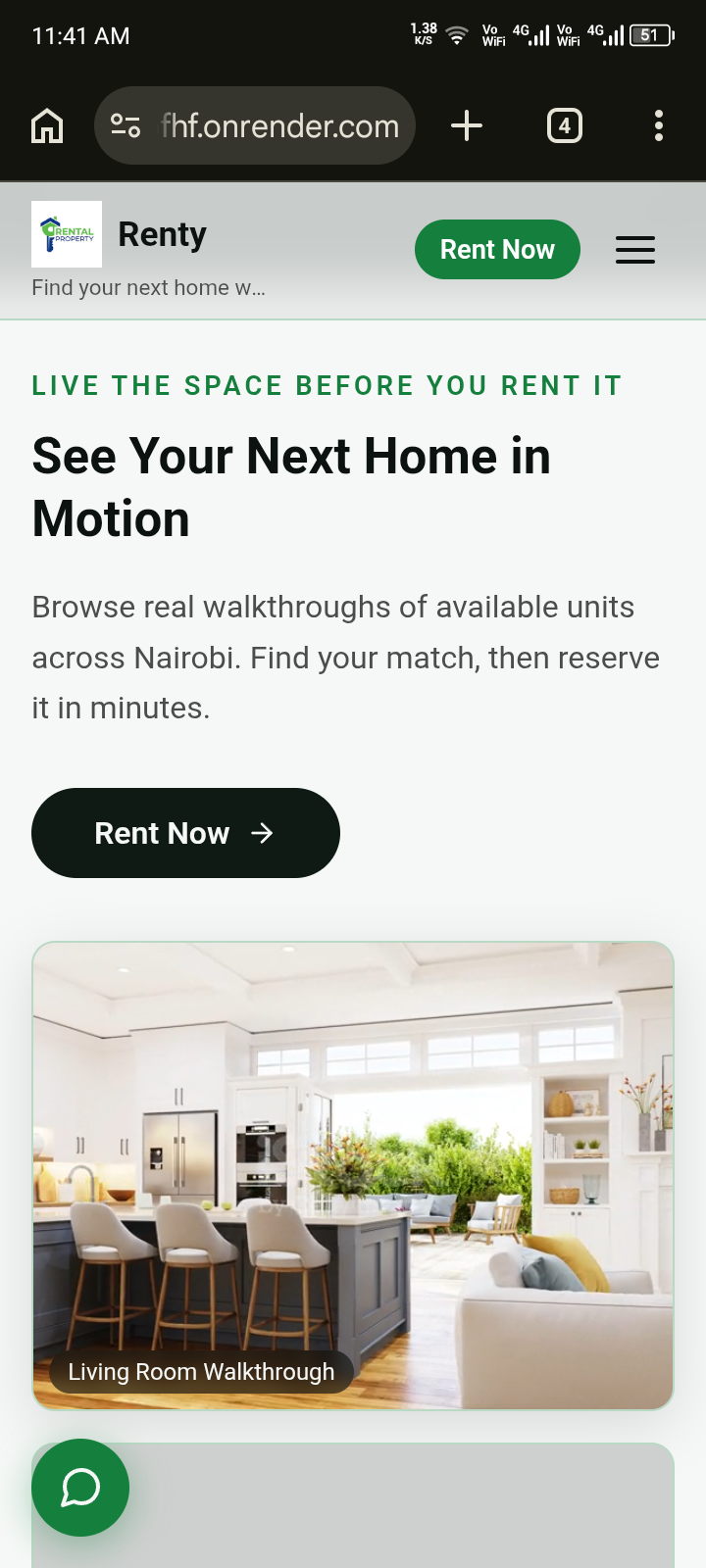
Renty — Rental Marketplace, House Listings & Secure Payment Platform
Status: Pre-production — see Section 15 checklist before launch | Version: 1.0.0 | Last Updated: September 2026
Renty is a full-stack rental platform built for a modern housing marketplace. Clients can browse available homes, visit listings, reserve units, and pay securely through the platform using M-Pesa-based rental payment flows. The system includes public property pages, role-based dashboards for landlords and business users, payment tracking, and operational analytics for rental management.
This README explains how the app works for clients and landlords, how the rental flow is managed, how to run the project locally, and how the payment and API architecture are organized.
1. What Renty Does
Renty is built around a simple rental lifecycle:
- A client browses available houses by location, property type, and rent range.
- A client can view a listing, check the details, and arrange a visit or contact the landlord.
- A client can reserve a unit and start the payment flow.
- The platform validates availability and secures the unit temporarily.
- The landlord and business admin can review and manage the transaction.
- The platform keeps a record of each payment, status change, and rental outcome.
Primary user roles
- Client: searches for homes, reserves units, and pays for the rental.
- Landlord: manages units, reviews interest, and receives approved payouts.
- Business/Admin: oversees listings, clients, payment flow, and rental operations.
2. The Renty Rental Flow
This is the main customer journey supported by the platform:
- A client visits the platform and browses available rental homes.
- They select a property, review the unit details, and may arrange a viewing or contact the landlord.
- If the client is interested, they start the rental flow from the listing page.
- The backend checks whether the unit is still available and reserves it briefly to prevent double-booking.
- The platform creates a payment record and sends a payment request to the client's M-Pesa number.
- Once the payment is confirmed, the system marks it as paid and keeps it in the validation flow.
- After move-in confirmation or final approval, the payment is released to the landlord and the transaction is recorded as complete.
This flow is designed to protect both sides:
- the client is not sending money to an unavailable property
- the landlord is protected from a listing being reserved without a valid payment trail
- the business can track the lifecycle of each reservation and payment
3. Key System Features
- Property marketplace: listing cards, search, filtering, and detailed unit pages
- House management: create, update, and remove rental listings
- Client booking flow: reserve a property and trigger a payment request
- M-Pesa payment processing: payment initiation and payment status tracking
- Landlord payment view: monitor payments tied to their listings
- Admin dashboards: manage listings, clients, landlords, and platform records
- Chatbot support: knowledge-based assistant for common rental enquiries
- Analytics: monitor leads, unit activity, payment flow, and platform performance
- Media handling: image uploads through Cloudinary
- Email and OTP flows: password reset and account-related communication
4. Platform Structure
The application is split into a public frontend, a backend API, and multiple role-based management areas.
Frontend
The client-facing UI is built with React + Vite and provides the rental marketplace experience.
Backend
The backend is built with Node.js + Express and stores most operational data in MongoDB.
Role-based modules
The app includes separate API sections for:
- public home and property pages
- business dashboard operations
- landlord operations
- client rental and payment operations
- webhook handling for payment callbacks
- analytics endpoints
This separation organizes the rental logic into distinct route files. Note: organizing routes into separate files by role is not the same as enforcing those roles — see Section 15 for what still needs to be confirmed server-side before this separation can be relied on as a real access control boundary.
5. Technology Stack
| Layer | Technology |
|---|---|
| Frontend | React, Vite, React Router |
| Backend | Node.js, Express |
| Database | MongoDB with Mongoose |
| Auth | JWT with cookie-based session handling |
| Payment | M-Pesa / Daraja-style STK integration |
| Media | Cloudinary |
| Resend / nodemailer | |
| Security | express-rate-limit, route-level auth checks |
| Dev tooling | nodemon, concurrently |
6. Main Application Flow
Public side
- users browse houses
- users inspect property details and landlord information
- users make enquiries or contact the platform
Client side
- client profile is completed
- unit is reserved
- payment request is initiated
- payment status is monitored and updated
Landlord side
- landlord manages units
- landlord reviews rental interest and payment activity
- landlord receives approved payouts after the relevant workflow completes
Business side
- manages listings and records
- reviews clients and landlord data
- monitors analytics and operational trends
- handles cancellations and payment-related business processes
7. Repository Layout
Renty/
├── backend/
│   ├── config/
│   ├── controllers/
│   ├── middleware/
│   ├── models/
│   ├── routes/
│   ├── utils/
│   ├── package.json
│   └── server.js
├── client/
│   ├── src/
│   ├── package.json
│   ├── vite.config.js
│   └── index.html
├── package.json
├── Dockerfile
├── render.yaml
└── README.md
Security note: a previous version of this repository listing included a cookies.txt file at the project root — almost certainly a byproduct of local testing with curl -c cookies.txt. That file has been removed from this documentation and should be:
- Deleted from the working directory if it still exists.
- Confirmed absent from git history — if it was ever committed with a real session token inside, deleting the file alone does not remove it from history. Use
git log --all --full-history -- cookies.txtto check, and if it was committed, treatJWT_SECRETas compromised and rotate it. - Added to
.gitignore(e.g.cookies.txt,*.cookies) to prevent this recurring.
8. Local Setup
Prerequisites
- Node.js 18+
- npm
- MongoDB running locally or via MongoDB Atlas
- M-Pesa/Daraja payment credentials for live payment flows
Install dependencies
From the project root:
npm install
cd client && npm install
cd ../backend && npm install
cd ..
Run locally
From the root:
npm run dev
This starts the frontend and backend together through the root script.
If you want to run them separately:
cd client && npm run dev
cd backend && npm run dev
The frontend usually runs on:
http://localhost:5173
The backend usually runs on:
http://localhost:5000
9. Environment Variables
Create a .env file inside the backend folder before starting the app.
PORT=5000
NODE_ENV=development
MONGODB_URI=mongodb://localhost:27017/renty
JWT_SECRET=super_secret_key
CLIENT_URL=http://localhost:5173
VITE_WHATSAPP_NUMBER=2547XXXXXXXX
RESEND_API_KEY=your_resend_api_key
CLOUDINARY_CLOUD_NAME=your_cloud_name
CLOUDINARY_API_KEY=your_api_key
CLOUDINARY_API_SECRET=your_api_secret
Variable notes
| Variable | Required | Purpose |
|---|---|---|
MONGODB_URI |
Yes | MongoDB connection string |
JWT_SECRET |
Yes | Signs authentication tokens |
CLIENT_URL |
Recommended | Frontend origin used by CORS and cookies |
CLOUDINARY_* |
Yes for uploads | Stores listing images |
RESEND_API_KEY |
Yes for email flows | Sends OTP and account emails |
VITE_WHATSAPP_NUMBER |
Optional | Used for direct WhatsApp/contact links |
PORT |
Optional | Defaults to 5000 |
10. How the Payment Flow Works in Renty
The project includes a transaction flow designed around rental reservation and fund protection.
Payment lifecycle
- A client chooses a house.
- The unit is checked for availability.
- The unit is reserved for a short period so it is not double-booked.
- A
Paymentrecord is created in the database. - The backend calls the payment provider to initiate an M-Pesa STK push or payment request.
- The provider confirms the payment asynchronously through a webhook.
- The payment status updates from pending to paid.
- The client confirms or approves the payout flow when the move-in condition is met.
- The landlord receives the approved payout.
Backend implementation notes
The actual flow is handled in these modules:
backend/controllers/clientPaymentController.jsbackend/controllers/landlordPaymentController.jsbackend/utils/mpesaUtil.jsbackend/utils/paymentsUtil.jsbackend/routes/clientRentRoutes.jsbackend/routes/clientPaymentRoutes.jsbackend/routes/webhookRoutes.jsbackend/models/Payment.js
Important, unconfirmed detail: the reservation step (Step 3) needs to be an atomic database operation (e.g. a single findOneAndUpdate with a status guard condition), not a separate read-then-write. If it's currently implemented as "check availability" followed by a later "mark reserved" as two separate steps, two clients reserving within milliseconds of each other could both succeed, defeating the double-booking protection this section describes. Confirm which pattern is actually used in clientRentRoutes.js before relying on this guarantee.
Because this platform holds client funds between payment and payout release, this is functionally a fund-holding/escrow arrangement, regardless of what it's called in documentation. Before processing real transactions, this should be reviewed against Kenya's National Payment System Act and any applicable Central Bank of Kenya guidance — separate from simply having M-Pesa/Daraja API credentials.
11. Public and Protected Routes
Public rental routes
These routes expose the marketplace to the public.
Examples:
GET /api/houses/searchGET /api/houses/unitsGET /api/houses/units/allGET /api/houses/units/:idGET /api/houses/units/landlord/:landlordId
Client routes
Protected routes for signed-in clients.
Examples:
POST /api/client/rentGET /api/client/paymentsGET /api/client/payments/:paymentId/status
Landlord routes
Examples:
GET /api/landlord/paymentsGET /api/landlord/unitsGET /api/landlord/clients
Business routes
Examples:
GET /api/business/unitsGET /api/business/clientsGET /api/business/landlordsGET /api/business/cancellations
Webhook route
POST /api/webhooks
This is used to receive payment confirmations and update the payment state in the system. See Section 15 — this endpoint's authenticity verification needs to be confirmed before production use.
12. API Overview
Auth
POST /api/registerPOST /api/loginGET /api/profilePOST /api/logoutPOST /api/reset/requestPOST /api/reset/confirm
Houses / listings
GET /api/houses/searchGET /api/houses/unitsGET /api/houses/units/allGET /api/houses/units/:idPOST /api/housesPUT /api/houses/:idDELETE /api/houses/:id
Client payment flow
POST /api/client/rentGET /api/client/payments/:paymentId/statusGET /api/client/payments
Landlord payment data
GET /api/landlord/payments
Analytics
/api/analytics/blogs/api/analytics/bot/api/analytics/guides/api/analytics/leads
13. Business and Admin Use Cases
Renty is not only a listing app; it is also an operational management system.
Typical admin tasks include:
- add and update rental units
- manage landlord profiles
- review client leads and enquiries
- supervise payment records and payout states
- review complaints and cancellations
- monitor analytics and property performance
- maintain chatbot knowledge content
This makes the platform suitable for a real rental business that needs a single operational layer for both the public marketplace and internal management.
14. Security & Production Notes
- JWT tokens are stored in secure cookies when used in browser sessions.
- Route-level access checks ensure protected endpoints are only available to authorized users — see Section 15 for what "authorized" needs to mean here specifically (authenticated vs. correct role).
- Sensitive routes are protected by authentication and role enforcement — unconfirmed; verify before launch, see Section 15.
- Payment routes are guarded by role restrictions so only valid client or landlord flows are allowed — unconfirmed; verify before launch, see Section 15.
- The app is designed to run behind a trusted reverse proxy environment such as Render while preserving correct
req.ipand rate limiting behavior. - Server startup will fail without critical environment variables such as MongoDB and JWT configuration.
Recommended production practices
- use HTTPS in production
- set secure cookie settings for hosting behind proxies
- protect payment credentials and provider secrets
- test webhook callbacks in staging before production release
- review logs and payment states regularly
15. Production Readiness Checklist — Confirm Before Launch
These items are called out separately, deliberately, rather than folded into the feature list above — each one is either unverified or a known gap as of this version, and each carries real risk (financial, legal, or security) if assumed done without checking:
- [ ] Role enforcement is checked server-side, not just organized by folder. Confirm middleware verifies a user's
rolefield (or equivalent) on every landlord/business/client route — not just that the routes live in separate files. A valid client JWT should not be able to successfully call a/api/business/*or/api/landlord/*endpoint. - [ ] Webhook authenticity is verified.
POST /api/webhooksshould reject requests that don't genuinely originate from Safaricom's Daraja API — via IP allowlisting, a shared secret/signature check, or both. Without this, anyone who discovers the URL could POST a fake "payment confirmed" event. - [ ] Reservation is atomic. Confirm the availability-check-and-reserve step in
clientRentRoutes.jsis a single atomic database operation, not a check followed by a separate write. - [ ]
cookies.txtis not, and never was, committed to version control. See Section 7. - [ ] A refund/dispute path exists. Current documentation ends at "landlord receives payout" with no described process for a client backing out post-payment, or a landlord failing to complete move-in. This will happen in real use and needs a defined flow (even a manual one, initially) before launch.
- [ ] Fund-holding compliance has been reviewed. See the note in Section 10 — holding client funds between payment and payout may carry regulatory obligations beyond having payment provider credentials.
16. Deployment
The project includes Docker and Render configuration files for deployment.
Typical deployment flow:
- configure environment variables in the host
- ensure MongoDB is reachable from the deploy environment
- configure payment credentials and webhook URLs
- build the frontend and serve the backend appropriately
- complete the Section 15 checklist
- deploy and test the live rental flow end to end
17. Summary
Renty is a rental marketplace and operations platform built to manage the full lifecycle of a property transaction:
- discovery
- visit arrangement
- reservation
- secure payment
- owner payout
- operational oversight
The project combines a public-facing property marketplace with business logic for clients, landlords, and platform staff, and it is structured to support a real rental business rather than a simple static listing site. Because it handles real money and multiple user roles with different access levels, the Section 15 checklist should be treated as required, not optional, before this is used for genuine transactions.
18. Contact & Support
For support, customization, or deployment questions, contact the maintainer:
- Name: Simon Mbithi
- Email: [email protected]
- Phone: +254 703 433 014
- GitHub: github.com/SIMON-cloud-tech
If you want to extend the platform further, the most natural next improvements are:
- richer rental filters and saved searches
- landlord onboarding workflow
- stronger payout approval dashboard
- automated reminders and move-in confirmations
- more advanced analytics and reporting
Built With
- css
- dockerfile
- html
- javascript
- mongodb
- react


Log in or sign up for Devpost to join the conversation.