-
-
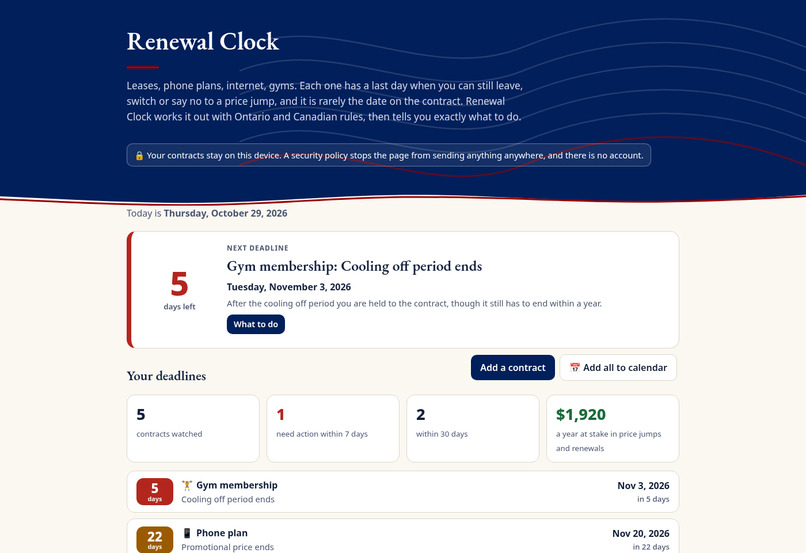
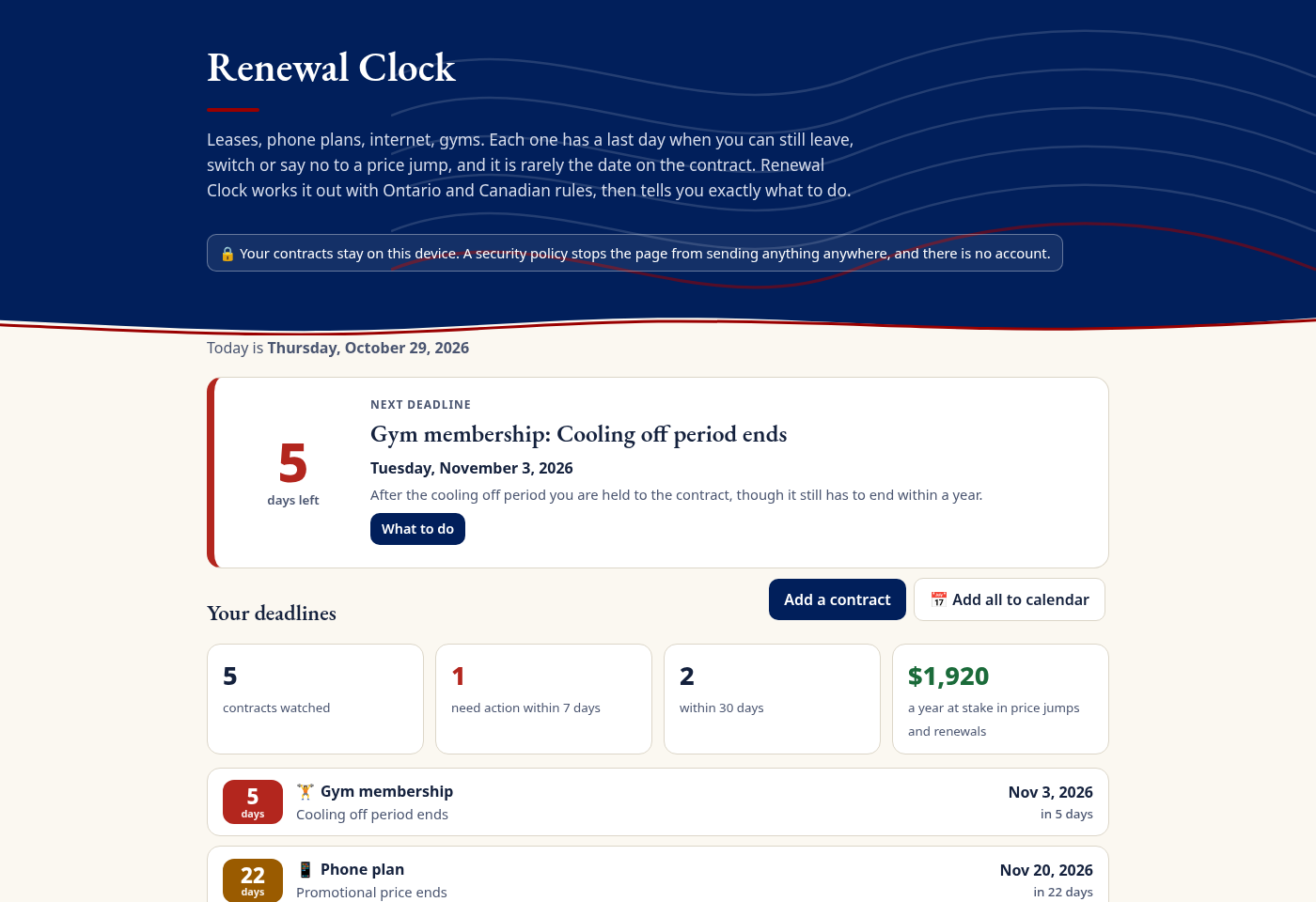
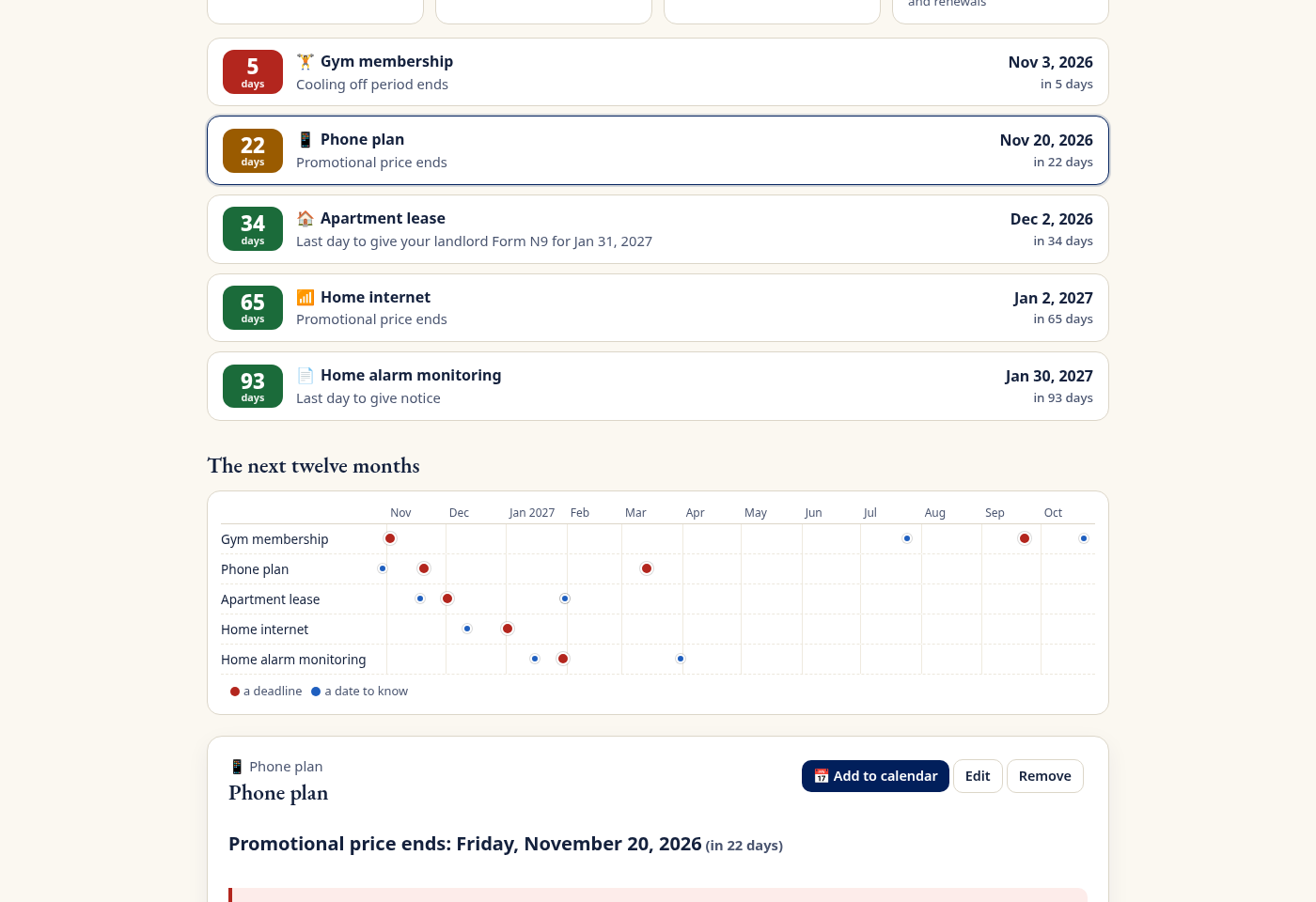
Five contracts, five countdowns: the next deadline on top and $1,920 a year at stake
-
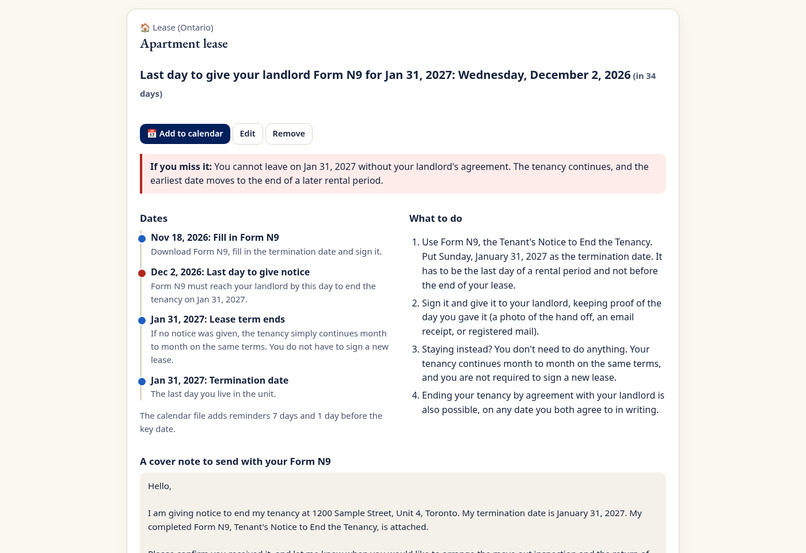
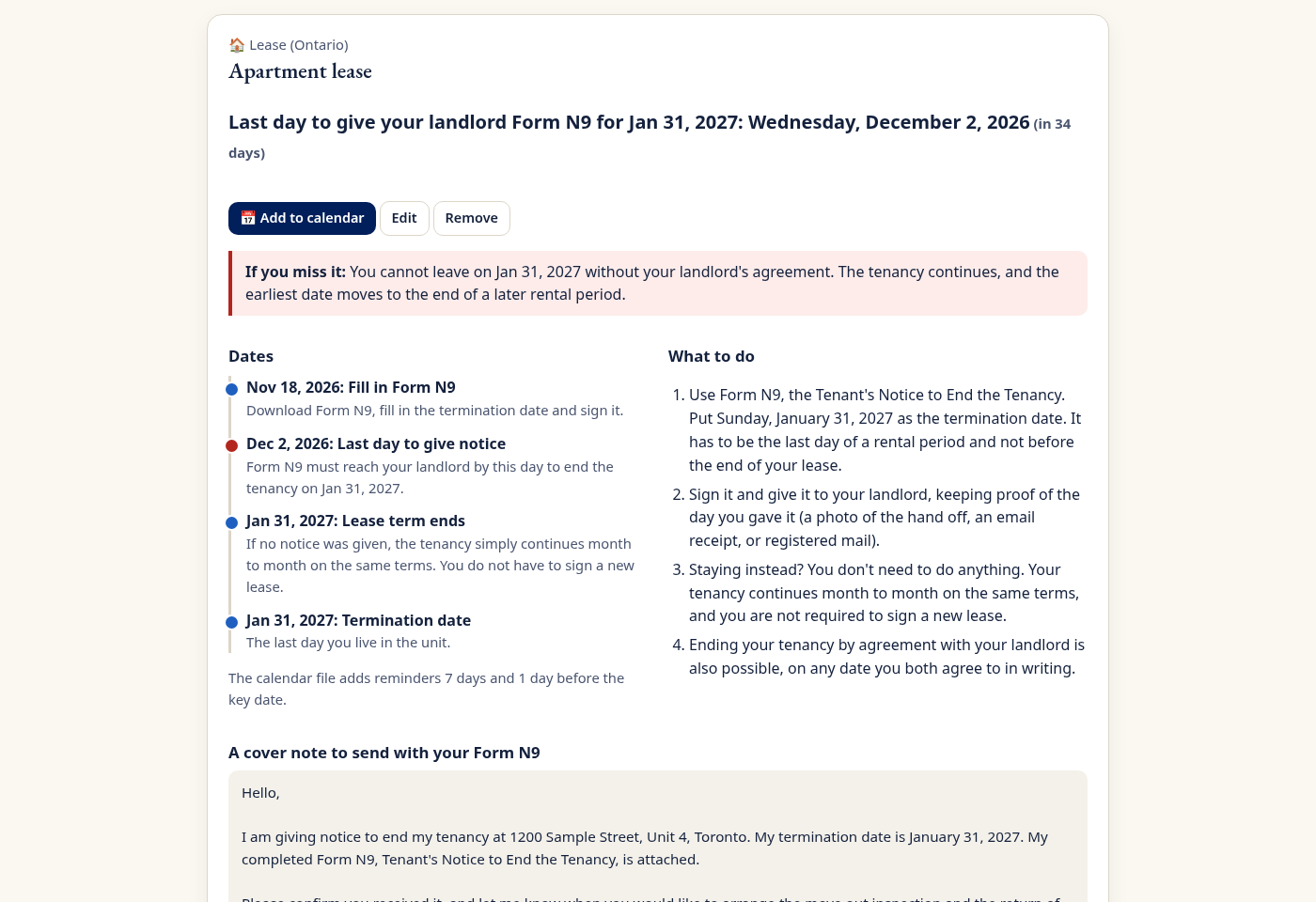
A lease ending January 31 needs Form N9 by December 2. What happens if you miss it, the steps and a note to send
-
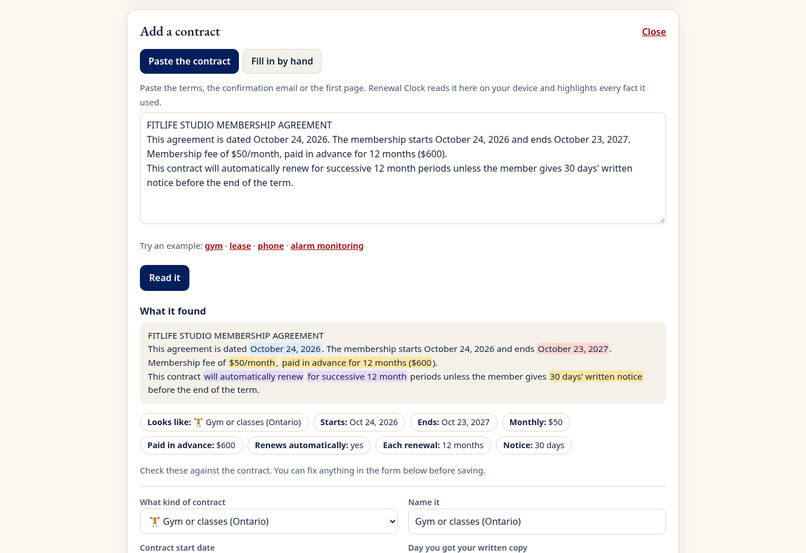
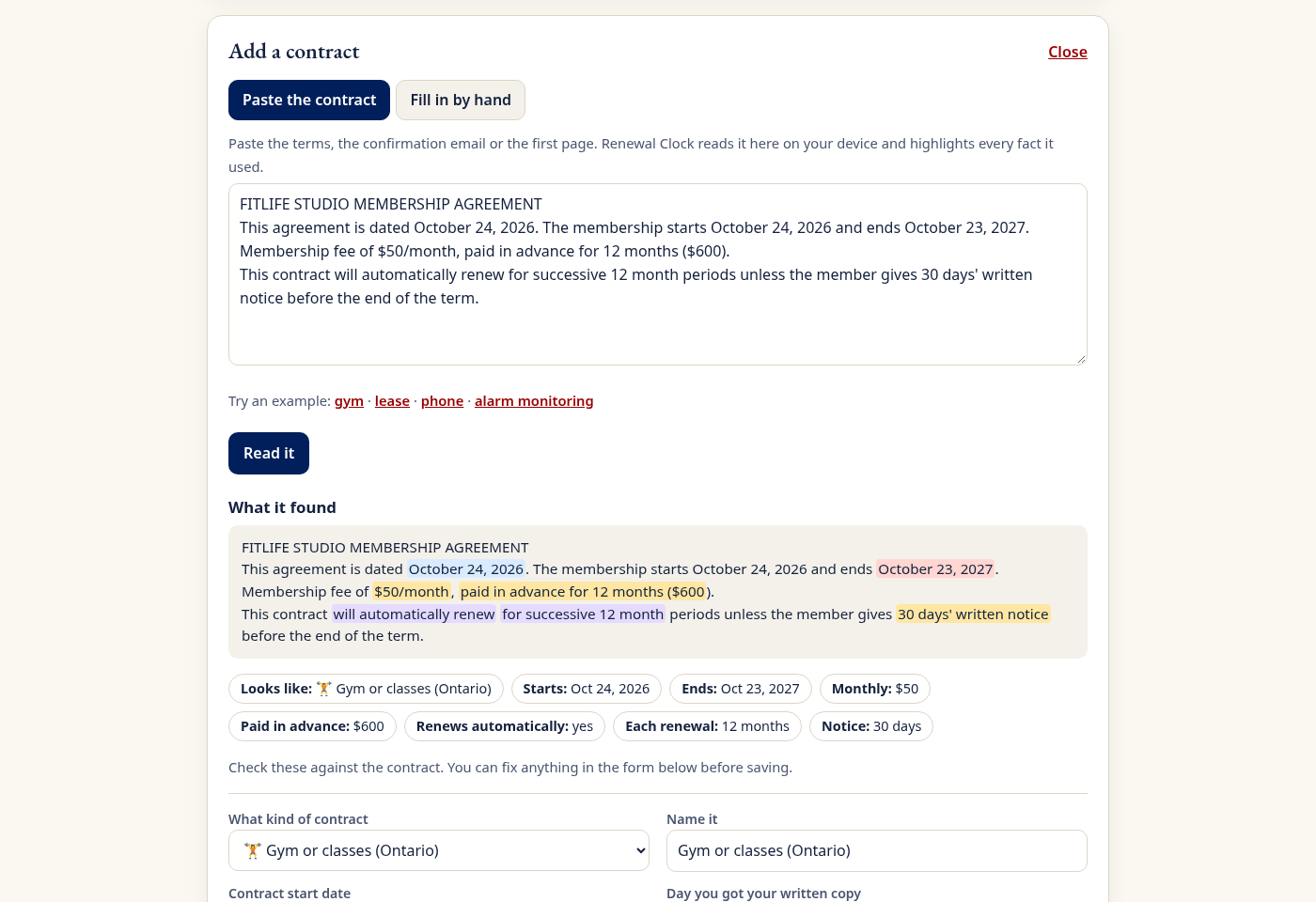
Paste a contract and it highlights every fact it used: dates, auto renewal, notice, money paid up front
-
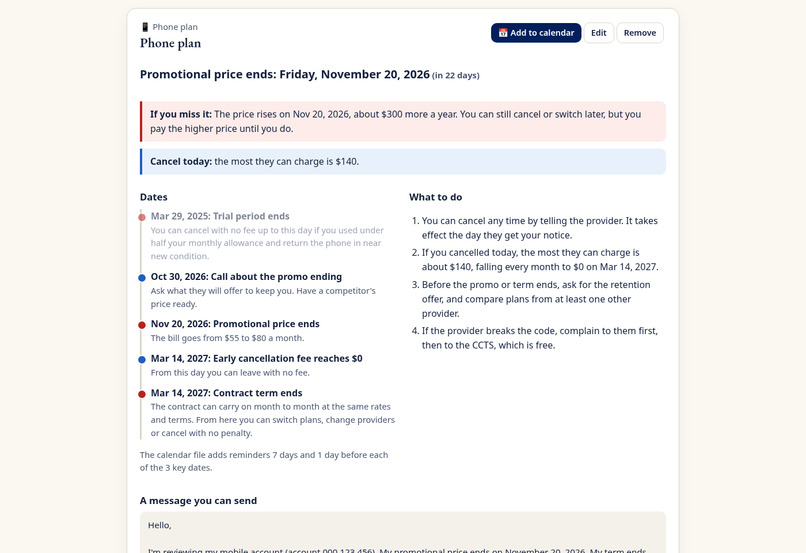
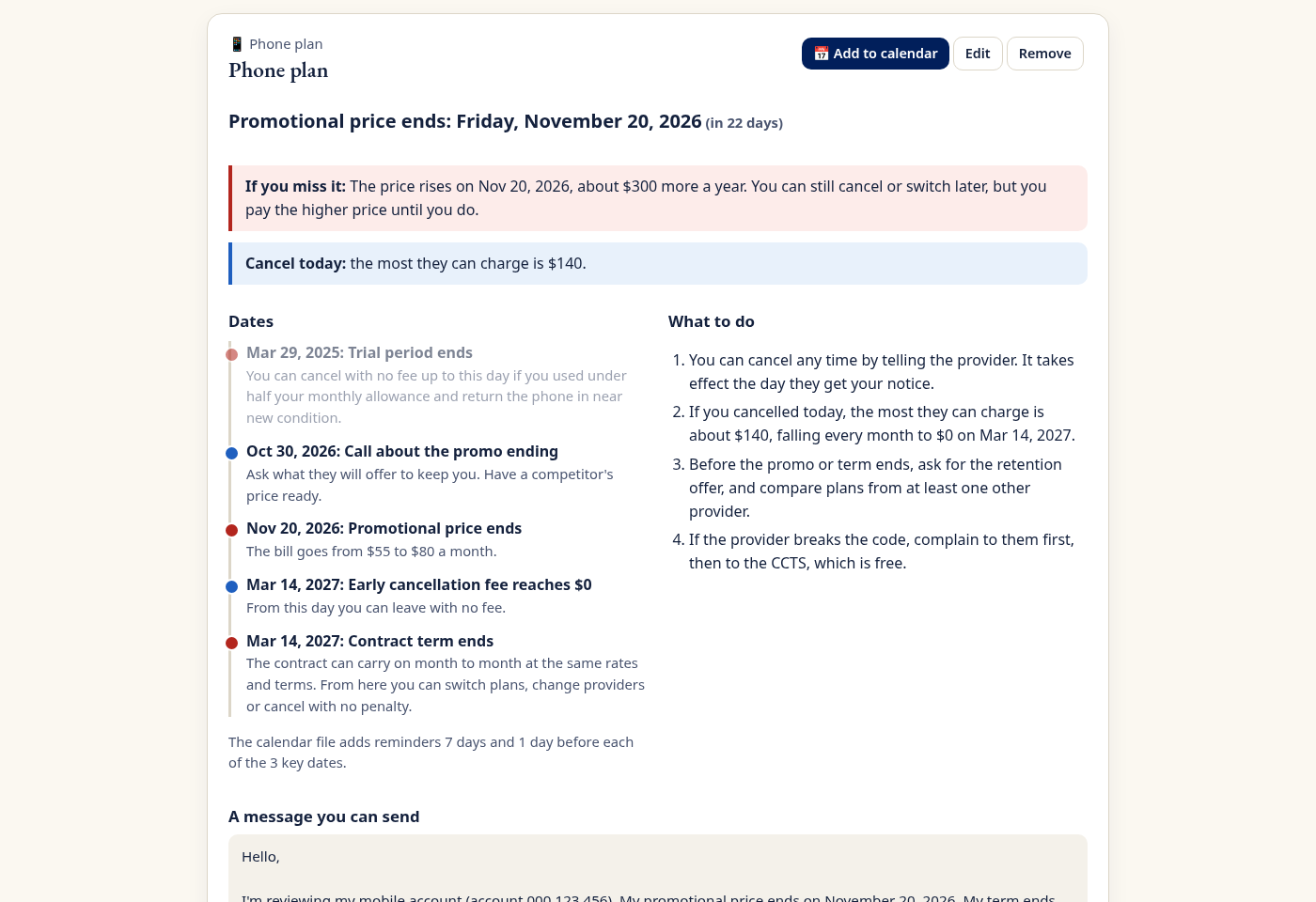
Phone plan: the promo cliff in 22 days, and the most they can charge if you cancel today
-
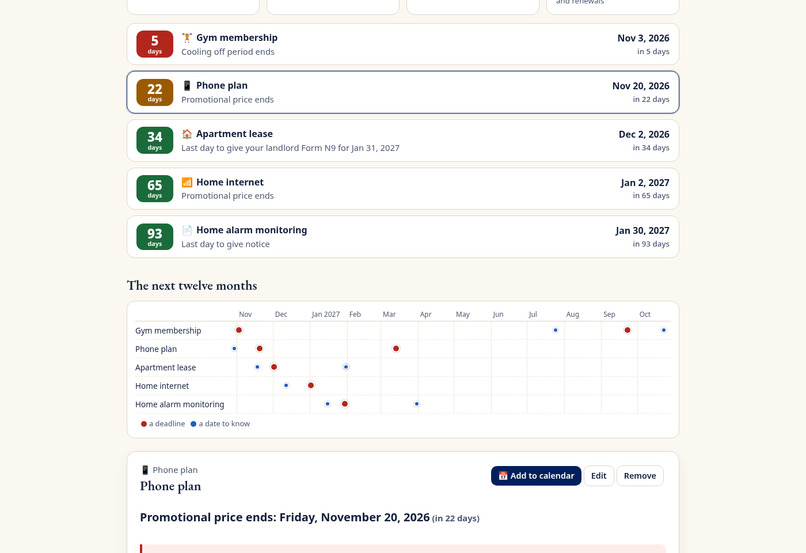
Every contract sorted by days left, and the whole year on one line
-
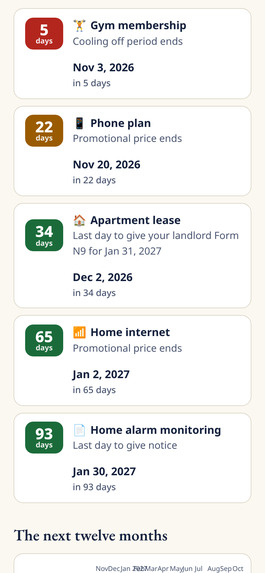
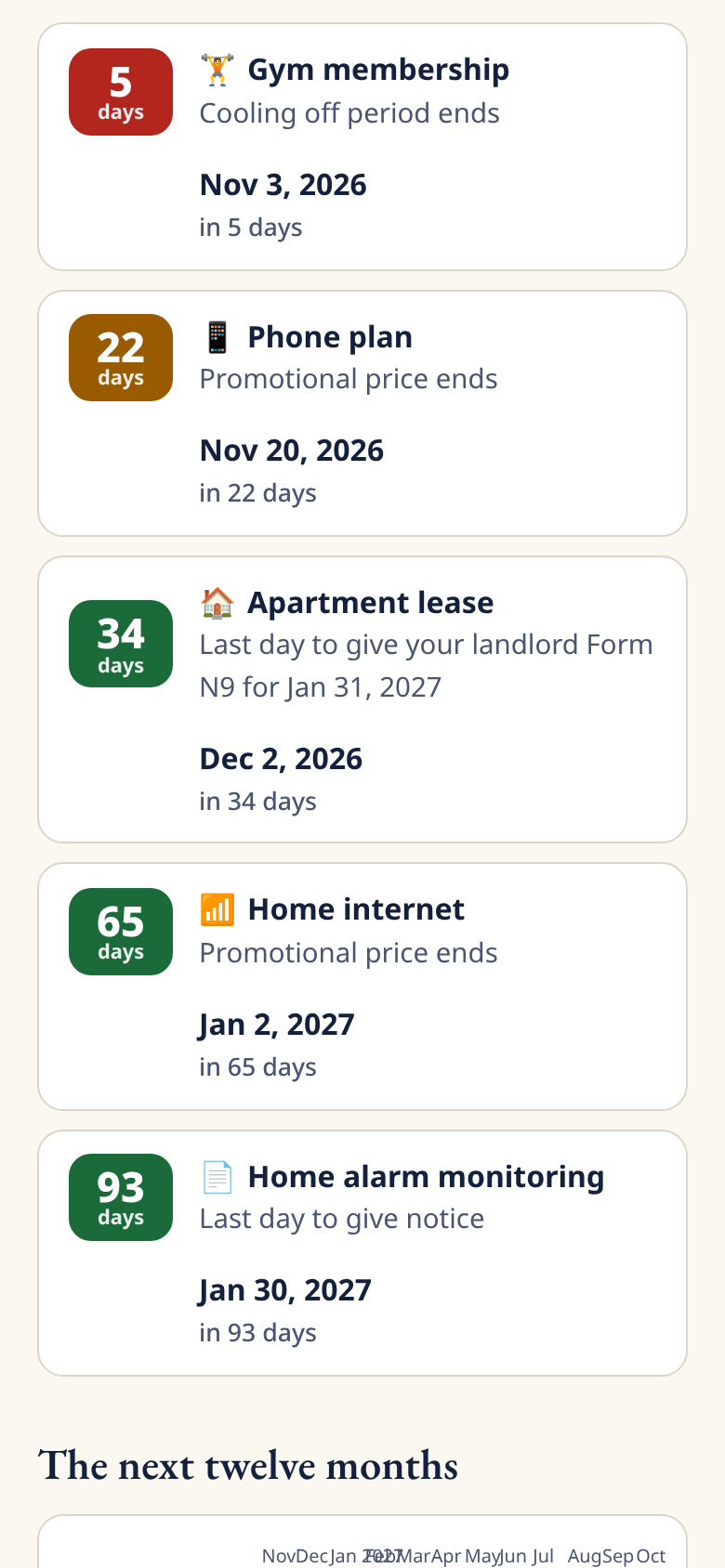
On a phone, red means act this week
-
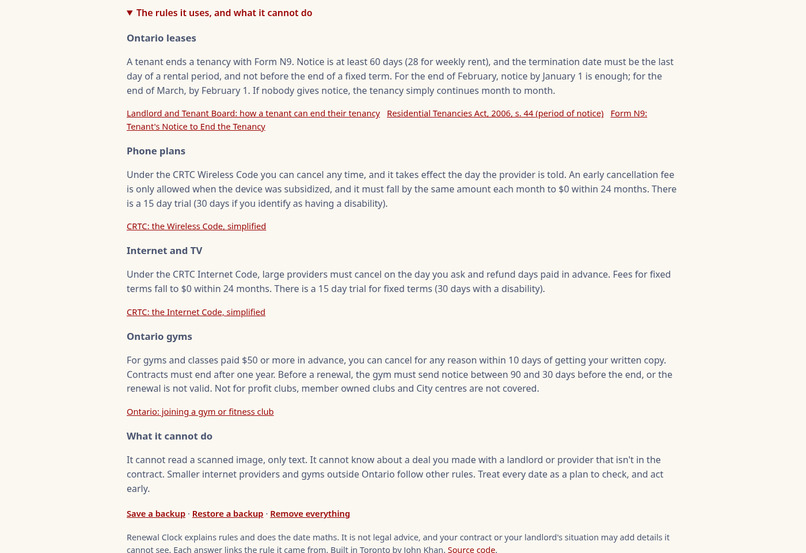
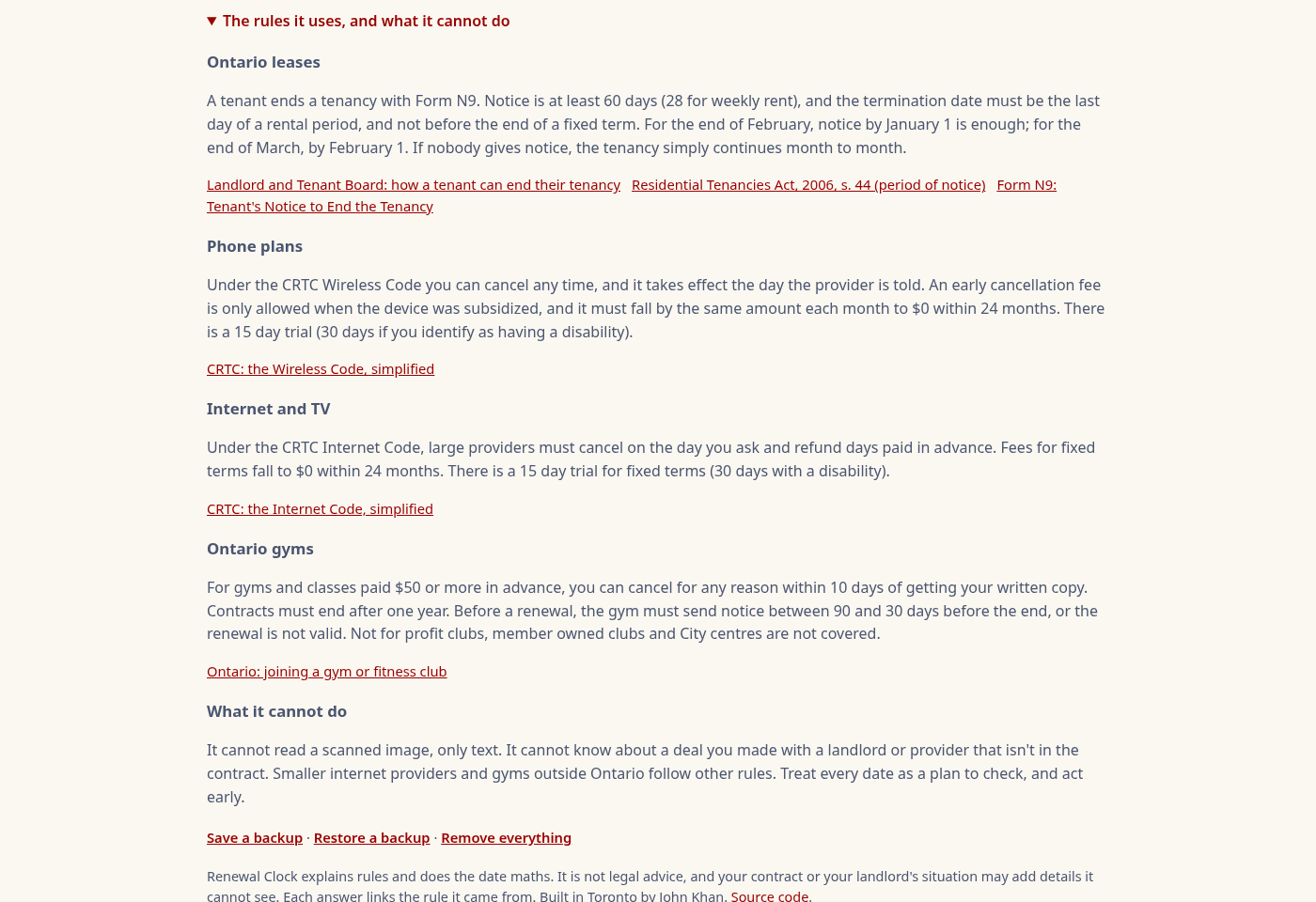
Every rule in plain words with its source, and what the app cannot do
-
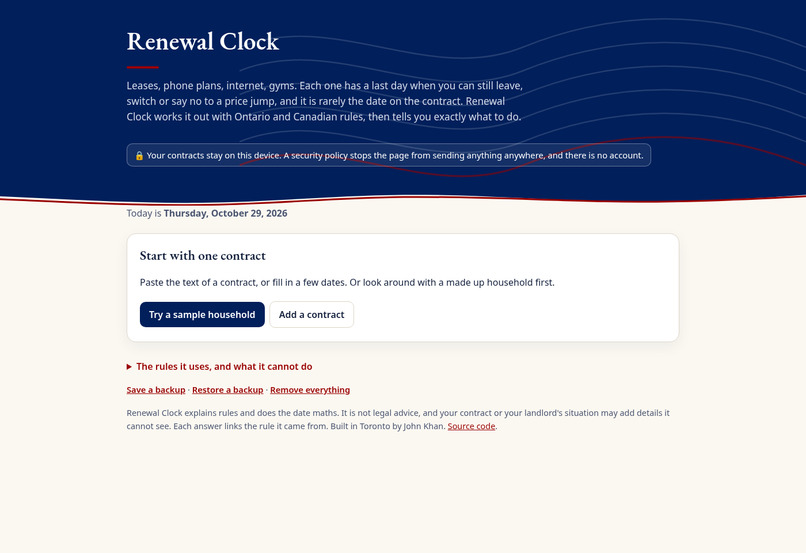
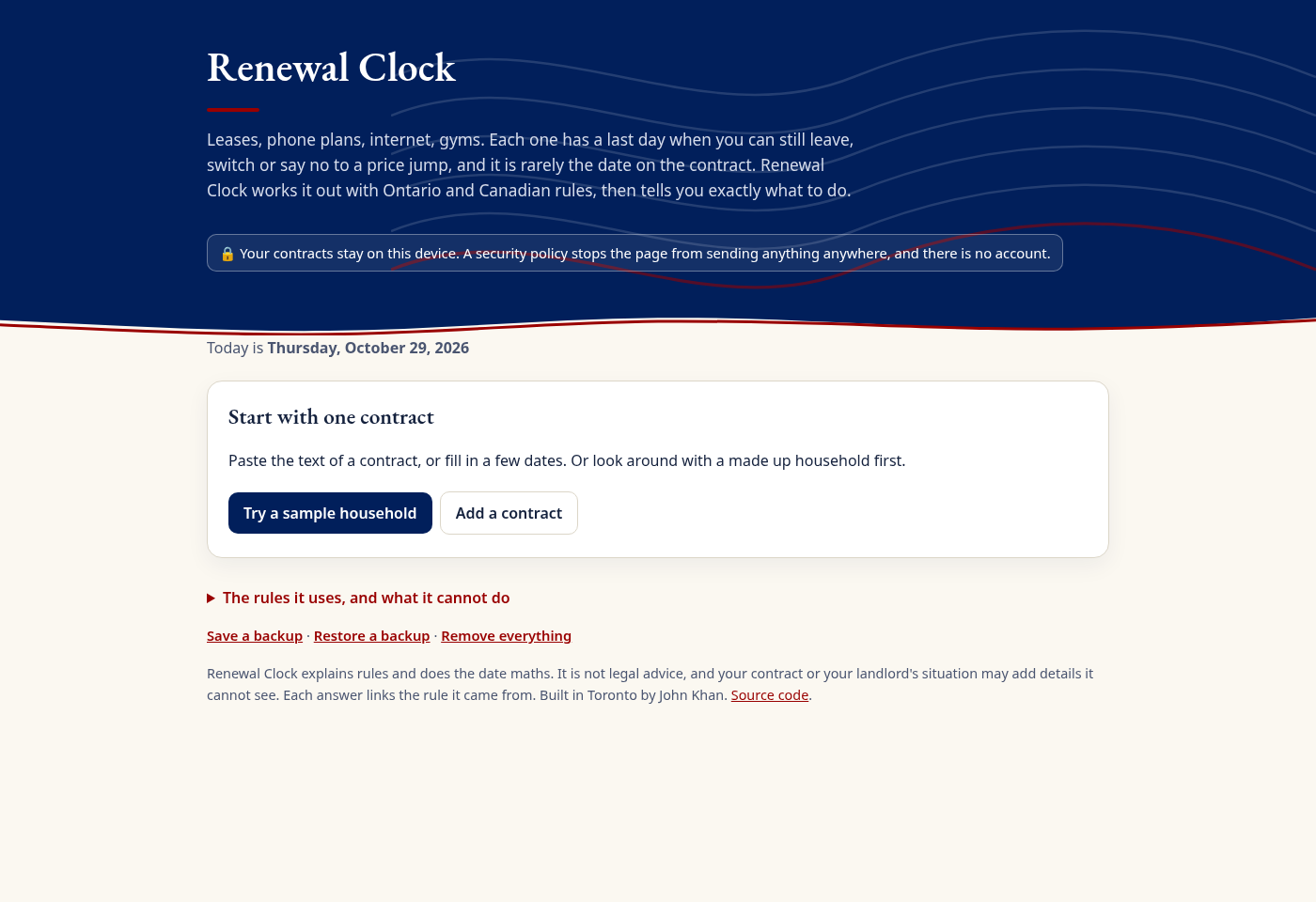
No account. Your contracts stay on your device
Inspiration
A lease that ends January 31 in Ontario needs notice by December 2. A phone promo ends and the bill jumps $25 a month. A gym contract renews itself unless you write 30 days before. None of these dates is printed anywhere obvious, and the price of missing one is real: two more months of rent, a year at the higher price, another year of a membership you stopped using.
I wanted one place that answers a single question for every contract a household has: what is the last day I can still act, and what do I do?
Who it is for
Renters, students and anyone in Ontario juggling a lease, a phone plan, home internet, a gym and a couple of service contracts. Especially people who are moving, changing jobs or watching their budget, and don't have time to read the Residential Tenancies Act or the CRTC codes.
What it does
- The last day to act, for each contract. Renewal Clock turns a few dates into the real deadline using the rules that apply:
- Ontario leases: 60 days' notice on Form N9 (28 for weekly rent), ending on the last day of a rental period and not before the end of the term. It knows the February and March exceptions, rent due on other days of the month, and what happens if you don't give notice (the tenancy simply continues month to month).
- Phone plans (CRTC Wireless Code): the trial period, the promo cliff, and the early cancellation fee on any day, which by law falls by the same amount every month to $0.
- Internet and TV (CRTC Internet Code): the same, for the large providers.
- Ontario gyms (Consumer Protection Act): the 10 day cooling off period, the one year limit, and the 30 to 90 day renewal notice window.
- Anything else: an end date and a notice period, like an alarm or software contract.
- What happens if you miss it, in plain words, and if you already have, the earliest date that still works.
- The steps and a message ready to send: a cover note for Form N9, a retention call script for a promo, a cancellation letter for a gym.
- Paste the contract. A reader pulls out the dates, the term, auto renewal, notice days, the device subsidy and promo prices, and highlights the exact words it used so you can check every one before saving.
- A dashboard sorted by days left, a twelve month timeline, and the total money at stake.
- Calendar reminders: a standard .ics file with every deadline as an all day event and reminders a week and a day before. It works with Google Calendar, Apple Calendar and Outlook.
- Private by design: no account, no server. Everything is saved on your device, and a security policy stops the page from sending anything anywhere. Backups are a file you keep.
How I built it
Plain JavaScript modules, HTML and CSS, with no framework, no build step and no server, hosted free on GitHub Pages.
dates.jsdoes date only maths in whole days, so time zones and daylight saving can never move a deadline, and months clamp correctly (January 31 plus one month is February 28).rules.jsholds each rule as a small function with its source: notice periods, rental period ends, the February and March exception, the CRTC fee formula, trial periods and the gym windows.plan.jsturns a contract into its deadline, timeline, steps, warnings and message.reader.jsis a rule based clause reader that keeps the position of every match as evidence.ics.jswrites RFC 5545 calendar files with proper line folding.- 16 Node tests check the Landlord and Tenant Board's own worked examples, the February and March exception, the fee maths, the gym windows, the reader on real wording, the calendar file format, and that the page has no way to send data. A headless Chrome check runs the whole app, including a download of the calendar file and a blocked attempt to send data out.
Challenges I ran into
The tenancy rules are simple to state and easy to get wrong. "60 days before" is only the start: the date must be the last day of a rental period, not before the end of a fixed term, rent due on the 15th moves every period end to the 14th, and notice for the end of February or March has its own exception. I wrote the Board's published examples as tests first and made the code pass them.
The clause reader had to be honest. A wrong date is worse than no date, so it only fills a field when the wording around a date clearly means start, end or promo, and it shows its evidence instead of hiding it. Anything it cannot find, you type.
Accomplishments that I'm proud of
It answers the question people actually have, "when is it too late?", rather than just storing an end date. And every answer links the rule it came from.
What I learned
Most of the money people lose on contracts comes from timing, not from choosing badly. The rules that protect people are already written down; what is missing is turning them into a date on your calendar.
What's next for Renewal Clock
- French
- more provinces' tenancy rules, starting with British Columbia and Quebec
- car and home insurance renewals, and the April 2027 CRTC rule that requires 90 day notices before a contract or promo ends
- reading a PDF contract on the device
Work done during the event, and credits
- Built during LaunchPad Hacks: all of the app's code, tests, data and docs were written from scratch on October 29, 2026, inside the October 16 to November 20 hacking period.
- Pre-existing work: the navy and red page theme (
src/theme/) is reused from my earlier projects. Nothing else is reused. - Libraries: none in the app. Playwright is used only for the browser check and the demo recording.
- Data and rules: Residential Tenancies Act, 2006 and the Landlord and Tenant Board's guide and Form N9; the CRTC Wireless Code and Internet Code; the Government of Ontario's guide to gym contracts under the Consumer Protection Act, 2002. Each is linked in the app.
- AI assistance: I used an AI coding assistant to help write and test the code and the docs. I reviewed the rules against the official sources and checked the results against the Landlord and Tenant Board's examples.
- Sample data: the sample household is made up.
Setup steps (for judges who want to run it locally)
- Open https://alenzacodes.github.io/renewal-clock/, or clone https://github.com/ALENZACODES/renewal-clock and run
python3 -m http.server 8000in the folder, then open http://localhost:8000. - Click Try a sample household. Add
?today=2026-10-29to the address to see the same dates as the video. - Run the tests with
node --test(Node 20 or newer).
Built With
- css3
- github
- html5
- icalendar
- javascript
- node.js
- playwright

Log in or sign up for Devpost to join the conversation.