-
-
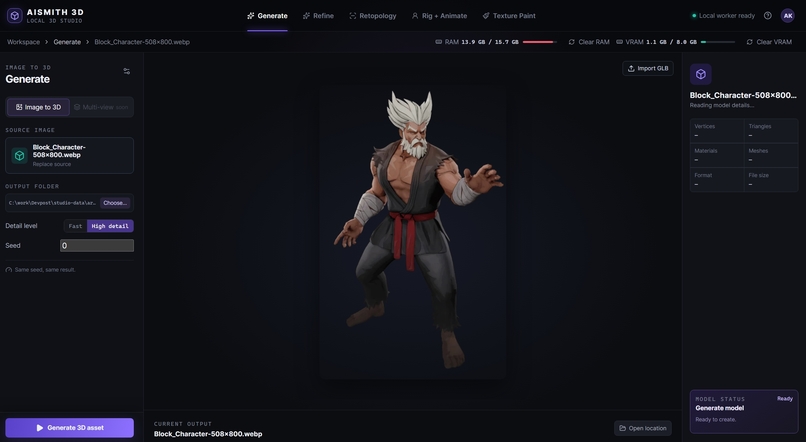
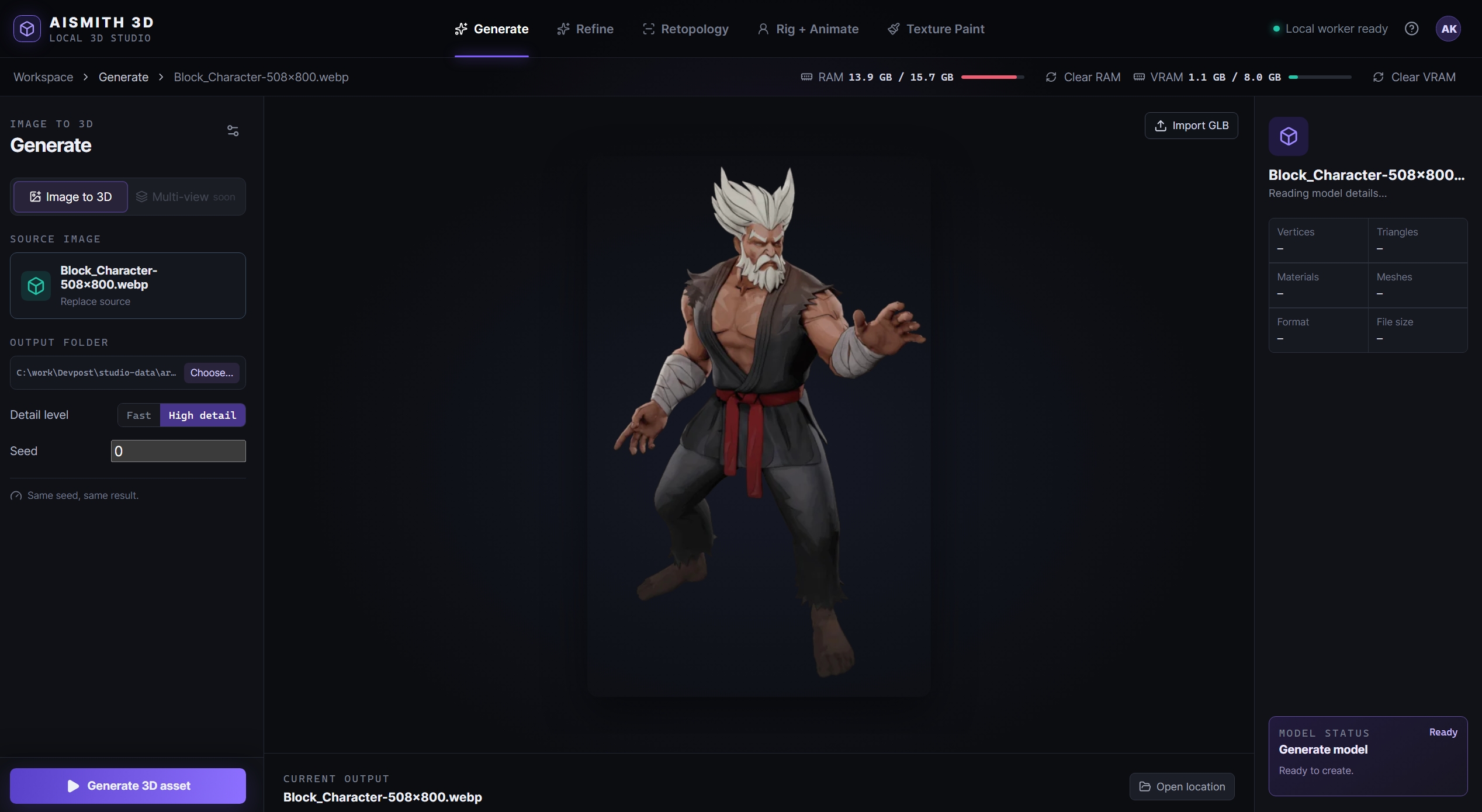
first screen
Inspiration
Creating a usable 3D asset from a single reference image is still fragmented, expensive, and difficult to run on consumer hardware. Generation, cleanup, texturing, rigging, and animation often require separate tools, cloud credits, high-end GPUs, and manual file transfers. We built AI Smith 3D to make that creative loop more direct: a local-first studio designed around consumer NVIDIA GPUs, so creators can turn an image into a game- or animation-ready asset without recurring generation costs or complex workflow juggling.
AISmith 3D turns a reference image into a production-oriented 3D workflow: generate a mesh, refine and texture it, paint it when needed, then rig and animate it in the same studio.
What it does
AISmith 3D is a Windows-local AI 3D studio with four connected workflows:
- Generate creates a geometry GLB from a single image using a native CUDA
trellis.cppworker. - Refine uses TRELLIS.2 FP8 for image-and-mesh-guided reconstruction, mesh simplification, and PBR texturing.
- Texture Paint provides a browser painting interface and uses Blender headlessly to bake/export the final GLB.
- Rig + Animate integrates Mesh2Motion as a same-origin browser workspace for skeleton fitting, weight binding, animation preview, and GLB export.
Large models are deliberately downloaded on demand from the app, rather than included in the repository.
How we built it
The frontend is built with React, TypeScript, Vite, Three.js, and <model-viewer>. The local backend uses FastAPI and Python.
We designed the app around local artifact handoff: each workflow saves files locally and passes artifact IDs between tabs instead of moving large 3D assets through browser memory. Heavy GPU work is serialized through a coordinator lease, while TRELLIS.2 runs in a short-lived isolated process and Blender runs headlessly for its individual stages. This keeps memory use more predictable and avoids leaving heavyweight processes running.
For the 3D pipeline, we integrated trellis.cpp, TRELLIS.2/ComfyUI-Trellis2, Blender, AutoRemesher, and Mesh2Motion. Full attribution and license information is included in the repository.
Challenges we ran into
The biggest challenge was making several demanding 3D workflows coexist on a local machine. The generation and refinement pipelines have different runtimes, model formats, CUDA requirements, and memory behavior. We solved this by separating native workers, using on-demand downloads, and clearly reporting capability and setup issues in the UI.
Another challenge was preserving a usable asset pipeline from generated geometry through refinement, UV work, texture baking, and animation. We focused on GLB as the handoff format and kept Blender-specific work isolated to only the workflows that require it.
What we learned
We learned that local AI tooling is not only about model inference—it is equally about reliable setup, GPU memory management, clear prerequisites, file interoperability, and making complex workflows understandable for creators.
We also learned how to bridge React-based creative tooling with native CUDA programs, isolated Python workers, Blender automation, and a browser-based rigging environment while keeping the user experience cohesive.
Running the project
On Windows, clone the repository and run:
.\start.ps1 -Install
## Accomplishments that we're proud of

## What we learned

## What's next for AISmith 3D


Log in or sign up for Devpost to join the conversation.