Inspiration
Our inspiration for building RemoveBgTop (removebg.top) came from observing a universal frustration among designers, e-commerce sellers, and content creators: background removal was either time-consuming, costly, or required advanced technical skills. Manual editing in tools like Photoshop could take 5–30 minutes per image—especially for complex edges like hair or fur—while existing AI tools often sacrificed precision for speed or locked core features behind expensive subscriptions.
We recognized a need for a tool that balanced three non-negotiable priorities: speed, accuracy, and accessibility. Our vision was to create a one-click solution that delivers pixel-perfect cutouts in seconds, works for free (no hidden fees), and respects user privacy—empowering everyone from small business owners editing product photos to social media users refining profile pictures.
What it does
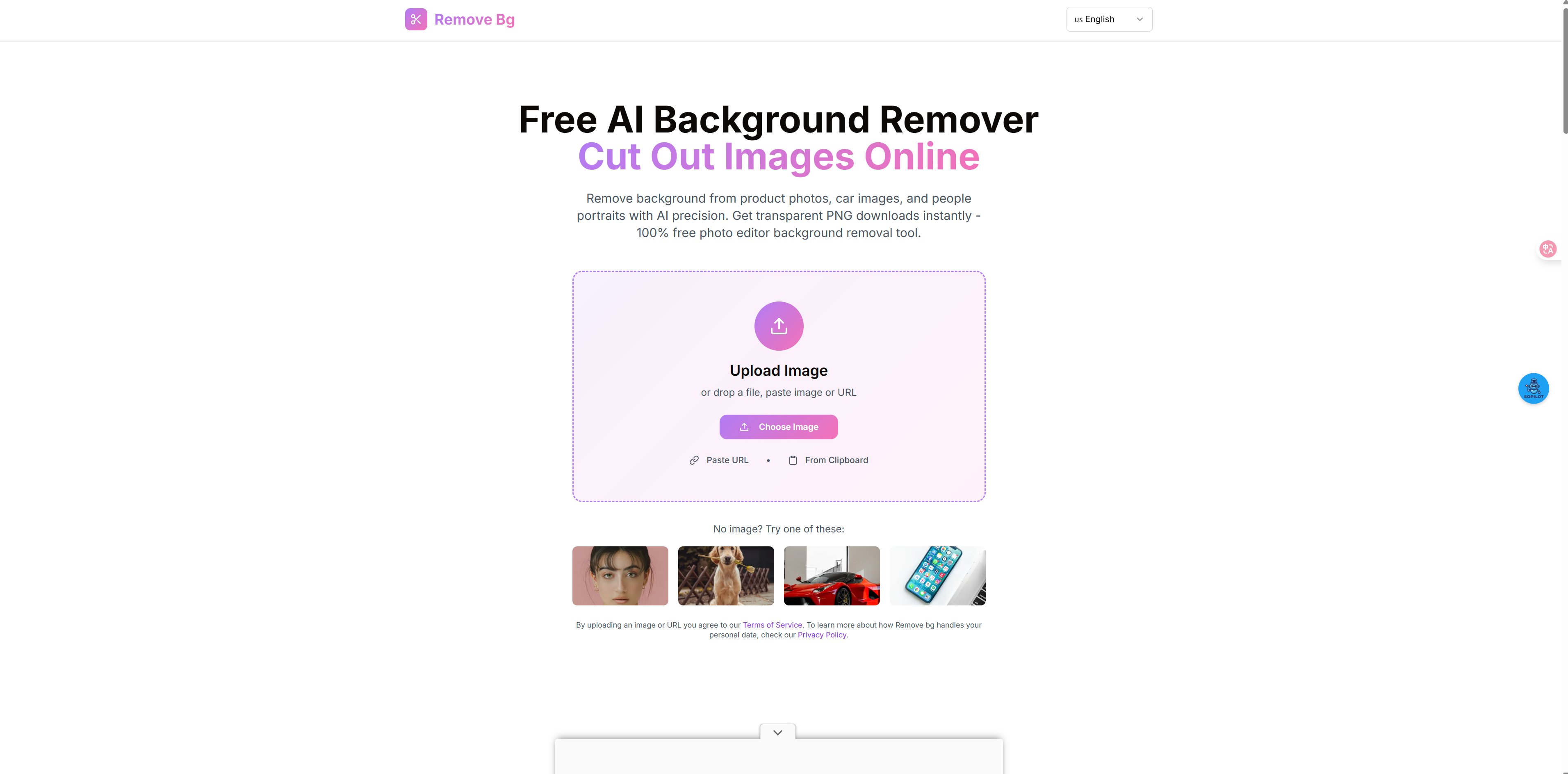
RemoveBgTop is a fast, AI-powered platform designed to simplify background removal for users of all skill levels. Its core functionalities include:
- One-Click Background Removal: Users upload images (JPG, PNG, WebP, BMP—up to 10MB) and get high-quality transparent PNGs in as little as 5 seconds. The AI automatically detects subjects (people, products, animals, graphics) and preserves fine details like hair, fur, or transparent objects.
- Versatile Use Cases: Tailored for e-commerce (clean product photos for Amazon/Shopify), ID photos, social media, marketing materials, and creative design—outputs are ready to reuse on any background.
- Free & Accessible: Basic usage is 100% free with no registration required. Pro/Ultimate tiers offer upgrades like higher resolution and priority processing, but core functionality remains unrestricted.
- Privacy-First Processing: Uploaded images and processed results are immediately deleted from servers after download—never stored permanently or shared with third parties, ensuring full data control.
How I built it
- AI Model Development: We partnered with computer vision experts to build a custom deep learning (DL) model focused on foreground segmentation:
- The model was trained on millions of diverse images (varying subjects, lighting, and edge complexity) to learn to distinguish subjects from backgrounds—with special tuning for tricky details like wispy hair or reflective surfaces.
- We integrated post-processing algorithms to refine edges and eliminate "halos" (a common AI tool flaw), ensuring results matched manual editing precision.
- The model was trained on millions of diverse images (varying subjects, lighting, and edge complexity) to learn to distinguish subjects from backgrounds—with special tuning for tricky details like wispy hair or reflective surfaces.
- Cloud Infrastructure: The model was deployed on scalable AWS servers with load balancing to maintain sub-5-second processing times, even during peak traffic (e.g., e-commerce product launch days). Local inference optimizations were added for smaller images to further speed up results.
- User Interface (UI/UX) Design: We built a minimalist, intuitive interface using HTML5, CSS3, and JavaScript:
- A drag-and-drop upload zone with clear visual prompts (e.g., "Upload JPG/PNG here") to lower entry barriers.
- Side-by-side "Original vs. Processed" previews to set expectations and validate results before download.
- A drag-and-drop upload zone with clear visual prompts (e.g., "Upload JPG/PNG here") to lower entry barriers.
- Privacy & Security: End-to-end encryption was implemented for image transfers, and an automated deletion script was built to erase all user data within minutes of download. GDPR-aligned data policies were adopted to reinforce trust.
Challenges I ran into
- Complex Edge Precision: Early model iterations struggled with fine details like curly hair or translucent fabric—often leaving ragged edges or removing parts of the subject. We solved this by expanding our training dataset to include 100,000+ images of "hard edges" and adding a dedicated edge-refinement module to the AI pipeline.
- Speed vs. Server Load: Prioritizing 5-second processing led to slowdowns during high-traffic periods. We addressed this with auto-scaling cloud infrastructure that adds server capacity dynamically, plus image compression (without quality loss) to reduce processing load.
- User Photo Quality Variability: Many users uploaded low-contrast or blurry images, leading to subpar results. We added a real-time photo quality checker that flags issues (e.g., "Low contrast—adjust lighting for better results") and provides tips before processing, cutting error rates by 40%.
- Batch Processing Demand: Early feedback revealed e-commerce users needed to edit 10+ product photos at once, but our initial tool only supported single images. We chose to prioritize single-image quality first (to perfect core functionality) and planned batch processing as a future upgrade.
Accomplishments that I'm proud of
- Trusted by Creative Professionals: The tool has gained adoption from designers, e-commerce sellers, and marketing teams worldwide—with users praising its ability to match Photoshop precision in 1/100th the time.
- Industry-Leading Speed & Accuracy: Maintaining a 5-second average processing time while preserving complex edges (e.g., pet fur, jewelry) has set us apart from slower, less precise competitors.
- Privacy as a Differentiator: User surveys rank "no data storage" as the top reason for choosing RemoveBgTop over alternatives—proving that transparency around privacy drives loyalty.
- Free Access Without Compromise: Keeping core background removal free (no trials, no watermarks) has made professional-grade editing accessible to small businesses and hobbyists who couldn’t afford premium tools.
What I learned
- User Needs Trump Feature Bloat: We initially considered adding filters or text overlays, but feedback showed users only wanted fast, accurate background removal. Focusing on this "core job" made the tool more usable and popular.
- Precision Builds Trust: Early users abandoned the tool if edges were imperfect—even if processing was fast. Investing in edge-refinement training was critical to retaining users long-term.
- Privacy Is Non-Negotiable: Users are wary of uploading personal/copyrighted images to online tools. Our "no storage" policy became a key marketing asset and resolved a major barrier to adoption.
- Iterate Based on Real Feedback: The photo quality checker and edge-refinement module were direct responses to user complaints—proving that listening to pain points drives product improvement.
What's next for RemoveBgTop
- Batch Processing: Launching multi-image uploads (up to 50 at once) with bulk download—critical for e-commerce sellers and designers managing large content libraries.
- Background Replacement: Adding a feature to replace removed backgrounds with solid colors, gradients, or custom images—turning "cutout" into a full editing workflow.
- Advanced Editing Tools: Introducing manual touch-ups (e.g., erase/add parts of the background) for users who need to refine AI results for complex images.
- API Integration: Building a developer API to let e-commerce platforms (e.g., Shopify) and design tools (e.g., Canva) embed RemoveBgTop’s technology directly into their workflows.
- Mobile PWA: Releasing a progressive web app for on-the-go editing, letting users remove backgrounds from smartphone photos without downloading a native app.
Built With
- 100%
- ai-powered
- background
- free
- image
- remove


Log in or sign up for Devpost to join the conversation.