-
-
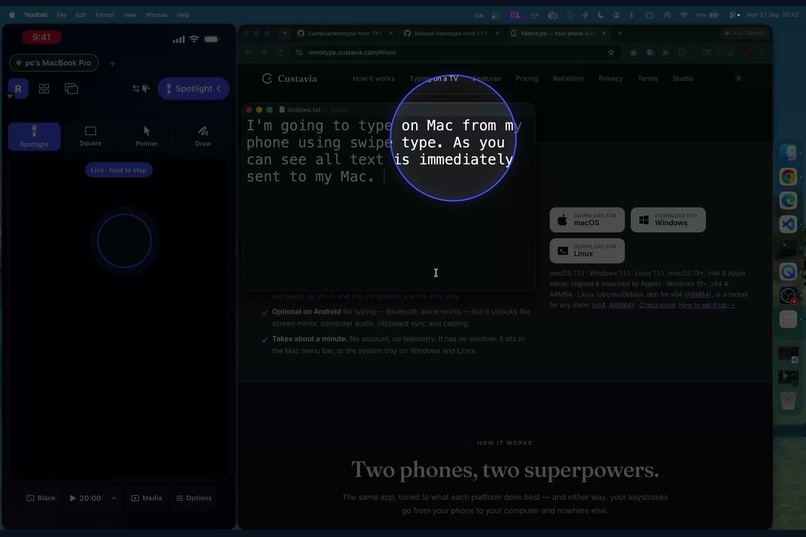
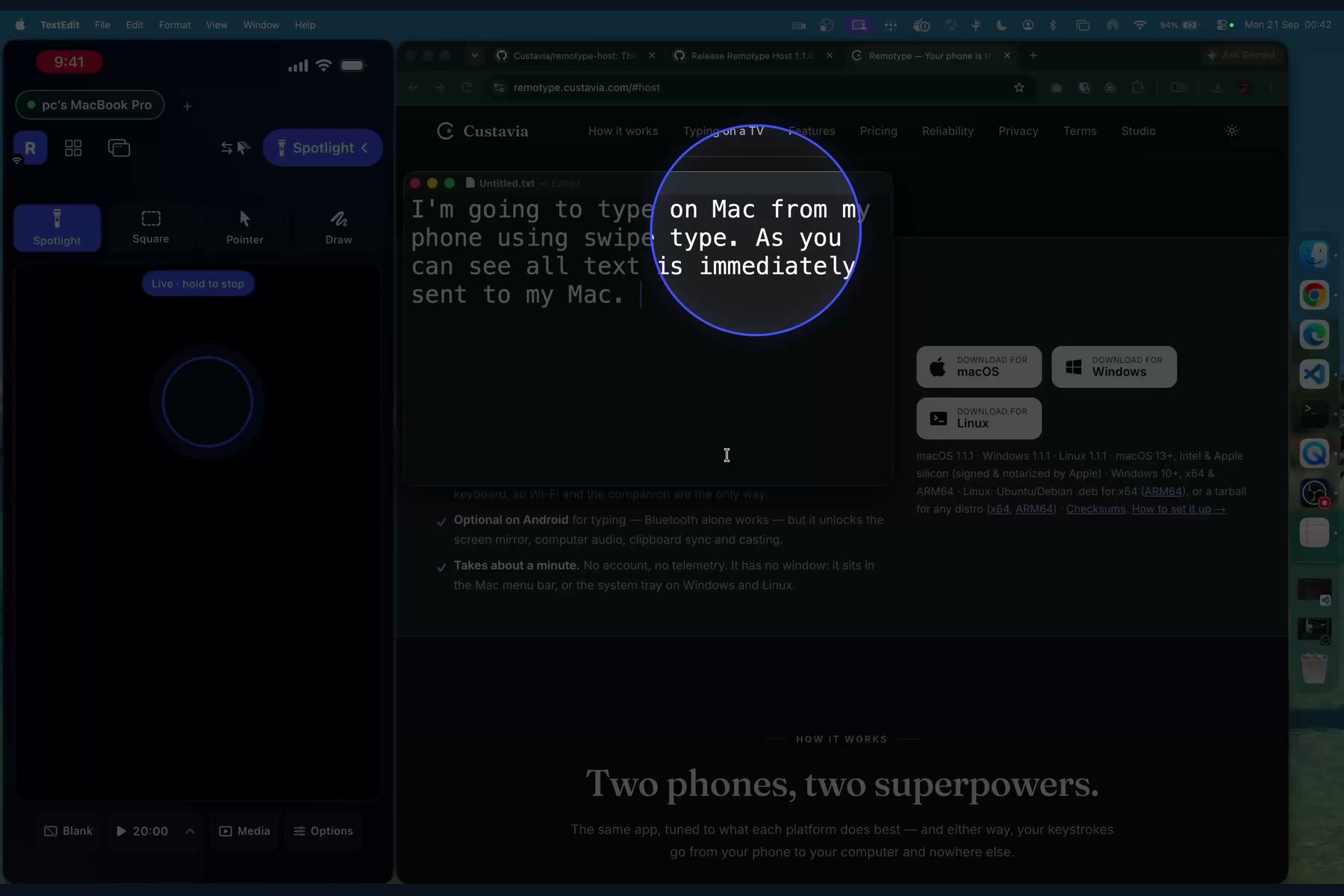
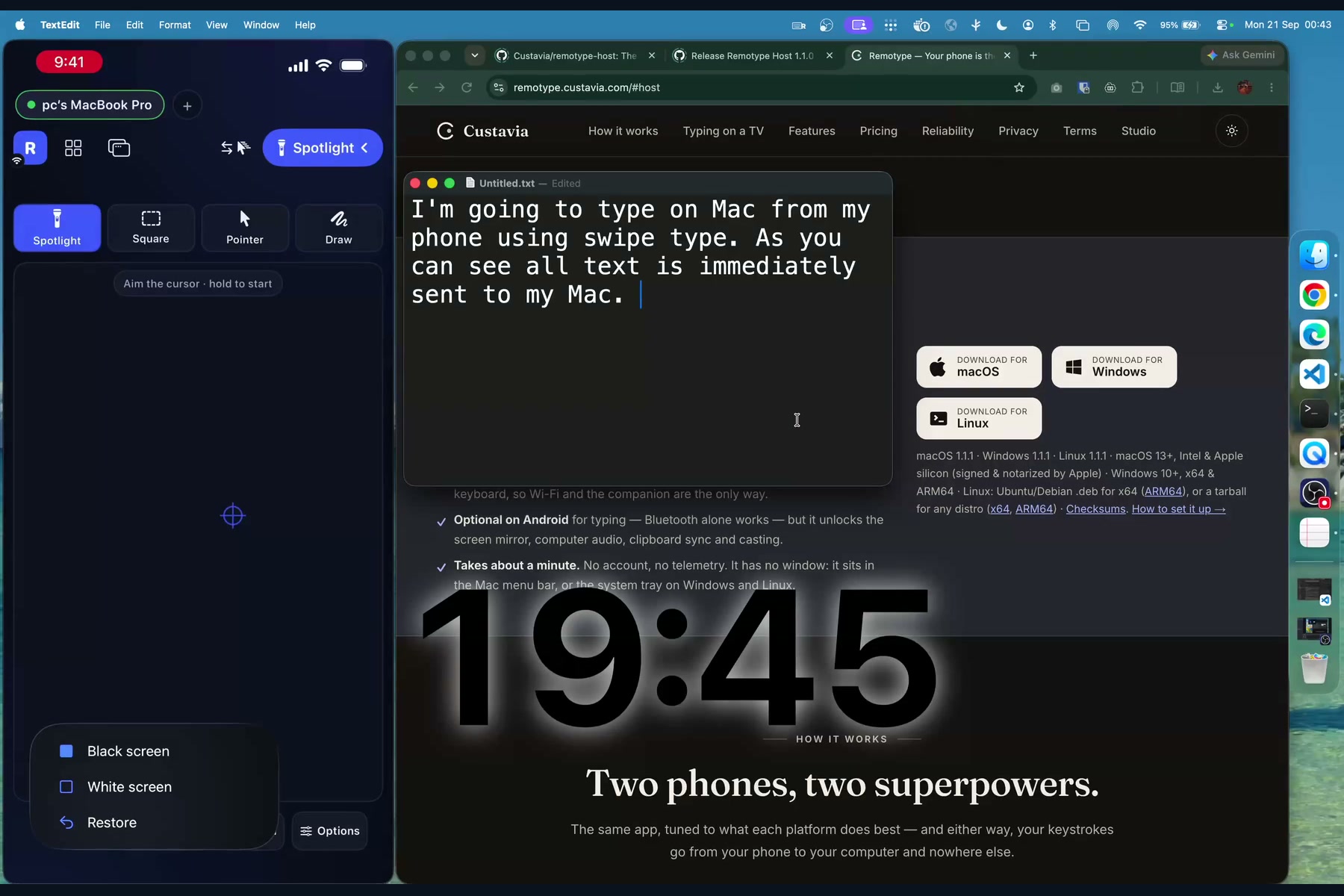
Presenter spotlight: the Mac dims and a circle follows your aim. It's drawn on the computer, so Zoom sees it too.
-
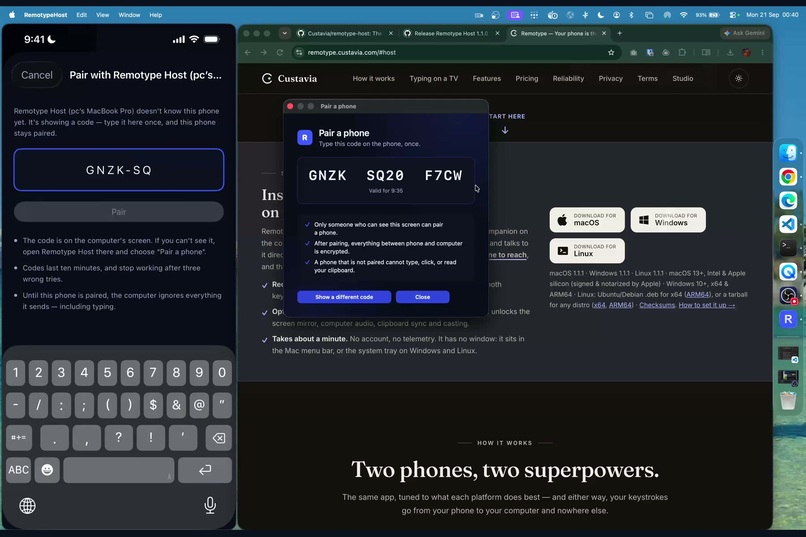
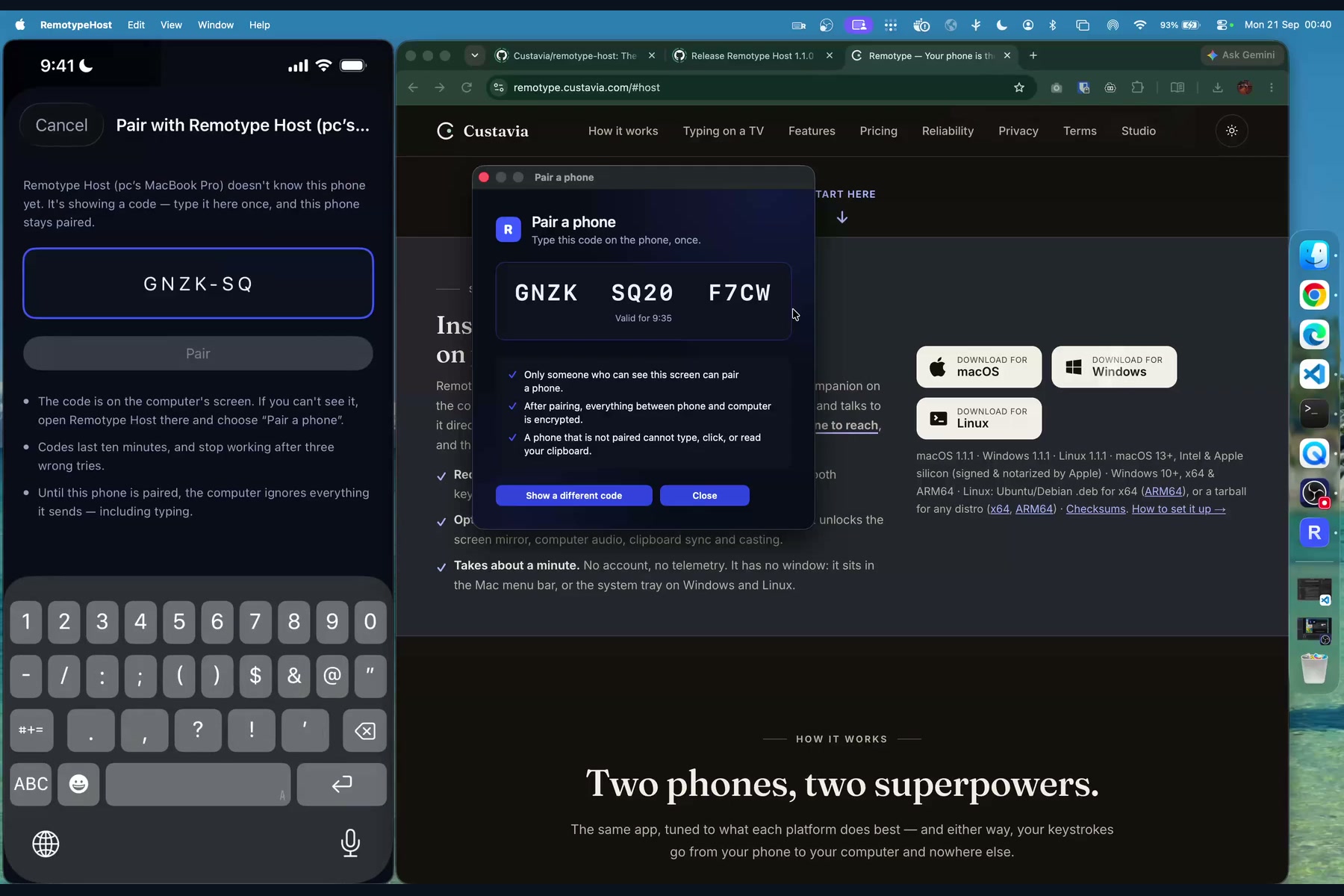
Pairing: the Mac shows a one-time code and the iPhone types it once. Every message after that is AES-256-GCM encrypted.
-
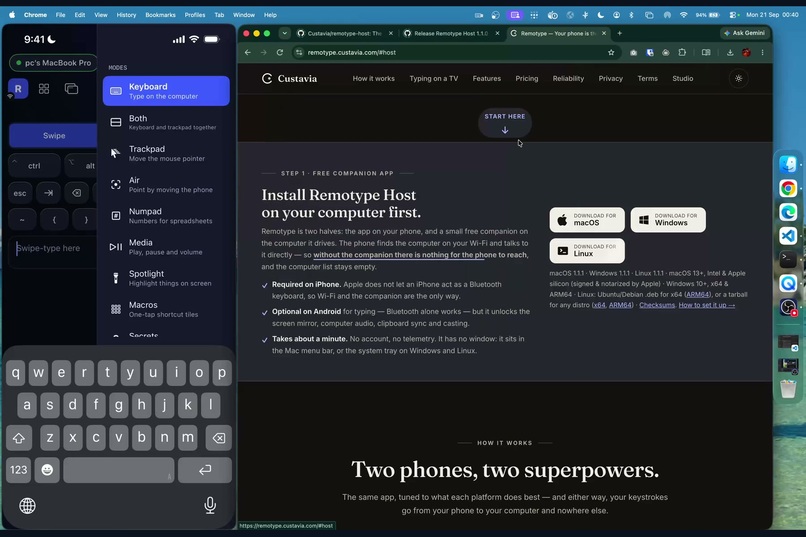
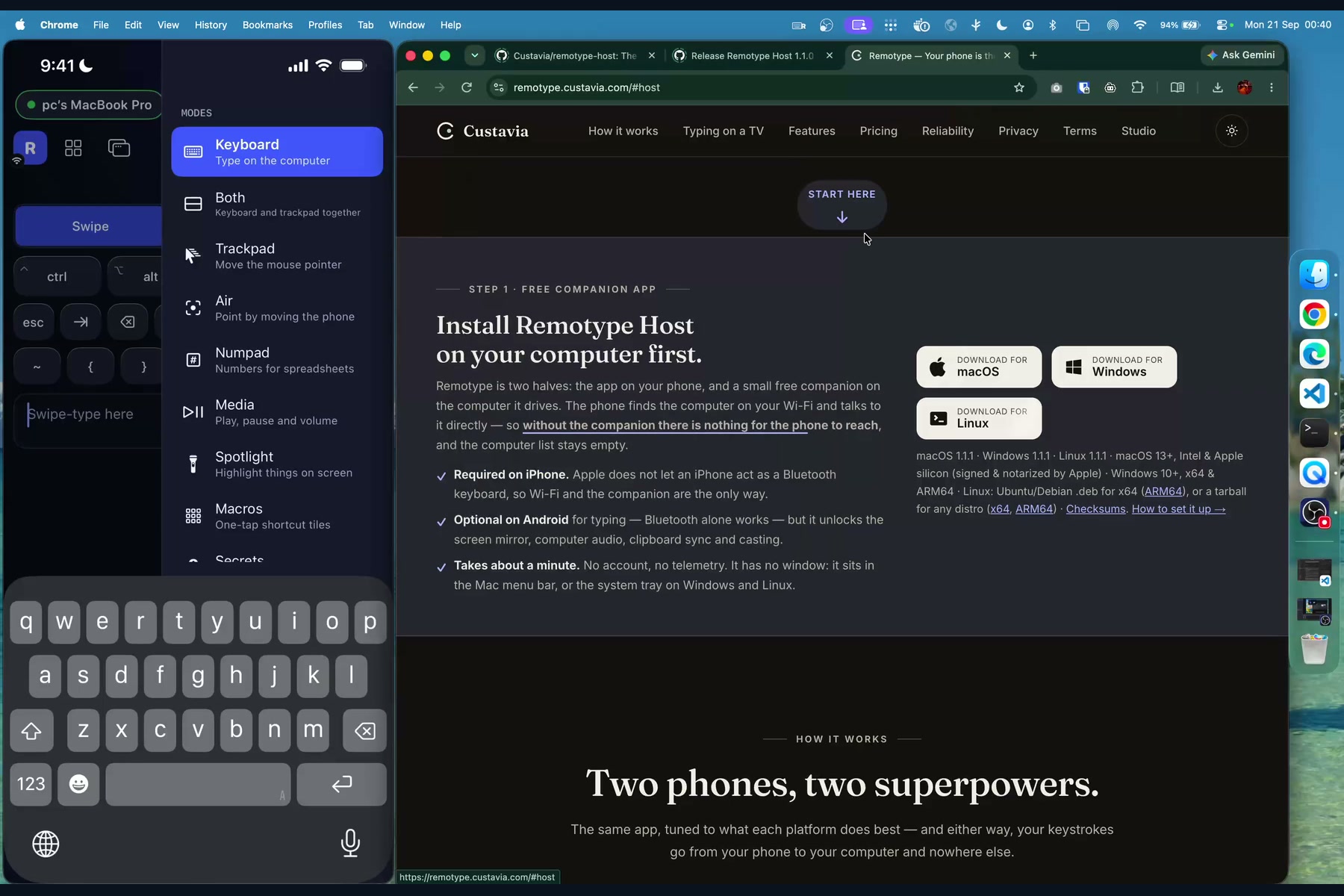
The mode list: keyboard, trackpad, air mouse, numpad, media, spotlight, macros, secrets, dictation and TV remote.
-
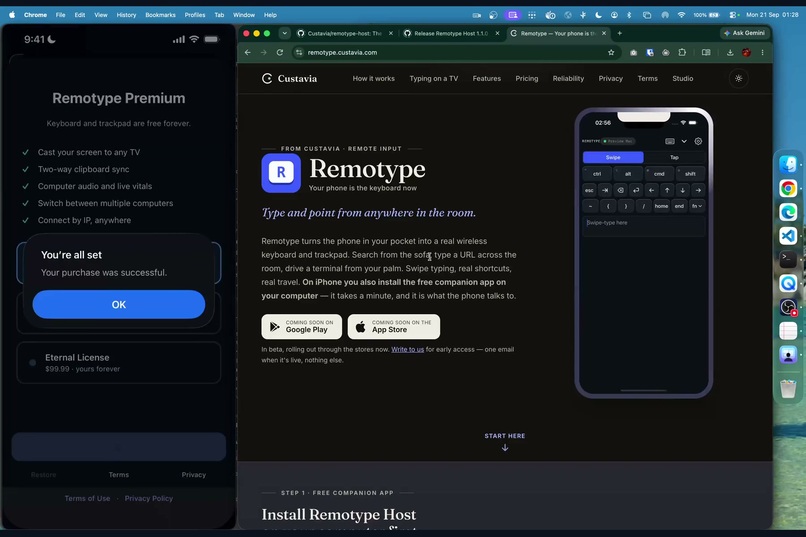
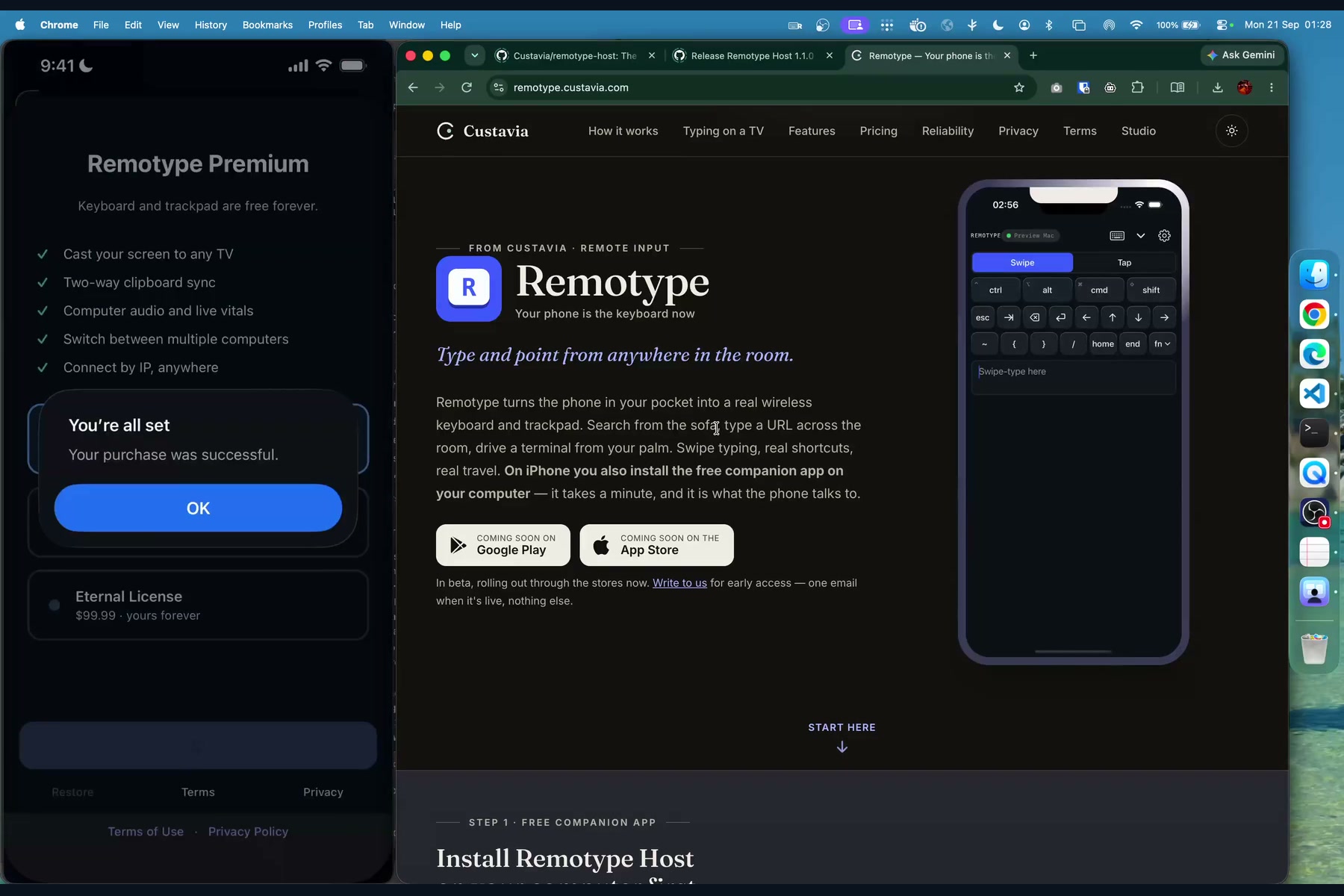
Purchase complete: RevenueCat grants the entitlement and every premium mode unlocks immediately.
-
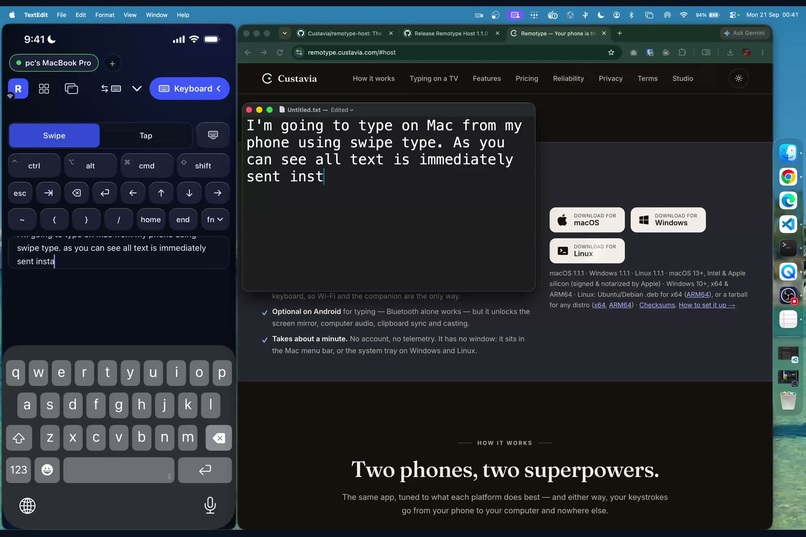
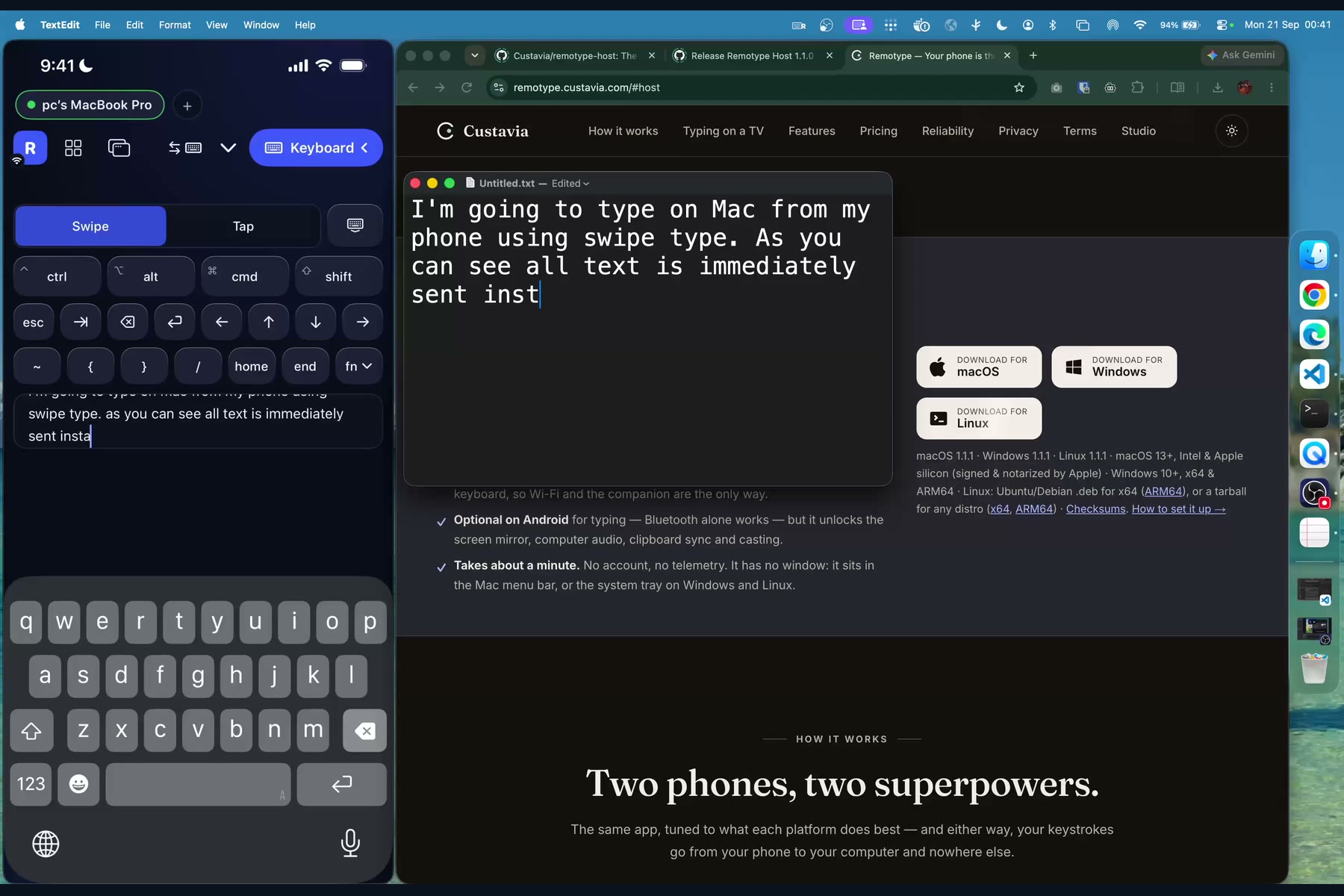
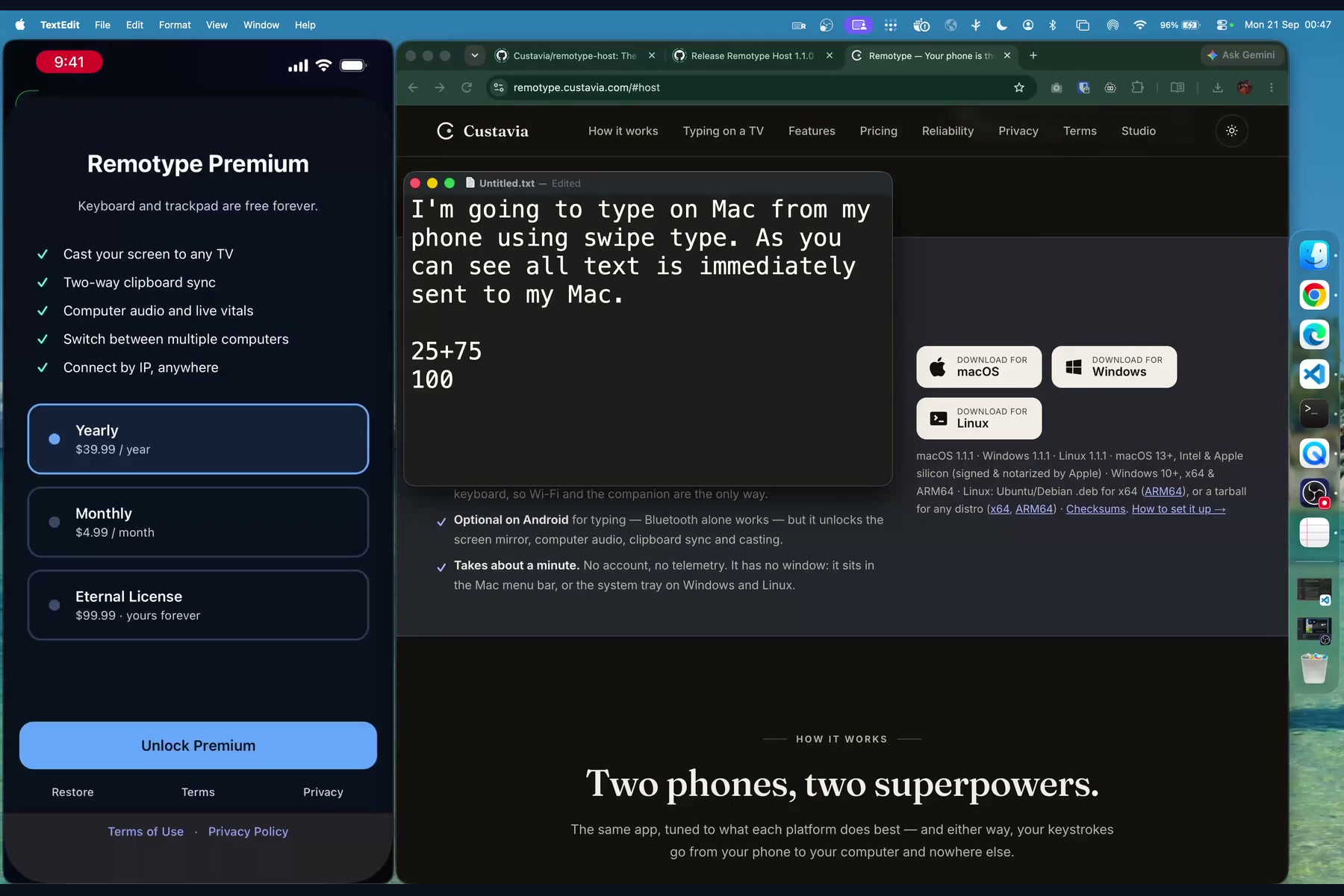
Swipe-typing on the iPhone lands in TextEdit on the Mac instantly. Keyboard and trackpad are free forever.
-
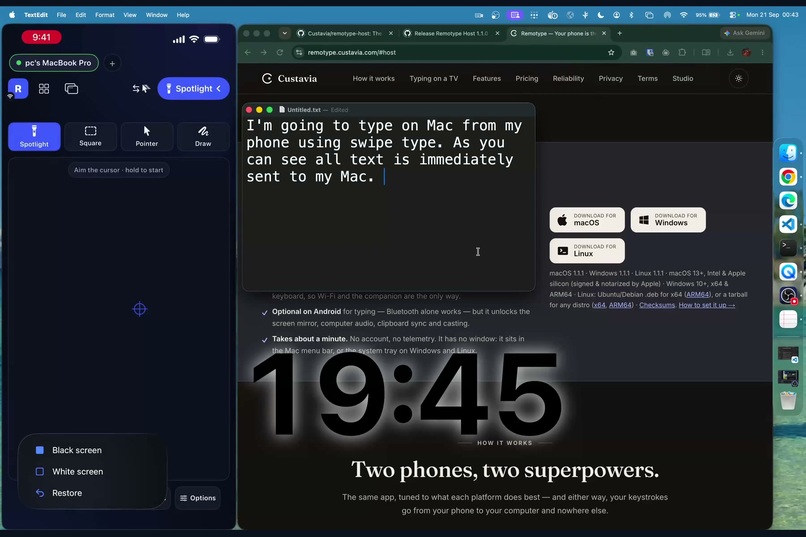
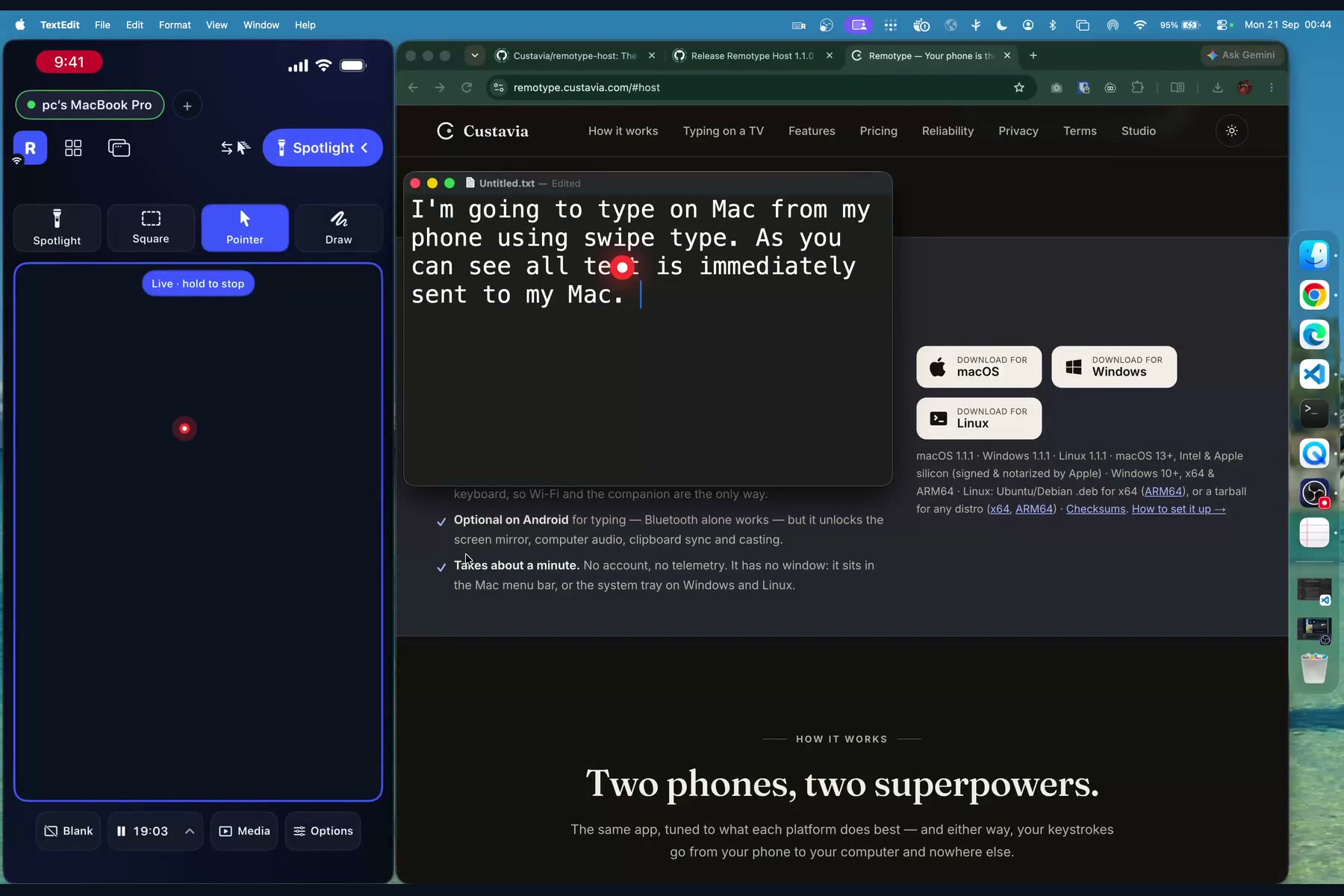
Presenter mode: a slide timer shown big on the presenter's screen, plus blank-screen and media keys.
-
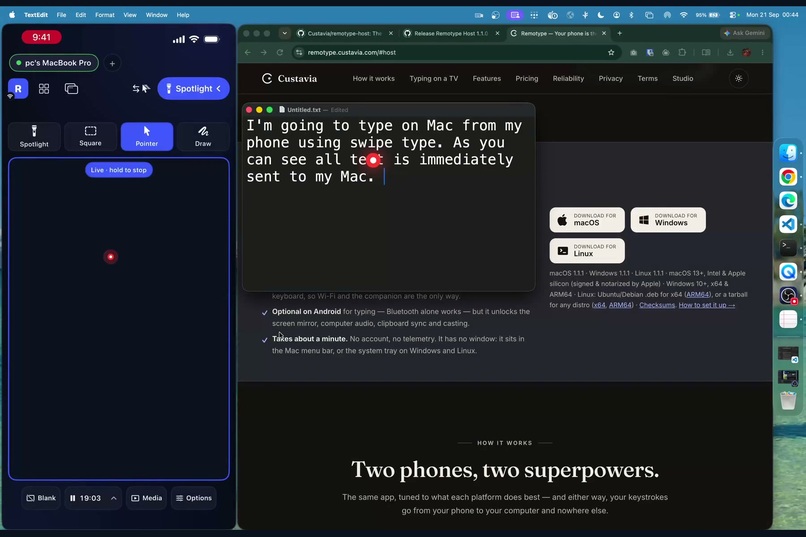
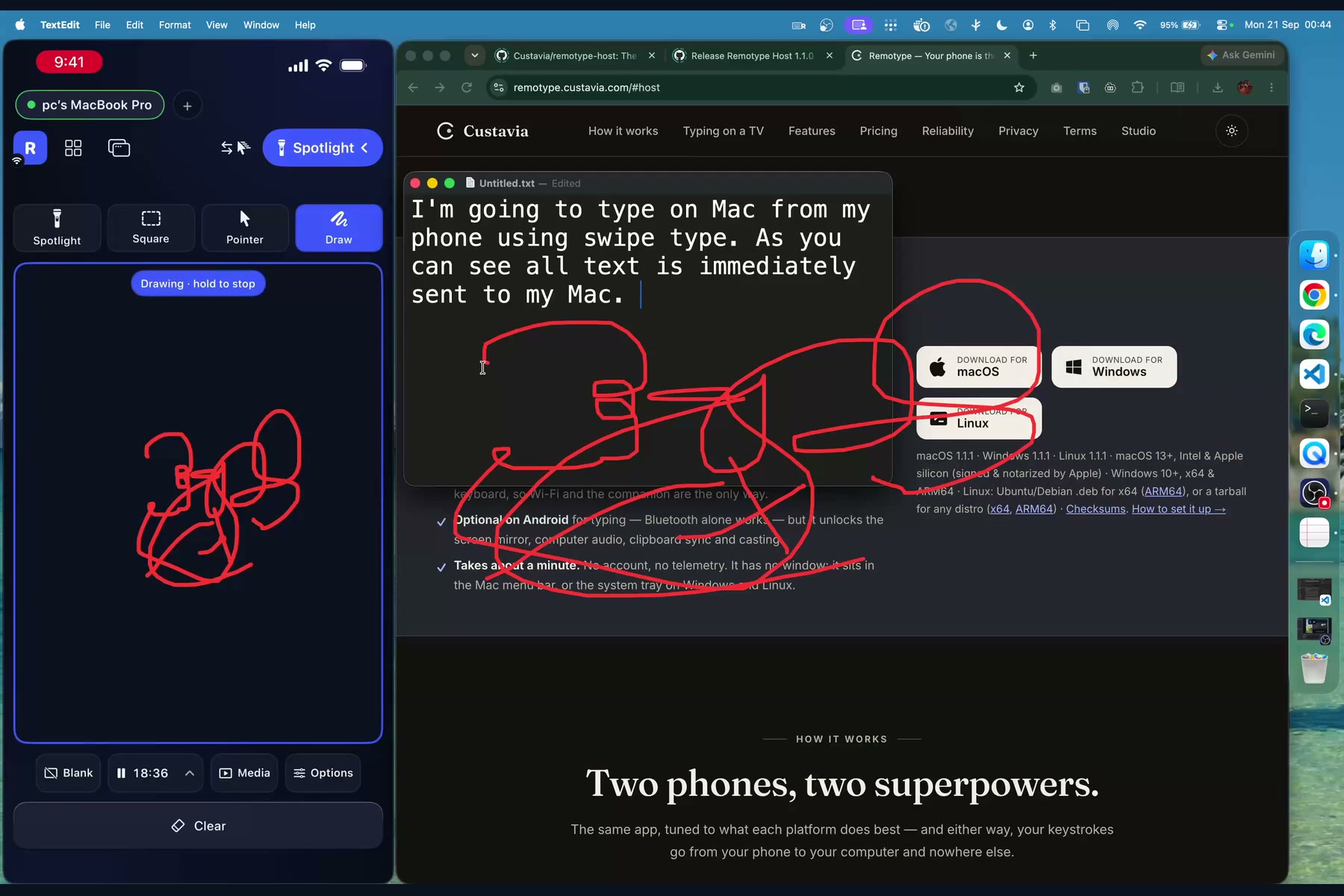
A laser dot drawn on the Mac, steered from the phone like a trackpad.
-
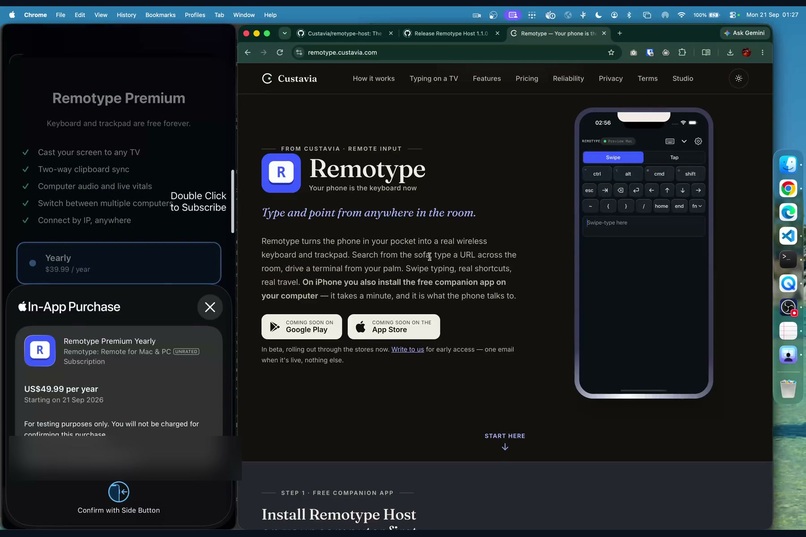
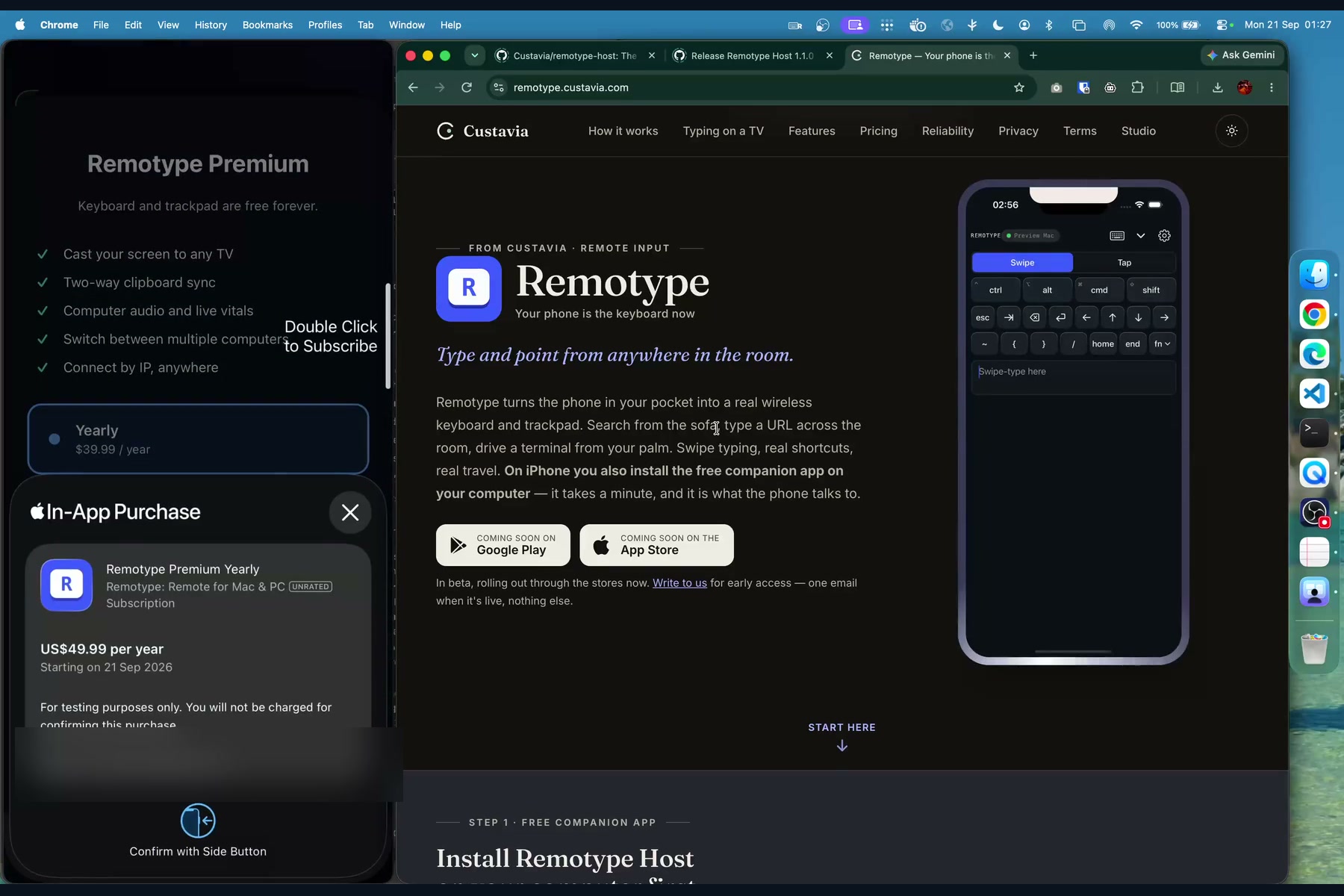
Buying the yearly plan through Apple's purchase sheet. The test phone uses the Nepal store, so it shows the local price.
-
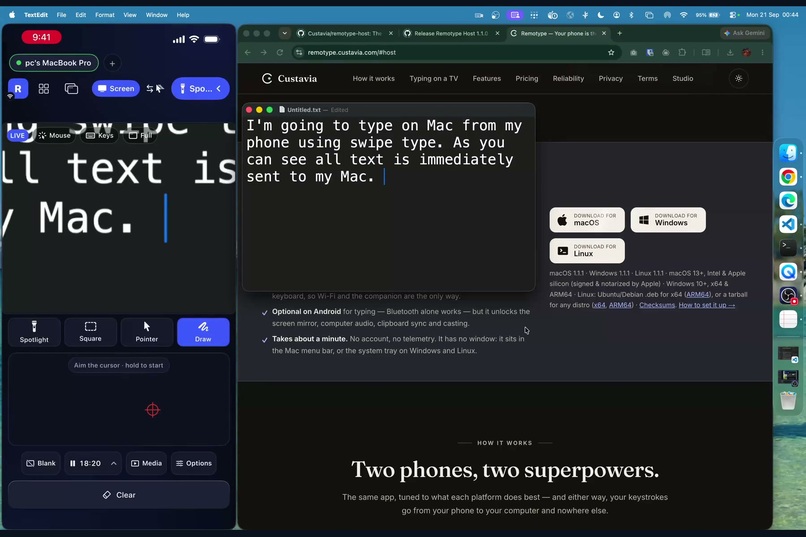
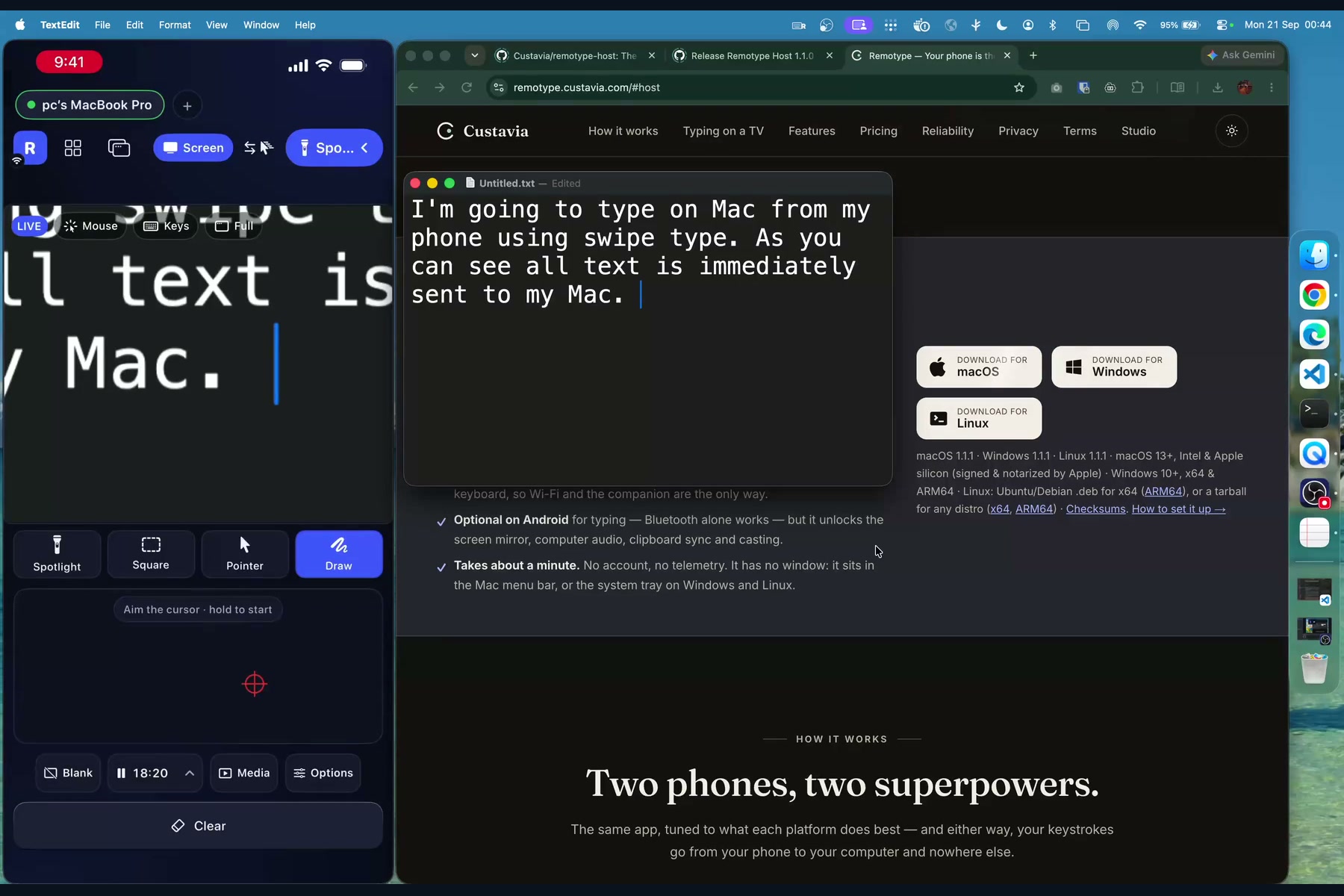
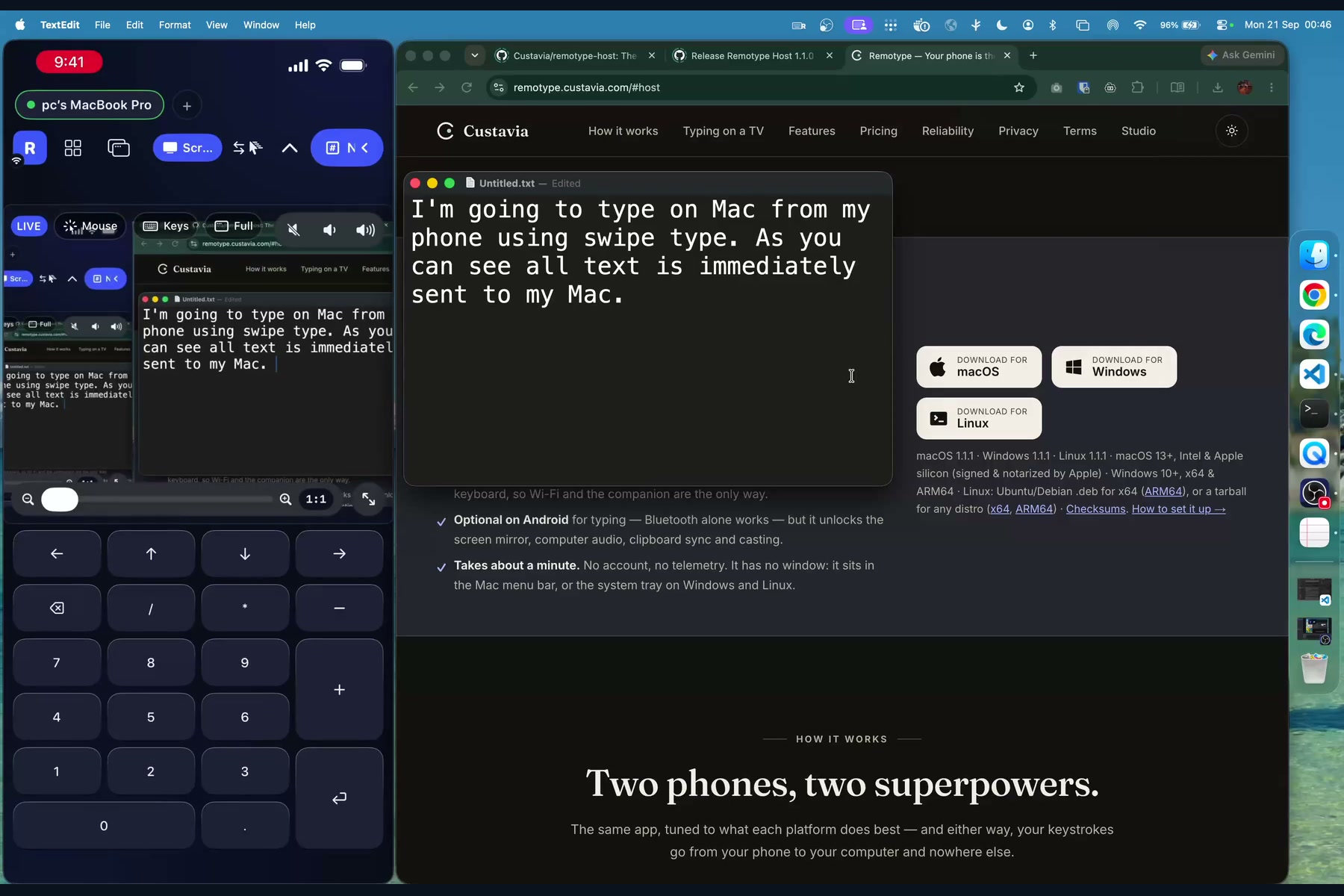
Screen view: the Mac's screen live on the phone, zoomed in on the text being typed.
-
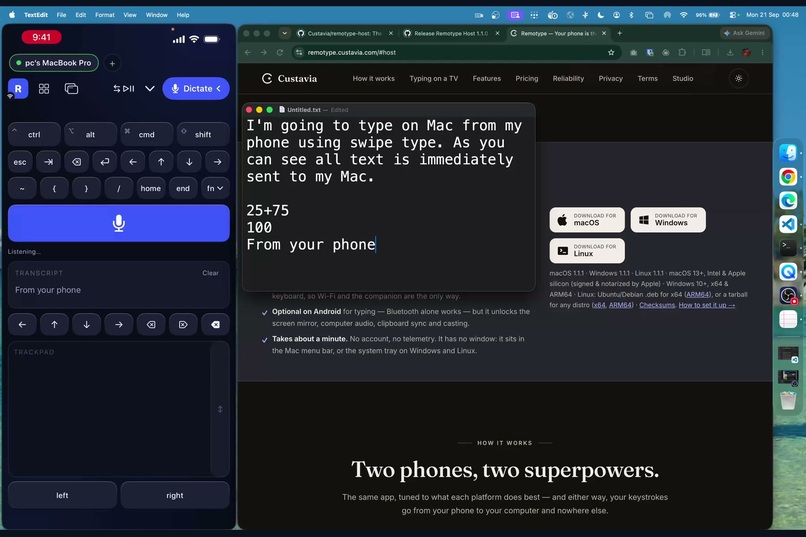
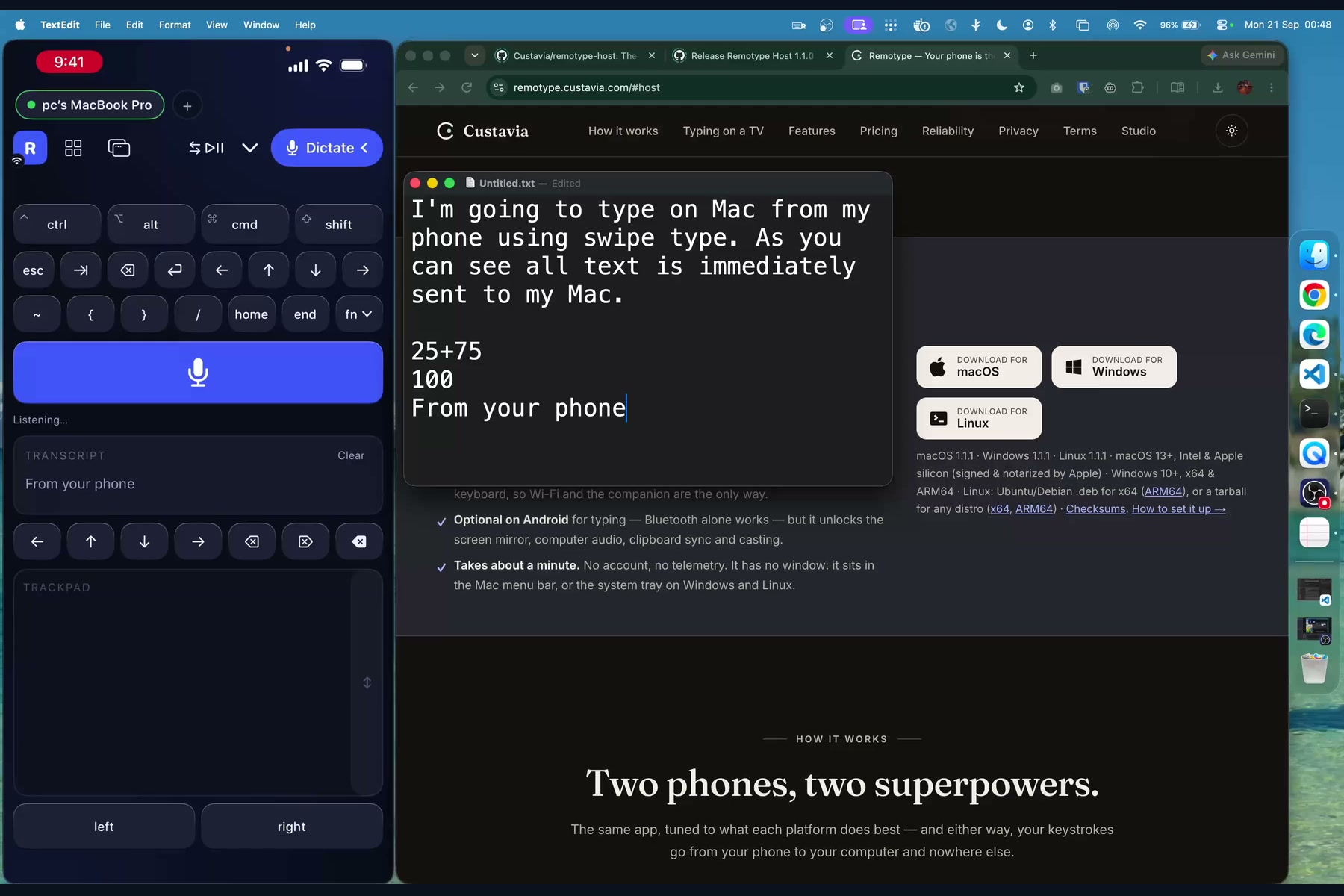
Dictation: speak on the phone and the computer types the words. Speech recognition runs on the phone.
-
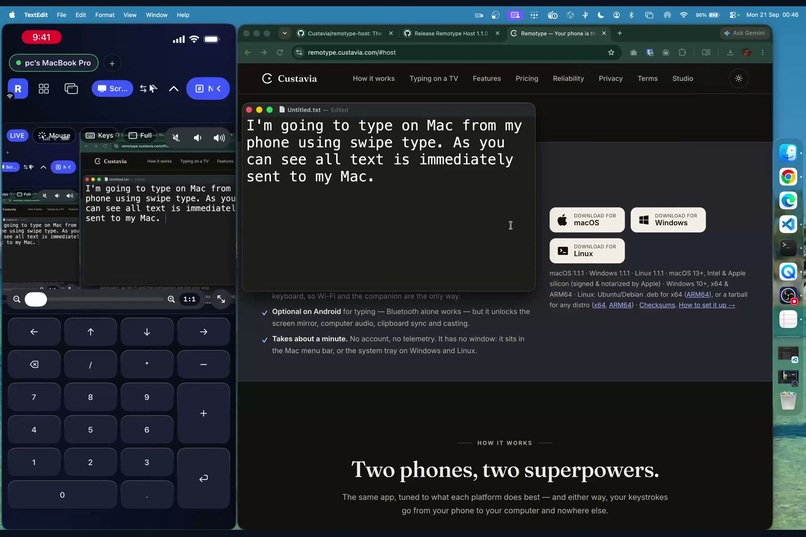
A real numpad for spreadsheets and calculators: 25+75 typed from the phone.
-
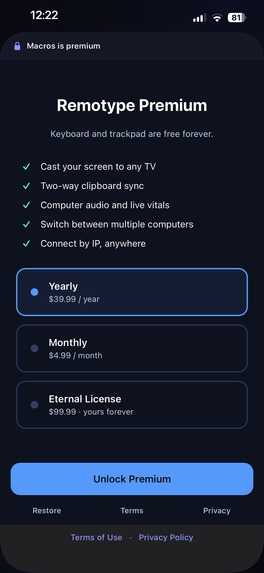
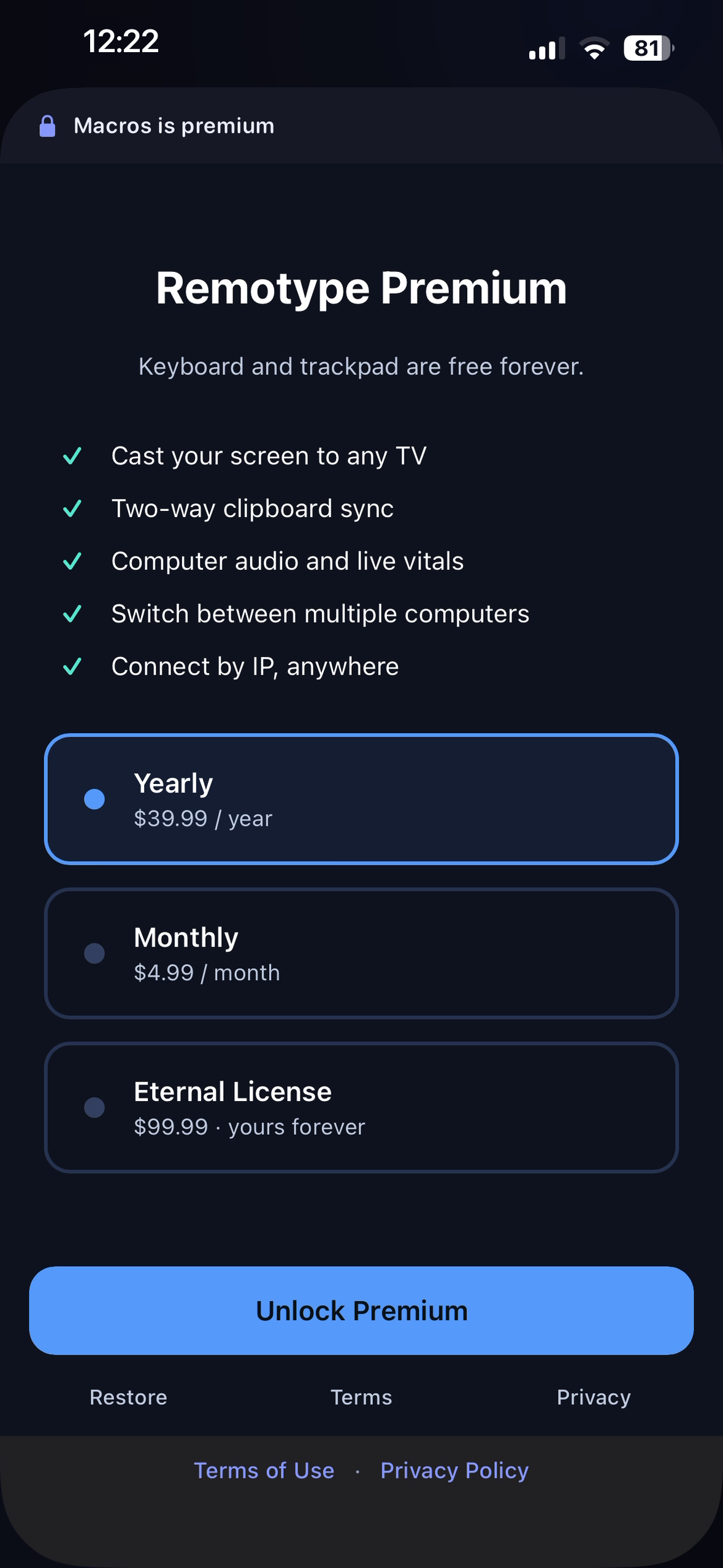
The real iPhone paywall at 1179×2556, uncropped and without a device frame.
-
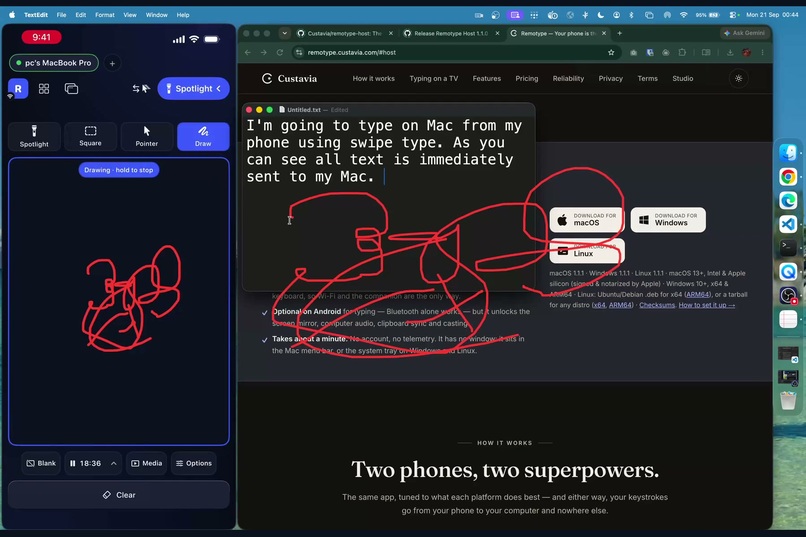
Freehand ink: draw on the phone, it appears on the Mac's screen, and Clear wipes it.
-
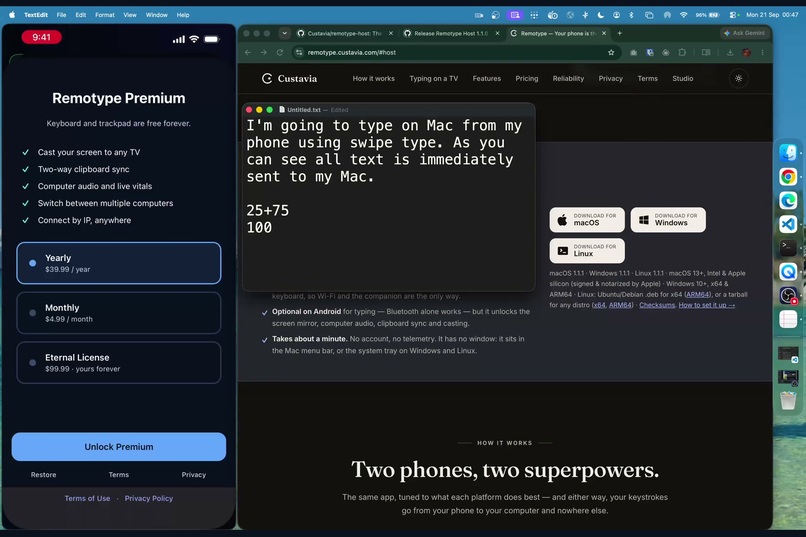
The RevenueCat paywall: yearly, monthly and a one-time Eternal License, with Terms and Privacy right below.
-
The Remotype app icon: a single keycap, from our MILLED design language.
Inspiration
Every desk already has a spare touch screen with a keyboard you type on faster than any other: the phone in your pocket. Yet controlling a computer from across the room still means a dongle, a clicker, or a "remote mouse" app whose closed-source helper sits on your computer and sees every keystroke, and you just have to take its word for what it does with them.
I kept finding myself reaching for a keyboard, mouse, TV remote, or presentation clicker depending on what I was doing — and wishing my phone could simply be all of them. The last straw was a presentation where the clicker died mid-talk, while the phone that could have done its job sat in my pocket. The existing apps were usually built for just one job, so I decided to build Remotype: one app that turns my phone into the keyboard, trackpad, presenter and remote for my computers, my TV, my slides and my media.
What it does
Remotype turns an iPhone or Android phone into a real keyboard, trackpad, presenter remote, second screen and TV remote for Mac, Windows and Linux.
- Keyboard and trackpad — swipe-typing, real modifiers and shortcuts, a precision trackpad with scroll, pinch and drag-select. Free forever.
- Presenter — a spotlight, laser dot and freehand ink drawn on the computer, so they show up in Zoom and screen recordings (a physical laser pointer never does), plus a slide timer and blank-screen key.
- Second screen — the computer's screen and audio on your phone, and casting to a TV.
- A dozen modes — numpad, media keys, macros, dictation, clipboard sync, and saved passwords typed out after Face ID or a fingerprint.
- Every computer you own — switch between them, or let the cursor flow from one screen edge to the next.
- On Android, nothing to install for keyboard & mouse — the phone pairs as a genuine Bluetooth keyboard and mouse, so it works on a locked-down work laptop or a smart TV.
Keyboard and trackpad are free forever. Everything else is free for 14 days — no card, no account — then 30 free premium minutes every month, or $4.99/month, $39.99/year, or $99.99 once.
How we built it
- Native apps on both platforms: Swift/SwiftUI on iOS, Kotlin/Jetpack Compose on Android. Android also registers as a Bluetooth HID keyboard and mouse.
- Three computer hosts: a Swift macOS host (Accessibility for input, ScreenCaptureKit for screen and audio) and Go hosts for Windows and Linux. Their full source is public under Apache-2.0.
- Our own protocol: Bonjour discovery, with Connect-by-IP for Tailscale (or any VPN). You pair once with a code shown on the computer, and every message after that is AES-256-GCM encrypted. The host makes no internet connection at all.
- Monetization on RevenueCat: one offering (monthly, annual, lifetime) mapped to App Store and Google Play products, one entitlement both apps check, and RevenueCat's hosted paywall on both platforms.
- One tiny server: a Cloudflare Worker with D1 that activates the 14-day trial once per device, so reinstalling can't restart it.
Challenges we ran into
- iPhones can't be Bluetooth keyboards. Apple doesn't allow it, so iOS talks to a host app over Wi-Fi while Android goes direct over Bluetooth. That means one product with two transports.
- macOS forgets permissions. Accessibility grants are tied to the app's code signature, so an unsigned update silently broke typing. We moved to consistent Developer ID signing and a setup check that tests whether permission is really granted, instead of trusting a cached "yes".
- Realtime input backs up. Sending every pointer event as it happened let a burst queue up and lag everything after it. Pointer, scroll and overlay streams now drop and merge stale events instead of queueing them.
- Some things can't be done, and we say so. Linux on Wayland blocks screen capture and global overlays, so the Linux host is input-first. Tracking the text cursor inside Electron apps isn't possible through macOS Accessibility, so it falls back to following the mouse.
- App Review. Our first submission was rejected twice: once for a missing Terms of Use link, and once because the subscriptions weren't attached to the version. We also learned that App Review runs on the same sandbox as TestFlight - so anything meant only for testers has to be hidden from reviewers too.
Accomplishments that we're proud of
- Shipped on the App Store and Google Play with native apps on both, plus hosts for macOS, Windows and Linux.
- A trust story we can prove rather than claim: pairing codes, end-to-end encryption, a host with no network access to the internet, and open-source hosts anyone can read before running.
- A pricing model that never nags: the core stays free forever, the trial needs no account, and after it you keep a monthly free allowance instead of hitting a wall.
- An interface built on our own design language, MILLED (keys with real travel and haptics), with every piece of text at a 6:1 contrast ratio or higher, and full VoiceOver and TalkBack support.
What we learned
The feature list is the easy half; trust is the hard half. Our closed testers asked us to open-source the host, stop it touching the internet, explain why macOS needs Accessibility permission, and simplify the UI. All four shipped, and every one of them made the product better. We also learned to test on real devices early: one pairing bug only ever appeared on a physical iPhone, never in the simulator.
What's next for Remotype
- File transfer between your computers.
- Clipboard, vitals and app launching on the Linux host.
- A notice on your phone when your computer's host app has an update.
- Direct low-latency casting to Chromecast, using our own receiver.

Log in or sign up for Devpost to join the conversation.