-
-
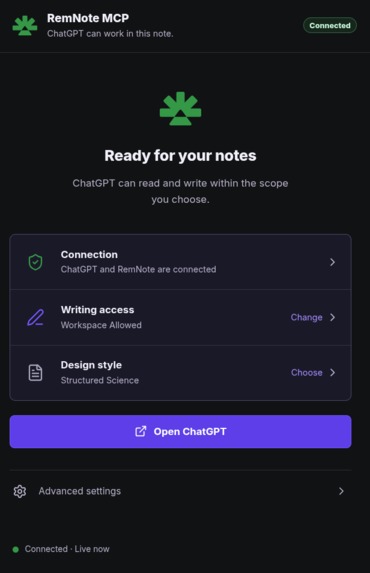
RemnoteMCP
-
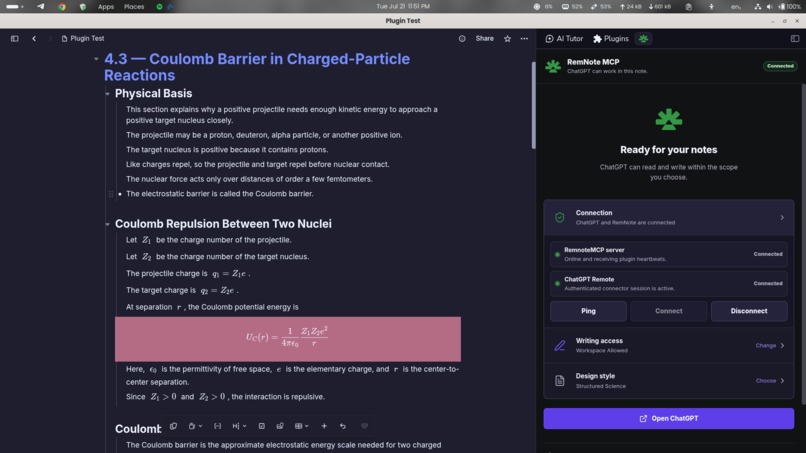
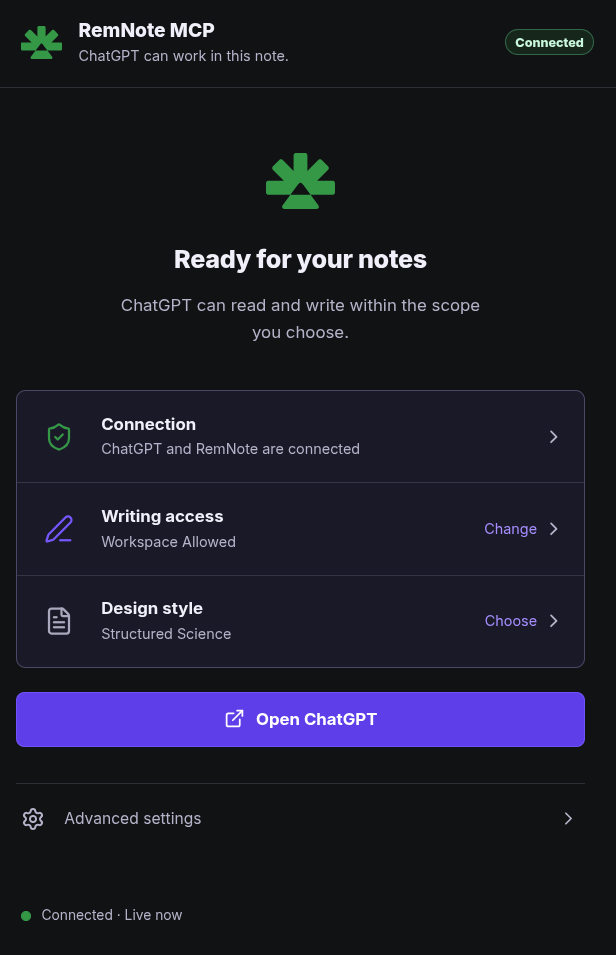
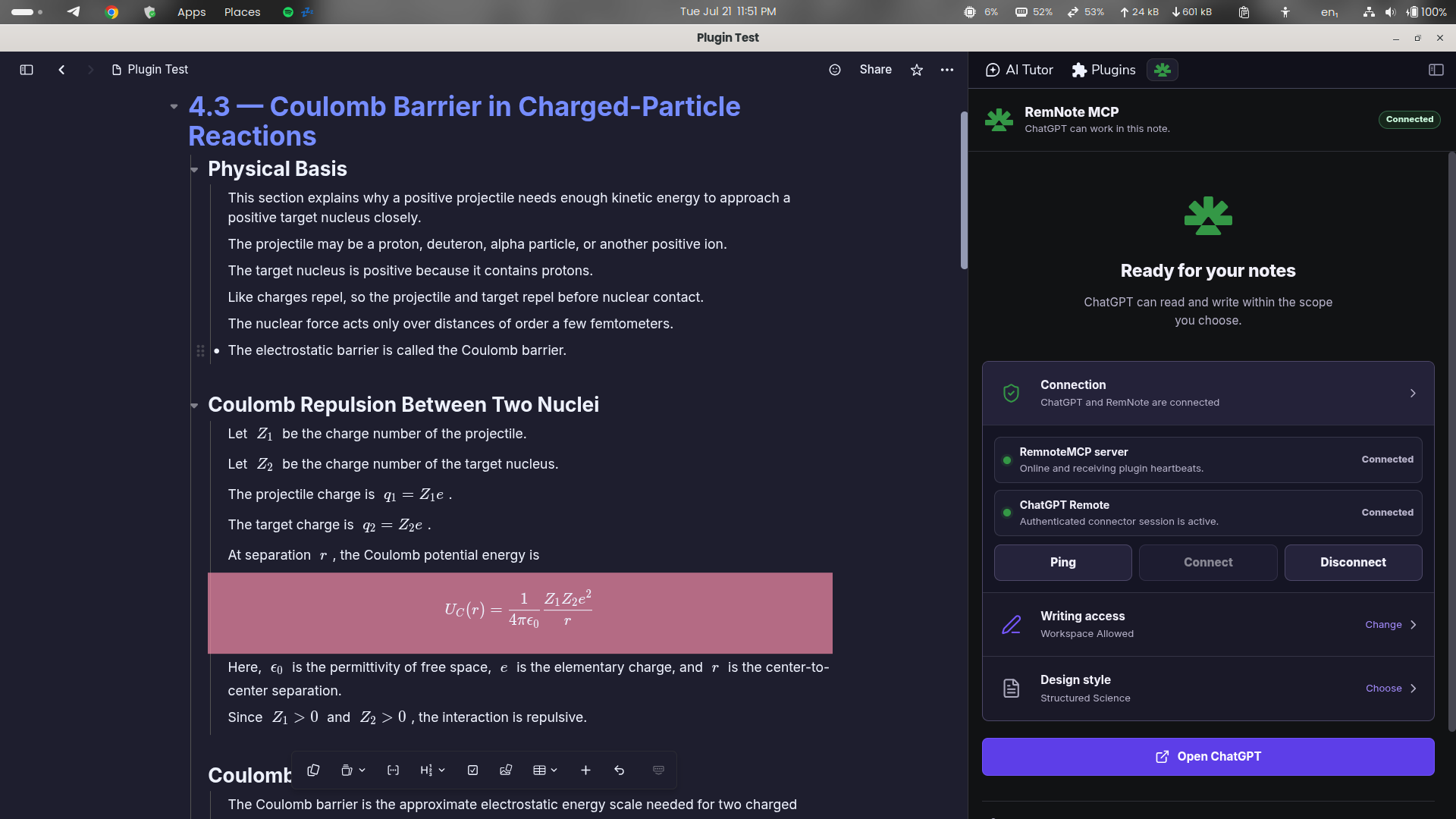
Connection Tab
-
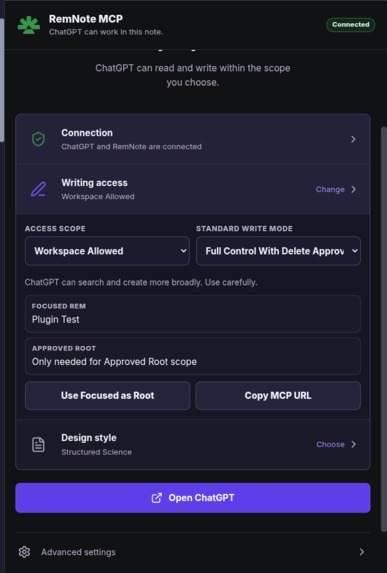
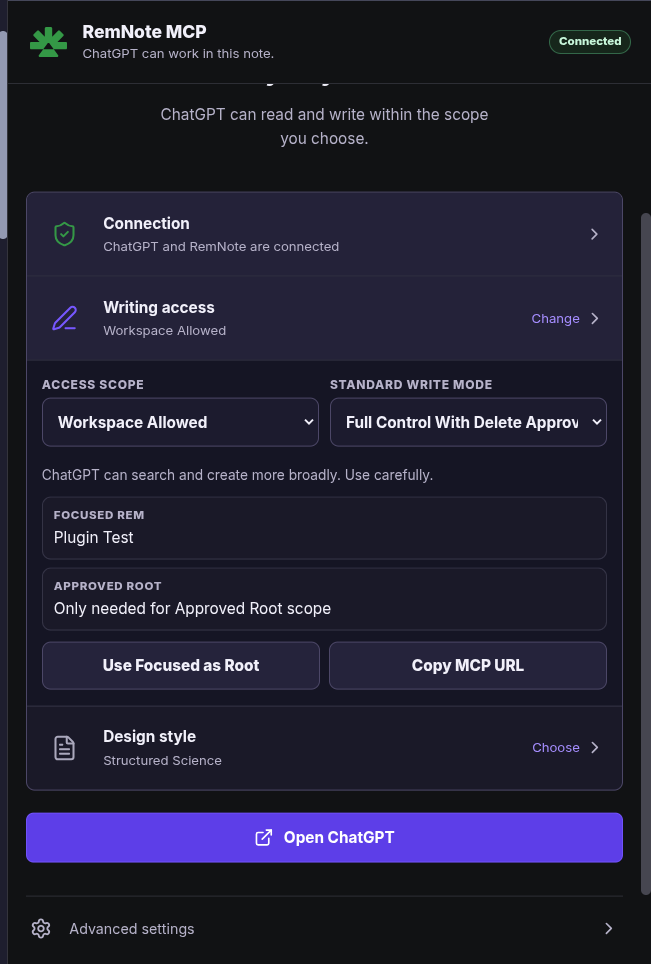
Write Access
-
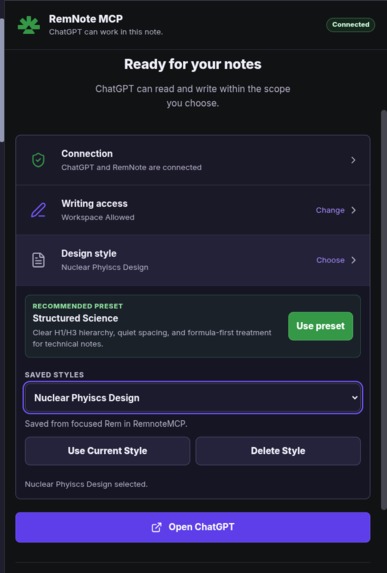
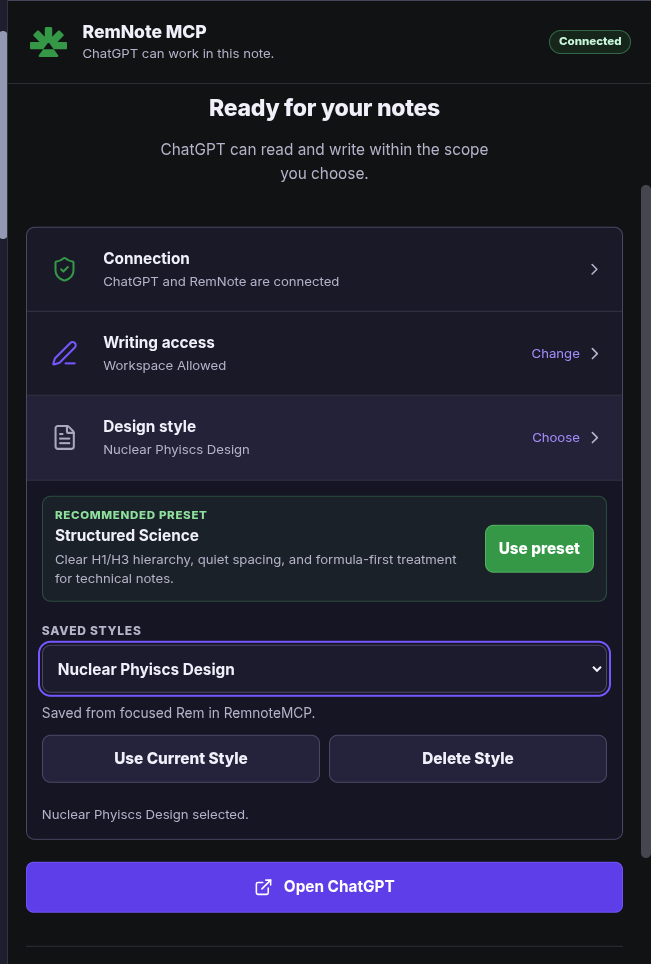
Design Style Setting
Inspiration / Problem
I started RemNote MCP while building Phronesis, an educational platform.
I was already using AI to research curricula, explain difficult concepts, develop worked examples, work with formulas, and prepare educational material. RemNote was where I organized that knowledge: nested notes, linked concepts, scientific notation, flashcards, and learning-oriented structures.
The problem was the gap between AI output and the knowledge base I actually used.
An AI could generate a good document, but it could not safely inspect the notes I already had, understand their hierarchy, update one concept without damaging another, preserve formulas and flashcards, restructure part of a knowledge tree, add media, or verify that its changes were actually applied correctly.
I did not want another AI note generator. I wanted an AI agent to be able to work with my existing knowledge base under my control.
That became RemNote MCP.
The original motivation was practical: I wanted AI to help me maintain and improve the educational knowledge I was building for Phronesis. As that content grew, I needed an agent that could read what already existed, update explanations, reorganize topics, preserve mathematical notation, create active-recall cards, add resources, and prepare structured knowledge for later use in the platform.
The broader idea is simple: once useful knowledge lives inside a structured system, generating another isolated document is not enough. An AI agent needs a safe way to understand, modify, extend, and verify that knowledge.
What RemNote MCP Does
RemNote MCP is a secure Model Context Protocol bridge that gives MCP clients such as ChatGPT and Codex controlled access to a user's RemNote knowledge base.
It lets an agent do more than create new notes. The agent can work with knowledge that already exists.
Understand existing knowledge
- Read the focused Rem, individual Rems, children, trees, breadcrumbs, cards, and rich text.
- Search existing knowledge.
- Navigate RemNote hierarchy while preserving parent/child ordering.
Create and maintain knowledge
- Create and update structured notes.
- Preserve formulas, rich text, headings, and stable Rem identity.
- Create flashcards and work with Concept/Descriptor learning structures.
Handle larger workflows
- Import large Markdown sources through resumable jobs.
- Resume interrupted work without blindly replaying completed chunks.
- Reconcile uncertain operations using live evidence.
Work with media
- Insert supported image, audio, YouTube, and direct-video media.
- Verify native RemNote structure through readback.
Protect the knowledge base
- Enforce scope boundaries.
- Enforce writing-access controls.
- Restrict capabilities through tool profiles.
- Keep destructive operations behind stricter controls.
- Verify writes through RemNote readback.
The result is not a chatbot embedded in RemNote. It is an agent-access layer for structured knowledge operations.
How It Works
RemNote MCP has two cooperating runtimes.
1. MCP server
A Node.js MCP server handles:
- MCP discovery and calls;
- authentication;
- tool profiles;
- permission policy;
- pairing;
- persistent import-job state;
- routing;
- diagnostics.
2. RemNote desktop plugin
A React/TypeScript RemNote plugin:
- maintains the live bridge;
- re-checks scope and permissions;
- performs the actual RemNote Plugin API operations;
- returns structured results for verification.
Request path
ChatGPT or Codex → MCP server → authentication/tool/scope checks → WebSocket bridge → RemNote plugin → RemNote Plugin API → RemNote knowledge base → readback and verification → structured MCP result
The model stays in the MCP client. RemNote MCP supplies narrowly defined tools through which the agent can operate on the knowledge base.
The user remains in control. The user chooses the effective RemNote scope, writing level, and tool profile. Destructive behavior is kept behind stricter controls and is disabled by default for normal workflows.
For long imports, RemNote MCP uses a plan → job → chunk → verify/reconcile lifecycle instead of one unbounded write. Jobs keep revision and chunk state, preserve stable mutation identities, skip already verified work when resumed, and distinguish uncertain states instead of silently replaying writes.
What Makes It Different
For a conventional document integration, success may simply mean putting the right text on the right page.
For RemNote MCP, a correct operation may need to preserve:
content + hierarchy + ordering + formulas + rich text + visual emphasis + flashcard behavior + Concept/Descriptor relationships + references + existing Rem identity + safe recovery after failure
That makes this a different agent problem. The AI is operating on a structured learning system rather than only producing prose.
The key idea is that the agent can read and control an existing knowledge base, not just generate content for a blank page.
The project began from an education workflow, but the underlying tool is useful anywhere generated or maintained knowledge must remain structured, inspectable, editable, and verifiable after the model finishes responding.
Built With Codex From the Beginning
RemNote MCP existed before OpenAI Build Week and was already developed primarily through Codex.
The earlier foundation was built largely with GPT-5.5-based Codex sessions and included:
- the RemNote plugin;
- the MCP/bridge architecture;
- a broad read/write tool surface;
- Markdown workflows;
- rich formatting;
- cards;
- the original bulk-import system.
I am not claiming GPT-5.6 built the entire project from scratch.
During OpenAI Build Week, I continued the same Codex-first engineering workflow using GPT-5.6 to extend and harden the existing system.
What I Built During OpenAI Build Week
The Build Week work focused on turning an already capable MCP bridge into a more reliable, testable, media-capable, and judge-ready product.
Major work included:
- hardening the plan/start/run/status/resume/verify/cancel bulk-import lifecycle;
- adding revision-aware persistence and legal state transitions;
- adding stable mutation identities and duplicate/replay protection;
- introducing explicit reconciliation for uncertain chunks;
- correcting logical-versus-native RemNote node budgeting;
- improving note-design compilation and structural verification;
- strengthening formatting-result truthfulness and unsupported-SDK reporting;
- moving connection ownership into a persistent plugin runtime instead of tying it to the sidebar lifecycle;
- improving the plugin UI for connection state, scope, writing access, profiles, pairing, and diagnostics;
- strengthening authentication and input boundaries;
- adding image, audio, YouTube, and direct-video insertion through native RemNote rich-text paths;
- expanding automated regression coverage and PostgreSQL-backed CI;
- packaging a v0.1.1 plugin artifact for RemNote review/release while documenting a local-development path for evaluation.
The final submitted v0.1.1 release suite recorded 349 automated tests, along with type checking, SDK validation, plugin and server builds, server smoke checks, security and boundary checks, dependency audits, exact-main CI, and connected RemNote proof kept as separate evidence layers.
How I Used Codex
Codex was the engineering loop around the repository, not just a code generator.
I used it to:
- inspect Git history, architecture boundaries, runtime configuration, test reports, and live failures;
- reproduce and classify failures across server, bridge, plugin, SDK, persistence, and verification layers;
- design safer state transitions and recovery semantics;
- implement targeted fixes;
- create regression tests for schemas, state transitions, idempotency, persistence, security, reconnect behavior, imports, media, and plugin workflows;
- compare local and CI evidence with connected RemNote behavior;
- repeatedly audit the repository against explicit completion gates before calling the release ready.
How I Used GPT-5.6
GPT-5.6 was used through Codex during the Build Week reliability and product-completion campaign.
I used it to reason across failures that crossed multiple runtime layers, design safer state transitions, reconcile code-level proof with live RemNote evidence, implement repairs, review regressions, and help move the project from a broad working prototype toward a more durable developer tool.
GPT-5.6 is not bundled inside the RemNote plugin. The model runs in the MCP client; RemNote MCP is the controlled tool layer through which the agent operates on RemNote.
Challenges I Ran Into
A retry can be more dangerous than a failure
If a connection drops after a write but before confirmation, blindly replaying the same chunk can duplicate an entire knowledge tree.
Solving this required stable mutation identities, revision checks, explicit uncertain states, read-only verification, and evidence-based reconciliation.
Logical Markdown nodes and native RemNote nodes are not always one-to-one
A logical chunk can expand into more native RemNote nodes than expected.
Live testing exposed this and forced planning, execution, and verification to share the same native-node budget.
Transport success is not behavior success
A healthy server endpoint, a connected WebSocket, a successful MCP response, a real RemNote mutation, correct readback, and visible media playback are different proof levels.
I kept those evidence layers separate.
SDK limits must be reported honestly
Some visual operations depend on the RemNote SDK/runtime version.
Unsupported behavior should return a truthful typed result without damaging existing content, not a fake success.
Connection reliability is an ownership problem
The bridge originally depended too much on the sidebar lifecycle.
Moving connection ownership into the persistent plugin runtime made the integration substantially more durable.
Accomplishments I Am Proud Of
- Turning a broad MCP tool surface into a workflow that can plan, write, read back, verify, resume, and reconcile instead of assuming success.
- Giving an AI agent controlled access to work with an existing RemNote knowledge base rather than only generating isolated documents.
- Using a 15-scenario connected RemNote campaign as an engineering input, not only as a final benchmark.
- Preserving explicit proof boundaries across automated tests, CI, deployment, plugin connectivity, live mutation, readback, idempotency, and human media confirmation.
- Building a safer path for large structured note creation, formulas, flashcards, formatting, media, and resumable imports.
- Making connection, permission scope, writing access, profiles, pairing, and diagnostics visible to the user.
- Providing a documented local-development evaluation path while keeping the v0.1.1 plugin artifact available for RemNote review/release.
Judge Quick Start
Canonical repository
https://github.com/HTGit63/remnote-plugin-template-react
Judge evaluation branch
https://github.com/HTGit63/remnote-plugin-template-react/tree/judges/openai-build-week-v0.1.1
Hosted MCP endpoint
https://remnote-plugin-template-react.onrender.com/mcp
Supported platform
RemNote desktop
Plugin availability note
The packaged v0.1.1 plugin ZIP is a release artifact, but judges should not rely on the ZIP installation path for evaluation because plugin availability may depend on RemNote-side review and testing.
The reliable evaluation path is the repository's local development flow.
Safe evaluation flow
- Clone the repository and check out
judges/openai-build-week-v0.1.1. - Follow the README local-development setup to install dependencies and start the companion server and persistent plugin development server.
- In RemNote desktop, use Develop from localhost and enter
http://localhost:8080for the development plugin. - Open the RemNote MCP sidebar, configure the connection described in the README, and complete pairing/authorization.
- Start with a bounded read-only request.
- Use a disposable Rem and the smallest approved scope for write testing.
- Test a structured write and verify it through RemNote readback.
- Test a resumable import or supported media insertion with a stable idempotency key.
The repository README contains the exact local-development setup, connection instructions, tool profiles, security guidance, workflows, limitations, and troubleshooting.
The judges/ folder contains the Build Week evaluation guide, benchmarks, and engineering evidence.
What I Learned
The hardest part of an AI writing tool is not generating text. It is maintaining truth across retries, partial work, changing focus, remote connections, persistence, and the real limits of another application's API.
I also learned that evaluation becomes much more useful when every failure is classified as a reproducible product defect, an infrastructure problem, a confirmed SDK limitation, or a passing behavior with evidence.
Most importantly, I learned that connecting an agent to a knowledge system is not just about giving it write access. The difficult part is giving it enough context and capability to operate usefully while preserving user control, structure, identity, and recoverability.
What's Next
- Continue improving observability around imports, reconnects, and verification evidence without exposing note content or secrets.
- Expand supported rich-note capabilities as the RemNote Plugin API evolves.
- Explore deeper learning workflows that combine structured notes, active recall, and agent-assisted knowledge maintenance.
- Continue using RemNote MCP as part of the Phronesis content workflow, where AI can help maintain and transform an evolving educational knowledge base instead of producing disconnected documents.
Built With
- gpt-5.5
- gpt-5.6
- model-context-protocol-(mcp)
- node.js
- openai-codex
- postgresql
- react-17
- remnote-plugin-api-/-sdk
- render
- typescript
- vitest
- webpack
- websockets
- zod

